Every day, millions of people hit the same wall: a file in the wrong format, a measurement in the wrong unit, data stuck in a structure nothing else understands. Converters exist to tear down those walls. They are the translators of the digital world, turning the incompatible into the usable in seconds, and the best ones do it free, instantly, and without demanding your email address.
This guide collects the finest free converters available online. Every tool here runs in your browser, which means no installs, no waiting for uploads on simple jobs, and no subscriptions. From everyday unit conversions to developer grade data format transformations, this list covers the conversion tasks real people face every week.
Why do converters matter so much? Because the digital world is fragmented by design. Different industries, countries, and software ecosystems all chose their own standards. An American recipe meets metric kitchens. A designer’s file meets a developer’s pipeline. A researcher’s dataset meets a visualization tool that speaks a different dialect. Converters bridge every one of these gaps, and they do it so smoothly you barely notice the complexity underneath. The best part is how these everyday miracles have become free. What once required expensive desktop software or developer skills now happens in a browser tab in seconds.
Who is this list for? Students converting units for homework. Developers transforming JSON to CSV and back. Writers moving between Markdown and HTML. Designers switching image formats. Researchers wrangling data files. Office workers converting documents. In short, basically everyone who uses a computer, because everyone eventually needs to convert something. Even casual users run into conversions when sharing photos, submitting assignments, or opening an attachment in an unfamiliar format.
Below is our complete current lineup of free converters. We have 13 live today and are building toward 50, so bookmark this page. Each entry explains what the tool converts, when you need it, and the features that make it stand out.
Complete List of Free Converters
1. Unit Converter
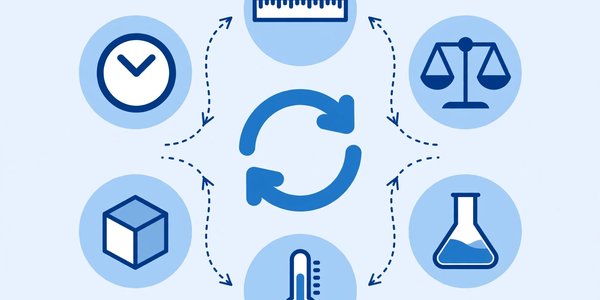
The granddaddy of all converters, the Unit Converter handles length, weight, temperature, volume, speed, area, pressure, energy, and dozens more measurement types. Enter a value, pick your from and to units, and get an instant accurate answer with the formula shown.
Students use it for homework across sciences. Cooks convert between cups and grams. Travelers make sense of miles versus kilometers and Fahrenheit versus Celsius. Engineers double check specs across unit systems. Fitness enthusiasts convert pounds to kilograms and miles to kilometers for training logs. The converter covers metric and imperial thoroughly, shows conversion formulas for learning, and works offline capable for quick reference. It is the single most universally useful entry among these converters, the one everyone bookmarks. Try Unit Converter free
2. Binary Converter
Ones and zeros run the world, and the Binary Converter translates between binary and human readable formats. Convert binary to decimal, decimal to binary, and explore related representations with clear step by step workings.
Computer science students use it to check homework and understand place values. Developers debug bit flags and binary protocols. Hobbyists exploring electronics make sense of microcontroller values. The converter shows the conversion process, not just the answer, which makes it genuinely educational. It handles large values, validates input to catch typos, and explains each step. Among technical converters, this is a classroom favorite. Try Binary Converter free
3. Hex Converter
Hexadecimal shows up in colors, memory addresses, and network configs. The Hex Converter moves fluently between hex, decimal, binary, and octal, so you always speak the right base for the job.
Web developers convert hex color codes while debugging styles. Embedded engineers interpret register dumps. Students learn number systems by watching values transform. The tool converts in all directions simultaneously, so one input updates every representation at once. It validates hex input gracefully and handles the large values common in real debugging. For anyone who lives near the metal, these converters are daily drivers. Try Hex Converter free
4. Decimal Converter
The Decimal Converter is the counterpart that starts from base ten and reaches outward. Enter any decimal number and instantly see its binary, hex, and octal equivalents, with clear labeling for each.
Teachers demonstrate number systems with live conversion. Developers verify constants before hardcoding them. Students cross check exam answers. The simplicity is the point: one input, every output, zero confusion. It pairs naturally with the binary and hex converters above, and together they form a complete number base toolkit. Fast, accurate, and educational. Try Decimal Converter free
5. File Converter
When you just need a file in a different format without caring about the technical details, the File Converter delivers. It handles common document, image, audio, and data conversions through a single clean interface.
Office workers convert documents for sharing. Students submit assignments in required formats. Teams standardize files across mixed software environments. The converter detects your file type automatically, suggests sensible targets, and processes quickly. Because it runs in the browser for supported types, small files never even upload. It is the friendly front door among converters for people who do not want to think about formats. Try File Converter free
6. EPUB to PDF Converter
Ebooks are great until you need to print or share with someone whose reader chokes on EPUB. The EPUB to PDF Converter transforms your ebooks into universally readable PDFs while preserving chapters, formatting, and images.
Students convert textbooks for annotation. Professionals share reports that started as ebooks. Readers archive libraries in a stable format. The converter maintains the table of contents as PDF bookmarks, handles images cleanly, and produces print ready output. PDF works everywhere with no special software, which is exactly why this conversion remains one of the most requested converters. Try EPUB to PDF Converter free
7. CSV to JSON Converter
Data lives in CSV files but modern applications speak JSON. The CSV to JSON Converter bridges that gap, turning spreadsheet exports into structured data developers can use directly. Paste your CSV or upload the file, preview the JSON, and copy or download it.
Developers seed databases and test APIs. Analysts move spreadsheet data into web apps. Students learn data structures with real examples. The converter handles headers intelligently, detects delimiters, supports nested output options, and validates the result so you get parseable JSON every time. It even pretty prints for readability. Among developer focused converters, this one gets used daily. Try CSV to JSON Converter free
8. JSON to CSV Converter
The reverse trip matters just as often. The JSON to CSV Converter flattens API responses and structured data into spreadsheet friendly tables. Paste JSON, get CSV ready for Excel or Google Sheets.
Analysts pull API data into reports. Marketers export platform data for analysis. Developers debug by viewing JSON in tabular form. The converter intelligently flattens nested objects, handles arrays gracefully, and lets you choose which fields become columns. Large payloads process without choking. These two converters together form a complete data interchange loop. Try JSON to CSV Converter free
9. YAML to JSON Converter
Configuration files love YAML, but JavaScript tooling wants JSON. The YAML to JSON Converter translates between them accurately, preserving structure, types, and nesting. Paste YAML from a config file and get valid JSON back.
DevOps engineers convert Kubernetes manifests and CI configs. Developers migrate settings between systems. Students learn both formats by comparing outputs. The converter validates YAML syntax and reports errors with line numbers, which alone saves hours of debugging. It handles anchors, multi line strings, and all the YAML features that naive converters mangle. Precise and dependable. Try YAML to JSON Converter free
10. HTML to Markdown Converter
Writers who publish on multiple platforms constantly shuttle between HTML and Markdown. The HTML to Markdown Converter strips web formatting down to clean portable Markdown, preserving headings, links, lists, code blocks, and emphasis.
Bloggers migrate between CMS platforms. Developers convert documentation. Newsletter writers repurpose web content. The converter produces idiomatic Markdown rather than literal translations, so the output reads naturally and renders correctly. It handles tables, blockquotes, and inline code with care. For anyone maintaining content in two worlds, these converters eliminate tedious reformatting. Try HTML to Markdown Converter free
11. Markdown to HTML Converter
Going the other way, the Markdown to HTML Converter renders your Markdown into clean semantic HTML ready to paste into any web page or CMS. Write in the lightweight syntax you love, get proper markup out.
Writers preview how posts will look. Developers generate documentation pages. Teams standardize README rendering. The converter supports GitHub flavored Markdown including tables, task lists, and syntax highlighted code blocks. Output is clean and semantic, not div soup, so it integrates well with existing stylesheets. Live preview shows the rendered result as you type. Try Markdown to HTML Converter free
12. Image Format Converter
JPG for photos, PNG for graphics with transparency, WebP for the modern web, and more. The Image Format Converter switches between them while letting you control quality and size. Upload any common image and export in the format each situation demands.
Web developers optimize images for fast pages. Designers deliver assets in required formats. Social managers meet platform specifications. The converter shows before and after file sizes so you can see the savings, offers quality sliders for lossy formats, and can resize during conversion to do two jobs at once. Smart format choices slash load times, making this one of the highest impact converters for the web. Try Image Format Converter free
13. Document Converter
The Document Converter focuses on office and text documents: DOCX, PDF, TXT, RTF, ODT, and friends. It moves your documents between formats while preserving text, basic formatting, and structure.
Students submit in whatever format professors demand. Job seekers tailor resumes for different application systems. Offices standardize archives. The converter handles the common conversions reliably and warns clearly about anything that might not transfer perfectly, like complex layouts. For everyday document interchange, it removes the “wrong format” friction completely. Try Document Converter free
How to Choose the Right Converters
Choosing the right converter starts with identifying exactly what you have and what you need. The input format and the desired output define the tool. “I have a CSV and need JSON” points straight to one tool, while “I have a file and am not sure” suggests starting with the general file converter. Precision here saves time.
Consider quality and fidelity requirements. Converting a photo from PNG to JPG loses some data by design, which is fine for web use but not for archival masters. Text conversions between Markdown and HTML are generally lossless for common elements but can stumble on exotic formatting. Understand what each conversion preserves and what it discards, and choose settings accordingly.
Think about privacy for sensitive content. Documents, data files, and images can contain confidential information. Our converters process supported files in your browser, keeping data on your device. For highly sensitive material, prefer tools that never upload, and be cautious with any service that is vague about data handling.
Batch needs change the equation. Converting one file is different from converting hundreds. For large batches, look for tools that handle queues efficiently or consider whether a desktop script might serve better. Our converters are optimized for the common case of individual files done well.
Finally, verify the output before depending on it. Open the converted file in its target application, check that formatting survived, and confirm data integrity with a quick scan. Five seconds of verification beats discovering problems after you have shared the file. Keep a mental note of which converters you use most, since those deserve bookmarks for one click access. As we grow toward 50 converters, check back for new formats and capabilities.
Frequently Asked Questions About Converters
Are these converters really free?
Yes. All 13 converters are completely free with no signup, no usage caps on normal use, and no watermarks. We believe format conversion is basic digital infrastructure that everyone should access freely.
Do my files get uploaded to a server?
For supported conversions, processing happens directly in your browser, so files never leave your device. This is faster and more private. Some complex document conversions may use secure server processing, in which case files are handled transiently and never stored.
Will conversion reduce quality?
It depends on the formats involved. Converting between lossless formats preserves everything. Converting to lossy formats like JPG or MP3 involves tradeoffs you control through quality settings. Text and data conversions are typically exact. When quality matters, choose the highest settings and verify the output.
What is the maximum file size?
Most converters handle files up to several hundred megabytes comfortably in the browser. Very large files may process more slowly depending on your device. For typical documents, images, and data files, you will have no issues at all.
Can I convert multiple files at once?
Current tools focus on doing one conversion excellently. For batch workflows, convert files sequentially, which remains fast for typical needs. Batch capabilities are on our roadmap as we expand toward 50 converters.
Which image format should I choose?
Use JPG for photographs where small size matters, PNG when you need transparency or pixel perfect graphics, and WebP for modern web delivery where browser support allows. Our image format converter shows size comparisons to guide the choice.
Is CSV to JSON conversion reliable for large datasets?
Yes. The converter handles large CSV files and produces valid JSON with proper escaping and structure. For extremely large datasets in the hundreds of megabytes, consider splitting the file or using dedicated ETL tooling.
Will more converters be added?
Definitely. We currently offer 13 free converters and are building toward 50. Upcoming additions include more document pairs, ebook formats, subtitle conversions, and specialized data transformations. Bookmark this page to catch new arrivals.
Do converters work on mobile devices?
Yes. All of our converters are designed to work smoothly in mobile browsers. Converting a unit or a small file on your phone is just as easy as on desktop. For very large files, a desktop browser with more memory may process faster, but typical conversions work great on any modern phone.
Conclusion
Converters are the unsung heroes of digital life, quietly resolving the incompatibilities that would otherwise waste countless hours every single day. The 13 free converters in this guide handle units, number bases, files, documents, images, and data formats, all without cost, signup, or software installs.
Whether you are a student, developer, writer, or just someone with a file in the wrong format, you now have professional grade conversion at your fingertips. As we expand toward 50 converters, this collection will cover even more of the format maze. New additions are driven by real user requests, so if you regularly convert something we do not handle yet, let us know. Bookmark the page, share it with anyone who has ever stared at an incompatible file in despair, and convert with confidence.
For background reading, see the Wikipedia article on file converters and the Wikipedia guide to conversion of units.