YAML to JSON Converter
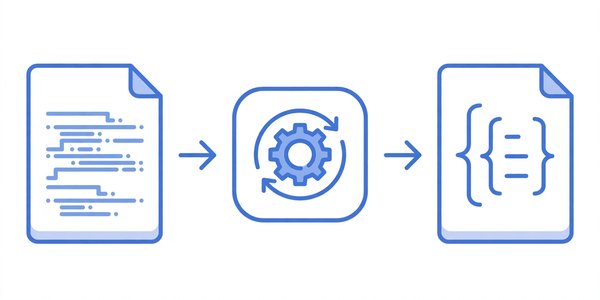
If you work with configuration files, CI pipelines, or Kubernetes manifests, YAML is probably part of your daily life. It is clean, readable, and easy for humans to scan at a glance. But the moment you need that same data inside a JavaScript application, a REST API request, or a browser based dashboard, YAML stops being useful and JSON takes over. That is exactly the gap our YAML to JSON Converter fills. It turns your YAML into clean, valid JSON in seconds, right here in your browser. There is nothing to install, no account to create, and no learning curve to climb. You simply paste your YAML, click one button, and copy the JSON output. Whether you are a developer wiring up an API, a DevOps engineer translating a Helm values file, or a student learning how data formats relate to each other, this free online tool saves you real time and removes the guesswork. Best of all, the conversion happens entirely on your own device, so your data never travels to a server. Even sensitive configuration values like tokens and internal hostnames stay private, which makes this a tool you can trust with real work files.

How to Use YAML to JSON Converter
Converting your YAML takes less than a minute from start to finish. Follow the steps below and you will have clean, ready to use JSON in no time.
- Paste your YAML into the input box. Open the tool and paste your YAML text into the input panel on the left. If your YAML lives in a file, open it in any text editor, select everything, copy it, and paste it here. You can also type small snippets by hand when you are sketching out a new config from scratch. The input box handles everything from a five line snippet to a full multi hundred line manifest without breaking a sweat.
- Let the tool validate your syntax. The moment your YAML lands in the input box, the converter scans it for problems. If it finds an issue, such as tabs mixed with spaces or a missing colon after a key, it highlights the exact line and explains what is wrong in plain language. Valid YAML earns a quiet confirmation and you move straight on. Catching errors at this stage saves you from debugging broken JSON later, which is always harder.
- Choose your output formatting. Decide how you want the JSON to look before you convert. Pretty printed output with clean indentation is best when a human will read it, for example during debugging sessions or in documentation. Minified output strips all extra whitespace and is best for production payloads where every byte counts. Many teams standardize on two space indentation, so pick the style that matches your project and keeps your diffs tidy.
- Click the Convert button. One click runs the parser and builds your JSON. Because the conversion happens locally in your browser, even large documents finish almost instantly with no upload wait and no server queue. You will see the output panel fill in right away, which makes iterating fast when you are tweaking a config.
- Review the JSON output. The result appears with syntax highlighting, so keys, strings, numbers, and booleans each stand out in their own color. Scroll through the structure once and confirm that nested objects and arrays landed where you expected. A quick visual check now prevents surprises when the JSON meets your application, your API, or your deployment pipeline.
- Copy or download the result. Press the copy button to place the entire JSON document on your clipboard in one action, or download it as a ready to use .json file. Paste it into your code editor, API testing client, or deployment pipeline and you are done. There is no watermark, no attribution required, and no limit on how many times you repeat the process.
Key Features
Our converter is built to handle real world YAML, not just textbook examples. Every feature below is included free, with no limits on how often you use it.
- Instant in browser conversion. Paste your YAML and get JSON back immediately. The parser runs in JavaScript on your own device, so there are no uploads, no queues, and no waiting on a remote server. What you paste is converted in a blink.
- Automatic syntax validation. Before converting, the tool checks your YAML and reports errors with exact line numbers and plain language explanations. You fix the flagged line instead of hunting through the whole document, which turns a frustrating search into a ten second fix.
- Pretty print formatting. Generate human readable JSON with clean, consistent indentation. Pretty output is ideal for debugging sessions, pull request reviews, and documentation that other people will read and need to understand quickly.
- Minified output option. Remove every unnecessary space and line break with one toggle. Minified JSON keeps API responses small and production bundles lean, which helps your pages and services load faster for real users.
- Full support for nested structures. Deeply nested maps, lists inside maps, and arrays of objects all convert correctly. YAML anchors and aliases are resolved to their real values, so the JSON contains the complete data with nothing left as an unresolved reference.
- Syntax highlighted output. Keys, strings, numbers, booleans, and null values each render in their own color. Highlighting makes it dramatically easier to scan large documents, trace nesting levels, and spot misplaced values at a glance.
- One click copy and download. Copy the entire output to your clipboard or save it directly as a .json file. You never have to drag select across hundreds of lines, and you never have to worry about broken formatting sneaking in.
- Private by design. Conversion happens locally, which means your YAML never leaves your browser tab. You can safely convert files containing secrets, tokens, passwords, or internal hostnames without a second thought about who might see them.

Why Use Our YAML to JSON Converter?
YAML and JSON solve different problems, and most real projects eventually need both. Developers write configuration in YAML because it is friendly to human eyes, then need JSON because their tools, APIs, and JavaScript runtimes demand it. Translating by hand is slow and risky. A single misplaced indent can silently change the meaning of your data, and those bugs are miserable to track down in production. Our converter removes that risk completely. The parser reads your YAML exactly as written and produces JSON that mirrors its structure, so what you see is what you get.
DevOps engineers reach for this tool when moving values between Helm charts, Ansible playbooks, Docker Compose files, and JSON based deployment systems. Frontend developers use it when a mock API or CMS export arrives in YAML but the app speaks JSON. Students and bootcamp learners use it to build intuition about how the two formats map to each other, which makes both formats easier to learn and remember. Technical writers convert YAML examples into JSON for documentation aimed at JavaScript audiences. Because the tool is free and unlimited, there is no reason to install a desktop utility or write a throwaway script for a job that takes ten seconds here.
Teams benefit too, because the converter creates one shared, repeatable step in the workflow. Instead of every developer hand translating configs in a slightly different way, everyone pastes through the same tool and gets identical JSON. That consistency cuts down merge conflicts and review churn in a very real way. And since there is no signup, you can drop the link into a runbook or share it with a new hire without worrying about licenses, seats, or approvals.
Tips for Best Results
These small habits will make every conversion smoother and every output more reliable.
- Use spaces, never tabs, for indentation. The YAML specification forbids tabs for indentation, and mixed whitespace is the single most common conversion error. Set your editor to insert spaces automatically and this entire class of problem disappears for good.
- Validate before you convert. If the tool flags a syntax error, fix that line first. Converting broken YAML only produces broken JSON, so the thirty seconds you spend validating now saves real debugging time later when the stakes are higher.
- Quote strings that look like other types. Values such as yes, on, or 2024-01-01 can be misread as booleans or dates by strict parsers. Wrapping them in quotes keeps them as plain strings in your JSON output, exactly as you intended.
- Match your project’s indentation style. If your team uses two spaces, convert with two spaces. Consistent formatting keeps diffs clean when you commit the JSON and makes code reviews faster for everyone on the team.
- Minify for production, pretty print for people. Keep a readable version in your repository and generate the minified version at build time. Smaller payloads travel faster over the network and cost less to serve at scale.
- Test the output in your real tool. Paste the JSON into your API client or run it through your application once. A quick live test catches mapping surprises before they ever reach production, where fixes are always more expensive.
Frequently Asked Questions
Is the YAML to JSON Converter really free?
Yes, completely free. There are no usage limits, no accounts, no trial periods, and no hidden paywalls. Convert as many documents as you like, as often as you like, for as long as you like. Whether you convert one file a month or a hundred files a day, the price stays exactly zero and every feature stays unlocked.
Is my data safe when I convert YAML online?
Yes. The entire conversion runs in your browser using JavaScript. Your YAML is never uploaded to a server, never stored, and never logged. That makes the tool safe even for files that contain passwords, API keys, or internal infrastructure details.
What is the difference between YAML and JSON?
Both formats describe structured data, but they optimize for different readers. YAML uses indentation to show nesting, which makes it pleasant for humans to read and write. JSON uses braces, brackets, and quotes, which makes it strict, explicit, and native to JavaScript. JSON is the better choice for machines, while YAML is the better choice for hand edited config files. Our tool bridges the two so you can author in YAML and consume in JSON without manual translation.
Complete List of All Free Online Tools
Browse the full directory of 450+ free tools. Click any tool name to use it instantly - no signup required.
| # | Tool Name | Category |
|---|---|---|
| 1 | A B Test Significance Calculator | Calculators & Converters |
| 2 | Acronym Generator | Utility Tools |
| 3 | Ad Copy Generator | Utility Tools |
| 4 | Add Page Numbers To PDF | PDF Tools |
| 5 | Add Subtitles To Video | Media Tools |
| 6 | Add Subtract Days Calculator | Calculators & Converters |
| 7 | Age Calculator | Calculators & Converters |
| 8 | Angle Converter | Calculators & Converters |
| 9 | API Request Tester | Utility Tools |
| 10 | Area Converter | Calculators & Converters |
| 11 | Article Rewriter | Utility Tools |
| 12 | Audio Converter | Calculators & Converters |
| 13 | Audio Merger | Media Tools |
| 14 | Audio Metadata Editor | Media Tools |
| 15 | Audio Pitch Changer | Media Tools |
| 16 | Audio Speed Changer | Media Tools |
| 17 | Audio To Text Converter | Calculators & Converters |
| 18 | Audio Trimmer | Media Tools |
| 19 | Avatar Maker | Utility Tools |
| 20 | Background Remover | Utility Tools |
| 21 | Backlink Checker | SEO Tools |
| 22 | Banner Maker | Utility Tools |
| 23 | Barcode Generator | Developer Tools |
| 24 | Base64 Encoder Decoder | Developer Tools |
| 25 | Bass Booster | Utility Tools |
| 26 | Bibliography Generator | Utility Tools |
| 27 | Bill Splitter | Utility Tools |
| 28 | Binary Converter | Calculators & Converters |
| 29 | Binary To Text Converter | Calculators & Converters |
| 30 | Birthday Countdown | Date & Time Tools |
| 31 | Bmi Calculator | Calculators & Converters |
| 32 | Bmr Calculator | Calculators & Converters |
| 33 | Body Fat Calculator | Calculators & Converters |
| 34 | Body Surface Area Calculator | Calculators & Converters |
| 35 | Book Title Generator | Utility Tools |
| 36 | Brand Color Finder | Color Tools |
| 37 | Brand Kit Generator | Utility Tools |
| 38 | Break Even Calculator | Calculators & Converters |
| 39 | Broken Link Checker | Utility Tools |
| 40 | Browser Info Checker | Utility Tools |
| 41 | Budget Planner | Utility Tools |
| 42 | Business Card Designer | Utility Tools |
| 43 | Business Card Maker | Utility Tools |
| 44 | Business Days Calculator | Calculators & Converters |
| 45 | Business Name Generator | Utility Tools |
| 46 | Business Proposal Generator | Utility Tools |
| 47 | Button Generator | Utility Tools |
| 48 | Buyer Persona Generator | Utility Tools |
| 49 | Calorie Calculator | Calculators & Converters |
| 50 | Captcha Generator | Utility Tools |
Does the converter handle nested objects and lists?
Absolutely. Nested maps, arrays of objects, and deeply layered combinations of both convert correctly. YAML anchors and aliases are resolved to their actual values during conversion, so the resulting JSON contains the full data with no dangling references.
What happens if my YAML has a syntax error?
The tool validates your input before converting and tells you exactly which line contains the problem, along with a short plain language description. Fix the flagged line and convert again. The most common culprits are tabs used for indentation, inconsistent indent widths, and missing colons after keys. Once the flagged line is fixed, the confirmation appears instantly and you can convert with full confidence that the JSON will be valid.
Can I convert JSON back to YAML?
This tool converts in one direction, from YAML to JSON. If you need the reverse, A Tool Today also offers a JSON to YAML converter that works with the same one click simplicity.
Does it work on mobile devices?
Yes. The converter is fully responsive and runs in any modern mobile browser. Paste your YAML on your phone or tablet and you will get the same clean JSON output you would get on a desktop. The layout adapts to small screens, the buttons stay easy to tap, and the copy function works with your phone’s clipboard just like on a computer.
Can I convert very large YAML files?
Within reason, yes. Because parsing happens locally on your device, performance depends on your hardware rather than a server limit. Typical config files, manifests, and data exports convert instantly. For unusually large files, converting in sections keeps the browser responsive, and the minified output option keeps the result compact.
Table of Contents
What is Yaml to JSON Converter?
The yaml to json converter is a free online tool that helps you with yaml to json converter tasks quickly and accurately. Our yaml to json converter is designed to be simple, fast, and reliable. Whether you need a yaml to json converter for personal use or professional work, this free yaml to json converter delivers instant results without any signup or download required.
How to Use the Yaml to JSON Converter
Using our yaml to json converter is easy. Simply open the yaml to json converter tool above, enter your input, and get instant results. The yaml to json converter processes everything in your browser for maximum privacy and speed. No technical knowledge is needed to use this yaml to json converter effectively.
Benefits of Using Our Yaml to JSON Converter
Our free yaml to json converter offers many advantages. It is completely free to use, requires no registration, works on all devices, and provides accurate results instantly. The yaml to json converter is updated regularly to ensure the best performance. For more information about yaml to json converter, you can Learn more about yaml to json converter on Wikipedia.
Frequently Asked Questions About Yaml to JSON Converter
Is the yaml to json converter really free? Yes, our yaml to json converter is 100% free with no hidden costs or premium tiers.
Do I need to create an account to use the yaml to json converter? No, the yaml to json converter works instantly without any signup or login required.
