Angle Converter
Angles are everywhere once you start looking: the slope of a roof, the field of view in a photograph, the heading on a compass, the rotation of a robotic arm. But angles are measured in several different units, and mixing them up is one of the easiest mistakes in math, engineering, and navigation. Degrees are what most of us learned in school, radians rule in calculus and physics, gradians show up in surveying, and turns or revolutions describe full rotations in mechanical work. The Angle Converter from A Tool Today translates between all of them instantly. Type your angle, choose the unit it is in and the unit you need, and get a precise result without touching a calculator. Students use it to convert degrees to radians for trigonometry homework. Programmers use it because most code libraries expect radians while humans think in degrees. Navigators, surveyors, photographers, and DIY builders all run into angle conversions in real projects. The tool is free, unlimited, and needs no signup, so whether you are solving one homework problem or converting a whole dataset of measurements, you will have accurate answers in seconds.
Most people meet angle confusion for the first time in a math class, but it follows you into surprising places. A photographer calculating lens field of view works in degrees, while the software rendering the image thinks in radians. A drone pilot programs waypoints in degrees but debugs rotation code in radians. A woodworker setting a miter saw reads degrees off the scale, while the CNC file driving the same cut may store angles as radians. Each domain chose the unit that made its own math cleanest, and nobody coordinated. The result is a constant low level translation tax on technical work. The Angle Converter pays that tax for you. One value in, one precise value out, with every major angle unit supported, so you can move between human friendly degrees and code friendly radians without breaking your flow.
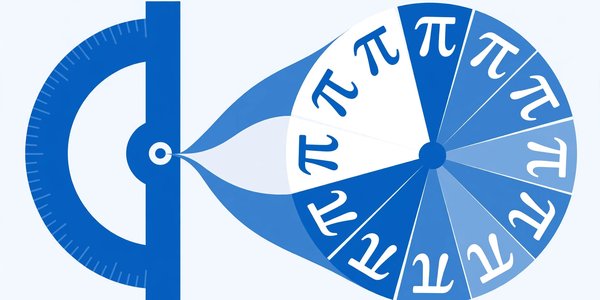
How to Use the Angle Converter
Converting angles takes three quick decisions: your number, your current unit, and your desired unit. Here is the full walkthrough so you get it right the first time.
A useful habit is to glance at your result and ask whether it makes sense before using it. Converting 90 degrees should give about 1.5708 radians, and converting 1 radian should give about 57.3 degrees. If your answer looks wildly different from these familiar landmarks, double check that you selected the correct starting unit. This ten second sanity check catches the majority of unit mix ups.
- Open the Angle Converter page. Go to the Angle Converter on A Tool Today in any browser. The page loads fast on desktop and mobile alike, with no installation and no account needed before you start.
- Enter your angle value. Type the number into the input field. Whole numbers and decimals both work, and negative angles are fine too, so values like 45, 1.5708, or minus 30 are all accepted. If your measurement came from a protractor, enter it exactly as read.
- Select your starting unit. Open the “from” dropdown and pick the unit your angle is measured in: degree, radian, gradian (also called gon), turn (revolution), arcminute, or arcsecond. Double check this choice, because a value in radians looks very different from the same number in degrees.
- Select your target unit. Open the “to” dropdown and choose the unit you need. Doing calculus homework? Pick radian. Programming a rotation in most graphics libraries? Radian again. Reading a survey map? Gradian might be the one. The result calculates instantly.
- Read your answer. The converted angle appears right away with clean, readable precision. For common conversions like 180 degrees, you will see the familiar 3.14159 radians. Copy the value straight into your homework, code, or plans.
- Swap or keep converting. Use the swap button to reverse the conversion direction in one tap. Change the input to convert another angle, as many times as you need, all completely free.
Once the basic motion is familiar, the converter becomes an extension of your thinking. Programmers alt tab to it while debugging rotations, students keep it beside their homework, and makers use it at the workbench when plans and machines disagree on units. Fast, free, and always accurate beats mental math every single time.

Key Features
Angles look simple, but a converter earns its keep on precision, range, and unit coverage. Here is how the Angle Converter on A Tool Today handles the details that matter.
- Instant conversion: Results update live as you type or switch units. There are no submit buttons and no delays, which is perfect when you are working through a long problem set.
- All major angle units: Degrees, radians, gradians (gons), turns (revolutions), arcminutes, and arcseconds are all supported, covering school math, engineering, surveying, navigation, and astronomy needs.
- High precision output: Conversions use the full precision of pi, so results like degrees to radians are accurate to many decimal places. Ideal for scientific and programming work where rounding errors matter.
- Handles any angle size: Tiny arcseconds for astronomy, full multi turn rotations for mechanical engineering, and negative angles for coordinate work are all handled correctly.
- Free and unlimited: There are no conversion caps, no premium features, and no trial that expires. Students can convert an entire homework assignment without hitting a wall.
- No signup, total privacy: Nothing to register for and nothing tracked. Open the page and convert, with your work staying on your own device.
- Mobile friendly: The responsive layout works beautifully on phones, so you can convert angles in the field, in the workshop, or at your desk with equal ease.
- Clean copyable results: Numbers are formatted for easy copying into calculators, code editors, spreadsheets, and documents.
Why Use Our Angle Converter?
Angle units cause more confusion than almost any other measurement because the same physical rotation can be written in wildly different looking numbers. A half turn is 180 degrees, about 3.14159 radians, 200 gradians, or 0.5 turns. Hand any of those to someone expecting a different unit and the result is a wrong answer that looks perfectly reasonable. Our Angle Converter eliminates that risk by making translation instant and exact.
Students feel this pain first. Trigonometry classes teach degrees, then calculus switches to radians without much warning, and homework suddenly demands fluency in both. Instead of memorizing that pi radians equals 180 degrees and doing the fraction math by hand every time, you convert in a second and focus on understanding the actual problem. Programmers hit the same wall: nearly every graphics, game, and robotics library expects radians, but designers and clients describe rotations in degrees. One quick conversion bridges the human to code gap.
Beyond the classroom, surveyors work in gradians, navigators think in degrees and compass points, photographers calculate field of view angles, and makers programming CNC machines or 3D printers juggle degrees and radians constantly. In every case, a wrong unit means a wrong cut, a wrong heading, or a wrong render. A Tool Today built this converter to be the fastest reliable option online: free, unlimited, precise, and available on any device. Keep it bookmarked and angle units will never slow you down again.
The stakes of angle conversion are easy to underestimate until a mistake costs real money or time. A CNC part cut at the wrong angle is scrap material. A robot arm commanded in degrees when the controller expected radians can swing wildly off target. A navigation waypoint misread by a unit error sends you somewhere you did not intend to go. In each case the math was fine; the units were wrong. Having a converter you trust, one that handles pi with full precision and never confuses gradians with degrees, removes an entire category of error from technical work. There is also a learning benefit. Watching 45 degrees become 0.7854 radians repeatedly builds an intuitive feel for both systems, which is exactly the fluency that trigonometry and calculus courses are trying to teach. Instead of fighting the arithmetic, students absorb the relationships. That is why teachers recommend keeping a reliable angle converter open during study sessions: it turns repetitive calculation into quiet reinforcement.
Programmers get a special bonus. Because most graphics, game physics, and robotics libraries operate in radians, converted values often go straight into code. Clean, full precision output means you can paste results directly without worrying that rounding will accumulate across frames or iterations. Small errors in rotation math compound quickly in animations and simulations, so starting from a precise conversion genuinely improves the final product. Whether you are rotating a sprite, aiming a camera, or steering a drone, exact angles make the difference between smooth and subtly wrong.
Students sometimes ask whether they should just memorize the conversions instead of using a tool. The honest answer is to do both: understand that pi radians equals 180 degrees so you can estimate, and use the converter for the exact figures your work requires. Estimation catches big mistakes, like expecting a small angle and getting a huge one, while the tool guarantees the digits are right. Together they make you both fast and accurate, which is exactly the combination that exams, code reviews, and workshop projects reward.
Tips for Best Results
Angle math is unforgiving of unit mistakes, but these practical habits will keep your conversions correct and your projects on track.
- Learn the anchor conversions: Remember that 180 degrees equals pi radians, 90 degrees equals 100 gradians, and one full turn equals 360 degrees. These anchors help you sanity check any result at a glance.
- Check which unit your tool expects: Before converting for code or a calculator, confirm whether it wants degrees or radians. Most programming math libraries and scientific calculator trig functions default to radians.
- Use enough decimal places: For programming and engineering, keep four to six decimal places in radian values. Rounding pi to 3.14 too early can introduce visible errors in graphics and robotics.
- Remember arcminutes are not time minutes: An arcminute is one sixtieth of a degree. Do not confuse angle arcminutes and arcseconds with minutes and seconds of time, a classic beginner mix up.
- Normalize large rotations: If your result exceeds one full turn, consider reducing it modulo 360 degrees (or 2 pi radians) when the application only cares about final orientation.
- Bookmark it for homework sessions: Angle conversions cluster together during trig and calculus study. Having the converter one click away keeps your momentum instead of breaking it with manual arithmetic.
Make these checks automatic and angle units become a non issue. You will move between degrees, radians, and gradians with the same ease as converting inches to centimeters, and your work will be better for it.
Complete List of All Free Online Tools
Browse the full directory of 450+ free tools. Click any tool name to use it instantly - no signup required.
| # | Tool Name | Category |
|---|---|---|
| 1 | A B Test Significance Calculator | Calculators & Converters |
| 2 | Acronym Generator | Utility Tools |
| 3 | Ad Copy Generator | Utility Tools |
| 4 | Add Page Numbers To PDF | PDF Tools |
| 5 | Add Subtitles To Video | Media Tools |
| 6 | Add Subtract Days Calculator | Calculators & Converters |
| 7 | Age Calculator | Calculators & Converters |
| 8 | Angle Converter | Calculators & Converters |
| 9 | API Request Tester | Utility Tools |
| 10 | Area Converter | Calculators & Converters |
| 11 | Article Rewriter | Utility Tools |
| 12 | Audio Converter | Calculators & Converters |
| 13 | Audio Merger | Media Tools |
| 14 | Audio Metadata Editor | Media Tools |
| 15 | Audio Pitch Changer | Media Tools |
| 16 | Audio Speed Changer | Media Tools |
| 17 | Audio To Text Converter | Calculators & Converters |
| 18 | Audio Trimmer | Media Tools |
| 19 | Avatar Maker | Utility Tools |
| 20 | Background Remover | Utility Tools |
| 21 | Backlink Checker | SEO Tools |
| 22 | Banner Maker | Utility Tools |
| 23 | Barcode Generator | Developer Tools |
| 24 | Base64 Encoder Decoder | Developer Tools |
| 25 | Bass Booster | Utility Tools |
| 26 | Bibliography Generator | Utility Tools |
| 27 | Bill Splitter | Utility Tools |
| 28 | Binary Converter | Calculators & Converters |
| 29 | Binary To Text Converter | Calculators & Converters |
| 30 | Birthday Countdown | Date & Time Tools |
| 31 | Bmi Calculator | Calculators & Converters |
| 32 | Bmr Calculator | Calculators & Converters |
| 33 | Body Fat Calculator | Calculators & Converters |
| 34 | Body Surface Area Calculator | Calculators & Converters |
| 35 | Book Title Generator | Utility Tools |
| 36 | Brand Color Finder | Color Tools |
| 37 | Brand Kit Generator | Utility Tools |
| 38 | Break Even Calculator | Calculators & Converters |
| 39 | Broken Link Checker | Utility Tools |
| 40 | Browser Info Checker | Utility Tools |
| 41 | Budget Planner | Utility Tools |
| 42 | Business Card Designer | Utility Tools |
| 43 | Business Card Maker | Utility Tools |
| 44 | Business Days Calculator | Calculators & Converters |
| 45 | Business Name Generator | Utility Tools |
| 46 | Business Proposal Generator | Utility Tools |
| 47 | Button Generator | Utility Tools |
| 48 | Buyer Persona Generator | Utility Tools |
| 49 | Calorie Calculator | Calculators & Converters |
| 50 | Captcha Generator | Utility Tools |
Frequently Asked Questions
Is the Angle Converter free?
Yes, it is completely free with unlimited conversions. No account, no fees, and no restricted features.
How do I convert degrees to radians?
Enter your degree value, select degree as the starting unit and radian as the target. For example, 180 degrees converts to approximately 3.14159 radians. The converter handles the pi based math precisely.
What is a gradian?
A gradian, also called a gon, divides a right angle into 100 parts, so a full circle is 400 gradians. It is mainly used in surveying and some European engineering contexts because the decimal friendly scale simplifies certain calculations.
What is the difference between arcminutes and minutes?
An arcminute is an angle unit equal to one sixtieth of a degree, used in navigation and astronomy. It has nothing to do with time minutes, even though both divide their larger unit into sixty parts. The converter treats them strictly as angles.
Why do programmers need radians?
Most math libraries in programming languages compute trigonometric functions in radians because radians simplify the underlying calculus. If a designer specifies a 45 degree rotation, converting to about 0.7854 radians gives the value the code actually needs.
How accurate are the conversions?
Extremely accurate. The tool uses the full precision of pi and standard definitions for every unit, so results are reliable for schoolwork, engineering calculations, and software development.
Can I convert negative angles?
Yes. Negative angles, which often represent clockwise rotation or positions below a reference axis, convert just as correctly as positive ones.
Do I need to download or install anything?
No. The Angle Converter runs entirely in your browser on any device. There is nothing to install and no signup required.
Table of Contents
What is Angle Converter?
The angle converter is a free online tool that helps you with angle converter tasks quickly and accurately. Our angle converter is designed to be simple, fast, and reliable. Whether you need a angle converter for personal use or professional work, this free angle converter delivers instant results without any signup or download required.
How to Use the Angle Converter
Using our angle converter is easy. Simply open the angle converter tool above, enter your input, and get instant results. The angle converter processes everything in your browser for maximum privacy and speed. No technical knowledge is needed to use this angle converter effectively.
Benefits of Using Our Angle Converter
Our free angle converter offers many advantages. It is completely free to use, requires no registration, works on all devices, and provides accurate results instantly. The angle converter is updated regularly to ensure the best performance. For more information about angle converter, you can Learn more about angle converter on Wikipedia.
Frequently Asked Questions About Angle Converter
Is the angle converter really free? Yes, our angle converter is 100% free with no hidden costs or premium tiers.
Do I need to create an account to use the angle converter? No, the angle converter works instantly without any signup or login required.
