Broken Link Checker
Nothing kills trust faster than a visitor clicking your link and landing on a dead page. It feels sloppy, and search engines agree: broken links signal a neglected site. Worse, every broken link leaks away the ranking power you worked hard to build, because link equity dies at a 404. Our Broken Link Checker finds every dead link on your site before your visitors do. Enter your URL, and the tool crawls through your pages testing each link, then hands you a clean report of everything that returns an error. No software to install. No technical skills needed. Just answers. If you manage a blog with years of old posts, a store with changing inventory, or a business site that links to outside resources, broken links are accumulating right now without you knowing it. Pages get deleted, sites shut down, URLs change, and your links silently rot. This guide shows you how to run a full broken link scan step by step, how to fix what you find, and how to keep your site clean going forward.
The scan runs entirely online with no installation, so you can check your site from any device. Run it monthly and your visitors will never be the ones discovering your dead ends.
How to Use the Broken Link Checker
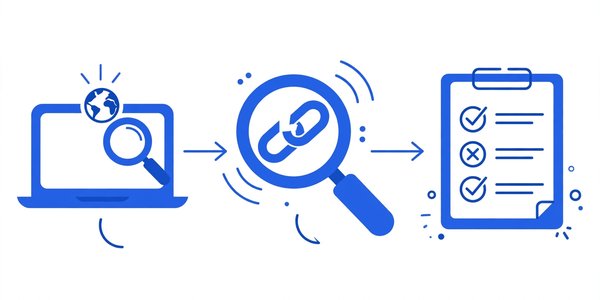
Finding broken links manually would take days on a real website. Our checker does it in minutes. Follow these six steps for a complete scan and cleanup.
- Enter your website URL. Paste your full site address into the input field, starting with https. The checker will crawl outward from this starting page, following your internal links to discover the rest of your site. For a focused audit, you can also enter a single section, like your blog archive, instead of the whole domain. Make sure the starting URL loads correctly before you begin.
- Configure the scan settings. Review options like maximum pages to crawl and whether to check external links as well as internal ones. Checking external links is slower but valuable, since outbound links to dead sites hurt your credibility too. For very large sites, run the scan in sections to keep each report manageable. The defaults work well for most small to medium websites.
- Start the scan and let it run. Click the check button and give the crawler time to work through your pages. Each link gets tested individually, so a site with thousands of links takes longer than a small blog. Keep the tab open while it runs, and resist the urge to refresh. If the scan seems stuck, verify your site is loading normally, since server issues pause the crawl.
- Review the broken link report. When the scan finishes, you will see every link that returned an error, organized by the page it appears on and the type of error. A 404 means the page is gone, while timeouts and server errors suggest temporary or deeper problems. Sort by internal links first, because those are fully within your control. Note which broken links sit on your highest traffic pages, since those hurt the most.
- Fix or replace each broken link. For internal links, update the URL to the correct current address or remove the link if the target page is permanently gone. For external links, find a replacement resource or link to an archived version. If a whole section moved, consider setting up redirects on your site so old URLs forward visitors automatically. Work through the list methodically, starting with your most visited pages.
- Rescan to verify the cleanup. After fixing everything, run the checker again to confirm the report comes back clean. New issues can appear between scans, especially with external links, so this verification step matters. Schedule a repeat scan every month or two to catch future link rot early. A consistently clean report means visitors and crawlers always find working paths through your site.
Key Features
- Full site crawling: Follows your internal links to discover pages and test every link it finds, not just the homepage.
- Internal and external checks: Tests both your own pages and outbound links to other websites in one pass.
- Detailed error codes: Shows whether each failure is a 404, a timeout, a server error, or a redirect chain, so you fix the right problem.
- Source page mapping: Tells you exactly which page contains each broken link, making fixes fast and precise.
- Redirect detection: Flags chains of multiple redirects that slow down visitors and dilute link value.
- Fast parallel testing: Checks many links at once, finishing scans far quicker than one by one manual testing.
- Exportable reports: Save the results to share with your team or work through offline.
- Free unlimited scans: Run as many checks as you need, whenever your site changes.
Why Use Our Broken Link Checker?
Broken links damage your site in three ways at once, and all three are invisible until someone looks. First, they wreck the visitor experience. A reader who hits two dead links stops trusting your content and leaves, often for a competitor. On a store, a broken link on a product or checkout path can directly cost sales. Second, they waste your SEO equity. Internal links pass ranking power between your pages, and every link that points to a 404 pours that power down the drain. External broken links are subtler but still signal a poorly maintained site to search engines. Third, they waste crawl budget. When Googlebot follows your links into dead ends, those are crawls that could have gone to your fresh content instead. Our checker solves all three with one free scan. Bloggers with years of archives discover dozens of dead outbound links they never knew existed. Store owners catch broken links from discontinued products before customers complain. Agencies run it as part of every client audit, because a clean link profile is one of the fastest credibility wins you can show. The tool needs no installation and no technical background, so there is no barrier between you and a healthier site. Run it today, fix what it finds, and schedule a monthly rescan. Your visitors will never know how much quiet maintenance keeps their experience smooth, and that is exactly the point.
Tips for Best Results
- Fix internal links before external ones. Your own broken pages are fully in your control and usually matter more for SEO.
- Set up redirects for moved content. A 301 redirect turns a would be 404 into a smooth handoff that preserves ranking power.
- Check external links quarterly. Other sites change or shut down constantly, so outbound link rot is inevitable without regular checks.
- Watch for redirect chains. A link that bounces through three redirects is slow and fragile; point it at the final URL directly.
- Scan after migrations and redesigns. URL changes during a relaunch are the number one cause of sudden broken link spikes.
- Do not ignore images and files. Broken images and dead PDF links hurt credibility just like broken page links do.
Common Mistakes to Avoid
Most problems with this kind of optimization come from a handful of avoidable errors. Watch out for these and you will stay ahead of the majority of site owners.
- Scanning once and forgetting about it. Links rot constantly as other sites redesign, move pages, or shut down. A quarterly scan catches new breaks before they pile up into a real problem.
- Deleting broken links instead of fixing them. Deleting internal links throws away link equity and can orphan pages. Redirect or replace first, and only delete when no sensible replacement exists.
- Ignoring outbound links. Most people only check internal links, but broken links to external sites look just as sloppy to visitors and waste the authority you pass outward.
- Panicking over temporary errors. A 503 or timeout might just mean the linked server was having a bad minute. Re-scan before you start rewriting links so you do not fix what was never broken.
- Leaving redirect chains in place. A link that hops through three redirects still works, but it is slow and leaks ranking power. Update it to point straight at the final destination.
- Forgetting links in PDFs and old posts. Broken links hide in downloadable files, archived articles, and footer widgets that nobody looks at. Include these areas in your scan scope.
Advanced Tips and Real-World Use Cases
Link builders use broken link data offensively. Scan a competitor’s resource page, find their dead outbound links, then pitch your own content as the replacement. This technique, called broken link building, converts dead links on other sites into backlinks for yours.
After a site migration, run the checker against your list of old URLs. Every internal link that still points to a pre migration address is a redirect chain slowing down crawlers and visitors. Updating them to the final URLs is one of the highest impact post migration cleanups you can do.
Ecommerce stores schedule scans around catalog changes. When seasonal products are discontinued, their links break across category pages, blog gift guides, and email archives. A scan right after the catalog update catches all of them before shoppers hit dead ends during peak buying season.
For large content sites, the smart workflow is prioritization by traffic. Export the broken link report, sort the affected pages by their traffic in analytics, and fix the high traffic pages first. A broken link on a page with ten thousand monthly visitors matters far more than one on a forgotten archive page.
Frequently Asked Questions
What counts as a broken link?
A broken link is any link that leads to an error instead of a working page. The classic case is a 404 not found error, which means the target page no longer exists at that address. Timeouts, server errors, and DNS failures count too, since the visitor still ends up stranded. Even a link that redirects endlessly without ever landing is effectively broken. Our checker tests each link and reports the exact status it finds.
Do broken links really hurt my Google rankings?
Yes, though the effect is indirect rather than a formal penalty. Broken internal links waste the ranking power that flows through your site and create dead ends for crawlers, which can slow down indexing of your good pages. Broken external links signal poor maintenance, which affects how search engines assess overall site quality. A handful of broken links will not sink a strong site, but widespread link rot drags down both user experience and crawl efficiency.
How do links break in the first place?
Links break for ordinary, unavoidable reasons. You delete or rename a page and forget to update the links pointing to it. A site you linked to shuts down, moves, or restructures its URLs. A product sells out and its page is removed. A typo slips into a URL when you publish in a hurry. On older sites, years of small changes accumulate into dozens of dead links. Regular scanning is the only reliable way to stay ahead of this natural decay.
Complete List of All Free Online Tools
Browse the full directory of 450+ free tools. Click any tool name to use it instantly - no signup required.
| # | Tool Name | Category |
|---|---|---|
| 1 | A B Test Significance Calculator | Calculators & Converters |
| 2 | Acronym Generator | Utility Tools |
| 3 | Ad Copy Generator | Utility Tools |
| 4 | Add Page Numbers To PDF | PDF Tools |
| 5 | Add Subtitles To Video | Media Tools |
| 6 | Add Subtract Days Calculator | Calculators & Converters |
| 7 | Age Calculator | Calculators & Converters |
| 8 | Angle Converter | Calculators & Converters |
| 9 | API Request Tester | Utility Tools |
| 10 | Area Converter | Calculators & Converters |
| 11 | Article Rewriter | Utility Tools |
| 12 | Audio Converter | Calculators & Converters |
| 13 | Audio Merger | Media Tools |
| 14 | Audio Metadata Editor | Media Tools |
| 15 | Audio Pitch Changer | Media Tools |
| 16 | Audio Speed Changer | Media Tools |
| 17 | Audio To Text Converter | Calculators & Converters |
| 18 | Audio Trimmer | Media Tools |
| 19 | Avatar Maker | Utility Tools |
| 20 | Background Remover | Utility Tools |
| 21 | Backlink Checker | SEO Tools |
| 22 | Banner Maker | Utility Tools |
| 23 | Barcode Generator | Developer Tools |
| 24 | Base64 Encoder Decoder | Developer Tools |
| 25 | Bass Booster | Utility Tools |
| 26 | Bibliography Generator | Utility Tools |
| 27 | Bill Splitter | Utility Tools |
| 28 | Binary Converter | Calculators & Converters |
| 29 | Binary To Text Converter | Calculators & Converters |
| 30 | Birthday Countdown | Date & Time Tools |
| 31 | Bmi Calculator | Calculators & Converters |
| 32 | Bmr Calculator | Calculators & Converters |
| 33 | Body Fat Calculator | Calculators & Converters |
| 34 | Body Surface Area Calculator | Calculators & Converters |
| 35 | Book Title Generator | Utility Tools |
| 36 | Brand Color Finder | Color Tools |
| 37 | Brand Kit Generator | Utility Tools |
| 38 | Break Even Calculator | Calculators & Converters |
| 39 | Broken Link Checker | Utility Tools |
| 40 | Browser Info Checker | Utility Tools |
| 41 | Budget Planner | Utility Tools |
| 42 | Business Card Designer | Utility Tools |
| 43 | Business Card Maker | Utility Tools |
| 44 | Business Days Calculator | Calculators & Converters |
| 45 | Business Name Generator | Utility Tools |
| 46 | Business Proposal Generator | Utility Tools |
| 47 | Button Generator | Utility Tools |
| 48 | Buyer Persona Generator | Utility Tools |
| 49 | Calorie Calculator | Calculators & Converters |
| 50 | Captcha Generator | Utility Tools |
Should I delete broken links or fix them?
Fix them whenever a good replacement exists, and delete only as a last resort. For internal links, point the link at the correct current URL, or set up a 301 redirect from the old address to the new one. For external links, find an equivalent live resource on the same topic. Deleting a link is better than leaving it broken, but a working link preserves the context and value the original link was meant to provide.
What is the difference between a 404 and a soft 404?
A true 404 is a server response saying the page does not exist, which is honest and easy for crawlers to understand. A soft 404 is sneakier: the server returns a success code but shows a page with no real content, like an empty search results page. Search engines dislike soft 404s because they waste crawl budget on pages pretending to be real. Our checker helps you spot both, so you can redirect or remove them properly.
How long does a full site scan take?
It depends on your site’s size and speed. A small blog with a few dozen pages may finish in a couple of minutes. A store with thousands of product pages and heavy external linking can take considerably longer, since every link must be tested individually. Scanning in sections, such as one category at a time, keeps each run fast and the reports easier to act on. The tool tests links in parallel to keep things as quick as possible.
Can broken links affect my site security?
Indirectly, yes. Old links sometimes point to domains that have expired and been re registered by someone else, occasionally for spam or malicious purposes. Your site would then be sending visitors to a potentially harmful destination. Regular scans catch these hijacked outbound links before they become a problem. It is one more reason link maintenance is about more than just tidiness.
What is the difference between a broken link and a redirect?
A broken link leads nowhere useful, returning a 404 or another error. A redirect leads to a working page through one or more hops. Redirects are not broken, but chains of multiple redirects slow things down and dilute ranking signals. The checker flags errors as broken and can surface long redirect chains so you can point links directly at their final destinations.
How do I find who links to my broken pages from other sites?
Check your backlink profile in Search Console or an SEO tool, then filter for links pointing at URLs that now return 404s. Each one is link equity going to waste. Either restore the page, redirect the dead URL to the closest live match, or contact the site owner with a working replacement link. Reclaiming these is one of the easiest link building wins available.
Table of Contents
What is Broken Link Checker?
The broken link checker is a free online tool that helps you with broken link checker tasks quickly and accurately. Our broken link checker is designed to be simple, fast, and reliable. Whether you need a broken link checker for personal use or professional work, this free broken link checker delivers instant results without any signup or download required.
How to Use the Broken Link Checker
Using our broken link checker is easy. Simply open the broken link checker tool above, enter your input, and get instant results. The broken link checker processes everything in your browser for maximum privacy and speed. No technical knowledge is needed to use this broken link checker effectively.
Benefits of Using Our Broken Link Checker
Our free broken link checker offers many advantages. It is completely free to use, requires no registration, works on all devices, and provides accurate results instantly. The broken link checker is updated regularly to ensure the best performance. For more information about broken link checker, you can Learn more about broken link checker on Wikipedia.
Frequently Asked Questions About Broken Link Checker
Is the broken link checker really free? Yes, our broken link checker is 100% free with no hidden costs or premium tiers.
Do I need to create an account to use the broken link checker? No, the broken link checker works instantly without any signup or login required.
