CAPTCHA Generator
Bots never sleep. They hammer login pages with stolen passwords, flood contact forms with spam, scrape your prices, and create thousands of fake accounts while you are having coffee. A CAPTCHA, that little test that asks you to prove you are human, is still one of the simplest and most effective ways to slow them down. Our free CAPTCHA Generator lets you create custom CAPTCHA challenges in seconds, right in your browser, with no coding skills required. You choose the style, length, and difficulty, and the tool produces a ready to use challenge with distorted characters, background noise, and anti bot tricks built in. Web developers use it to protect signup and login forms. Bloggers use it to stop comment spam. Small business owners use it to keep their quote request forms human only. Because the generator runs entirely online, you can design, preview, and deploy a CAPTCHA today without installing libraries or writing a line of JavaScript.

How to Use CAPTCHA Generator
Creating your first CAPTCHA takes under a minute. The generator gives you a live preview as you adjust the settings, so you can see exactly what your visitors will see. Follow these steps to build a challenge that blocks bots without annoying real people.
- Open the CAPTCHA Generator. Visit the CAPTCHA Generator page on A Tool Today. It loads instantly on any device, needs no account, and shows you a default sample CAPTCHA right away so you can see the quality before changing anything.
- Pick a character set. Choose letters only, numbers only, or a mix of both. Letters plus numbers gives the largest pool of combinations and the strongest bot resistance, while numbers only is friendlier for mobile users who will type the answer on a small keyboard.
- Set the length and difficulty. Select how many characters the challenge should contain, usually between 4 and 8. Then tune the difficulty: more distortion, rotation, and background noise makes it harder for bots, while a cleaner look is easier for genuine visitors. Aim for the middle ground your audience can comfortably read.
- Customize the look. Adjust colors, fonts, and background style to match your website’s design. A CAPTCHA that blends with your form looks professional and trustworthy, while clashing colors make the whole page feel sketchy. Preview each change live until it feels right.
- Generate and test it yourself. Click generate to create a fresh challenge, then try solving it as a visitor would. If you struggle to read it, your users will too, so dial the noise back a notch. The best CAPTCHA is one a human solves in under ten seconds.
- Copy the code and add it to your form. The tool gives you the challenge plus the verification logic you need. Paste it into your login, signup, contact, or comment form, and every submission now requires a correct human answer before it is accepted. Regenerate challenges regularly for maximum protection.
Key Features
- Multiple character sets. Generate CAPTCHAs with uppercase letters, lowercase letters, digits, or any combination. Mixed sets create millions of possible challenges, making brute force guessing practically useless against your forms.
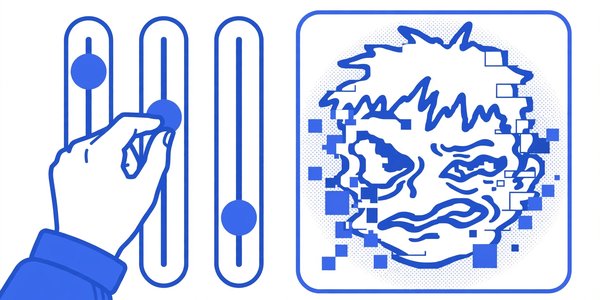
- Adjustable difficulty levels. Control character distortion, rotation, overlapping lines, and background noise with simple sliders. You decide the exact balance between bot resistance and human readability instead of accepting a one size fits all default.
- Live visual preview. Every setting change updates the preview instantly, so there is no generate, download, check, repeat cycle. What you see is exactly what your visitors will get, which makes fine tuning fast and even a little fun.
- Custom styling options. Match the CAPTCHA to your brand with custom foreground and background colors, font choices, and canvas sizes. A styled CAPTCHA feels like a native part of your form rather than a bolted on afterthought.
- One click refresh. Visitors can request a new challenge instantly if the current one is hard to read. This single feature dramatically reduces form abandonment, because users never feel trapped by an unreadable image.
- Copy ready integration code. The generator outputs everything you need to drop the CAPTCHA into an HTML form, including the display code and the answer verification logic. Even developers with basic skills can integrate it in minutes.
- Free and unlimited. Generate as many CAPTCHAs as you want, for as many sites as you want, at no cost. There are no API keys to manage, no monthly quotas, and no premium tier locking away the good options.
- No signup, works everywhere. The tool runs in your browser on phones, tablets, and desktops with nothing to install. Open the page, build your CAPTCHA, and get back to work.
Why Use Our CAPTCHA Generator?
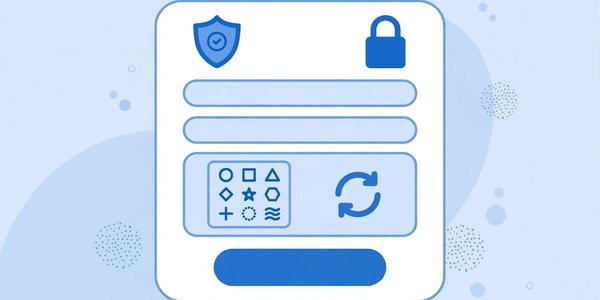
Spam is a tax on every public form. A contact form without protection will collect junk within days of going live, burying real inquiries under offers you never asked for. Login pages face a darker threat: credential stuffing bots that try thousands of stolen username and password pairs automatically. A well tuned CAPTCHA stops both problems at the gate, because bots struggle with distorted text while humans read it effortlessly. Our generator puts that protection in reach of anyone, not just teams with a security budget.
Compared to heavyweight alternatives, our approach has real advantages. Big CAPTCHA services often track users across sites, slow down your pages with external scripts, and sometimes fail entirely when their servers hiccup. A self hosted CAPTCHA built with our generator keeps your visitors’ data on your own site, loads instantly with no third party calls, and works even if an external provider has an outage. For small businesses, bloggers, and indie developers, that independence matters.
There is also the design factor. Most free CAPTCHA widgets look identical and clash with carefully designed sites. Because our generator lets you control colors, fonts, and difficulty, the challenge becomes part of your design language instead of an ugly interruption. A Tool Today built this generator for real world forms: strong enough to frustrate bots, friendly enough that your grandmother could pass it, and free forever.
Tips for Best Results
- Match difficulty to the stakes. A newsletter signup needs only light protection, while a login page guarding accounts deserves stronger distortion and longer challenges. Overprotecting a low risk form just annoys visitors for no benefit.
- Always offer a refresh button. Even well designed CAPTCHAs occasionally produce a tricky character pair. A visible refresh option turns a moment of frustration into a one click fix and keeps conversion rates healthy.
- Avoid ambiguous characters. If your audience includes older users or mobile visitors, consider excluding characters that look alike, such as zero and the letter O, or one and lowercase L. Readability is a feature, not a weakness.
- Expire challenges server side. A CAPTCHA answer should be valid for only a few minutes and for a single attempt. This prevents attackers from harvesting answers and replaying them later. Our generator gives you the challenge; your server enforces the expiry.
- Combine with rate limiting. CAPTCHAs work best as part of a layered defense. Adding simple rate limiting, such as locking an IP after several failed attempts, multiplies the protection without adding friction for legitimate users.
- Test on real devices. A CAPTCHA that looks crisp on your desktop monitor might be tiny on a phone screen. Check your form on at least one mobile device before launch, and bump up the canvas size if the characters feel cramped.
Frequently Asked Questions
What is a CAPTCHA and why do I need one?
CAPTCHA stands for Completely Automated Public Turing test to tell Computers and Humans Apart. It is a challenge, usually reading distorted text, that is easy for people and hard for software. You need one on any public form, login page, or signup page to block automated bots that submit spam, steal accounts, or scrape your content.
Will this CAPTCHA work on my website?
Yes. The generator produces standard HTML and JavaScript that works in any modern browser and drops into any website, whether you built it with WordPress, a static site generator, or hand written code. You paste the generated snippet into your form page and add the verification check on your server.
Do I need to know how to code?
Not to generate the CAPTCHA itself. Designing the challenge is entirely visual: pick options, preview, and copy. Adding it to a form needs only basic HTML copy and paste skills, and the generated code includes comments explaining where each piece goes.
Is the CAPTCHA generator really free?
Completely free with no limits. Generate unlimited CAPTCHAs for unlimited websites without creating an account or entering payment details. A Tool Today keeps it free as part of its online toolkit for builders.
How do I make the CAPTCHA harder for bots?
Increase the character count, mix letters and numbers, and raise the distortion, rotation, and background noise settings. Each step makes automated character recognition exponentially harder. Just remember to test readability yourself, because a CAPTCHA humans cannot read protects nothing.
Can bots still solve CAPTCHAs?
Simple CAPTCHAs can be beaten by sophisticated machine learning, which is why layering matters. Use a well tuned challenge from our generator together with rate limiting and server side expiry, and you will block the vast majority of automated attacks. No single tool stops every bot, but this combination stops the ones targeting small and medium sites.
Complete List of All Free Online Tools
Browse the full directory of 450+ free tools. Click any tool name to use it instantly - no signup required.
| # | Tool Name | Category |
|---|---|---|
| 1 | A B Test Significance Calculator | Calculators & Converters |
| 2 | Acronym Generator | Utility Tools |
| 3 | Ad Copy Generator | Utility Tools |
| 4 | Add Page Numbers To PDF | PDF Tools |
| 5 | Add Subtitles To Video | Media Tools |
| 6 | Add Subtract Days Calculator | Calculators & Converters |
| 7 | Age Calculator | Calculators & Converters |
| 8 | Angle Converter | Calculators & Converters |
| 9 | API Request Tester | Utility Tools |
| 10 | Area Converter | Calculators & Converters |
| 11 | Article Rewriter | Utility Tools |
| 12 | Audio Converter | Calculators & Converters |
| 13 | Audio Merger | Media Tools |
| 14 | Audio Metadata Editor | Media Tools |
| 15 | Audio Pitch Changer | Media Tools |
| 16 | Audio Speed Changer | Media Tools |
| 17 | Audio To Text Converter | Calculators & Converters |
| 18 | Audio Trimmer | Media Tools |
| 19 | Avatar Maker | Utility Tools |
| 20 | Background Remover | Utility Tools |
| 21 | Backlink Checker | SEO Tools |
| 22 | Banner Maker | Utility Tools |
| 23 | Barcode Generator | Developer Tools |
| 24 | Base64 Encoder Decoder | Developer Tools |
| 25 | Bass Booster | Utility Tools |
| 26 | Bibliography Generator | Utility Tools |
| 27 | Bill Splitter | Utility Tools |
| 28 | Binary Converter | Calculators & Converters |
| 29 | Binary To Text Converter | Calculators & Converters |
| 30 | Birthday Countdown | Date & Time Tools |
| 31 | Bmi Calculator | Calculators & Converters |
| 32 | Bmr Calculator | Calculators & Converters |
| 33 | Body Fat Calculator | Calculators & Converters |
| 34 | Body Surface Area Calculator | Calculators & Converters |
| 35 | Book Title Generator | Utility Tools |
| 36 | Brand Color Finder | Color Tools |
| 37 | Brand Kit Generator | Utility Tools |
| 38 | Break Even Calculator | Calculators & Converters |
| 39 | Broken Link Checker | Utility Tools |
| 40 | Browser Info Checker | Utility Tools |
| 41 | Budget Planner | Utility Tools |
| 42 | Business Card Designer | Utility Tools |
| 43 | Business Card Maker | Utility Tools |
| 44 | Business Days Calculator | Calculators & Converters |
| 45 | Business Name Generator | Utility Tools |
| 46 | Business Proposal Generator | Utility Tools |
| 47 | Button Generator | Utility Tools |
| 48 | Buyer Persona Generator | Utility Tools |
| 49 | Calorie Calculator | Calculators & Converters |
| 50 | Captcha Generator | Utility Tools |
Does the generator store my CAPTCHA designs?
No. Everything happens in your browser and nothing is uploaded or saved on our servers. Your designs, settings, and generated challenges stay on your device, which also means the tool works the same for everyone with no account needed.
What is the difference between text and image CAPTCHAs?
Text CAPTCHAs ask the visitor to type distorted characters, while image CAPTCHAs ask them to identify objects in pictures, such as selecting all traffic lights. Text CAPTCHAs are faster to solve, lighter to load, and easier to generate yourself, which is why our tool focuses on them. Image challenges can be stronger against bots but are slower for users and harder to build without a large labeled image set. For most small and medium websites, a well tuned text CAPTCHA plus rate limiting stops the bots that actually show up.
Are CAPTCHAs accessible to visually impaired users?
Standard visual CAPTCHAs are difficult for visually impaired visitors, so accessibility matters. Best practice is to offer an audio alternative that reads the characters aloud, alongside the visual challenge. Keep the character set simple when accessibility is a priority, avoiding easily confused characters, and always provide the one click refresh option. If your audience includes many screen reader users, consider pairing a simpler CAPTCHA with behind the scenes checks like rate limiting rather than cranking visual difficulty to the maximum.
How often should CAPTCHA challenges refresh?
Every challenge should be single use: once an answer is submitted, right or wrong, that challenge expires and a new one is generated. Unanswered challenges should expire after a few minutes. This prevents attackers from harvesting valid answers and replaying them against your form later. Our generator makes fresh challenges instant, so there is no performance reason to reuse them. Single use plus short expiry is the standard that keeps a CAPTCHA meaningful.
Will adding a CAPTCHA slow down my website?
Not with our approach. Because the CAPTCHA is generated and served from your own site with no third party scripts, it adds negligible load time, typically just a small image and a few lines of code. This is a real advantage over external CAPTCHA services, which load remote JavaScript, set tracking cookies, and can delay your form if their servers are slow. Your pages stay fast, your visitors stay private, and your forms stay protected.
Can I use the generated CAPTCHA on multiple websites?
Yes, without any restriction. Generate a fresh challenge for each site, or design one style and deploy it everywhere you need protection. Because there are no API keys, quotas, or licenses, scaling from one blog to a whole portfolio of client sites costs nothing extra. Just make sure each site verifies answers on its own server with single use expiry, since sharing one static challenge across sites would weaken the protection. Generate freely, deploy widely.
Table of Contents
What is Captcha Generator?
The captcha generator is a free online tool that helps you with captcha generator tasks quickly and accurately. Our captcha generator is designed to be simple, fast, and reliable. Whether you need a captcha generator for personal use or professional work, this free captcha generator delivers instant results without any signup or download required.
How to Use the Captcha Generator
Using our captcha generator is easy. Simply open the captcha generator tool above, enter your input, and get instant results. The captcha generator processes everything in your browser for maximum privacy and speed. No technical knowledge is needed to use this captcha generator effectively.
Benefits of Using Our Captcha Generator
Our free captcha generator offers many advantages. It is completely free to use, requires no registration, works on all devices, and provides accurate results instantly. The captcha generator is updated regularly to ensure the best performance. For more information about captcha generator, you can Learn more about captcha generator on Wikipedia.
Frequently Asked Questions About Captcha Generator
Is the captcha generator really free? Yes, our captcha generator is 100% free with no hidden costs or premium tiers.
Do I need to create an account to use the captcha generator? No, the captcha generator works instantly without any signup or login required.
