Decimal Converter
Numbers run the digital world, and not every system speaks the same number language. You count in decimal every day without thinking about it, but computers think in binary, programmers read hex, and classic file permissions still use octal. When you need to move between these systems, doing the math by hand is slow and easy to get wrong. Our Decimal Converter takes any decimal number you type and instantly shows its equivalent in binary, octal, and hexadecimal. Whether you are a student learning number systems for the first time, a developer debugging a bitmask, or simply curious what your favorite number looks like in base two, this tool gives you the answer in a fraction of a second. You do not need to install anything or create an account. Just open the page on A Tool Today, type your number, and get clean, accurate conversions you can copy straight into your code, your homework, or your notes. It is free, it works on any device, and it is built to make number base conversion feel effortless instead of intimidating. Teachers, hobbyists, and the simply curious all find something useful here, because number bases quietly power so much of the technology you touch every day.
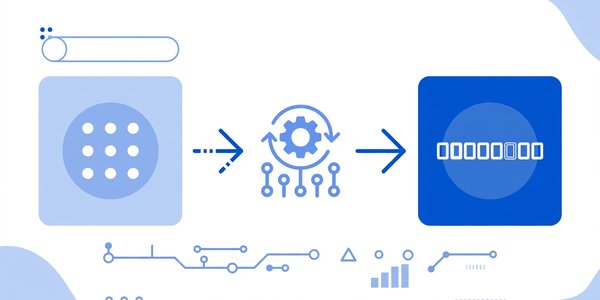
How to Use Decimal Converter
Using the Decimal Converter is simple, even if you have never worked with number bases before. The whole process takes less than a minute from start to finish, and there is nothing to install or set up. Follow these steps and you will have your converted number ready to copy wherever you need it, whether that is a code editor, a classroom worksheet, or a quick message to a colleague.
- Open the Decimal Converter page on A Tool Today. You can bookmark the page so it is always one click away when a conversion comes up in class, at work, or in a late night coding session.
- Type your decimal number into the input box. Enter whole numbers only, and leave out commas or spaces, so for example type 255 rather than 2, 5, 5 style formatting. The tool accepts standard base ten numbers, which are the ordinary numbers you use every day.
- Choose the number base you want to convert to. Pick binary if you are working with bits and low level logic, octal if you are dealing with classic Unix style permissions, or hexadecimal if you are reading memory addresses, color codes, or error codes. Each option is clearly labeled so you always know what you are getting. If you are not sure which base fits your task, check the FAQ below for a quick guide to choosing between binary, octal, and hex.
- Click the Convert button to run the conversion. The calculation happens instantly in your browser, so there is no waiting, no loading spinner, and no page refresh. Your results appear the moment you click.
- Read your converted result on the screen. The tool shows the output in a large, easy to read format, and you can see equivalents across the different bases side by side. This side by side view is great when you are learning, because you start to spot patterns between the systems. Noticing that 16 in decimal is 10 in hex, for example, is one of those small aha moments that makes the whole topic click.
- Copy the result with the one click copy button. The converted value lands on your clipboard instantly, ready to paste into your code editor, terminal, spreadsheet, or assignment. No more retyping long strings of ones and zeros by hand.
- Convert another number whenever you like. Clear the input box and type a new value to run as many conversions as you need. There are no limits, no credits, and no daily caps, so it doubles as a handy practice partner when you are drilling number system exercises.
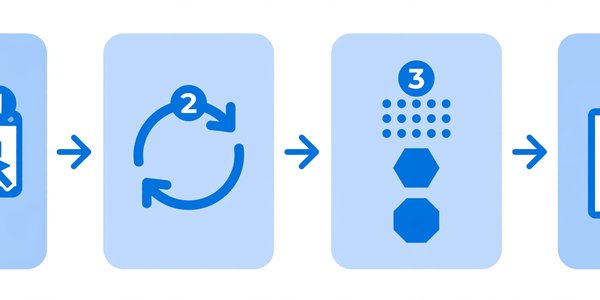
Key Features
Here is what makes our Decimal Converter a reliable little workhorse for students, developers, and curious minds alike.
- Multiple base support. Convert decimal to binary, octal, and hexadecimal in one place, so you never have to juggle separate tools for each number system.
- Instant results. Conversions run the moment you click, with zero waiting time. The math happens locally in your browser, which keeps everything fast and private. Even long values finish before you can blink.
- Handles large numbers. The converter works with big values far beyond what you would ever want to calculate by hand, making it useful for real programming and networking tasks. Students working through textbook exercises with big values will appreciate this just as much as professionals do.
- One click copy. Every result comes with a copy button, so moving a long binary or hex string into your project takes a single click instead of careful retyping.
- Clean, simple interface. There is one input box, clear base options, and big readable output. Nothing to learn, nothing to configure, and nothing cluttering your screen. First time visitors figure it out in seconds, which is exactly how a utility should feel.
- No signup required. You never have to create an account, verify an email, or hand over personal details. Open the page and start converting right away.
- Works on any device. The page is fully responsive, so it feels just as comfortable on your phone during a commute as it does on your desktop at your desk.
- Learning friendly output. Seeing decimal, binary, octal, and hex values together helps the relationships between bases click faster, which makes it a quiet study aid as well as a utility. Many users tell us the aha moment arrived right here, watching familiar numbers take unfamiliar shapes.

Why Use Our Decimal Converter?
Number base conversion shows up in more corners of daily tech life than most people expect. If you are studying computer science, converting between bases is one of those foundational skills that keeps appearing in exams, labs, and interviews, and having a fast way to check your hand calculations builds real confidence. If you write code, you meet hex constantly in color values like FF5733, in memory addresses, and in error codes, while binary shows up whenever you work with flags, masks, or bitwise operations. Network engineers convert numbers when they break down IP addresses and subnet masks, and system administrators still read octal when they set file permissions like 755 or 644. Even outside of technical work, the converter satisfies a very human curiosity about how numbers work under the hood. Doing these conversions by hand is a great learning exercise, but it is slow and one misplaced digit ruins the whole answer. A calculator style tool removes the busywork so you can focus on understanding the concept or finishing the task in front of you. Our Decimal Converter is free forever, private by design since everything runs in your browser, and always available on A Tool Today whenever a number needs translating. Consider a few everyday moments where it shines. A web designer copies FF5733 from a palette and wants to understand what those digits actually mean. A networking student splits a subnet and needs to see how 192 becomes 11000000. An Arduino hobbyist sets pin modes with binary flags and wants to double check the mask before uploading code. In each case the idea matters more than the arithmetic, and the converter handles the arithmetic in a blink. Students preparing for exams get a tireless practice partner that never gets bored of checking answers. Teachers get instant examples for the whiteboard without pausing the lesson to do long division. And because everything runs locally in your browser, even numbers from private or sensitive work stay on your own machine. There is also a quiet joy in seeing a familiar number wearing a new costume. The year you were born, your lucky number, or the port your app runs on all look surprisingly cool in binary, and sharing those conversions is a fun way to spark curiosity in friends who think math is boring. That combination of speed, privacy, and zero cost is exactly why so many people keep A Tool Today bookmarked for quick conversions.
Tips for Best Results
- Enter whole numbers only. The converter works with integers, so stick to complete numbers without decimal points, commas, or spaces for clean results every time.
- Know which base you actually need. Choose binary for bit level work, hex for colors and addresses, and octal for permission style values, so the output matches the task at hand.
- Start small when you are learning. Convert familiar numbers like 10, 16, or 100 first, and watch how the patterns change, because small examples make the logic behind each base much clearer. Powers of two like 2, 4, 8, and 16 are especially revealing, because their binary forms are beautifully simple.
- Use the side by side view to learn. Comparing the same value across bases trains your intuition over time, and soon you will start recognizing common values like 255 in hex without looking them up.
- Double check very large inputs. It is easy to mistype an extra digit in a long number, so give big values a quick second glance before you copy the result into something important.
- Use it to verify, not to skip learning. If you are a student, work the conversion out on paper first and then check it here, because the tool is at its best as a patient tutor rather than a shortcut. Your future self, sitting in the exam hall without internet access, will thank you.
Frequently Asked Questions
Is the Decimal Converter really free?
Yes, completely free with no strings attached. There are no accounts to create, no trial periods that expire, and no limits on how many numbers you can convert. A Tool Today keeps its utilities free so anyone can use them whenever the need comes up.
How accurate are the conversions?
The conversions are mathematically exact. The tool uses precise base conversion logic rather than approximations, so the binary, octal, and hexadecimal outputs match what you would get from careful hand calculation or any professional calculator.
What is the largest number I can convert?
The converter handles very large integers well beyond everyday needs, covering the kinds of values programmers and students actually encounter. If you are working with astronomically large numbers for specialized math, a dedicated big integer library might suit you better, but for normal use you will not hit a wall.
Do you store the numbers I enter?
No. Every conversion runs locally in your browser, which means your numbers never travel to our servers and nothing is saved, logged, or shared. You can convert sensitive values with complete peace of mind.
What is the difference between binary, octal, and hexadecimal?
They are simply different bases for writing numbers. Binary is base two and uses only the digits 0 and 1, which mirrors how computer hardware stores data. Octal is base eight using digits 0 through 7, and it was historically popular in early computing. Hexadecimal is base sixteen using digits 0 through 9 plus the letters A through F, and it is compact enough that programmers use it daily for colors, addresses, and codes.
Complete List of All Free Online Tools
Browse the full directory of 450+ free tools. Click any tool name to use it instantly - no signup required.
| # | Tool Name | Category |
|---|---|---|
| 1 | A B Test Significance Calculator | Calculators & Converters |
| 2 | Acronym Generator | Utility Tools |
| 3 | Ad Copy Generator | Utility Tools |
| 4 | Add Page Numbers To PDF | PDF Tools |
| 5 | Add Subtitles To Video | Media Tools |
| 6 | Add Subtract Days Calculator | Calculators & Converters |
| 7 | Age Calculator | Calculators & Converters |
| 8 | Angle Converter | Calculators & Converters |
| 9 | API Request Tester | Utility Tools |
| 10 | Area Converter | Calculators & Converters |
| 11 | Article Rewriter | Utility Tools |
| 12 | Audio Converter | Calculators & Converters |
| 13 | Audio Merger | Media Tools |
| 14 | Audio Metadata Editor | Media Tools |
| 15 | Audio Pitch Changer | Media Tools |
| 16 | Audio Speed Changer | Media Tools |
| 17 | Audio To Text Converter | Calculators & Converters |
| 18 | Audio Trimmer | Media Tools |
| 19 | Avatar Maker | Utility Tools |
| 20 | Background Remover | Utility Tools |
| 21 | Backlink Checker | SEO Tools |
| 22 | Banner Maker | Utility Tools |
| 23 | Barcode Generator | Developer Tools |
| 24 | Base64 Encoder Decoder | Developer Tools |
| 25 | Bass Booster | Utility Tools |
| 26 | Bibliography Generator | Utility Tools |
| 27 | Bill Splitter | Utility Tools |
| 28 | Binary Converter | Calculators & Converters |
| 29 | Binary To Text Converter | Calculators & Converters |
| 30 | Birthday Countdown | Date & Time Tools |
| 31 | Bmi Calculator | Calculators & Converters |
| 32 | Bmr Calculator | Calculators & Converters |
| 33 | Body Fat Calculator | Calculators & Converters |
| 34 | Body Surface Area Calculator | Calculators & Converters |
| 35 | Book Title Generator | Utility Tools |
| 36 | Brand Color Finder | Color Tools |
| 37 | Brand Kit Generator | Utility Tools |
| 38 | Break Even Calculator | Calculators & Converters |
| 39 | Broken Link Checker | Utility Tools |
| 40 | Browser Info Checker | Utility Tools |
| 41 | Budget Planner | Utility Tools |
| 42 | Business Card Designer | Utility Tools |
| 43 | Business Card Maker | Utility Tools |
| 44 | Business Days Calculator | Calculators & Converters |
| 45 | Business Name Generator | Utility Tools |
| 46 | Business Proposal Generator | Utility Tools |
| 47 | Button Generator | Utility Tools |
| 48 | Buyer Persona Generator | Utility Tools |
| 49 | Calorie Calculator | Calculators & Converters |
| 50 | Captcha Generator | Utility Tools |
Can I convert from binary back to decimal?
This particular tool converts from decimal into the other bases. If you need the reverse direction, A Tool Today offers companion converter tools that translate binary, octal, or hex values back into decimal, so you are covered in both directions.
Does the converter work on my phone?
Yes. The page is fully responsive and works in any modern mobile browser. The input box, buttons, and results all resize cleanly, so converting numbers on the go feels just as smooth as on a desktop.
Which number base should I choose for my task?
It depends on what you are working with. Choose binary when you are thinking in bits, such as flags, masks, or logic gates. Choose hexadecimal for anything programmers usually write in hex, like color codes, memory addresses, and error codes. Choose octal when you are dealing with traditional Unix file permissions or older systems that still speak base eight. When in doubt, look at all three side by side and pick the one that matches the format your task expects.
Can I use the Decimal Converter for school homework?
Absolutely, and it is a great study aid when used the right way. Work through the conversion on paper first to build your understanding, then use the tool to check your answer instantly. If your result differs, you get immediate feedback while the problem is still fresh, which helps the method stick far better than finding out days later. Many students also use it to generate practice examples by converting random numbers and then verifying them by hand.
Table of Contents
What is Decimal Converter?
The decimal converter is a free online tool that helps you with decimal converter tasks quickly and accurately. Our decimal converter is designed to be simple, fast, and reliable. Whether you need a decimal converter for personal use or professional work, this free decimal converter delivers instant results without any signup or download required.
How to Use the Decimal Converter
Using our decimal converter is easy. Simply open the decimal converter tool above, enter your input, and get instant results. The decimal converter processes everything in your browser for maximum privacy and speed. No technical knowledge is needed to use this decimal converter effectively.
Benefits of Using Our Decimal Converter
Our free decimal converter offers many advantages. It is completely free to use, requires no registration, works on all devices, and provides accurate results instantly. The decimal converter is updated regularly to ensure the best performance. For more information about decimal converter, you can Learn more about decimal converter on Wikipedia.
Frequently Asked Questions About Decimal Converter
Is the decimal converter really free? Yes, our decimal converter is 100% free with no hidden costs or premium tiers.
Do I need to create an account to use the decimal converter? No, the decimal converter works instantly without any signup or login required.
