EPUB to PDF Converter
Ebooks are wonderful until they meet the real world. Your novel sits beautifully in your reading app, but then your book club friend asks for a copy and their old tablet only opens PDFs. Your professor wants the assignment printed, and printers speak PDF fluently. You want to archive your ebook library in a format that will still open perfectly twenty years from now. That is where our EPUB to PDF Converter steps in. It takes your EPUB ebook and transforms it into a clean, well formatted PDF in seconds, preserving chapters, headings, images, and the overall reading experience. There is nothing to install and no account to create. Just upload your EPUB file on A Tool Today, click convert, and download a PDF that looks great on any screen and prints beautifully on paper. Whether you are a student preparing study material, an author sharing a manuscript, or a reader building a personal archive, this free tool turns format friction into a one minute task. Librarians digitizing collections, teachers building reading packets, and authors preparing review copies all rely on this simple bridge between the flexible ebook world and the universal PDF world. Even casual readers use it more than they expect, the moment someone asks to borrow a book in a readable format.
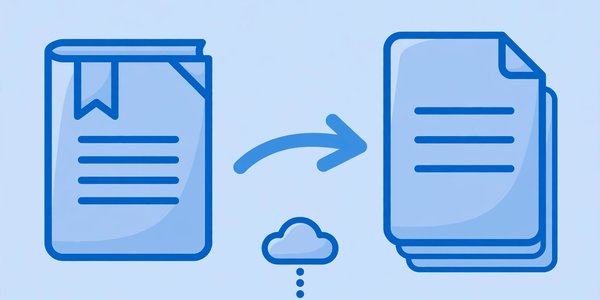
How to Use EPUB to PDF Converter
Turning your ebook into a PDF is refreshingly straightforward. You do not need to understand anything about file internals or layout engines. Just follow these steps and your PDF will be ready before your coffee cools. Each step takes only seconds, and you can repeat the process for your entire library without any limits. By the end, you will have a polished PDF ready to print, share, or archive.
- Open the EPUB to PDF Converter page on A Tool Today. Since ebook conversions come up again and again, bookmarking the page now will save you hunting for it later.
- Upload your EPUB file. Drag it into the upload area or click to browse your device and select it. Most EPUB ebooks, whether bought, borrowed, or self published, upload in just a few seconds. If your file is very large, a stable connection keeps the upload smooth and quick.
- Choose your page settings if the tool offers them. You can usually pick a page size like A4 or US Letter, set margins, and sometimes choose a font size. Think about the end use here. A4 with comfortable margins is perfect for printing, while a compact layout suits on screen reading. Getting this choice right at the start saves you from converting twice.
- Decide how to handle images and the cover. Most converters keep the book cover as the first page and preserve interior images automatically. If your ebook is image heavy, like a cookbook or a graphic novel, keeping image quality high is worth the slightly larger file.
- Click the Convert button to start the transformation. The tool reads your EPUB, lays out every chapter onto proper pages, and builds your PDF on fast secure servers. Even long novels typically finish in under a minute. You can watch the progress indicator while the pages assemble themselves behind the scenes.
- Preview and download your new PDF. Open it once to flip through a few pages and confirm the chapters, headings, and images all landed where they should. If anything looks off, tweak the settings and convert again, it costs nothing to retry.
- Save your PDF and keep the original EPUB too. Your source file stays untouched on your device, so you keep the reflowable ebook for your reader app and gain a fixed layout PDF for everything else. Convert as many ebooks as you like, there are no limits and no waiting rooms.
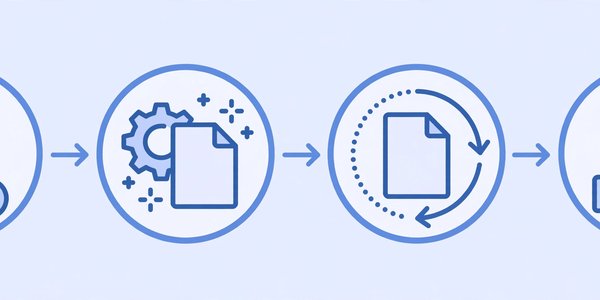
Key Features
Here is what makes our EPUB to PDF Converter a favorite among readers, students, and authors.
- Faithful formatting preservation. Chapters, headings, paragraphs, and styling carry over cleanly, so your PDF reads like a proper book rather than a jumbled text dump. Readers often cannot tell the PDF was converted at all, which is exactly the point.
- Cover and images kept intact. The book cover becomes your title page and interior illustrations stay in place, which matters enormously for cookbooks, textbooks, comics, and children’s books.
- Table of contents support. Your ebook chapters become a navigable structure in the PDF, so readers can still jump around instead of scrolling endlessly.
- Customizable page layout. Pick page sizes, margins, and text sizing to match your purpose, from print ready A4 to compact screen friendly pages. This flexibility means one tool serves both your printing needs and your digital sharing needs.
- Fast server side conversion. The heavy layout work happens on powerful servers, so even a thousand page epic converts quickly without making your phone or laptop struggle.
- Privacy conscious processing. Your ebooks upload over a secure connection and are deleted automatically after conversion. Your reading library stays your business.
- Works on any device. Convert from your phone on the bus or your desktop at home. The page adapts smoothly, and downloading the finished PDF feels natural everywhere.
- Free with no signup. No accounts, no trials, no watermarks stamped across your pages. Just clean PDFs whenever you need them, on any device you happen to have nearby.
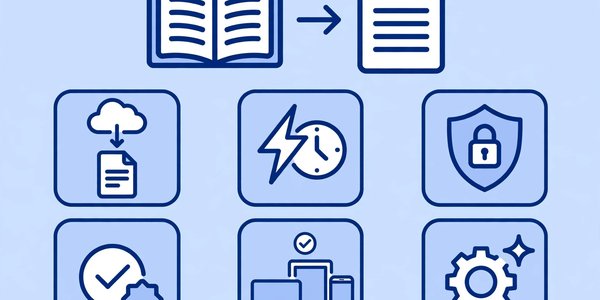
Why Use Our EPUB to PDF Converter?
EPUB and PDF each shine in different situations, and real life constantly asks you to cross between them. EPUB is a reflowable format, which means text reshapes itself to fit any screen, and that makes it lovely for dedicated reading apps. PDF is a fixed layout format, which means every page looks identical everywhere, and that makes it the undisputed king of printing, sharing, and archiving. Consider how often the fixed layout wins. A student needs to print a chapter for annotation with a highlighter. A book club shares the month pick with members using a mix of devices, some ancient. An author sends a manuscript to beta readers and wants everyone seeing the same page numbers for feedback. A researcher archives papers in a format guaranteed to open decades from now. A parent prints a children’s ebook so the kids can read it at the breakfast table without a screen. In every one of these moments, asking everyone to install an EPUB reader is friction nobody wants. A PDF simply opens, everywhere, looking exactly as intended. Desktop conversion software exists, but it often costs money, demands installation, or buries the feature inside a bloated suite. Our converter skips all of that. It is free, it runs in your browser, it respects your privacy by deleting files after processing, and it produces clean watermark free PDFs you can share proudly. For readers who live in both the ebook world and the paper world, it is the little bridge you will cross more often than you expect. Authors especially love how it simplifies the review cycle. Instead of explaining to each beta reader how to open an EPUB, they send one PDF that behaves identically for everyone, and feedback arrives referencing the same page numbers. Students love turning digital textbooks into printable chapters they can scribble on during lectures. And readers building personal archives love knowing their library sits in a format that any device, present or future, will open without special software. There is also the simple comfort of consistency. When you email a PDF, you know with certainty what the other person will see, down to the last line break. That certainty is worth a lot when the document matters, whether it is a contract, a thesis chapter, or a lovingly formatted family cookbook.
Tips for Best Results
- Start with a well made EPUB. Clean source files produce clean PDFs. If your ebook already looks good in a reading app, with proper chapters and styled headings, the conversion will be smooth. Files cobbled together from scattered sources may need a quick tidy in an ebook editor first.
- Match page size to your purpose. Choose A4 or US Letter for printing, and a smaller comfortable layout for screen reading. The right page size makes the whole document feel professionally made.
- Keep image quality high for visual books. Cookbooks, textbooks, and graphic novels live or die by their pictures, so favor quality over small file size when images matter. A slightly larger file that looks stunning beats a tiny one that looks blurry every time.
- Test with one book first. If you are converting a whole library, run a single favorite title through first and review the output. Once the settings look right, the rest will follow smoothly. This one minute test prevents a whole afternoon of rework.
- Check the table of contents. Flip to the contents page of your new PDF and tap a few entries to confirm the chapter links survived. Good navigation is what separates a great PDF from a mediocre one, especially in long books where readers jump between sections constantly.
- Keep your original EPUB files. EPUBs are smaller and reflow beautifully on ereaders, so archive both versions. Future you will appreciate having the flexible original alongside the fixed PDF.
Frequently Asked Questions
Is the EPUB to PDF Converter really free?
Yes, completely free with no catches. Convert as many ebooks as you want without creating an account or paying anything. A Tool Today keeps useful utilities like this open to everyone.
Will my formatting survive the conversion?
In most cases, yes, beautifully. Chapters, headings, paragraph styles, and images transfer cleanly into the PDF layout. Extremely complex or unusual styling in the source EPUB may simplify slightly, but typical novels, textbooks, and nonfiction come through looking great. A quick flip through the finished PDF confirms everything at a glance.
Can I convert ebooks with DRM protection?
Our converter works with DRM free EPUB files, which includes self published books, public domain classics, and many independently distributed titles. Ebooks locked with digital rights management from major stores cannot be converted, and removing DRM may violate terms of service, so we recommend only converting books you own in an open format.
What happens to images in my ebook?
Images are preserved and placed within the page flow, just as they appear in the source. The cover typically becomes the first page of your PDF. For image heavy books, choosing higher quality settings keeps illustrations crisp.
How long does conversion take?
Most ebooks convert in seconds, with very long books taking up to a minute. The actual time depends mostly on file size and your upload speed. You will see clear progress while it works.
Will the PDF work on my ereader?
Yes, most ereaders and reading apps open PDFs without trouble. Keep in mind that PDFs have fixed pages that do not reflow, so on small screens you may need to zoom and scroll. For tiny screens, your original EPUB usually reads more comfortably.
Complete List of All Free Online Tools
Browse the full directory of 450+ free tools. Click any tool name to use it instantly - no signup required.
| # | Tool Name | Category |
|---|---|---|
| 1 | A B Test Significance Calculator | Calculators & Converters |
| 2 | Acronym Generator | Utility Tools |
| 3 | Ad Copy Generator | Utility Tools |
| 4 | Add Page Numbers To PDF | PDF Tools |
| 5 | Add Subtitles To Video | Media Tools |
| 6 | Add Subtract Days Calculator | Calculators & Converters |
| 7 | Age Calculator | Calculators & Converters |
| 8 | Angle Converter | Calculators & Converters |
| 9 | API Request Tester | Utility Tools |
| 10 | Area Converter | Calculators & Converters |
| 11 | Article Rewriter | Utility Tools |
| 12 | Audio Converter | Calculators & Converters |
| 13 | Audio Merger | Media Tools |
| 14 | Audio Metadata Editor | Media Tools |
| 15 | Audio Pitch Changer | Media Tools |
| 16 | Audio Speed Changer | Media Tools |
| 17 | Audio To Text Converter | Calculators & Converters |
| 18 | Audio Trimmer | Media Tools |
| 19 | Avatar Maker | Utility Tools |
| 20 | Background Remover | Utility Tools |
| 21 | Backlink Checker | SEO Tools |
| 22 | Banner Maker | Utility Tools |
| 23 | Barcode Generator | Developer Tools |
| 24 | Base64 Encoder Decoder | Developer Tools |
| 25 | Bass Booster | Utility Tools |
| 26 | Bibliography Generator | Utility Tools |
| 27 | Bill Splitter | Utility Tools |
| 28 | Binary Converter | Calculators & Converters |
| 29 | Binary To Text Converter | Calculators & Converters |
| 30 | Birthday Countdown | Date & Time Tools |
| 31 | Bmi Calculator | Calculators & Converters |
| 32 | Bmr Calculator | Calculators & Converters |
| 33 | Body Fat Calculator | Calculators & Converters |
| 34 | Body Surface Area Calculator | Calculators & Converters |
| 35 | Book Title Generator | Utility Tools |
| 36 | Brand Color Finder | Color Tools |
| 37 | Brand Kit Generator | Utility Tools |
| 38 | Break Even Calculator | Calculators & Converters |
| 39 | Broken Link Checker | Utility Tools |
| 40 | Browser Info Checker | Utility Tools |
| 41 | Budget Planner | Utility Tools |
| 42 | Business Card Designer | Utility Tools |
| 43 | Business Card Maker | Utility Tools |
| 44 | Business Days Calculator | Calculators & Converters |
| 45 | Business Name Generator | Utility Tools |
| 46 | Business Proposal Generator | Utility Tools |
| 47 | Button Generator | Utility Tools |
| 48 | Buyer Persona Generator | Utility Tools |
| 49 | Calorie Calculator | Calculators & Converters |
| 50 | Captcha Generator | Utility Tools |
Do I need to create an account?
No account needed. There is no signup, no email verification, and nothing to remember. Open the page, upload your EPUB, and download your PDF.
Are my ebooks kept private?
Yes. Files upload over a secure connection, are processed automatically, and are deleted from our servers after conversion. We do not keep copies of your library or share anything with third parties.
Can I convert a PDF back to EPUB?
This tool handles the EPUB to PDF direction, which covers the most common need. Converting PDF back to EPUB is a different process because fixed pages must be reflowed into flexible text, and results vary with the source. A Tool Today offers companion converter tools for the reverse journey whenever you need it.
Why does my PDF file size differ from the EPUB?
PDFs store fully laid out pages with embedded fonts and images, so they are often larger than the equivalent EPUB, which stores flexible text. Choosing moderate image quality and standard page sizes keeps the PDF reasonably sized. If you plan to email the file, check that it fits your provider limits before sending.
Table of Contents
What is Epub to PDF Converter?
The epub to pdf converter is a free online tool that helps you with epub to pdf converter tasks quickly and accurately. Our epub to pdf converter is designed to be simple, fast, and reliable. Whether you need a epub to pdf converter for personal use or professional work, this free epub to pdf converter delivers instant results without any signup or download required.
How to Use the Epub to PDF Converter
Using our epub to pdf converter is easy. Simply open the epub to pdf converter tool above, enter your input, and get instant results. The epub to pdf converter processes everything in your browser for maximum privacy and speed. No technical knowledge is needed to use this epub to pdf converter effectively.
Benefits of Using Our Epub to PDF Converter
Our free epub to pdf converter offers many advantages. It is completely free to use, requires no registration, works on all devices, and provides accurate results instantly. The epub to pdf converter is updated regularly to ensure the best performance. For more information about epub to pdf converter, you can Learn more about epub to pdf converter on Wikipedia.
Frequently Asked Questions About Epub to PDF Converter
Is the epub to pdf converter really free? Yes, our epub to pdf converter is 100% free with no hidden costs or premium tiers.
Do I need to create an account to use the epub to pdf converter? No, the epub to pdf converter works instantly without any signup or login required.
