HTML to Markdown Converter
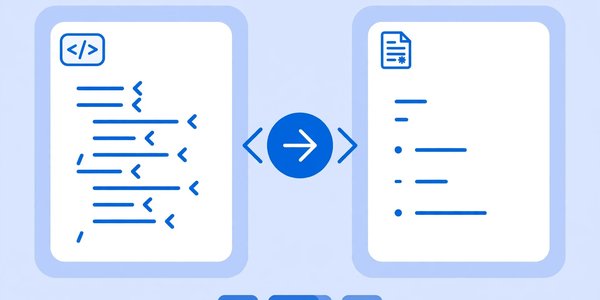
If you have ever tried to move content from a web page into a README file, a blog draft, or a documentation site, you know the pain. Copying from the browser gives you a mess of formatting, and rewriting everything by hand takes forever. Our HTML to Markdown Converter solves this in seconds. Paste your HTML, click convert, and get clean Markdown that is ready to use anywhere. Markdown is the simple formatting language behind GitHub READMEs, static site generators, note taking apps, and modern CMS platforms. It is loved because it is readable as plain text and converts beautifully into HTML later. This free online tool bridges the two worlds for you. There is nothing to install and no account to create. Whether you are a developer migrating documentation, a blogger moving posts between platforms, or a student saving research notes, you get fast, accurate conversion right in your browser. Your content never leaves your device, so even draft posts and private notes stay completely confidential. If you publish regularly, those minutes add up fast. A blogger moving fifty posts, a developer migrating a docs site, or a student archiving research can lose entire days to manual reformatting. Our converter gives you that time back. It understands the structure of your HTML, not just the text, so headings stay headings, lists stay lists, and code stays readable. The result is Markdown you can trust, produced in the time it takes to copy and paste.
How to Use HTML to Markdown Converter
Turning HTML into Markdown is genuinely a one minute job. Here is exactly how to do it.
- Paste your HTML into the input box. Copy the HTML source from your page, email template, or CMS export and paste it into the input panel. You can paste a full document or just a fragment like a single article body. The converter accepts anything from a few tags to a complete page. For the cleanest results, paste the article body rather than an entire page with navigation and footer markup.
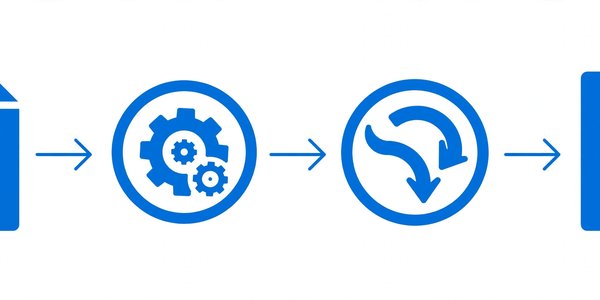
- Let the tool clean up the markup. As soon as you paste, the converter scans the HTML and maps each element to its Markdown equivalent. Headings become hash marks, bold and italic get their asterisks, links turn into bracketed references, and lists become clean dashes and numbers. Messy presentational tags are stripped away automatically.
- Adjust conversion options if needed. Choose how you want certain elements handled. You might prefer reference style links over inline links, or want code blocks fenced with triple backticks. Pick the flavor of Markdown that matches your target platform, whether that is GitHub, a static site generator, or a note taking app.
- Click the Convert button. One click runs the transformation. Because everything happens locally in your browser, the result appears instantly with no upload delay and no server queue standing between you and your Markdown.
- Review the Markdown output. Read through the converted text in the output panel. Check that headings kept their hierarchy, tables converted into readable pipe syntax, and images kept their alt text. A quick skim now saves editing time later. If a table looks tangled, simplify merged cells in the source HTML and convert again.
- Copy or download your Markdown. Hit the copy button to grab the whole document, or download it as a .md file. Paste it into your README, your blog editor, or your docs repository and you are done. No watermarks and no attribution required.
Key Features
Built for real world HTML, including the messy kind that browsers forgive and Markdown does not. Everything below is free and unlimited.
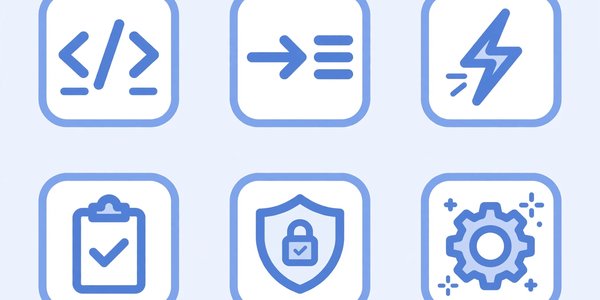
- Accurate tag to Markdown mapping. Headings, paragraphs, bold, italic, links, images, lists, blockquotes, and code all convert to their proper Markdown forms. The output follows standard conventions so it renders correctly everywhere. Even deeply nested lists keep their levels, so complex documents come through intact.
- Table conversion support. HTML tables become clean Markdown pipe tables with aligned columns. This alone saves enormous time when you are migrating documentation full of comparison charts and spec sheets. Header rows are detected automatically, so your tables render with proper titles on GitHub and docs sites.
- Smart cleanup of messy HTML. Empty divs, inline styles, font tags, and other presentational clutter are stripped out. You get semantic Markdown instead of a noisy dump of formatting artifacts.
- Code block preservation. Preformatted code becomes fenced code blocks with language hints intact where possible. Your snippets stay readable and copy friendly in the Markdown version.
- Link and image handling. Anchor tags convert to Markdown links with their text and URLs preserved, and images keep their alt text. You can choose inline or reference style links to match your house style.
- Live preview of results. See the converted Markdown instantly and check how it reads before you copy it. What you see is exactly what your README or blog post will contain.
- One click copy and download. Copy everything to your clipboard or save it as a .md file in one action. Moving content into GitHub, Notion, or your static site takes seconds. The downloaded file uses clean UTF-8 encoding, so special characters and emoji survive the trip.
- Private by design. Conversion runs entirely in your browser. Your HTML is never uploaded anywhere, so draft articles, client content, and internal docs stay on your device.
Why Use Our HTML to Markdown Converter?
Content lives in HTML, but some of the best writing and documentation workflows run on Markdown. Developers keep project docs in Markdown because it plays beautifully with version control. Bloggers love it because it keeps them focused on words instead of formatting buttons. Note takers prefer it because plain text files last forever and open anywhere. The problem is getting existing HTML content into that world without retyping it. Manual conversion is tedious and error prone, especially for long articles with tables, lists, and code samples. Our converter does the mechanical work for you in seconds, preserving structure and meaning while dropping the baggage.
The use cases are everywhere. Migrating a blog from WordPress to a static site generator becomes a paste and convert job per post instead of a weekend project. Turning a product page into GitHub documentation takes one pass instead of an afternoon. Students saving web research into Obsidian or Notion get clean notes instead of pasted formatting chaos. Technical writers who receive HTML exports from designers can produce Markdown source files their docs pipeline actually accepts. Because the tool is free and unlimited, it fits naturally into all of these workflows without adding cost or friction.
Accuracy matters here, and that is where a purpose built converter beats find and replace tricks. Nested lists keep their levels, table cells stay aligned with their headers, and inline code stays inline instead of breaking into paragraphs. You spend your time reviewing rather than repairing, which is exactly how a utility should behave.
There is also a quieter benefit that shows up over time. When conversion is effortless, you stop avoiding format migrations altogether. Teams finally move that aging WordPress blog to a fast static site. Developers actually write the documentation because exporting it is no longer a chore. Students build lasting note libraries instead of abandoning them. Removing friction changes behavior, and a free tool that lives in a bookmark is the lowest friction there is. You will find yourself reaching for it in moments when you would previously have tolerated the wrong format, and each of those moments saves real minutes.
Tips for Best Results
A little preparation makes the Markdown output noticeably cleaner.
- Start with semantic HTML when you can. Proper heading tags, real lists, and actual table markup convert far better than divs styled to look like them. If you control the source, tidy it first.
- Strip scripts and widgets before converting. Remove embedded players, ad slots, and tracking snippets from the HTML. They have no Markdown equivalent and only clutter the result.
- Check tables after conversion. Complex tables with merged cells do not map perfectly to Markdown. Review each table and simplify merged layouts so every cell has a clear home.
- Pick the link style your platform prefers. Inline links are compact, while reference style links keep long documents readable. Match whatever your blog engine or docs site renders best.
- Verify code language hints. If your fenced code blocks lost their language labels, add them back. Correct labels give you syntax highlighting when the Markdown renders.
- Preview before publishing. Paste the Markdown into your target platform and preview once. A sixty second check catches rendering quirks before your readers ever see them.
Frequently Asked Questions
Is the HTML to Markdown Converter free?
Yes, completely free with no limits. Convert as many pages and snippets as you want, as often as you want, without creating an account. Bookmark the page and it will be ready whenever the next migration lands on your desk.
Will my content stay private?
Yes. The conversion happens entirely in your browser with JavaScript. Nothing is uploaded to a server, stored, or logged, so drafts and private content remain yours alone. Because nothing leaves your device, you can convert client drafts, unreleased announcements, and internal documentation with complete confidence. There is no upload log, no temporary server copy, and no third party ever in the loop.
What is Markdown and why would I use it?
Markdown is a lightweight formatting language that uses simple characters like hashes, asterisks, and brackets to indicate headings, emphasis, and links. It is readable as plain text and converts cleanly into HTML. Platforms like GitHub, Reddit, Notion, and most static site generators use it because it keeps writers focused on content instead of formatting menus. Learning the basics takes about ten minutes, and most people never need more than headings, bold, links, and lists. Once you know those, you can write for any Markdown powered platform without touching a formatting toolbar again.
Complete List of All Free Online Tools
Browse the full directory of 450+ free tools. Click any tool name to use it instantly - no signup required.
| # | Tool Name | Category |
|---|---|---|
| 1 | A B Test Significance Calculator | Calculators & Converters |
| 2 | Acronym Generator | Utility Tools |
| 3 | Ad Copy Generator | Utility Tools |
| 4 | Add Page Numbers To PDF | PDF Tools |
| 5 | Add Subtitles To Video | Media Tools |
| 6 | Add Subtract Days Calculator | Calculators & Converters |
| 7 | Age Calculator | Calculators & Converters |
| 8 | Angle Converter | Calculators & Converters |
| 9 | API Request Tester | Utility Tools |
| 10 | Area Converter | Calculators & Converters |
| 11 | Article Rewriter | Utility Tools |
| 12 | Audio Converter | Calculators & Converters |
| 13 | Audio Merger | Media Tools |
| 14 | Audio Metadata Editor | Media Tools |
| 15 | Audio Pitch Changer | Media Tools |
| 16 | Audio Speed Changer | Media Tools |
| 17 | Audio To Text Converter | Calculators & Converters |
| 18 | Audio Trimmer | Media Tools |
| 19 | Avatar Maker | Utility Tools |
| 20 | Background Remover | Utility Tools |
| 21 | Backlink Checker | SEO Tools |
| 22 | Banner Maker | Utility Tools |
| 23 | Barcode Generator | Developer Tools |
| 24 | Base64 Encoder Decoder | Developer Tools |
| 25 | Bass Booster | Utility Tools |
| 26 | Bibliography Generator | Utility Tools |
| 27 | Bill Splitter | Utility Tools |
| 28 | Binary Converter | Calculators & Converters |
| 29 | Binary To Text Converter | Calculators & Converters |
| 30 | Birthday Countdown | Date & Time Tools |
| 31 | Bmi Calculator | Calculators & Converters |
| 32 | Bmr Calculator | Calculators & Converters |
| 33 | Body Fat Calculator | Calculators & Converters |
| 34 | Body Surface Area Calculator | Calculators & Converters |
| 35 | Book Title Generator | Utility Tools |
| 36 | Brand Color Finder | Color Tools |
| 37 | Brand Kit Generator | Utility Tools |
| 38 | Break Even Calculator | Calculators & Converters |
| 39 | Broken Link Checker | Utility Tools |
| 40 | Browser Info Checker | Utility Tools |
| 41 | Budget Planner | Utility Tools |
| 42 | Business Card Designer | Utility Tools |
| 43 | Business Card Maker | Utility Tools |
| 44 | Business Days Calculator | Calculators & Converters |
| 45 | Business Name Generator | Utility Tools |
| 46 | Business Proposal Generator | Utility Tools |
| 47 | Button Generator | Utility Tools |
| 48 | Buyer Persona Generator | Utility Tools |
| 49 | Calorie Calculator | Calculators & Converters |
| 50 | Captcha Generator | Utility Tools |
Does it handle tables and lists correctly?
Yes. HTML tables become Markdown pipe tables with aligned columns, and both ordered and unordered lists keep their nesting levels. Very complex tables with merged cells may need a quick manual tidy after conversion. If your source table uses merged cells, take a moment to unmerge them in the HTML first. A few seconds of prep produce a dramatically cleaner Markdown table that renders correctly everywhere.
What happens to images and links?
Links convert to Markdown link syntax with both the text and URL preserved, and images keep their alt text and source URLs. You can choose between inline and reference style links depending on your preference. Reference style links are especially handy in long documents because they collect all URLs at the bottom. Your writing stays readable while every link remains one click away for readers.
Can I convert a full web page at once?
You can paste a full page, but you will get the best results by converting just the article or content area. Navigation menus, sidebars, and footers add noise, so grab the main content HTML for the cleanest Markdown. Most browsers let you inspect an element and copy its inner HTML, which is the fastest way to grab exactly the article body. Paste just that portion and the converter will reward you with tidy Markdown.
Does the output work on GitHub?
Yes. The converter produces standard Markdown that renders correctly on GitHub, GitLab, and Bitbucket, including fenced code blocks, tables, and task lists where the source HTML supports them. Fenced code blocks keep their language hints, so your snippets get syntax highlighting automatically. Tables render as proper GitHub tables, making this a favorite step in docs migration workflows.
Does it work on mobile?
Yes. The tool is fully responsive and works in any modern mobile browser, so you can convert HTML to Markdown from your phone or tablet whenever you need to. The interface adapts to small screens with large touch friendly buttons. You can convert an article on your phone during a commute and have the Markdown waiting when you sit down to write.
Table of Contents
What is HTML to Markdown Converter?
The html to markdown converter is a free online tool that helps you with html to markdown converter tasks quickly and accurately. Our html to markdown converter is designed to be simple, fast, and reliable. Whether you need a html to markdown converter for personal use or professional work, this free html to markdown converter delivers instant results without any signup or download required.
How to Use the HTML to Markdown Converter
Using our html to markdown converter is easy. Simply open the html to markdown converter tool above, enter your input, and get instant results. The html to markdown converter processes everything in your browser for maximum privacy and speed. No technical knowledge is needed to use this html to markdown converter effectively.
Benefits of Using Our HTML to Markdown Converter
Our free html to markdown converter offers many advantages. It is completely free to use, requires no registration, works on all devices, and provides accurate results instantly. The html to markdown converter is updated regularly to ensure the best performance. For more information about html to markdown converter, you can Learn more about html to markdown converter on Wikipedia.
Frequently Asked Questions About HTML to Markdown Converter
Is the html to markdown converter really free? Yes, our html to markdown converter is 100% free with no hidden costs or premium tiers.
Do I need to create an account to use the html to markdown converter? No, the html to markdown converter works instantly without any signup or login required.
