Unix Timestamp Converter
If you have ever stared at a number like 1728000000 and wondered what date it represents, you have met a Unix timestamp. These long numbers count the seconds since January 1, 1970, and they are everywhere in modern software. Databases store them, APIs return them, log files are full of them, and server records use them to mark exactly when something happened. The problem is that humans cannot read them at a glance. The Unix Timestamp Converter from A Tool Today bridges that gap instantly. Paste in a timestamp and it shows you the human readable date and time, or pick a date and get the timestamp back, all in a fraction of a second.
Developers use this tool daily while debugging APIs, reading logs, and testing time based features. Data analysts convert timestamp columns into readable dates for reports. Students learning programming use it to understand how computers represent time. Even curious non technical users run into these numbers in exported files and app data, and this tool decodes them without any coding knowledge. It is free, requires no signup, works on any device, and handles both seconds and milliseconds, plus UTC and local time zones. Keep reading to learn exactly how to use each conversion direction and get the most out of every feature.
What makes timestamps tricky is not just their format but their variations. Some systems count in seconds, others in milliseconds, and mixing them up gives wildly wrong dates. Time zones add another layer of confusion, since the same timestamp can display as a different local time depending on where you are. Our converter handles these variations explicitly, showing you both UTC and local interpretations so there is never any ambiguity. That clarity is what turns a confusing number into useful information you can act on.
It is also worth understanding where timestamps come from in the first place. Early Unix systems needed a compact way to store time, and counting seconds from a fixed starting point was the simplest solution that worked across time zones. That design decision from the 1970s stuck, and today nearly every programming language, database, and web API speaks this same language of seconds. When you convert a timestamp, you are translating between how machines think about time and how people do, and that translation is a genuinely useful skill in a digital world.
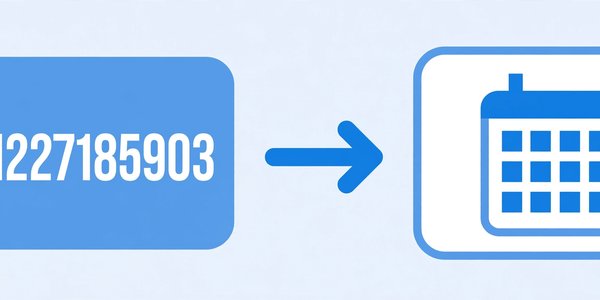
How to Use Unix Timestamp Converter
Converting in either direction takes only seconds. Follow these steps for timestamp to date conversion, then try the reverse whenever you need it.
- Open the Unix Timestamp Converter page. Visit the tool on A Tool Today from any browser. The page loads instantly with input fields for both conversion directions, and there is nothing to install first.
- Paste your timestamp into the input field. Copy the number from your log file, API response, or database and paste it in. The tool accepts the value exactly as you provide it, with no formatting required.
- Check whether it is seconds or milliseconds. A 10 digit number is usually seconds, while a 13 digit number is usually milliseconds. The tool detects this automatically in most cases, but knowing the difference helps you spot data issues.
- Click convert to see the readable date. Hit the button and the tool instantly displays the date and time in a clear human readable format. You will see the full date, the time, and the day of the week in most views.
- Compare UTC and local time. The result shows both the UTC time and your local time zone interpretation. This is essential when debugging, because servers usually log in UTC while you think in local time.
- Convert a date to a timestamp in reverse. To go the other way, enter a date and time in the date fields and click convert. The tool returns the exact Unix timestamp, ready to paste into your code or database query.
- Copy the result with one click. Use the copy button to grab the converted value without selecting text manually. Pasting it into your editor, terminal, or spreadsheet takes a single keystroke.
Once you have done this a few times, the whole flow becomes muscle memory. Paste, convert, copy, and you are back to your work in under ten seconds. That speed is why developers keep this tool bookmarked alongside their other daily utilities.

Key Features
- Bidirectional conversion. Convert timestamps to readable dates and dates back to timestamps in the same tool. You never need a second utility for the reverse direction.
- Seconds and milliseconds support. The tool handles both 10 digit second timestamps and 13 digit millisecond timestamps. Automatic detection saves you from doing the digit counting yourself.
- UTC and local time display. Every conversion shows the time in UTC and in your local time zone. This dual view eliminates the most common source of timestamp confusion.
- Current timestamp button. Generate the timestamp for right now with a single click. This is perfect for seeding test data, creating unique identifiers, or marking the current moment in your logs.
- One click copy. Copy any result to your clipboard instantly. Moving values between the tool and your code editor, terminal, or spreadsheet is completely frictionless.
- Clear, readable date output. Results are shown in a natural format with the full date, time, and weekday. You read the answer at a glance instead of decoding another cryptic format.
- Free with no signup. Use the converter as often as you need without an account or payment. It is always available during those late night debugging sessions.
- Fast on any device. The lightweight page works smoothly on phones, tablets, and desktops. Convert a timestamp from a server alert while you are away from your desk.
These features are shaped by how developers actually work. Quick input, clear output, both time zones visible, and instant copying cover nearly every real world timestamp task. Nothing extra gets in the way, and nothing essential is missing.
Power users will appreciate how the tool respects their time. There are no interstitial pages, no forced tutorials, and no waiting for results. The interface assumes you know what you need and gets out of your way, which is exactly how a utility should behave when you are deep in a debugging session.

Why Use Our Unix Timestamp Converter?
Timestamps are one of those things that look simple until they cause a real problem. A developer sees 1699999999 in a log and needs to know whether that error happened before or after a deployment. An analyst exports user data and finds a column of 13 digit numbers where signup dates should be. A support engineer compares timestamps from two systems and cannot tell if they refer to the same moment. In each case, the information is all there, locked inside a number that no human can read directly. Without a converter, you are either writing throwaway code or doing error prone arithmetic.
Our Unix Timestamp Converter unlocks that information instantly. Paste the number, read the date, and get back to solving the actual problem. The dual UTC and local display prevents the classic mistake of mixing time zones, and millisecond support means you never have to guess which unit a system used. Because the tool is free and loads in a blink, it fits naturally into debugging workflows, data cleanup tasks, and learning exercises. Keep it bookmarked next to your other utilities, and the next time a mysterious number appears in your data, you will decode it before your coffee cools. Clear time information leads to faster fixes and better decisions.
Students and newcomers to programming benefit just as much. Understanding Unix time is a rite of passage in software development, and seeing conversions happen live makes the concept click far faster than reading a definition. Teachers use the tool in classrooms to demonstrate how computers track time, and learners experiment with dates from history and the future to build intuition. Whether you are shipping production code or writing your first script, this converter meets you where you are.
Beyond individual use, the converter smooths out team communication. When a developer, a designer, and a product manager all look at the same converted date instead of a raw number, everyone shares the same understanding of when something happened. Miscommunication about timing causes real bugs and missed expectations, and a shared readable format prevents most of it. Drop a converted date into a ticket or a chat message and the whole team is instantly on the same page.
Tips for Best Results
- Count the digits first. Ten digits means seconds, thirteen means milliseconds. If your converted date lands in 1970 or the year 50000, you probably used the wrong unit, so switch and try again.
- Always note which time zone you need. Server logs are usually UTC, while user facing times are local. Check both displays in the tool and pick the one that matches your context.
- Use the current timestamp for testing. When you need a realistic timestamp for test data or a unique marker, generate the current one with a single click instead of making one up.
- Verify API timestamps during integration. When connecting to a new API, convert a sample timestamp immediately. This confirms the unit and time zone before you build logic on wrong assumptions.
- Keep the tool bookmarked for on call work. Timestamp questions strike at the worst times, usually during incidents. A bookmark means the answer is seconds away even from your phone.
- Pair it with your date tools. After converting a timestamp, you might need the day of the week or the distance to another date. Our other date and time tools pick up right where this one leaves off.
These practices turn timestamp conversion from a chore into a reflex. The most important habit is checking units and time zones every time, because those two details cause nearly every timestamp mistake. With the converter handling the arithmetic, your job is simply to read the result in the right context.
One last tip for teams: document the timestamps that matter. When an incident review references the exact moment a deploy went out or an error spiked, include both the raw timestamp and the converted date. Future readers of that document will thank you, because a readable date needs no tool to understand, while a bare number always raises the same question again.
Frequently Asked Questions
Is the Unix Timestamp Converter free?
Yes, completely free with no usage limits. Convert as many timestamps as you need without creating an account.
Complete List of All Free Online Tools
Browse the full directory of 450+ free tools. Click any tool name to use it instantly - no signup required.
| # | Tool Name | Category |
|---|---|---|
| 1 | A B Test Significance Calculator | Calculators & Converters |
| 2 | Acronym Generator | Utility Tools |
| 3 | Ad Copy Generator | Utility Tools |
| 4 | Add Page Numbers To PDF | PDF Tools |
| 5 | Add Subtitles To Video | Media Tools |
| 6 | Add Subtract Days Calculator | Calculators & Converters |
| 7 | Age Calculator | Calculators & Converters |
| 8 | Angle Converter | Calculators & Converters |
| 9 | API Request Tester | Utility Tools |
| 10 | Area Converter | Calculators & Converters |
| 11 | Article Rewriter | Utility Tools |
| 12 | Audio Converter | Calculators & Converters |
| 13 | Audio Merger | Media Tools |
| 14 | Audio Metadata Editor | Media Tools |
| 15 | Audio Pitch Changer | Media Tools |
| 16 | Audio Speed Changer | Media Tools |
| 17 | Audio To Text Converter | Calculators & Converters |
| 18 | Audio Trimmer | Media Tools |
| 19 | Avatar Maker | Utility Tools |
| 20 | Background Remover | Utility Tools |
| 21 | Backlink Checker | SEO Tools |
| 22 | Banner Maker | Utility Tools |
| 23 | Barcode Generator | Developer Tools |
| 24 | Base64 Encoder Decoder | Developer Tools |
| 25 | Bass Booster | Utility Tools |
| 26 | Bibliography Generator | Utility Tools |
| 27 | Bill Splitter | Utility Tools |
| 28 | Binary Converter | Calculators & Converters |
| 29 | Binary To Text Converter | Calculators & Converters |
| 30 | Birthday Countdown | Date & Time Tools |
| 31 | Bmi Calculator | Calculators & Converters |
| 32 | Bmr Calculator | Calculators & Converters |
| 33 | Body Fat Calculator | Calculators & Converters |
| 34 | Body Surface Area Calculator | Calculators & Converters |
| 35 | Book Title Generator | Utility Tools |
| 36 | Brand Color Finder | Color Tools |
| 37 | Brand Kit Generator | Utility Tools |
| 38 | Break Even Calculator | Calculators & Converters |
| 39 | Broken Link Checker | Utility Tools |
| 40 | Browser Info Checker | Utility Tools |
| 41 | Budget Planner | Utility Tools |
| 42 | Business Card Designer | Utility Tools |
| 43 | Business Card Maker | Utility Tools |
| 44 | Business Days Calculator | Calculators & Converters |
| 45 | Business Name Generator | Utility Tools |
| 46 | Business Proposal Generator | Utility Tools |
| 47 | Button Generator | Utility Tools |
| 48 | Buyer Persona Generator | Utility Tools |
| 49 | Calorie Calculator | Calculators & Converters |
| 50 | Captcha Generator | Utility Tools |
What is a Unix timestamp?
It is the number of seconds that have passed since January 1, 1970 at midnight UTC, an instant known as the Unix epoch. It is a standard way for computers to represent a specific moment in time as a single number.
Because it is just a number, it is compact to store, easy to compare, and immune to time zone ambiguity until it is displayed. That is why so many systems chose it as their internal time format.
What is the difference between seconds and milliseconds?
Second timestamps have 10 digits and millisecond timestamps have 13 digits. Some systems, especially JavaScript based ones, use milliseconds for extra precision. The tool detects and handles both.
A quick way to remember the difference is that second timestamps currently start with 17, while millisecond ones start with 172 or 173. If your result looks wrong by a factor of a thousand, you have almost certainly mixed up the two units.
Why does the same timestamp show different times?
Because of time zones. A timestamp represents one absolute moment, but clocks in different regions display it differently. The tool shows both UTC and your local time so you can see each interpretation.
Can I convert a date into a timestamp?
Yes. Enter any date and time and the tool returns the corresponding Unix timestamp, ready to use in code, databases, or API calls.
What date does timestamp 0 represent?
Timestamp 0 is exactly January 1, 1970 at midnight UTC, the Unix epoch itself. Negative timestamps represent moments before that date.
Do I need to install anything?
No. The converter runs entirely in your browser with no downloads, plugins, or setup. It works on any device with a modern web browser.
Is my data sent to a server?
The conversion happens instantly and nothing you enter needs to be stored. You can convert sensitive log data with confidence.
Table of Contents
What is Unix Timestamp Converter?
The unix timestamp converter is a free online tool that helps you with unix timestamp converter tasks quickly and accurately. Our unix timestamp converter is designed to be simple, fast, and reliable. Whether you need a unix timestamp converter for personal use or professional work, this free unix timestamp converter delivers instant results without any signup or download required.
How to Use the Unix Timestamp Converter
Using our unix timestamp converter is easy. Simply open the unix timestamp converter tool above, enter your input, and get instant results. The unix timestamp converter processes everything in your browser for maximum privacy and speed. No technical knowledge is needed to use this unix timestamp converter effectively.
Benefits of Using Our Unix Timestamp Converter
Our free unix timestamp converter offers many advantages. It is completely free to use, requires no registration, works on all devices, and provides accurate results instantly. The unix timestamp converter is updated regularly to ensure the best performance. For more information about unix timestamp converter, you can Learn more about unix timestamp converter on Wikipedia.
Frequently Asked Questions About Unix Timestamp Converter
Is the unix timestamp converter really free? Yes, our unix timestamp converter is 100% free with no hidden costs or premium tiers.
Do I need to create an account to use the unix timestamp converter? No, the unix timestamp converter works instantly without any signup or login required.
