Subnet Calculator
IP addressing looks simple until you actually have to plan a network. How many hosts fit in this range? What is the broadcast address? Where does one subnet end and the next begin? Doing the binary math by hand is slow and error prone, and one wrong number can take down a whole office network. Our free Subnet Calculator does the math for you in seconds. Enter an IP address and a subnet mask, in either dotted or CIDR notation, and it instantly shows the network address, broadcast address, usable host range, total hosts, wildcard mask, and binary breakdown. Students use it to check homework, admins use it to plan real networks, and everyone in between uses it to stop guessing.

How to Use the Subnet Calculator
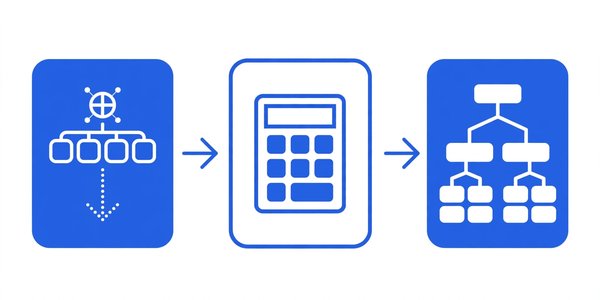
You do not need to be a networking expert to get perfect results. The calculator handles the binary arithmetic behind the scenes. Just follow these steps.
Each step takes seconds, and the whole process finishes before you could do the binary math by hand.
Bookmark the page and it becomes the fastest reference in your networking toolkit.
- Enter an IP address. Type the IPv4 address you are working with, like 192.168.1.0 for a home network or 10.20.0.0 for an office range. Any valid IPv4 address works as the starting point for the calculation.
- Enter the subnet mask. Provide the mask in dotted form, like 255.255.255.0, or in CIDR form, like 24. Both describe the same thing, which is how many bits of the address identify the network versus the hosts. If your router or ISP gave you one format, use exactly what they gave you.
- Run the calculation. Hit the calculate button and the tool instantly crunches every value. There is no waiting and no multi step wizard. One click produces the complete subnet report.
- Read the network and broadcast addresses. The network address identifies the subnet itself, and the broadcast address is used for messages to all hosts. These two frame your subnet. Everything usable sits between them, and neither can be assigned to a device.
- Note the usable host range and host count. The report shows the first and last assignable addresses plus the total number of usable hosts. This tells you exactly how many devices the subnet can hold, which is the number that matters when planning capacity.
- Use the extra details for planning. The wildcard mask helps with access control lists, the binary view helps students understand the math, and the CIDR notation keeps your documentation clean. Copy the values straight into your router, DHCP server, or firewall configuration.
- Verify on your real equipment. After applying the settings, ping across the range and confirm devices get addresses as expected. If something behaves oddly, recheck that the mask on every device matches what the calculator produced.
If you are planning from scratch, a private range like 192.168.0.0 or 10.0.0.0 is the usual starting point.
Double check the mask you entered before trusting the output, since one wrong digit changes every result.
Keep a copy of the full report with your network documentation for future reference.
Key Features
A good subnet calculator is fast, accurate, and generous with detail. Ours covers everything from quick lookups to serious network design work.
Whether you are studying for a certification or designing a corporate network, the answers are instant and exact.
- Accepts CIDR and dotted masks. Enter 24 or 255.255.255.0, whichever you have on hand. The tool understands both notations and shows both in the results, so you never have to convert by hand.
- Instant complete results. One click returns the network address, broadcast address, first and last usable hosts, total and usable host counts, wildcard mask, and more. No paging through multiple screens.
- Binary breakdown view. See the address and mask in binary alongside the familiar dotted form. Students love this for learning, and admins love it for double checking tricky boundaries.
- Accurate host counting. The calculator correctly excludes the network and broadcast addresses from the usable count, which is the mistake most beginners make when counting by hand. What you see is what you can actually assign.
- Subnet splitting guidance. Planning to divide a larger block into smaller subnets? The detailed output makes it easy to see where each subnet starts and ends, so you can carve up address space without overlaps.
- No signup and no install. It runs entirely in your browser with no account and no download. Use it on a classroom computer, a work laptop, or your phone with equal ease.
- Completely free and unlimited. Calculate as many subnets as you like, as often as you like. There is no quota and no premium tier, because fundamental networking tools should be free for everyone.
- Clean mobile friendly layout. Results are easy to read on small screens, with values clearly labeled. Checking a subnet while standing in a server closet is genuinely practical.
Why Use Our Subnet Calculator?
Subnetting is one of those skills that looks intimidating from the outside and feels empowering once it clicks. At its heart it is just organized division of address space, but the binary math trips up even smart people under time pressure. A single miscalculated mask can create overlapping subnets, unreachable hosts, or broadcast storms that are miserable to debug. Professionals do not avoid the math because they are lazy. They use a calculator because machines do not make arithmetic slips at 2 AM during a maintenance window.
The use cases are everywhere once you notice them. A student preparing for a networking certification needs to verify practice answers quickly. An office manager setting up VLANs for departments needs to carve a 10.0.0.0 block into sensible pieces. A home lab enthusiast wants separate subnets for IoT gadgets and trusted devices. A freelancer configuring a client’s VPN needs the right mask the first time, because a wrong one means a return visit. In every scenario, instant accurate results beat manual calculation.
This free tool from A Tool Today is built for all of those people. It gives beginners the correct answers to learn from and gives experts the speed they need during real work. No heavyweight network suite to install, no account standing between you and the numbers. Just type your address and mask, get the full breakdown, and get on with building your network.
Beyond the immediate math, the calculator is a learning accelerator. Networking students often say that seeing instant correct answers next to their hand calculations is what finally made subnetting click. The binary view connects the abstract bits to the familiar dotted addresses, and repetition builds speed. It is like having a patient tutor who never gets tired of checking your work, available at midnight before the exam.
Practice with a few different masks and the patterns become second nature.
For professionals, the value is consistency across a team. When everyone uses the same calculator, subnet plans come out uniform and documentation stays clean. No more deciphering a colleague’s hand computed ranges or arguing about whether a boundary is right. The tool becomes a shared source of truth, and network designs get noticeably tidier. Free, fast, and always available beats a spreadsheet formula that only one person understands.
Tips for Best Results
Subnet math rewards careful habits. These tips will help you plan address space like a seasoned admin and avoid the classic pitfalls.
They come from real network builds and will save you from the mistakes that cause the longest outages.
- Double check your CIDR notation. The difference between a 24 and a 25 is half your hosts. Always confirm the prefix length from your documentation or provider before calculating, because a one digit typo changes everything downstream.
- Remember that two addresses are always reserved. The network address and the broadcast address can never be assigned to devices. A 24 gives you 254 usable hosts, not 256. Forgetting this is the most common capacity planning mistake.
- Plan for growth, not just today. Choose subnets with headroom. A department with 40 devices today might have 90 in two years. It is far easier to allocate a slightly larger subnet now than to renumber everything later.
- Keep a subnet map. Write down every subnet, its purpose, and its range in one document. When something breaks at midnight, a clear map turns a mystery into a five minute fix. The calculator’s clean output copies neatly into such docs.
- Use consistent masks per purpose. Give all similar networks the same size, like a 24 for every office floor. Consistency makes the whole design easier to read, troubleshoot, and explain to the next person who inherits it.
- Verify with real pings after changes. Math is not reality until devices respond. After applying a new mask, ping the gateway, the broadcast behavior, and a few hosts to confirm the subnet behaves exactly as calculated.
Renumbering a live network is nobody’s idea of a fun weekend.
When in doubt, go one size larger than your current estimate.
Frequently Asked Questions
Subnetting generates a lot of questions, especially for learners. Here are the ones we hear most, with straight answers.
Complete List of All Free Online Tools
Browse the full directory of 450+ free tools. Click any tool name to use it instantly - no signup required.
| # | Tool Name | Category |
|---|---|---|
| 1 | A B Test Significance Calculator | Calculators & Converters |
| 2 | Acronym Generator | Utility Tools |
| 3 | Ad Copy Generator | Utility Tools |
| 4 | Add Page Numbers To PDF | PDF Tools |
| 5 | Add Subtitles To Video | Media Tools |
| 6 | Add Subtract Days Calculator | Calculators & Converters |
| 7 | Age Calculator | Calculators & Converters |
| 8 | Angle Converter | Calculators & Converters |
| 9 | API Request Tester | Utility Tools |
| 10 | Area Converter | Calculators & Converters |
| 11 | Article Rewriter | Utility Tools |
| 12 | Audio Converter | Calculators & Converters |
| 13 | Audio Merger | Media Tools |
| 14 | Audio Metadata Editor | Media Tools |
| 15 | Audio Pitch Changer | Media Tools |
| 16 | Audio Speed Changer | Media Tools |
| 17 | Audio To Text Converter | Calculators & Converters |
| 18 | Audio Trimmer | Media Tools |
| 19 | Avatar Maker | Utility Tools |
| 20 | Background Remover | Utility Tools |
| 21 | Backlink Checker | SEO Tools |
| 22 | Banner Maker | Utility Tools |
| 23 | Barcode Generator | Developer Tools |
| 24 | Base64 Encoder Decoder | Developer Tools |
| 25 | Bass Booster | Utility Tools |
| 26 | Bibliography Generator | Utility Tools |
| 27 | Bill Splitter | Utility Tools |
| 28 | Binary Converter | Calculators & Converters |
| 29 | Binary To Text Converter | Calculators & Converters |
| 30 | Birthday Countdown | Date & Time Tools |
| 31 | Bmi Calculator | Calculators & Converters |
| 32 | Bmr Calculator | Calculators & Converters |
| 33 | Body Fat Calculator | Calculators & Converters |
| 34 | Body Surface Area Calculator | Calculators & Converters |
| 35 | Book Title Generator | Utility Tools |
| 36 | Brand Color Finder | Color Tools |
| 37 | Brand Kit Generator | Utility Tools |
| 38 | Break Even Calculator | Calculators & Converters |
| 39 | Broken Link Checker | Utility Tools |
| 40 | Browser Info Checker | Utility Tools |
| 41 | Budget Planner | Utility Tools |
| 42 | Business Card Designer | Utility Tools |
| 43 | Business Card Maker | Utility Tools |
| 44 | Business Days Calculator | Calculators & Converters |
| 45 | Business Name Generator | Utility Tools |
| 46 | Business Proposal Generator | Utility Tools |
| 47 | Button Generator | Utility Tools |
| 48 | Buyer Persona Generator | Utility Tools |
| 49 | Calorie Calculator | Calculators & Converters |
| 50 | Captcha Generator | Utility Tools |
What is a subnet in simple terms?
A subnet is a smaller logical network carved out of a larger block of IP addresses. Instead of one giant flat network where every device shouts at every other device, subnetting divides things into organized groups. This improves performance, security, and manageability, which is why every network bigger than a home uses them.
What does CIDR notation like 24 actually mean?
CIDR notation counts how many leading bits of the address identify the network. A 24 means the first 24 bits are the network portion and the remaining 8 bits are for hosts, which equals the familiar mask 255.255.255.0. Larger numbers mean smaller subnets with fewer hosts, and smaller numbers mean larger subnets.
How many usable hosts are in a 24 subnet?
A 24 subnet has 256 total addresses, but two are always reserved, the network address and the broadcast address. That leaves 254 usable host addresses, which is why the 24 is the classic choice for office and classroom networks. Need more? A 23 doubles it to 510 usable hosts.
What is the difference between the network address and the broadcast address?
The network address is the first address in the subnet and identifies the subnet itself. The broadcast address is the last address and is used to send a message to every host in the subnet at once. Neither can be assigned to an individual device, and both are essential for the network to function.
What is a wildcard mask and when do I need one?
A wildcard mask is the inverse of a subnet mask and is used mainly in access control lists on routers and firewalls. Where a subnet mask has ones for the network portion, the wildcard mask has zeros there and ones for the host portion. Our calculator shows it automatically so you can copy it into your ACL rules.
Can this tool help me split one network into smaller subnets?
Yes. Calculate the parent block first to see its full range, then calculate candidate smaller masks to find clean boundaries. For example, splitting a 24 into two equal parts gives you two 25 subnets with clear start and end addresses. The detailed output makes it easy to verify the pieces fit without overlapping.
Does it support IPv6?
This calculator focuses on IPv4, which is where subnet math is most hands on and where most learners and small networks operate. IPv6 subnetting follows similar ideas with vastly larger address space, but the day to day planning questions people ask are overwhelmingly about IPv4.
What is the difference between a subnet mask and CIDR notation?
They are two ways of writing the same information. A subnet mask like 255.255.255.0 spells out the network bits in dotted decimal, while CIDR notation like 24 simply counts those bits. CIDR is shorter and less error prone, which is why modern documentation prefers it. Our calculator accepts both and displays both, so you can work in whichever style you were given.
Most exams and certifications expect you to recognize both forms instantly.
Table of Contents
What is Subnet Calculator?
The subnet calculator is a free online tool that helps you with subnet calculator tasks quickly and accurately. Our subnet calculator is designed to be simple, fast, and reliable. Whether you need a subnet calculator for personal use or professional work, this free subnet calculator delivers instant results without any signup or download required.
How to Use the Subnet Calculator
Using our subnet calculator is easy. Simply open the subnet calculator tool above, enter your input, and get instant results. The subnet calculator processes everything in your browser for maximum privacy and speed. No technical knowledge is needed to use this subnet calculator effectively.
Benefits of Using Our Subnet Calculator
Our free subnet calculator offers many advantages. It is completely free to use, requires no registration, works on all devices, and provides accurate results instantly. The subnet calculator is updated regularly to ensure the best performance. For more information about subnet calculator, you can Learn more about subnet calculator on Wikipedia.
Frequently Asked Questions About Subnet Calculator
Is the subnet calculator really free? Yes, our subnet calculator is 100% free with no hidden costs or premium tiers.
Do I need to create an account to use the subnet calculator? No, the subnet calculator works instantly without any signup or login required.
