Server Location Finder
Every website you visit lives on a physical server sitting in a data center somewhere on Earth. That somewhere matters more than most people realize. Server location affects how fast pages load for your visitors, how search engines perceive your site, and even which data privacy laws apply to it. Our free online Server Location Finder reveals where any website is hosted in seconds. Enter a domain name and the tool traces it to its hosting server, then reports the country, city, IP address, and hosting provider behind it. There is no software to install and no technical skill required. The result appears almost instantly in a clean, easy-to-read format. Website owners use server location data when choosing hosting, diagnosing slow load times, and verifying that migrations went to the right data center. Marketers and SEOs use it for competitor research, uncovering which hosts and regions successful sites rely on. Curious visitors simply enjoy learning where their favorite websites physically live. Whatever your reason, you get accurate, up-to-date answers completely free.

How to Use Server Location Finder
Finding a website’s server location is quick and straightforward. Follow these steps and you will have the full picture in under a minute. By the final step you will know the hosting country, city, provider, and what to do with that knowledge.
- Copy the domain name you want to investigate. You only need the domain itself, such as example.com. There is no need to include https, www, or any page path. If you have a full URL, just trim it down to the domain before pasting. Country-specific domains work just as well, so feel free to investigate sites from any corner of the web.
- Paste the domain into the finder box at the top of this page. Double check the spelling, since a single typo will look up a completely different domain. Most browsers let you double-click the domain portion of a URL to select just that part for copying. One domain per lookup keeps each result precise and easy to document.
- Click the Find button to start the trace. Our tool resolves the domain to its server IP address and then looks up the geographic and network data for that IP. The whole process typically finishes in one or two seconds. You will see a brief loading indicator while the trace runs, then the complete result set appears together.
- Read the location results. You will see the country and city where the server is located, often with region details. This tells you at a glance whether the site is hosted nearby or on another continent, which directly relates to loading speed for different audiences.
- Note the IP address and hosting provider. Alongside the location, the tool shows the server’s IP address and identifies the hosting company or network behind it, including ASN data where available. This is especially useful when you are comparing hosts or researching competitors. The ASN, or Autonomous System Number, identifies the network operator in the global routing system, which is valuable detail for technical research.
- Understand what content delivery networks change. Many popular sites use CDNs like Cloudflare, which route visitors through nearby edge servers. In those cases the reported location reflects the edge server that answered, not the original hosting server. This is normal behavior and still tells you useful things about how the site delivers content. Treat CDN results as delivery intelligence rather than hosting intelligence.
- Use the insight to take action. If you own the site and the server sits far from your main audience, consider a host with a closer data center or a CDN to cut loading times. If you are researching, save the provider details for your hosting shortlist or competitive analysis. Even a quick note in a spreadsheet beats relying on memory when you compare several hosts side by side.
Key Features
Our Server Location Finder packs professional-grade network intelligence into a tool anyone can use. Here are its standout capabilities.
- Instant server geolocation. Enter a domain and see its hosting location within seconds. The tool queries live IP geolocation databases, so results reflect current data rather than outdated records. Fresh data matters because hosting changes constantly as sites migrate between providers.
- City-level location detail. You get more than just a country flag. The finder typically reports the city and region, giving you a genuinely useful picture of where the server physically operates. Region data helps you judge latency for specific audience segments with real precision.
- Hosting provider identification. Beyond geography, the tool reveals which hosting company or network operates the server, including ASN information. This turns a simple location check into real competitive intelligence.
- IP address display. Every lookup shows the server’s current IP address. This is handy for further investigation with DNS tools, blacklist checks, or your own network diagnostics. Keep this address handy if you plan to run reputation checks next.
- Worldwide coverage. The underlying geolocation data spans the globe, so you can investigate websites hosted in any country, from major cloud regions to small local data centers.
- No signup or technical skill needed. There is nothing to install and no account to create. If you can copy and paste a domain name, you can use every feature of this tool. Students, hobbyists, and professionals all get the same full feature set.
- Completely free with unlimited lookups. Research one site or one hundred competitor sites. We never cap usage, hide results behind a paywall, or ask for payment.
- Clean results on any device. The responsive design presents location, IP, and provider data clearly on desktops, tablets, and phones alike, so you can research hosting from anywhere. Every data point stays legible, with no cramped tables or truncated text.
Why Use Our Server Location Finder?
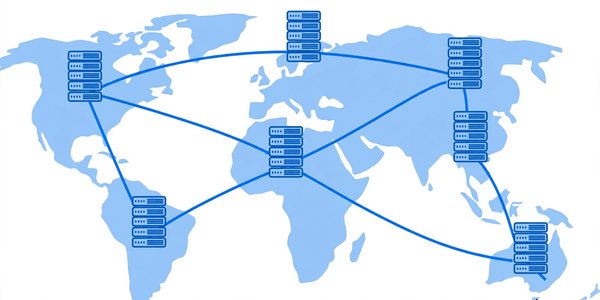
Speed is the most immediate reason server location matters. Data travels through fiber optic cables at nearly the speed of light, but distance still adds delay. A visitor in London loading a site hosted in London will almost always get a faster experience than the same visitor loading a site hosted in Singapore. Those extra milliseconds compound across every image, script, and stylesheet on the page. When you are choosing hosting for a business that serves a specific region, knowing exactly where candidate hosts place their servers helps you make a decision grounded in physics rather than marketing claims.
Search visibility adds another dimension. While search engines consider many factors, hosting a site near its target audience can contribute to better performance metrics, and performance influences rankings. Businesses expanding into new markets often check where competitors host to understand the infrastructure behind their success. Our free online tool at A Tool Today makes this research trivially easy. Type a competitor’s domain, see their hosting country, city, and provider, and suddenly you have a concrete starting point for your own hosting strategy instead of guesswork. That transparency turns vague marketing promises into verifiable facts you can build a strategy on.
There are also compliance and trust angles worth knowing. Data residency rules in some regions require personal data to stay within certain borders, so confirming server location can be part of meeting those obligations. And when a website behaves suspiciously, its hosting location sometimes provides the first clue in an investigation, revealing bulletproof hosting regions or unexpected infrastructure. Whether you are optimizing for speed, planning an expansion, or simply satisfying your curiosity, instant server location data turns an invisible part of the internet into something you can see and act on.
Tips for Best Results
Server location data is powerful when interpreted correctly. These tips will help you read results like a professional.
- Remember that CDNs mask the origin server. If a site uses Cloudflare or a similar network, the location you see is the edge server that responded, which is chosen for proximity to you. To find the true origin, look for DNS history or check the site’s hosting provider details instead.
- Enter the bare domain for the cleanest result. Skip the https, www, and page paths. A clean domain like example.com resolves most reliably and avoids confusion between subdomains that might live on different servers.
- Recheck after migrations. When a site moves hosts, DNS updates take time to propagate worldwide. Run the finder again after a day or two to confirm the location reflects the new server rather than cached old data. Setting a calendar reminder to recheck takes ten seconds and prevents stale assumptions.
- Compare locations against your audience map. A server in the same region as most of your visitors is ideal. If your analytics show a global audience, pair a central host with a content delivery network instead of chasing a single perfect location.
- Use provider data for hosting shortlists. When you find a fast site in your niche, note its hosting provider from the results. Real-world performance evidence beats sales pages when you are choosing where to host your own project. One fast site on a host is anecdote, but three or four becomes a pattern worth trusting.
- Combine with an uptime check for full context. Location tells you where a site lives, while an uptime check tells you how healthy it is. Together they give you a complete snapshot of a website’s infrastructure quality. They answer both where a site lives and whether it is healthy right now.
Frequently Asked Questions
Common questions about server locations, geolocation accuracy, and how to interpret your results.
How does the Server Location Finder work?
The tool first resolves your domain to its server IP address using DNS, then looks up that IP in global geolocation databases that map address ranges to physical locations and network owners. It combines this data to report the country, city, IP address, and hosting provider in a single instant result. The entire chain, from your input to the finished report, completes before you have time to sip your coffee.
How accurate is server geolocation?
Country-level accuracy is very high, and city-level accuracy is generally reliable for established data centers and hosting networks. Accuracy can dip for mobile networks, newly assigned IP ranges, or anycast setups where one IP serves many locations. For hosting research and general insight, the results are more than precise enough.
Why does the location differ from what I expected?
The most common reason is a content delivery network. Services like Cloudflare route your request to the nearest edge server, so the tool reports that edge location rather than the origin server. Large cloud platforms can also shift traffic between regions. If you expected one country and see another, a CDN is the likely explanation.
Complete List of All Free Online Tools
Browse the full directory of 450+ free tools. Click any tool name to use it instantly - no signup required.
| # | Tool Name | Category |
|---|---|---|
| 1 | A B Test Significance Calculator | Calculators & Converters |
| 2 | Acronym Generator | Utility Tools |
| 3 | Ad Copy Generator | Utility Tools |
| 4 | Add Page Numbers To PDF | PDF Tools |
| 5 | Add Subtitles To Video | Media Tools |
| 6 | Add Subtract Days Calculator | Calculators & Converters |
| 7 | Age Calculator | Calculators & Converters |
| 8 | Angle Converter | Calculators & Converters |
| 9 | API Request Tester | Utility Tools |
| 10 | Area Converter | Calculators & Converters |
| 11 | Article Rewriter | Utility Tools |
| 12 | Audio Converter | Calculators & Converters |
| 13 | Audio Merger | Media Tools |
| 14 | Audio Metadata Editor | Media Tools |
| 15 | Audio Pitch Changer | Media Tools |
| 16 | Audio Speed Changer | Media Tools |
| 17 | Audio To Text Converter | Calculators & Converters |
| 18 | Audio Trimmer | Media Tools |
| 19 | Avatar Maker | Utility Tools |
| 20 | Background Remover | Utility Tools |
| 21 | Backlink Checker | SEO Tools |
| 22 | Banner Maker | Utility Tools |
| 23 | Barcode Generator | Developer Tools |
| 24 | Base64 Encoder Decoder | Developer Tools |
| 25 | Bass Booster | Utility Tools |
| 26 | Bibliography Generator | Utility Tools |
| 27 | Bill Splitter | Utility Tools |
| 28 | Binary Converter | Calculators & Converters |
| 29 | Binary To Text Converter | Calculators & Converters |
| 30 | Birthday Countdown | Date & Time Tools |
| 31 | Bmi Calculator | Calculators & Converters |
| 32 | Bmr Calculator | Calculators & Converters |
| 33 | Body Fat Calculator | Calculators & Converters |
| 34 | Body Surface Area Calculator | Calculators & Converters |
| 35 | Book Title Generator | Utility Tools |
| 36 | Brand Color Finder | Color Tools |
| 37 | Brand Kit Generator | Utility Tools |
| 38 | Break Even Calculator | Calculators & Converters |
| 39 | Broken Link Checker | Utility Tools |
| 40 | Browser Info Checker | Utility Tools |
| 41 | Budget Planner | Utility Tools |
| 42 | Business Card Designer | Utility Tools |
| 43 | Business Card Maker | Utility Tools |
| 44 | Business Days Calculator | Calculators & Converters |
| 45 | Business Name Generator | Utility Tools |
| 46 | Business Proposal Generator | Utility Tools |
| 47 | Button Generator | Utility Tools |
| 48 | Buyer Persona Generator | Utility Tools |
| 49 | Calorie Calculator | Calculators & Converters |
| 50 | Captcha Generator | Utility Tools |
Can I find the exact street address of a server?
No, and no legitimate public tool can. IP geolocation resolves to city or region level, never to a street address. Data centers do not publish precise locations tied to IP ranges, and privacy norms keep it that way. Anyone claiming exact addresses from an IP is not being honest with you. This limitation protects the physical security of data center staff and infrastructure.
Does server location affect SEO?
It can, indirectly. Server location influences loading speed for visitors in different regions, and speed is a confirmed ranking factor. Hosting near your target audience is a sensible part of an SEO-friendly setup, alongside quality content, good technical SEO, and genuine backlinks. Location alone will not rank a bad site, but it removes a needless handicap.
Can I look up the server location of any website?
Yes, any publicly accessible website. Enter its domain and you will get the location data. This works for competitor sites, potential business partners, news outlets, or your own projects. It is a completely passive lookup that only reads public DNS and geolocation data. Researchers, journalists, and students all use these lookups as a routine part of understanding web infrastructure.
Will the website owner know I checked their server location?
No. The lookup only queries public DNS records and geolocation databases. It never contacts the website in a way the owner could trace back to you, and it leaves no footprint on their server logs tied to your identity.
Is the Server Location Finder really free?
Yes, entirely free with unlimited lookups. No accounts, no quotas, no premium tier hiding the good data. It is one of the free online network tools from A Tool Today, designed to make professional infrastructure insight available to everyone.
Table of Contents
What is Server Location Finder?
The server location finder is a free online tool that helps you with server location finder tasks quickly and accurately. Our server location finder is designed to be simple, fast, and reliable. Whether you need a server location finder for personal use or professional work, this free server location finder delivers instant results without any signup or download required.
How to Use the Server Location Finder
Using our server location finder is easy. Simply open the server location finder tool above, enter your input, and get instant results. The server location finder processes everything in your browser for maximum privacy and speed. No technical knowledge is needed to use this server location finder effectively.
Benefits of Using Our Server Location Finder
Our free server location finder offers many advantages. It is completely free to use, requires no registration, works on all devices, and provides accurate results instantly. The server location finder is updated regularly to ensure the best performance. For more information about server location finder, you can Learn more about server location finder on Wikipedia.
Frequently Asked Questions About Server Location Finder
Is the server location finder really free? Yes, our server location finder is 100% free with no hidden costs or premium tiers.
Do I need to create an account to use the server location finder? No, the server location finder works instantly without any signup or login required.
