Screen Resolution Checker
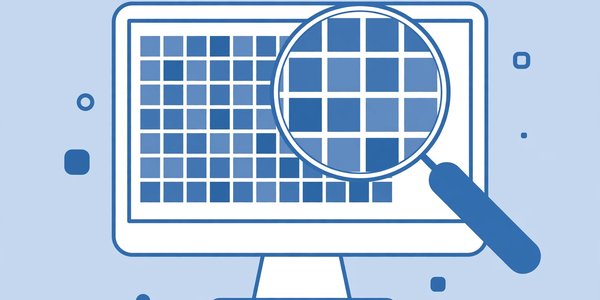
Your screen resolution decides how sharp everything looks, from the text you are reading right now to the photos you edit and the games you play. Yet most people have no idea what their own resolution actually is. They know they bought a laptop with a nice display, but ask them for the numbers and you get a blank stare. That is where our Screen Resolution Checker at A Tool Today comes in. Open the page and your screen resolution appears instantly, shown as width by height in pixels, with no buttons to press and no settings menus to dig through. Designers use it to confirm what their clients are actually seeing. Developers use it to test how websites behave on different displays. Gamers use it to make sure their system is running at the display native resolution for the sharpest image. Remote workers use it when IT support asks for display details during troubleshooting. It works on phones, tablets, laptops, desktops, and even smart TVs with a browser, and it costs nothing. Because the detection happens right in your browser, the numbers you see reflect your real, current display setup, including any scaling your operating system applies.
How to Use Screen Resolution Checker
There is nothing to install and nothing to configure. The tool reads your display information automatically the moment the page loads. Here is how to get the most out of it in less than a minute.
- Open the tool in your browser. Visit the Screen Resolution Checker page on any device. The detection starts automatically, so your current resolution shows up immediately without you clicking anything.
- Read your screen resolution. Look for the main number displayed as width x height, for example 1920 x 1080. This is the resolution your operating system is currently using to draw everything on your screen.
- Check the device pixel ratio. Many modern phones and laptops use high density displays where one CSS pixel maps to multiple physical pixels. The tool shows this ratio so you understand why a phone can look sharper than its resolution number suggests.
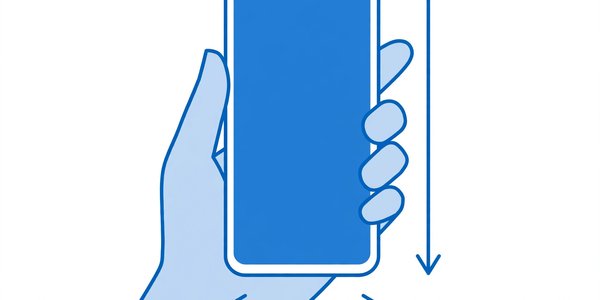
- Note the screen orientation. See whether your device reports landscape or portrait mode. This is useful for designers testing layouts and for anyone troubleshooting a display that looks rotated or stretched.
- Rotate your device to compare. On a phone or tablet, rotate the device and watch the numbers swap. This quick test confirms the tool is reading live data and shows you both orientations of your display.
- Compare with common resolutions. Use the reference information on the page to see how your resolution compares to popular standards like Full HD, 2K, and 4K. This helps you judge whether your display is entry level, mainstream, or high end.
- Save or share your results. Take a screenshot or note down the numbers for your records. Keeping a small list of each device you own, with its resolution and pixel ratio, saves you from rechecking every time a designer or support agent asks.
Key Features
- Instant automatic detection. Your resolution appears the second the page loads. There are no forms, no buttons, and no waiting, which makes it perfect when support asks you for the number right now.
- Width and height in pixels. The tool shows your exact horizontal and vertical pixel counts. These are the two numbers that define your resolution, and they are the ones designers and developers always ask for.
- Device pixel ratio readout. High density Retina style displays pack extra physical pixels behind every CSS pixel. Seeing the ratio explains why text looks crisp even when the raw numbers seem modest.
- Orientation detection. The checker reports whether your screen is in landscape or portrait mode. This matters for responsive design testing and for diagnosing display rotation issues.
- Screen versus viewport sizes. Beyond the full screen size, the tool can show your browser viewport, which is the actual area web pages use. Developers find this distinction essential for debugging layout problems.
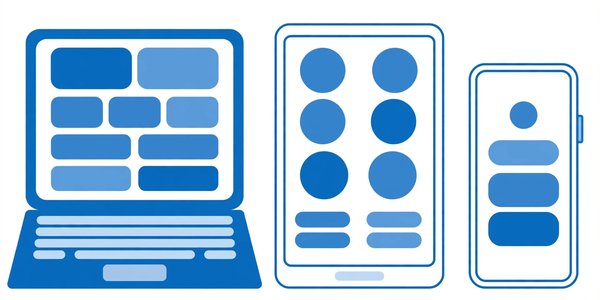
- Works on every device. Phones, tablets, laptops, desktops, and TVs with browsers are all supported. The detection uses standard browser APIs, so it works anywhere the modern web works.
- No signup or installation. You do not create an account or install anything. Open the page, read your numbers, and get on with your day. Your visit leaves no trace.
- Completely free forever. Every reading is free with no limits and no premium tier hiding extra details. Check as many devices as you like, as often as you like.
Why Use Our Screen Resolution Checker?
Knowing your screen resolution sounds like trivia until the moment you actually need it. A designer sends you a mockup and asks whether your monitor can show it at full size. A game recommends settings based on your display. Tech support asks for your resolution before they can help with a blurry screen. A monitor listing boasts about 4K, but your system might be running it at a lower scaled resolution without you realizing. In each of these moments, guessing wastes time and getting it wrong causes real problems, like buying a monitor your laptop cannot drive or publishing images at the wrong size. Our checker removes the guesswork by giving you the exact numbers in one second. You do not need to open display settings, remember where the manufacturer hid the specs, or decode model numbers. Just open the page and read. For professionals, the value goes deeper. Web designers and developers constantly test how sites look across screen sizes, and an instant readout beats digging through settings on every test device. QA teams checking a responsive site can verify viewport sizes on real phones in seconds. Content creators can confirm their canvas matches their display before exporting work. And because the tool also shows device pixel ratio and viewport size, it answers the follow up questions that display settings alone never address, like why a 1080p phone screen looks sharper than a 1080p monitor.
There is also a quiet accuracy advantage to browser based detection. The number in your system settings sometimes reflects a scaled or virtual resolution rather than what applications actually use. Our tool reads what the browser genuinely sees, which is exactly what matters when you are troubleshooting how a website renders or why an image looks soft. It is free, private, and instant, and it works on devices where finding the settings menu is genuinely difficult, like a smart TV or a borrowed tablet. A Tool Today built this checker to be the fastest answer to a question everyone asks eventually: what resolution am I actually running?
Shoppers benefit too. Monitor listings are full of confusing specs, and two screens advertised as 27 inch can have completely different resolutions. Checking your current resolution first tells you what you are used to, so you can decide whether an upgrade is actually an upgrade. If you are happy with your current sharpness, you know the minimum to look for. If text always looks fuzzy, the checker confirms whether your panel or your settings are to blame before you spend money. Remote support scenarios are another everyday win. When a family member calls saying their screen looks wrong, asking them to open one page is far easier than guiding them through display settings over the phone. You get the numbers instantly and can tell whether scaling, rotation, or a wrong resolution is the culprit. It turns a twenty minute phone call into a two minute fix, which anyone who has played family tech support will appreciate deeply.
Tips for Best Results
- Check at 100 percent scaling first. Operating system display scaling changes the reported resolution. For the truest reading of your panel, set scaling to 100 percent temporarily, then check again.
- Test both orientations on mobile. Rotate your phone or tablet and reload to see portrait and landscape values. App designers need both numbers when planning layouts.
- Compare screen size with viewport size. The viewport is the browser window minus toolbars and chrome. If a site looks wrong, the viewport number usually explains it better than the full screen number.
- Note the device pixel ratio. A ratio of 2 or 3 means ultra sharp rendering. When exporting images for the web, multiply your target size by this ratio to keep graphics crisp.
- Recheck after display changes. Plugging in a monitor, docking a laptop, or changing settings can alter your resolution. Run the checker again after any change to confirm the new values.
- Use it across all your test devices. Keep the page bookmarked and open it on every phone, tablet, and computer you test with. Building a quick list of your devices resolutions speeds up all future design work.
- Check external monitors separately. If you use two screens, open the tool on each display to read them individually. Laptops and external monitors often run at different resolutions, and mixing them up causes confusion.
- Turn off browser zoom before checking. Browser zoom changes the reported viewport size. Reset zoom to 100 percent first so the numbers reflect your true display and not a zoomed view.
Frequently Asked Questions
What is screen resolution?
Screen resolution is the number of pixels your display uses to draw images, expressed as width by height, for example 1920 by 1080. More pixels generally mean sharper text and more detailed images, because the display has finer building blocks to work with.
Why does the detected resolution differ from my monitor specs?
Your operating system may apply display scaling, which makes everything bigger and easier to read by using a lower effective resolution. The checker shows the resolution your system is actually using right now, which can differ from the physical panel specs on the box.
What is device pixel ratio?
Device pixel ratio tells you how many physical screen pixels correspond to one CSS pixel used by websites. A ratio of 2 means the display packs four physical pixels into the space of one web pixel, which is why modern phones and laptops look so sharp.
What is the difference between screen size and viewport size?
Screen size is your full display, while viewport size is the area inside your browser window where web pages actually render. Toolbars, tabs, and window borders shrink the viewport, so developers usually care about the viewport number more.
Is this tool accurate?
Yes. The checker uses standard browser APIs that report exactly what your system tells the browser. The reading updates live, so rotating your device or changing display settings produces new numbers immediately.
Does it work on phones and tablets?
Absolutely. The tool works on any device with a modern browser, including phones, tablets, laptops, desktops, and smart TVs. Mobile readings are especially useful because phone makers advertise specs that scaling often changes in practice.
Complete List of All Free Online Tools
Browse the full directory of 450+ free tools. Click any tool name to use it instantly - no signup required.
| # | Tool Name | Category |
|---|---|---|
| 1 | A B Test Significance Calculator | Calculators & Converters |
| 2 | Acronym Generator | Utility Tools |
| 3 | Ad Copy Generator | Utility Tools |
| 4 | Add Page Numbers To PDF | PDF Tools |
| 5 | Add Subtitles To Video | Media Tools |
| 6 | Add Subtract Days Calculator | Calculators & Converters |
| 7 | Age Calculator | Calculators & Converters |
| 8 | Angle Converter | Calculators & Converters |
| 9 | API Request Tester | Utility Tools |
| 10 | Area Converter | Calculators & Converters |
| 11 | Article Rewriter | Utility Tools |
| 12 | Audio Converter | Calculators & Converters |
| 13 | Audio Merger | Media Tools |
| 14 | Audio Metadata Editor | Media Tools |
| 15 | Audio Pitch Changer | Media Tools |
| 16 | Audio Speed Changer | Media Tools |
| 17 | Audio To Text Converter | Calculators & Converters |
| 18 | Audio Trimmer | Media Tools |
| 19 | Avatar Maker | Utility Tools |
| 20 | Background Remover | Utility Tools |
| 21 | Backlink Checker | SEO Tools |
| 22 | Banner Maker | Utility Tools |
| 23 | Barcode Generator | Developer Tools |
| 24 | Base64 Encoder Decoder | Developer Tools |
| 25 | Bass Booster | Utility Tools |
| 26 | Bibliography Generator | Utility Tools |
| 27 | Bill Splitter | Utility Tools |
| 28 | Binary Converter | Calculators & Converters |
| 29 | Binary To Text Converter | Calculators & Converters |
| 30 | Birthday Countdown | Date & Time Tools |
| 31 | Bmi Calculator | Calculators & Converters |
| 32 | Bmr Calculator | Calculators & Converters |
| 33 | Body Fat Calculator | Calculators & Converters |
| 34 | Body Surface Area Calculator | Calculators & Converters |
| 35 | Book Title Generator | Utility Tools |
| 36 | Brand Color Finder | Color Tools |
| 37 | Brand Kit Generator | Utility Tools |
| 38 | Break Even Calculator | Calculators & Converters |
| 39 | Broken Link Checker | Utility Tools |
| 40 | Browser Info Checker | Utility Tools |
| 41 | Budget Planner | Utility Tools |
| 42 | Business Card Designer | Utility Tools |
| 43 | Business Card Maker | Utility Tools |
| 44 | Business Days Calculator | Calculators & Converters |
| 45 | Business Name Generator | Utility Tools |
| 46 | Business Proposal Generator | Utility Tools |
| 47 | Button Generator | Utility Tools |
| 48 | Buyer Persona Generator | Utility Tools |
| 49 | Calorie Calculator | Calculators & Converters |
| 50 | Captcha Generator | Utility Tools |
Is the Screen Resolution Checker free?
Yes, completely free with no limits. Check as many devices as you want, as often as you want, without signing up or paying anything.
What resolution should I design websites for?
There is no single answer, since visitors arrive on everything from small phones to huge monitors. Most designers test at 1920 by 1080 for desktop and 390 by 844 for mobile as starting points, then verify with responsive design. Our checker helps you confirm what your own test devices actually report.
Why does my 4K monitor show 1920 by 1080?
Your operating system is probably using display scaling at 200 percent, which makes text readable by rendering the interface at half the physical resolution. The panel is still 4K and images stay sharp thanks to the high pixel density. Check your display settings if you want to run at native resolution.
Does screen resolution affect website loading speed?
Not directly. Resolution changes how many pixels are drawn, but page speed depends on file sizes, code efficiency, and your connection. That said, higher resolution screens benefit from properly sized images, so designers often export larger assets for 4K displays without slowing down the page for everyone else.
Can I change my screen resolution?
Yes. On Windows, right click the desktop and open display settings, on Mac open System Settings and choose Displays, and on phones look under display settings. Lower resolutions make everything bigger and can improve performance in games, while the native resolution always gives the sharpest image for everyday use.
Table of Contents
What is Screen Resolution Checker?
The screen resolution checker is a free online tool that helps you with screen resolution checker tasks quickly and accurately. Our screen resolution checker is designed to be simple, fast, and reliable. Whether you need a screen resolution checker for personal use or professional work, this free screen resolution checker delivers instant results without any signup or download required.
How to Use the Screen Resolution Checker
Using our screen resolution checker is easy. Simply open the screen resolution checker tool above, enter your input, and get instant results. The screen resolution checker processes everything in your browser for maximum privacy and speed. No technical knowledge is needed to use this screen resolution checker effectively.
Benefits of Using Our Screen Resolution Checker
Our free screen resolution checker offers many advantages. It is completely free to use, requires no registration, works on all devices, and provides accurate results instantly. The screen resolution checker is updated regularly to ensure the best performance. For more information about screen resolution checker, you can Learn more about screen resolution checker on Wikipedia.
Frequently Asked Questions About Screen Resolution Checker
Is the screen resolution checker really free? Yes, our screen resolution checker is 100% free with no hidden costs or premium tiers.
Do I need to create an account to use the screen resolution checker? No, the screen resolution checker works instantly without any signup or login required.
