Rounded Image Maker
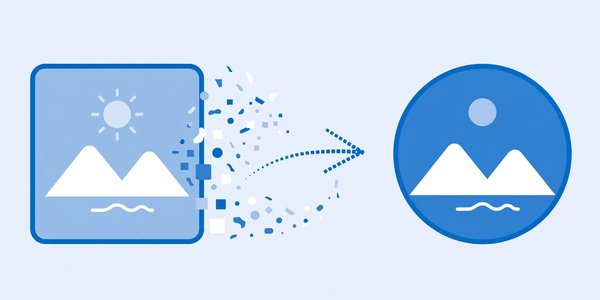
Sharp square corners look fine on a spreadsheet, but they feel harsh on a profile picture, stiff on a product card and outdated on a modern website. Rounded corners soften everything they touch. They make avatars feel friendly, app icons feel native and web graphics feel professionally designed. The problem is that rounding corners properly used to mean opening Photoshop or Figma, drawing masks and exporting carefully. The Rounded Image Maker from A Tool Today skips all of that. Upload any image, drag a slider to set your corner radius, and download a beautifully rounded version in seconds. You can go fully circular for the perfect profile picture, add a stylish border, or keep a transparent background for seamless use on any design. Everything happens in your browser with no installs, no accounts and no cost. Whether you are polishing your social media avatar, preparing product thumbnails for your store, designing a presentation or building app assets, this free online tool gives your images that smooth modern finish instantly.
First impressions form in milliseconds, and your profile picture is often the very first thing people see. A crisp circular avatar signals that you pay attention to detail, whether you are applying for jobs, growing a personal brand or running a business page. Visitors may never consciously notice your rounded corners, but they feel the polish. It is a tiny effort with an outsized impact on how professional you appear online.
How to Use Rounded Image Maker
Turning sharp corners into smooth curves takes less than a minute. One slider controls everything, and the live preview shows your result before you download. Here is the full process.
- Upload your image. Drag and drop a photo into the tool or click to browse your device. JPG, PNG and WebP files all work, and square images give the most predictable results. Tip: for profile pictures and avatars, start with a square crop where your face or subject sits in the center. Centered subjects survive rounding beautifully.
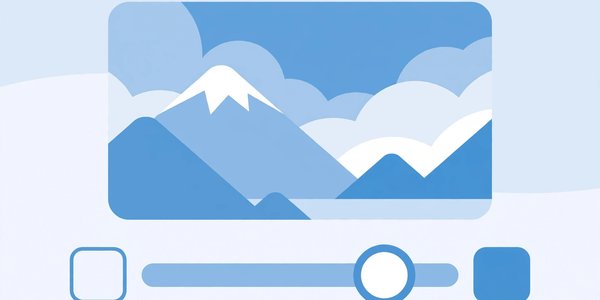
- Adjust the corner radius. Drag the radius slider to control how round your corners become. Small values give a subtle softened edge, medium values create the friendly rounded rectangle you see across modern apps, and the maximum setting produces a perfect circle. Tip: watch the live preview as you drag. The right radius is the one that looks intentional, not accidental, so trust your eyes over any number.
- Choose circular or rounded rectangle. Decide between a full circle crop and rounded corners on a rectangular image. Circles are the standard for avatars, profile pictures and logos, while rounded rectangles suit cards, thumbnails and banners. Tip: if your subject is a face, the circle crop naturally centers attention on it. If your image has important edge content like text, stick with gentle rounded corners instead.
- Add a border if you like. Optional borders in any color and thickness can frame your rounded image beautifully. A crisp white border makes avatars pop on dark backgrounds, while a brand-colored border ties thumbnails to your visual identity. Tip: keep borders proportional. A border that is too thick overwhelms small avatars, while one that is too thin disappears at thumbnail size.
- Set your background. Choose a transparent background for maximum flexibility, or pick a solid color to match where the image will live. Transparency is the professional choice for avatars and logos because the image blends into any page or app theme. Tip: download PNG when you choose transparency. JPG does not support transparent backgrounds and will fill them with white.
- Preview and download. Check the final result at full size in the preview panel, then download your rounded image with one click. Tip: compare the rounded version side by side with your original. The difference in polish is usually dramatic, which confirms you picked the right radius.
Key Features
- Precision corner radius slider. Dial in the exact roundness you want, from a barely-there softening to a full circle. The smooth slider gives you fine control that preset buttons never can, so your corners match your design system perfectly.
- One-click perfect circle crop. Jump straight to a flawless circular crop for avatars, profile pictures and badges. The tool centers the circle on your image automatically and lets you reposition it for the ideal framing.
- Transparent background support. Export with a truly transparent background so your rounded image floats cleanly over any color, photo or gradient. Essential for logos, stickers, avatars and overlay graphics.
- Customizable borders. Add borders in any color with adjustable thickness. Frame profile pictures, make product thumbnails pop and match your brand colors without opening an editor.
- Live real-time preview. Every adjustment updates instantly in the preview panel. What you see is exactly what you download, so there are no surprises and no wasted exports.
- High-quality PNG and JPG export. Download crisp PNG files that preserve transparency and sharp edges, or compact JPGs for photos where file size matters. Your choice, your quality.
- Works with any image shape. Start from square, portrait or landscape photos. The tool adapts the rounding intelligently, so you are never forced to pre-crop in another app first.
- Free, private and no signup. Round unlimited images at zero cost with no account. All processing happens in your browser, so your photos never leave your device and stay completely private.
Why Use Our Rounded Image Maker?
Rounded corners are one of those quiet design details that separate amateur-looking visuals from professional ones. Human eyes are naturally drawn to curved shapes, which feel safer and friendlier than sharp points. That is why every major platform rounds avatars, why modern apps use rounded cards and buttons, and why product thumbnails with softened edges consistently look more premium. Our Rounded Image Maker puts this design upgrade within everyone’s reach. Social media users create polished profile pictures that stand out in crowded comment sections and follower lists. Online sellers round their product thumbnails so their store looks cohesive and trustworthy, which genuinely influences buying confidence. Bloggers and newsletter writers use rounded featured images and author avatars that match modern web aesthetics. App developers and designers generate circular icons and rounded assets without firing up heavyweight design software for a thirty-second task. Teachers and presenters soften clip art and diagrams so slides feel approachable instead of stark. Because the tool is free, instant and private, there is no excuse left for harsh square corners on images that represent you or your brand. One slider, a few seconds, and every image you publish looks like a designer touched it.
Consistency multiplies the effect. When your avatar, thumbnails, ad creatives and presentation graphics all share the same corner radius, your entire visual presence feels designed rather than assembled. Pick one radius style and stick with it across platforms: full circles for personal avatars, medium rounding for content thumbnails, subtle softening for document graphics. Our slider makes it easy to reproduce the exact same look every time, so your brand stays coherent from your website to your social profiles to your slide decks.
Tips for Best Results
- Start with a square source for avatars. Circles crop from the center of your image, so square photos give you the most predictable framing. Crop to square first and center your subject for a flawless circular result.
- Match the radius to the context. Tiny avatars look best with full circles or generous rounding, while large banners usually need only a subtle curve. The bigger the display size, the more restrained your radius can be.
- Use transparency for maximum flexibility. A transparent background lets one avatar file work on light mode, dark mode and colored headers alike. It is the single most versatile export choice for profile pictures and logos.
- Keep borders subtle at small sizes. A 4 pixel border looks elegant on a large image but can swallow a 100 pixel avatar. Scale your border thickness to the final display size, not the source size.
- Check contrast against the background. A rounded image with a light edge can vanish on a white page. Preview your result on its actual background and add a border or shadow-colored edge if it blends in too much.
- Export PNG for graphics, JPG for photos. PNG keeps transparency and crisp edges for logos and avatars, while JPG gives smaller files for photographic rounded images where transparency is not needed. Pick the format that fits the job.
Frequently Asked Questions
Is the Rounded Image Maker really free?
Yes, completely free with no strings attached. You can round the corners of unlimited images, use the circle crop, add borders and download transparent PNGs without paying anything or creating an account. There are no watermarks on your downloads and no premium tier locking the useful features. A Tool Today believes basic image finishing tasks like this should be accessible to everyone, from students polishing a presentation to sellers upgrading their product photos. Just open the tool and start rounding.
What is the difference between rounded corners and a circle crop?
Rounded corners soften the four corners of your rectangular image while keeping its overall shape, which is ideal for cards, thumbnails, banners and photos where the edges contain important content. A circle crop cuts the entire image into a perfect circle, discarding everything outside it, which is the standard look for profile pictures, avatars and badges. Our tool offers both. Use rounded corners when you want to keep the full image with a softer feel, and choose the circle crop when you need that classic avatar look.
Will my image have a transparent background?
It can, and that is one of the most popular options. When you enable transparency and download as PNG, the areas outside your rounded shape become fully see-through, so the image blends seamlessly onto any background color or design. This is perfect for avatars, logos and overlay graphics that need to work across light and dark themes. Just remember to choose PNG format, because JPG does not support transparency and will replace clear areas with solid white. Most design tools and social platforms recognize the transparency automatically, so your image blends in with no extra steps.
What image formats can I upload and download?
You can upload JPG, JPEG, PNG, WebP and other common formats with no conversion needed. For downloads, choose PNG when you want transparency or the sharpest quality for graphics, avatars and logos. Choose JPG for photographic images where you want smaller file sizes and do not need transparency. The tool preserves your image quality through the rounding process, so the download looks just as crisp as your upload, only with beautifully smooth corners. When quality matters most, such as logos or print graphics, PNG is always the safer choice over JPG.
Complete List of All Free Online Tools
Browse the full directory of 450+ free tools. Click any tool name to use it instantly - no signup required.
| # | Tool Name | Category |
|---|---|---|
| 1 | A B Test Significance Calculator | Calculators & Converters |
| 2 | Acronym Generator | Utility Tools |
| 3 | Ad Copy Generator | Utility Tools |
| 4 | Add Page Numbers To PDF | PDF Tools |
| 5 | Add Subtitles To Video | Media Tools |
| 6 | Add Subtract Days Calculator | Calculators & Converters |
| 7 | Age Calculator | Calculators & Converters |
| 8 | Angle Converter | Calculators & Converters |
| 9 | API Request Tester | Utility Tools |
| 10 | Area Converter | Calculators & Converters |
| 11 | Article Rewriter | Utility Tools |
| 12 | Audio Converter | Calculators & Converters |
| 13 | Audio Merger | Media Tools |
| 14 | Audio Metadata Editor | Media Tools |
| 15 | Audio Pitch Changer | Media Tools |
| 16 | Audio Speed Changer | Media Tools |
| 17 | Audio To Text Converter | Calculators & Converters |
| 18 | Audio Trimmer | Media Tools |
| 19 | Avatar Maker | Utility Tools |
| 20 | Background Remover | Utility Tools |
| 21 | Backlink Checker | SEO Tools |
| 22 | Banner Maker | Utility Tools |
| 23 | Barcode Generator | Developer Tools |
| 24 | Base64 Encoder Decoder | Developer Tools |
| 25 | Bass Booster | Utility Tools |
| 26 | Bibliography Generator | Utility Tools |
| 27 | Bill Splitter | Utility Tools |
| 28 | Binary Converter | Calculators & Converters |
| 29 | Binary To Text Converter | Calculators & Converters |
| 30 | Birthday Countdown | Date & Time Tools |
| 31 | Bmi Calculator | Calculators & Converters |
| 32 | Bmr Calculator | Calculators & Converters |
| 33 | Body Fat Calculator | Calculators & Converters |
| 34 | Body Surface Area Calculator | Calculators & Converters |
| 35 | Book Title Generator | Utility Tools |
| 36 | Brand Color Finder | Color Tools |
| 37 | Brand Kit Generator | Utility Tools |
| 38 | Break Even Calculator | Calculators & Converters |
| 39 | Broken Link Checker | Utility Tools |
| 40 | Browser Info Checker | Utility Tools |
| 41 | Budget Planner | Utility Tools |
| 42 | Business Card Designer | Utility Tools |
| 43 | Business Card Maker | Utility Tools |
| 44 | Business Days Calculator | Calculators & Converters |
| 45 | Business Name Generator | Utility Tools |
| 46 | Business Proposal Generator | Utility Tools |
| 47 | Button Generator | Utility Tools |
| 48 | Buyer Persona Generator | Utility Tools |
| 49 | Calorie Calculator | Calculators & Converters |
| 50 | Captcha Generator | Utility Tools |
Can I add a border around my rounded image?
Yes. The border controls let you pick any color and set the thickness to frame your rounded image exactly how you want. A white border is the classic choice for profile pictures because it separates the avatar from any background. Brand colors work wonderfully for business thumbnails and social posts, creating instant visual consistency across your content. You can preview the border live and adjust it until the balance looks right, then download the finished image with the border baked in.
Are my photos kept private?
Absolutely. Every bit of processing happens locally in your browser on your own device. Your photos are never uploaded to a server, stored anywhere or viewed by anyone. This matters because people round corners on personal profile pictures, family photos and client brand assets. You can use the tool with complete confidence that your images stay yours. When you close the tab, nothing remains behind on any server because nothing was ever sent. You can confidently round profile pictures, family photos and confidential brand assets without any privacy worries.
What size should my image be for the best results?
Bigger is generally better. Start with the highest resolution version of your image so the rounded edges render smoothly without jagged steps. For avatars that will display at 200 pixels or less, a 800 to 1000 pixel source gives beautifully clean curves. For larger uses like banners or thumbnails, keep the source at or above the final display size. The tool does not upscale your image, so the download can only be as sharp as what you upload. When in doubt, use the original photo, not a compressed social media copy.
Can I round corners on images that contain text?
Yes, but keep the text clear of the corners. Rounding only affects the outer edges of the image, so headlines and body text in the center remain untouched. The risk comes when text sits very close to an edge, where an aggressive radius could clip a letter. Use a gentle radius for text-heavy graphics like thumbnails and banners, and check the preview at full size before downloading. As a rule of thumb, keep all important text at least a small margin inside the visible area and your rounded graphic will look clean and professional.
Table of Contents
What is Rounded Image Maker?
The rounded image maker is a free online tool that helps you with rounded image maker tasks quickly and accurately. Our rounded image maker is designed to be simple, fast, and reliable. Whether you need a rounded image maker for personal use or professional work, this free rounded image maker delivers instant results without any signup or download required.
How to Use the Rounded Image Maker
Using our rounded image maker is easy. Simply open the rounded image maker tool above, enter your input, and get instant results. The rounded image maker processes everything in your browser for maximum privacy and speed. No technical knowledge is needed to use this rounded image maker effectively.
Benefits of Using Our Rounded Image Maker
Our free rounded image maker offers many advantages. It is completely free to use, requires no registration, works on all devices, and provides accurate results instantly. The rounded image maker is updated regularly to ensure the best performance. For more information about rounded image maker, you can Learn more about rounded image maker on Wikipedia.
Frequently Asked Questions About Rounded Image Maker
Is the rounded image maker really free? Yes, our rounded image maker is 100% free with no hidden costs or premium tiers.
Do I need to create an account to use the rounded image maker? No, the rounded image maker works instantly without any signup or login required.
