Redirect Checker
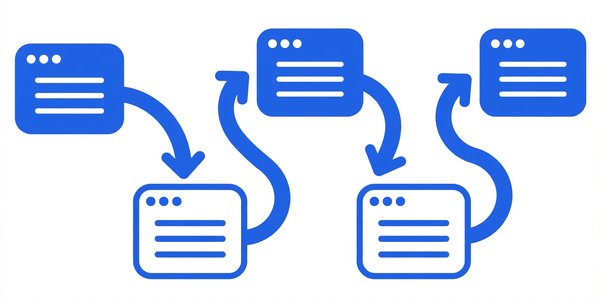
Click a link and you usually land exactly where you expect. But behind that simple click, your browser may have hopped through two or three different addresses before arriving. Those hops are redirects, and while they are a normal part of the web, they can also hide problems. Redirect chains slow down your pages. Broken redirects send visitors to dead ends. Sneaky redirects send them somewhere they never intended to go. A redirect checker reveals the full journey of any URL, showing every hop, every status code, and the final destination. SEOs use it to audit site migrations. Marketers use it to verify campaign links. Developers use it to debug routing logic. Our free online tool traces any URL in seconds.
Here is a situation that happens more often than you would think. You run an ad campaign with a tracking link, and your analytics show plenty of clicks but almost no landing page visits. Something is eating your traffic between the click and the page. Paste the ad URL into a redirect checker and you discover a chain of four redirects, one of which points to an old page that no longer exists. Half your paid clicks are vanishing into a dead end. Fix the chain down to a single clean redirect and your conversion numbers recover overnight. Without the checker, you might have blamed the ad creative or the landing page for weeks. With it, the answer takes ten seconds.
How to Use Redirect Checker
Tracing redirects sounds technical, but the tool does all the detective work for you. Enter a URL, run the check, and read the story of where that link really goes.
- Enter the URL you want to trace. Paste the full URL into the input field, starting with http or https. This can be a link from an ad, an old bookmark, a shortened URL, or any address on your own site. Make sure you copy the complete link, because even one missing character can change where the trace leads. If you are auditing your site, start with important pages like the homepage and key landing pages.
- Click the check redirects button. Press the button and the tool will follow the URL exactly like a browser would, recording each redirect along the way. It sends requests to the server and notes every 301, 302, and other redirect response it receives. The trace usually completes in a few seconds, even for longer chains. You will see the results laid out hop by hop.
- Review the redirect chain. Look at the sequence of URLs from start to finish. Each hop shows the address requested and the status code returned. A healthy setup has zero or one redirect. Two hops is acceptable in some cases, like a shortener pointing to a tracking link pointing to a page. Three or more hops deserve a closer look, because every extra hop adds delay and risk.
- Check the status codes. Pay attention to whether each redirect is permanent (301) or temporary (302 or 307). A 301 tells search engines to pass ranking value to the new address and update their index. A 302 keeps the original URL in the index, which is right for temporary moves but wrong for permanent ones. Using the wrong type is one of the most common redirect mistakes, and this check makes it visible.
- Verify the final destination. Confirm the last URL in the chain is the page you actually want visitors to reach. Check that it loads correctly and shows a 200 OK status rather than an error. If the chain ends at a 404 page or an unrelated site, you have found a broken redirect that needs fixing. The final destination is what your visitors, customers, and search engines all end up seeing.
- Fix issues and recheck. If you found long chains, wrong status codes, or broken destinations, update your redirect rules to clean them up. Aim for a single direct redirect wherever possible. Then run the URL through the checker again to confirm the fix worked. This verify-after-fixing loop is how professionals keep their redirect maps healthy over time.

Key Features
- Full chain tracing: See every hop a URL takes from start to final destination, not just the first redirect.
- Status code display: Identify 301, 302, 307, and other response codes at each step of the chain.
- Final URL reveal: Uncover the true destination hiding behind shortened or masked links.
- Chain length warning: Spot long redirect chains that slow down pages and dilute SEO value.
- Broken redirect detection: Find chains that end in errors so you can fix dead ends fast.
- Instant results: Complete traces in seconds with no waiting and no complicated setup.
- Completely free: Trace unlimited URLs without accounts, subscriptions, or usage caps.
- Works on any URL: Check your own site, competitor links, ad URLs, or shortened links.

Why Use Our Redirect Checker?
Redirects are invisible by design, which is exactly why they cause so much trouble. Everything looks fine on the surface while underneath, chains grow longer with every site update, campaign launch, and platform migration. Each unnecessary hop adds latency that real users feel, especially on mobile connections. Search engines notice too. Ranking value dilutes across long chains, and crawl budgets get wasted following redirect after redirect instead of indexing your content. A regular redirect audit with our tool keeps this hidden decay from eating your performance and your rankings.
The use cases span every role that touches the web. SEO specialists audit redirects after site migrations, when thousands of old URLs need to point cleanly to new ones. A single broken rule in a migration can tank organic traffic, and the checker finds it before search engines do. Affiliate marketers verify their tracking links resolve to the right merchant pages. Social media managers expand shortened links to confirm they lead somewhere safe before sharing. Security-minded users inspect suspicious links to see the real destination without clicking through. Developers debug routing logic by watching exactly how their server responds to each request.
Our tool fits all of these jobs because it is fast, thorough, and free. You get the complete chain with status codes, not a simplified summary that hides the details you need. There is no signup wall between you and the answer, and no limit on how many URLs you can trace. Whether you are debugging one stubborn link or auditing ten thousand after a migration, the checker delivers the same clear hop-by-hop picture every time.
Tips for Best Results
- Keep chains to a single hop. Update old redirects to point directly at the final URL instead of chaining through intermediates.
- Use 301 for permanent moves. This passes ranking value and tells search engines to update their index.
- Use 302 only for truly temporary changes. Seasonal pages and A/B tests are good examples of temporary redirects.
- Audit after every migration. Check a sample of old URLs to confirm they redirect cleanly to the right new pages.
- Watch shortened links. Expand them with the checker before sharing to make sure the destination is safe and correct.
- Recheck after fixes. Always verify a redirect change took effect before considering the job done.
Common Mistakes to Avoid
- Not checking the full chain. One hop looks fine, but five hops slow your page down and dilute the link value passing to the final URL. Always follow the chain to the end and flatten it to a single direct redirect where you can.
- Forgetting mobile and www variants. A redirect that works on desktop can loop or fail on mobile if a separate mobile rule conflicts with it. Test the desktop, mobile, www, and non-www versions of every important URL.
- Leaving 302s where 301s belong. A temporary redirect on a permanent move tells search engines to keep indexing the old URL. Use a 301 for anything permanent, like a site migration or a deleted page with a replacement, and save 302s for truly temporary situations.
- Redirecting everything to the homepage. Visitors land confused when the page they wanted becomes your homepage, and search engines treat mass homepage redirects as soft 404s. Point each old URL to the closest matching live page instead.
- Skipping redirects after a redesign. New URLs go live, old ones die, and years of backlinks rot overnight. Map every old URL to a new one before launch day, then verify the whole map with the checker right after the switch.
- Trusting short links blindly. That shortened link in your inbox or comment section could point anywhere. Paste it into the redirect checker first and see the real destination before you click.
Advanced Tips and Real-World Use Cases
Site migrations are the flagship use case. Export your redirect map, then verify it row by row after the new site goes live. One broken rule can tank a key landing page, and catching it in the first hour saves weeks of lost rankings. Teams here at A Tool Today verify migrations this way as standard practice.
Affiliate marketers check cloaked links regularly. Networks change destination URLs, offers expire, and a link that earned yesterday can land on a dead page today. A weekly check of your top earning links keeps your commissions flowing and your visitors happy.
Broken backlink recovery starts with the checker. Find old backlinks pointing at 404 pages, see where they used to go, and redirect those URLs to the closest live content. You reclaim link value that was sitting dead, and it is some of the easiest SEO wins available.
Security conscious users paste suspicious links before clicking them. Phishing emails rely on you clicking blind, but the checker shows every hop without loading the page. If the final destination does not match the sender, delete the email.
Frequently Asked Questions
What is a redirect checker?
A redirect checker is an online tool that follows a URL through every redirect to show you the complete path from the original link to the final destination. It displays each hop in the chain along with the HTTP status code returned at every step, such as 301 for permanent redirects or 302 for temporary ones. This lets you verify that links go where they should, identify broken or overly long chains, and confirm the correct redirect types are in use.
What is the difference between a 301 and a 302 redirect?
A 301 redirect is permanent. It tells browsers and search engines that the page has moved forever, so search engines transfer ranking value to the new URL and update their index. A 302 redirect is temporary. It tells search engines to keep the original URL indexed because the move is not permanent. Using a 302 for a permanent move is a common mistake that can cost you search rankings, because the ranking value never fully transfers to the new address.
Complete List of All Free Online Tools
Browse the full directory of 450+ free tools. Click any tool name to use it instantly - no signup required.
| # | Tool Name | Category |
|---|---|---|
| 1 | A B Test Significance Calculator | Calculators & Converters |
| 2 | Acronym Generator | Utility Tools |
| 3 | Ad Copy Generator | Utility Tools |
| 4 | Add Page Numbers To PDF | PDF Tools |
| 5 | Add Subtitles To Video | Media Tools |
| 6 | Add Subtract Days Calculator | Calculators & Converters |
| 7 | Age Calculator | Calculators & Converters |
| 8 | Angle Converter | Calculators & Converters |
| 9 | API Request Tester | Utility Tools |
| 10 | Area Converter | Calculators & Converters |
| 11 | Article Rewriter | Utility Tools |
| 12 | Audio Converter | Calculators & Converters |
| 13 | Audio Merger | Media Tools |
| 14 | Audio Metadata Editor | Media Tools |
| 15 | Audio Pitch Changer | Media Tools |
| 16 | Audio Speed Changer | Media Tools |
| 17 | Audio To Text Converter | Calculators & Converters |
| 18 | Audio Trimmer | Media Tools |
| 19 | Avatar Maker | Utility Tools |
| 20 | Background Remover | Utility Tools |
| 21 | Backlink Checker | SEO Tools |
| 22 | Banner Maker | Utility Tools |
| 23 | Barcode Generator | Developer Tools |
| 24 | Base64 Encoder Decoder | Developer Tools |
| 25 | Bass Booster | Utility Tools |
| 26 | Bibliography Generator | Utility Tools |
| 27 | Bill Splitter | Utility Tools |
| 28 | Binary Converter | Calculators & Converters |
| 29 | Binary To Text Converter | Calculators & Converters |
| 30 | Birthday Countdown | Date & Time Tools |
| 31 | Bmi Calculator | Calculators & Converters |
| 32 | Bmr Calculator | Calculators & Converters |
| 33 | Body Fat Calculator | Calculators & Converters |
| 34 | Body Surface Area Calculator | Calculators & Converters |
| 35 | Book Title Generator | Utility Tools |
| 36 | Brand Color Finder | Color Tools |
| 37 | Brand Kit Generator | Utility Tools |
| 38 | Break Even Calculator | Calculators & Converters |
| 39 | Broken Link Checker | Utility Tools |
| 40 | Browser Info Checker | Utility Tools |
| 41 | Budget Planner | Utility Tools |
| 42 | Business Card Designer | Utility Tools |
| 43 | Business Card Maker | Utility Tools |
| 44 | Business Days Calculator | Calculators & Converters |
| 45 | Business Name Generator | Utility Tools |
| 46 | Business Proposal Generator | Utility Tools |
| 47 | Button Generator | Utility Tools |
| 48 | Buyer Persona Generator | Utility Tools |
| 49 | Calorie Calculator | Calculators & Converters |
| 50 | Captcha Generator | Utility Tools |
How many redirects in a chain are too many?
Ideally, one or none. Each additional hop adds load time and increases the chance something breaks. Search engines also follow a limited number of redirects before giving up, and ranking value dilutes with every hop. If your checker shows three or more redirects, clean up the chain by pointing the earlier redirects directly at the final destination. Your visitors and your SEO will both thank you.
Is this redirect checker free?
Yes, completely free with no limits. Trace as many URLs as you need without creating an account or paying for a subscription. Professional SEO suites charge monthly fees for redirect auditing features, but our tool gives you the essential chain tracing and status code data at no cost. It is perfect for quick checks and full audits alike.
Can I check shortened URLs like bit.ly links?
Absolutely. Shortened links are one of the best use cases for a redirect checker. Paste the short URL and the tool will expand it hop by hop until it reveals the final destination. This is useful for verifying links before you share them and for safely inspecting suspicious links without clicking through in your browser. You see exactly where the link leads before anyone follows it.
Why do my redirect chains keep getting longer?
Chains grow naturally over time. A page moves, so you add a redirect. Later the target moves again, so you add another redirect pointing to the first one. Campaign tools add tracking redirects on top. After a few years of site changes, a URL can easily hop through four or five addresses. The fix is a periodic audit. Trace your important URLs, then rewrite the redirect rules so each old address points directly to its final destination in a single hop.
Do redirects affect SEO?
Yes. Properly implemented 301 redirects preserve most of your ranking value when pages move, which is why they are essential during site migrations. But long chains dilute that value, slow down crawling, and waste your crawl budget. Broken redirects are worse, sending both users and search engine crawlers to dead ends. Regular checks with a redirect checker keep your redirect setup helping your SEO instead of hurting it.
What is a redirect loop and how do I fix it?
A redirect loop happens when URL A points to URL B and URL B points back to URL A, so the browser bounces between them until it gives up with an error. It usually comes from conflicting rules, like a www rule fighting a non-www rule. To fix it, list your redirect rules in order, find the pair that reference each other, and change one of them to point at the true final URL. Then recheck the chain to confirm it resolves in a single hop.
Table of Contents
What is Redirect Checker?
The redirect checker is a free online tool that helps you with redirect checker tasks quickly and accurately. Our redirect checker is designed to be simple, fast, and reliable. Whether you need a redirect checker for personal use or professional work, this free redirect checker delivers instant results without any signup or download required.
How to Use the Redirect Checker
Using our redirect checker is easy. Simply open the redirect checker tool above, enter your input, and get instant results. The redirect checker processes everything in your browser for maximum privacy and speed. No technical knowledge is needed to use this redirect checker effectively.
Benefits of Using Our Redirect Checker
Our free redirect checker offers many advantages. It is completely free to use, requires no registration, works on all devices, and provides accurate results instantly. The redirect checker is updated regularly to ensure the best performance. For more information about redirect checker, you can Learn more about redirect checker on Wikipedia.
Frequently Asked Questions About Redirect Checker
Is the redirect checker really free? Yes, our redirect checker is 100% free with no hidden costs or premium tiers.
Do I need to create an account to use the redirect checker? No, the redirect checker works instantly without any signup or login required.
