Random Name Picker
Picking a name out of a hat should be the easiest part of your day, but anyone who has tried to run a fair draw knows it rarely feels that simple. Someone always suspects the pick was rigged, the slips of paper get lost, or you spend ten minutes writing names down when you only needed ten seconds to choose one. Our Random Name Picker at A Tool Today takes all of that friction away. You type or paste your list of names, click a button, and a winner appears in seconds with a fun shuffle animation that everyone can watch. Teachers use it to call on students without playing favorites. Giveaway hosts use it to prove their draws are fair. Team leaders use it to assign tasks, order presentations, or decide who goes first. Friends use it to settle friendly debates about who picks the movie tonight. The whole experience is built to be fast, transparent, and completely free, so you never have to download an app or create an account just to make a fair random choice. Every pick uses a proper randomization method, which means each name on your list has exactly the same chance of being selected, every single time you press the button.
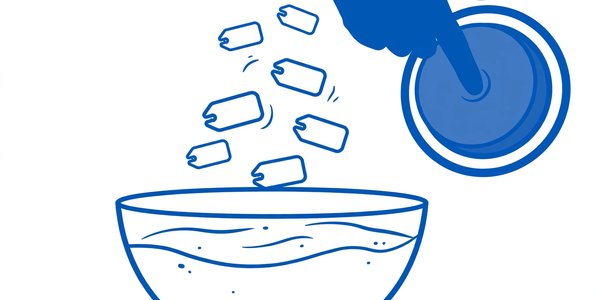
How to Use Random Name Picker
Using the Random Name Picker is genuinely as simple as it sounds. There is no setup, no signup, and no learning curve. If you can type a name, you can run a fair draw in under a minute. Follow the steps below and you will have your winner before your coffee gets cold.
- Add your names to the list. Type each name into the input box and press Enter, or paste an entire list at once from a spreadsheet, a document, or a chat message. Each name on a new line becomes a separate entry, so a class roster or a list of giveaway entrants can be loaded in seconds without retyping anything.
- Clean up the list. Take a quick look at the names you added and remove any duplicates or typos. The tool can flag duplicates for you, but a fast review keeps things tidy and makes sure every person gets exactly the entries they deserve, which matters a lot for giveaways and raffles.
- Shuffle the entries. Hit the shuffle button to mix the order of the names. This step is optional, but it is great for transparency when other people are watching, because they can see the list being mixed right before the draw happens.
- Pick your winner. Click the pick button and watch the names flash by before the tool lands on one. The animation builds a little suspense and makes the result feel exciting, which is perfect when you are announcing a winner live in a classroom, a meeting, or a stream.
- Remove the winner if you need more than one. Running multiple rounds? Remove the winner from the list with one click so the same person cannot be picked twice. This keeps second and third prize draws fair and stops you from having to rebuild the list between rounds.
- Share or save the result. Take a screenshot of the winner screen or copy the result to share it with your audience. Sharing the result immediately adds credibility to your draw, especially for online giveaways where participants want proof that the selection was random.
- Run a practice draw first. If your draw matters, like a live giveaway with an audience, do one test run with your list before the real thing. This confirms the names loaded correctly and lets you get comfortable with the buttons, so the real draw goes smoothly when everyone is watching.

Key Features
- Instant random selection. Every pick happens the moment you click, with no waiting and no loading screens. The result appears right away, so your draw never breaks the flow of your class, meeting, or event.
- Bulk paste support. Paste dozens or even hundreds of names at once from a spreadsheet or document. Each line becomes an entry automatically, which saves you from typing long lists by hand.
- Duplicate detection. The tool spots names that appear more than once so you can fix them before the draw. This keeps your results fair and prevents accidental double entries from skewing the odds.
- Animated shuffle. A lively shuffle animation mixes your list on screen before the pick. It looks great when projected in front of an audience and reassures everyone that the draw is genuinely random.
- Winner removal. Remove a picked winner with a single click to run clean multi round draws. You can pick second, third, and fourth place winners without rebuilding your list.
- Multiple picks at once. Need three winners for three prizes? Pick several names in one go instead of running the draw over and over. It is faster and keeps the excitement in one moment.
- No signup required. You never create an account, enter an email, or verify anything. Open the page, add names, and pick. Your privacy stays intact and your time stays yours.
- Works on any device. The picker runs smoothly on phones, tablets, laptops, and desktops. Run a draw from your phone at a party or from your laptop in a boardroom with the same simple experience.
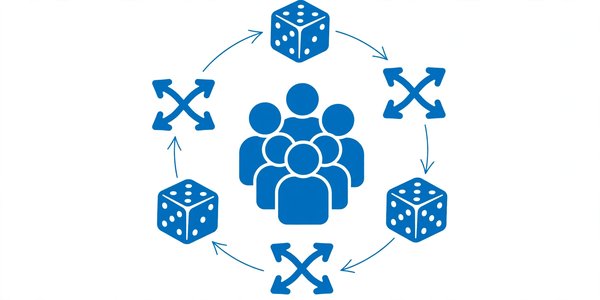
Why Use Our Random Name Picker?
Fairness is hard to prove and easy to doubt. When a teacher picks the same confident student three times in a row, the rest of the class stops believing it was luck. When a giveaway host announces a winner with no visible process, the comments fill up with accusations. Our Random Name Picker solves this trust problem by making the selection visible, instant, and clearly random. Everyone can see the names go in, everyone can see the shuffle, and everyone can see the moment the winner is chosen. That transparency turns a suspicious process into an exciting one. It also removes the quiet bias we all carry. Humans are terrible at being random. We unconsciously favor names we recognize, names at the top of a list, or people we like. The tool has no favorites, no memory, and no mood, so every entry gets a mathematically equal chance. Beyond fairness, there is the simple matter of convenience. Paper slips get lost, spinning wheels need apps and permissions, and asking someone else to choose just moves the suspicion to them. This picker lives in your browser, costs nothing, and is ready the second you need it. Whether you are a teacher running daily participation draws, a marketer picking contest winners, a coach drafting teams, or a group of friends deciding who drives, you get a professional, trustworthy result without any setup at all.
Privacy is another reason people stick with our tool. Many random picker apps ask for accounts, track your behavior, or quietly collect the lists you paste in. We do not. Your names stay in your browser and disappear when you leave the page. You can paste a sensitive list, like employee names for a confidential draw, without worrying about where that data goes. Combine that with zero cost, zero ads getting in your way, and a design that works on the oldest classroom projector laptop just as well as on a brand new phone, and you have a tool that simply does its job. A Tool Today built this picker to be the one you bookmark and return to every time a fair choice is needed, because the best tools are the ones you never have to think about.
There is also the quiet problem of decision fatigue. When you run draws every day, like a teacher picking students for reading aloud or a manager assigning on call rotations, the mental effort of staying fair adds up fast. You start reusing the same names without noticing, or you avoid picking someone because last time they seemed annoyed. The picker takes that burden off your shoulders completely. It does not get tired, it does not hold grudges, and it never accidentally skips the quiet person in the back row. For giveaway hosts, there is a compliance angle too. Many contest rules require a random drawing, and being able to show exactly how the winner was chosen protects you if anyone questions the result. A visible, repeatable process beats a vague claim of fairness every time. And for groups of friends, it simply ends arguments before they start. Nobody can accuse the tool of favoritism, which means nobody can accuse you either.
Tips for Best Results
- Put each name on its own line. When you paste a list, make sure every name sits on a separate line. This keeps entries clean and prevents two names from merging into one by accident.
- Remove duplicates before you draw. Scan your list for repeated names, especially when entries were collected from a form. Duplicates give someone extra chances, which is only fair if that was the plan.
- Shuffle in front of your audience. If trust matters, run the shuffle animation while people are watching. Seeing the mix happen live makes the result feel legitimate to everyone.
- Decide your winner removal rule up front. Tell participants whether winners stay in for later rounds or get removed. Announcing the rule before the draw prevents arguments after it.
- Save your list for recurring draws. If you run the same draw weekly, keep your list in a note or document so you can paste it back in seconds. You will thank yourself every single week.
- Screenshot the result immediately. A quick screenshot is the easiest proof of a fair draw. Share it in your group chat, your stream, or your classroom display so everyone sees the same outcome.
- Keep names consistent and recognizable. Use the same spelling and format for each person, like first and last name, so the audience can clearly identify the winner. Consistent names also make duplicate detection work better.
- Add a countdown for live events. When drawing live, count down from three before clicking pick. The tiny bit of theater makes the moment more exciting and gives everyone time to focus on the screen.
Frequently Asked Questions
Is the Random Name Picker truly random?
Yes. Every pick uses the browser built in random number generator, which gives each name on your list an equal probability of being selected. No name gets special treatment, and the result cannot be predicted or influenced, so the draw is as fair as a well shuffled deck of cards.
Is this tool free to use?
Completely free. There are no limits on how many names you can add, how many draws you can run, or how many winners you can pick. You will never hit a paywall or be asked for payment information.
Can I pick multiple winners at once?
Yes. You can pick several winners in a single draw, which is perfect for giveaways with first, second, and third prizes. You can also remove each winner after picking to keep later rounds fair.
How many names can I add?
The tool handles large lists comfortably, so whether you have ten students or a thousand giveaway entries, pasting them in takes seconds. For the smoothest experience, keep each name on its own line when you paste.
Do you store the names I enter?
No. Your list lives only in your browser while the page is open. Nothing is sent to a server or saved anywhere, so you can use the picker for sensitive or private draws with complete confidence.
Complete List of All Free Online Tools
Browse the full directory of 450+ free tools. Click any tool name to use it instantly - no signup required.
| # | Tool Name | Category |
|---|---|---|
| 1 | A B Test Significance Calculator | Calculators & Converters |
| 2 | Acronym Generator | Utility Tools |
| 3 | Ad Copy Generator | Utility Tools |
| 4 | Add Page Numbers To PDF | PDF Tools |
| 5 | Add Subtitles To Video | Media Tools |
| 6 | Add Subtract Days Calculator | Calculators & Converters |
| 7 | Age Calculator | Calculators & Converters |
| 8 | Angle Converter | Calculators & Converters |
| 9 | API Request Tester | Utility Tools |
| 10 | Area Converter | Calculators & Converters |
| 11 | Article Rewriter | Utility Tools |
| 12 | Audio Converter | Calculators & Converters |
| 13 | Audio Merger | Media Tools |
| 14 | Audio Metadata Editor | Media Tools |
| 15 | Audio Pitch Changer | Media Tools |
| 16 | Audio Speed Changer | Media Tools |
| 17 | Audio To Text Converter | Calculators & Converters |
| 18 | Audio Trimmer | Media Tools |
| 19 | Avatar Maker | Utility Tools |
| 20 | Background Remover | Utility Tools |
| 21 | Backlink Checker | SEO Tools |
| 22 | Banner Maker | Utility Tools |
| 23 | Barcode Generator | Developer Tools |
| 24 | Base64 Encoder Decoder | Developer Tools |
| 25 | Bass Booster | Utility Tools |
| 26 | Bibliography Generator | Utility Tools |
| 27 | Bill Splitter | Utility Tools |
| 28 | Binary Converter | Calculators & Converters |
| 29 | Binary To Text Converter | Calculators & Converters |
| 30 | Birthday Countdown | Date & Time Tools |
| 31 | Bmi Calculator | Calculators & Converters |
| 32 | Bmr Calculator | Calculators & Converters |
| 33 | Body Fat Calculator | Calculators & Converters |
| 34 | Body Surface Area Calculator | Calculators & Converters |
| 35 | Book Title Generator | Utility Tools |
| 36 | Brand Color Finder | Color Tools |
| 37 | Brand Kit Generator | Utility Tools |
| 38 | Break Even Calculator | Calculators & Converters |
| 39 | Broken Link Checker | Utility Tools |
| 40 | Browser Info Checker | Utility Tools |
| 41 | Budget Planner | Utility Tools |
| 42 | Business Card Designer | Utility Tools |
| 43 | Business Card Maker | Utility Tools |
| 44 | Business Days Calculator | Calculators & Converters |
| 45 | Business Name Generator | Utility Tools |
| 46 | Business Proposal Generator | Utility Tools |
| 47 | Button Generator | Utility Tools |
| 48 | Buyer Persona Generator | Utility Tools |
| 49 | Calorie Calculator | Calculators & Converters |
| 50 | Captcha Generator | Utility Tools |
Can I use this for social media giveaways?
Absolutely. Many hosts paste their entrant list, run the draw live, and screenshot the result as proof. The visible shuffle animation makes the process transparent, which helps your audience trust the outcome.
Does it work on mobile phones?
Yes. The picker is fully responsive and works on phones, tablets, and desktops. You can run a draw from anywhere, whether you are in a classroom, at an event, or on the go.
Can I remove names without picking them?
Yes. You can delete any entry from your list before or after a draw. This is useful when someone drops out of a giveaway or a student is absent, because the list stays accurate without rebuilding it from scratch.
Does the picker work offline?
Once the page has loaded, the picking itself runs entirely in your browser, so a brief connection drop will not interrupt your draw. For the most reliable experience during important live draws, we still recommend a stable connection.
Table of Contents
What is Random Name Picker?
The random name picker is a free online tool that helps you with random name picker tasks quickly and accurately. Our random name picker is designed to be simple, fast, and reliable. Whether you need a random name picker for personal use or professional work, this free random name picker delivers instant results without any signup or download required.
How to Use the Random Name Picker
Using our random name picker is easy. Simply open the random name picker tool above, enter your input, and get instant results. The random name picker processes everything in your browser for maximum privacy and speed. No technical knowledge is needed to use this random name picker effectively.
Benefits of Using Our Random Name Picker
Our free random name picker offers many advantages. It is completely free to use, requires no registration, works on all devices, and provides accurate results instantly. The random name picker is updated regularly to ensure the best performance. For more information about random name picker, you can Learn more about random name picker on Wikipedia.
Frequently Asked Questions About Random Name Picker
Is the random name picker really free? Yes, our random name picker is 100% free with no hidden costs or premium tiers.
Do I need to create an account to use the random name picker? No, the random name picker works instantly without any signup or login required.
