Quiz Generator
Quizzes are one of the fastest ways to check what you really know, and making them should not eat up your whole evening. Our free quiz generator lets teachers, students, parents and trainers build custom quizzes in minutes. Choose from multiple question types, add your own questions and answers, then share the quiz or take it yourself for instant feedback on exactly where you stand.
It is perfect for classroom warm-ups, homework checks, exam revision, job interview preparation and even fun challenges with friends. Everything happens in your browser with no downloads and no accounts to manage. Questions save automatically as you type, scoring is instant, and results show precisely where the gaps are.
Think about the last time you studied for a big test. You probably reread your notes, felt fairly confident, and then froze on questions you thought you knew. A quick self-made quiz would have exposed those gaps days earlier, while there was still time to fix them. Use our free quiz generator online to turn any topic into an interactive test that actually makes learning stick.
Trainers and team leads use it too. Build a quick onboarding quiz for new hires, a product knowledge check for a sales team, or a safety refresher that everyone completes before a shift. Because there are no accounts and scoring is instant, running a team quiz takes minutes of setup and zero administration afterward. It turns training from a passive slide deck into an active check that people actually remember.

How to Use Quiz Generator
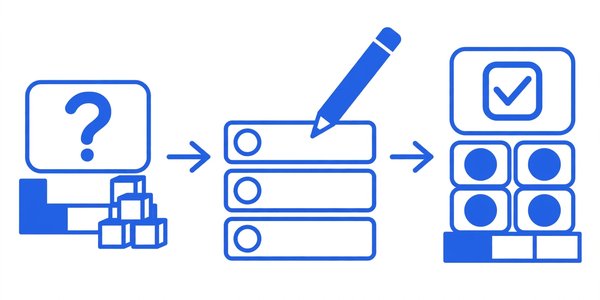
Building a quiz is straightforward from the first click to the final share. Most people finish their first ten-question quiz in under ten minutes, and it gets faster every time. Follow these steps and you will have a working quiz ready to share before your coffee cools. Each step below builds on the last, so by step six you will have a polished quiz ready for real takers.
- Open the quiz generator. Load the Quiz Generator page on A Tool Today. A blank quiz canvas appears instantly, with no signup forms standing between you and your very first question. The clean workspace keeps your focus on writing great questions.
- Name your quiz and set the topic. Give it a clear, descriptive title like Fractions Practice Set 1 or World Capitals Challenge. A good title tells takers exactly what they are about to be tested on before they answer a single question, which sets the right mindset from the start. Avoid vague titles like Test 1, since specific titles help you organize a growing collection of quizzes later.
- Add questions one by one. Type each question, choose the question type, enter the answer choices, and mark the correct answer so scoring works automatically. Aim for 10 to 20 questions for a solid practice quiz that covers a topic well without causing fatigue.
- Mix question types. Combine multiple-choice, true or false, and short answer questions to keep things interesting throughout. Variety tests deeper understanding than a single format alone, and it keeps takers more engaged from the first question to the last.
- Preview and take the quiz yourself. Run through the whole quiz before sharing it to catch typos, unclear wording or wrong answer keys. What seems obvious to the writer often confuses the taker, so this quality check really matters for fair, useful quizzes.
- Share it or retake for practice. Send the finished quiz to students, friends or your study group through a simple link. Or retake it yourself after a few days have passed. Repeated attempts with shuffled questions build knowledge that actually lasts beyond test day.
Key Features
Built for speed but packed with the options that matter most in real classrooms and study rooms. Here is what the generator gives you, all free and all instant. Each feature was chosen to remove friction, because the easier quiz-making feels, the more often you will actually do it.
- Multiple question types. Multiple-choice, true or false, and short answer formats cover nearly every testing need you will encounter. Pick the format that fits each question best instead of forcing everything into one mold that does not suit the material.
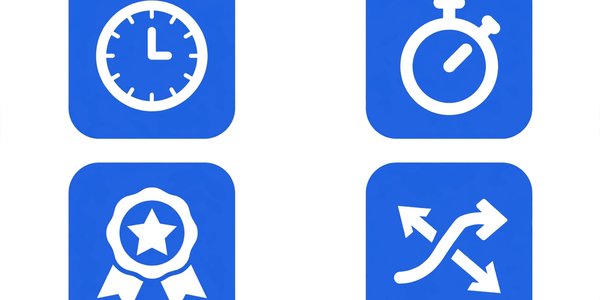
- Instant automatic scoring. Objective questions are checked the moment a quiz is submitted, with no waiting around. Takers see their score immediately, along with exactly which questions they missed, so helpful feedback never has to wait for a teacher to find marking time.
- Question shuffling. Randomize question and answer order to keep retakes honest and fair. Shuffling stops the classic problem of students memorizing that the answer to number four is always B, which means every attempt measures real knowledge.
- Automatic saving while you build. Every question saves as you type it, with no save button to remember. A closed tab, a dead battery or a lost connection will not wipe out twenty minutes of careful quiz writing, which is a lifesaver during busy planning periods.
- Missed question review. After each attempt, takers can review precisely which questions they got wrong, with the correct answers clearly shown. This turns every finished quiz into a targeted study guide for next time, automatically.
- Optional timer. Add a time limit to simulate real exam pressure when you are ready for that challenge. Timed practice is one of the best ways to prepare for tests where the clock matters as much as the content, from school exams to certification tests.
- Easy sharing. Send your quiz to a class, study group or team through a simple link that just works. No accounts are needed on either side, which means zero setup friction for everyone involved, including the least tech-savvy participants.
- Works on all devices. Build quizzes comfortably on a laptop with a full keyboard and take them on a phone during a commute. The responsive design keeps questions readable and answer buttons easy to tap on any screen size you own.
Why Use Our Quiz Generator?
Taking a test is not just assessment, it is learning in disguise. Psychologists call it the testing effect: the act of recalling an answer strengthens the memory far more than rereading the same fact ever could. Every quiz you take literally rewires your brain to remember better next time, which is why self-testing beats passive review in study after study. Even failed retrieval attempts help, because the effort of trying primes your brain to absorb the correct answer when you see it.
For teachers, the generator removes the tedious busywork that eats evenings and weekends. No more formatting documents late at night, printing stacks of paper, or hand marking piles of scripts. Build the quiz once, share a link, and let instant scoring handle the marking while you focus on actual teaching and on the students who need your help most.
Students get honest feedback in seconds instead of days. Rather than waiting a week for a marked paper, you see your score and your mistakes immediately, while the material is still fresh in your mind. That fast feedback loop is what turns a quiz from a judgment into a genuine learning tool that guides your next study session.
Because the tool is free on A Tool Today and needs no accounts, quizzes fit anywhere in your routine: a five-minute starter in class, a quick homework check, a revision session the night before exams, or a friendly challenge between classmates. The lower the friction, the more often testing happens, and frequency is exactly what builds lasting memory.
Parents and homeschoolers get a quiet advantage as well. Instead of guessing whether your child understood the chapter, build a ten-question quiz in minutes and see the results instantly. The missed-question review shows exactly which concepts need another look, so your teaching time goes precisely where it helps most.
Tips for Best Results
A great quiz is about more than just collecting questions. These practical tips will make your quizzes sharper, fairer and far more effective as learning tools.
- Write clear, short questions. Stick to one idea per question with plain, direct wording and no trick phrasing. If someone gets it wrong, you want the cause to be a genuine knowledge gap, not confusion about what the question was actually asking. Read each question aloud once, and if it sounds awkward to your own ears, rewrite it before sharing.
- Make wrong answers plausible. Good distractors in multiple-choice questions test real understanding rather than luck. Silly or obviously wrong options let test takers guess correctly without knowing anything at all, which makes the whole quiz pointless.
- Mix easy and hard questions. Start with a few confidence builders, then gradually ramp up the difficulty through the middle and end. A quiz that is all hard questions frustrates people, while one that is all easy teaches nothing and wastes everyone’s time.
- Retake after a delay. Take the same quiz again after two or three days have passed. The questions you still miss reveal your true weak spots, and now you know exactly what to study before the real test arrives.
- Use the timer sparingly. Timed runs are excellent for exam preparation but stressful for first-time learning. Learn the material untimed first at your own pace, then add the clock once the content feels comfortable and familiar.
- Review every mistake. Never skip the review screen after finishing a quiz. Reading the correct answer right after a miss is the exact moment when real learning happens, so give that screen your full attention instead of rushing past it.
Frequently Asked Questions
Is the quiz generator really free?
Yes, completely free with no limitations. Use our free quiz generator online to build unlimited quizzes with no account, no trial and no hidden charges. Every feature, from question shuffling to instant scoring to the timer, is available to everyone at no cost.
Complete List of All Free Online Tools
Browse the full directory of 450+ free tools. Click any tool name to use it instantly - no signup required.
| # | Tool Name | Category |
|---|---|---|
| 1 | A B Test Significance Calculator | Calculators & Converters |
| 2 | Acronym Generator | Utility Tools |
| 3 | Ad Copy Generator | Utility Tools |
| 4 | Add Page Numbers To PDF | PDF Tools |
| 5 | Add Subtitles To Video | Media Tools |
| 6 | Add Subtract Days Calculator | Calculators & Converters |
| 7 | Age Calculator | Calculators & Converters |
| 8 | Angle Converter | Calculators & Converters |
| 9 | API Request Tester | Utility Tools |
| 10 | Area Converter | Calculators & Converters |
| 11 | Article Rewriter | Utility Tools |
| 12 | Audio Converter | Calculators & Converters |
| 13 | Audio Merger | Media Tools |
| 14 | Audio Metadata Editor | Media Tools |
| 15 | Audio Pitch Changer | Media Tools |
| 16 | Audio Speed Changer | Media Tools |
| 17 | Audio To Text Converter | Calculators & Converters |
| 18 | Audio Trimmer | Media Tools |
| 19 | Avatar Maker | Utility Tools |
| 20 | Background Remover | Utility Tools |
| 21 | Backlink Checker | SEO Tools |
| 22 | Banner Maker | Utility Tools |
| 23 | Barcode Generator | Developer Tools |
| 24 | Base64 Encoder Decoder | Developer Tools |
| 25 | Bass Booster | Utility Tools |
| 26 | Bibliography Generator | Utility Tools |
| 27 | Bill Splitter | Utility Tools |
| 28 | Binary Converter | Calculators & Converters |
| 29 | Binary To Text Converter | Calculators & Converters |
| 30 | Birthday Countdown | Date & Time Tools |
| 31 | Bmi Calculator | Calculators & Converters |
| 32 | Bmr Calculator | Calculators & Converters |
| 33 | Body Fat Calculator | Calculators & Converters |
| 34 | Body Surface Area Calculator | Calculators & Converters |
| 35 | Book Title Generator | Utility Tools |
| 36 | Brand Color Finder | Color Tools |
| 37 | Brand Kit Generator | Utility Tools |
| 38 | Break Even Calculator | Calculators & Converters |
| 39 | Broken Link Checker | Utility Tools |
| 40 | Browser Info Checker | Utility Tools |
| 41 | Budget Planner | Utility Tools |
| 42 | Business Card Designer | Utility Tools |
| 43 | Business Card Maker | Utility Tools |
| 44 | Business Days Calculator | Calculators & Converters |
| 45 | Business Name Generator | Utility Tools |
| 46 | Business Proposal Generator | Utility Tools |
| 47 | Button Generator | Utility Tools |
| 48 | Buyer Persona Generator | Utility Tools |
| 49 | Calorie Calculator | Calculators & Converters |
| 50 | Captcha Generator | Utility Tools |
What question types are supported?
Multiple-choice, true or false, and short answer questions are all supported in the builder. You can mix the types freely inside a single quiz, so each question can use the format that tests it best. This variety keeps quizzes engaging and measures understanding more accurately. Start with multiple-choice for core facts, then add short answer questions wherever you want deeper thinking.
Do I need an account to create or take quizzes?
No accounts are needed at any step of the process. Creators build quizzes instantly in the browser, and anyone with the quiz link can take it without signing up. This keeps classroom use, study groups and training sessions completely frictionless for all participants.
Is scoring automatic?
Yes. Objective questions are scored instantly when a quiz is submitted, with no manual marking required. Takers immediately see their total score plus a clear breakdown of which questions they missed, making feedback immediate, specific and genuinely useful for revision.
Can I share my quiz with others?
Yes. Share your quiz through a simple link that works for classmates, students, colleagues or friends. The link opens on any device with a modern browser, so sharing a quiz with a whole group takes only seconds from start to finish. There is nothing to install on the receiving end, so even large groups can start immediately.
Can I retake a quiz to improve my score?
Definitely, and retaking is actively encouraged as a study strategy. Shuffling the question and answer order keeps each attempt fresh and honest, while repeated attempts are one of the most effective revision techniques that learning science has identified.
Does it work on mobile phones?
Yes. Both the quiz builder and the quiz player are fully responsive across screen sizes. Creating questions on a laptop and answering them on a phone works smoothly, with readable text and comfortably tappable answers on phones, tablets and desktops alike.
Can I use it for exam preparation?
Absolutely, it is one of the best uses for the tool. Build a quiz from your syllabus topics, take it under timed conditions, review your mistakes, and repeat after a few days. This cycle of testing and review mirrors exactly how top-performing students prepare for important exams. Many students build one quiz per chapter and cycle through the full set in the final week.
Table of Contents
What is Quiz Generator?
The quiz generator is a free online tool that helps you with quiz generator tasks quickly and accurately. Our quiz generator is designed to be simple, fast, and reliable. Whether you need a quiz generator for personal use or professional work, this free quiz generator delivers instant results without any signup or download required.
How to Use the Quiz Generator
Using our quiz generator is easy. Simply open the quiz generator tool above, enter your input, and get instant results. The quiz generator processes everything in your browser for maximum privacy and speed. No technical knowledge is needed to use this quiz generator effectively.
Benefits of Using Our Quiz Generator
Our free quiz generator offers many advantages. It is completely free to use, requires no registration, works on all devices, and provides accurate results instantly. The quiz generator is updated regularly to ensure the best performance. For more information about quiz generator, you can Learn more about quiz generator on Wikipedia.
Frequently Asked Questions About Quiz Generator
Is the quiz generator really free? Yes, our quiz generator is 100% free with no hidden costs or premium tiers.
Do I need to create an account to use the quiz generator? No, the quiz generator works instantly without any signup or login required.
