PNG to JPG Converter
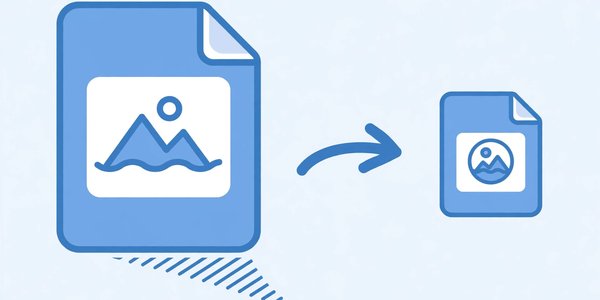
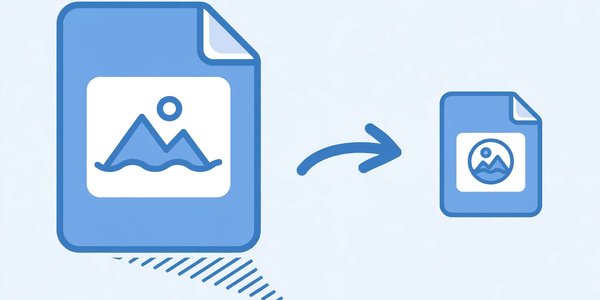
Our free png to jpg converter solves the storage problem you face every day. Your screenshot folder is eating gigabytes of storage, the PNG you tried to email bounced back for being too large, and your website’s hero image is a 5 MB PNG that takes an eternity to load on mobile data. PNG is a wonderful format for editing and archiving, but it was never designed for efficient delivery.
Photographs saved as PNG can be absurdly heavy. JPG exists precisely to solve this problem, shrinking photos to a fraction of their size while keeping them gorgeous to the human eye. Our png to jpg converter makes that switch effortless. Upload your PNG, choose a quality level, and download a lightweight JPG in seconds, all inside your browser. Nothing is installed, no account is required, and it never costs a cent. Whether you are trimming screenshots for a tutorial, preparing images for your store, or just reclaiming disk space, this is the fastest way to do it.
How to Use the PNG to JPG Converter
From upload to download in under a minute. Here is exactly what to do.
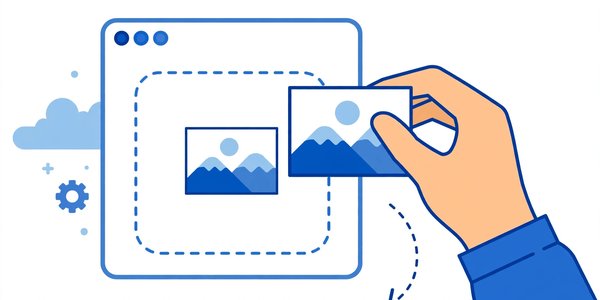
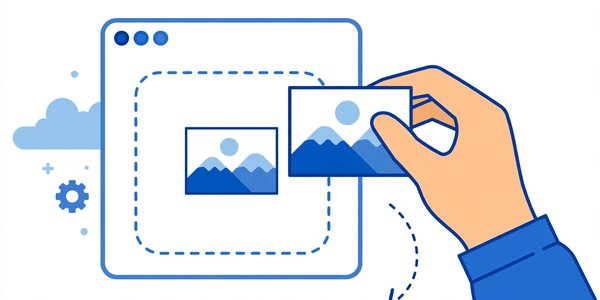
- Upload your PNG file. Click the upload zone or drag and drop your image straight into the browser. Phone and tablet users can pick directly from their photo library or files app.
- Check the preview and original size. The tool shows your PNG with its current file size. Note that starting number, because the after number is going to feel great.
- Set the JPG quality. Use the slider to pick your balance of size and sharpness. Around 80 to 85 keeps photos looking superb while cutting massive weight. Push higher toward 95 for images where every detail counts. Remember that higher quality means larger files, so choose deliberately rather than maxing the slider.
- Handle transparency if your PNG has any. JPG does not support transparency, so see through areas need a background color, typically white. Check the preview to make sure the result looks the way you expect. Most screenshots and photos convert cleanly with the default background setting.
- Click convert. One click re-encodes your image as a JPG locally in your browser. Most files finish in a couple of seconds with no upload delay.
- Download and enjoy the savings. Save your new JPG and compare the file sizes. Photographic PNGs commonly shrink by 70 to 90 percent. Convert as many as you like with no limits.
Key Features of the PNG to JPG Converter
Everything you need for fast, high quality PNG to JPG conversion lives in this one simple tool.
- Massive file size reduction. Photographic PNGs routinely shrink by 70 to 90 percent when converted to JPG at sensible quality. A 6 MB screenshot can become a 500 KB image that looks identical on screen. The visual difference at normal viewing sizes is effectively zero.
- Adjustable quality slider. You decide the exact tradeoff between size and fidelity. Preview the result before downloading so there are never any surprises.
- Smart transparency handling. Since JPG cannot store transparency, the tool composites see through areas onto a clean background automatically. Your converted image always looks intentional, never broken.
- Completely free with no caps. Convert unlimited PNG files without accounts, trials, or payments. Students, creators, and businesses all use the full tool free forever.
- Private local processing. Conversion happens entirely in your browser on your own device. Screenshots containing sensitive information never leave your computer.
- No software to install. Works instantly on any device with a web browser, including locked down work machines and Chromebooks where installations are blocked.
- Batch friendly speed. Process image after image without waiting between conversions. Clearing a folder of heavy screenshots takes minutes. Nobody enjoys watching progress bars, so the tool keeps them to a minimum.
- Universal JPG output. JPG opens everywhere, every editor, every browser, every phone, every social platform. Your converted files will work without compatibility worries, today and years from now.
Why Use Our PNG to JPG Converter?
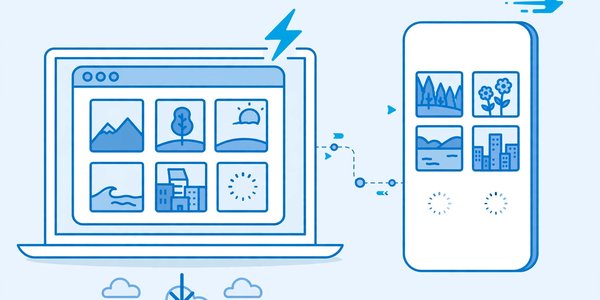
PNG files pile up silently and each one is heavier than it looks. Screenshots default to PNG on most systems, design exports often land as PNG, and downloaded graphics arrive as PNG by default. Individually they seem harmless, but a folder of a hundred PNG screenshots can swallow gigabytes, email attachments bounce, uploads crawl, and web pages drag. Converting to JPG attacks the problem at its root. JPG’s efficient compression was designed for exactly this kind of photographic content, routinely delivering files one tenth the size with no visible difference. The result touches everything. Your site loads faster, your emails send reliably, your storage lasts longer, and your uploads finish before your patience does.
The workflow benefits go deeper for people who publish regularly. Bloggers convert tutorial screenshots so their articles load instantly. Online sellers convert product images so listings upload in seconds instead of minutes. Support teams shrink annotated screenshots before attaching them to tickets. Students fit image heavy assignments under upload limits without deleting content. Because the converter is free, instant, and private, it slots into these routines without friction. Open the page, drop the files, download the results, and get on with your day. It is the rare tool that pays for itself in saved time from the very first use.
The storage math deserves its own mention. A designer with three years of PNG screenshots can easily be sitting on 50 gigabytes of files that would occupy barely 5 gigabytes as quality JPGs. That difference decides whether your laptop needs an upgrade, whether your cloud backup fits the free tier, and how long full disk clones take. Converting archives you rarely edit is one of the highest return cleanups you can perform. Pair it with a sensible folder structure and your digital life gets noticeably lighter within a single afternoon.
Tips for Best Results
Small decisions make a big difference in output quality. Keep these tips in mind for perfect conversions.
- Reserve PNG to JPG for photographic content. Photos, screenshots, and complex gradients compress beautifully as JPG. Sharp logos and text graphics are better kept as PNG or converted to WebP instead. When the graphic must stay razor sharp, export it as WebP for a modern middle ground.
- Start at quality 85 for important images. This setting preserves fine detail generously while still delivering huge savings over PNG. Drop to 75 or 80 for thumbnails and casual sharing where size matters most. Compare the output against the PNG at full zoom once, then trust that setting for the rest of the batch.
- Check transparent areas before downloading. If your PNG had transparency, confirm the background fill looks right in the preview. White suits most uses, but a colored backdrop may fit branded content better. For product shots on white backgrounds, the default white fill is effectively invisible.
- Keep your PNG masters archived. JPG conversion is lossy, so always keep the original PNG for future edits. You can create endless JPGs from a master, but you cannot rebuild a PNG from a JPG. This single habit often outperforms buying more storage, and it costs nothing.
- Resize oversized screenshots first. A 4K screenshot displayed at 800 pixels wide carries sixteen times more pixels than needed. Resize to display size before converting to multiply your savings. Combine this with quality 80 and even the heaviest screenshots become featherweight.
- Avoid converting the same file twice. Each PNG to JPG conversion discards data permanently. If you need a different quality level later, convert fresh from the archived PNG instead of re-converting the JPG. Keep a simple naming scheme like photo-master.png and photo-web.jpg to avoid mixups.
Frequently Asked Questions
How much smaller will my JPG be compared to the PNG?
For photographic content, expect reductions of 70 to 90 percent at quality settings between 75 and 90. A 5 MB PNG screenshot frequently becomes a 400 to 600 KB JPG that looks identical on any screen. The savings are smaller for simple graphics with flat colors, maybe 30 to 50 percent, because PNG already handles those efficiently. Either way, the tool displays exact before and after sizes so you can see your real savings instantly. In nearly every real world case, the JPG is dramatically lighter with no visible quality cost. Even modest savings per image compound quickly across a full media library.
Will I lose image quality converting PNG to JPG?
JPG uses lossy compression, so technically some data is discarded, but at sensible quality settings the loss is invisible. Human vision simply cannot detect the discarded information in normal viewing. At quality 85, converted photos are indistinguishable from their PNG originals for virtually every viewer and purpose. Visible degradation only appears at very low quality settings or after repeated re-saving. The key is to convert once from your archived PNG master at a good quality level, then use that JPG as your final delivery file without further re-compression. Printed proofs at typical sizes show no difference either, though professionals still archive PNG masters.
Complete List of All Free Online Tools
Browse the full directory of 450+ free tools. Click any tool name to use it instantly - no signup required.
| # | Tool Name | Category |
|---|---|---|
| 1 | A B Test Significance Calculator | Calculators & Converters |
| 2 | Acronym Generator | Utility Tools |
| 3 | Ad Copy Generator | Utility Tools |
| 4 | Add Page Numbers To PDF | PDF Tools |
| 5 | Add Subtitles To Video | Media Tools |
| 6 | Add Subtract Days Calculator | Calculators & Converters |
| 7 | Age Calculator | Calculators & Converters |
| 8 | Angle Converter | Calculators & Converters |
| 9 | API Request Tester | Utility Tools |
| 10 | Area Converter | Calculators & Converters |
| 11 | Article Rewriter | Utility Tools |
| 12 | Audio Converter | Calculators & Converters |
| 13 | Audio Merger | Media Tools |
| 14 | Audio Metadata Editor | Media Tools |
| 15 | Audio Pitch Changer | Media Tools |
| 16 | Audio Speed Changer | Media Tools |
| 17 | Audio To Text Converter | Calculators & Converters |
| 18 | Audio Trimmer | Media Tools |
| 19 | Avatar Maker | Utility Tools |
| 20 | Background Remover | Utility Tools |
| 21 | Backlink Checker | SEO Tools |
| 22 | Banner Maker | Utility Tools |
| 23 | Barcode Generator | Developer Tools |
| 24 | Base64 Encoder Decoder | Developer Tools |
| 25 | Bass Booster | Utility Tools |
| 26 | Bibliography Generator | Utility Tools |
| 27 | Bill Splitter | Utility Tools |
| 28 | Binary Converter | Calculators & Converters |
| 29 | Binary To Text Converter | Calculators & Converters |
| 30 | Birthday Countdown | Date & Time Tools |
| 31 | Bmi Calculator | Calculators & Converters |
| 32 | Bmr Calculator | Calculators & Converters |
| 33 | Body Fat Calculator | Calculators & Converters |
| 34 | Body Surface Area Calculator | Calculators & Converters |
| 35 | Book Title Generator | Utility Tools |
| 36 | Brand Color Finder | Color Tools |
| 37 | Brand Kit Generator | Utility Tools |
| 38 | Break Even Calculator | Calculators & Converters |
| 39 | Broken Link Checker | Utility Tools |
| 40 | Browser Info Checker | Utility Tools |
| 41 | Budget Planner | Utility Tools |
| 42 | Business Card Designer | Utility Tools |
| 43 | Business Card Maker | Utility Tools |
| 44 | Business Days Calculator | Calculators & Converters |
| 45 | Business Name Generator | Utility Tools |
| 46 | Business Proposal Generator | Utility Tools |
| 47 | Button Generator | Utility Tools |
| 48 | Buyer Persona Generator | Utility Tools |
| 49 | Calorie Calculator | Calculators & Converters |
| 50 | Captcha Generator | Utility Tools |
What happens to transparent areas in my PNG?
JPG has no transparency support, so see through areas must be filled with a solid background color during conversion, most commonly white. The tool handles this compositing automatically and shows you a preview so you can verify the result. For logos and graphics where transparency is essential, do not convert to JPG at all. Keep those as PNG or consider WebP, which supports transparency at smaller sizes. Reserve PNG to JPG conversion for images where a solid background is perfectly acceptable, like photos and screenshots. If you later need transparency back, you would have to recreate it manually in an editor.
Is this tool really free? Are there any limits?
Yes, it is entirely free with no limits of any kind. Convert as many PNG files as you want, as often as you want, without creating an account or entering payment information. There are no daily quotas, no file count restrictions, and no watermarks on your downloads. A Tool Today provides everyday utilities like this one free of charge because format conversion is something everyone needs occasionally. Bookmark it and return whenever your PNG collection needs slimming down. From students to startups, everyone gets identical full featured access.
Do my files get uploaded to your servers?
No, conversion happens completely inside your browser on your own device. Your PNG files are never transmitted to any server, stored in any cloud location, or seen by any other person. This local approach is both faster, since there is no upload step, and fully private, which is especially valuable for screenshots that might contain personal data, passwords, or confidential work. Once the page has loaded, you could even go offline and the converter would continue working normally. That privacy guarantee holds for every file the tool accepts, with no exceptions.
When should I keep PNG instead of converting to JPG?
Keep PNG for anything you will edit again, since repeated JPG saves degrade quality over time. Keep PNG for logos, icons, and graphics with sharp text or transparency, where JPG’s compression artifacts would be visible and transparency loss would be destructive. Keep PNG for archival masters of important images. Convert to JPG when the image is finished and headed for the web, email, messaging apps, or social media, where small file size is the priority. Most experienced creators keep both: PNG masters in the archive, JPG copies for sharing. Label your folders clearly so future you can find the right version without detective work.
Can I convert the JPG back to PNG afterward?
You can, and A Tool Today offers a free JPG to PNG converter for exactly that, but understand what it does and does not do. Converting back to PNG stops any further quality degradation and restores PNG features like transparency support, which is useful when you need to edit the image again. However, it cannot recover the detail discarded during the original PNG to JPG conversion. That is why archiving the original PNG matters so much. Always convert fresh copies from your master files rather than bouncing between formats repeatedly.
Table of Contents
What is PNG to JPG Converter?
The png to jpg converter is a free online tool that helps you with png to jpg converter tasks quickly and accurately. Our png to jpg converter is designed to be simple, fast, and reliable. Whether you need a png to jpg converter for personal use or professional work, this free png to jpg converter delivers instant results without any signup or download required.
How to Use the PNG to JPG Converter
Using our png to jpg converter is easy. Simply open the png to jpg converter tool above, enter your input, and get instant results. The png to jpg converter processes everything in your browser for maximum privacy and speed. No technical knowledge is needed to use this png to jpg converter effectively.
Benefits of Using Our PNG to JPG Converter
Our free png to jpg converter offers many advantages. It is completely free to use, requires no registration, works on all devices, and provides accurate results instantly. The png to jpg converter is updated regularly to ensure the best performance. For more information about png to jpg converter, you can Learn more about png to jpg converter on Wikipedia.
Frequently Asked Questions About PNG to JPG Converter
Is the png to jpg converter really free? Yes, our png to jpg converter is 100% free with no hidden costs or premium tiers.
Do I need to create an account to use the png to jpg converter? No, the png to jpg converter works instantly without any signup or login required.
