Password Generator
Passwords protect almost everything you own online, from your email and bank accounts to your photos, work files, and social profiles. Yet most people still reuse the same few passwords everywhere, or pick something easy to remember like a pet name plus a birth year. Hackers know this, which is why stolen password lists and automated guessing tools are behind a huge share of account takeovers. The uncomfortable truth is that human brains are terrible at inventing randomness, and the passwords we make up ourselves are far more predictable than we think. Our Password Generator from A Tool Today solves this in seconds. It creates long, truly random passwords using letters, numbers, and symbols, customized exactly the way you want. You choose the length, pick which character types to include, and generate a fresh password with one click. It is free, works online in your browser with no signup, and never stores or sends your passwords anywhere. In this guide you will learn how to use the tool, explore its features, understand why random passwords beat memorable ones, and get practical tips for managing strong passwords without losing your mind.
How to Use Password Generator
Generating a strong password takes about ten seconds. The tool gives you full control over length and character types, so every password fits the rules of the site you are signing up for. Follow these steps to create one you can trust.
- Open the Password Generator tool. The tool loads instantly in your browser on any device, with no signup or installation. You will see the main controls right away, which are the length setting, the character type options, and the big generate button. Everything is labeled clearly so you never have to guess what a setting does. If you are on your phone, the layout adapts so the buttons stay easy to tap. This is your starting point for every strong password you will make from now on.
- Set your password length. Length is the single biggest factor in password strength, so make it count. A 12 character password is the minimum you should accept, and 16 to 20 characters is the sweet spot for important accounts like email and banking. Use the slider or input box to dial in the exact length you want. Longer passwords take exponentially more time to crack, so when in doubt, go longer. Most modern sites accept 20 or more characters without any problem.
- Choose which character types to include. You can mix uppercase letters, lowercase letters, numbers, and symbols to build your password. Turning on all four types gives you the largest possible pool of characters, which makes each password harder to guess. Some older sites restrict which symbols they allow, so you can switch symbols off if a site rejects them. The tool shows you exactly which sets are active, so there are no surprises. For maximum strength on sites that allow everything, keep all four types switched on.
- Exclude confusing characters if you need to. Characters like capital O and the number zero, or lowercase L and the number one, look almost identical in many fonts. If you ever need to read a password aloud or type it from a printed note, these lookalikes cause frustrating mistakes. The tool lets you exclude ambiguous characters with one toggle, so your password stays easy to read and type. This is a small quality of life feature that saves real headaches. Turn it on whenever a human might need to read the password.
- Generate your password with one click. Hit the generate button and the tool instantly creates a random password using your settings. Every click produces a brand new password, so if you do not like the look of one, just generate another. There is no limit, and each result is just as strong as the last. The password appears in a clear box where you can review it before you use it. Take a second to confirm the length and characters match what you asked for.
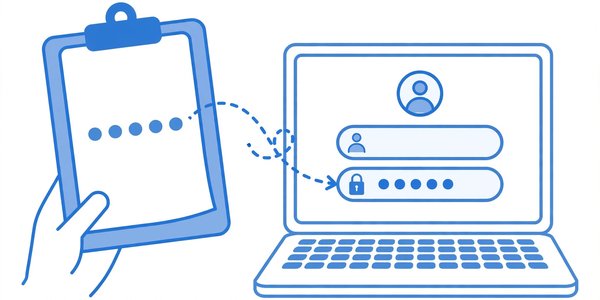
- Copy it and paste it where it belongs. Use the copy button to grab the password in one tap, then paste it directly into the signup or password change form. Copying avoids typos, which matter a lot with long random passwords. Paste it twice if the form asks you to confirm, and make sure both fields match. Do this right away while the password is on your screen, so you do not have to regenerate it. One clean copy paste is all it takes.
- Save it in a password manager immediately. A strong password you cannot remember is useless if you lose it, so save every generated password in a password manager the moment you create it. Password managers store your logins securely and fill them in for you, which means you only ever need to remember one master password. Never save passwords in plain notes, emails, or chat messages. This final step turns a great generated password into a permanent part of your security setup.
Key Features
- Adjustable password length. Set any length from short PIN style codes to extra long passwords, so you always match the rules of the site you are using.
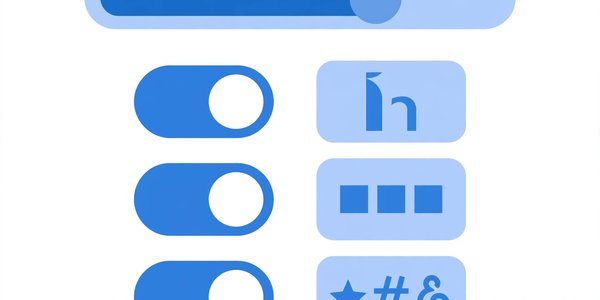
- Full control over character types. Toggle uppercase letters, lowercase letters, numbers, and symbols independently to build passwords that fit any site requirements.
- Exclude ambiguous characters. Remove lookalike characters like O and 0 or l and 1 with one click, so passwords stay easy to read and type when a human is involved.
- One click generation and copy. Create a fresh password instantly and copy it to your clipboard with a single tap, with no typing and no typos.
- Unlimited regeneration. Generate as many passwords as you want until you find one you like. Every result is independently random and equally strong.
- Private by design. Passwords are created right in your browser and are never sent to any server, stored in any database, or logged anywhere.
- Free forever with no signup. Every feature is available without an account, an email address, or a payment. Open the page and start generating.
- Works on any device. The tool runs smoothly on phones, tablets, and computers, so you can create a strong password wherever you are signing up.
Why Use Our Password Generator?
Most account hacks do not involve brilliant code breaking. They involve criminals trying passwords stolen from one site on dozens of others, betting correctly that you reused the same login. When every account shares a password, one breach hands attackers the keys to your email, your social profiles, and sometimes your money. Random generated passwords break this chain completely, because each account gets its own unique key that cannot be guessed from any other. Humans are also surprisingly bad at being random. We pick patterns, favorite words, and keyboard walks without realizing it, and password cracking tools are built to exploit exactly those habits. A generator has no habits and no favorite words, so every password it makes is equally unpredictable.
There is also a practical side. Many sites now demand specific mixes of characters and minimum lengths, and hand crafting a password that satisfies the rules is annoying. The generator builds a compliant password in one click, saving you the trial and error. For teams and businesses, it standardizes strong credentials across everyone without relying on each person inventing good passwords on their own. And because our tool is free, private, and requires no account, there is simply no reason to keep using weak reused passwords. Ten seconds of generation today can prevent months of painful account recovery later.
Tips for Best Results
- Go long, at least 16 characters. Length beats cleverness every time. A 20 character random password is vastly stronger than an 8 character one with tricky symbols.
- Never reuse a password. Give every important account its own generated password, so one breach can never cascade into your other logins.
- Use a password manager. Let a manager remember and fill your passwords. You only memorize one strong master password, and the manager handles the other hundred.
- Turn on two factor authentication. Even the strongest password is safer with a second factor. Enable it on email, banking, and social accounts at minimum.
- Avoid personal details entirely. Names, birthdays, pet names, and favorite teams are the first things attackers guess. Generated passwords contain none of that.
- Change passwords after breach alerts. If a service tells you it was breached, generate a fresh password for that account immediately, and for any other place you reused the old one.
Frequently Asked Questions
Is the Password Generator free?
Yes, completely free with no limits. You can generate unlimited passwords, customize every setting, and use all features without creating an account or paying anything. There is no premium tier hiding the good options. A Tool Today keeps this tool free because everyone deserves strong passwords, not just people who pay for security software.
Are my generated passwords stored or sent anywhere?
No. Passwords are generated locally in your browser using your device, and nothing is transmitted to any server or saved in any database. The tool has no memory of what it created once you leave the page. This design means even we cannot see or recover your passwords, which is exactly how a password tool should work.
Can a generated password be guessed by hackers?
A properly long random password is practically impossible to guess with current technology. Each extra character multiplies the number of combinations enormously, so a 16 to 20 character password made from a large character set would take far longer than a human lifetime to brute force. The real risk is never the password itself, but phishing, malware, or reuse, which is why unique passwords plus two factor authentication matter so much.
How long should my password be?
Use at least 12 characters for low risk accounts and 16 to 20 characters for important ones like email, banking, and password managers. Longer is always better, and most sites accept 20 or more characters without issues. If a site caps the length, set the generator to that maximum and turn on all character types.
Should I use a random password or a memorable passphrase?
Both can be strong, but random passwords win on pure unpredictability. A memorable passphrase of four or five random words is a good choice for the few passwords you must type often, like your password manager master password or your computer login. For everything else, let the generator create a long random password and let your password manager remember it. You get maximum strength with zero memorization effort.
Complete List of All Free Online Tools
Browse the full directory of 450+ free tools. Click any tool name to use it instantly - no signup required.
| # | Tool Name | Category |
|---|---|---|
| 1 | A B Test Significance Calculator | Calculators & Converters |
| 2 | Acronym Generator | Utility Tools |
| 3 | Ad Copy Generator | Utility Tools |
| 4 | Add Page Numbers To PDF | PDF Tools |
| 5 | Add Subtitles To Video | Media Tools |
| 6 | Add Subtract Days Calculator | Calculators & Converters |
| 7 | Age Calculator | Calculators & Converters |
| 8 | Angle Converter | Calculators & Converters |
| 9 | API Request Tester | Utility Tools |
| 10 | Area Converter | Calculators & Converters |
| 11 | Article Rewriter | Utility Tools |
| 12 | Audio Converter | Calculators & Converters |
| 13 | Audio Merger | Media Tools |
| 14 | Audio Metadata Editor | Media Tools |
| 15 | Audio Pitch Changer | Media Tools |
| 16 | Audio Speed Changer | Media Tools |
| 17 | Audio To Text Converter | Calculators & Converters |
| 18 | Audio Trimmer | Media Tools |
| 19 | Avatar Maker | Utility Tools |
| 20 | Background Remover | Utility Tools |
| 21 | Backlink Checker | SEO Tools |
| 22 | Banner Maker | Utility Tools |
| 23 | Barcode Generator | Developer Tools |
| 24 | Base64 Encoder Decoder | Developer Tools |
| 25 | Bass Booster | Utility Tools |
| 26 | Bibliography Generator | Utility Tools |
| 27 | Bill Splitter | Utility Tools |
| 28 | Binary Converter | Calculators & Converters |
| 29 | Binary To Text Converter | Calculators & Converters |
| 30 | Birthday Countdown | Date & Time Tools |
| 31 | Bmi Calculator | Calculators & Converters |
| 32 | Bmr Calculator | Calculators & Converters |
| 33 | Body Fat Calculator | Calculators & Converters |
| 34 | Body Surface Area Calculator | Calculators & Converters |
| 35 | Book Title Generator | Utility Tools |
| 36 | Brand Color Finder | Color Tools |
| 37 | Brand Kit Generator | Utility Tools |
| 38 | Break Even Calculator | Calculators & Converters |
| 39 | Broken Link Checker | Utility Tools |
| 40 | Browser Info Checker | Utility Tools |
| 41 | Budget Planner | Utility Tools |
| 42 | Business Card Designer | Utility Tools |
| 43 | Business Card Maker | Utility Tools |
| 44 | Business Days Calculator | Calculators & Converters |
| 45 | Business Name Generator | Utility Tools |
| 46 | Business Proposal Generator | Utility Tools |
| 47 | Button Generator | Utility Tools |
| 48 | Buyer Persona Generator | Utility Tools |
| 49 | Calorie Calculator | Calculators & Converters |
| 50 | Captcha Generator | Utility Tools |
What if a website rejects my generated password?
Some sites have odd rules, like banning certain symbols or limiting length. If that happens, adjust the generator settings to match, for example by turning off symbols or shortening the length, and generate again. You will still get a strong password within the site rules. Avoid the temptation to fall back to a weak memorable password just because one site is picky.
Is it safe to use an online password generator?
It is safe when the tool generates passwords locally in your browser without sending them anywhere, which is exactly how ours works. As a general rule, never use a generator that asks you to create an account first or that displays passwords other people supposedly generated. And always save the result in a password manager right away instead of emailing it to yourself or
How is a generated password different from one I invent myself?
The difference is true randomness. When you invent a password, your brain follows patterns without telling you, which are favorite words, meaningful dates, keyboard sequences, and simple substitutions like a for @. Attackers study these habits and build guessing rules around them, which is why human invented passwords fall far sooner than their length suggests. A generator has no habits, no favorite words, and no meaningful dates, so every character it picks is equally unpredictable. That means a 16 character generated password is genuinely 16 characters of randomness, while a 16 character password you invented might behave like a much shorter one to an attacker. Randomness you cannot predict is the whole point, and only a generator delivers it consistently.
Table of Contents
What is Password Generator?
The password generator is a free online tool that helps you with password generator tasks quickly and accurately. Our password generator is designed to be simple, fast, and reliable. Whether you need a password generator for personal use or professional work, this free password generator delivers instant results without any signup or download required.
How to Use the Password Generator
Using our password generator is easy. Simply open the password generator tool above, enter your input, and get instant results. The password generator processes everything in your browser for maximum privacy and speed. No technical knowledge is needed to use this password generator effectively.
Benefits of Using Our Password Generator
Our free password generator offers many advantages. It is completely free to use, requires no registration, works on all devices, and provides accurate results instantly. The password generator is updated regularly to ensure the best performance. For more information about password generator, you can Learn more about password generator on Wikipedia.
Frequently Asked Questions About Password Generator
Is the password generator really free? Yes, our password generator is 100% free with no hidden costs or premium tiers.
Do I need to create an account to use the password generator? No, the password generator works instantly without any signup or login required.
