Keyword Suggestion Tool
Here is a painful truth about content. You can write the best article in your niche, publish it, promote it, and still get almost no traffic. Not because the writing was bad, but because nobody searches for the topic the way you wrote about it. You targeted what you call it. Your audience searches for what they call it. That gap is where keyword research lives.
A keyword suggestion tool closes that gap. You type in a seed word, something broad like handmade soap or budget travel, and the tool returns the real phrases people type into search engines. Long tail variations, question phrases, comparisons, local modifiers. These are the exact words your future visitors are already using.
Our Keyword Suggestion Tool gives you those ideas instantly and free. No account, no software to install, no keyword quota to burn through. Whether you are planning your first blog posts, expanding a store category, or hunting for low competition topics your bigger rivals ignore, this is where strong content plans begin. Type a word, get a list, and start writing about things people actually want to read.
Good keyword research is really just structured listening. Instead of guessing what your audience wants, you watch the actual words they type. A suggestion tool turns that listening into a repeatable process you can run in minutes.

How to Use Keyword Suggestion Tool
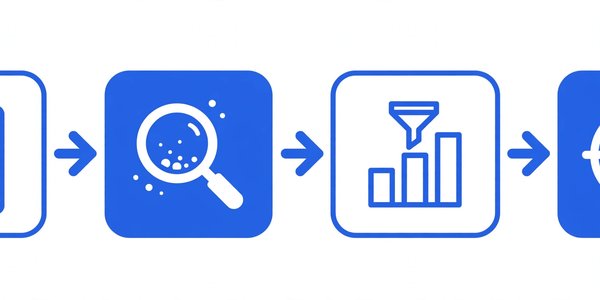
Keyword research sounds technical, but the process is straightforward. You start broad, then narrow down to the phrases worth targeting. Here is how.
- Enter a seed keyword in the search box. This is the broad topic you want ideas for, like email marketing, sourdough bread, or cheap laptops. Keep it to one to three words. The broader your seed, the wider the net of suggestions you will get.
- Set your target language and country if the tool offers those options. Search behavior differs enormously by region. People in the US, the UK, and India phrase the same needs differently, and local modifiers like near me or city names only matter if you target the right market. Match the settings to your actual audience.
- Click the generate button and wait a few seconds. The tool pulls suggestions from real search data sources, expanding your seed into hundreds of related phrases. You will see questions people ask, longer descriptive phrases, and terms you would never have thought of on your own.
- Review the suggestion list with a critical eye. Look for question keywords starting with how, what, why, and which, because these reveal clear intent and often make great article titles. Look for long tail phrases of four or more words, because these are usually less competitive. Star or save anything that matches your niche.
- Sort and filter the results to find the gems. Group suggestions by theme, separate informational phrases from buying phrases, and set aside anything irrelevant to your site. A raw list of 500 keywords is noise. A filtered list of 30 relevant ones is a content plan.
- Check the intent behind each keyword before you commit to it. Ask what the searcher actually wants. Someone typing best running shoes for beginners wants a comparison guide, not a product page for one shoe. Match your content format to the intent, or even the perfect keyword will disappoint.
- Build your content plan from the winners. Assign one primary keyword to each page or article, then use the related suggestions as subheadings and FAQ questions. This gives every piece of content a clear target and naturally covers the semantic phrases Google expects to see.
Key Features
- Instant suggestions: Get hundreds of keyword ideas in seconds from a single seed word, drawn from real search behavior data.
- Question based keywords: Discover the who, what, where, when, why, and how questions your audience asks, perfect for FAQ sections and how to content.
- Long tail discovery: Surface specific multi word phrases with lower competition, where smaller sites can actually rank and win traffic.
- Search intent hints: Suggestions are grouped so you can tell informational, commercial, and transactional keywords apart at a glance.
- Related and semantic terms: Find synonyms, variations, and conceptually related phrases that help Google understand your topic depth.
- Organized grouping: Ideas arrive sorted by pattern and theme instead of one chaotic list, so analysis starts immediately.
- Copy and export: Grab your shortlist with one click and move it into your spreadsheet, content calendar, or SEO tool of choice.
- Free and unlimited: Run as many searches as you like with no account, no credits, and no daily caps.

Why Use Our Keyword Suggestion Tool?
Every piece of content is a bet. You invest hours writing, and the payoff depends entirely on whether real people search for the topic. Keyword suggestions turn that bet into an informed decision. Instead of guessing what your audience wants, you read their actual search phrases and build content around proven demand. That single shift separates sites that grow from sites that publish into the void.
Bloggers use the tool to build editorial calendars that write themselves. One seed keyword like indoor plants can unfold into dozens of article ideas: best indoor plants for low light, how often to water indoor plants, indoor plants safe for cats. Each one is a page that can rank. Ecommerce stores use it to expand category and product pages with the descriptive phrases shoppers type, like waterproof hiking boots for wide feet, which convert far better than generic terms.
YouTubers, local businesses, and freelancers all get value too. A plumber in Austin finds emergency plumber austin tx and water heater repair cost as distinct services to target. A cooking channel finds 15 minute dinner recipes as a series concept with built in demand. Agencies use it for fast client research, pulling topic landscapes in minutes during a kickoff call. And because long tail keywords are less competitive, this tool is especially powerful for new sites that cannot yet win head terms. Start where the competition is thin, build authority, then climb toward bigger keywords.
Tips for Best Results
- Start with a broad seed, then drill into long tail variations. The money is usually two or three levels deeper than your first idea.
- Target question keywords with dedicated FAQ sections or full articles. Questions reveal exact intent and often trigger featured snippets.
- Group keywords into topic clusters instead of targeting them randomly. A pillar page supported by cluster articles builds topical authority fast.
- Always verify intent by glancing at the current top results. If Google shows videos, make a video. If it shows listicles, write a listicle.
- Refresh your research every few months. Search trends shift with seasons, news, and new products, and last year keyword list goes stale.
- Pair suggestions with our SERP Preview Tool to craft titles and descriptions that win the click once you rank.
Common Mistakes to Avoid
- Chasing only high volume keywords. A keyword with 50,000 monthly searches looks tempting, but if the top results are dominated by giant sites, you will never rank. Mix in long tail suggestions with lower volume and weaker competition. Ten rankings on page one beat zero rankings on a trophy keyword.
- Ignoring search intent. The phrase keyword tool could mean someone wants to buy software or learn what the term means. If your page does not match the intent behind the results already ranking, it will not convert no matter how well written it is. Read the top results before you write a word.
- Stuffing keywords into the page. Using your target phrase 30 times does not help and makes the content painful to read. Use the keyword naturally in the title, the first paragraph, and a heading or two, then focus on answering the question well. Google understands synonyms.
- Targeting the same keyword on multiple pages. When two of your pages compete for one phrase, Google cannot decide which to rank, and both suffer. Map each keyword to exactly one page. If you already have overlap, merge the weaker page into the stronger one.
- Picking keywords and never checking back. Rankings shift, search volume changes, and new competitors arrive. Review your target keywords every few months in Search Console. If a page slipped, the fix is usually a content refresh, not a new keyword.
- Copying competitor keywords blindly. Just because a rival ranks for a term does not mean it is right for you. Their domain authority, backlinks, and brand make different keywords realistic. Use competitor terms as ideas, then filter by what your own site can actually win.
Advanced Tips and Real-World Use Cases
Bloggers can build an entire content calendar in one sitting. Start with one seed topic, collect 30 to 50 suggestions, then group them by intent: questions become FAQ posts, comparisons become versus articles, and how tos become guides. You now have three months of topics that you know people search for, instead of guessing.
Freelance writers use suggestion tools to win better clients. Before a pitch, pull keyword ideas around the client’s niche and include three specific article titles with search potential in your proposal. It shows you think about traffic, not just words. Clients notice the difference, and it justifies higher rates.
Local businesses should mine location modified suggestions. Terms like plumber near downtown or best bakery in Riverside reveal exactly how neighbors search. Build one service page per location phrase instead of stuffing them all onto the homepage. Each page has a real chance to rank in the local results.
Ecommerce stores can turn suggestions into product descriptions that rank. Pull suggestions for each product category, then weave the natural phrases buyers use into your category copy and FAQs. A specific long tail phrase beats a generic quality page every time, because it matches how people actually search.
Frequently Asked Questions
What is a keyword suggestion tool?
A keyword suggestion tool takes a seed word or phrase and returns related search terms that real people type into search engines. It expands your starting idea into questions, long tail variations, comparisons, and local modifiers. The goal is to show you the language your audience actually uses, so your content can match it. Our version is free, instant, and requires no signup. Think of it as a brainstorming partner that never runs out of ideas. You bring the seed word, it brings the variations, questions, and related phrases real searchers use.
Complete List of All Free Online Tools
Browse the full directory of 450+ free tools. Click any tool name to use it instantly - no signup required.
| # | Tool Name | Category |
|---|---|---|
| 1 | A B Test Significance Calculator | Calculators & Converters |
| 2 | Acronym Generator | Utility Tools |
| 3 | Ad Copy Generator | Utility Tools |
| 4 | Add Page Numbers To PDF | PDF Tools |
| 5 | Add Subtitles To Video | Media Tools |
| 6 | Add Subtract Days Calculator | Calculators & Converters |
| 7 | Age Calculator | Calculators & Converters |
| 8 | Angle Converter | Calculators & Converters |
| 9 | API Request Tester | Utility Tools |
| 10 | Area Converter | Calculators & Converters |
| 11 | Article Rewriter | Utility Tools |
| 12 | Audio Converter | Calculators & Converters |
| 13 | Audio Merger | Media Tools |
| 14 | Audio Metadata Editor | Media Tools |
| 15 | Audio Pitch Changer | Media Tools |
| 16 | Audio Speed Changer | Media Tools |
| 17 | Audio To Text Converter | Calculators & Converters |
| 18 | Audio Trimmer | Media Tools |
| 19 | Avatar Maker | Utility Tools |
| 20 | Background Remover | Utility Tools |
| 21 | Backlink Checker | SEO Tools |
| 22 | Banner Maker | Utility Tools |
| 23 | Barcode Generator | Developer Tools |
| 24 | Base64 Encoder Decoder | Developer Tools |
| 25 | Bass Booster | Utility Tools |
| 26 | Bibliography Generator | Utility Tools |
| 27 | Bill Splitter | Utility Tools |
| 28 | Binary Converter | Calculators & Converters |
| 29 | Binary To Text Converter | Calculators & Converters |
| 30 | Birthday Countdown | Date & Time Tools |
| 31 | Bmi Calculator | Calculators & Converters |
| 32 | Bmr Calculator | Calculators & Converters |
| 33 | Body Fat Calculator | Calculators & Converters |
| 34 | Body Surface Area Calculator | Calculators & Converters |
| 35 | Book Title Generator | Utility Tools |
| 36 | Brand Color Finder | Color Tools |
| 37 | Brand Kit Generator | Utility Tools |
| 38 | Break Even Calculator | Calculators & Converters |
| 39 | Broken Link Checker | Utility Tools |
| 40 | Browser Info Checker | Utility Tools |
| 41 | Budget Planner | Utility Tools |
| 42 | Business Card Designer | Utility Tools |
| 43 | Business Card Maker | Utility Tools |
| 44 | Business Days Calculator | Calculators & Converters |
| 45 | Business Name Generator | Utility Tools |
| 46 | Business Proposal Generator | Utility Tools |
| 47 | Button Generator | Utility Tools |
| 48 | Buyer Persona Generator | Utility Tools |
| 49 | Calorie Calculator | Calculators & Converters |
| 50 | Captcha Generator | Utility Tools |
What is the difference between short tail and long tail keywords?
Short tail keywords are broad one or two word phrases like shoes or marketing, with huge search volume and brutal competition. Long tail keywords are longer, specific phrases like comfortable walking shoes for flat feet, with lower volume but much clearer intent and weaker competition. New and smaller sites should focus on long tail keywords first. They are easier to rank for, and the visitors they bring are closer to taking action because they know exactly what they want.
How many keywords should I target per page?
Target one primary keyword per page, the phrase that best captures the page main topic and intent. Then support it with a handful of closely related secondary keywords and natural variations used in subheadings and body text. Trying to rank one page for ten unrelated keywords dilutes your focus and confuses Google about what the page is really about. If you have many distinct keywords, that is a sign you need more pages, which is a good problem to have.
Can this replace paid keyword tools?
For idea generation, largely yes. Our tool excels at surfacing the phrases people search for, which is the creative core of keyword research. Paid tools add metrics like exact search volume, keyword difficulty scores, and competitor analysis, which matter when you are prioritizing at scale. Many successful site owners use a free suggestion tool for discovery and only pay for metrics when a project justifies it. Start free, upgrade your data only when the decisions get expensive.
What is search intent and why does it matter?
Search intent is the goal behind a search query. The four main types are informational (learn something), navigational (find a specific site), commercial (compare options), and transactional (buy now). It matters because Google ranks pages that satisfy the dominant intent. A brilliant product page will not rank for how to fix a leaky faucet, because the intent is informational. Always match your content format to the intent of your target keyword before you write a word.
How do I choose which suggestions to use?
Filter in three passes. First, relevance: does this phrase match what your site actually covers? Second, intent: can you satisfy it with content you are willing to create? Third, competition: are the current top results beatable, meaning forums, thin pages, or outdated articles rather than giant authority sites? Keywords that pass all three filters go into your content plan. When in doubt, prefer specific long tail phrases where you can genuinely be the best answer.
Do keyword suggestions work for YouTube and local SEO?
Yes, with the right framing. YouTube is the world second largest search engine, and video specific suggestions like tutorial, review, and vs help you title videos people search for. For local SEO, combine your service seed with location modifiers to find phrases like best pizza downtown chicago or emergency dentist near me. Set the tool country and language to your market for the most accurate local phrasing. For YouTube, paste a topic and look for question style suggestions to use as video titles. For local SEO, combine the tool’s ideas with your city name for instant location keywords.
Is the tool really free?
Yes. There is no account, no credit system, and no limit on searches. We believe keyword discovery should be accessible to every blogger, student, and small business owner, not locked behind a subscription. Use it as often as you like, for as many projects as you like. No account, no trial, no credit card. A Tool Today built it to be genuinely free, so you can research as many keywords as your content plan needs.
Table of Contents
What is Keyword Suggestion Tool?
The keyword suggestion tool is a free online tool that helps you with keyword suggestion tool tasks quickly and accurately. Our keyword suggestion tool is designed to be simple, fast, and reliable. Whether you need a keyword suggestion tool for personal use or professional work, this free keyword suggestion tool delivers instant results without any signup or download required.
How to Use the Keyword Suggestion Tool
Using our keyword suggestion tool is easy. Simply open the keyword suggestion tool tool above, enter your input, and get instant results. The keyword suggestion tool processes everything in your browser for maximum privacy and speed. No technical knowledge is needed to use this keyword suggestion tool effectively.
Benefits of Using Our Keyword Suggestion Tool
Our free keyword suggestion tool offers many advantages. It is completely free to use, requires no registration, works on all devices, and provides accurate results instantly. The keyword suggestion tool is updated regularly to ensure the best performance. For more information about keyword suggestion tool, you can Learn more about keyword suggestion tool on Wikipedia.
Frequently Asked Questions About Keyword Suggestion Tool
Is the keyword suggestion tool really free? Yes, our keyword suggestion tool is 100% free with no hidden costs or premium tiers.
Do I need to create an account to use the keyword suggestion tool? No, the keyword suggestion tool works instantly without any signup or login required.
