Image Metadata Remover
Every photo you take carries a hidden story. Your phone records the exact GPS coordinates, the date and time down to the second, the camera model, and sometimes even the software you used to edit it. All of that information is called metadata, and it travels with the image everywhere it goes, silently.
Think about the last time you listed something for sale online. You snapped a quick photo of the couch in your living room and posted it. Without realizing it, you also shared the precise location of your home with every stranger who viewed that listing. The same thing happens when parents post birthday photos of their kids, or when freelancers send work samples to a new client.
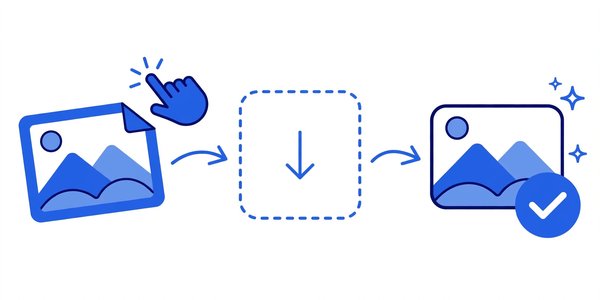
Our Image Metadata Remover fixes this in seconds. You drop in a photo, and the tool strips out all the hidden EXIF data, leaving you with a clean image that looks exactly the same. There is no software to install and no account to create, and your files never leave your device. It is completely free, and it works right in your browser.
Metadata itself is not the enemy. Photographers rely on EXIF data to learn from their settings, and archivists use timestamps to organize decades of work. The problem is only that this data travels silently into places it was never meant to go. Our tool does not judge your photos or change them in any way. It simply gives you control over what leaves your device and what stays private, which is exactly how sharing should work.

How to Use Image Metadata Remover
Removing metadata takes less than a minute, and you do not need any technical skill to do it. The whole process happens in your browser, so your photos never travel to a server or sit in someone else’s storage. Here is exactly what to do.
- Upload your photo. Click the upload area or drag your image straight from your folder into the browser window. The tool accepts JPG, JPEG, PNG, WEBP, and TIFF, which covers just about every photo your phone or camera produces. If you have the original file, use that instead of a copy from a chat app, because messaging apps often compress images and can change the file before you even start.
- Review the metadata report. Within a second, the tool scans your photo and shows you everything hidden inside: GPS coordinates, the date and time it was taken, the device model, and sometimes the editing software. Most people are surprised at how much is there. Take a moment to look through the list so you understand what you have actually been sharing all along.
- Choose what to strip. By default, everything gets removed for maximum privacy, which is what most people want. If you are a photographer who wants to keep copyright or color information, you can keep specific fields while deleting sensitive ones like location. The orientation tag is preserved automatically, so your photo will never open sideways after cleaning.
- Click remove and download. Hit the clean button and the tool builds a fresh copy of your image with all the selected metadata gone. The download starts right away, and the file keeps its original name with a simple suffix so you can tell it apart from the original. Open it and compare: it looks identical to the photo you uploaded, pixel for pixel.
- Verify the result. If you want proof, upload the cleaned file again and run the scan a second time. The report should come back empty, or show only the harmless fields you chose to keep. This quick check gives you full confidence before you post the image somewhere public.
- Clean photos in batches. Have a whole folder of listing photos or a vacation album to share? Select multiple files at once and the tool processes them one after another. Each cleaned photo downloads separately, ready to post wherever you need it.
- Make cleaning a habit. The easiest privacy wins come from routine. Get into the rhythm of dropping every photo through the remover before it goes to a marketplace listing, a social post, or a client email. After a week it takes less time than adding a filter, and you will never again wonder what hidden data rode along with an image you shared months ago.
Key Features
- Complete EXIF removal: strips every standard EXIF tag in one pass, including camera make and model, exposure settings, timestamps, and embedded thumbnails.
- GPS and location wiping: deletes latitude, longitude, and altitude coordinates so nobody can map out exactly where your photo was taken.
- Batch processing: clean dozens of photos in a single session instead of uploading them one by one.
- 100 percent private by design: all processing happens locally in your browser. Your photos are never uploaded to a server, stored anywhere, or seen by anyone.
- Zero quality loss: only the metadata container is removed. Every single pixel of your image stays exactly the same.
- Smart field control: remove everything at once or keep harmless technical fields like color profile and orientation using simple toggles.
- Works on any device: use it on your phone, tablet, or computer with nothing to install. It runs in any modern browser.
- Free with no limits: no accounts, no watermarks, and no daily caps. Clean as many photos as you like, whenever you like.
- Instant metadata preview: see a readable summary of everything found in your photo before you decide what to remove.
Why Use Our Image Metadata Remover?
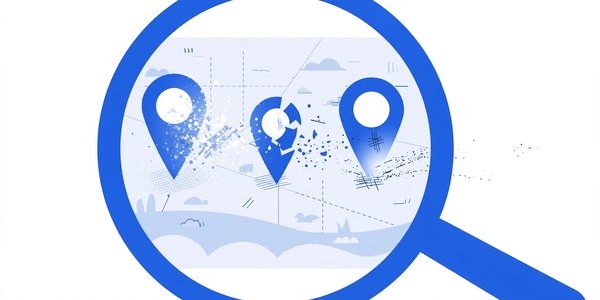
Every photo you share online is a small data leak waiting to happen. Online sellers post pictures taken inside their homes. Parents share birthday photos that can reveal a child’s school through background location data. Job seekers attach headshots that quietly disclose the exact time and place the photo was taken. Most people never realize any of this is happening, because the data is invisible.
Our Image Metadata Remover closes that leak for good. Real estate agents can photograph a property without broadcasting the owner’s address to every listing viewer. Freelancers can send portfolio samples without revealing which client project a screenshot came from. Journalists and activists can share images without putting sources at risk through embedded coordinates.
It is also just good digital hygiene. Think of it the way you think of locking your car at night. You would not print your home address on the back of every photo you hand out, yet that is effectively what an unstripped photo does. Cleaning takes seconds, costs nothing, and becomes a habit fast once you see your first metadata report.
Photographers benefit too. When you deliver final images to a client, stripping metadata keeps your camera settings and editing workflow private while presenting a clean, professional file. And because the tool never uploads your photos anywhere, even sensitive or unreleased work stays completely under your control from start to finish.
There is also a professional angle that goes beyond privacy. Clean files look more polished to clients and collaborators. A photographer delivering a wedding gallery, a designer sending mockups, or a seller uploading fifty product shots all benefit from files that contain nothing but the image itself. Stripped files are slightly smaller too, which means faster uploads and snappier page loads on listing sites. It is a rare tool that improves privacy, professionalism, and performance at the same time, and this one does all three in a single click.
Consider how many images pass through your hands in a typical month. Listing photos, profile pictures, screenshots for support tickets, pictures texted to family. Each one is a tiny envelope of hidden data. Spending a few seconds per photo to strip that envelope is one of the highest leverage privacy habits you can build, right up there with using strong passwords. Once you have seen your first metadata report, you will never share an uncleaned photo again.
Cleaning a photo takes seconds, but a few habits make the results more reliable. These tips come from real world use by photographers, sellers, and privacy conscious sharers everywhere.
Tips for Best Results
- Make it the last step before posting. Clean the photo after all editing is done, because editing apps can write fresh metadata back into the file.
- Check screenshots too. Screenshots can carry your device model and OS version. Strip them before sharing in public forums or bug reports.
- Keep your originals. Save the untouched original in a private folder first. Once metadata is gone, details like the exact shoot date are gone with it.
- Do not trust chat apps to clean for you. Some messaging apps strip location data while others keep it. Cleaning the file yourself removes all the guesswork.
- Watch out for embedded thumbnails. EXIF data can hide a small preview image carrying its own metadata. Our tool removes those as well.
- Re-scan after using other tools. If you resize or compress a photo with another app, run it through the remover once more before sharing it publicly.
- Strip metadata from downloaded images too. Photos you save from the web or receive from others can carry metadata left by their creators. Run them through the remover before reposting so you are not accidentally spreading someone else’s location data.
New to metadata removal? These are the questions everyone asks before cleaning their first photo, answered plainly and honestly.
Complete List of All Free Online Tools
Browse the full directory of 450+ free tools. Click any tool name to use it instantly - no signup required.
| # | Tool Name | Category |
|---|---|---|
| 1 | A B Test Significance Calculator | Calculators & Converters |
| 2 | Acronym Generator | Utility Tools |
| 3 | Ad Copy Generator | Utility Tools |
| 4 | Add Page Numbers To PDF | PDF Tools |
| 5 | Add Subtitles To Video | Media Tools |
| 6 | Add Subtract Days Calculator | Calculators & Converters |
| 7 | Age Calculator | Calculators & Converters |
| 8 | Angle Converter | Calculators & Converters |
| 9 | API Request Tester | Utility Tools |
| 10 | Area Converter | Calculators & Converters |
| 11 | Article Rewriter | Utility Tools |
| 12 | Audio Converter | Calculators & Converters |
| 13 | Audio Merger | Media Tools |
| 14 | Audio Metadata Editor | Media Tools |
| 15 | Audio Pitch Changer | Media Tools |
| 16 | Audio Speed Changer | Media Tools |
| 17 | Audio To Text Converter | Calculators & Converters |
| 18 | Audio Trimmer | Media Tools |
| 19 | Avatar Maker | Utility Tools |
| 20 | Background Remover | Utility Tools |
| 21 | Backlink Checker | SEO Tools |
| 22 | Banner Maker | Utility Tools |
| 23 | Barcode Generator | Developer Tools |
| 24 | Base64 Encoder Decoder | Developer Tools |
| 25 | Bass Booster | Utility Tools |
| 26 | Bibliography Generator | Utility Tools |
| 27 | Bill Splitter | Utility Tools |
| 28 | Binary Converter | Calculators & Converters |
| 29 | Binary To Text Converter | Calculators & Converters |
| 30 | Birthday Countdown | Date & Time Tools |
| 31 | Bmi Calculator | Calculators & Converters |
| 32 | Bmr Calculator | Calculators & Converters |
| 33 | Body Fat Calculator | Calculators & Converters |
| 34 | Body Surface Area Calculator | Calculators & Converters |
| 35 | Book Title Generator | Utility Tools |
| 36 | Brand Color Finder | Color Tools |
| 37 | Brand Kit Generator | Utility Tools |
| 38 | Break Even Calculator | Calculators & Converters |
| 39 | Broken Link Checker | Utility Tools |
| 40 | Browser Info Checker | Utility Tools |
| 41 | Budget Planner | Utility Tools |
| 42 | Business Card Designer | Utility Tools |
| 43 | Business Card Maker | Utility Tools |
| 44 | Business Days Calculator | Calculators & Converters |
| 45 | Business Name Generator | Utility Tools |
| 46 | Business Proposal Generator | Utility Tools |
| 47 | Button Generator | Utility Tools |
| 48 | Buyer Persona Generator | Utility Tools |
| 49 | Calorie Calculator | Calculators & Converters |
| 50 | Captcha Generator | Utility Tools |
Frequently Asked Questions
What exactly is image metadata?
Image metadata is hidden information stored inside your photo file, most commonly in a format called EXIF. It can include the GPS location where the photo was taken, the date and time, the camera or phone model, exposure settings, and even the software used to edit it. You cannot see any of this by looking at the picture, but anyone with the file can read it in seconds. Our tool removes all of it.
Will removing metadata change how my photo looks?
No, not at all. Metadata lives in a separate container inside the file, apart from the actual image pixels. Our tool removes only that container and leaves every pixel untouched. Your cleaned photo keeps the same dimensions, colors, sharpness, and file appearance as the original.
Is it safe to process my private photos here?
Yes. The entire cleaning process runs locally inside your own browser using built-in web technology. Your photos are never uploaded to a server, never stored anywhere, and never seen by anyone but you. You can even disconnect from the internet after the page loads and it will still work.
Which image formats are supported?
The tool supports all the common photo formats: JPG, JPEG, PNG, WEBP, and TIFF. These cover virtually every image produced by phones, cameras, and screenshot tools. If you work with RAW camera files, convert them to JPG or TIFF first, then strip the metadata.
Can I keep some metadata while removing the rest?
Yes. While most people remove everything, the tool lets you keep specific harmless fields such as copyright information, color profile, or orientation. Simply toggle off the fields you want to preserve before clicking clean. Sensitive fields like GPS location are always removed by default.
Do Facebook and Instagram already remove metadata?
Major social platforms do strip most metadata when you upload through their apps, but that only protects photos shared on those platforms. The original file still carries everything when you send it by email, WhatsApp, or a marketplace listing, or hand it to a client directly. Cleaning the file itself protects you everywhere, not just on social media.
Can removed metadata ever be recovered?
No. Once the metadata is stripped and the new file is saved, that information is permanently gone from the copy. There is no way to reconstruct GPS coordinates or timestamps from the cleaned image. That is why we recommend keeping your original files in a private folder if you ever need those details later.
Does removing metadata reduce file size?
Slightly, yes. Metadata typically accounts for a few kilobytes, and embedded thumbnails can add more. Stripping it trims that overhead, which means marginally faster uploads and a bit less storage used. The difference is small for a single photo but adds up across a large gallery or product catalog. Marketplace sellers uploading hundreds of images will notice snappier bulk uploads most of all. The privacy gain, of course, is the real prize.
Table of Contents
What is Image Metadata Remover?
The image metadata remover is a free online tool that helps you with image metadata remover tasks quickly and accurately. Our image metadata remover is designed to be simple, fast, and reliable. Whether you need a image metadata remover for personal use or professional work, this free image metadata remover delivers instant results without any signup or download required.
How to Use the Image Metadata Remover
Using our image metadata remover is easy. Simply open the image metadata remover tool above, enter your input, and get instant results. The image metadata remover processes everything in your browser for maximum privacy and speed. No technical knowledge is needed to use this image metadata remover effectively.
Benefits of Using Our Image Metadata Remover
Our free image metadata remover offers many advantages. It is completely free to use, requires no registration, works on all devices, and provides accurate results instantly. The image metadata remover is updated regularly to ensure the best performance. For more information about image metadata remover, you can Learn more about image metadata remover on Wikipedia.
Frequently Asked Questions About Image Metadata Remover
Is the image metadata remover really free? Yes, our image metadata remover is 100% free with no hidden costs or premium tiers.
Do I need to create an account to use the image metadata remover? No, the image metadata remover works instantly without any signup or login required.
