GIF Maker
Some moments deserve more than a still photo but less than a full video. The perfect reaction face, a quick product demo, a three-second recipe step, a funny pet moment that needs to loop forever. That is where GIFs shine, and making them used to mean wrestling with complicated software. The GIF Maker from A Tool Today changes that completely. Upload a handful of images or a short video clip, arrange your frames, set the speed, and download a polished animated GIF in under a minute. Everything happens right in your browser with no installs, no accounts and no watermarks stamped on your creation. Whether you are a social media manager feeding a content calendar, a teacher making a concept click, a marketer showing a feature in action, or just someone who wants to turn a funny moment into a shareable meme, this free online tool gives you studio-quality GIFs without the studio learning curve. If you can drag, drop and click, you can make a GIF today.
What surprises most first-time users is how often they reach for it afterward. Once making a GIF takes seconds instead of an hour, you start seeing opportunities everywhere: a quick reaction for the team chat, a looping demo for a customer question, a highlight from today’s stream. The GIF Maker turns those impulses into finished animations before the moment passes.
How to Use GIF Maker
Creating your first GIF is genuinely simple. The whole process flows from upload to download in a few clear stages, and you can preview your animation at any point before you commit. Here is exactly how it works.
- Upload your source material. Drag in multiple images to build a frame-by-frame animation, or upload a short video clip to convert it into a GIF. The tool accepts JPG, PNG and WebP images plus common video formats. Tip: for image-based GIFs, use pictures with the same dimensions. Matching sizes keep your animation smooth instead of jumpy.
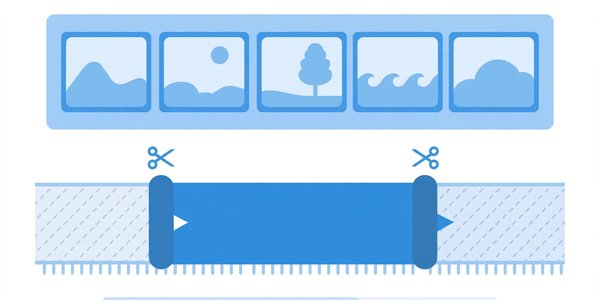
- Arrange your frames in order. Your uploaded images appear as a filmstrip timeline. Drag frames left or right to reorder them until the sequence tells your story. For video uploads, trim the clip to the exact section you want by setting start and end points. Tip: short is strong. The best GIFs usually run two to six seconds, so cut ruthlessly and keep only the funniest or clearest moment.
- Set the speed and timing. Adjust the delay between frames to control how fast your GIF plays. A short delay makes snappy, energetic animations while a longer delay feels calm and readable. Tip: match the speed to the content. Quick reactions look great at high speed, but tutorial steps need slower timing so viewers can actually follow along.
- Resize and optimize your GIF. Choose your output dimensions and quality level. Smaller dimensions and fewer colors create tiny files that load instantly on mobile, while larger settings keep crisp detail. Tip: for social media and messaging apps, aim for a file under a few megabytes. It will upload faster and autoplay smoothly everywhere.
- Add text or captions if you want. Overlay top and bottom text in the classic meme style, or add a single caption bar. Pick readable fonts and high-contrast colors so your words pop against the animation. Tip: keep text short. Five words or fewer per caption reads instantly, which is exactly how fast people scroll.
- Preview your animation. Hit play and watch your GIF loop exactly as your audience will see it. This is your quality checkpoint. Check that the loop point feels seamless, the timing reads well and the text is legible. Tip: watch it three times. The first viewing is for fun, the second is for timing, and the third is for catching typos in your captions.
- Download and share. Export your finished GIF with one click and save it to your device. It is yours to post on social media, drop into group chats, embed in blog posts or attach to emails. Tip: the file works everywhere GIFs are supported, which is essentially everywhere, from Twitter and Discord to Slack and PowerPoint.
Key Features
- Images to GIF animation. Combine any set of photos or illustrations into a frame-by-frame animation. Perfect for before-and-after reveals, step-by-step tutorials, flipbook-style drawings and stop-motion experiments with your phone camera.
- Video to GIF conversion. Upload a short clip and convert the best moment into a looping GIF. Great for turning screen recordings into demos, funny video moments into memes and sports highlights into shareable clips.
- Frame-by-frame timeline control. Reorder frames with simple drag and drop, set individual or global frame delays, and trim precisely. You get real creative control without the complexity of professional animation software.
- Text overlays and meme captions. Add punchy top and bottom text or a clean caption bar with adjustable fonts, sizes and colors. Create classic meme formats or branded captions for your business content in seconds.
- Smart resize and compression. Shrink dimensions, reduce colors and tune quality to hit the sweet spot between sharp visuals and small file sizes. Your GIFs load fast on any connection without looking like a pixelated mess.
- Loop and playback settings. Choose endless looping for classic GIF behavior or a set number of plays. Control exactly how your animation behaves when it appears in feeds and chats.
- No watermarks, ever. Your GIF downloads clean with nothing stamped across it. What you create is fully yours, which matters enormously for business use and professional portfolios.
- Private and signup-free. Your images and videos are processed in your browser and never uploaded to a server. There is no account to create and no waiting room. Open the page and start making GIFs immediately, free forever.

Why Use Our GIF Maker?
GIFs sit in a sweet spot that neither photos nor videos can reach. They autoplay silently in feeds, loop endlessly without any player controls, and communicate a feeling or idea in seconds. Marketers love them because a three-second product GIF in an email can lift click rates in a way a static image rarely does. Teachers use them to show a science concept, a math step or a language pronunciation on loop until it clicks, which is far more effective than describing the same thing in a paragraph. Customer support teams turn screen recordings into GIFs that show exactly where to click, cutting down on back-and-forth messages. Content creators rely on them for memes, reactions and highlights that travel across platforms with zero friction. On a personal level, GIFs are simply fun. Turning your dog’s head tilt or your friend’s victory dance into a looping clip gives you a personal reaction GIF no one else has. Our GIF Maker exists to make all of this effortless. Because it runs in your browser with no learning curve, the distance between having an idea and sharing the finished GIF is about sixty seconds. That speed changes behavior: you will make GIFs for moments you would never have bothered opening heavy software for, and your content gets livelier as a result.
The format advantages are practical too. GIFs autoplay without any player, loop without controls and work in nearly every app, which removes every barrier between your content and your viewer. No one has to press play, unmute anything or wait for buffering. Your message simply appears and repeats until it lands. That frictionless delivery is why GIFs outperform static images in feeds and why support teams prefer them over paragraphs of instructions.
Tips for Best Results
- Keep it short. The most shared GIFs run two to six seconds. Longer animations balloon in file size and lose viewers. Find the single best moment and let it loop.
- Start with good source material. Sharp, well-lit images and stable video clips produce crisp GIFs. Shaky or dark source footage only gets worse after compression, so pick your best takes.
- Design for silent autoplay. GIFs play without sound in almost every feed. Make sure your message works purely visually, and put any essential words directly on the frames as text.
- Make the loop seamless. A GIF that jumps awkwardly at the loop point feels broken. For image sequences, consider making the last frame flow back into the first. For video clips, trim at a natural motion pause.
- Optimize before you share. A 15 megabyte GIF will stutter on mobile data and may get rejected by some platforms. Use the resize and quality controls to land under a few megabytes while keeping the action clear.
- Test on your target platform. Preview how your GIF looks at the size it will actually display. Text that is readable at full size can turn to mush in a tiny chat thumbnail, so size your captions accordingly.
Frequently Asked Questions
Is the GIF Maker really free, and is there a watermark?
Yes, it is completely free and there is no watermark on anything you create. You can make unlimited GIFs from images or video clips without creating an account or hitting a trial limit. Many free GIF tools stamp their logo across your animation or lock HD exports behind payment, which makes them useless for business content. We do neither. The GIF you download is clean and fully yours to use anywhere, including commercial projects, client work and monetized content. There are also no daily caps or resolution locks, so your tenth GIF of the day exports at the same quality as your first.
Can I make a GIF from a video clip?
Absolutely, and it is one of the most popular ways to use the tool. Upload a short video in a common format, then use the trim controls to select the exact section you want, usually the funniest or most illustrative two to six seconds. Set your frame rate and dimensions, preview the result, and export. This is perfect for turning screen recordings into product demos, sports moments into highlights and funny clips into memes. Keep your source clip short to begin with for the fastest processing.
How many images can I combine into one GIF?
You can combine a generous number of frames, easily enough for detailed step-by-step animations and smooth stop-motion sequences. In practice, most great GIFs use between 5 and 30 frames. More frames mean smoother motion but larger files, so there is a natural tradeoff. If your animation feels choppy, adding a few in-between frames helps. If the file is too big, trimming frames or shortening delays usually fixes it. The timeline makes it easy to experiment until the motion feels right.
What is the ideal size and length for a GIF?
For social media, messaging apps and email, aim for two to six seconds long, around 480 to 600 pixels wide, and under 3 to 5 megabytes in file size. This combination loads quickly on mobile connections, autoplays smoothly in feeds and meets the upload limits of most platforms. Tutorial or demo GIFs can run a bit longer if the content needs it, but every extra second adds weight. Use the built-in resize and compression controls to dial in the balance for your specific platform.
Complete List of All Free Online Tools
Browse the full directory of 450+ free tools. Click any tool name to use it instantly - no signup required.
| # | Tool Name | Category |
|---|---|---|
| 1 | A B Test Significance Calculator | Calculators & Converters |
| 2 | Acronym Generator | Utility Tools |
| 3 | Ad Copy Generator | Utility Tools |
| 4 | Add Page Numbers To PDF | PDF Tools |
| 5 | Add Subtitles To Video | Media Tools |
| 6 | Add Subtract Days Calculator | Calculators & Converters |
| 7 | Age Calculator | Calculators & Converters |
| 8 | Angle Converter | Calculators & Converters |
| 9 | API Request Tester | Utility Tools |
| 10 | Area Converter | Calculators & Converters |
| 11 | Article Rewriter | Utility Tools |
| 12 | Audio Converter | Calculators & Converters |
| 13 | Audio Merger | Media Tools |
| 14 | Audio Metadata Editor | Media Tools |
| 15 | Audio Pitch Changer | Media Tools |
| 16 | Audio Speed Changer | Media Tools |
| 17 | Audio To Text Converter | Calculators & Converters |
| 18 | Audio Trimmer | Media Tools |
| 19 | Avatar Maker | Utility Tools |
| 20 | Background Remover | Utility Tools |
| 21 | Backlink Checker | SEO Tools |
| 22 | Banner Maker | Utility Tools |
| 23 | Barcode Generator | Developer Tools |
| 24 | Base64 Encoder Decoder | Developer Tools |
| 25 | Bass Booster | Utility Tools |
| 26 | Bibliography Generator | Utility Tools |
| 27 | Bill Splitter | Utility Tools |
| 28 | Binary Converter | Calculators & Converters |
| 29 | Binary To Text Converter | Calculators & Converters |
| 30 | Birthday Countdown | Date & Time Tools |
| 31 | Bmi Calculator | Calculators & Converters |
| 32 | Bmr Calculator | Calculators & Converters |
| 33 | Body Fat Calculator | Calculators & Converters |
| 34 | Body Surface Area Calculator | Calculators & Converters |
| 35 | Book Title Generator | Utility Tools |
| 36 | Brand Color Finder | Color Tools |
| 37 | Brand Kit Generator | Utility Tools |
| 38 | Break Even Calculator | Calculators & Converters |
| 39 | Broken Link Checker | Utility Tools |
| 40 | Browser Info Checker | Utility Tools |
| 41 | Budget Planner | Utility Tools |
| 42 | Business Card Designer | Utility Tools |
| 43 | Business Card Maker | Utility Tools |
| 44 | Business Days Calculator | Calculators & Converters |
| 45 | Business Name Generator | Utility Tools |
| 46 | Business Proposal Generator | Utility Tools |
| 47 | Button Generator | Utility Tools |
| 48 | Buyer Persona Generator | Utility Tools |
| 49 | Calorie Calculator | Calculators & Converters |
| 50 | Captcha Generator | Utility Tools |
Are my videos and images kept private?
Yes, completely. Everything is processed locally in your browser on your own device. Your source images and video clips are never uploaded to any server, stored anywhere or seen by anyone. This is important because people often make GIFs from personal videos, client screen recordings or unreleased product footage. You can use the tool with total confidence that your material stays yours. Close the tab and nothing remains behind. This local approach also keeps the tool fast, since large video files never need to travel to a remote server and back.
Why does my GIF look blurry or pixelated?
Blurriness almost always comes from one of three causes. First, the source material may be low resolution or shaky, and compression magnifies those flaws. Second, the output dimensions may be set too small and then displayed larger, which stretches the pixels. Third, aggressive color reduction can band smooth gradients. Fix it by starting with sharp source material, exporting at or near the display size, and raising the quality setting a notch. Small increases in file size often buy large improvements in clarity.
Where can I use the GIFs I create?
Practically everywhere. GIFs work natively on Twitter, Facebook, Instagram stories and DMs, Discord, Slack, Telegram, WhatsApp, Reddit and most forums. You can embed them in blog posts, Medium articles and email newsletters, where they autoplay and grab attention. They also work in PowerPoint and Google Slides presentations, where a looping demo beats a static screenshot every time. Because the format is universal, one download covers all your channels with no conversion needed. You can even reuse the same file across campaigns for years, since the GIF format remains supported everywhere without going out of date.
Do GIFs work in email newsletters?
Yes, and they work beautifully. Most email clients display GIFs and play the first frames automatically, which makes them one of the highest performing elements you can add to a newsletter. A short product demo or a subtle animated call to action draws the eye in a crowded inbox. Keep the file size modest so the email loads quickly, usually under one megabyte for newsletters, and make sure the first frame communicates the message on its own for the few clients that show only a static image. Our compression controls make hitting that size easy.
Table of Contents
What is GIF Maker?
The gif maker is a free online tool that helps you with gif maker tasks quickly and accurately. Our gif maker is designed to be simple, fast, and reliable. Whether you need a gif maker for personal use or professional work, this free gif maker delivers instant results without any signup or download required.
How to Use the GIF Maker
Using our gif maker is easy. Simply open the gif maker tool above, enter your input, and get instant results. The gif maker processes everything in your browser for maximum privacy and speed. No technical knowledge is needed to use this gif maker effectively.
Benefits of Using Our GIF Maker
Our free gif maker offers many advantages. It is completely free to use, requires no registration, works on all devices, and provides accurate results instantly. The gif maker is updated regularly to ensure the best performance. For more information about gif maker, you can Learn more about gif maker on Wikipedia.
Frequently Asked Questions About GIF Maker
Is the gif maker really free? Yes, our gif maker is 100% free with no hidden costs or premium tiers.
Do I need to create an account to use the gif maker? No, the gif maker works instantly without any signup or login required.
