Fraction Calculator
Fractions have a reputation for being tricky, and most of us earned that opinion the hard way in school. Yet fractions refuse to stay in the classroom. They show up when you halve a recipe, when you measure wood for a shelf, when you split a bill three ways, and when your child brings home math homework that looks nothing like what you remember. A fraction calculator takes the stress out of all of it. You enter your fractions, pick an operation, and get a correct answer that is already simplified to lowest terms. The Fraction Calculator from A Tool Today handles addition, subtraction, multiplication, and division, and it understands mixed numbers and improper fractions too. Bakers scale recipes with it. Carpenters check measurements with it. Students finish homework faster with it. Teachers verify answer keys with it. It is fast, it is accurate, and it works right in your browser with nothing to install and no account to create.

How to Use the Fraction Calculator
You do not need to remember any fraction rules to get a correct answer. The tool quietly handles common denominators, simplification, and conversions behind the scenes. Just follow these steps and the math takes care of itself.
- Choose your operation. Pick addition, subtraction, multiplication, or division from the clearly labeled options. The layout matches the way you would write the problem on paper. Tip: if you are unsure which operation a word problem needs, look for clue words like total, difference, of, or split.
- Enter the first fraction. Type the numerator on top and the denominator on the bottom, for example 3 over 4. The fields are large and clearly marked so the numbers land in the right places. Tip: a quick glance before you move on catches most typing slips.
- Enter the second fraction. Add the other half of your problem the same way, for example 2 over 3. For division and subtraction, the order matters, so keep your fractions in the same order as the original problem. Tip: read the problem once more to confirm which fraction comes first.
- Use mixed numbers when you need them. Recipes and measurements often use mixed numbers like 2 and 1/2. Enter the whole number in its own field and the tool converts it automatically. Tip: you can also enter improper fractions directly if that feels more natural.
- Click the calculate button. The tool finds common denominators where needed, performs the operation, and reduces the answer to its simplest form in one motion. Tip: on a phone or tablet the button is easy to reach, so homework help works from the couch.
- Read your simplified answer. The result appears as a clean fraction in lowest terms, often alongside its decimal equivalent for a quick sanity check. Tip: glance at the decimal to confirm the answer looks reasonable before you write it down.
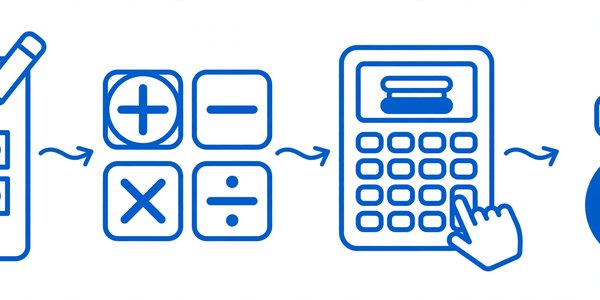
Key Features
- All four operations. Add, subtract, multiply, and divide fractions in one place. You never have to switch tools in the middle of a homework set or a recipe adjustment.
- Automatic simplification. Every answer is reduced to lowest terms without you lifting a finger. What you see is the same clean answer a teacher would accept.
- Mixed numbers and improper fractions. Enter 2 and 1/2 or 5/2 with equal ease, and get results in the form that makes sense for your task. The tool converts between forms smoothly.
- Decimal equivalents. Each fractional answer comes with its decimal value, which is perfect for double-checking your work or for tasks that need decimals instead.
- Common denominator handling. Adding fractions with different denominators is the step that trips most people up. The calculator finds the common denominator for you and shows a correct result every time.
- Negative fraction support. Problems with negative fractions work just as reliably as positive ones. Signs are tracked through every step so nothing gets lost.
- Zero-denominator protection. Dividing by zero is mathematically impossible, and the tool catches it gracefully with a clear message instead of a confusing error. Your work stays safe and understandable.
- Free with no signup. Run unlimited fraction calculations without an account, a download, or a payment. It is a study and kitchen companion that never charges you.
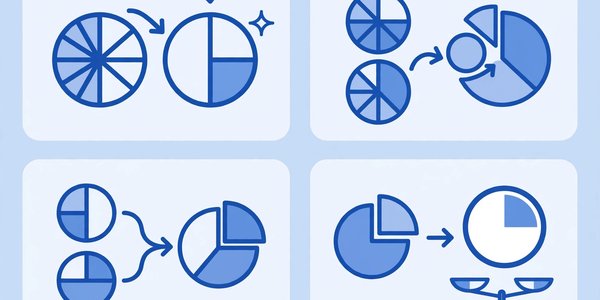
Why Use Our Fraction Calculator?
Fractions touch far more of daily life than most people realize, and getting them wrong has real consequences. In the kitchen, scaling a recipe for twelve guests instead of four means multiplying every fraction on the ingredient list, and one wrong conversion can ruin an entire dish. Our calculator keeps every measurement exact so your cooking stays consistent. In the workshop, carpenters and DIY builders constantly add and subtract fractional inches, and a small error there means wood that does not fit and money wasted on extra materials. Students face fractions on homework, quizzes, and standardized tests, where a reliable checker builds both accuracy and confidence. Parents helping with homework get a patient second opinion that never gets frustrated at the tenth problem. Teachers use it to verify answer keys quickly during lesson planning. Tailors and crafters working with fractional yards and inches keep their cuts precise. Even splitting costs among friends becomes painless when the math is instant and trustworthy. Because the tool simplifies every answer automatically, you always see the cleanest form of the result, which trains your eye to recognize simplified fractions over time. And since it comes from A Tool Today, it follows the same promise as every tool on the site: simple to use, fast to load, and completely free, with no learning curve standing between you and the answer.
Tips for Best Results
- Double-check your denominators. Most fraction mistakes come from a mistyped denominator, not from bad math. A two-second review of both fractions before calculating saves real frustration.
- Keep mixed numbers tidy. Enter the whole number and the fraction in their separate fields rather than mashing them together. Clean input is the foundation of a correct answer.
- Watch your negative signs. Decide whether the negative belongs to the whole fraction before you type it. Consistent sign placement keeps subtraction and division results correct.
- Use the decimal as a sanity check. If 3/4 plus 2/3 gives you about 1.42 in decimal form, you know the fractional answer is in the right neighborhood. Quick estimates catch big mistakes.
- Learn from the simplified answer. Notice how the tool reduces results to lowest terms and try to spot the pattern yourself. Over time you will start simplifying in your head before you even calculate.
- Break big problems into pieces. For a long expression, solve it two fractions at a time and carry each simplified result forward. Smaller steps mean fewer places for an error to hide.
Frequently Asked Questions
What is a fraction calculator?
A fraction calculator is an online tool that performs math with fractions for you. You enter two fractions, choose addition, subtraction, multiplication, or division, and it returns the correct answer already simplified to lowest terms. Our version also handles mixed numbers, shows decimal equivalents, and is completely free to use in any browser with no signup.
How do you add fractions with different denominators?
You find a common denominator, convert both fractions, add the numerators, and then simplify. Our calculator does all of that automatically. Just enter the two fractions and choose addition, and you get the simplified answer instantly. For example, 1/2 plus 1/3 becomes 5/6 without you hunting for the common denominator of six.
What does it mean to simplify a fraction?
Simplifying means dividing the numerator and denominator by their greatest common factor until no further reduction is possible. So 4/8 simplifies to 1/2, which is easier to read and use. Our calculator simplifies every answer automatically, giving you the cleanest form of the result every single time.
Can the calculator handle mixed numbers?
Yes. You can enter mixed numbers like 2 and 1/2 directly using the whole-number field, and the tool converts them behind the scenes. You can also enter improper fractions like 5/2 if you prefer. Results can be understood in whichever form suits your recipe, measurement, or homework problem.
Why can the denominator not be zero?
A denominator of zero has no mathematical meaning, because you cannot divide something into zero parts. If you accidentally enter zero as a denominator, the calculator will not crash or give a nonsense answer. Instead it shows a clear message so you can fix the input and continue with confidence.
How do I convert a fraction to a decimal?
Divide the numerator by the denominator, and our calculator shows you that decimal right next to every fractional answer. So 3/4 appears with 0.75 beside it. This is handy when a recipe, a measurement, or a spreadsheet needs decimals rather than fractions.
Is the Fraction Calculator really free?
Yes, it is completely free with no limits. Students, teachers, cooks, and builders can solve as many fraction problems as they need without creating an account or paying anything. A Tool Today believes everyday math help should be fast, simple, and free for everyone.
Complete List of All Free Online Tools
Browse the full directory of 450+ free tools. Click any tool name to use it instantly - no signup required.
| # | Tool Name | Category |
|---|---|---|
| 1 | A B Test Significance Calculator | Calculators & Converters |
| 2 | Acronym Generator | Utility Tools |
| 3 | Ad Copy Generator | Utility Tools |
| 4 | Add Page Numbers To PDF | PDF Tools |
| 5 | Add Subtitles To Video | Media Tools |
| 6 | Add Subtract Days Calculator | Calculators & Converters |
| 7 | Age Calculator | Calculators & Converters |
| 8 | Angle Converter | Calculators & Converters |
| 9 | API Request Tester | Utility Tools |
| 10 | Area Converter | Calculators & Converters |
| 11 | Article Rewriter | Utility Tools |
| 12 | Audio Converter | Calculators & Converters |
| 13 | Audio Merger | Media Tools |
| 14 | Audio Metadata Editor | Media Tools |
| 15 | Audio Pitch Changer | Media Tools |
| 16 | Audio Speed Changer | Media Tools |
| 17 | Audio To Text Converter | Calculators & Converters |
| 18 | Audio Trimmer | Media Tools |
| 19 | Avatar Maker | Utility Tools |
| 20 | Background Remover | Utility Tools |
| 21 | Backlink Checker | SEO Tools |
| 22 | Banner Maker | Utility Tools |
| 23 | Barcode Generator | Developer Tools |
| 24 | Base64 Encoder Decoder | Developer Tools |
| 25 | Bass Booster | Utility Tools |
| 26 | Bibliography Generator | Utility Tools |
| 27 | Bill Splitter | Utility Tools |
| 28 | Binary Converter | Calculators & Converters |
| 29 | Binary To Text Converter | Calculators & Converters |
| 30 | Birthday Countdown | Date & Time Tools |
| 31 | Bmi Calculator | Calculators & Converters |
| 32 | Bmr Calculator | Calculators & Converters |
| 33 | Body Fat Calculator | Calculators & Converters |
| 34 | Body Surface Area Calculator | Calculators & Converters |
| 35 | Book Title Generator | Utility Tools |
| 36 | Brand Color Finder | Color Tools |
| 37 | Brand Kit Generator | Utility Tools |
| 38 | Break Even Calculator | Calculators & Converters |
| 39 | Broken Link Checker | Utility Tools |
| 40 | Browser Info Checker | Utility Tools |
| 41 | Budget Planner | Utility Tools |
| 42 | Business Card Designer | Utility Tools |
| 43 | Business Card Maker | Utility Tools |
| 44 | Business Days Calculator | Calculators & Converters |
| 45 | Business Name Generator | Utility Tools |
| 46 | Business Proposal Generator | Utility Tools |
| 47 | Button Generator | Utility Tools |
| 48 | Buyer Persona Generator | Utility Tools |
| 49 | Calorie Calculator | Calculators & Converters |
| 50 | Captcha Generator | Utility Tools |
How do you multiply fractions?
Multiply the numerators together, multiply the denominators together, and then simplify the result. For example, 2/3 times 3/4 gives 6/12, which simplifies to 1/2. Our calculator performs every step automatically and hands you the simplified answer. Multiplication shows up constantly in real life, from scaling recipes to finding a fraction of a measurement. A handy shortcut is to simplify before you multiply by canceling common factors across the fractions, which keeps the numbers small and friendly. The tool effectively does this thinking for you, but knowing the shortcut helps you estimate answers in your head. Remember that multiplying by a proper fraction always gives a smaller result, which is a great sanity check when an answer looks suspiciously large.
How do you divide fractions?
Flip the second fraction and multiply, a move mathematicians call multiplying by the reciprocal. So 1/2 divided by 1/4 becomes 1/2 times 4/1, which equals 2. Our calculator handles the flip and the simplification in one motion. Division by fractions appears whenever you ask how many small portions fit into a larger amount, like how many quarter-cup servings are in two cups of flour. Beginners often find this rule strange, but it works because dividing by a fraction is the same as asking how many of those fractional pieces fit inside the original. The decimal readout next to each answer helps the rule feel concrete: seeing that 1/2 divided by 1/4 equals 2.0 confirms the logic instantly.
What is the difference between a proper fraction, an improper fraction, and a mixed number?
A proper fraction is smaller than one whole, like 3/4, because its numerator is smaller than its denominator. An improper fraction is equal to or larger than one whole, like 7/4, because its numerator is larger. A mixed number combines a whole number with a proper fraction, like 1 and 3/4, which is simply another way of writing 7/4. Cooks and builders usually prefer mixed numbers because 1 and 3/4 cups is easier to picture than 7/4 cups. Math classes often prefer improper fractions because they are easier to multiply and divide. Our calculator accepts both forms and keeps your results readable, so you can work in whichever style your task demands without converting anything by hand.
How can I check my fraction homework with this tool?
Solve the problem on paper first, then enter the same fractions and operation into the calculator to compare answers. If they match, your method is solid. If they differ, work backwards: check your common denominator, re-examine each simplification step, and watch for sign errors. The decimal equivalent beside each answer is especially useful for spotting mistakes, because an unreasonable decimal instantly tells you something went wrong. Teachers recommend this check-then-diagnose routine because it turns the calculator into a tutor rather than a shortcut. Over time you will need the check less often, which is exactly how confidence in math is built. Keep the tool bookmarked on every device you use for math, because fast checks during homework time turn stressful evenings into calm and productive ones.
Table of Contents
What is Fraction Calculator?
The fraction calculator is a free online tool that helps you with fraction calculator tasks quickly and accurately. Our fraction calculator is designed to be simple, fast, and reliable. Whether you need a fraction calculator for personal use or professional work, this free fraction calculator delivers instant results without any signup or download required.
How to Use the Fraction Calculator
Using our fraction calculator is easy. Simply open the fraction calculator tool above, enter your input, and get instant results. The fraction calculator processes everything in your browser for maximum privacy and speed. No technical knowledge is needed to use this fraction calculator effectively.
Benefits of Using Our Fraction Calculator
Our free fraction calculator offers many advantages. It is completely free to use, requires no registration, works on all devices, and provides accurate results instantly. The fraction calculator is updated regularly to ensure the best performance. For more information about fraction calculator, you can Learn more about fraction calculator on Wikipedia.
Frequently Asked Questions About Fraction Calculator
Is the fraction calculator really free? Yes, our fraction calculator is 100% free with no hidden costs or premium tiers.
Do I need to create an account to use the fraction calculator? No, the fraction calculator works instantly without any signup or login required.
