Credit Card Validator (Luhn Check)
Typed a 16-digit card number into a checkout page lately and held your breath while it processed? One mistyped digit is all it takes to trigger a failed payment, a locked form, or an embarrassing error message at the worst possible moment. That is exactly the problem our Credit Card Validator solves. In seconds, it runs the industry standard Luhn checksum against any card number and tells you whether the digits are structurally valid, which card brand they belong to, and whether the length and format match what that brand expects. Developers use it to test payment forms before they go live. Online shoppers use it to double check a number they just typed. QA teams use it to build valid test inputs without ever touching real customer data. Students use it to understand how the Luhn algorithm actually works in the real world. Our version is free, works entirely online with no downloads or installs, and processes everything in your browser so your number is never stored or sent anywhere. You paste, you check, you move on.
How to Use Credit Card Validator
Using the Credit Card Validator takes less than a minute, and you do not need any technical background. The tool was built for speed: paste a number, press one button, and get a clear verdict with useful details. Follow the steps below for a smooth first run.
- Open the tool page. Go to the Credit Card Validator on A Tool Today from any device. The page loads instantly, works on phones, tablets, and desktops, and there is no account to create and no software to install. If you bookmark it, you will always have a quick validator one tap away.
- Enter or paste the card number. Click into the input box and type the number or paste it from your clipboard. Spaces and hyphens are stripped automatically, so you can paste a number formatted like 4111 1111 1111 1111 without cleaning it up first. Take a second to confirm you pasted the full number.
- Check the detected card brand. As you type, the tool reads the leading digits, called the issuer identification number, and shows the likely brand, such as Visa, Mastercard, American Express, or Discover. If the brand looks wrong compared to the card in your hand, that alone is a strong hint that a digit was mistyped.
- Click the Validate button. Press the validate button and the tool runs the Luhn checksum plus a full format check in a fraction of a second. Everything happens in your browser, so there is no waiting on a server and no sensitive data leaving your device.
- Read the result. You get a clear verdict: valid or invalid, the detected brand, the digit count, and whether the length matches that brand’s rules. A valid result means the number passes the checksum and the format is correct. An invalid result means at least one digit is wrong or the format does not match.
- Act on the result. If the number is invalid, compare it digit by digit against your source, since most failures come from a single transposed or mistyped digit. If it is valid, you can confidently continue with your checkout, form test, or development task knowing the number itself is structurally sound.
Key Features
- True Luhn checksum verification. The tool implements the same Luhn algorithm that banks, payment gateways, and card networks use to validate account numbers. It doubles every second digit from the right, sums the results, and confirms the total is divisible by ten. This catches nearly every single digit error and most transpositions.
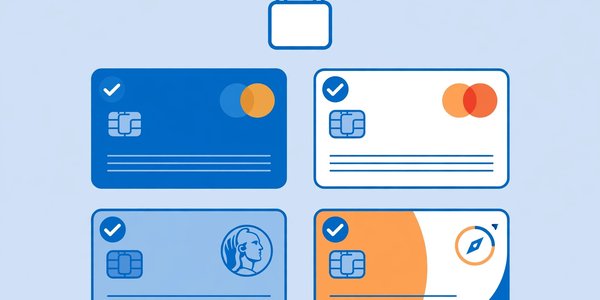
- Automatic card brand detection. The validator reads the issuer identification digits and identifies Visa, Mastercard, American Express, Discover, Diners Club, JCB, and other major brands instantly. Knowing the brand helps you confirm the number matches the physical card and lets developers route test numbers to the right payment flow.
- Format and length checking. Beyond the checksum, the tool verifies that the digit count matches the detected brand’s rules, such as 15 digits for American Express and 16 for most Visa and Mastercard numbers. This catches truncated numbers, extra digits, and pasted values that include stray characters.
- Privacy first design. Validation runs entirely in your browser. Your card number is never uploaded, logged, stored, or shared with any server. That makes the tool safe to use for spot checks, and it is one reason many users prefer it over random validator sites with unclear data practices.
- Free with no limits. There are no credits, no daily caps, and no premium tier hiding the real features. Run one check or one hundred checks, the tool stays free. Developers testing large batches of test numbers never hit a paywall.
- Works on every device. The page is fully responsive, so the validator works just as well on a phone in a store as on a desktop in an office. There is nothing to download, nothing to update, and no app permissions to grant.
- No signup required. You never create an account, verify an email, or hand over personal details. Open the page and start validating. This keeps things fast and respects your privacy at the same time.
- Clear, plain language results. Instead of a cryptic pass or fail code, you get a readable explanation of what was checked and why the number passed or failed. This is especially helpful for students learning the Luhn algorithm and for junior developers debugging their first payment form.
Why Use Our Credit Card Validator?
Developers were the first people to ask for this tool, and they remain its biggest fans. Before a payment form goes live, every card input path needs testing: valid numbers, invalid numbers, wrong length numbers, and brand specific edge cases. Our validator gives developers a fast way to confirm that their own Luhn implementation agrees with a trusted reference, and the brand detection helps them make sure test cards route to the correct checkout flow. When a form rejects a number, pasting it into the validator instantly shows whether the problem is the digits or the form code.
Online shoppers get real value too. Copying a card number from a banking app or reading it off a physical card is surprisingly error prone, and most checkout pages only tell you something is wrong after you submit. A quick validation before you hit pay catches typos early, saving you from failed attempts that can temporarily lock a card or trigger fraud alerts. Customer support teams use the same trick: when a caller struggles with a declined card, support agents can rule out a simple digit error in seconds instead of escalating the ticket.
There is also a learning angle. The Luhn algorithm is a classic topic in programming courses, and seeing it run against real formatted numbers makes the math click faster than a textbook example. QA engineers, technical writers documenting payment APIs, and e-commerce managers auditing their checkout UX all find daily uses for a validator that is free, instant, and private. A Tool Today built this one to be the version we would want to use ourselves: no clutter, no upsells, no data collection, just a correct answer fast.
Tips for Best Results
- Use official test numbers for development. Payment processors like Stripe, PayPal, and Braintree publish test card numbers that pass the Luhn check but never charge real money. Always use those in your code, never a real customer card, and use our validator to confirm your test data is well formed.
- Remember that valid does not mean active. The Luhn check only proves the digits are structurally correct. It cannot tell you whether the card is active, has available credit, or belongs to a real account. Only a payment authorization through your processor can confirm that.
- Pair validation with CVV and address checks in production. Luhn validation is the first line of defense in a checkout form, not the whole security strategy. Real fraud prevention also uses the CVV, billing address verification, and 3D Secure. Use the validator to improve UX, and rely on your gateway for security.
- Watch brand specific lengths. American Express numbers have 15 digits while most Visa, Mastercard, and Discover numbers have 16. If a user reports that a valid looking card keeps failing, check whether your form enforces the right length for the detected brand.
- Validate early in the form for better UX. Running the Luhn check as the user types, rather than after they submit, lets you show a friendly inline hint the moment a digit looks wrong. This small change measurably reduces checkout abandonment on e-commerce sites.
- Be careful on shared or public computers. Even though our tool never stores your number, the device itself might. Avoid validating real card numbers on shared machines, and never paste a full card number into a chat window, email, or any site you do not fully trust.
Frequently Asked Questions
What is the Luhn algorithm?
The Luhn algorithm, also called the mod 10 algorithm, is a checksum formula created by IBM scientist Hans Peter Luhn. It validates identification numbers by doubling every second digit from the right, adding the results together, and checking that the total is a multiple of ten. Card networks adopted it because it catches almost all single digit mistakes and most cases where two digits get swapped, which are the most common typing errors.
Does a valid result mean the card is real and will work?
No. A valid result only means the number passes the checksum and matches the expected format and length for its brand. It does not confirm the account exists, is active, or has available funds. Think of it as a spell check for card numbers: it proves the digits are plausible, not that the card will be accepted. Only a live authorization through a payment processor confirms a card can be charged.
Is it safe to enter my card number into this tool?
Yes. The validation runs entirely in your browser using JavaScript, so your number is never sent to our servers, stored in a database, or shared with anyone. When you close the tab, the number is gone. As a general rule, though, avoid entering real card numbers on any shared or public computer, since the device itself could retain what you typed.
Which card brands can the validator detect?
The tool detects all major brands, including Visa, Mastercard, American Express, Discover, Diners Club, and JCB, by reading the issuer identification digits at the start of the number. It also applies each brand’s expected length rules, so for example it knows American Express uses 15 digits while most other brands use 16.
Do you store or log the numbers I check?
Never. There is no account system, no analytics on the input field, and no server side processing at all. The check happens locally in your browser, which means there is technically nothing on our side to store. Your privacy is protected by design, not just by promise.
Complete List of All Free Online Tools
Browse the full directory of 450+ free tools. Click any tool name to use it instantly - no signup required.
| # | Tool Name | Category |
|---|---|---|
| 1 | A B Test Significance Calculator | Calculators & Converters |
| 2 | Acronym Generator | Utility Tools |
| 3 | Ad Copy Generator | Utility Tools |
| 4 | Add Page Numbers To PDF | PDF Tools |
| 5 | Add Subtitles To Video | Media Tools |
| 6 | Add Subtract Days Calculator | Calculators & Converters |
| 7 | Age Calculator | Calculators & Converters |
| 8 | Angle Converter | Calculators & Converters |
| 9 | API Request Tester | Utility Tools |
| 10 | Area Converter | Calculators & Converters |
| 11 | Article Rewriter | Utility Tools |
| 12 | Audio Converter | Calculators & Converters |
| 13 | Audio Merger | Media Tools |
| 14 | Audio Metadata Editor | Media Tools |
| 15 | Audio Pitch Changer | Media Tools |
| 16 | Audio Speed Changer | Media Tools |
| 17 | Audio To Text Converter | Calculators & Converters |
| 18 | Audio Trimmer | Media Tools |
| 19 | Avatar Maker | Utility Tools |
| 20 | Background Remover | Utility Tools |
| 21 | Backlink Checker | SEO Tools |
| 22 | Banner Maker | Utility Tools |
| 23 | Barcode Generator | Developer Tools |
| 24 | Base64 Encoder Decoder | Developer Tools |
| 25 | Bass Booster | Utility Tools |
| 26 | Bibliography Generator | Utility Tools |
| 27 | Bill Splitter | Utility Tools |
| 28 | Binary Converter | Calculators & Converters |
| 29 | Binary To Text Converter | Calculators & Converters |
| 30 | Birthday Countdown | Date & Time Tools |
| 31 | Bmi Calculator | Calculators & Converters |
| 32 | Bmr Calculator | Calculators & Converters |
| 33 | Body Fat Calculator | Calculators & Converters |
| 34 | Body Surface Area Calculator | Calculators & Converters |
| 35 | Book Title Generator | Utility Tools |
| 36 | Brand Color Finder | Color Tools |
| 37 | Brand Kit Generator | Utility Tools |
| 38 | Break Even Calculator | Calculators & Converters |
| 39 | Broken Link Checker | Utility Tools |
| 40 | Browser Info Checker | Utility Tools |
| 41 | Budget Planner | Utility Tools |
| 42 | Business Card Designer | Utility Tools |
| 43 | Business Card Maker | Utility Tools |
| 44 | Business Days Calculator | Calculators & Converters |
| 45 | Business Name Generator | Utility Tools |
| 46 | Business Proposal Generator | Utility Tools |
| 47 | Button Generator | Utility Tools |
| 48 | Buyer Persona Generator | Utility Tools |
| 49 | Calorie Calculator | Calculators & Converters |
| 50 | Captcha Generator | Utility Tools |
Is the Credit Card Validator really free?
Completely free, with no usage limits, no signup, and no hidden premium features. A Tool Today offers it as part of a free toolkit, supported without charging users. Validate one number or validate all day, the price stays the same: zero.
Can I use this tool to generate test numbers for development?
The tool validates numbers rather than generating them, but it pairs perfectly with test data. Take the official test card numbers published by your payment processor, such as Stripe’s 4242 4242 4242 4242, and run them through the validator to confirm they are well formed before wiring them into your test suite. For random data needs, combine it with our other free generator tools.
Can the validator check expiry dates and CVV codes?
No, and that is by design. The Luhn algorithm only validates the card number itself, because expiry dates and CVV codes follow no public checksum formula. Our tool focuses on what it can verify reliably: number validity, brand detection, and format rules. For expiry and CVV, your checkout form should check the basic format, such as MM/YY and three or four digits, and let the payment processor confirm correctness during authorization. Keeping the tool focused also keeps it fast and private, since it never asks for sensitive data it does not need.
Why do payment test card numbers look so similar?
Test numbers from processors like Stripe all start with familiar prefixes, such as 4242, because they are drawn from reserved ranges that card networks guarantee will never belong to real accounts. They pass the Luhn check so your validation logic treats them as well formed, but the network routes them to a sandbox instead of attempting a real charge. Run any of them through our validator and you will see a valid result with the correct brand detected, which confirms your test data will exercise the right code paths in your checkout.
Table of Contents
What is Credit Card Validator?
The credit card validator is a free online tool that helps you with credit card validator tasks quickly and accurately. Our credit card validator is designed to be simple, fast, and reliable. Whether you need a credit card validator for personal use or professional work, this free credit card validator delivers instant results without any signup or download required.
How to Use the Credit Card Validator
Using our credit card validator is easy. Simply open the credit card validator tool above, enter your input, and get instant results. The credit card validator processes everything in your browser for maximum privacy and speed. No technical knowledge is needed to use this credit card validator effectively.
Benefits of Using Our Credit Card Validator
Our free credit card validator offers many advantages. It is completely free to use, requires no registration, works on all devices, and provides accurate results instantly. The credit card validator is updated regularly to ensure the best performance. For more information about credit card validator, you can Learn more about credit card validator on Wikipedia.
Frequently Asked Questions About Credit Card Validator
Is the credit card validator really free? Yes, our credit card validator is 100% free with no hidden costs or premium tiers.
Do I need to create an account to use the credit card validator? No, the credit card validator works instantly without any signup or login required.
