Checklist Maker
Checklists are the quiet heroes of productivity. Pilots use them before every flight. Surgeons use them before every operation. And you can use them for everything from grocery runs to product launches. Our free Checklist Maker from A Tool Today helps you build clear and organized checklists in seconds, right in your browser.
The magic of a checklist is simple. It turns a fuzzy worry in your head into concrete steps on a screen. Instead of wondering whether you forgot something, you just follow the list. Every ticked box is proof of progress, and that small reward keeps you moving through boring or complex tasks without losing steam.
Whether you are planning a wedding, packing for a trip, onboarding a new employee, or just trying to survive a busy Monday, a good checklist keeps you organized and boosts productivity. Create your list once, reuse it anytime, and never rely on memory for important details again.
They also shine for teams and families. Share a moving checklist with your partner, run an event plan with volunteers, or onboard new hires with the same list every time. Everyone sees the same steps and the same progress, which cuts confusion and keeps the whole group moving together.
How to Use Checklist Maker
Building your first checklist takes about a minute. There is nothing to install and no account to create. Follow these steps to go from scattered thoughts to an organized list you can actually finish.
- Open the Checklist Maker. Visit the tool page on A Tool Today from any browser. Your workspace loads instantly on desktop, tablet, or phone. Bookmark it so your lists are always one click away when life gets busy. The faster you can open it, the more you will use it. No loading screens or setup wizards stand between you and your first list.
- Name your checklist. Give your list a clear title like “Saturday grocery run” or “New hire onboarding.” A good title tells your future self exactly what the list is for. You can create multiple checklists for different areas of your life and switch between them anytime. Specific titles beat vague ones. “Apartment move” beats “stuff to do” every time.
- Add your items one by one. Type each task and press enter to add it to the list. Break big jobs into small steps. “Clean the kitchen” becomes “load dishwasher,” “wipe counters,” and “take out trash.” Small items feel doable, and doable items get done. Aim for steps that take under thirty minutes each. If a step still feels big, split it again until it feels easy.
- Reorder with drag and drop. Plans change, and your list should keep up. Drag items into the order that makes sense, group similar tasks, or push the most urgent items to the top. A list in the right order practically walks you through your day. Put quick wins first. Early ticks build momentum for the harder items later. Your changes save automatically as you work.
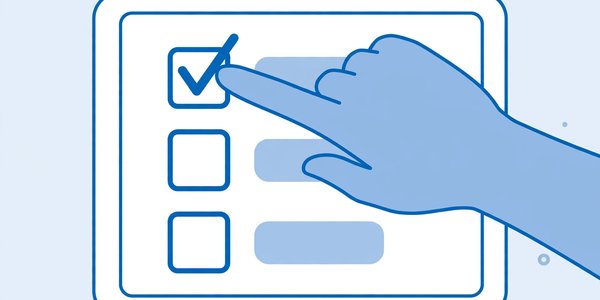
- Tick items off as you finish. Click the checkbox next to any completed item and watch it mark itself done. That tiny moment of satisfaction is the whole point. It proves progress on days when work feels endless. Your completed items stay visible so you can see how far you have come. On tough days, scroll back through your ticks for a well-earned morale boost.
- Reuse and share your lists. Great checklists deserve a second life. Duplicate your packing list for every trip, reuse your event planning list each year, or share a copy with family and coworkers. Building the list once and reusing it forever is where the real time savings live. Your future self will thank your past self for doing the thinking once.
Key Features
Our Checklist Maker is simple on the surface and smart underneath. Here are the features that make it a daily essential for staying organized.
- Unlimited checklists. Create as many lists as your life needs. Groceries, work projects, travel packing, workout routines, each gets its own checklist. Switch between them in one click and keep every area of your life organized in one place. No caps, no premium tiers, just lists.
- One-click checkboxes. Marking items done should feel good, not fiddly. Big touch-friendly checkboxes work perfectly with mouse or finger. One click ticks, another click unticks if you change your mind. Simple, fast, and satisfying every time. That little tick is a surprisingly powerful motivator.
- Drag and drop reordering. Priorities shift and plans change. Drag any item to a new position in seconds. Organize by urgency, by location, or by energy level. Your list always reflects reality, not the plan you made last Tuesday. Reordering a paper list means rewriting it. Here it takes one second.
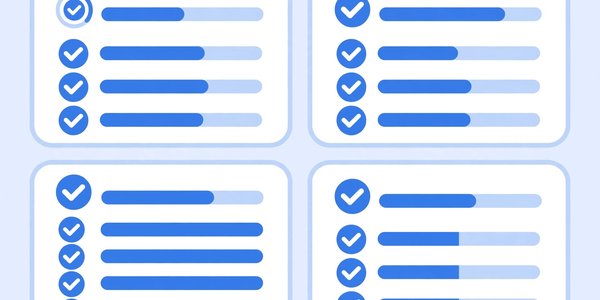
- Progress tracking. Watch your completion percentage climb as you tick items off. A visual progress bar turns a long list from intimidating to achievable. Seeing 80 percent done makes the last 20 percent feel easy instead of endless. Share your progress on team lists to keep everyone motivated.
- Auto-save everything. Every keystroke and every tick saves instantly. Close the tab mid-list and come back to find everything exactly as you left it. You will never lose a carefully built list to a crashed browser again. Saving is the tool’s job, not yours.
- Works on any device. Build a list on your laptop and tick items off on your phone at the store. The tool runs in any modern browser with a responsive design that feels native everywhere. Your checklists travel with you. No app to install and no updates to wait for.
- No signup needed. Start listing in seconds without creating an account. No email, no password, no confirmation links. Your lists stay private in your browser, and there is zero friction between thinking of a task and capturing it. Free means free, with no trial clock ticking.
- Duplicate and reuse lists. Turn any checklist into a reusable template with one click. Packing lists, weekly reviews, and event plans become repeatable systems instead of repeated work. Build it once, benefit forever. This single feature saves regular users hours every month.
Why Use Our Checklist Maker?
Human memory is unreliable, and that is not an insult. It is neuroscience. Your brain can hold about four things in working memory at once, which is why grocery trips without a list end with forgotten milk. A checklist moves the remembering out of your head and onto the screen, where nothing slips through the cracks.
The professionals figured this out decades ago. Aviation checklists have made flying one of the safest ways to travel. Hospitals use surgical checklists that have measurably reduced complications. If checklists work for landing planes and performing surgery, they can certainly handle your product launch, your house move, or your holiday dinner.
Our Checklist Maker beats paper lists because it adapts. Paper cannot reorder itself when plans change, cannot show you a progress bar, and cannot be duplicated for next time. It gets lost, rained on, and left on the kitchen counter. Your digital checklists reorder in seconds, track progress automatically, and wait for you on any device.
It also beats bloated project management apps for everyday lists. Those tools want you to create workspaces, invite teams, and learn their system before you can buy milk. Our tool opens to a blank list. For personal productivity and small team coordination, that speed is everything. The best system is the one you actually use, and you will actually use this one.
There is a motivational side too. Ticking boxes triggers a small release of dopamine, the brain chemical tied to reward. That is why finishing a checklist feels genuinely good. Each tick is a tiny celebration that pulls you toward the next one. Over a full day, those small rewards compound into serious momentum.
Tips for Best Results
Anyone can make a list. These tips will help you make lists that actually get finished.
- Break tasks into tiny steps. “Write report” sits on lists for weeks. “Draft introduction,” “add three charts,” and “proofread conclusion” get done today. If a step takes more than an hour, split it. Momentum loves small wins. Tiny steps also make it easier to start, which is half the battle.
- Order by context, not just priority. Group tasks by where or how you do them. All phone calls together, all errands together, all computer work together. Batching by context cuts transition time and keeps you in flow instead of bouncing around. Your list should match your real day, not an ideal one.
- Keep a daily top three. Long lists overwhelm. Each morning, pick the three items that would make today a win and move them to the top. Finish those and the day counts as successful, no matter what else happens. Everything beyond the top three is a bonus.
- Review and reset weekly. Spend ten minutes every Sunday reviewing your lists. Delete stale items, carry forward what matters, and admire everything marked done. A weekly reset keeps your system trustworthy, and a trustworthy system is one you will keep using. Stale items are just guilt with checkboxes. Let them go.
- Use templates for repeats. Packing, weekly planning, monthly bills, and event prep happen again and again. Save these as reusable checklists instead of rebuilding them. Each reuse compounds the time you saved the first time. Your future trips start packed before you even open the list.
- Celebrate the ticks. It sounds small, but acknowledging finished items trains your brain to enjoy completing work. Scroll through your done items at day’s end. That visible proof of progress fights the feeling that you did nothing all day. Productivity is partly a story you tell yourself. Make it a good one.
Frequently Asked Questions
Common questions about our free online Checklist Maker, answered.
Is the Checklist Maker really free?
Yes, completely free. No signup, no trial, no feature limits. A Tool Today offers this tool free because everyone deserves a simple way to stay organized. Create unlimited checklists and items without paying anything.
Complete List of All Free Online Tools
Browse the full directory of 450+ free tools. Click any tool name to use it instantly - no signup required.
| # | Tool Name | Category |
|---|---|---|
| 1 | A B Test Significance Calculator | Calculators & Converters |
| 2 | Acronym Generator | Utility Tools |
| 3 | Ad Copy Generator | Utility Tools |
| 4 | Add Page Numbers To PDF | PDF Tools |
| 5 | Add Subtitles To Video | Media Tools |
| 6 | Add Subtract Days Calculator | Calculators & Converters |
| 7 | Age Calculator | Calculators & Converters |
| 8 | Angle Converter | Calculators & Converters |
| 9 | API Request Tester | Utility Tools |
| 10 | Area Converter | Calculators & Converters |
| 11 | Article Rewriter | Utility Tools |
| 12 | Audio Converter | Calculators & Converters |
| 13 | Audio Merger | Media Tools |
| 14 | Audio Metadata Editor | Media Tools |
| 15 | Audio Pitch Changer | Media Tools |
| 16 | Audio Speed Changer | Media Tools |
| 17 | Audio To Text Converter | Calculators & Converters |
| 18 | Audio Trimmer | Media Tools |
| 19 | Avatar Maker | Utility Tools |
| 20 | Background Remover | Utility Tools |
| 21 | Backlink Checker | SEO Tools |
| 22 | Banner Maker | Utility Tools |
| 23 | Barcode Generator | Developer Tools |
| 24 | Base64 Encoder Decoder | Developer Tools |
| 25 | Bass Booster | Utility Tools |
| 26 | Bibliography Generator | Utility Tools |
| 27 | Bill Splitter | Utility Tools |
| 28 | Binary Converter | Calculators & Converters |
| 29 | Binary To Text Converter | Calculators & Converters |
| 30 | Birthday Countdown | Date & Time Tools |
| 31 | Bmi Calculator | Calculators & Converters |
| 32 | Bmr Calculator | Calculators & Converters |
| 33 | Body Fat Calculator | Calculators & Converters |
| 34 | Body Surface Area Calculator | Calculators & Converters |
| 35 | Book Title Generator | Utility Tools |
| 36 | Brand Color Finder | Color Tools |
| 37 | Brand Kit Generator | Utility Tools |
| 38 | Break Even Calculator | Calculators & Converters |
| 39 | Broken Link Checker | Utility Tools |
| 40 | Browser Info Checker | Utility Tools |
| 41 | Budget Planner | Utility Tools |
| 42 | Business Card Designer | Utility Tools |
| 43 | Business Card Maker | Utility Tools |
| 44 | Business Days Calculator | Calculators & Converters |
| 45 | Business Name Generator | Utility Tools |
| 46 | Business Proposal Generator | Utility Tools |
| 47 | Button Generator | Utility Tools |
| 48 | Buyer Persona Generator | Utility Tools |
| 49 | Calorie Calculator | Calculators & Converters |
| 50 | Captcha Generator | Utility Tools |
Do I need an account to save my lists?
No. Your checklists save automatically in your browser with no account required. Open the tool and your lists are there. This keeps your data private and removes all friction from getting started.
Can I use it on my phone?
Yes. The Checklist Maker works in any modern mobile browser with large touch-friendly checkboxes. Build lists on your computer and check items off while you are out, or do everything from your phone.
How is this different from a notes app?
Notes apps store text. Our tool is built for action. Checkboxes, progress bars, drag and drop reordering, and reusable templates are designed around finishing tasks, not just writing them down. If your goal is getting things done, a dedicated checklist wins.
Can I share a checklist with someone?
The tool focuses on fast personal lists, so lists live in your browser. To share, copy the list text into an email or message, or take a screenshot. Many users build the list here for speed, then paste it wherever their team collaborates.
What happens if I close my browser?
Nothing bad. Everything saves automatically as you type and tick. Reopen the tool and your checklists appear exactly as you left them, with all progress intact.
Can I make templates for repeated lists?
Yes. Duplicate any checklist to reuse it as a template. Packing lists, cleaning routines, and project kickoffs become one-click systems. Regular users say this feature alone saves them hours every month.
How many items can a checklist hold?
There is no hard limit, so build lists as long as you need. For best results, though, keep daily lists under fifteen items. Shorter lists get finished. Longer lists become reference documents, which is fine too, just give them a clear title.
Can I add notes or details to an item?
Yes. Items support extra detail text for addresses, links, quantities, or anything else you need at task time. The detail stays tucked under the item until you need it, so your list stays clean while holding everything important.
Is my checklist data private?
Yes. Your lists are stored locally in your own browser, not on a remote server. Nobody else can see them unless you choose to share. For personal tasks and private projects, that local storage is exactly what you want.
Table of Contents
What is Checklist Maker?
The checklist maker is a free online tool that helps you with checklist maker tasks quickly and accurately. Our checklist maker is designed to be simple, fast, and reliable. Whether you need a checklist maker for personal use or professional work, this free checklist maker delivers instant results without any signup or download required.
How to Use the Checklist Maker
Using our checklist maker is easy. Simply open the checklist maker tool above, enter your input, and get instant results. The checklist maker processes everything in your browser for maximum privacy and speed. No technical knowledge is needed to use this checklist maker effectively.
Benefits of Using Our Checklist Maker
Our free checklist maker offers many advantages. It is completely free to use, requires no registration, works on all devices, and provides accurate results instantly. The checklist maker is updated regularly to ensure the best performance. For more information about checklist maker, you can Learn more about checklist maker on Wikipedia.
Frequently Asked Questions About Checklist Maker
Is the checklist maker really free? Yes, our checklist maker is 100% free with no hidden costs or premium tiers.
Do I need to create an account to use the checklist maker? No, the checklist maker works instantly without any signup or login required.
