Case Converter
Have you ever received a document where every heading was written in ALL CAPS and you had to fix it by retyping each one? Or pasted a list of names that arrived in lowercase when your style guide demands Title Case? Fixing capitalization by hand is slow, boring, and easy to mess up. One missed letter and the whole thing looks sloppy to anyone who reads it.
A case converter fixes this problem in one click. You paste your text, choose the style you want, and the tool rewrites every letter in the correct case instantly. Our free online case converter supports all the common styles: UPPERCASE, lowercase, Title Case, Sentence case, and a few fun ones like aLtErNaTiNg case for playful social posts.
Writers use it to clean up messy drafts. Marketers use it to format headlines and email subject lines. Developers use it to create constants and standardize variable names. Students use it to fix essays before submitting. Data entry teams use it to standardize thousands of spreadsheet cells in seconds. If your work involves text, this tool will save you real time every single week. Below you will find a step by step guide, every feature explained, practical tips, and answers to the questions people ask most.
There is also a quiet productivity angle most people miss. Every minute you spend retyping text to fix its case is a minute stolen from actual thinking. Once you make the converter part of your routine, cleanup becomes a reflex. In the sections below, you will see the mistakes that trip people up, advanced workflows from power users, and answers to common questions.

How to Use Case Converter
There is nothing to install and no account to create. The tool runs entirely in your browser and converts text the instant you ask it to. Here is how it works.
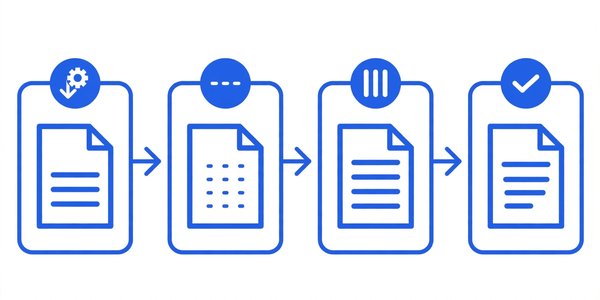
- Open the case converter tool. Load the tool page on your phone, tablet, or computer. It works in all modern browsers and the interface appears instantly. You can start converting within seconds of arriving.
- Paste or type your text into the box. Drop in anything from a single headline to a full article. Line breaks, blank lines, and paragraph structure are preserved, so your text keeps its shape. Numbers, punctuation, and symbols pass through untouched.
- Choose the case style you need. Pick UPPERCASE for headings and warnings, lowercase for URLs and social handles, Title Case for headlines and titles, or Sentence case for normal prose. Each button shows a small preview so you always know what you are getting before you commit.
- Click the convert button. Your text transforms instantly. There is no waiting, no page reload, and no progress bar. Long documents convert just as fast as short ones.
- Review the converted result. Scan for proper nouns or acronyms that need a manual touch, since the tool cannot know that a word like apple refers to the company. Title Case keeps small words like and, the, and of in lowercase, which matches standard headline style guides.
- Copy your text or start over. Use the copy button to move the converted text straight into your document, email, or spreadsheet. The clear button empties the box so you can convert the next batch. Your formatting and line breaks travel with the copied text.
Key Features
- Seven case styles: UPPERCASE, lowercase, Title Case, Sentence case, Capitalized Case, aLtErNaTiNg case, and tOGGLE cASE cover every common formatting need in one place.
- Instant one click conversion: Select a style and your text transforms immediately. No waiting, no reloads, no fuss.
- Preserves line breaks: Paragraphs, lists, and blank lines survive conversion exactly as you wrote them, so your structure stays intact.
- Handles long documents: Convert a single headline or an entire ebook chapter with the same speed and reliability.
- Smart title casing: Small words like and, the, and of stay lowercase in Title Case, matching the rules used by professional headline style guides.
- Completely private: Conversion runs locally in your browser. Your text never touches a server and is never stored anywhere.
- Mobile friendly design: The buttons are large and the layout adapts to small screens, so converting text on a phone is quick and painless.
- One click copy and clear: Grab your finished result instantly or reset the box for the next batch of text.

Why Use Our Case Converter?
Bad capitalization is one of those small things that makes a big impression. An email subject in all caps feels like shouting. A report with random capitalization looks careless. A product list where every item uses a different style looks unprofessional. Readers notice these details even when they cannot name what bothers them, and the fix takes far longer by hand than most people expect.
Our case converter turns a tedious chore into a two second task. Marketing teams use it to standardize email subject lines and ad headlines across campaigns. Developers use it to convert phrases into CONSTANT_CASE or camelCase for code. Content teams use it to clean up user submitted text before publishing. Students use it to rescue essays typed with the caps lock key stuck on. Data teams use it to normalize thousands of rows so every name and city follows the same style.
It also helps with accessibility and readability. Long passages in all caps are harder to read and can be a real problem for people with dyslexia. Converting shouty text to sentence case makes your content friendlier to every reader. Social media managers even use the alternating case style for playful posts that stand out in a crowded feed.
Like all our tools, it is free, fast, and private. No signup, no download, no watermarks, and no limits on how much you convert. Your text stays on your device from start to finish, so even sensitive documents are safe to process here.
Tips for Best Results
- Pick the right style for the job. Use Title Case for headlines, Sentence case for body text, UPPERCASE sparingly for short labels, and lowercase for URLs and usernames.
- Fix proper nouns after converting. The tool cannot tell brands, names, and acronyms apart from ordinary words, so give the result a quick scan and capitalize what needs it.
- Use lowercase for anything technical. Web addresses, email addresses, hashtags, and code are case sensitive in many systems, so lowercase keeps them working correctly.
- Avoid long passages in all caps. Uppercase text is harder to read and feels aggressive. Reserve it for short headings and warnings, then convert the rest to sentence case.
- Batch your conversions. Paste a whole list or document at once instead of converting line by line. The tool handles bulk text easily and you will finish much faster.
- Double check title case output. Style guides disagree on edge cases, so if you follow AP or Chicago style strictly, review the small words before publishing.
Common Mistakes to Avoid
Case conversion is fast, but a careless click can create new problems. Watch out for these common mistakes.
- Converting without proofreading first. The tool changes letter case, not spelling or grammar. If you convert a draft full of typos, you simply get tidy looking typos. Proofread first, convert second, and your final text will be clean in every sense.
- Using UPPERCASE for long passages. All caps text is harder to read, looks like shouting, and can cause real trouble for readers with dyslexia. Reserve uppercase for short headings, labels, and warnings, then convert body text to sentence case.
- Trusting Title Case with brand names and acronyms. Automatic title casing cannot know that iPhone, eBay, or NASA break the normal rules. After converting, scan for proper nouns, product names, and acronyms, and fix them by hand in seconds.
- Forgetting that URLs and code are case sensitive. Web addresses, email addresses, hashtags, and programming identifiers often depend on exact casing. Converting a URL to uppercase can break it completely. Keep technical strings in lowercase unless the system says otherwise.
- Applying the wrong style to headlines. Headline style keeps small words like and, the, and of in lowercase, while some guides capitalize everything. If you publish under a strict style guide such as AP or Chicago, review the output before it goes live.
- Converting line by line instead of in bulk. The tool handles entire documents at once with the same speed as a single word. Pasting everything in one go saves far more time than converting piece by piece.
Advanced Tips and Real-World Use Cases
Developers use case conversion to move between naming conventions in code. A feature description in plain English becomes UPPER_SNAKE_CASE for constants or camelCase for variables in seconds. This keeps codebases consistent without anyone retyping identifiers by hand.
Marketing teams standardize campaign assets with a quick conversion pass. Email subject lines, ad headlines, and landing page headings often arrive from different writers in different styles. Running them all through Title Case unifies the campaign and removes the visual noise that makes brands look sloppy.
Data teams normalize thousands of spreadsheet rows before import. Customer names, city names, and product titles arrive in mixed case from forms and old systems. Converting everything to a single style prevents duplicate records and makes search and filtering behave correctly.
Content editors rescue messy user submissions before publishing. Comments, reviews, and forum posts typed in all caps or no caps get converted to sentence case, which instantly lifts readability. Paired with a quick proofread, this turns raw submissions into publishable content in under a minute.
Complete List of All Free Online Tools
Browse the full directory of 450+ free tools. Click any tool name to use it instantly - no signup required.
| # | Tool Name | Category |
|---|---|---|
| 1 | A B Test Significance Calculator | Calculators & Converters |
| 2 | Acronym Generator | Utility Tools |
| 3 | Ad Copy Generator | Utility Tools |
| 4 | Add Page Numbers To PDF | PDF Tools |
| 5 | Add Subtitles To Video | Media Tools |
| 6 | Add Subtract Days Calculator | Calculators & Converters |
| 7 | Age Calculator | Calculators & Converters |
| 8 | Angle Converter | Calculators & Converters |
| 9 | API Request Tester | Utility Tools |
| 10 | Area Converter | Calculators & Converters |
| 11 | Article Rewriter | Utility Tools |
| 12 | Audio Converter | Calculators & Converters |
| 13 | Audio Merger | Media Tools |
| 14 | Audio Metadata Editor | Media Tools |
| 15 | Audio Pitch Changer | Media Tools |
| 16 | Audio Speed Changer | Media Tools |
| 17 | Audio To Text Converter | Calculators & Converters |
| 18 | Audio Trimmer | Media Tools |
| 19 | Avatar Maker | Utility Tools |
| 20 | Background Remover | Utility Tools |
| 21 | Backlink Checker | SEO Tools |
| 22 | Banner Maker | Utility Tools |
| 23 | Barcode Generator | Developer Tools |
| 24 | Base64 Encoder Decoder | Developer Tools |
| 25 | Bass Booster | Utility Tools |
| 26 | Bibliography Generator | Utility Tools |
| 27 | Bill Splitter | Utility Tools |
| 28 | Binary Converter | Calculators & Converters |
| 29 | Binary To Text Converter | Calculators & Converters |
| 30 | Birthday Countdown | Date & Time Tools |
| 31 | Bmi Calculator | Calculators & Converters |
| 32 | Bmr Calculator | Calculators & Converters |
| 33 | Body Fat Calculator | Calculators & Converters |
| 34 | Body Surface Area Calculator | Calculators & Converters |
| 35 | Book Title Generator | Utility Tools |
| 36 | Brand Color Finder | Color Tools |
| 37 | Brand Kit Generator | Utility Tools |
| 38 | Break Even Calculator | Calculators & Converters |
| 39 | Broken Link Checker | Utility Tools |
| 40 | Browser Info Checker | Utility Tools |
| 41 | Budget Planner | Utility Tools |
| 42 | Business Card Designer | Utility Tools |
| 43 | Business Card Maker | Utility Tools |
| 44 | Business Days Calculator | Calculators & Converters |
| 45 | Business Name Generator | Utility Tools |
| 46 | Business Proposal Generator | Utility Tools |
| 47 | Button Generator | Utility Tools |
| 48 | Buyer Persona Generator | Utility Tools |
| 49 | Calorie Calculator | Calculators & Converters |
| 50 | Captcha Generator | Utility Tools |
Support and community teams use the converter to tidy incoming messages before they reach a knowledge base. Tickets written in all caps or with no capitalization get normalized to sentence case, which makes them easier to search and far less tiring for agents to read. Over hundreds of tickets a week, this small cleanup pass saves real eye strain and keeps response quality high across the whole team.
Frequently Asked Questions
Is the case converter free to use?
Yes, it is completely free with no usage limits. Convert as much text as you want, as often as you want, without creating an account. There is no premium version and no features locked behind a paywall. We keep it simple and open for everyone.
Which case styles are supported?
The tool supports seven styles: UPPERCASE, lowercase, Title Case, Sentence case, Capitalized Case, aLtErNaTiNg case, and tOGGLE cASE. This covers everything from professional documents to playful social media posts. Each option converts your entire text consistently in a single click. Most people only need two or three of them, but having all seven in one place means you never switch tools mid task.
Will it fix my grammar or spelling?
No. The case converter only changes the capitalization of letters. It does not check spelling, fix grammar, or rearrange your sentences. Think of it as a formatting tool, not an editor. For best results, proofread your text first, then convert the case as the final step. Pairing it with a spell checker gives you clean language and clean formatting in two quick passes.
How does it handle proper nouns and acronyms?
The tool applies the same rule to every word, so it cannot know that NASA should stay uppercase or that iPhone has unusual capitalization. After converting, scan your text and fix brand names, personal names, and acronyms by hand. This quick review takes seconds and keeps your writing accurate.
Is my text kept private?
Yes. The conversion happens entirely in your browser, and your text is never sent to our servers or stored anywhere. You can safely convert confidential reports, private emails, and unpublished work without worrying about who might see it.
Can I use it on my mobile phone?
Absolutely. The tool is fully responsive with large, touch friendly buttons. Paste text from any app, convert it, and copy the result back. The whole process takes seconds on a phone, which is perfect for fixing a post while you are on the go.
Does it change numbers, symbols, or emojis?
No. Only letters are affected by the conversion. Numbers, punctuation marks, symbols, and emojis pass through exactly as they were. Your line breaks and paragraph spacing are preserved too, so the structure of your document never changes. This makes it safe for mixed content like social bios, where emojis and links sit alongside your words.
Can I convert very long documents?
Yes. There is no word or character limit, so you can convert anything from a tweet to a full manuscript. The conversion is instant even for large texts, because all the work happens locally on your device rather than on a distant server.
Table of Contents
What is Case Converter?
The case converter is a free online tool that helps you with case converter tasks quickly and accurately. Our case converter is designed to be simple, fast, and reliable. Whether you need a case converter for personal use or professional work, this free case converter delivers instant results without any signup or download required.
How to Use the Case Converter
Using our case converter is easy. Simply open the case converter tool above, enter your input, and get instant results. The case converter processes everything in your browser for maximum privacy and speed. No technical knowledge is needed to use this case converter effectively.
Benefits of Using Our Case Converter
Our free case converter offers many advantages. It is completely free to use, requires no registration, works on all devices, and provides accurate results instantly. The case converter is updated regularly to ensure the best performance. For more information about case converter, you can Learn more about case converter on Wikipedia.
Frequently Asked Questions About Case Converter
Is the case converter really free? Yes, our case converter is 100% free with no hidden costs or premium tiers.
Do I need to create an account to use the case converter? No, the case converter works instantly without any signup or login required.
