Monthly Budget Planner
Most money stress does not come from earning too little. It comes from not knowing exactly where your money goes each month. You glance at your bank balance, feel a little confused, and wonder how a full paycheck vanished in three weeks. Rent, groceries, subscriptions, takeout, that one impulse buy. It all adds up faster than anyone expects. The good news is that a clear monthly budget fixes this problem, and it takes far less effort than you think. Our free Monthly Budget Planner from A Tool Today gives you a simple way to map out your income and expenses in one place. You type in what you earn, list what you spend, and instantly see where every dollar goes. There is no spreadsheet to build, no app to download, and no account to create. The planner works right in your browser on any device, and your numbers stay private because nothing is uploaded or stored. Whether you are saving for a trip, paying down debt, or just tired of running out of money before payday, this tool gives you the clarity to take control. In this guide, you will learn exactly how to use it, which features make budgeting painless, and the smartest tips for sticking to your plan month after month.

How to Use Monthly Budget Planner
Using the Monthly Budget Planner is refreshingly simple. You do not need accounting skills or finance knowledge. Just follow these six steps, and you will have a complete monthly budget in under ten minutes.
- Enter your total monthly income. Add up every source of money you receive in a typical month. Your salary after taxes is the big one, but do not forget side gigs, freelance payments, rental income, or regular support from family. If your income changes month to month, use an average of the last three months so your budget reflects reality instead of your best month. Enter the total into the income field at the top of the planner. This number is the foundation of everything else, so take a moment to be accurate. Overestimating your income is the most common budgeting mistake, and it quietly makes every later step less reliable.
- List your fixed expenses. Fixed expenses are the bills that stay roughly the same every month. Rent or mortgage payments, car payments, insurance premiums, phone bills, internet service, and subscriptions all belong here. Go through your bank statements from the last two months and write down each one so nothing slips through the cracks. These costs are predictable, which makes them the easiest part of your budget to plan with confidence. The planner totals them automatically, so you can see at a glance how much of your income is already spoken for before the month even begins.
- Add your variable expenses. Variable expenses change from month to month, and they are where most budgets leak money without anyone noticing. Groceries, fuel or transit fares, dining out, entertainment, clothing, and personal care all fit in this category. Be honest with yourself here. Check your recent spending to find realistic numbers instead of wishful ones. Many people discover they spend twice as much on food delivery as they guessed. The planner makes these patterns visible in seconds, and seeing the pattern is the first step toward changing it.
- Set your savings target. Paying yourself first is the habit that separates successful budgets from failed ones. Decide how much you want to save each month, even if it is a small amount to start. An emergency fund, a vacation, a new laptop, or long term investing all count as worthy goals. Enter your savings goal as its own line item, right alongside your bills. Treating savings as a non negotiable expense means it actually happens, instead of being whatever is left over at month end, which is usually nothing.
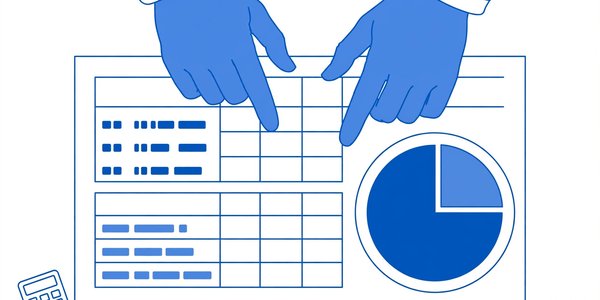
- Review your budget summary. Once everything is entered, the planner shows your complete financial picture. Total income, total expenses, total savings, and the amount left over appear in one clean summary. If the leftover number is positive, you have a surplus to save or spend guilt free. If it is negative, you are spending more than you earn, and the category breakdown shows exactly where to trim. This moment of clarity is the whole point of budgeting, and the automatic calculations deliver it in seconds.
- Adjust, save, and revisit every month. A budget is a living document, not a one time chore. If a category feels too tight, move money from a lower priority area and watch the totals update instantly. Save or bookmark your budget so you can return to it easily, then revisit it at the start of each month. Life changes, prices rise, and goals evolve. Spending five minutes updating your planner each month keeps it accurate and keeps you in control all year long.
Key Features
The Monthly Budget Planner is packed with thoughtful features that make budgeting quick, clear, and even enjoyable. Here is what you get.
- Instant automatic calculations. Every number updates the moment you type. Add an expense and your remaining balance adjusts immediately. There are no formulas to write and no spreadsheets to fix. The real time math keeps you focused on decisions instead of arithmetic.
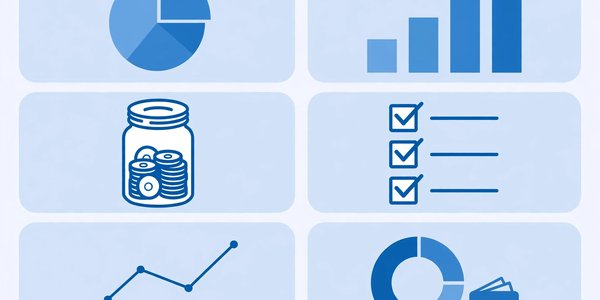
- Clear income versus expense breakdown. The planner separates your money into simple categories so you can see exactly how income compares to spending. This visual clarity makes it easy to spot when one category is quietly eating too much of your paycheck.
- Built in savings goal tracking. Savings get their own dedicated section instead of being an afterthought. Set a monthly target and watch your progress build over time. Seeing the numbers grow keeps you motivated to stick with the plan even when temptation strikes.
- Visual charts and summaries. Clean charts turn your raw numbers into an easy to read picture of your finances. A quick glance reveals your biggest spending categories, which is far more powerful than staring at a long list of figures.
- No signup or download required. You can start budgeting in seconds. There is no account to create, no app to install, and no email address to hand over. Just open the page and begin typing your numbers.
- Works on every device. Plan your budget on your laptop at home or tweak it on your phone while waiting in line. The planner is fully mobile friendly, so your budget is always within reach whenever you need to check it.
- Completely free forever. Every feature is free with no premium tier hiding the good stuff behind a paywall. Budgeting should help you save money, not cost you money, and A Tool Today keeps it that way for every user.
- Private by design. Your financial details are sensitive, so the planner runs entirely in your browser. Nothing is uploaded to a server or stored anywhere online, which means your numbers stay yours alone from start to finish.
Why Use Our Monthly Budget Planner?
Spreadsheets are powerful, but building a budget spreadsheet from scratch is a project most people never finish. Banking apps show your past spending, but they rarely help you plan the month ahead. Paid budgeting apps charge monthly fees, which feels backwards when you are trying to save money. Our Monthly Budget Planner sits in the sweet spot between all of these options. It is structured enough to guide beginners, flexible enough to fit any lifestyle, and free enough to start using right now. Students managing their first paycheck, families juggling rent and childcare, freelancers with unpredictable income, and retirees on fixed budgets all get value from the same simple layout. The real benefit is behavioral. When you write down every expense before the month starts, you spend more intentionally. That coffee run becomes a conscious choice instead of a reflex. Impulse purchases drop because you can see their impact on your savings goal instantly. Over a few months, these small decisions compound into real progress. An emergency fund appears. Credit card balances shrink. The anxiety of checking your bank balance fades because you already know what the number should be. Budgeting is not about restriction. It is about alignment, making sure your money flows toward the life you actually want. Our planner gives you that alignment in minutes, and it costs nothing to try. Thousands of people put off budgeting because it sounds complicated or boring. This tool removes both excuses. Ten minutes, zero cost, total clarity. That is a trade anyone can make.
Tips for Best Results
A tool is only as good as how you use it. These six tips will help you get the most from your Monthly Budget Planner.
- Be brutally honest about your spending. A budget built on fantasy numbers will collapse by the second week. Pull up your actual bank and card statements when filling in expenses. The truth might sting a little, but it is the only foundation that produces real results.
- Try the 50/30/20 rule. Aim to spend about 50 percent of income on needs, 30 percent on wants, and 20 percent on savings and debt payoff. This simple framework keeps your budget balanced without forcing you to micromanage every single dollar.
- Track the small leaks. Forgotten subscriptions, daily snacks, and impulse app purchases quietly drain hundreds each month. List every small recurring cost in the planner so nothing stays hidden in the background.
- Review your budget weekly. A quick five minute check each week catches overspending early, while you can still correct it. Monthly reviews are good, but weekly reviews are what actually keep budgets on track through real life.
- Build an emergency fund first. Before chasing exciting goals, save one month of expenses as a buffer. Unexpected car repairs and medical bills will not wreck your budget when you have a cushion waiting.
- Automate your savings. Set up an automatic transfer on payday that matches the savings target in your planner. Money you never see is money you never miss, and your budget practically runs itself from there.
Frequently Asked Questions
Here are the answers to the questions people ask most about the Monthly Budget Planner.
Is the Monthly Budget Planner really free?
Yes, completely free with no hidden costs, no trial period, and no premium version waiting to upsell you. A Tool Today believes helpful financial tools should be available to everyone, so every feature is unlocked from the moment you open the page.
Do I need to create an account to use it?
No account, no email address, and no download. The planner opens instantly in your browser and you can start entering numbers right away. We removed every barrier between you and a better budget on purpose.
Is my financial information kept private?
Yes. All calculations happen in your own browser, and none of your numbers are sent to our servers or stored anywhere online. When you close the page, your data goes with you, which keeps sensitive financial information fully under your control.
Complete List of All Free Online Tools
Browse the full directory of 450+ free tools. Click any tool name to use it instantly - no signup required.
| # | Tool Name | Category |
|---|---|---|
| 1 | A B Test Significance Calculator | Calculators & Converters |
| 2 | Acronym Generator | Utility Tools |
| 3 | Ad Copy Generator | Utility Tools |
| 4 | Add Page Numbers To PDF | PDF Tools |
| 5 | Add Subtitles To Video | Media Tools |
| 6 | Add Subtract Days Calculator | Calculators & Converters |
| 7 | Age Calculator | Calculators & Converters |
| 8 | Angle Converter | Calculators & Converters |
| 9 | API Request Tester | Utility Tools |
| 10 | Area Converter | Calculators & Converters |
| 11 | Article Rewriter | Utility Tools |
| 12 | Audio Converter | Calculators & Converters |
| 13 | Audio Merger | Media Tools |
| 14 | Audio Metadata Editor | Media Tools |
| 15 | Audio Pitch Changer | Media Tools |
| 16 | Audio Speed Changer | Media Tools |
| 17 | Audio To Text Converter | Calculators & Converters |
| 18 | Audio Trimmer | Media Tools |
| 19 | Avatar Maker | Utility Tools |
| 20 | Background Remover | Utility Tools |
| 21 | Backlink Checker | SEO Tools |
| 22 | Banner Maker | Utility Tools |
| 23 | Barcode Generator | Developer Tools |
| 24 | Base64 Encoder Decoder | Developer Tools |
| 25 | Bass Booster | Utility Tools |
| 26 | Bibliography Generator | Utility Tools |
| 27 | Bill Splitter | Utility Tools |
| 28 | Binary Converter | Calculators & Converters |
| 29 | Binary To Text Converter | Calculators & Converters |
| 30 | Birthday Countdown | Date & Time Tools |
| 31 | Bmi Calculator | Calculators & Converters |
| 32 | Bmr Calculator | Calculators & Converters |
| 33 | Body Fat Calculator | Calculators & Converters |
| 34 | Body Surface Area Calculator | Calculators & Converters |
| 35 | Book Title Generator | Utility Tools |
| 36 | Brand Color Finder | Color Tools |
| 37 | Brand Kit Generator | Utility Tools |
| 38 | Break Even Calculator | Calculators & Converters |
| 39 | Broken Link Checker | Utility Tools |
| 40 | Browser Info Checker | Utility Tools |
| 41 | Budget Planner | Utility Tools |
| 42 | Business Card Designer | Utility Tools |
| 43 | Business Card Maker | Utility Tools |
| 44 | Business Days Calculator | Calculators & Converters |
| 45 | Business Name Generator | Utility Tools |
| 46 | Business Proposal Generator | Utility Tools |
| 47 | Button Generator | Utility Tools |
| 48 | Buyer Persona Generator | Utility Tools |
| 49 | Calorie Calculator | Calculators & Converters |
| 50 | Captcha Generator | Utility Tools |
What if my income changes every month?
The planner works great for freelancers, gig workers, and anyone with irregular pay. Enter an average of your last three months as your income and build your budget around that number. In higher earning months, send the extra straight to savings instead of letting your spending expand to match.
What is the 50/30/20 budgeting rule?
It is a simple guideline where 50 percent of your after tax income covers needs like rent and groceries, 30 percent covers wants like dining out and hobbies, and 20 percent goes to savings and debt repayment. It gives beginners a balanced starting point that is easy to remember and apply.
Can I use the planner on my phone?
Absolutely. The Monthly Budget Planner is fully responsive and works smoothly on phones, tablets, and desktop computers. Many users update their budgets on the go, which makes sticking to the plan much easier in daily life.
My expenses are higher than my income. What should I do?
First, do not panic. A negative balance simply means your budget needs adjusting, and the planner shows exactly where the problem lives. Look at your biggest variable categories first. Dining, entertainment, and shopping are common culprits. Trim them until income covers expenses, then work on growing income or reducing fixed costs over time.
Table of Contents
What is Monthly Budget Planner?
The monthly budget planner is a free online tool that helps you with monthly budget planner tasks quickly and accurately. Our monthly budget planner is designed to be simple, fast, and reliable. Whether you need a monthly budget planner for personal use or professional work, this free monthly budget planner delivers instant results without any signup or download required.
How to Use the Monthly Budget Planner
Using our monthly budget planner is easy. Simply open the monthly budget planner tool above, enter your input, and get instant results. The monthly budget planner processes everything in your browser for maximum privacy and speed. No technical knowledge is needed to use this monthly budget planner effectively.
Benefits of Using Our Monthly Budget Planner
Our free monthly budget planner offers many advantages. It is completely free to use, requires no registration, works on all devices, and provides accurate results instantly. The monthly budget planner is updated regularly to ensure the best performance. For more information about monthly budget planner, you can Learn more about monthly budget planner on Wikipedia.
Frequently Asked Questions About Monthly Budget Planner
Is the monthly budget planner really free? Yes, our monthly budget planner is 100% free with no hidden costs or premium tiers.
Do I need to create an account to use the monthly budget planner? No, the monthly budget planner works instantly without any signup or login required.
