CDN Detector
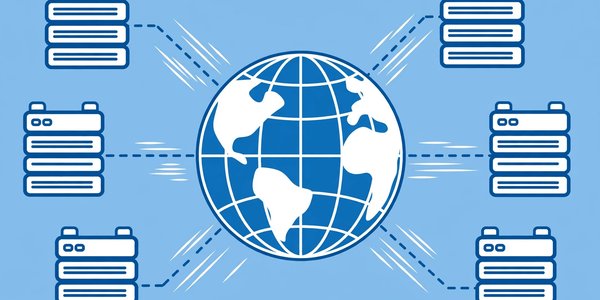
Have you ever visited a website that loads lightning fast no matter where you are in the world, and wondered how it does it? The secret is very often a content delivery network, usually called a CDN. A CDN is a global network of servers that stores copies of a website’s images, scripts, and pages close to visitors, so content travels a short distance instead of crossing the planet. Big names like Cloudflare, Akamai, Amazon CloudFront, Fastly, and Cloudflare’s competitors power a huge share of the modern web, speeding up sites, absorbing traffic spikes, and blocking attacks before they reach the origin server. Knowing which CDN a website uses tells you a lot about how that site is built, how seriously its owners take performance, and which technologies sit between you and the content. Our CDN Detector from A Tool Today reveals this information in seconds. Enter any website address and the tool analyzes its network fingerprints to identify the CDN behind it. Whether you are a developer researching how competitors achieve their speed, a business owner evaluating providers for your own site, or simply a curious visitor who wants to understand the web better, this free online tool gives you instant answers with no signup and no technical setup.
You might wonder why the CDN behind a website matters to anyone besides network engineers. The answer is that delivery infrastructure shapes user experience in ways visitors feel but rarely identify. A news site that stays fast during breaking news, an online store that survives a viral sale without crashing, a video platform that streams smoothly on a slow mobile connection: these outcomes usually trace back to a well chosen CDN. When you can detect which network powers any site, you gain insight into the decisions behind that performance. Students use the detector to connect classroom concepts to real websites. Freelancers use it to justify infrastructure recommendations with evidence from industry leaders. And curious minds use it simply because understanding how the web works makes the internet a more interesting place.
How to Use CDN Detector
Detecting a website’s CDN sounds like advanced network forensics, but our tool handles all the detective work for you. It examines response headers, IP ranges, DNS patterns, and other technical fingerprints automatically, then reports the CDN in plain language. Here is how to use it.
- Enter the website URL. Type or paste the full address of the site you want to analyze, for example https://example.com. The tool accepts addresses with or without the https prefix, so you can keep it simple.
- Run the detection. Click the analyze button to start. The tool fetches the site and inspects its network level clues, including server response headers, TLS certificate details, and the IP addresses serving the content.
- Read the CDN result. Within seconds you will see the name of the detected CDN, such as Cloudflare, Akamai, Fastly, Amazon CloudFront, or another provider. The result is presented clearly so you do not need networking knowledge to understand it.
- Review supporting evidence. Alongside the main result, the tool shows the technical signals behind the detection, like characteristic response headers or known CDN IP ranges. This transparency lets you trust the answer and learn what to look for yourself.
- Compare multiple sites. Run the detector on competitor websites, on your own site before and after a migration, or on sites you admire. Comparing results side by side reveals patterns in how different businesses approach performance.
- Note when no CDN is found. Some websites serve everything directly from a single origin server with no CDN in front. That is also a useful finding. It often explains slow load times for distant visitors and highlights an easy performance win for the site owner.
Once you are comfortable with single detections, start building comparison habits. Keep a simple list of the CDNs used by the top ten sites in your industry and update it twice a year. You will notice migrations, new entrants, and providers falling out of favor, all of which inform your own infrastructure timing. Share interesting findings with your team, because a concrete example of a competitor’s setup often convinces stakeholders faster than any benchmark report.

Key Features
- Instant CDN identification. Detect the content delivery network behind any public website in seconds. The analysis runs in real time against live data, so results reflect the site’s current setup.
- Wide provider coverage. The detector recognizes all major CDN providers, including Cloudflare, Akamai, Amazon CloudFront, Fastly, Google Cloud CDN, Microsoft Azure CDN, and many regional and niche networks.
- Header and fingerprint analysis. Instead of guessing, the tool examines real technical evidence such as server response headers, certificate issuers, and IP address ranges known to belong to CDN operators.
- Origin server insight. In many cases the analysis also hints at the underlying hosting setup behind the CDN layer, giving you a fuller picture of the site’s infrastructure.
- Competitor research friendly. Quickly profile the delivery setup of any rival website. Understanding which CDN successful competitors trust helps you shortlist providers with confidence.
- Migration verification. Just switched your own site to a new CDN? Run the detector to confirm the change is live and visible to the outside world, exactly as visitors experience it.
- No signup or software. Everything happens in your browser. There is no account to create, no extension to install, and no command line to learn.
- Free for everyone. Run as many detections as you need at no cost. Students, freelancers, agencies, and curious minds all get the same full functionality.
The detector is also built for repeat use in professional workflows. Results load fast enough to check dozens of sites in a research session, the evidence section teaches you to recognize CDN fingerprints on your own, and the clean mobile layout means you can investigate a site the moment someone mentions it, even away from your desk. Because every detection runs against live data, your competitive research always reflects current reality rather than last quarter’s assumptions.
Why Use Our CDN Detector?
Speed is no longer a nice extra for websites. It directly affects search rankings, conversion rates, and whether visitors stay or leave. Studies consistently show that even a one second delay can noticeably reduce conversions, and mobile users are the least patient of all. A CDN is the single most effective way to cut that delay for a global audience, which is why detecting CDN usage has become a standard step in website audits. Our CDN Detector lets you perform that step on any site in seconds, turning a task that once required networking expertise into something anyone can do.
For business owners and marketers, the tool answers a practical question: what are the fast sites in my industry doing that I am not? If every top ranking competitor sits behind Cloudflare or Fastly while your site serves everything from one server, you have found a concrete, fixable reason for a performance gap. You can take the detection result straight into a conversation with your developer or hosting provider and ask for the same level of delivery. It also helps you evaluate agencies and freelancers. When someone claims they optimized your site for speed, a quick detection confirms whether a CDN is actually in place.
For developers and students, the detector is a learning instrument. The modern web is a stack of layers, and CDNs are one of the most important ones. By checking sites you admire and reading the supporting evidence the tool shows, you start recognizing the fingerprints yourself: the cf-ray headers, the Akamai edge markers, the CloudFront domain patterns. That knowledge compounds every time you audit a site. And because the tool is free and instant, there is no friction between curiosity and answer. Ask the question, get the result, and keep building your understanding of how the fast web really works.
There is a strategic angle too. Infrastructure choices signal priorities, and reading those signals sharpens your judgment. A company that invests in a premium multi CDN setup is telling you that global performance is core to its business, which hints at an international audience and serious scale. A site with no CDN at all might be early stage, cost conscious, or simply unaware, and each possibility suggests a different competitive approach. Our detector makes this intelligence gathering effortless. Instead of relying on marketing claims from CDN vendors, you observe actual adoption across the real web. That evidence based view leads to better decisions, whether you are choosing a provider for your own launch or advising a client on a migration.
Tips for Best Results
A detection tool is only as useful as the method behind it. These tips will help you get reliable results, interpret edge cases correctly, and turn individual detections into genuine competitive insight. A few small habits separate casual curiosity from professional grade research.
- Use the full homepage URL. Detecting from the main page gives the most reliable result, because homepages typically load assets through the site’s primary CDN configuration.
- Test before and after changes. If you recently enabled a CDN or switched providers, run the detector before the change and again after propagation. The comparison proves the migration worked as intended.
- Check competitors regularly. Infrastructure choices change over time. A rival that had no CDN last year may have added one, and spotting that shift early keeps your own performance strategy current.
- Combine with speed tests. CDN detection tells you what delivery network a site uses, while a speed test tells you how fast the result feels. Together they show whether the CDN is actually doing its job well.
- Remember that sites can use multiple CDNs. Some large websites route different types of content through different networks. If results look mixed, that multi CDN strategy may be exactly what you are seeing.
- Respect what you learn. Detection results are great for research and learning, but use the knowledge to improve your own projects rather than to probe other people’s infrastructure aggressively.
Frequently Asked Questions
Questions about CDNs come up often, from basic definitions to tricky edge cases. Here are the answers we give most frequently. If anything remains unclear, run a detection on a familiar website and match the explanation to the live result.
What is a CDN?
A content delivery network is a worldwide system of servers that caches copies of website content close to visitors. Instead of every request traveling to one origin server, visitors receive files from the nearest edge location. This cuts loading times, handles traffic surges gracefully, and adds a layer of protection against attacks.
Complete List of All Free Online Tools
Browse the full directory of 450+ free tools. Click any tool name to use it instantly - no signup required.
| # | Tool Name | Category |
|---|---|---|
| 1 | A B Test Significance Calculator | Calculators & Converters |
| 2 | Acronym Generator | Utility Tools |
| 3 | Ad Copy Generator | Utility Tools |
| 4 | Add Page Numbers To PDF | PDF Tools |
| 5 | Add Subtitles To Video | Media Tools |
| 6 | Add Subtract Days Calculator | Calculators & Converters |
| 7 | Age Calculator | Calculators & Converters |
| 8 | Angle Converter | Calculators & Converters |
| 9 | API Request Tester | Utility Tools |
| 10 | Area Converter | Calculators & Converters |
| 11 | Article Rewriter | Utility Tools |
| 12 | Audio Converter | Calculators & Converters |
| 13 | Audio Merger | Media Tools |
| 14 | Audio Metadata Editor | Media Tools |
| 15 | Audio Pitch Changer | Media Tools |
| 16 | Audio Speed Changer | Media Tools |
| 17 | Audio To Text Converter | Calculators & Converters |
| 18 | Audio Trimmer | Media Tools |
| 19 | Avatar Maker | Utility Tools |
| 20 | Background Remover | Utility Tools |
| 21 | Backlink Checker | SEO Tools |
| 22 | Banner Maker | Utility Tools |
| 23 | Barcode Generator | Developer Tools |
| 24 | Base64 Encoder Decoder | Developer Tools |
| 25 | Bass Booster | Utility Tools |
| 26 | Bibliography Generator | Utility Tools |
| 27 | Bill Splitter | Utility Tools |
| 28 | Binary Converter | Calculators & Converters |
| 29 | Binary To Text Converter | Calculators & Converters |
| 30 | Birthday Countdown | Date & Time Tools |
| 31 | Bmi Calculator | Calculators & Converters |
| 32 | Bmr Calculator | Calculators & Converters |
| 33 | Body Fat Calculator | Calculators & Converters |
| 34 | Body Surface Area Calculator | Calculators & Converters |
| 35 | Book Title Generator | Utility Tools |
| 36 | Brand Color Finder | Color Tools |
| 37 | Brand Kit Generator | Utility Tools |
| 38 | Break Even Calculator | Calculators & Converters |
| 39 | Broken Link Checker | Utility Tools |
| 40 | Browser Info Checker | Utility Tools |
| 41 | Budget Planner | Utility Tools |
| 42 | Business Card Designer | Utility Tools |
| 43 | Business Card Maker | Utility Tools |
| 44 | Business Days Calculator | Calculators & Converters |
| 45 | Business Name Generator | Utility Tools |
| 46 | Business Proposal Generator | Utility Tools |
| 47 | Button Generator | Utility Tools |
| 48 | Buyer Persona Generator | Utility Tools |
| 49 | Calorie Calculator | Calculators & Converters |
| 50 | Captcha Generator | Utility Tools |
Is the CDN Detector free to use?
Yes, it is completely free with no account required. You can analyze as many websites as you like. A Tool Today keeps essential web analysis tools free so that students, small businesses, and professionals all have equal access.
How does the tool detect which CDN a site uses?
It examines technical fingerprints that CDNs leave behind, such as distinctive HTTP response headers, TLS certificate details, DNS records, and IP addresses belonging to known CDN ranges. By combining several signals, it identifies the provider with high confidence.
Can it detect a CDN on any website?
It works on virtually any publicly accessible website. Very small sites with no CDN will correctly return no CDN detected, and some heavily customized enterprise setups may obscure their fingerprints, but for the vast majority of sites the detection is accurate.
Why does my own site show no CDN?
That means your site currently serves content directly from its origin server without a CDN layer. If your visitors are spread across different regions, adding a CDN is one of the highest impact performance upgrades you can make, and many providers offer generous free plans.
Can a website use more than one CDN?
Yes, large websites sometimes use multiple CDNs for different content types or as failover for each other. Our detector reports what it finds, and mixed signals in the evidence section can indicate exactly this kind of multi CDN architecture.
Does using this tool affect the analyzed website?
No. The detector makes the same kind of ordinary requests any visitor’s browser makes. It does not attack, overload, or modify the target site in any way. It simply reads the public responses and interprets them.
Will a CDN hide the website’s real hosting provider?
Often yes, and that is partly the point. A CDN sits in front of the origin server, so visitors interact with edge servers rather than the host directly. Our detector identifies the CDN layer and, where fingerprints allow, offers hints about what sits behind it. Some setups mask the origin completely, which is a legitimate security practice. For research purposes, knowing the CDN alone usually answers the important questions about performance strategy and provider choice.
Table of Contents
What is Cdn Detector?
The cdn detector is a free online tool that helps you with cdn detector tasks quickly and accurately. Our cdn detector is designed to be simple, fast, and reliable. Whether you need a cdn detector for personal use or professional work, this free cdn detector delivers instant results without any signup or download required.
How to Use the Cdn Detector
Using our cdn detector is easy. Simply open the cdn detector tool above, enter your input, and get instant results. The cdn detector processes everything in your browser for maximum privacy and speed. No technical knowledge is needed to use this cdn detector effectively.
Benefits of Using Our Cdn Detector
Our free cdn detector offers many advantages. It is completely free to use, requires no registration, works on all devices, and provides accurate results instantly. The cdn detector is updated regularly to ensure the best performance. For more information about cdn detector, you can Learn more about cdn detector on Wikipedia.
Frequently Asked Questions About Cdn Detector
Is the cdn detector really free? Yes, our cdn detector is 100% free with no hidden costs or premium tiers.
Do I need to create an account to use the cdn detector? No, the cdn detector works instantly without any signup or login required.
