Website Uptime Checker
We have all been there. You click a link, the page refuses to load, and you are left wondering what went wrong. Is the website down for everyone, or is the problem on your end? Guessing wastes time and causes needless frustration. Our free online Website Uptime Checker settles the question in seconds by contacting the site directly and reporting exactly what it finds. The tool performs a live HTTP check against any public URL you enter. Within moments you see a clear up or down verdict, the HTTP status code the server returned, and how long the server took to respond. There is no software to install and no account to create. You simply paste the address and get an honest, real-time answer. Website owners rely on uptime checks after deployments, server migrations, and DNS changes to confirm everything is reachable. Freelancers and agencies use them to verify client sites quickly during support calls. Everyday visitors use them to decide whether to wait, try again later, or troubleshoot their own connection. Whatever your situation, this checker gives you clarity fast, and it costs nothing to use as often as you like.

How to Use Website Uptime Checker
Checking a website takes less than thirty seconds. Here is the exact process from start to finish. Each step is simple, and by the end you will know with confidence whether the problem is the site or something on your side.
- Copy the website address you want to test. Grab the full URL from your browser address bar, a bookmark, or wherever you found the link. You can paste it with or without the https part. Our tool accepts both, so do not worry about formatting it perfectly. Testing the exact page that failed gives you the most relevant answer, rather than testing the homepage when a deeper page is the real problem.
- Paste the URL into the checker box at the top of this page. One URL per check keeps results clean and easy to read. If you need to test several pages, run them one after another. The tool is unlimited, so check as many as you need.
- Click the Check button to run a live test. Our checker immediately sends a real HTTP request to the website, just like your browser would. The test typically finishes within a few seconds, even for servers on the other side of the planet. Because the request comes from our servers instead of your device, the result reflects what the rest of the internet experiences too.
- Read the up or down verdict. A green up result means the server responded successfully and the site is reachable right now. A down result means the server failed to respond, timed out, or returned an error. This single answer resolves the classic is it down for everyone or just me dilemma.
- Review the HTTP status code. The checker shows the exact code the server returned, such as 200 for success, 404 for a missing page, or 500 for a server error. These codes tell you not just whether the site answered, but how it answered, which is gold when you are troubleshooting. You do not need to memorize every code. The checker presents the number plainly, and our FAQ below explains the ones you will encounter most often.
- Note the response time. Alongside the verdict you will see how long the server took to reply, measured in milliseconds. Fast responses under a few hundred milliseconds indicate a healthy server, while very slow responses can warn you of an overloaded or struggling host even when the site technically loads.
- Decide your next step. If the site is up but will not load for you, the issue is likely your connection, browser cache, or device, so try refreshing, clearing cache, or switching networks. If the checker confirms it is down, you can stop troubleshooting your own setup and instead wait, try again later, or contact the site owner or hosting provider. Bookmark this page so the checker is always one click away the next time a site refuses to load.
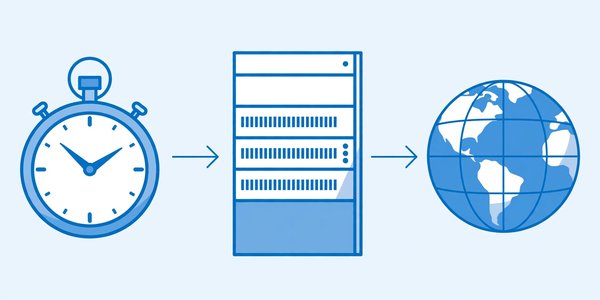
Key Features
Our Website Uptime Checker focuses on doing one job extremely well: telling you the truth about a website’s status right now. Here is what you get.
- Real-time live checks. Every test sends a fresh HTTP request to the target website at the moment you click. You never see cached guesses or stale data from hours ago, only the site’s actual current state. This live approach means you catch outages the moment they happen, not minutes later.
- Clear up or down verdict. No technical degree required. The result states plainly whether the website is reachable, so you get your answer at a glance without decoding jargon.
- HTTP status code reporting. Beyond up or down, you see the precise status code the server returned. Codes like 200, 301, 403, 404, and 503 each tell a different story about what the server is doing.
- Response time measurement. The tool measures exactly how long the server took to answer. This helps you spot sluggish servers and compare performance before and after hosting changes. Even small slowdowns become visible when you compare numbers across checks.
- Works with any public website. Test your own site, a client’s site, or any public URL on the internet. If it is reachable online, our checker can test it.
- No signup and no installation. Open the page and start checking immediately. There is nothing to download, no account to create, and no email address to hand over. Frequent visitors can check daily without ever hitting a limit or a login screen.
- Completely free with unlimited checks. Run one check or one hundred. We never limit your usage, gate features behind a paywall, or ask for payment details.
- Mobile friendly design. The checker works smoothly on phones and tablets, so you can verify a site’s status from anywhere, whether you are at your desk or troubleshooting on the go.

Why Use Our Website Uptime Checker?
Downtime is expensive in ways that go far beyond a blank browser tab. For businesses, every minute offline can mean lost sales, abandoned carts, and visitors who never come back. For bloggers and creators, it means readers hitting an error page instead of your content. Even for casual browsing, not knowing whether a site is broken or your wifi is acting up is genuinely stressful. A fast, trustworthy uptime check removes that uncertainty in seconds, and that peace of mind is worth a lot.
Website owners get particular value from this tool during moments of change. Just migrated to a new host? Run a check to confirm the world can reach your site on the new server. Just pushed a big update? Verify the homepage and key pages respond correctly. DNS changes propagating? Check periodically to watch the transition complete. Each of these scenarios used to require command line tools or paid monitoring dashboards. Our free online checker at A Tool Today puts the same basic verification one click away for everyone.
There is also a very human side to uptime checking. Support teams use it during live calls to prove a site is reachable before digging into a customer’s local setup. Freelancers use it to reassure clients that their new site is live and healthy. Friends troubleshooting together use it to settle friendly debates about whose internet is at fault. It is a small tool that answers a question people ask every single day, and because it is free and unlimited, you can use it whenever curiosity or necessity strikes without a second thought.
Tips for Best Results
These simple tips will help you interpret your uptime results correctly and avoid common false alarms.
- Include the full URL when you can. While the tool accepts bare domains, pasting the complete address with https gives the most accurate test, especially for sites that behave differently on http and https versions.
- Wait a moment and recheck before panicking. Servers occasionally hiccup for a few seconds during restarts or heavy load spikes. If you get a down result, wait a minute and test again to rule out a transient blip. Patience here prevents false alarms and unnecessary support tickets.
- Check your own connection first. If the checker says a site is up but it will not load for you, try another website. If nothing loads, your internet connection or device is the culprit, not the site.
- Test important subpages too. A homepage can be up while a checkout page or login form is broken. For critical verification, run the checker on the specific pages that matter most to your visitors. A store is only truly up when its checkout works, not just its homepage.
- Compare response times over time. A site that usually answers in 200 milliseconds but suddenly takes 3000 is waving a red flag, even though it counts as up. Slowing responses often precede full outages.
- Use uptime checks right after making changes. After deployments, DNS edits, or SSL renewals, a quick check confirms the public internet sees what you expect. Catching a misconfiguration in the first minutes saves hours of damage control later.
Frequently Asked Questions
Everything you might want to know about website uptime and how our checker works.
What does website uptime mean?
Uptime means a website’s server is running and responding to visitors correctly. It is usually expressed as a percentage over time, so 99.9 percent uptime means the site was reachable nearly all the time. Our checker tests uptime at this very moment rather than over a long period, giving you a live snapshot instead of a historical average.
How can I tell if a website is down for everyone or just for me?
That is exactly what this tool answers. Because our checker contacts the website from our own servers rather than through your connection, its verdict is independent of your device, browser, and internet provider. If we report the site as up, the problem is on your end. If we report it as down, everyone is affected.
What is response time and why does it matter?
Response time is how long the server takes to answer our check, measured in milliseconds. Lower is better. Fast responses mean a healthy, well-provisioned server, while slow responses suggest overload, distant hosting, or resource problems. Visitors notice slowness too, since response time directly affects how quickly pages start loading.
Complete List of All Free Online Tools
Browse the full directory of 450+ free tools. Click any tool name to use it instantly - no signup required.
| # | Tool Name | Category |
|---|---|---|
| 1 | A B Test Significance Calculator | Calculators & Converters |
| 2 | Acronym Generator | Utility Tools |
| 3 | Ad Copy Generator | Utility Tools |
| 4 | Add Page Numbers To PDF | PDF Tools |
| 5 | Add Subtitles To Video | Media Tools |
| 6 | Add Subtract Days Calculator | Calculators & Converters |
| 7 | Age Calculator | Calculators & Converters |
| 8 | Angle Converter | Calculators & Converters |
| 9 | API Request Tester | Utility Tools |
| 10 | Area Converter | Calculators & Converters |
| 11 | Article Rewriter | Utility Tools |
| 12 | Audio Converter | Calculators & Converters |
| 13 | Audio Merger | Media Tools |
| 14 | Audio Metadata Editor | Media Tools |
| 15 | Audio Pitch Changer | Media Tools |
| 16 | Audio Speed Changer | Media Tools |
| 17 | Audio To Text Converter | Calculators & Converters |
| 18 | Audio Trimmer | Media Tools |
| 19 | Avatar Maker | Utility Tools |
| 20 | Background Remover | Utility Tools |
| 21 | Backlink Checker | SEO Tools |
| 22 | Banner Maker | Utility Tools |
| 23 | Barcode Generator | Developer Tools |
| 24 | Base64 Encoder Decoder | Developer Tools |
| 25 | Bass Booster | Utility Tools |
| 26 | Bibliography Generator | Utility Tools |
| 27 | Bill Splitter | Utility Tools |
| 28 | Binary Converter | Calculators & Converters |
| 29 | Binary To Text Converter | Calculators & Converters |
| 30 | Birthday Countdown | Date & Time Tools |
| 31 | Bmi Calculator | Calculators & Converters |
| 32 | Bmr Calculator | Calculators & Converters |
| 33 | Body Fat Calculator | Calculators & Converters |
| 34 | Body Surface Area Calculator | Calculators & Converters |
| 35 | Book Title Generator | Utility Tools |
| 36 | Brand Color Finder | Color Tools |
| 37 | Brand Kit Generator | Utility Tools |
| 38 | Break Even Calculator | Calculators & Converters |
| 39 | Broken Link Checker | Utility Tools |
| 40 | Browser Info Checker | Utility Tools |
| 41 | Budget Planner | Utility Tools |
| 42 | Business Card Designer | Utility Tools |
| 43 | Business Card Maker | Utility Tools |
| 44 | Business Days Calculator | Calculators & Converters |
| 45 | Business Name Generator | Utility Tools |
| 46 | Business Proposal Generator | Utility Tools |
| 47 | Button Generator | Utility Tools |
| 48 | Buyer Persona Generator | Utility Tools |
| 49 | Calorie Calculator | Calculators & Converters |
| 50 | Captcha Generator | Utility Tools |
What do HTTP status codes like 404 and 500 mean?
Status codes are the server’s way of describing what happened. Code 200 means success, 301 and 302 mean the page redirected elsewhere, 403 means access was forbidden, 404 means the page was not found, and 500 series codes mean the server itself hit an error. Our checker shows you the exact code so you can understand the nature of any problem.
How often should I check my website’s uptime?
For casual verification, check whenever something seems wrong or right after you make changes to your site. For ongoing peace of mind, many site owners pair occasional manual checks like this one with an automated monitoring service that alerts them around the clock. Manual checks are perfect for quick answers, while automated monitoring covers you while you sleep. Think of this checker as your quick diagnostic visit and automated monitoring as your round-the-clock guard.
Can I check any website with this tool?
Yes, any publicly reachable website on the internet. Enter the URL and the checker will test it. Sites that require login or block automated requests may return unusual results, but for the vast majority of public pages you will get a clean, accurate verdict.
Why does the checker say a site is up but it will not load for me?
This usually points to a local issue. Your browser cache might be serving a broken copy, your DNS might be resolving incorrectly, your network could be blocking the site, or a browser extension might be interfering. Try a hard refresh, a different browser, or your phone’s mobile data to narrow it down. Working through these one by one usually reveals the culprit within minutes.
Is the Website Uptime Checker really free?
Yes, one hundred percent free with no limits. No accounts, no subscriptions, no credits to buy, and no features locked away. It is part of the free online toolkit from A Tool Today, built so anyone can get a straight answer about a website’s status in seconds.
Table of Contents
What is Website Uptime Checker?
The website uptime checker is a free online tool that helps you with website uptime checker tasks quickly and accurately. Our website uptime checker is designed to be simple, fast, and reliable. Whether you need a website uptime checker for personal use or professional work, this free website uptime checker delivers instant results without any signup or download required.
How to Use the Website Uptime Checker
Using our website uptime checker is easy. Simply open the website uptime checker tool above, enter your input, and get instant results. The website uptime checker processes everything in your browser for maximum privacy and speed. No technical knowledge is needed to use this website uptime checker effectively.
Benefits of Using Our Website Uptime Checker
Our free website uptime checker offers many advantages. It is completely free to use, requires no registration, works on all devices, and provides accurate results instantly. The website uptime checker is updated regularly to ensure the best performance. For more information about website uptime checker, you can Learn more about website uptime checker on Wikipedia.
Frequently Asked Questions About Website Uptime Checker
Is the website uptime checker really free? Yes, our website uptime checker is 100% free with no hidden costs or premium tiers.
Do I need to create an account to use the website uptime checker? No, the website uptime checker works instantly without any signup or login required.
