Open Port Checker
Your website just went down in the middle of a busy workday, or your email app suddenly refuses to connect, and you are stuck with one urgent question. Is the port actually open? Guessing wastes precious time, and installing a heavy network scanner for a single quick check feels like overkill. That is exactly why we built the Open Port Checker. Just type in a domain name or IP address, tell it which port you care about, and within seconds you will know whether that port is open, closed, or filtered. Everything runs right in your browser, so there is nothing to download, nothing to install, and nothing to configure. Whether you are a developer testing a fresh deployment, a gamer trying to fix a stubborn connection, or a business owner double checking that the firewall is doing its job, this tool gives you a straight answer fast. No signup, no cost, and no waiting around.

How to Use the Open Port Checker
Using the checker takes less than a minute, even if you have never scanned a port before in your life. There are no settings to learn, no commands to memorize, and no technical background required. Follow these simple steps and you will have your answer before your coffee has time to cool.
- Enter the target address. Type the domain name, like example.com, or the IP address of the server you want to test into the input field. Leave out the http part, the slashes, and any page paths. Just the clean hostname or IP is enough for the tool to find the right machine and start the scan.
- Pick the port number. Enter the port your service is supposed to use. Common choices are 80 for standard web traffic, 443 for secure HTTPS traffic, 22 for SSH access, and 25 for outgoing email. If you are not sure which port you need, start with the preset list of popular ports that covers the usual suspects.
- Run the scan. Press the check button and let the tool do the work. It sends a connection request to that exact port on your target server and waits for a reply. Most scans finish in just a few seconds, even when the server sits on the other side of the planet.
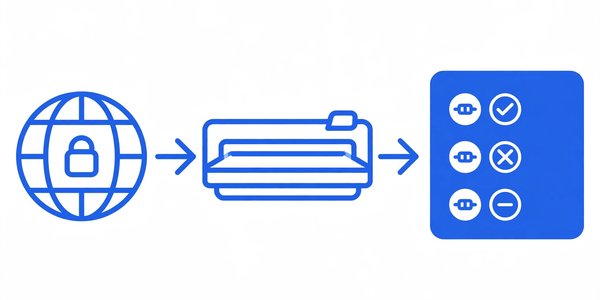
- Read the result. An open result means the port is accepting connections, so your service should be reachable from the internet. A closed result means the server answered but nothing is listening on that port. A filtered result usually points to a firewall silently dropping the probe, which is completely normal on well protected systems.
- Check every port your service needs. Real services rarely rely on a single port. A mail server might need 25, 587, and 993 all open at the same time, while a typical website pairs port 80 with port 443. Run the checker once for each port to build the full picture of what the outside world can actually reach.
- Act on what you learn. If a port that should be open shows up closed, make sure the service is running and your firewall rules allow the traffic through. If a port that should stay closed shows up open, tighten your firewall before someone else notices. Either way, you are now working with facts instead of guesses.
- Save or share your results. Take a screenshot or jot down the findings, especially during an incident or a client audit. A dated record of which ports were open turns a vague memory into evidence you can compare against next month, and it makes handoffs to teammates or clients much smoother.
Key Features
Our checker is built to answer one simple question as fast as possible. Is this port open? Here is what makes it stand out from bulky desktop scanners that take forever to set up.
- Results in seconds. Each scan completes almost instantly. You get a clear answer without waiting for a long sweep to finish, which makes it perfect for quick troubleshooting in the middle of an incident when every minute counts.
- No signup and no install. The tool runs entirely in your browser. There is nothing to download, no account to create, and no software to keep updated. Open the page, type your target, and start scanning right away.
- Works with domains and IP addresses. Test a friendly domain name or a raw IP address with the same simple workflow. Verify a live website, a VPS, a home server, a game host, or a company firewall without switching tools.
- Common port presets. Not sure which port to test? One click presets cover the ports people check most often, including web, email, FTP, SSH, DNS, and popular game servers. You can also type any custom port number from 1 to 65535.
- Clear status labels. Every result is labeled plainly as open, closed, or filtered, along with a short explanation of what each state means. You will never have to decode cryptic scanner output or guess what the tool is telling you.
- Runs on any device. The page is fully responsive, so it works just as well on your phone as on your desktop. Check a port from the server room, the couch, or the airport lounge without missing a beat.
- Completely free with no limits. Every scan is free and there is no daily cap. Run one check or one hundred checks in a row. The tool is here whenever you need it, as often as you need it.
- Privacy friendly. We do not ask for your name, your email, or any personal details. Your scans are your business, and we keep it that way. Nothing you test is tied to an account because there is no account.
Why Use Our Open Port Checker?
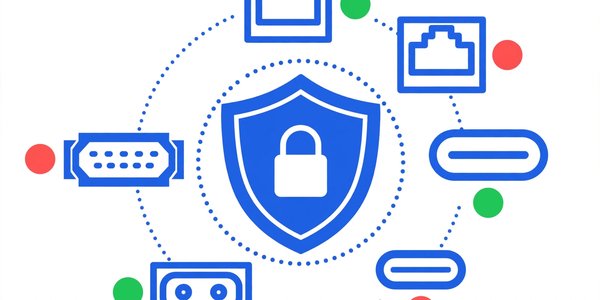
Every open port on a server is like an unlocked door on a building. Some doors need to stay open so visitors, customers, and services can come in. The web server needs port 443, the mail server needs its mail ports, and your remote access needs SSH. But every door you do not know about is a security risk waiting to be discovered by someone with bad intentions. Regular port checks are one of the simplest habits that separate a well managed server from a vulnerable one, and they take only seconds with the right tool.
Think about the everyday situations where this saves you. You just deployed a new app and the site will not load, so you check whether port 443 is actually reachable before digging through config files. Your online game keeps dropping, so you verify the game ports are open on your router. A client swears their firewall is configured correctly, so you run a quick external scan and prove which ports the internet can really see. In each case, a thirty second check replaces an hour of frustrated guessing.
That speed and simplicity is the whole idea behind this free tool from A Tool Today. Desktop scanners are powerful, but they demand installation, updates, and a learning curve. Our checker gives you the one answer you need most of the time, instantly and from any device. It is the tool you bookmark and reach for whenever a connection behaves strangely, a deployment needs verification, or a security review needs a quick external perspective.
There is also a longer term payoff that grows with every scan. Each check teaches you what normal looks like for your own servers, so anomalies stand out faster the next time something changes. Over months, those thirty second checks build into a solid security habit, the kind that catches a misconfigured firewall or a forgotten test service before it becomes an incident report. Big companies pay for continuous monitoring to get this awareness. With a free checker and a little discipline, you get most of the benefit for the ports that matter most, on your own schedule.
Tips for Best Results
A port scan is only as useful as the way you interpret it. These practical tips will help you get reliable answers and avoid the common mistakes that trip up beginners.
- Scan from outside your own network. Testing a server from inside the same network can give misleading results because internal firewall rules often differ from external ones. Our online checker scans from the internet, which shows you exactly what the rest of the world sees.
- Test the exact port your application uses. Many apps run on non standard ports, like a dashboard on 8080 or a database on 5432. Check your application settings first, then scan that specific port instead of assuming the defaults.
- Scan again after every firewall change. Firewall rules are easy to mistype. After you add or remove a rule, run the checker again to confirm the change did what you intended. This one habit catches most configuration mistakes.
- Do not panic over filtered results. A filtered result usually means a firewall is doing its job by silently dropping unexpected probes. That is good security, not a broken server. Worry when a port you need open shows closed, not when a port you want hidden shows filtered.
- Audit risky ports regularly. Ports like 21 for FTP, 23 for Telnet, and 3389 for remote desktop are favorite targets for attackers. Scan them on your public servers every so often and make sure none of them are open unless you have a real reason.
- Write down your expected open ports. Keep a simple list of which ports should be open on each server. When a scan disagrees with your list, you will spot the problem immediately instead of wondering whether the result is normal.
Frequently Asked Questions
New to port scanning? These are the questions we hear most often, answered in plain language without the jargon.
What does it mean when a port is open?
An open port means a service on the target server is actively listening on that port and accepting connections from the network. For example, if port 443 is open on your web server, visitors can reach your site over HTTPS. Open is the result you want for ports your services need, and the result you want to avoid for everything else.
What is the difference between closed and filtered?
Closed means the scan reached the server and the server replied that nothing is listening on that port. Filtered means the scan got no reply at all, which almost always means a firewall is blocking the probe before it reaches the server. Filtered is the safer state for ports you want hidden, because it reveals less information to whoever is scanning.
Complete List of All Free Online Tools
Browse the full directory of 450+ free tools. Click any tool name to use it instantly - no signup required.
| # | Tool Name | Category |
|---|---|---|
| 1 | A B Test Significance Calculator | Calculators & Converters |
| 2 | Acronym Generator | Utility Tools |
| 3 | Ad Copy Generator | Utility Tools |
| 4 | Add Page Numbers To PDF | PDF Tools |
| 5 | Add Subtitles To Video | Media Tools |
| 6 | Add Subtract Days Calculator | Calculators & Converters |
| 7 | Age Calculator | Calculators & Converters |
| 8 | Angle Converter | Calculators & Converters |
| 9 | API Request Tester | Utility Tools |
| 10 | Area Converter | Calculators & Converters |
| 11 | Article Rewriter | Utility Tools |
| 12 | Audio Converter | Calculators & Converters |
| 13 | Audio Merger | Media Tools |
| 14 | Audio Metadata Editor | Media Tools |
| 15 | Audio Pitch Changer | Media Tools |
| 16 | Audio Speed Changer | Media Tools |
| 17 | Audio To Text Converter | Calculators & Converters |
| 18 | Audio Trimmer | Media Tools |
| 19 | Avatar Maker | Utility Tools |
| 20 | Background Remover | Utility Tools |
| 21 | Backlink Checker | SEO Tools |
| 22 | Banner Maker | Utility Tools |
| 23 | Barcode Generator | Developer Tools |
| 24 | Base64 Encoder Decoder | Developer Tools |
| 25 | Bass Booster | Utility Tools |
| 26 | Bibliography Generator | Utility Tools |
| 27 | Bill Splitter | Utility Tools |
| 28 | Binary Converter | Calculators & Converters |
| 29 | Binary To Text Converter | Calculators & Converters |
| 30 | Birthday Countdown | Date & Time Tools |
| 31 | Bmi Calculator | Calculators & Converters |
| 32 | Bmr Calculator | Calculators & Converters |
| 33 | Body Fat Calculator | Calculators & Converters |
| 34 | Body Surface Area Calculator | Calculators & Converters |
| 35 | Book Title Generator | Utility Tools |
| 36 | Brand Color Finder | Color Tools |
| 37 | Brand Kit Generator | Utility Tools |
| 38 | Break Even Calculator | Calculators & Converters |
| 39 | Broken Link Checker | Utility Tools |
| 40 | Browser Info Checker | Utility Tools |
| 41 | Budget Planner | Utility Tools |
| 42 | Business Card Designer | Utility Tools |
| 43 | Business Card Maker | Utility Tools |
| 44 | Business Days Calculator | Calculators & Converters |
| 45 | Business Name Generator | Utility Tools |
| 46 | Business Proposal Generator | Utility Tools |
| 47 | Button Generator | Utility Tools |
| 48 | Buyer Persona Generator | Utility Tools |
| 49 | Calorie Calculator | Calculators & Converters |
| 50 | Captcha Generator | Utility Tools |
Is it legal to scan ports with this tool?
Scanning is fine when you test systems you own or systems you have permission to test, like your own website, your VPS, or a client server you manage. Do not scan networks or servers that do not belong to you without the owner’s permission, since unauthorized scanning can violate terms of service or local laws in some places.
Which ports should I check first?
Start with the ports your services actually use. For a website, that means 80 and 443. For email, check 25, 587, 993, and 465. For remote access, check 22 for SSH or 3389 for remote desktop. After the essentials, scan the commonly attacked ports like 21, 23, and 3306 to make sure they are not accidentally exposed.
Why does my scan show filtered instead of open?
The most common reason is a firewall sitting in front of the server and dropping the probe packets. This happens with cloud provider firewalls, hardware firewalls, and even some ISP level filters. If the port should be open, check your firewall rules, security groups, and any access control lists between the internet and your server.
Can I scan several ports at the same time?
The checker tests one port per scan so each result stays fast and accurate. To review multiple ports, simply run the tool once for each port you care about. Since every scan takes only seconds and there is no limit, working through a whole list of ports still takes just a couple of minutes.
Do I need to install anything to use this?
No. The entire tool runs in your web browser, on our servers. There is nothing to download, no browser extension to add, and no account to create. This also means it works on locked down work computers and mobile devices where you cannot install software.
Does the checker test TCP or UDP ports?
This tool tests TCP ports, which cover the vast majority of services people verify, including web, email, SSH, FTP, and databases. Most connection problems and security audits revolve around TCP. UDP services like DNS and some game servers use a different protocol that does not answer probes the same way, so they need specialized testing beyond a simple online check.
Table of Contents
What is Open Port Checker?
The open port checker is a free online tool that helps you with open port checker tasks quickly and accurately. Our open port checker is designed to be simple, fast, and reliable. Whether you need a open port checker for personal use or professional work, this free open port checker delivers instant results without any signup or download required.
How to Use the Open Port Checker
Using our open port checker is easy. Simply open the open port checker tool above, enter your input, and get instant results. The open port checker processes everything in your browser for maximum privacy and speed. No technical knowledge is needed to use this open port checker effectively.
Benefits of Using Our Open Port Checker
Our free open port checker offers many advantages. It is completely free to use, requires no registration, works on all devices, and provides accurate results instantly. The open port checker is updated regularly to ensure the best performance. For more information about open port checker, you can Learn more about open port checker on Wikipedia.
Frequently Asked Questions About Open Port Checker
Is the open port checker really free? Yes, our open port checker is 100% free with no hidden costs or premium tiers.
Do I need to create an account to use the open port checker? No, the open port checker works instantly without any signup or login required.
