Internet Speed Test
Your plan promises 200 megabits, but the video still buffers. Is your provider delivering what you pay for, or is something else eating your bandwidth? Our free Internet Speed Test answers that in under a minute. It measures your real world download speed, upload speed, and ping directly in your browser, with no app to install and no account to create. Remote workers use it before important video calls. Streamers use it to confirm their upload can handle a live broadcast. Gamers use it to check their connection before ranked matches. Anyone moving house or switching providers uses it to verify the new connection actually performs. And when your internet feels slow, a quick test tells you whether the problem is your speed, your WiFi, or just one misbehaving website. Run it now and know your numbers instead of guessing.

How to Use Internet Speed Test
Getting an accurate speed reading takes about a minute, and most of that is the test itself running. A little preparation makes your result far more trustworthy, so follow these steps for a number you can rely on.
- Open the Internet Speed Test. Visit the tool page on A Tool Today in any modern browser. It works on phones, tablets, and desktops with nothing to download, so you can test the exact device and connection you care about.
- Close bandwidth hungry apps. Pause cloud backups, software updates, streaming, and large downloads on all devices sharing your connection. Anything running in the background steals bandwidth and makes your result look worse than your connection really is.
- Connect the way you normally use the internet. Want to test your WiFi? Stay on WiFi and stand where you usually sit. Want to test what your provider delivers? Plug in with an ethernet cable if you can. Test the setup you actually want answers about.
- Press start and wait. The test first measures ping, then downloads test data to measure download speed, then uploads data to measure upload speed. Let it finish without switching tabs or starting other activity, since multitasking skews the numbers.
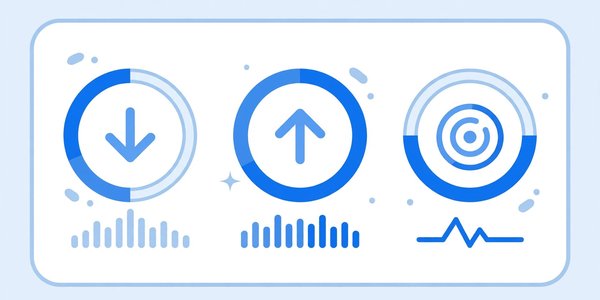
- Read your three numbers. Download speed tells you how fast you pull data in, which drives streaming and browsing. Upload speed tells you how fast you send data out, which drives video calls and live streaming. Ping tells you responsiveness, which drives gaming and call quality.
- Compare against your plan. Check the speeds your provider promised and see how your result stacks up. Consistently getting far less than advertised, especially on a wired connection, is solid evidence for a support call or a plan change.

Key Features
- Download speed measurement. The test downloads data from nearby servers and calculates your real throughput in megabits per second. This is the number that determines whether 4K streaming, big downloads, and busy households run smoothly.
- Upload speed measurement. Upload is measured separately by sending data back to the test server. It matters enormously for video calls, live streaming, cloud backups, and sending large files, yet many people never check it until a call starts freezing.
- Ping and jitter reporting. Alongside speed, you get latency and its variation. Low stable ping means snappy browsing and smooth real time apps, while high jitter explains choppy calls even when your speed looks fine.
- Automatic server selection. The tool picks a nearby test server automatically to minimize distance effects. This gives you the truest measure of your own connection rather than a number polluted by a far away server.
- Instant readable results. Your numbers appear in large clear figures with plain language context, not raw technical output. Anyone can understand the result and compare it to their plan without a networking background.
- No app or plugin required. Everything runs with standard web technology in your browser. There is no executable to trust, no permissions to grant, and no update cycle to maintain, which also makes it safe on work computers.
- Free and unlimited tests. Test as often as you like at no cost: before calls, after router changes, at different times of day, or across rooms to map your WiFi. Unlimited testing is how you spot patterns like evening slowdowns.
- Works on phones and desktops. The responsive page runs the full test on mobile browsers too, so you can compare your home WiFi against mobile data side by side, right from your phone.
Why Use Our Internet Speed Test?
Internet plans are sold on numbers, but lived experience is what matters. A provider can advertise 200 megabits while delivering 40 during evening peak hours, and without a test you would never know whether the buffering is their fault or yours. Our speed test turns a vague feeling of slowness into hard numbers you can act on. Run it when things feel off, screenshot the result, and suddenly your support call has evidence instead of complaints.
The test also guides real decisions. Working from home? Your video calls need solid upload speed, often just 5 to 10 megabits, but a connection with great download and terrible upload will still ruin meetings. Thinking of cutting cable for 4K streaming? You need roughly 25 megabits of sustained download per stream. Moving to a new place? Test during the trial period, not after you sign a contract. Each of these decisions gets easier with a real measurement instead of a marketing brochure.
Compared to app based testers, our browser tool has practical advantages. There is nothing to install, so it works on locked down work laptops and borrowed devices. It cannot upsell you a VPN or harvest your contacts like some free apps do. And because it is part of A Tool Today’s free toolkit, it sits alongside our ping test and other network tools, giving you a complete diagnostic set in one place. Know your speed, know your latency, fix your problems.
Tips for Best Results
- Test at different times of day. Cable and shared connections slow down during evening peak hours when your neighbors are all streaming. Testing morning, afternoon, and evening reveals whether your plan holds up when it matters most.
- Restart your router before important tests. Routers accumulate stale state over weeks of uptime. A fresh reboot before testing gives you the cleanest baseline, and if speeds jump afterward, you have found an easy maintenance habit.
- Move closer to your WiFi router. Walls and distance cut WiFi throughput dramatically. If speeds are great next to the router but poor in your office, you need better placement or a mesh system, not a faster plan.
- Test wired to isolate the problem. An ethernet test shows what your provider delivers; a WiFi test shows what your devices actually get. The gap between them is your home network’s fault, and closing it is usually cheaper than upgrading your plan.
- Know how much speed you actually need. Most households are fine with 100 megabits down and 10 up: 4K streaming needs about 25, video calls need 5 to 10 up, and gaming needs low ping more than big numbers. Do not pay for gigabit if nothing you do can use it.
- Keep a log of your results. Note the date, time, and numbers for a week. A clear record of consistent underperformance is far more persuasive with your provider than a single bad test, and it documents the pattern if you decide to switch.
Frequently Asked Questions
What is a good internet speed?
It depends on your household. For one or two people browsing and streaming in HD, 50 to 100 megabits down is plenty. A busy family with 4K streams, video calls, and gaming running at once is comfortable at 200 to 300 megabits. Upload matters for remote work: aim for at least 10 megabits up if you are on video calls all day. Beyond that, extra speed mostly helps with large downloads finishing faster.
Why is my speed lower than what I pay for?
Several culprits are common. WiFi overhead and distance can easily halve your speed versus a wired test. Evening congestion slows shared connections. An old router may not handle your plan’s full rate. And some providers oversubscribe their networks. Test with ethernet directly to isolate your provider’s delivery from your home network’s losses.
What is the difference between download and upload speed?
Download speed is how fast data comes to you: streaming, browsing, and downloading files. Upload speed is how fast data leaves you: video calls, live streaming, and cloud backups. Most home plans are asymmetric, with much faster download than upload, because typical usage downloads more. Remote workers and creators should pay special attention to upload.
How accurate is an online speed test?
Very accurate when run properly. The test measures real data transfer between your browser and a nearby server, which is exactly what your everyday usage does. Accuracy drops if background apps are using bandwidth, if you test over weak WiFi, or if the test server is far away. Close other apps, use a nearby server, and run the test a few times for a reliable average.
Does the speed test use a lot of data?
A full test typically uses tens to a few hundred megabytes, depending on your speed, because faster connections need more data for an accurate measurement. On a capped mobile plan, run tests sparingly or over WiFi. On home broadband with no cap, test as often as you like.
Can I test my phone’s mobile data speed?
Yes. Open the tool in your phone’s browser while on mobile data and run the test normally. This is a great way to compare carriers, check coverage in a new area, or decide whether your phone’s hotspot can handle your laptop’s workload.
Complete List of All Free Online Tools
Browse the full directory of 450+ free tools. Click any tool name to use it instantly - no signup required.
| # | Tool Name | Category |
|---|---|---|
| 1 | A B Test Significance Calculator | Calculators & Converters |
| 2 | Acronym Generator | Utility Tools |
| 3 | Ad Copy Generator | Utility Tools |
| 4 | Add Page Numbers To PDF | PDF Tools |
| 5 | Add Subtitles To Video | Media Tools |
| 6 | Add Subtract Days Calculator | Calculators & Converters |
| 7 | Age Calculator | Calculators & Converters |
| 8 | Angle Converter | Calculators & Converters |
| 9 | API Request Tester | Utility Tools |
| 10 | Area Converter | Calculators & Converters |
| 11 | Article Rewriter | Utility Tools |
| 12 | Audio Converter | Calculators & Converters |
| 13 | Audio Merger | Media Tools |
| 14 | Audio Metadata Editor | Media Tools |
| 15 | Audio Pitch Changer | Media Tools |
| 16 | Audio Speed Changer | Media Tools |
| 17 | Audio To Text Converter | Calculators & Converters |
| 18 | Audio Trimmer | Media Tools |
| 19 | Avatar Maker | Utility Tools |
| 20 | Background Remover | Utility Tools |
| 21 | Backlink Checker | SEO Tools |
| 22 | Banner Maker | Utility Tools |
| 23 | Barcode Generator | Developer Tools |
| 24 | Base64 Encoder Decoder | Developer Tools |
| 25 | Bass Booster | Utility Tools |
| 26 | Bibliography Generator | Utility Tools |
| 27 | Bill Splitter | Utility Tools |
| 28 | Binary Converter | Calculators & Converters |
| 29 | Binary To Text Converter | Calculators & Converters |
| 30 | Birthday Countdown | Date & Time Tools |
| 31 | Bmi Calculator | Calculators & Converters |
| 32 | Bmr Calculator | Calculators & Converters |
| 33 | Body Fat Calculator | Calculators & Converters |
| 34 | Body Surface Area Calculator | Calculators & Converters |
| 35 | Book Title Generator | Utility Tools |
| 36 | Brand Color Finder | Color Tools |
| 37 | Brand Kit Generator | Utility Tools |
| 38 | Break Even Calculator | Calculators & Converters |
| 39 | Broken Link Checker | Utility Tools |
| 40 | Browser Info Checker | Utility Tools |
| 41 | Budget Planner | Utility Tools |
| 42 | Business Card Designer | Utility Tools |
| 43 | Business Card Maker | Utility Tools |
| 44 | Business Days Calculator | Calculators & Converters |
| 45 | Business Name Generator | Utility Tools |
| 46 | Business Proposal Generator | Utility Tools |
| 47 | Button Generator | Utility Tools |
| 48 | Buyer Persona Generator | Utility Tools |
| 49 | Calorie Calculator | Calculators & Converters |
| 50 | Captcha Generator | Utility Tools |
Is the Internet Speed Test free?
Completely free with unlimited tests and no account required. A Tool Today provides it as part of its free online toolkit, so checking your connection never costs you anything.
What is the difference between Mbps and MBps?
The small letter b matters enormously. Mbps means megabits per second, the unit internet plans and speed tests use, while MBps means megabytes per second, the unit your browser shows for downloads. There are eight bits in a byte, so a 200 Mbps connection downloads at about 25 MBps in ideal conditions. Confusing the two makes your internet look eight times slower than it is, so when comparing your test result to a download speed, divide the Mbps figure by eight first.
Why is my upload speed so much slower than my download?
Most home internet plans are asymmetric by design, giving you far more download than upload capacity, because typical households download much more than they send. Cable and DSL technologies also physically favor downstream. This is fine for streaming and browsing but can hurt video calls, live streaming, and cloud backups. If upload matters to you, look for plans with higher upstream rates or fiber, which is often symmetric, and test upload specifically before important calls.
Why do different speed tests show different results?
Test servers live in different places, use different measurement methods, and experience different loads. A test against a far away or busy server reports lower speeds through no fault of your connection. Background apps, WiFi conditions, and the time of day also shift results between runs. For fair comparisons, use the same tool, the same device, and similar conditions each time, and focus on the pattern across several tests rather than any single number.
How often should I run a speed test?
Test whenever something changes or feels wrong: after installing a new router, switching plans, moving the router, or noticing new buffering. A monthly check at a consistent time builds a useful baseline that makes gradual slowdowns visible. Before signing a contract with a new provider, test during any trial window, ideally at evening peak hours. There is no need to test daily on a healthy connection, but unlimited free testing means you can investigate the moment anything seems off.
My speed test is fine but websites still feel slow. Why?
Speed is only one ingredient. High latency makes every click wait for a round trip, so a fast but laggy connection still feels sluggish, which our ping test can confirm. An overloaded website or a struggling DNS resolver slows things down regardless of your bandwidth. Browser issues like too many extensions, a full cache, or an old device can also bottleneck a fast connection. Run the speed test to rule out bandwidth, then check latency and try a different browser to isolate the real culprit.
Table of Contents
What is Internet Speed Test?
The internet speed test is a free online tool that helps you with internet speed test tasks quickly and accurately. Our internet speed test is designed to be simple, fast, and reliable. Whether you need a internet speed test for personal use or professional work, this free internet speed test delivers instant results without any signup or download required.
How to Use the Internet Speed Test
Using our internet speed test is easy. Simply open the internet speed test tool above, enter your input, and get instant results. The internet speed test processes everything in your browser for maximum privacy and speed. No technical knowledge is needed to use this internet speed test effectively.
Benefits of Using Our Internet Speed Test
Our free internet speed test offers many advantages. It is completely free to use, requires no registration, works on all devices, and provides accurate results instantly. The internet speed test is updated regularly to ensure the best performance. For more information about internet speed test, you can Learn more about internet speed test on Wikipedia.
Frequently Asked Questions About Internet Speed Test
Is the internet speed test really free? Yes, our internet speed test is 100% free with no hidden costs or premium tiers.
Do I need to create an account to use the internet speed test? No, the internet speed test works instantly without any signup or login required.
