Avatar Maker
Your profile picture is often the very first thing people notice about you online. Whether someone visits your social media profile, reads your comment on a forum, sees your name pop up in a team chat, or meets you inside an online game, your avatar speaks before you type a single word. A blurry selfie, an empty gray silhouette, or a random picture can make you look inactive or hard to trust, even when you have great things to say. That is exactly why so many people now use a dedicated avatar maker instead of settling for whatever photo they happen to have on their phone. Our Avatar Maker from A Tool Today helps you design a clean, friendly, and memorable profile picture right in your browser. You choose a style you love, customize the face, hair, colors, and background, and download a sharp image in seconds. There is no signup, no software to install, and nothing to pay. It is completely free and works smoothly on your phone, tablet, or computer. In this guide you will learn how to use the tool step by step, explore its best features, understand why a good avatar matters, and pick up practical tips so your new picture looks great everywhere it appears.
How to Use Avatar Maker
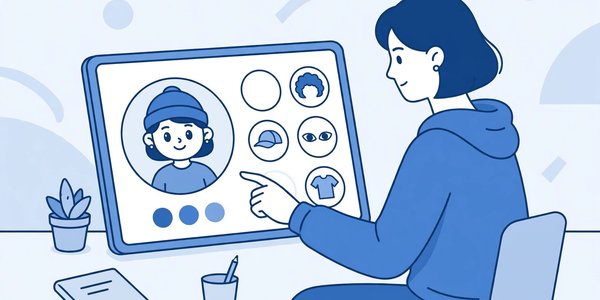
Creating your avatar takes less than a minute once you know the flow. The tool guides you through a simple sequence where every choice is visual, so you always see exactly what you are building. Follow these steps and you will end up with a profile picture that feels like you.
- Open the Avatar Maker and pick an art style. The first decision is the overall look of your avatar. You can choose from styles like cartoon, flat illustration, minimal line art, geometric shapes, and playful character designs. Each style gives your avatar a completely different personality, from professional and calm to fun and creative. Take a moment to think about where you will use this avatar. A freelance designer might prefer a sleek flat style, while a gamer might love a bold cartoon look. If you are not sure, try two or three styles and compare them side by side before you move on. The right style is the one that matches how you want people to see you.
- Customize the face and facial features. This is where your avatar starts to feel personal. Adjust the skin tone to match yours or to match the mood you want. Then move on to the eyes, eyebrows, nose, and mouth, mixing shapes and expressions until the face feels friendly and natural. You can create anything from a warm smile to a confident serious look, depending on the impression you want to make. Small changes here make a big difference, so experiment freely. There is no wrong answer, and every change updates instantly so you can see the result right away.
- Choose the hair, beard, and accessories. Hair changes the whole character of an avatar, so browse through the hairstyles until one clicks. You can pick the hair color too, from natural shades to bold creative colors if you want to stand out. Add facial hair if it suits you, and explore extras like glasses, earrings, hats, and headwear. These details are what turn a generic cartoon into a picture people recognize as you. If you wear glasses every day, adding them to your avatar makes it instantly more believable. The goal is not a perfect portrait. The goal is a picture that feels familiar.
- Set your colors and background. A great avatar is not only about the face. The background color or pattern frames your picture and decides how it looks in a crowded feed. You can choose a solid color that matches your brand, a soft gradient for a modern feel, or a fun pattern for a playful vibe. Make sure there is enough contrast between your character and the background so the face stays the hero of the image. If you already have brand colors for your business or channel, using them here keeps everything consistent. A simple background almost always beats a busy one because it keeps the focus where it belongs.
- Fine tune the details and expression. Before you download, zoom in mentally on the small things. Check that the eyes look balanced, the smile feels natural, and nothing looks accidentally odd at a glance. Many people skip this step and later notice a detail they wish they had changed. Try viewing your avatar at a small size, like the size of a comment thumbnail, because that is how most people will actually see it. If the face still reads clearly when it is tiny, you have nailed it. If something gets lost, simplify the details until the expression pops even at small sizes.
- Preview your avatar in real sizes. A picture that looks amazing on a big screen can turn muddy when it shrinks to a profile icon. Use the preview to see your avatar at the sizes used by popular platforms, from large profile pages down to tiny chat bubbles. This is the moment to catch problems like a background that is too loud or features that blur together. Adjust the colors or simplify the design until your avatar stays clear and recognizable at every size. Think of it as a stress test for your new profile picture. The best avatars are the ones you can spot instantly in a busy list of names.
- Download and start using your avatar everywhere. When you are happy with the result, hit download and save your avatar as a high quality image. Choose the size that fits your main platform, and grab a larger version too so you have it ready for the future. Then upload it to your social profiles, messaging apps, forums, gaming accounts, and anywhere else your face shows up online. Using the same avatar everywhere builds recognition, so people start to connect that picture with you and your work. Keep a copy of the file in a safe folder so you can reuse it whenever you join a new platform. One strong avatar, used consistently, becomes part of your personal brand.
Key Features
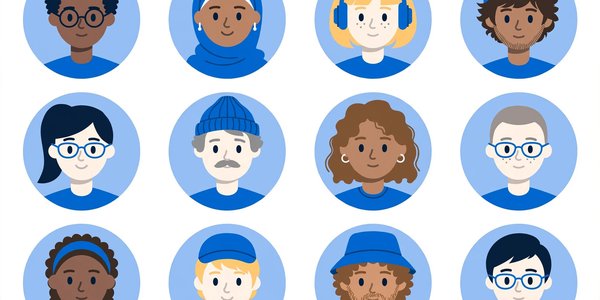
- Multiple art styles to choose from. Pick from cartoon, flat, minimal, geometric, and playful character styles, so your avatar can be professional, creative, or fun depending on your needs.
- Deep customization of every feature. Control skin tone, face shape, eyes, eyebrows, nose, mouth, hair, facial hair, and accessories, so the result feels personal instead of generic.
- Backgrounds, colors, and gradients. Frame your avatar with solid colors, smooth gradients, or subtle patterns, and match your brand colors for a consistent online identity.
- High quality downloads. Export your avatar as a crisp, clear image that stays sharp on retina screens and large profile pages, not a pixelated thumbnail.
- Transparent background option. Download your avatar with a transparent background when you want to place it on slides, videos, thumbnails, or website graphics.
- Completely free with no signup. Every style and customization option is available without creating an account, entering an email, or paying anything.
- Works in your browser on any device. The tool runs online, so you can design your avatar on a phone during your commute or on a desktop at your desk with the same smooth experience.
- Your creations stay private. You design and download your avatar directly, without uploading personal photos or handing over personal information to anyone.
Why Use Our Avatar Maker?
A strong avatar is one of the smallest investments you can make with one of the biggest payoffs online. People are visual, and they make snap judgments in less than a second. A clear, friendly profile picture makes your comments more trustworthy, your messages more memorable, and your profiles more likely to get a follow or a reply. For freelancers and business owners, a consistent avatar across every platform turns into instant brand recognition. Clients start to recognize your face in their inbox, in proposal documents, and on video call thumbnails, which builds familiarity and trust before you ever speak.
Gamers and community members benefit too, because a unique avatar makes you stand out in busy chats and leaderboards instead of blending into a sea of default icons. Teachers, coaches, and creators can use a stylized avatar to keep a professional boundary while still looking warm and approachable. And if you simply value your privacy, an illustrated avatar lets you show up online without sharing a real photo of yourself. Our Avatar Maker makes all of this easy because it removes every barrier. You do not need design skills, you do not need expensive software, and you do not need to hire an illustrator. In about a minute you can go from a blank default icon to a polished picture that represents you well. Because it is free and unlimited, you can even create different avatars for different parts of your life, one professional look for work and one playful look for gaming, and switch whenever you like.
Tips for Best Results
- Keep the design simple. The clearest avatars use a few bold shapes and colors. Too many tiny details disappear when the image shrinks to icon size.
- Test at thumbnail size. Shrink your preview down to the size of a comment avatar. If you can still read the expression and recognize the colors, your design works.
- Use strong contrast. Make sure your character stands out from the background. A light character on a darker background, or the reverse, keeps the face visible in any feed.
- Match your brand colors. If you have a business, channel, or personal brand, use the same colors in your avatar so people connect the picture with you instantly.
- Keep facial features clear. Big readable eyes and a clear mouth shape survive shrinking much better than fine lines and subtle shading.
- Stay consistent everywhere. Use the same avatar on every platform for a few months. Recognition builds over time, and changing pictures too often resets it.
Frequently Asked Questions
Is the Avatar Maker really free?
Yes, it is completely free. You can create as many avatars as you like, customize every feature, and download your images without paying anything or creating an account. There are no locked styles, no watermarks, and no trial that runs out. A Tool Today built this tool to be genuinely useful for everyone, from students to business owners, so the full experience stays open to all users.
Do I need to sign up or download software?
No signup and no downloads are needed. The Avatar Maker runs entirely in your web browser, so you just open the page and start designing. This works on phones, tablets, laptops, and desktops with any modern browser. Because nothing is installed, you can use it on a work computer or a shared device without leaving anything behind.
What image formats and sizes can I download?
You can download your avatar as a standard image file that works on every platform, including social networks, messaging apps, forums, and games. Grab a large version for profile pages and future use, since you can always shrink a big image but you cannot add detail to a small one. If you need a transparent background for slides or videos, choose that option before downloading.
Can I use my avatar for commercial purposes?
Yes. Avatars you create are yours to use on your business profiles, channel art, marketing materials, team pages, and client projects. Many freelancers use their avatar as part of their personal brand across proposals and invoices. If you are working for a large company with strict brand rules, just check with your team, but for typical business and creator use you are fine.
Complete List of All Free Online Tools
Browse the full directory of 450+ free tools. Click any tool name to use it instantly - no signup required.
| # | Tool Name | Category |
|---|---|---|
| 1 | A B Test Significance Calculator | Calculators & Converters |
| 2 | Acronym Generator | Utility Tools |
| 3 | Ad Copy Generator | Utility Tools |
| 4 | Add Page Numbers To PDF | PDF Tools |
| 5 | Add Subtitles To Video | Media Tools |
| 6 | Add Subtract Days Calculator | Calculators & Converters |
| 7 | Age Calculator | Calculators & Converters |
| 8 | Angle Converter | Calculators & Converters |
| 9 | API Request Tester | Utility Tools |
| 10 | Area Converter | Calculators & Converters |
| 11 | Article Rewriter | Utility Tools |
| 12 | Audio Converter | Calculators & Converters |
| 13 | Audio Merger | Media Tools |
| 14 | Audio Metadata Editor | Media Tools |
| 15 | Audio Pitch Changer | Media Tools |
| 16 | Audio Speed Changer | Media Tools |
| 17 | Audio To Text Converter | Calculators & Converters |
| 18 | Audio Trimmer | Media Tools |
| 19 | Avatar Maker | Utility Tools |
| 20 | Background Remover | Utility Tools |
| 21 | Backlink Checker | SEO Tools |
| 22 | Banner Maker | Utility Tools |
| 23 | Barcode Generator | Developer Tools |
| 24 | Base64 Encoder Decoder | Developer Tools |
| 25 | Bass Booster | Utility Tools |
| 26 | Bibliography Generator | Utility Tools |
| 27 | Bill Splitter | Utility Tools |
| 28 | Binary Converter | Calculators & Converters |
| 29 | Binary To Text Converter | Calculators & Converters |
| 30 | Birthday Countdown | Date & Time Tools |
| 31 | Bmi Calculator | Calculators & Converters |
| 32 | Bmr Calculator | Calculators & Converters |
| 33 | Body Fat Calculator | Calculators & Converters |
| 34 | Body Surface Area Calculator | Calculators & Converters |
| 35 | Book Title Generator | Utility Tools |
| 36 | Brand Color Finder | Color Tools |
| 37 | Brand Kit Generator | Utility Tools |
| 38 | Break Even Calculator | Calculators & Converters |
| 39 | Broken Link Checker | Utility Tools |
| 40 | Browser Info Checker | Utility Tools |
| 41 | Budget Planner | Utility Tools |
| 42 | Business Card Designer | Utility Tools |
| 43 | Business Card Maker | Utility Tools |
| 44 | Business Days Calculator | Calculators & Converters |
| 45 | Business Name Generator | Utility Tools |
| 46 | Business Proposal Generator | Utility Tools |
| 47 | Button Generator | Utility Tools |
| 48 | Buyer Persona Generator | Utility Tools |
| 49 | Calorie Calculator | Calculators & Converters |
| 50 | Captcha Generator | Utility Tools |
Will my avatar look good on every platform?
It will if you follow one rule, which is to test at small sizes before you download. Different platforms crop profile pictures into circles, squares, or rounded shapes, and they display them at very different sizes. Keep the important parts of your design near the center and avoid details that touch the edges, and your avatar will survive every crop. The preview step in the tool helps you check this before you commit.
Is my privacy protected when I use the tool?
Yes. You never need to upload a real photo of yourself or share personal information to create an avatar. Everything happens in your browser, and the image you design is yours to download directly. This makes the Avatar Maker a great choice if you want an online presence without putting your real face on every platform.
Can I make different avatars for different uses?
Absolutely, and many people do. You might want a polished professional avatar for LinkedIn and client emails, and a fun colorful one for gaming or casual communities. Since the tool is free and unlimited, you can create a small set of avatars for different parts of your online life and switch between them whenever you like. Just keep one consistent avatar per context so people learn to recognize you.
Table of Contents
What is Avatar Maker?
The avatar maker is a free online tool that helps you with avatar maker tasks quickly and accurately. Our avatar maker is designed to be simple, fast, and reliable. Whether you need a avatar maker for personal use or professional work, this free avatar maker delivers instant results without any signup or download required.
How to Use the Avatar Maker
Using our avatar maker is easy. Simply open the avatar maker tool above, enter your input, and get instant results. The avatar maker processes everything in your browser for maximum privacy and speed. No technical knowledge is needed to use this avatar maker effectively.
Benefits of Using Our Avatar Maker
Our free avatar maker offers many advantages. It is completely free to use, requires no registration, works on all devices, and provides accurate results instantly. The avatar maker is updated regularly to ensure the best performance. For more information about avatar maker, you can Learn more about avatar maker on Wikipedia.
Frequently Asked Questions About Avatar Maker
Is the avatar maker really free? Yes, our avatar maker is 100% free with no hidden costs or premium tiers.
Do I need to create an account to use the avatar maker? No, the avatar maker works instantly without any signup or login required.
