JavaScript Beautifier
JavaScript has a talent for becoming unreadable at the worst possible moment. You open a minified library to track down a bug, inherit a script with zero indentation, or copy a snippet that lost all its line breaks along the way. Suddenly you are staring at a single endless line of logic where functions, loops, and conditions blur into one intimidating block. Our free online JavaScript Beautifier restores order in seconds. Paste in your compressed or chaotic script and get back clean, properly indented JavaScript where every function and block is easy to follow. It runs entirely in your browser with nothing to install and no account needed. Whether you are debugging a production issue, studying how a library works, reviewing a teammate’s code, or learning JavaScript patterns, readable scripts make everything faster. A Tool Today built this beautifier to give you x-ray vision into any script.

How to Use Our JavaScript Beautifier
Turning a cryptic script into readable code takes less than a minute. The interface stays minimal on purpose, so your attention stays on the logic. Follow these steps for instantly clear JavaScript.
- Paste your JavaScript into the input box. Drop in minified libraries, tangled snippets, or scripts with broken formatting from any source. The editor handles long files smoothly, including entire application bundles. Even full application bundles are welcome here. Tip: JSON data works too, since the beautifier understands JSON syntax and formats it into a clean readable structure.
- Choose your brace and indent style. Pick whether opening braces sit on the same line or a new line, and set indentation to two spaces, four spaces, or tabs. Match the style your team already uses for a seamless fit. The preview updates instantly so you can compare styles side by side.
- Adjust spacing options to taste. Control spacing around operators, after commas, and inside parentheses. The defaults follow widely used conventions, but fine tuning makes the output feel like your own code. Small preferences add up to big readability gains.
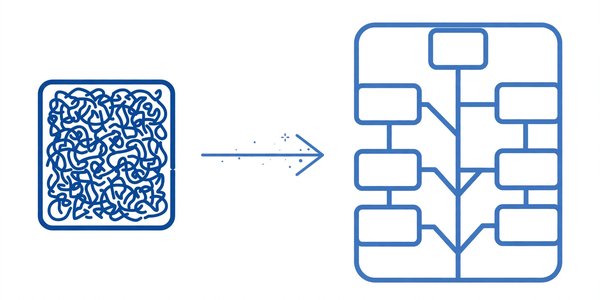
- Click the Beautify JavaScript button. In a flash, the dense block unfolds into neatly structured code. Functions separate clearly, nested blocks indent level by level, and the program’s flow becomes visible. Scroll through the result and notice how the logic finally tells its story.
- Trace the logic you came to understand. With structure restored, finding a specific function or following a callback chain becomes straightforward. Use your browser’s find feature to jump to function names or variables. Beautified code turns a guessing game into a guided tour.
- Copy or download the readable script. Grab the output with the one click copy button or save it as a JS file. Keep it as a reference while you debug or study. Tip: never edit the beautified copy as your master file; always return to the original source for changes.
The narrative hidden in the code becomes clear.
Key Features
Each feature is crafted to make any script transparent and easy to study.
- Unminifies compressed scripts. Expands single line production code into a fully readable multi line structure. Library internals and bundled scripts become navigable. What was once impenetrable is now an open book.
- JavaScript and JSON support. Beautify application scripts, configuration objects, and API responses with one tool. JSON data formats into a clean hierarchy that is easy to inspect. Developers working with APIs will use this daily.
- Customizable brace styles. Choose same line or next line braces to match your coding standard. Consistency with your team’s style keeps diffs clean and reviews focused. One setting, applied perfectly every time.
- Logic preserved exactly. Beautification only rearranges whitespace and line breaks, never your program’s behavior. Functions run identically before and after. You can study the output with complete trust.
- Helpful with syntax slips. If your script has a missing bracket or parenthesis, the tool highlights the trouble spot instead of failing silently. You get a clear pointer to where the structure breaks. It is like a patient tutor for your syntax.
- Completely free with no signup. Beautify unlimited scripts without an account or payment. Students, professionals, and curious tinkerers all get the full experience. A Tool Today keeps deep developer utilities free for everyone.
- Private by design. All beautification runs locally in your browser, so scripts never leave your device. Proprietary algorithms and client code stay confidential. Analyze sensitive logic with total peace of mind.
- Copy and download options. Take the readable script with one click or save it as a file. Reference it while debugging or studying without any friction. The tool slides effortlessly into any workflow.
Messy payloads turn into documentation you can scan.
Beginners especially appreciate the gentle guidance.

Why Use Our JavaScript Beautifier?
Debugging minified code without a beautifier is genuinely painful. Production errors often point to line one, column forty thousand, which tells you nothing useful. Beautifying the script first restores real line numbers and visible structure, so stack traces start making sense. Developers fixing urgent bugs regularly report that beautification alone cuts their investigation time dramatically. When every minute of downtime matters, readable code is not a luxury.
Studying libraries becomes a masterclass instead of a mystery. The best way to level up your JavaScript is reading excellent code written by others, but popular libraries ship minified. Beautifying them reveals real world patterns for architecture, performance tricks, and elegant solutions. Students who regularly explore beautified source code absorb professional techniques far faster than those who only read tutorials. It is like getting a guided tour inside expert engineering.
Code reviews and interviews benefit just as much. Reviewing a teammate’s tangled script is slow and error prone, while the beautified version lets you focus on logic, edge cases, and design choices. Job seekers preparing for technical interviews can beautify practice problems to study clean solutions. Freelancers auditing client scripts quickly understand what they inherited before quoting fixes. Whenever JavaScript needs to be understood by a human, beautification is the fastest path from confusion to clarity.
Onboarding new developers goes smoother with readable scripts. When a hire inherits a codebase, beautified JavaScript lets them understand the architecture in days instead of weeks. Mentors can walk through clean code without pausing to decode formatting. Teams that keep their scripts readable retain knowledge better when people move on. Clarity in code is clarity in communication.
Security reviews also benefit from beautification. Auditing a minified script for vulnerabilities is slow and unreliable, while the beautified version reveals suspicious patterns clearly. Developers checking third party scripts before including them can actually read what the code does. Transparency builds trust, and readable code is the foundation of that transparency. Whenever safety matters, start by making the script readable.
Teachers and students gain a lot from beautified examples. Instructors can take real world scripts, beautify them, and walk through professional patterns line by line. Learners grasp closures, prototypes, and async flow faster when examples are clean. Study groups reviewing the same beautified snippet stay on the same page literally. Readable code turns abstract concepts into something you can see and touch.
Tips for Best Results
These habits will help you get maximum insight from every script.
- Beautify a copy when debugging production. Keep the original minified file exactly as deployed. Work from the beautified copy for investigation, then apply fixes to your source code. This keeps your deployment pipeline clean and predictable.
- Match brace style to the original project. If the codebase uses same line braces, set that option before beautifying. Familiar formatting reduces cognitive load while you read. Your brain already knows the pattern, so let the tool follow it.
- Use it to learn JSON APIs faster. Paste raw API responses into the beautifier to see their structure clearly. Nested objects and arrays become easy to navigate. You will write integration code with far fewer surprises.
- Combine with browser developer tools. Beautify the script, then set breakpoints in the readable version. Stepping through clean code in the debugger is dramatically more productive. Modern dev tools even let you pretty print, but our tool works anywhere.
- Study one library function at a time. Beautified bundles are still large, so focus on the function you need. Use find to jump to names from stack traces or documentation. Targeted reading beats scrolling through thousands of lines.
- Pair with the Code Formatter for other languages. Full stack projects mix JavaScript with HTML, CSS, and backend code. A Tool Today offers free formatters and beautifiers for each language. Keep your entire codebase readable, not just the scripts.
Your original source remains the single place where fixes happen.
Complex nested responses become almost pleasant to explore.
Having a dedicated tool means consistent results on any machine. You get the same clean output on every device you use.
Your reading stays focused on what actually matters.
Consistency across languages makes whole projects easier to maintain. Future contributors will find their way around faster.
Frequently Asked Questions
Here are the questions we hear most often about the JavaScript Beautifier.
Complete List of All Free Online Tools
Browse the full directory of 450+ free tools. Click any tool name to use it instantly - no signup required.
| # | Tool Name | Category |
|---|---|---|
| 1 | A B Test Significance Calculator | Calculators & Converters |
| 2 | Acronym Generator | Utility Tools |
| 3 | Ad Copy Generator | Utility Tools |
| 4 | Add Page Numbers To PDF | PDF Tools |
| 5 | Add Subtitles To Video | Media Tools |
| 6 | Add Subtract Days Calculator | Calculators & Converters |
| 7 | Age Calculator | Calculators & Converters |
| 8 | Angle Converter | Calculators & Converters |
| 9 | API Request Tester | Utility Tools |
| 10 | Area Converter | Calculators & Converters |
| 11 | Article Rewriter | Utility Tools |
| 12 | Audio Converter | Calculators & Converters |
| 13 | Audio Merger | Media Tools |
| 14 | Audio Metadata Editor | Media Tools |
| 15 | Audio Pitch Changer | Media Tools |
| 16 | Audio Speed Changer | Media Tools |
| 17 | Audio To Text Converter | Calculators & Converters |
| 18 | Audio Trimmer | Media Tools |
| 19 | Avatar Maker | Utility Tools |
| 20 | Background Remover | Utility Tools |
| 21 | Backlink Checker | SEO Tools |
| 22 | Banner Maker | Utility Tools |
| 23 | Barcode Generator | Developer Tools |
| 24 | Base64 Encoder Decoder | Developer Tools |
| 25 | Bass Booster | Utility Tools |
| 26 | Bibliography Generator | Utility Tools |
| 27 | Bill Splitter | Utility Tools |
| 28 | Binary Converter | Calculators & Converters |
| 29 | Binary To Text Converter | Calculators & Converters |
| 30 | Birthday Countdown | Date & Time Tools |
| 31 | Bmi Calculator | Calculators & Converters |
| 32 | Bmr Calculator | Calculators & Converters |
| 33 | Body Fat Calculator | Calculators & Converters |
| 34 | Body Surface Area Calculator | Calculators & Converters |
| 35 | Book Title Generator | Utility Tools |
| 36 | Brand Color Finder | Color Tools |
| 37 | Brand Kit Generator | Utility Tools |
| 38 | Break Even Calculator | Calculators & Converters |
| 39 | Broken Link Checker | Utility Tools |
| 40 | Browser Info Checker | Utility Tools |
| 41 | Budget Planner | Utility Tools |
| 42 | Business Card Designer | Utility Tools |
| 43 | Business Card Maker | Utility Tools |
| 44 | Business Days Calculator | Calculators & Converters |
| 45 | Business Name Generator | Utility Tools |
| 46 | Business Proposal Generator | Utility Tools |
| 47 | Button Generator | Utility Tools |
| 48 | Buyer Persona Generator | Utility Tools |
| 49 | Calorie Calculator | Calculators & Converters |
| 50 | Captcha Generator | Utility Tools |
Is this JavaScript Beautifier really free?
Yes, one hundred percent free with no limits. Beautify as many scripts as you want without creating an account. Every option is available to every visitor, forever. A Tool Today is dedicated to keeping powerful developer tools free for all.
Can it unminify minified JavaScript?
Yes, that is one of its most popular uses. The beautifier expands compressed single line scripts into clean, indented, multi line code. Variable names stay shortened as the minifier left them, but the structure becomes fully readable. For understanding logic, that structural clarity is what matters most.
Will beautifying change how my script runs?
No. Only whitespace, indentation, and line breaks change, and JavaScript ignores those when executing. Your script behaves exactly the same after beautifying. Think of it as reformatting a document: the words stay identical, only the layout improves.
Does it support modern JavaScript syntax?
Yes. Arrow functions, classes, template literals, async and await, modules, and other modern features all format correctly. The tool understands contemporary JavaScript, not just old style scripts. You can beautify cutting edge code with confidence.
Is my script uploaded to your servers?
Never. Beautification happens entirely inside your browser via client side processing. Your code is not transmitted, stored, or logged. Proprietary algorithms, client projects, and unreleased products remain completely confidential.
Can it format very large JavaScript files?
Yes. Large bundles with thousands of lines beautify smoothly without freezing your browser. Very large files may take a few extra seconds to process, but they complete reliably. For the biggest bundles, consider focusing on the specific section you need.
What is the difference between this and a code formatter?
They serve the same purpose for JavaScript: turning messy or compressed code into clean readable code. Our JavaScript Beautifier is tuned specifically for JS and JSON syntax quirks. For other languages, our free Code Formatter covers Python, Java, PHP, and more.
How do I keep beautified code in sync with the original?
Treat the beautified version as a temporary reading copy. Always make edits in your original source files, then re beautify when you need a fresh look. This prevents the two versions from drifting apart silently. A clean workflow keeps your source of truth obvious to everyone on the team.
Will beautified code run slower than the original?
Not at all. Whitespace has zero impact on execution speed in JavaScript. The engine parses the same logic regardless of formatting, so performance stays identical. Any perceived difference is purely psychological. For production, minify your working copy with our free Code Minifier to get the smallest and fastest file.
Can it beautify code with syntax errors?
It tries its best and points out where the structure breaks. Minor issues like a missing bracket are highlighted so you can fix them quickly. Severely broken scripts may not format perfectly, since the tool cannot guess your intent. Fix the flagged errors first, then beautify again for a clean result.
Does beautifying help with debugging async code?
Yes. Callbacks, promises, and async functions become far easier to trace when indentation shows the nesting clearly. Following the flow of asynchronous logic is hard enough without fighting formatting. Beautified async code lets you see exactly where each operation starts and ends. Pair it with debugger breakpoints for maximum insight.
Is there a limit to how much code I can beautify?
No practical limit for everyday use. The tool handles large bundles with thousands of lines smoothly in your browser. Extremely massive files may take a few extra seconds, but they complete reliably. If you work with huge codebases regularly, beautifying one module at a time keeps things fast.
Can I beautify TypeScript with this tool?
For plain JavaScript style TypeScript, the beautifier handles most syntax gracefully. Advanced type annotations may not format perfectly, so check the output. Stripping types to plain JavaScript first gives the cleanest result. For everyday scripts, you will find the output perfectly readable.
Table of Contents
What is Javascript Beautifier?
The javascript beautifier is a free online tool that helps you with javascript beautifier tasks quickly and accurately. Our javascript beautifier is designed to be simple, fast, and reliable. Whether you need a javascript beautifier for personal use or professional work, this free javascript beautifier delivers instant results without any signup or download required.
How to Use the Javascript Beautifier
Using our javascript beautifier is easy. Simply open the javascript beautifier tool above, enter your input, and get instant results. The javascript beautifier processes everything in your browser for maximum privacy and speed. No technical knowledge is needed to use this javascript beautifier effectively.
Benefits of Using Our Javascript Beautifier
Our free javascript beautifier offers many advantages. It is completely free to use, requires no registration, works on all devices, and provides accurate results instantly. The javascript beautifier is updated regularly to ensure the best performance. For more information about javascript beautifier, you can Learn more about javascript beautifier on Wikipedia.
Frequently Asked Questions About Javascript Beautifier
Is the javascript beautifier really free? Yes, our javascript beautifier is 100% free with no hidden costs or premium tiers.
Do I need to create an account to use the javascript beautifier? No, the javascript beautifier works instantly without any signup or login required.
