Code Formatter
Messy code slows you down more than you realize. You open a file that someone else wrote, or maybe code you pasted from a tutorial, and the indentation is all over the place. Brackets sit on random lines, spacing is inconsistent, and finding a missing brace feels like searching for a needle in a haystack. You know the logic is probably fine, but reading it gives you a headache. That is exactly the problem our free online Code Formatter solves. Paste in your tangled code, click one button, and watch it transform into clean, neatly indented, easy to read code in seconds. It works right in your browser with nothing to install and no account to create. Whether you are a student learning your first language, a freelancer juggling client projects, or a senior developer reviewing pull requests, formatted code saves you time and mental energy every single day. A Tool Today built this formatter to be fast, private, and simple enough for anyone to use.
How to Use Our Code Formatter
Using the formatter takes less than a minute, even if you have never touched a developer tool before. The layout is simple on purpose, so you can focus on your code instead of learning a new interface. Follow these steps and your code will look professionally formatted before your coffee cools down.
- Select your programming language. Choose from the dropdown menu at the top of the tool. The formatter supports popular languages like JavaScript, Python, HTML, CSS, Java, PHP, TypeScript, JSON, and many more. Picking the right language matters because each one has its own indentation rules and bracket styles. If you are not sure which option matches your code, choose the closest one and preview the result. You can always switch languages and format again in seconds.
- Paste your messy code into the input box. Use the large editor on the left side of the screen, or type directly into it if you prefer. There is no stress about everyday file sizes, and the box handles long files smoothly without freezing. Tip: if your code comes from a PDF, a slide deck, or a chat message, paste it into a plain text editor first. That strips hidden formatting characters that can confuse any formatter.
- Set your formatting preferences. Adjust the indent size to two spaces, four spaces, or a tab character with a single click. Many teams standardize on four spaces for Python and two spaces for JavaScript, so pick whatever fits your project. These small choices make the output feel like code you wrote yourself. The preview updates instantly, so experimenting costs you nothing.
- Click the Format Code button. Let the tool do the heavy lifting while you watch. In a fraction of a second, your code reappears with consistent indentation, aligned brackets, and tidy spacing throughout. Take a moment to scroll through the result and enjoy how much easier it is to scan. If something looks off, tweak the options and format again until it feels exactly right.
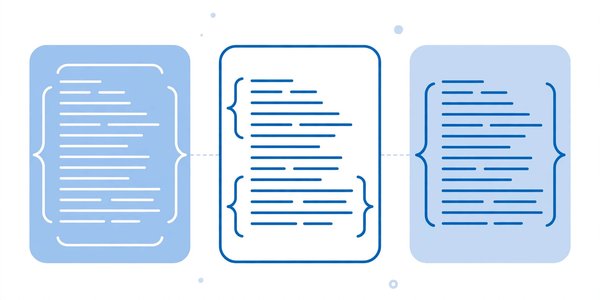
- Compare before and after side by side. The split view shows your original code next to the formatted version. This is especially helpful when you are learning, because you can see precisely what changed and why the new version reads better. Many developers keep this view open during code reviews to spot structural issues faster. It turns formatting from a chore into a quick and satisfying visual check.
- Copy or download the clean result. Hit the one click copy button to grab the entire output instantly, then paste it straight back into your editor or IDE. You can also download it as a file to your device for safekeeping. Tip: replace the messy original right away so you never format the same snippet twice. Your future self will thank you the next time that file is opened.

Key Features
Every feature below was designed around one goal: getting you from messy code to clean code with zero friction.
- Multi language support. Format JavaScript, Python, HTML, CSS, Java, PHP, TypeScript, JSON, XML, and more from a single tool. You never need a separate formatter for each language you touch. This is perfect for full stack developers who switch between frontend and backend code all day long.
- One click formatting. Paste your code and hit one button. That is the entire workflow. There are no complex settings to learn before you see results, which makes it ideal when you are in a hurry or fixing something under pressure.
- Customizable indentation. Choose two spaces, four spaces, or tabs to match your project style guide. Consistency matters in team projects, and this setting keeps everyone aligned without endless arguments about spacing. Set it once and every format follows your rule.
- Completely free with no signup. Every feature is free, and you never need to create an account or hand over your email address. Just open the page and start formatting. A Tool Today believes useful developer tools should be open to everyone, including students and hobbyists.
- Private by design. Your code is formatted right inside your browser and never uploaded to any server. Proprietary code, client work, and private projects stay completely under your control. You can format sensitive code with total confidence, even under a strict NDA.
- Handles large files with ease. Paste in long scripts or entire files without the tool slowing down. The formatter stays responsive even with thousands of lines of code. This saves you from splitting files apart just to clean them up.
- Error friendly output. If your code has a missing bracket or a small syntax slip, the tool points to the problem area instead of failing silently. You get a clear hint about where to look first. It feels like having a second pair of eyes checking your syntax.
- Copy and download options. Grab the formatted result with one click or save it as a clean file on your device. Pasting back into your editor takes only seconds. The whole workflow fits neatly into any development routine you already follow.
Why Use Our Code Formatter?
Readable code is debuggable code. When every block is indented consistently, your eyes can follow the logic instead of fighting the layout. A missing closing brace that took twenty minutes to find in messy code jumps out in seconds once everything is aligned. Students tell us that formatting alone cut their debugging time in half, because the structure on screen finally matches what the code actually does. You stop guessing where blocks begin and end, and you start seeing the real problem.
Teams run on consistency. When five developers write in five different styles, every code review becomes a negotiation about spacing instead of a discussion about logic. Running shared code through the formatter before a review or a commit keeps the whole codebase looking like one person wrote it. Reviewers can focus on what truly matters, and onboarding new developers gets easier because the code reads the same everywhere. Small formatting habits compound into a calmer, faster team.
Clean formatting also makes you a stronger programmer over time. Beginners who format their code regularly start to internalize good structure, and their later code needs far less fixing. Freelancers and agencies impress clients when deliverables look polished and professional from the first glance. Teachers find that students grasp nesting and scope much faster when examples are beautifully indented. However you write code, presenting it cleanly signals care, discipline, and quality to everyone who reads it.
Interview preparation is another hidden benefit. Coding interviews often ask you to explain your thought process while writing on a whiteboard or shared editor. Developers who format habitually write cleaner code under pressure because good structure has become muscle memory. Hiring managers notice readable code instantly, and it signals professionalism before you even explain your solution. Students also find that formatted assignments earn better feedback, since teachers can follow the logic without deciphering the layout. Whatever stage of your journey you are at, clean formatting quietly works in your favor.
Tips for Best Results
A few smart habits will help you get the most out of every format.
- Always select the correct language first. Each language has unique rules for brackets, indentation, and line breaks. Choosing the right one gives you output that follows that language’s real world conventions. The wrong language can produce odd looking results, so this single step matters most.
- Fix syntax errors before you format. The formatter arranges structure beautifully, but it cannot guess what broken code was meant to do. A quick syntax check beforehand means the output will be accurate and trustworthy. Think of it as tidying a desk: it works best when nothing is missing.
- Match your team’s indent style from the start. If your project uses two spaces, set that option before you format anything. Consistent settings across the team prevent endless reformatting wars in version control. Agree once, then let the tool enforce it forever.
- Format code before every code review or pull request. Reviewers will thank you when they can focus on logic instead of layout quirks. It also cuts down on back and forth comments about style nits. Clean diffs make everyone’s life easier, including yours.
- Run tutorial code through the formatter first. Blog posts and videos often contain code with broken indentation caused by copy pasting. Formatting it before you study makes the example far easier to follow and adapt. You will learn the concept faster when the structure is crystal clear.
- Pair formatting with minification for production. Format while you develop so your code stays readable, then minify when you deploy so it stays fast. A Tool Today offers a free Code Minifier that works perfectly alongside this formatter. Readable in development, tiny in production: the best of both worlds.
Frequently Asked Questions
Here are the questions we hear most often about the Code Formatter.
Is this Code Formatter really free?
Yes, it is completely free with no hidden limits. You can format as much code as you want, as often as you want, without creating an account. We never lock features behind a paywall and never ask for your email address. A Tool Today is built around genuinely useful free tools, and this formatter remains one of the most loved.
Which programming languages does it support?
The formatter handles the languages developers use every day, including JavaScript, TypeScript, Python, Java, PHP, C, C++, HTML, CSS, JSON, and XML. Each language gets formatting rules matched to its own conventions rather than a one size fits all guess. If you work across the stack, you can format frontend, backend, and data files without ever switching tools.
Do I need to install anything or create an account?
No installation and no account are needed. The tool runs entirely in your web browser on desktop, tablet, or phone. Just open the page, paste your code, and press format. This makes it perfect for quick fixes on shared computers or whenever you are working away from your usual setup.
Complete List of All Free Online Tools
Browse the full directory of 450+ free tools. Click any tool name to use it instantly - no signup required.
| # | Tool Name | Category |
|---|---|---|
| 1 | A B Test Significance Calculator | Calculators & Converters |
| 2 | Acronym Generator | Utility Tools |
| 3 | Ad Copy Generator | Utility Tools |
| 4 | Add Page Numbers To PDF | PDF Tools |
| 5 | Add Subtitles To Video | Media Tools |
| 6 | Add Subtract Days Calculator | Calculators & Converters |
| 7 | Age Calculator | Calculators & Converters |
| 8 | Angle Converter | Calculators & Converters |
| 9 | API Request Tester | Utility Tools |
| 10 | Area Converter | Calculators & Converters |
| 11 | Article Rewriter | Utility Tools |
| 12 | Audio Converter | Calculators & Converters |
| 13 | Audio Merger | Media Tools |
| 14 | Audio Metadata Editor | Media Tools |
| 15 | Audio Pitch Changer | Media Tools |
| 16 | Audio Speed Changer | Media Tools |
| 17 | Audio To Text Converter | Calculators & Converters |
| 18 | Audio Trimmer | Media Tools |
| 19 | Avatar Maker | Utility Tools |
| 20 | Background Remover | Utility Tools |
| 21 | Backlink Checker | SEO Tools |
| 22 | Banner Maker | Utility Tools |
| 23 | Barcode Generator | Developer Tools |
| 24 | Base64 Encoder Decoder | Developer Tools |
| 25 | Bass Booster | Utility Tools |
| 26 | Bibliography Generator | Utility Tools |
| 27 | Bill Splitter | Utility Tools |
| 28 | Binary Converter | Calculators & Converters |
| 29 | Binary To Text Converter | Calculators & Converters |
| 30 | Birthday Countdown | Date & Time Tools |
| 31 | Bmi Calculator | Calculators & Converters |
| 32 | Bmr Calculator | Calculators & Converters |
| 33 | Body Fat Calculator | Calculators & Converters |
| 34 | Body Surface Area Calculator | Calculators & Converters |
| 35 | Book Title Generator | Utility Tools |
| 36 | Brand Color Finder | Color Tools |
| 37 | Brand Kit Generator | Utility Tools |
| 38 | Break Even Calculator | Calculators & Converters |
| 39 | Broken Link Checker | Utility Tools |
| 40 | Browser Info Checker | Utility Tools |
| 41 | Budget Planner | Utility Tools |
| 42 | Business Card Designer | Utility Tools |
| 43 | Business Card Maker | Utility Tools |
| 44 | Business Days Calculator | Calculators & Converters |
| 45 | Business Name Generator | Utility Tools |
| 46 | Business Proposal Generator | Utility Tools |
| 47 | Button Generator | Utility Tools |
| 48 | Buyer Persona Generator | Utility Tools |
| 49 | Calorie Calculator | Calculators & Converters |
| 50 | Captcha Generator | Utility Tools |
Is my code uploaded to your servers?
No, never. All formatting happens locally in your browser through client side processing. Your code does not travel to our servers, is not stored anywhere, and is not logged. That makes the tool safe for proprietary source code, client projects under NDA, and anything else you would not want leaving your machine.
Will formatting change how my code runs?
No. Formatting only adjusts whitespace, indentation, and line breaks, none of which affect program logic. Your code will behave exactly the same after formatting as it did before. The only real difference is that humans can read and understand it far more easily. Think of it as tidying a room without changing what any furniture does.
Can it format very large files?
Yes. The tool is optimized to handle files with thousands of lines without freezing or slowing your browser. Extremely large files may take a few extra seconds, but the job will complete reliably. If you regularly work with huge codebases, formatting file by file keeps everything fast and manageable.
What is the difference between formatting and minifying code?
Formatting makes code readable for humans by adding consistent indentation and clean spacing. Minifying does the opposite: it strips out every unnecessary character to make files as small as possible for faster loading. You format during development and minify for production. Our free Code Minifier pairs perfectly with this formatter for exactly that workflow.
Does the formatter work on code from AI tools?
Absolutely. AI generated code often arrives with inconsistent indentation, especially when copied from chat interfaces. Pasting it into the formatter first gives you clean, readable code you can actually review. This matters because you should always read and understand AI generated code before using it. Formatting makes that review faster and helps you spot mistakes the AI may have introduced.
Can I use the Code Formatter on my phone or tablet?
Yes. The tool is fully responsive and works in any modern mobile browser. The editor, options, and copy button all adapt gracefully to smaller screens. This is handy when you want to quickly clean a snippet shared in a chat app or forum. For long coding sessions a desktop is more comfortable, but for quick fixes your phone works perfectly.
Table of Contents
What is Code Formatter?
The code formatter is a free online tool that helps you with code formatter tasks quickly and accurately. Our code formatter is designed to be simple, fast, and reliable. Whether you need a code formatter for personal use or professional work, this free code formatter delivers instant results without any signup or download required.
How to Use the Code Formatter
Using our code formatter is easy. Simply open the code formatter tool above, enter your input, and get instant results. The code formatter processes everything in your browser for maximum privacy and speed. No technical knowledge is needed to use this code formatter effectively.
Benefits of Using Our Code Formatter
Our free code formatter offers many advantages. It is completely free to use, requires no registration, works on all devices, and provides accurate results instantly. The code formatter is updated regularly to ensure the best performance. For more information about code formatter, you can Learn more about code formatter on Wikipedia.
Frequently Asked Questions About Code Formatter
Is the code formatter really free? Yes, our code formatter is 100% free with no hidden costs or premium tiers.
Do I need to create an account to use the code formatter? No, the code formatter works instantly without any signup or login required.
