Color Palette Generator
Picking colors for a project can feel like the hardest part of design. You know you want something that looks professional, but staring at a color wheel with millions of options is paralyzing. Pick colors that clash and your website looks amateur. Pick colors that are too similar and everything blends into a boring blur. Our Color Palette Generator takes the guesswork out of the process by creating beautiful, harmonious color schemes for you in one click.
This free online tool generates complete color palettes that actually work together, using proven color harmony rules that designers rely on every day. Whether you are branding a startup, designing a website, decorating a room, or creating social media graphics, you get a ready to use palette in seconds. No design degree required. This guide shows you how to use the generator, what makes its palettes look so good, and how to apply them like a seasoned designer.
You do not need any design training to get beautiful results from this tool. The generator applies the rules of color theory automatically, so your only job is to look at the options and keep the ones you love. People who insist they have no eye for color are often surprised at how quickly they find palettes that feel right, because recognizing a good combination is far easier than inventing one from nothing. Generate boldly, lock what speaks to you, and let the algorithm handle the harmony while you bring the taste.

How to Use Color Palette Generator
Creating a palette is genuinely fun with this tool, and it takes almost no effort. Follow the steps below to go from a blank page to a complete color scheme. Each step includes a tip to help you land on colors you will love.
- Click generate to create your first palette. Press the generate button and the tool instantly produces a set of colors chosen to harmonize with each other. Tip: generate several times in a row to see the range of moods, from bold and energetic to calm and minimal.
- Lock colors you love. If one color in the palette feels perfect, lock it in place and generate again. The tool builds new palettes around your locked colors. Tip: locking your brand color first is the fastest way to build a full scheme around it.
- Adjust the palette size. Choose how many colors you want, from a tight trio to a rich set of eight or more. Tip: websites usually need five colors, covering background, text, primary accent, secondary accent, and a highlight.
- Preview the palette in context. View your colors applied to a sample layout so you can judge how they work together in a real design. Tip: a palette that looks fine as swatches can surprise you in a layout, so always check the preview before committing.
- Copy individual color codes. Click any swatch to copy its hex code to your clipboard. Tip: paste codes straight into your CSS variables or design tool so your palette moves with you into the project.
- Export the full palette. Save or copy the entire palette at once in a format your tools understand. Tip: exporting the whole set keeps your team on the same page and prevents drift between versions of the design.
- Save favorites for later. Keep the palettes you love so you can return to them for future projects. Tip: build a small library of go to palettes and you will never start from a blank wheel again.
Before we dive into the details, here is a quick look at the features that make this generator fast, flexible, and genuinely enjoyable to use every day.
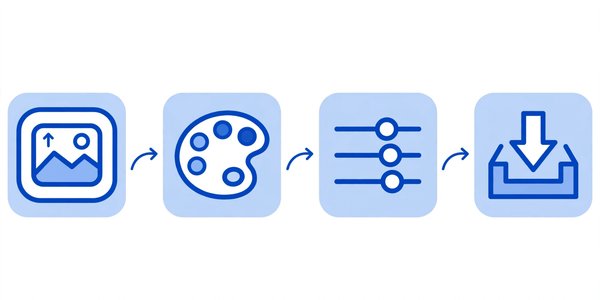
Key Features
- One click generation. A single click produces a complete harmonious palette. The speed makes experimentation effortless, so you explore more options and settle on better colors.
- Harmony based algorithms. Palettes are built on established color theory, like complementary, analogous, and triadic relationships, so the results look professionally designed rather than random.
- Color locking. Lock any swatch to keep it while the rest regenerate. This gives you creative control without giving up the speed of automatic generation.
- Adjustable palette size. Generate anywhere from three to eight plus colors, matching the needs of logos, websites, presentations, or interior schemes.
- Live layout preview. See your palette applied to a sample interface before you commit. Judging colors in context is how professionals evaluate them.
- Instant hex copying. Every swatch copies its hex code with one click, so moving from inspiration to implementation takes seconds.
- Export options. Take the whole palette with you in a shareable format. Sharing one file beats sending scattered screenshots to your team.
- Free with no signup. Generate unlimited palettes without an account or payment. A Tool Today keeps it free for designers, students, and hobbyists alike.

Why Use Our Color Palette Generator?
Color is emotional. The palette you choose tells visitors whether your brand is playful or serious, luxurious or affordable, calm or exciting, before they read a single word. Getting it right by instinct alone is hard, and hiring a designer for every small project is not always practical. Our generator bridges that gap by applying real color theory automatically, giving non designers access to the same harmony principles professionals use.
The use cases are endless. A startup founder can generate a brand palette on day one instead of waiting weeks for agency concepts. A blogger can refresh their site colors in an afternoon and watch the whole design feel new again. A teacher making slides can build a readable, attractive scheme that keeps students engaged. An Etsy seller can coordinate product photos, banners, and packaging with one consistent palette. Even experienced designers use generators to break out of creative ruts and discover combinations they would not have tried on their own.
What makes this generator special is how it balances automation with control. You are never stuck with the first result. Lock the colors you like, regenerate the rest, adjust the count, and preview everything in a realistic layout. It runs entirely free in your browser with no account standing between you and your next great palette. If color decisions slow you down, this tool gives you your momentum back.
Speed is a genuine competitive advantage here. A freelancer who can present three polished palette directions in ten minutes looks far more professional than one who spends a day agonizing over a color wheel. Clients respond to momentum, and this tool gives you that momentum without cutting corners on quality. Because every palette rests on real harmony principles, you can present generated options with confidence instead of apologizing for guesswork.
The generator also removes the fear of experimenting. Trying a daring combination costs one click instead of an afternoon, so you explore bolder directions you might otherwise avoid. Some of the most memorable brand identities came from unexpected color pairings that a cautious designer would never have tried by hand. Give yourself permission to generate widely, because the cost of a miss is zero and the payoff of a hit is enormous.
Tips for Best Results
- Start from a color you already like. Lock your favorite brand or personal color first, then generate around it. Palettes built on a color you love always feel more like yours.
- Generate at least ten options. The first palette is rarely the best one. Browsing a dozen variations trains your eye and surfaces unexpected gems.
- Limit your working palette. Five colors are plenty for most projects. More colors usually mean less cohesion, so resist the urge to keep adding.
- Check contrast for text. Your text color must stand out clearly against its background. If a combination looks stylish but strains your eyes, it fails the most important test.
- Consider the mood you want. Warm colors feel energetic and friendly, cool colors feel calm and trustworthy. Match the palette mood to the message of your project.
- Test in the real environment. View your palette on the actual website, printed page, or room where it will live. Screens, printers, and lighting all shift how colors appear.
Still curious about how palettes work or how to use them well? The answers below cover the questions we hear most often. Read through them and you will pick up practical color knowledge you can apply to every future project.
Frequently Asked Questions
What is a color palette?
A color palette is a curated set of colors chosen to be used together in a design. Most palettes include a dominant color, a few supporting colors, and one or two accents for highlights and calls to action. Working from a defined palette keeps every part of a project visually consistent, from the website header to the social media graphics to the printed business card. Without a palette, colors tend to drift and the result looks disjointed.
Complete List of All Free Online Tools
Browse the full directory of 450+ free tools. Click any tool name to use it instantly - no signup required.
| # | Tool Name | Category |
|---|---|---|
| 1 | A B Test Significance Calculator | Calculators & Converters |
| 2 | Acronym Generator | Utility Tools |
| 3 | Ad Copy Generator | Utility Tools |
| 4 | Add Page Numbers To PDF | PDF Tools |
| 5 | Add Subtitles To Video | Media Tools |
| 6 | Add Subtract Days Calculator | Calculators & Converters |
| 7 | Age Calculator | Calculators & Converters |
| 8 | Angle Converter | Calculators & Converters |
| 9 | API Request Tester | Utility Tools |
| 10 | Area Converter | Calculators & Converters |
| 11 | Article Rewriter | Utility Tools |
| 12 | Audio Converter | Calculators & Converters |
| 13 | Audio Merger | Media Tools |
| 14 | Audio Metadata Editor | Media Tools |
| 15 | Audio Pitch Changer | Media Tools |
| 16 | Audio Speed Changer | Media Tools |
| 17 | Audio To Text Converter | Calculators & Converters |
| 18 | Audio Trimmer | Media Tools |
| 19 | Avatar Maker | Utility Tools |
| 20 | Background Remover | Utility Tools |
| 21 | Backlink Checker | SEO Tools |
| 22 | Banner Maker | Utility Tools |
| 23 | Barcode Generator | Developer Tools |
| 24 | Base64 Encoder Decoder | Developer Tools |
| 25 | Bass Booster | Utility Tools |
| 26 | Bibliography Generator | Utility Tools |
| 27 | Bill Splitter | Utility Tools |
| 28 | Binary Converter | Calculators & Converters |
| 29 | Binary To Text Converter | Calculators & Converters |
| 30 | Birthday Countdown | Date & Time Tools |
| 31 | Bmi Calculator | Calculators & Converters |
| 32 | Bmr Calculator | Calculators & Converters |
| 33 | Body Fat Calculator | Calculators & Converters |
| 34 | Body Surface Area Calculator | Calculators & Converters |
| 35 | Book Title Generator | Utility Tools |
| 36 | Brand Color Finder | Color Tools |
| 37 | Brand Kit Generator | Utility Tools |
| 38 | Break Even Calculator | Calculators & Converters |
| 39 | Broken Link Checker | Utility Tools |
| 40 | Browser Info Checker | Utility Tools |
| 41 | Budget Planner | Utility Tools |
| 42 | Business Card Designer | Utility Tools |
| 43 | Business Card Maker | Utility Tools |
| 44 | Business Days Calculator | Calculators & Converters |
| 45 | Business Name Generator | Utility Tools |
| 46 | Business Proposal Generator | Utility Tools |
| 47 | Button Generator | Utility Tools |
| 48 | Buyer Persona Generator | Utility Tools |
| 49 | Calorie Calculator | Calculators & Converters |
| 50 | Captcha Generator | Utility Tools |
How does the generator choose colors that go together?
The generator uses color harmony rules from traditional color theory. These include complementary pairings of colors opposite each other on the color wheel, analogous groupings of neighbors on the wheel, and triadic sets spaced evenly around it. These relationships have pleased human eyes for centuries, which is why palettes built on them look naturally balanced. The tool applies these rules mathematically, so every palette it produces has a structural reason for looking good.
How many colors should my palette have?
Five is the sweet spot for most projects. That gives you a background color, a text color, a primary brand color, a secondary color, and an accent for buttons and highlights. Logos often need just two or three, while complex dashboards might use six to eight. The key principle is restraint. Every color you add dilutes the impact of the others, so choose the smallest set that covers your needs and let white space do the rest.
Can I build a palette around my existing brand color?
Yes, and this is one of the most popular ways to use the tool. Enter or lock your brand color first, then generate palettes around it. The generator treats your locked color as the anchor and builds harmonious companions for it. This is perfect when a rebrand keeps the logo color but needs fresh supporting colors for a new website, or when a single favorite shade needs a full supporting cast.
What is the difference between a tint, shade, and tone?
A tint is your base color mixed with white, which makes it lighter. A shade is your base color mixed with black, which makes it darker. A tone is your base color mixed with gray, which mutes its intensity. Designers use tints for backgrounds, shades for text and depth, and tones for subtle supporting elements. Many great palettes are simply one strong color plus its tints, shades, and tones, which guarantees perfect harmony.
How do I know if my palette has enough contrast?
Place your text color on your background color and read it at normal size. If you can read comfortably without squinting, the contrast is probably fine for decorative use. For body text on websites, aim higher, since accessibility guidelines require strong contrast ratios for readability. When in doubt, darken the text or lighten the background until the words pop clearly. The preview feature helps you judge this before you commit.
Can I use generated palettes for client work?
Yes. Palettes generated by the tool are free to use in personal and commercial projects, including client work. Colors themselves cannot be owned in the way a logo can, so there are no licensing worries with a generated scheme. Many freelancers use the generator to produce quick starting options for client presentations, then refine the chosen direction together with the client.
Is the color palette generator really free?
Yes, it is completely free with no account required and no limit on how many palettes you generate. A Tool Today offers it as part of a free collection of everyday utilities. Generate palettes for as many projects as you like, export them, share them with your team, and come back whenever you need fresh inspiration.
Table of Contents
What is Color Palette Generator?
The color palette generator is a free online tool that helps you with color palette generator tasks quickly and accurately. Our color palette generator is designed to be simple, fast, and reliable. Whether you need a color palette generator for personal use or professional work, this free color palette generator delivers instant results without any signup or download required.
How to Use the Color Palette Generator
Using our color palette generator is easy. Simply open the color palette generator tool above, enter your input, and get instant results. The color palette generator processes everything in your browser for maximum privacy and speed. No technical knowledge is needed to use this color palette generator effectively.
Benefits of Using Our Color Palette Generator
Our free color palette generator offers many advantages. It is completely free to use, requires no registration, works on all devices, and provides accurate results instantly. The color palette generator is updated regularly to ensure the best performance. For more information about color palette generator, you can Learn more about color palette generator on Wikipedia.
Frequently Asked Questions About Color Palette Generator
Is the color palette generator really free? Yes, our color palette generator is 100% free with no hidden costs or premium tiers.
Do I need to create an account to use the color palette generator? No, the color palette generator works instantly without any signup or login required.
