Document Converter
Documents come in dozens of formats, and the one you have is never the one you need. Your client sent a Pages file but you work in Word. The submission portal demands PDF but you wrote in plain text. Your ebook reader wants EPUB and all you have is DOCX. Our Document Converter handles these everyday frustrations in seconds. Upload your file, choose the format you need, and download the converted document. It works with the formats that real life throws at you, including DOCX, PDF, TXT, RTF, HTML, and more. Whether you are a student submitting assignments, a freelancer delivering client work, an office worker wrangling reports, or an author preparing ebooks, this free online tool saves you from format headaches. There is nothing to install and no account to create. Your documents stay on your device during conversion, so contracts, resumes, and private writing never pass through a stranger’s server. The cost of the wrong format is measured in wasted afternoons. Reformatting a document by hand means reapplying headings, rebuilding tables, and fixing pagination, all while introducing new errors. Hiring it out or buying software for an occasional need makes little sense either. Our converter gives you a third option that takes seconds. Upload the file you have, pick the format you need, and download a faithful conversion. It is the kind of simple utility that quietly removes a recurring annoyance from your work life.
How to Use Document Converter
From wrong format to right format in under a minute. Here is the full process.
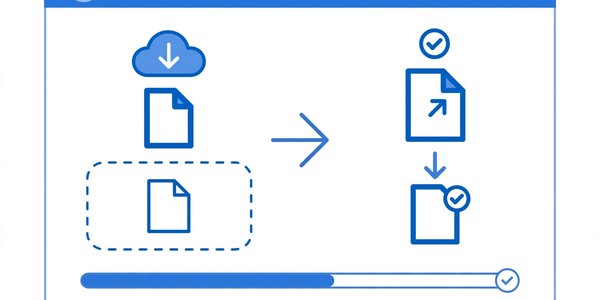
- Upload your document. Drag your file into the upload area or click to browse. The tool accepts common document formats including DOCX, PDF, TXT, RTF, and HTML. Your file loads locally and never travels to a server.
- Choose your target format. Select the format you need from the list. Common moves include Word to PDF for sharing, PDF to Word for editing, any format to plain text for maximum compatibility, and documents to HTML for web publishing.
- Adjust conversion options. Depending on the formats involved, you may be able to control details like page layout preservation, image quality, or text encoding. The defaults work well for most jobs, so only tweak these when you have a specific need.
- Click the Convert button. One click starts the conversion. Processing happens right in your browser, so most documents finish in seconds without upload delays or waiting rooms.
- Review the converted document. Open the result and skim through it. Check that headings, paragraphs, tables, and images survived the trip intact. A quick review now is far cheaper than discovering a formatting glitch after you have sent the file.
- Download your converted file. Save the new document to your device with one click. The filename keeps your original name with the new extension, so it slots straight into your existing folders and workflows.
If document conversion is a recurring part of your work, bookmark this page now. Students face a new submission portal every semester, freelancers deliver files weekly, and office workers juggle formats daily. Having a reliable converter one click away turns each of those moments from a scramble into a non event. Upload, choose the format, download, and continue with your day. It is the closest thing to a format universal remote you will find for free. The best utilities are the ones you stop noticing, and this one earns that invisibility fast.
Key Features
Built for the document conversions people actually need, with the fidelity that makes the result genuinely usable. Free and unlimited, always.
- Popular format support. Convert between DOCX, PDF, TXT, RTF, HTML, and other everyday formats. The conversions people request most are all covered in one place.
- Layout preservation. Headings, paragraphs, lists, tables, and basic formatting carry over into the new format. Your document still looks like your document after conversion.
- Word to PDF conversion. Turn editable Word documents into fixed layout PDFs that look identical everywhere. Perfect for resumes, contracts, and anything you want nobody to accidentally edit.
- PDF to editable formats. Convert PDFs back into Word or text so you can actually edit them. Text extraction keeps paragraphs and structure instead of dumping one long unbroken block.
- Plain text extraction. Strip any document down to clean plain text in one step. Ideal for feeding content into other tools, archiving, or removing stubborn formatting.
- In browser processing. Your documents are converted locally on your device. Sensitive files like contracts, resumes, and financial reports never leave your browser tab.
- No watermarks. Converted documents download clean with no branding stamped on them. They are ready to send to clients, employers, and publishers immediately.
- Works everywhere. The converter runs in any modern browser on desktop, tablet, or phone. Convert documents wherever you happen to be working.
Every feature here exists because real users asked for it through real frustration. Layout preservation matters because reflowed documents look unprofessional. Local processing matters because nobody wants contracts sitting on a stranger’s server. No watermarks matter because client deliverables must look clean. The feature list is short on purpose. It does the jobs people actually need, does them well, and stays out of your way otherwise. When a tool respects your time this consistently, it becomes part of your professional toolkit.
Why Use Our Document Converter?
Document formats multiply endlessly, and each one serves a different master. Word is for editing, PDF is for sharing, plain text is for compatibility, HTML is for the web. Real life constantly demands the wrong one at the wrong moment. A professor wants PDF but you drafted in Word. A client can only open TXT on their ancient system. A publisher needs HTML and you have DOCX. The traditional fixes are all painful. Desktop office suites are expensive and heavy, many online converters watermark your files or throttle you after two conversions, and emailing files to yourself in hopes a phone app handles it is pure chaos. Our converter gives you a fast, free, private path from any supported format to any other.
Students convert essays and assignments into the exact format each submission portal demands. Freelancers deliver client work as polished PDFs while keeping editable Word originals. Office workers turn reports into PDFs for distribution and extract text from PDFs for analysis. Authors prepare manuscripts for different publishing platforms without reformatting by hand. Job seekers convert resumes between Word and PDF depending on what each application system accepts. Because the tool is free with no conversion caps, it handles both the one off emergency and the weekly routine.
Fidelity is what separates a useful converter from a frustrating one. A conversion that mangles your tables or drops your images just creates a new problem. This tool preserves document structure faithfully, so the file you download is genuinely ready to use, not a rough approximation you must repair.
Reliability matters most when deadlines are involved. A student facing a midnight submission portal, a freelancer sending final deliverables, or an applicant racing a job posting cannot afford a converter that fails, watermarks, or demands signup at the worst moment. This tool is built for those moments. It loads fast, works without an account, and processes files locally so there is no upload that can stall on a slow connection. When the pressure is on, simple and dependable beats feature packed and fragile every time.
Tips for Best Results
A little source hygiene goes a long way toward a clean conversion.
- Start with a clean source document. Fix typos, broken tables, and weird spacing before converting. Conversion preserves your content faithfully, including its flaws, so tidy the original first. A five minute cleanup of the source saves far more than five minutes of fixing the output.
- Use styles instead of manual formatting. Real heading styles and proper lists convert far better than text that merely looks like a heading. If your Word doc uses styles, the converted PDF or HTML will too. Future conversions of the same template will then work flawlessly every time.
- Embed or standardize unusual fonts. Exotic fonts may not survive conversion to every format. Stick to common fonts for documents that will travel between systems.
- Check complex tables afterward. Merged cells and nested tables are the hardest elements to convert. Review every table in the output and simplify the source layout if something looks off.
- Convert to PDF for final sharing. When the document is done and should not change, PDF is the right finish line. It looks identical on every device and cannot be casually edited. Recipients see exactly what you intended on every device they open it on.
- Keep an editable original. Always keep your Word or source version alongside the converted file. Future edits belong in the original, followed by a fresh conversion.
Review these tips once more before your next important conversion. Clean source documents, real styles instead of manual formatting, standard fonts, and a quick check of tables will carry you through nearly every scenario. Save the converted file next to your editable original and you will always have both versions ready. Future you, facing the next deadline, will be grateful for the thirty seconds of organization. That small discipline separates smooth conversions from frustrating ones.
Frequently Asked Questions
Is the Document Converter free?
Yes, completely free with no limits on conversions and no account required. Convert as many documents as you need, whenever you need to.
Complete List of All Free Online Tools
Browse the full directory of 450+ free tools. Click any tool name to use it instantly - no signup required.
| # | Tool Name | Category |
|---|---|---|
| 1 | A B Test Significance Calculator | Calculators & Converters |
| 2 | Acronym Generator | Utility Tools |
| 3 | Ad Copy Generator | Utility Tools |
| 4 | Add Page Numbers To PDF | PDF Tools |
| 5 | Add Subtitles To Video | Media Tools |
| 6 | Add Subtract Days Calculator | Calculators & Converters |
| 7 | Age Calculator | Calculators & Converters |
| 8 | Angle Converter | Calculators & Converters |
| 9 | API Request Tester | Utility Tools |
| 10 | Area Converter | Calculators & Converters |
| 11 | Article Rewriter | Utility Tools |
| 12 | Audio Converter | Calculators & Converters |
| 13 | Audio Merger | Media Tools |
| 14 | Audio Metadata Editor | Media Tools |
| 15 | Audio Pitch Changer | Media Tools |
| 16 | Audio Speed Changer | Media Tools |
| 17 | Audio To Text Converter | Calculators & Converters |
| 18 | Audio Trimmer | Media Tools |
| 19 | Avatar Maker | Utility Tools |
| 20 | Background Remover | Utility Tools |
| 21 | Backlink Checker | SEO Tools |
| 22 | Banner Maker | Utility Tools |
| 23 | Barcode Generator | Developer Tools |
| 24 | Base64 Encoder Decoder | Developer Tools |
| 25 | Bass Booster | Utility Tools |
| 26 | Bibliography Generator | Utility Tools |
| 27 | Bill Splitter | Utility Tools |
| 28 | Binary Converter | Calculators & Converters |
| 29 | Binary To Text Converter | Calculators & Converters |
| 30 | Birthday Countdown | Date & Time Tools |
| 31 | Bmi Calculator | Calculators & Converters |
| 32 | Bmr Calculator | Calculators & Converters |
| 33 | Body Fat Calculator | Calculators & Converters |
| 34 | Body Surface Area Calculator | Calculators & Converters |
| 35 | Book Title Generator | Utility Tools |
| 36 | Brand Color Finder | Color Tools |
| 37 | Brand Kit Generator | Utility Tools |
| 38 | Break Even Calculator | Calculators & Converters |
| 39 | Broken Link Checker | Utility Tools |
| 40 | Browser Info Checker | Utility Tools |
| 41 | Budget Planner | Utility Tools |
| 42 | Business Card Designer | Utility Tools |
| 43 | Business Card Maker | Utility Tools |
| 44 | Business Days Calculator | Calculators & Converters |
| 45 | Business Name Generator | Utility Tools |
| 46 | Business Proposal Generator | Utility Tools |
| 47 | Button Generator | Utility Tools |
| 48 | Buyer Persona Generator | Utility Tools |
| 49 | Calorie Calculator | Calculators & Converters |
| 50 | Captcha Generator | Utility Tools |
Are my documents uploaded anywhere?
No. Conversion runs entirely in your browser. Your files never leave your device, are never stored on a server, and cannot be accessed by anyone else. This makes the tool safe for contracts, resumes, and confidential reports. Your browser does all the work, so confidential material never crosses a network. Legal documents, medical records, and financial statements stay entirely in your hands.
Which formats are supported?
The tool handles the formats people use every day, including DOCX, PDF, TXT, RTF, and HTML. You can convert from any supported format to any other supported format in a single step. The most traveled paths are Word to PDF, PDF to Word, and anything to plain text. Each is tuned for fidelity so the result needs no cleanup.
Will my formatting survive the conversion?
Yes, for standard elements. Headings, paragraphs, lists, tables, and basic text formatting carry over faithfully. Very complex layouts with floating objects or intricate merged tables should be reviewed after conversion, since those are challenging for any converter. Styles based documents convert the most faithfully, which is another reason to use real headings instead of big bold text. Good source habits pay off in every output format.
Can I convert PDF to Word?
Yes. The tool extracts text from PDFs into editable Word documents while preserving paragraph structure and basic formatting. Scanned image based PDFs contain no real text to extract, so results are best with digitally created PDFs. Tables and lists generally survive the trip well. Always give the Word version a quick skim, since PDF is a fixed layout format and some manual polish is occasionally worthwhile.
Does the converted file have a watermark?
Never. Your converted documents download completely clean with no branding, no footers, and no attribution required. They are ready for professional use the moment you download them. Headers, footers, and page numbers from your original are preserved, but nothing new is added. The document that comes out belongs entirely to you.
How large a file can I convert?
Since processing happens locally, the practical limit is your device’s memory rather than a server cap. Typical reports, resumes, manuscripts, and ebooks convert in seconds. Multi hundred page manuscripts are well within reach. If a file is exceptionally large, closing other heavy tabs gives the converter more breathing room.
Does it work on mobile devices?
Yes. The converter is fully responsive and works in any modern mobile browser, so you can convert documents from your phone or tablet when you are away from your desk. Upload from your photo library or files app, convert, and share the result straight from your phone. Field work and travel no longer mean waiting until you are back at a desk.
Table of Contents
What is Document Converter?
The document converter is a free online tool that helps you with document converter tasks quickly and accurately. Our document converter is designed to be simple, fast, and reliable. Whether you need a document converter for personal use or professional work, this free document converter delivers instant results without any signup or download required.
How to Use the Document Converter
Using our document converter is easy. Simply open the document converter tool above, enter your input, and get instant results. The document converter processes everything in your browser for maximum privacy and speed. No technical knowledge is needed to use this document converter effectively.
Benefits of Using Our Document Converter
Our free document converter offers many advantages. It is completely free to use, requires no registration, works on all devices, and provides accurate results instantly. The document converter is updated regularly to ensure the best performance. For more information about document converter, you can Learn more about document converter on Wikipedia.
Frequently Asked Questions About Document Converter
Is the document converter really free? Yes, our document converter is 100% free with no hidden costs or premium tiers.
Do I need to create an account to use the document converter? No, the document converter works instantly without any signup or login required.
