Image Format Converter
Wrong image format is one of those small problems that wastes a surprising amount of time. Your designer sent a PNG but the site needs WebP. Your client uploaded a BMP from 2009. Your phone saved everything as HEIC and nothing will open it. Our Image Format Converter fixes all of this in seconds. Upload your image, pick the format you need, and download the converted file. It handles the formats you actually encounter every day, including JPG, PNG, WebP, GIF, BMP, and more. Whether you are a web developer optimizing page speed, a blogger shrinking upload sizes, a designer delivering client files, or just someone whose printer demands a specific format, this free online tool gets it done fast. There is no software to install and no account to create. Your images are processed right in your browser, so private photos never travel to a server and never sit in someone else’s cloud. Installing desktop software for a ten second job is overkill, and many online converters make you wait through uploads, queues, and download timers. Some even stamp watermarks on your images or demand an account before the first conversion. Our converter skips all of that. It runs entirely in your browser, starts instantly, and treats your images as your own. Convert one photo or work through a whole folder of assets with the same fast, private, watermark free experience every time.
How to Use Image Format Converter
Converting an image takes about fifteen seconds. Here is all there is to it.
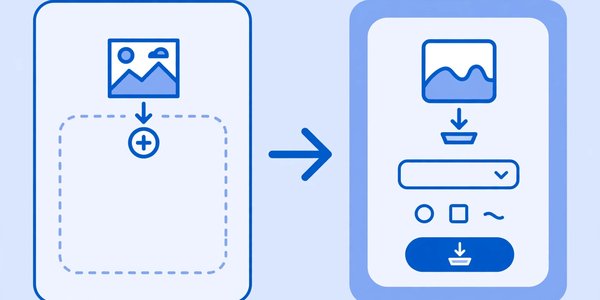
- Upload your image. Drag your file into the upload area or click to browse your device. The tool accepts common formats like JPG, PNG, GIF, BMP, and WebP. Your image loads instantly because it never leaves your device.
- Choose your target format. Pick the format you need from the list. Going to WebP for a website, JPG for maximum compatibility, or PNG when you need transparency and crisp edges. If you are unsure, the tool’s hints explain what each format is best for.
- Adjust quality settings if you want. For lossy formats like JPG and WebP, a quality slider lets you balance file size against visual fidelity. Around 80 to 85 percent looks identical to the original for most photos while cutting the file size dramatically.
- Click the Convert button. One click starts the conversion. Because processing happens locally in your browser, even large photos finish in seconds with no upload wait and no queue.
- Preview the converted image. Compare the result against the original right in the tool. Check sharpness, colors, and transparency to make sure the conversion preserved what matters to you.
- Download your converted file. Hit download and save the new file to your device. The filename keeps your original name with the new extension, so your files stay organized with zero extra effort.
If images are part of your weekly routine, bookmark this converter. Web developers optimizing a new site, bloggers publishing photo essays, and sellers listing new products all end up converting images constantly. With the tool one click away, the habit forms fast. Upload, pick a format, adjust quality, download, and move on. Each cycle takes seconds, and your library of web ready images grows without the task ever feeling like work.
Key Features
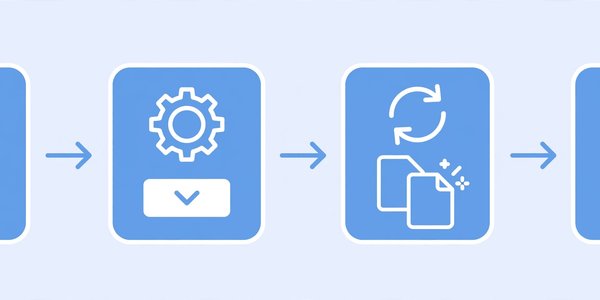
Fast, private, and genuinely useful for both everyday and professional image work. Everything is free with no limits.
- Wide format support. Convert between JPG, PNG, WebP, GIF, BMP, and other common formats. Whatever odd file lands in your inbox, you can turn it into something usable.
- True in browser processing. Your images are converted locally with no upload to any server. Private photos, client work, and unreleased designs never leave your device.
- Adjustable quality control. A simple quality slider for lossy formats lets you trade file size against image fidelity. Find the sweet spot for web use, email attachments, or print.
- Transparency handling. Converting to PNG preserves alpha transparency for logos and graphics. The tool warns you when a target format cannot carry transparency, so you never get a surprise black background.
- Batch friendly workflow. Convert images one after another without reloading or waiting. The fast local engine makes working through a folder of assets genuinely painless.
- Instant preview comparison. See the converted result side by side with the original before you download. You approve the quality with your own eyes, not a blind setting.
- No watermarks or branding. Your converted images come out clean with no logos stamped on them. What you download is ready for client delivery or publication.
- Works on any device. The converter runs in any modern browser on desktop, tablet, or phone. Convert images wherever you are without installing an app.
These features work together to cover every common image task without overwhelming you. Casual users get a simple upload and convert flow, while professionals get the quality controls and transparency handling their work demands. Nothing is hidden behind an account wall and nothing phones home. It is simply a well built utility that respects both your time and your privacy, which is rarer than it should be. The result is a tool you will recommend to colleagues without hesitation.
Why Use Our Image Format Converter?
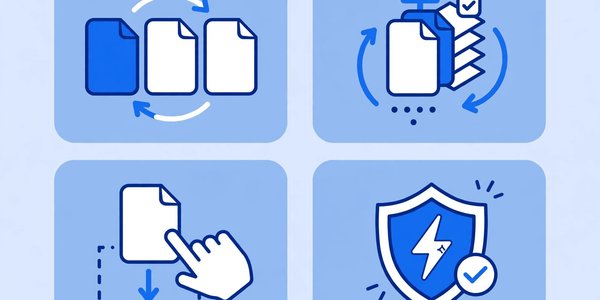
Image formats are a quiet compatibility minefield. WebP loads pages dramatically faster than PNG, but older tools choke on it. JPG is universal but cannot do transparency. PNG is crisp but heavy. Every project eventually demands a format you do not have, and the usual fixes are annoying. Desktop editors are overkill for a simple conversion, online converters often watermark your files or hold them hostage behind a signup, and command line tools assume expertise most people do not have. Our converter sits in the sweet spot. It is as simple as uploading and clicking, yet it respects your privacy and your time.
Web developers use it to convert PNG screenshots and JPG photos into WebP, cutting page weight and boosting Core Web Vitals scores. Bloggers shrink oversized uploads before publishing so their sites stay fast. Designers deliver the exact formats clients asked for without opening heavyweight software. Ecommerce sellers convert supplier images into web ready formats for product listings. Students and office workers convert between formats for presentations, printers, and submission portals. Because the tool is free and unlimited, it becomes the kind of utility you bookmark and reach for weekly.
The privacy angle deserves emphasis. Many free converters upload your images to a server you know nothing about, where they may be stored, scanned, or worse. Ours processes everything locally in your browser tab. Family photos, unreleased product shots, and confidential design mockups are never transmitted anywhere, which makes this the safe choice as well as the fast one.
Speed compounds when image conversion becomes a habit rather than a chore. Developers who convert screenshots to WebP as they go keep their sites lean without thinking about it. Bloggers who shrink uploads before publishing never face surprise storage warnings. Designers who deliver exact formats on the first try avoid revision rounds. Each conversion takes seconds, but the cumulative effect on page speed, storage bills, and professional polish is enormous. Bookmark the tool once and it quietly upgrades your entire visual workflow from that day forward.
Tips for Best Results
Pick the right format and settings and your images will look great at a fraction of the size.
- Use WebP for the web. WebP delivers much smaller files than JPG or PNG at similar quality. It is the best default for website images, blog posts, and online stores. Your visitors on slow connections will feel the difference immediately.
- Keep PNG for transparency and text. Logos, icons, and graphics with sharp edges stay crisp in PNG. Never convert transparent images to JPG, which cannot store an alpha channel. Screenshots of user interfaces also compress beautifully as PNG.
- Start from the highest quality source. Converting from a high quality original gives the best result. Avoid converting an already compressed JPG again at low quality, since artifacts multiply with each pass.
- Test quality around 80 percent first. For photos, 80 to 85 percent quality is usually visually identical to the original while dramatically smaller. Lower it only if file size matters more than pixel perfection. Batch convert a whole folder at the same setting for consistent results.
- Check transparency after converting. When moving between formats, preview the result to confirm transparent areas survived. Catching it now beats discovering a black box on your live site.
- Mind the color profile for print. For print work, convert to a format your printer accepts and keep quality at maximum. Web optimization and print preparation are opposite goals, so choose settings for the destination.
Keep these tips handy until they become reflex. Choosing WebP for the web, PNG for transparency, starting from high quality sources, and previewing before download will handle the vast majority of situations perfectly. The few edge cases that remain, like print preparation or exotic source formats, are covered above too. With this checklist internalized, image formats stop being a problem you think about. That is the whole goal.
Frequently Asked Questions
Is the Image Format Converter free?
Yes, completely free with no limits on the number of conversions. There is no account to create and no premium tier locking features away.
Complete List of All Free Online Tools
Browse the full directory of 450+ free tools. Click any tool name to use it instantly - no signup required.
| # | Tool Name | Category |
|---|---|---|
| 1 | A B Test Significance Calculator | Calculators & Converters |
| 2 | Acronym Generator | Utility Tools |
| 3 | Ad Copy Generator | Utility Tools |
| 4 | Add Page Numbers To PDF | PDF Tools |
| 5 | Add Subtitles To Video | Media Tools |
| 6 | Add Subtract Days Calculator | Calculators & Converters |
| 7 | Age Calculator | Calculators & Converters |
| 8 | Angle Converter | Calculators & Converters |
| 9 | API Request Tester | Utility Tools |
| 10 | Area Converter | Calculators & Converters |
| 11 | Article Rewriter | Utility Tools |
| 12 | Audio Converter | Calculators & Converters |
| 13 | Audio Merger | Media Tools |
| 14 | Audio Metadata Editor | Media Tools |
| 15 | Audio Pitch Changer | Media Tools |
| 16 | Audio Speed Changer | Media Tools |
| 17 | Audio To Text Converter | Calculators & Converters |
| 18 | Audio Trimmer | Media Tools |
| 19 | Avatar Maker | Utility Tools |
| 20 | Background Remover | Utility Tools |
| 21 | Backlink Checker | SEO Tools |
| 22 | Banner Maker | Utility Tools |
| 23 | Barcode Generator | Developer Tools |
| 24 | Base64 Encoder Decoder | Developer Tools |
| 25 | Bass Booster | Utility Tools |
| 26 | Bibliography Generator | Utility Tools |
| 27 | Bill Splitter | Utility Tools |
| 28 | Binary Converter | Calculators & Converters |
| 29 | Binary To Text Converter | Calculators & Converters |
| 30 | Birthday Countdown | Date & Time Tools |
| 31 | Bmi Calculator | Calculators & Converters |
| 32 | Bmr Calculator | Calculators & Converters |
| 33 | Body Fat Calculator | Calculators & Converters |
| 34 | Body Surface Area Calculator | Calculators & Converters |
| 35 | Book Title Generator | Utility Tools |
| 36 | Brand Color Finder | Color Tools |
| 37 | Brand Kit Generator | Utility Tools |
| 38 | Break Even Calculator | Calculators & Converters |
| 39 | Broken Link Checker | Utility Tools |
| 40 | Browser Info Checker | Utility Tools |
| 41 | Budget Planner | Utility Tools |
| 42 | Business Card Designer | Utility Tools |
| 43 | Business Card Maker | Utility Tools |
| 44 | Business Days Calculator | Calculators & Converters |
| 45 | Business Name Generator | Utility Tools |
| 46 | Business Proposal Generator | Utility Tools |
| 47 | Button Generator | Utility Tools |
| 48 | Buyer Persona Generator | Utility Tools |
| 49 | Calorie Calculator | Calculators & Converters |
| 50 | Captcha Generator | Utility Tools |
Are my images uploaded to a server?
No. Conversion happens entirely in your browser using local processing. Your images never leave your device, are never stored anywhere, and cannot be seen by anyone else. Even the file picker dialog is the only thing that sees your photos. With no server in the loop there is simply nowhere for your images to leak, which is why professionals trust it with client work.
Which formats can I convert between?
The tool supports the formats people actually use every day, including JPG, PNG, WebP, GIF, and BMP. You can convert from any supported format to any other supported format in one step. If you receive something truly exotic, converting it to PNG first usually unlocks everything else. PNG acts as a universal bridge format for the rare edge cases.
Will converting reduce my image quality?
It depends on the formats involved. Converting between lossless formats like PNG preserves quality perfectly. Converting to lossy formats like JPG or WebP involves some compression, but the quality slider lets you control the tradeoff, and at 80 to 85 percent the difference is invisible for most photos. The preview comparison exists precisely so you can judge with your own eyes. If you cannot see a difference at 80 percent, your visitors will not see one either, and your pages will load noticeably faster.
What is the best format for website images?
WebP is the best all rounder for the web. It produces much smaller files than JPG or PNG at comparable quality, which means faster page loads. Use PNG only when you need transparency or razor sharp graphics like logos. For photographs with no transparency, WebP at 80 percent quality is the sweet spot nearly every time. Reserve PNG for graphics where every pixel edge must stay razor sharp.
Can I convert transparent PNGs?
Yes. Converting to PNG preserves transparency exactly. If you convert a transparent image to a format without alpha support like JPG, the tool warns you first so the transparent areas do not become an unexpected solid color. This warning appears before you download, never after. You stay in control and can switch to PNG with a single click when transparency matters.
Is there a file size limit?
Because processing is local, the practical limit is your device’s memory rather than a server restriction. Typical photos, screenshots, and graphics convert instantly. Extremely large print resolution files may take a few extra seconds. If a file is truly enormous, consider resizing dimensions first, since megapixels drive memory use more than anything. For normal photography and web graphics you will never hit a wall.
Does it add a watermark?
Never. Your converted images download clean with no logos, no branding, and no attribution required. They are ready for professional use immediately. This applies to every conversion, including batch sessions. Client deliverables, portfolio pieces, and product photos all come out pristine and ready to ship.
Table of Contents
What is Image Format Converter?
The image format converter is a free online tool that helps you with image format converter tasks quickly and accurately. Our image format converter is designed to be simple, fast, and reliable. Whether you need a image format converter for personal use or professional work, this free image format converter delivers instant results without any signup or download required.
How to Use the Image Format Converter
Using our image format converter is easy. Simply open the image format converter tool above, enter your input, and get instant results. The image format converter processes everything in your browser for maximum privacy and speed. No technical knowledge is needed to use this image format converter effectively.
Benefits of Using Our Image Format Converter
Our free image format converter offers many advantages. It is completely free to use, requires no registration, works on all devices, and provides accurate results instantly. The image format converter is updated regularly to ensure the best performance. For more information about image format converter, you can Learn more about image format converter on Wikipedia.
Frequently Asked Questions About Image Format Converter
Is the image format converter really free? Yes, our image format converter is 100% free with no hidden costs or premium tiers.
Do I need to create an account to use the image format converter? No, the image format converter works instantly without any signup or login required.
