JSON to CSV Converter
JSON is the language of the modern web, but it is not the language of most humans. APIs hand you beautifully structured JSON, and then your manager asks for a spreadsheet. Your analytics platform exports a JSON dump, and your colleague needs it in Excel by lunch. You pull data from a web service for research, and suddenly you are staring at nested brackets when all you wanted was rows and columns. Our JSON to CSV Converter translates between these two worlds in seconds. Paste your JSON or upload a file, and get a clean CSV back that opens perfectly in Excel, Google Sheets, or any spreadsheet app you prefer. Nested objects get flattened into sensible columns, arrays are handled gracefully, and headers are generated automatically so your data stays understandable. Whether you are a developer preparing a report for non technical stakeholders, a marketer turning API data into a readable table, or a researcher wrangling a dataset into shape, this free tool on A Tool Today makes the conversion painless. No signup, no software, and no wrestling with scripts for a job that should take thirty seconds. Support teams turning ticket exports into trend reports, ecommerce managers reconciling order data, and researchers taming API responses all rely on this quick translation daily.
How to Use JSON to CSV Converter
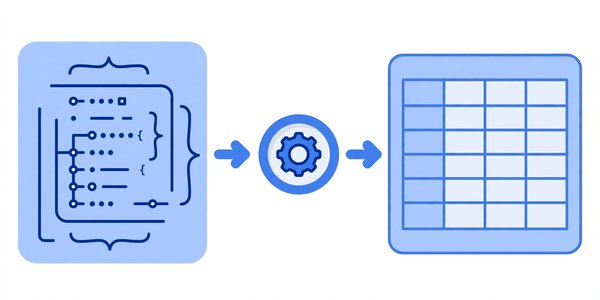
Turning structured JSON into a friendly spreadsheet takes about a minute from start to finish. You do not need to understand the nesting or write any parsing code. The converter reads the structure for you and lays it out as neat rows and columns. Follow these steps and your CSV will be ready to open in your favorite spreadsheet app. Each step takes only moments, and you can repeat the whole flow whenever fresh data arrives.
- Open the JSON to CSV Converter page on A Tool Today. Since API data has a way of arriving exactly when reports are due, bookmarking the page now is a small kindness to your future self.
- Provide your JSON data in the way that suits you best. Paste it directly into the input area for quick jobs, which is ideal when you have just copied a response from a browser dev tool or an API tester. For bigger payloads, upload the .json file straight from your device instead.
- Let the tool analyze your JSON structure. It automatically detects whether your top level is an array of objects, a single object, or something more deeply nested, and it shows you a preview of how the data will be laid out. This preview step is your chance to catch structural surprises before converting. If the layout looks wrong here, adjusting your options now saves a round of rework later.
- Choose how to handle nested objects. The most useful option flattens nesting with dot notation, so an address object containing city becomes a clean address.city column. If you prefer, you can keep nested content as compact JSON strings inside single cells, which preserves every detail for later processing.
- Decide what to do with arrays inside your data. Simple lists can become comma separated values within one cell, while arrays of objects can expand into multiple rows or flattened columns depending on your needs. Pick the treatment that matches how you plan to read and use the spreadsheet. When in doubt, try one option, inspect the result, and switch if the layout feels awkward.
- Select your delimiter and formatting options. Commas suit most spreadsheet apps, while semicolons work better in regions where commas double as decimal separators. You can also control quoting behavior to make sure fields containing the delimiter stay intact.
- Click Convert and download your CSV. Open it in Excel or Google Sheets to confirm the columns and rows look right, checking especially that nested data landed where you expected. If the layout needs tweaking, adjust the flattening options and convert again at no cost, as many times as you need. Most people land on the perfect layout within two tries.
Key Features
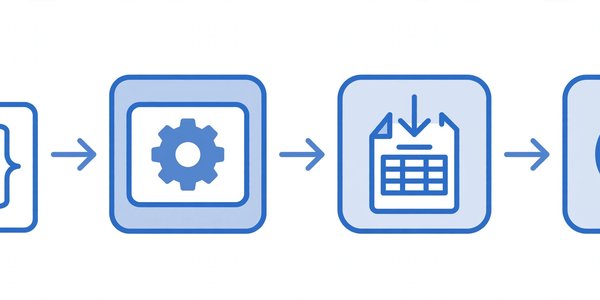
Here is what makes our JSON to CSV Converter the reliable bridge between API data and the spreadsheets people actually read.
- Automatic structure detection. The tool reads your JSON and figures out its shape on its own, whether it is a simple array of flat objects or a deeply nested document, so you never have to describe the structure manually. Even inconsistently shaped records, where some objects carry extra fields, are handled without complaint.
- Smart nested object flattening. Hierarchies collapse into readable columns using clear dot notation, turning customer.address.city into exactly the column header a spreadsheet user would expect to see.
- Flexible array handling. Lists and nested arrays convert sensibly instead of exploding into chaos, with options to join values into cells or expand them into rows depending on what your analysis needs.
- Customizable delimiters. Choose commas, semicolons, tabs, or pipes to match your spreadsheet app and your region, so the CSV opens correctly the first time without import wizard gymnastics.
- Excel friendly output. Proper quoting, escaping, and encoding keep special characters, commas inside fields, and international text intact when the file opens in Excel or Google Sheets.
- Handles large payloads. The converter processes sizable JSON documents with thousands of records efficiently, making it practical for real reporting work rather than just small samples.
- Private by design. Your data uploads over a secure connection, converts automatically, and is deleted afterward. API responses often contain sensitive information, and none of it lingers on our servers.
- Free with no signup. No accounts, no API keys, no usage quotas standing between you and your spreadsheet. Convert whenever the need strikes, as often as it strikes.

Why Use Our JSON to CSV Converter?
Almost every modern system speaks JSON under the hood, yet almost every business conversation happens in spreadsheets. That mismatch creates daily friction for an enormous range of people. Developers pull data from APIs and then need to hand a readable version to product managers, clients, or support teams who live in Excel. Marketers export campaign data from advertising platforms and need pivot tables, not curly braces. Customer support leads pull ticket data from helpdesk APIs and need to share trends with people who have never seen raw JSON in their lives. Researchers collect data from web services and need it in a format their statistics software understands. Ecommerce managers download order data and need to reconcile it in a spreadsheet before the accountant will touch it. In each case, the JSON is perfect for machines and miserable for humans, and someone has to perform the translation. Writing a custom script is the traditional answer, but it is slow to write, easy to get subtly wrong with nested data, and overkill when you just need a readable table this afternoon. Spreadsheet apps can sometimes import JSON through power query style features, but those paths are fiddly, version dependent, and intimidating for non technical users. Our converter sits in the sweet spot between those extremes. It understands nesting, handles the edge cases that break naive scripts, and produces a CSV that simply opens correctly wherever spreadsheets live. Consider the weekly reporting ritual many teams endure. Someone exports raw data on Monday, spends an hour wrestling it into shape, and finally emails a spreadsheet that half the recipients cannot quite interpret. With a reliable converter in the loop, the middle step collapses to moments, and the energy goes into understanding the numbers instead of formatting them. It costs nothing, requires no account, and deletes your data after processing, which matters when API responses contain customer details. For anyone who regularly ferries data from the API world to the spreadsheet world, it turns a recurring annoyance into a thirty second routine.
Tips for Best Results
- Validate your JSON first. A single missing bracket breaks everything downstream, so run your data through a validator or your code editor before converting. Clean input is the foundation of clean output, and validation takes only seconds.
- Understand your nesting before flattening. Take a moment to look at how deep your objects go and where arrays live. Knowing the shape helps you choose flattening options that produce columns you will actually enjoy reading, rather than a confusing sprawl.
- Decide how arrays should behave. A list of tags might belong in one cell as comma separated text, while a list of order items might deserve expanded rows. Match the choice to the question your spreadsheet needs to answer.
- Use UTF-8 encoding for international text. Names, addresses, and product titles in other languages survive the trip when encoding is handled properly. If Excel shows strange characters, reimport specifying UTF-8 and the text will snap into place.
- Test with a small sample on big files. Convert a handful of records first and inspect the column layout. Confirming the structure on a sample is far cheaper than reformatting ten thousand rows later, and it takes less than a minute.
- Keep the original JSON archived. CSV is wonderful for reading but lossy for structure, so store the source JSON alongside your spreadsheet. Future you will be grateful when a deeper analysis needs the full detail back.
Frequently Asked Questions
Is the JSON to CSV Converter really free?
Yes, entirely free with no hidden limits. Convert as much JSON as you need without creating an account or paying anything. A Tool Today keeps practical data tools open to everyone.
How are nested objects handled?
Nested objects are flattened into dot notated columns by default, so customer.address.city becomes its own readable column. If you would rather preserve the raw structure, you can keep nested objects as compact JSON strings inside individual cells instead.
What happens to arrays in my JSON?
It depends on the option you choose. Simple arrays can be joined into a single cell as comma separated values, which works well for tags or categories. Arrays of objects can be expanded into multiple rows or flattened into grouped columns. The preview helps you pick the layout that fits your data.
Will the CSV open correctly in Excel?
Yes. The output uses proper quoting and escaping, so fields containing commas or line breaks stay intact. If your Excel uses semicolons as the default separator, choose semicolon output before converting and the file will open without any import wizard.
How large a JSON file can I convert?
The converter handles documents with thousands of records comfortably, which covers typical API responses and export files. For truly enormous datasets in the hundreds of megabytes, a dedicated data processing tool may be more appropriate, but everyday files convert without trouble.
Can I choose which fields become columns?
The converter generates columns from the keys it finds in your data, which keeps things automatic and complete. For focused reports, you can convert everything and then simply delete or hide the columns you do not need in your spreadsheet app, which takes seconds.
Complete List of All Free Online Tools
Browse the full directory of 450+ free tools. Click any tool name to use it instantly - no signup required.
| # | Tool Name | Category |
|---|---|---|
| 1 | A B Test Significance Calculator | Calculators & Converters |
| 2 | Acronym Generator | Utility Tools |
| 3 | Ad Copy Generator | Utility Tools |
| 4 | Add Page Numbers To PDF | PDF Tools |
| 5 | Add Subtitles To Video | Media Tools |
| 6 | Add Subtract Days Calculator | Calculators & Converters |
| 7 | Age Calculator | Calculators & Converters |
| 8 | Angle Converter | Calculators & Converters |
| 9 | API Request Tester | Utility Tools |
| 10 | Area Converter | Calculators & Converters |
| 11 | Article Rewriter | Utility Tools |
| 12 | Audio Converter | Calculators & Converters |
| 13 | Audio Merger | Media Tools |
| 14 | Audio Metadata Editor | Media Tools |
| 15 | Audio Pitch Changer | Media Tools |
| 16 | Audio Speed Changer | Media Tools |
| 17 | Audio To Text Converter | Calculators & Converters |
| 18 | Audio Trimmer | Media Tools |
| 19 | Avatar Maker | Utility Tools |
| 20 | Background Remover | Utility Tools |
| 21 | Backlink Checker | SEO Tools |
| 22 | Banner Maker | Utility Tools |
| 23 | Barcode Generator | Developer Tools |
| 24 | Base64 Encoder Decoder | Developer Tools |
| 25 | Bass Booster | Utility Tools |
| 26 | Bibliography Generator | Utility Tools |
| 27 | Bill Splitter | Utility Tools |
| 28 | Binary Converter | Calculators & Converters |
| 29 | Binary To Text Converter | Calculators & Converters |
| 30 | Birthday Countdown | Date & Time Tools |
| 31 | Bmi Calculator | Calculators & Converters |
| 32 | Bmr Calculator | Calculators & Converters |
| 33 | Body Fat Calculator | Calculators & Converters |
| 34 | Body Surface Area Calculator | Calculators & Converters |
| 35 | Book Title Generator | Utility Tools |
| 36 | Brand Color Finder | Color Tools |
| 37 | Brand Kit Generator | Utility Tools |
| 38 | Break Even Calculator | Calculators & Converters |
| 39 | Broken Link Checker | Utility Tools |
| 40 | Browser Info Checker | Utility Tools |
| 41 | Budget Planner | Utility Tools |
| 42 | Business Card Designer | Utility Tools |
| 43 | Business Card Maker | Utility Tools |
| 44 | Business Days Calculator | Calculators & Converters |
| 45 | Business Name Generator | Utility Tools |
| 46 | Business Proposal Generator | Utility Tools |
| 47 | Button Generator | Utility Tools |
| 48 | Buyer Persona Generator | Utility Tools |
| 49 | Calorie Calculator | Calculators & Converters |
| 50 | Captcha Generator | Utility Tools |
Is my data kept private?
Yes. Files upload over a secure connection, are processed automatically, and are deleted from our servers after conversion. Nothing is stored, analyzed, or shared, so even sensitive API data stays safe.
Do I need to install anything or sign up?
No to both. Everything runs in your browser with no downloads and no registration. Paste your JSON or upload your file and download the CSV moments later.
What if my JSON has inconsistent fields across records?
The converter handles this gracefully. It collects every key it finds across all records and creates a column for each, leaving cells blank where a particular record lacks that field. This union approach keeps your spreadsheet complete without dropping information from odd records.
Can dates and numbers survive the conversion?
Yes. Numbers stay numeric and date strings carry over exactly as written, so sorting and filtering in your spreadsheet work as expected. Just be aware that spreadsheet apps sometimes auto reformat date looking text, and you can set the column format explicitly if that happens.
Can I convert JSON data from a URL directly?
Paste based conversion is the most reliable path. Copy the JSON from your browser or API tool and paste it into the converter, which avoids any authentication or access issues that direct URL fetching would face. For data behind logins, this copy paste step also keeps your credentials safely out of the picture.
Table of Contents
What is JSON to Csv Converter?
The json to csv converter is a free online tool that helps you with json to csv converter tasks quickly and accurately. Our json to csv converter is designed to be simple, fast, and reliable. Whether you need a json to csv converter for personal use or professional work, this free json to csv converter delivers instant results without any signup or download required.
How to Use the JSON to Csv Converter
Using our json to csv converter is easy. Simply open the json to csv converter tool above, enter your input, and get instant results. The json to csv converter processes everything in your browser for maximum privacy and speed. No technical knowledge is needed to use this json to csv converter effectively.
Benefits of Using Our JSON to Csv Converter
Our free json to csv converter offers many advantages. It is completely free to use, requires no registration, works on all devices, and provides accurate results instantly. The json to csv converter is updated regularly to ensure the best performance. For more information about json to csv converter, you can Learn more about json to csv converter on Wikipedia.
Frequently Asked Questions About JSON to Csv Converter
Is the json to csv converter really free? Yes, our json to csv converter is 100% free with no hidden costs or premium tiers.
Do I need to create an account to use the json to csv converter? No, the json to csv converter works instantly without any signup or login required.
