File Converter
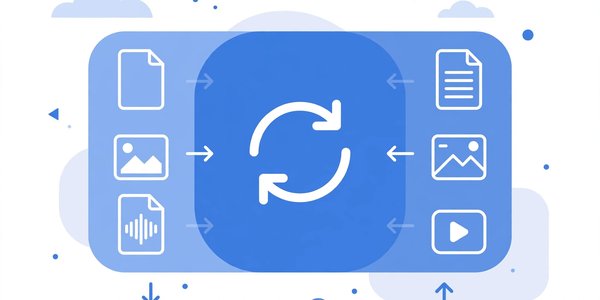
Nothing is more annoying than a file that refuses to open. You download an important document and your computer stares back blankly. A client sends photos in a format your editor cannot read. A video plays fine on your phone but will not upload to the platform you need. These little format mismatches steal time and test patience every single day. Our File Converter solves the problem in seconds. Upload your file, pick the format you need, and download the converted result, all right in your browser. There is no software to install, no account to create, and no confusing settings to wrestle with. Whether you are turning a Word document into a PDF, an image into a different picture format, or an audio clip into something your player understands, this tool handles the heavy lifting for you. It is free, it respects your privacy, and it works on any device with an internet connection. On A Tool Today, converting files feels less like a technical chore and more like the quick fix it should be. From students racing assignment deadlines to professionals polishing client deliverables, it quietly saves the day in the background while you get on with real work.
How to Use File Converter
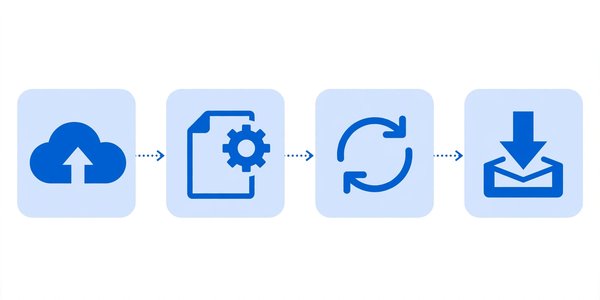
Converting a file takes less time than making a cup of tea. The whole flow is built around three simple actions, upload, choose, and download, with a few smart touches along the way. Here is exactly what to do from start to finish.
- Open the File Converter page on A Tool Today. Bookmark it while you are there, because format surprises tend to strike at the worst moments and you will be glad to have it one click away.
- Upload the file you want to convert. You can drag and drop it straight into the upload area or click to browse your device and pick the file the familiar way. The tool accepts a wide range of common formats, and your file starts uploading the moment you select it.
- Choose your target format from the dropdown list. Formats are grouped by type, documents, images, audio, video, and more, so you can find what you need without scrolling through an endless list. If you are unsure which format to pick, think about where the file is going next, since the destination usually decides the format.
- Adjust the conversion settings if the tool offers them. For images you might pick a quality level, for documents you might keep the layout exactly as it is, and for audio you might choose a bitrate. The defaults are sensible for most people, so feel free to skip this step and let the converter decide. When quality matters, such as images headed for print, take a moment here because these choices shape the final result more than anything else.
- Click the Convert button to start the process. Your file is processed on fast secure servers, and most everyday conversions finish in seconds. Larger files take a little longer, and you will see clear progress so you always know what is happening.
- Download your converted file when it is ready. Give it a quick check by opening it once, just to confirm everything looks and sounds right. If something seems off, you can run the conversion again with different settings at no cost. Pay special attention to multi page documents, making sure every page made the journey intact.
- Convert more files whenever you need to. There are no daily limits standing in your way, so you can work through a whole folder of mismatched files in one sitting. Your original file stays untouched on your device, so there is never any risk to your source material.
Key Features
Here is what makes our File Converter the handy little problem solver people keep coming back to.
- Wide format support. Convert between dozens of popular document, image, audio, video, and ebook formats, so the tool you need is the tool you already have open.
- No software to install. Everything happens in your browser, which means no downloads, no updates, no admin permissions, and no clutter on your hard drive. It works just as well on a borrowed laptop or a library computer.
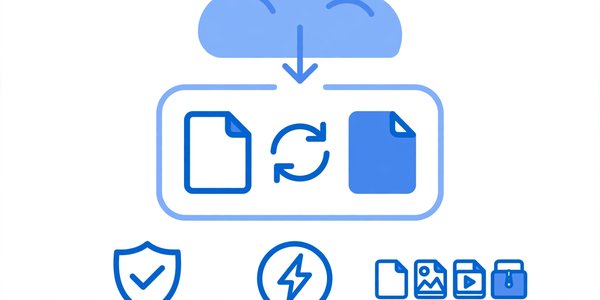
- Privacy first processing. Your files are handled securely and deleted from our servers automatically after conversion. We do not keep copies, snoop through contents, or share anything with third parties.
- No watermarks, ever. Converted files come out clean and professional, with no branding stamped across your documents or images. What you download is fully yours to use however you like. This matters more than it sounds, because watermarked files look unprofessional in client work and school submissions alike.
- Fast cloud conversion. The actual conversion runs on powerful servers rather than your device, so even a modest phone or an old laptop can convert large files without breaking a sweat.
- Batch friendly workflow. Work through multiple files one after another with zero waiting between conversions and no credits to burn, which makes cleaning up a messy folder surprisingly painless. Archivists digitizing old collections and office staff processing monthly reports both love this steady rhythm.
- Works on any device. The page is fully responsive, so uploading and downloading feels natural on desktops, tablets, and phones alike. Start a conversion on one device and finish wherever is convenient.
- Free with no signup. There are no accounts, no trial timers, and no paywalls hiding the good formats. Open the page and convert, as many times as you like.
Why Use Our File Converter?
File format trouble does not care who you are, it finds everyone eventually. Students feel it when a professor requires PDF submissions and their assignment is stuck in a word processor format. Freelancers feel it when a client sends brand assets in something their design software cannot open, with a deadline breathing down their neck. Office workers feel it when a spreadsheet arrives in an odd format minutes before a meeting. Photographers juggle RAW, JPEG, PNG, and HEIC depending on the camera, the client, and the platform. Content creators convert audio for podcasts, video for uploads, and images for thumbnails, sometimes all in the same afternoon. Even in everyday life, you might need to turn a voice memo into an MP3 to share with family, or convert an old document so a relative can actually open it. Installing a separate desktop program for each of these moments is overkill, and many of those programs cost money or bundle in junk you never asked for. An online converter removes all of that friction. You get the right format in seconds, from any device, without committing to software you will use twice a year. Our File Converter keeps the experience honest too. No watermarks ruining your output, no surprise fees at the download button, and automatic deletion of your files after processing so your private documents stay private. For the everyday heroics of modern digital life, it is simply the fastest path from the file you have to the file you need. Picture the small wins it delivers every week. A job seeker turns a resume into a crisp PDF that looks identical on every recruiter screen. A parent converts a pile of phone photos into one shareable format for the family album. A teacher transforms a slideshow into handouts students can print at home. A podcaster converts a raw recording into a lightweight MP3 ready for upload. None of these moments feel dramatic, yet each one removes a tiny roadblock between you and getting things done. Multiply that across months of digital life and a reliable converter becomes one of those tools you reach for without thinking, like a good pair of scissors in a kitchen drawer.
Tips for Best Results
- Start with the best quality source you have. Conversion can preserve quality but never create it, so upload the highest quality original available and your output will thank you.
- Pick the format your destination expects. If a platform, printer, or person asked for a specific format, use exactly that. Matching the destination avoids a second round of converting later.
- Keep your original file safe. The converter never touches your source file, but it is still smart to keep a backup of anything important before you start experimenting with settings.
- Use a stable internet connection. Uploads and downloads both depend on your connection, so a steady network means faster conversions and fewer interrupted transfers on big files.
- Check the output before you share it. Open the converted file once to confirm the layout, images, and text all survived the trip. Catching a glitch now takes seconds, while catching it after sending takes apologies.
- Match quality settings to the purpose. Use high quality for printing and archiving, and lighter settings for quick sharing online, so your files stay appropriately sized for the job.
Frequently Asked Questions
Is the File Converter really free?
Yes, it is completely free with no hidden charges. You can convert as many files as you need without creating an account or entering payment details. A Tool Today believes everyday utilities should simply work without a price tag.
Are my files safe and private?
Yes. Your files travel over a secure connection, are processed automatically, and are deleted from our servers after conversion. Nobody reads your documents, and nothing is kept or shared. For extra peace of mind, avoid uploading highly sensitive material to any online service, ours included.
Is there a maximum file size?
The converter handles everyday file sizes comfortably, from small documents to sizable media files. Extremely large files may take longer to upload and process depending on your connection. If a huge file struggles, try a stable wired connection or split the task into smaller parts where possible.
Will converting reduce my file quality?
It depends on the formats involved. Converting between similar formats usually preserves quality very well. Moving to a compressed format, like turning a WAV into a low bitrate MP3, will reduce quality by design, so choose your target format and quality settings with the end use in mind.
Which formats can I convert between?
The tool supports dozens of common formats across documents, images, audio, video, and ebooks. The available target formats update based on the file you upload, so you only ever see sensible options for your specific file. If your format is mainstream, it is almost certainly covered.
Do I need to create an account?
No account needed at all. There is no signup form, no email verification, and no password to remember. Just open the page, upload your file, and download the result.
Complete List of All Free Online Tools
Browse the full directory of 450+ free tools. Click any tool name to use it instantly - no signup required.
| # | Tool Name | Category |
|---|---|---|
| 1 | A B Test Significance Calculator | Calculators & Converters |
| 2 | Acronym Generator | Utility Tools |
| 3 | Ad Copy Generator | Utility Tools |
| 4 | Add Page Numbers To PDF | PDF Tools |
| 5 | Add Subtitles To Video | Media Tools |
| 6 | Add Subtract Days Calculator | Calculators & Converters |
| 7 | Age Calculator | Calculators & Converters |
| 8 | Angle Converter | Calculators & Converters |
| 9 | API Request Tester | Utility Tools |
| 10 | Area Converter | Calculators & Converters |
| 11 | Article Rewriter | Utility Tools |
| 12 | Audio Converter | Calculators & Converters |
| 13 | Audio Merger | Media Tools |
| 14 | Audio Metadata Editor | Media Tools |
| 15 | Audio Pitch Changer | Media Tools |
| 16 | Audio Speed Changer | Media Tools |
| 17 | Audio To Text Converter | Calculators & Converters |
| 18 | Audio Trimmer | Media Tools |
| 19 | Avatar Maker | Utility Tools |
| 20 | Background Remover | Utility Tools |
| 21 | Backlink Checker | SEO Tools |
| 22 | Banner Maker | Utility Tools |
| 23 | Barcode Generator | Developer Tools |
| 24 | Base64 Encoder Decoder | Developer Tools |
| 25 | Bass Booster | Utility Tools |
| 26 | Bibliography Generator | Utility Tools |
| 27 | Bill Splitter | Utility Tools |
| 28 | Binary Converter | Calculators & Converters |
| 29 | Binary To Text Converter | Calculators & Converters |
| 30 | Birthday Countdown | Date & Time Tools |
| 31 | Bmi Calculator | Calculators & Converters |
| 32 | Bmr Calculator | Calculators & Converters |
| 33 | Body Fat Calculator | Calculators & Converters |
| 34 | Body Surface Area Calculator | Calculators & Converters |
| 35 | Book Title Generator | Utility Tools |
| 36 | Brand Color Finder | Color Tools |
| 37 | Brand Kit Generator | Utility Tools |
| 38 | Break Even Calculator | Calculators & Converters |
| 39 | Broken Link Checker | Utility Tools |
| 40 | Browser Info Checker | Utility Tools |
| 41 | Budget Planner | Utility Tools |
| 42 | Business Card Designer | Utility Tools |
| 43 | Business Card Maker | Utility Tools |
| 44 | Business Days Calculator | Calculators & Converters |
| 45 | Business Name Generator | Utility Tools |
| 46 | Business Proposal Generator | Utility Tools |
| 47 | Button Generator | Utility Tools |
| 48 | Buyer Persona Generator | Utility Tools |
| 49 | Calorie Calculator | Calculators & Converters |
| 50 | Captcha Generator | Utility Tools |
How long does a conversion take?
Most small to medium files convert in seconds. Larger media files take longer, mainly because of upload and download time on your connection. You will see progress throughout, so you are never left guessing.
Can I use the File Converter on my phone?
Absolutely. The page works in any modern mobile browser, and uploading from your phone gallery or files app feels completely natural. It is perfect for those moments when someone sends you an unopenable file while you are away from your computer.
What should I do if my converted file looks wrong?
First, open both the original and the converted file side by side to spot exactly what changed. The most common culprit is a quality or layout setting that did not suit the content, so try the conversion again with different options. If fonts look substituted in a document, the original may use a font that is not widely available, and exporting with embedded fonts from your source app usually fixes it. For persistent trouble, converting to an intermediate format first and then to your final target sometimes produces a cleaner result.
Can I convert scanned PDFs or photos of text?
You can convert the file container itself, for example turning a scanned PDF into images or vice versa, but the text inside a scan stays as pictures of text rather than selectable words. True text extraction needs OCR, which is optical character recognition, a different kind of tool. If you need editable text from a scan, run it through an OCR tool first and then bring the result here for format conversion.
Table of Contents
What is File Converter?
The file converter is a free online tool that helps you with file converter tasks quickly and accurately. Our file converter is designed to be simple, fast, and reliable. Whether you need a file converter for personal use or professional work, this free file converter delivers instant results without any signup or download required.
How to Use the File Converter
Using our file converter is easy. Simply open the file converter tool above, enter your input, and get instant results. The file converter processes everything in your browser for maximum privacy and speed. No technical knowledge is needed to use this file converter effectively.
Benefits of Using Our File Converter
Our free file converter offers many advantages. It is completely free to use, requires no registration, works on all devices, and provides accurate results instantly. The file converter is updated regularly to ensure the best performance. For more information about file converter, you can Learn more about file converter on Wikipedia.
Frequently Asked Questions About File Converter
Is the file converter really free? Yes, our file converter is 100% free with no hidden costs or premium tiers.
Do I need to create an account to use the file converter? No, the file converter works instantly without any signup or login required.
