Vocal Remover (Karaoke Maker)
Have you ever wanted to sing your favorite song at karaoke night but could not find a backing track without the original singer? Or maybe you are a music producer who needs a clean instrumental for a remix, and hunting down the official stems feels impossible. Our Vocal Remover solves both problems in seconds. It uses smart audio separation to split any song into two parts, the vocals and the instrumental, right in your browser. You do not need to download software, create an account, or pay a subscription. Just upload your file, wait a few moments, and download studio quality separated tracks. It works with MP3, WAV, and most common audio formats, and it handles everything from chart topping pop songs to old classics. Whether you are a singer preparing for an audition, a DJ building a remix set, a teacher making practice tracks for students, or just someone who loves karaoke at home, this tool gives you professional results without the professional price tag. In this guide you will learn exactly how to use the Vocal Remover, what makes it stand out from other tools, and pro tips to get the cleanest separation possible. By the end you will be creating karaoke tracks, acapellas, and instrumentals like you have been doing it for years.
How to Use the Vocal Remover
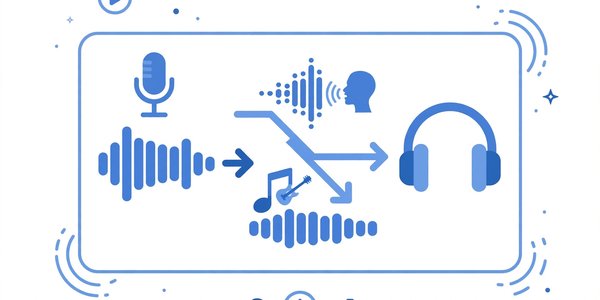
Using the Vocal Remover is incredibly simple. The whole process takes less than a minute for most songs, and you do not need any technical skills. Follow these steps to separate the vocals from any track.
- Upload your audio file. Click the upload button or drag and drop your song directly into the tool. The Vocal Remover accepts MP3, WAV, M4A, OGG, and FLAC files, so whatever format your music is in, it will work. Files are processed securely and are never stored on our servers longer than needed for the conversion.
- Wait for the separation to finish. Once your file uploads, the tool analyzes the audio and separates the vocal track from the instrumental track. This usually takes between 30 seconds and 2 minutes depending on the length of your song and your internet speed. Longer songs and lossless formats like FLAC take a little more time because there is more audio data to process.
- Preview both tracks. After processing, you will see two players, one for the vocals only and one for the instrumental only. Listen to both to check the quality. Pay attention to quiet intros and fade outs, since those sections sometimes keep tiny traces of vocals. You can adjust and reprocess if needed.
- Download the vocal track. If you need just the voice, for example to study a singer’s technique or to sample a phrase for a remix, click the download button under the vocals player. The file downloads in high quality so you can use it in your own projects.
- Download the instrumental track. This is the karaoke version of your song, perfect for singing along, practicing an instrument, or using as a backing track for videos. Save it to your device with one click. It keeps the original quality of your upload so it sounds crisp on any speaker.
- Download the combined mix if you want both. Some users like to keep both separated files in one session. You can download each track separately and keep them organized in a folder for your karaoke library or your production projects.
- Use your tracks anywhere. Your new karaoke and acapella files are yours to keep. Burn them to a playlist for your next party, import them into your video editor, or drop them into your DAW to start a remix. There are no watermarks and no usage limits on your downloads.
Key Features
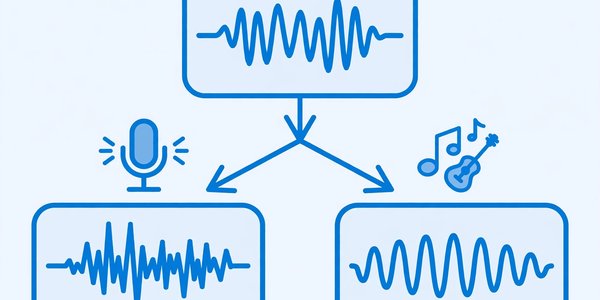
- AI powered vocal separation. The tool uses advanced audio analysis that understands the difference between human voices and instruments. It isolates singing with impressive accuracy, even in dense mixes with layered backing vocals and heavy instrumentation.
- High quality output. Your separated tracks preserve the detail and clarity of the original recording. The instrumental keeps its punch and the vocals keep their warmth, so the results sound clean on headphones, speakers, and PA systems.
- No software to install. Everything runs in your web browser. There is nothing to download, no updates to manage, and no compatibility headaches. It works on Windows, Mac, Chromebook, Android, and iPhone.
- Completely free with no signup. You can separate as many songs as you want without creating an account or entering payment details. The tool is free for personal and creative use, so your karaoke habit never costs you a cent.
- Multiple audio formats supported. Upload MP3, WAV, M4A, OGG, or FLAC files and download your separated tracks in a widely compatible format. You never have to convert your files before using the tool.
- Fast processing. Most songs finish processing in under two minutes. The tool is optimized to handle the separation quickly without cutting corners on quality, so you spend less time waiting and more time singing or creating.
- Privacy friendly. Your audio files are processed securely and deleted after your session. We do not keep copies of your music or share your uploads with anyone, so your creative work stays yours.
- Dual output in one pass. You get both the vocal track and the instrumental track from a single upload. There is no need to run the tool twice or pay extra for the second file, both are ready at the same time.
Why Use Our Vocal Remover?
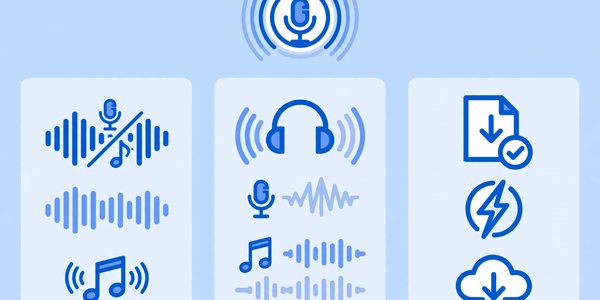
Finding a good karaoke version of a song used to be a chore. Official instrumental versions are only released for a fraction of songs, and the ones you find online are often low quality MIDI recreations that sound nothing like the original. Our Vocal Remover changes that completely. It pulls the actual instruments from your actual song, so the backing track sounds exactly like the record you love, just without the lead singer. For singers, this is a game changer. You can practice with the real band behind you, record audition tapes that sound professional, and build a karaoke library of any song you can find. For music producers and DJs, the vocal track opens creative doors. Isolate an acapella to drop into a remix, sample a vocal phrase for a new beat, or study how a mix was layered. Teachers love it too, because they can create sing along tracks for students or isolate vocals to demonstrate technique in class. Content creators use the instrumental versions as background music for videos, podcasts, and streams, and the vocal isolation helps podcasters clean up interviews. Even casual music fans get something out of it. Ever wondered what your favorite song sounds like with only the instruments? Now you can find out in under a minute. Compared to desktop software that costs hundreds of dollars and takes hours to learn, our tool is free, instant, and runs on any device. Compared to other online vocal removers that limit you to a few free tries or stamp watermarks on your downloads, we give you unlimited use with clean files. That combination of quality, speed, and freedom is why thousands of users come back to A Tool Today whenever they need a karaoke track or an acapella.
Tips for Best Results
- Start with the highest quality source you have. A 320kbps MP3 or a WAV file separates much more cleanly than a low bitrate stream rip. The more audio detail the tool has to work with, the sharper the separation between voice and instruments.
- Center panned vocals separate best. Most commercial songs place the lead vocal in the center of the stereo field, which is exactly what separation algorithms handle best. Tracks with heavy stereo vocal effects or hard panned backing vocals may leave faint traces, so preview before you commit.
- Check quiet sections carefully. Intros, bridges, and fade outs sometimes contain whispered vocals or reverb tails that are harder to fully remove. Listen through the whole instrumental once and note any spots that need attention.
- Use the instrumental for practice, then record. Singers get the best results by rehearsing with the instrumental a few times before recording their own vocal over it. This helps you lock into the timing and dynamics of the original arrangement.
- Pair it with an audio editor for cleanup. If a tiny vocal echo remains in a quiet passage, open the instrumental in a free editor like Audacity and apply a light noise gate or EQ dip around the vocal frequencies. A small touch up takes a good separation to a great one.
- Respect copyright when you share. The separated tracks are great for personal practice and creative projects, but the original song still belongs to its rights holders. Always check licensing before publishing remixes or using instrumentals in monetized videos.
Frequently Asked Questions
Is the Vocal Remover really free to use?
Yes, it is completely free. You can upload and separate as many songs as you want without creating an account, entering a credit card, or hitting a daily limit. We built this tool to be accessible to everyone, from students and hobby singers to working producers, so there are no premium tiers locking the best quality behind a paywall. Your downloads come with no watermarks and no restrictions on personal or creative use.
How does vocal removal actually work?
The tool analyzes your audio file and identifies patterns that are characteristic of human voices, such as specific frequency ranges, harmonic structures, and how vocals typically sit in a stereo mix. It then separates those vocal elements from everything else, which includes drums, bass, guitars, keyboards, and other instruments. The result is two files, one containing the isolated vocals and one containing the full instrumental backing. Modern separation like this is far more accurate than the old phase cancellation tricks, which is why it works on songs those older methods could never handle.
What audio formats can I upload?
You can upload MP3, WAV, M4A, OGG, and FLAC files. These cover virtually every common way people store music, from compressed downloads and phone recordings to lossless studio files. If your file is in a rarer format, convert it to MP3 or WAV first with any free audio converter, then upload it here. Downloads are provided in a widely supported format so they play on any device or import into any editing software.
Will the instrumental sound exactly like the original song?
It will sound extremely close, because the instrumental is built from the actual instruments in your original file, not a recreation. On most commercial tracks the result is clean enough for karaoke, practice, and even live performance. Very dense mixes with heavy vocal effects, choirs, or instruments in the same frequency range as the voice can leave faint artifacts, but for the vast majority of songs the instrumental sounds natural and full.
Can I use the separated tracks in my YouTube videos or remixes?
You can use them for personal practice and creative projects freely, but remember that the underlying song is still protected by copyright. Using a separated instrumental in a monetized YouTube video or a commercial remix requires the same licenses as using the original song. For non commercial covers, practice videos, and personal projects, you are generally fine, but always check the licensing rules of the platform where you publish.
Complete List of All Free Online Tools
Browse the full directory of 450+ free tools. Click any tool name to use it instantly - no signup required.
| # | Tool Name | Category |
|---|---|---|
| 1 | A B Test Significance Calculator | Calculators & Converters |
| 2 | Acronym Generator | Utility Tools |
| 3 | Ad Copy Generator | Utility Tools |
| 4 | Add Page Numbers To PDF | PDF Tools |
| 5 | Add Subtitles To Video | Media Tools |
| 6 | Add Subtract Days Calculator | Calculators & Converters |
| 7 | Age Calculator | Calculators & Converters |
| 8 | Angle Converter | Calculators & Converters |
| 9 | API Request Tester | Utility Tools |
| 10 | Area Converter | Calculators & Converters |
| 11 | Article Rewriter | Utility Tools |
| 12 | Audio Converter | Calculators & Converters |
| 13 | Audio Merger | Media Tools |
| 14 | Audio Metadata Editor | Media Tools |
| 15 | Audio Pitch Changer | Media Tools |
| 16 | Audio Speed Changer | Media Tools |
| 17 | Audio To Text Converter | Calculators & Converters |
| 18 | Audio Trimmer | Media Tools |
| 19 | Avatar Maker | Utility Tools |
| 20 | Background Remover | Utility Tools |
| 21 | Backlink Checker | SEO Tools |
| 22 | Banner Maker | Utility Tools |
| 23 | Barcode Generator | Developer Tools |
| 24 | Base64 Encoder Decoder | Developer Tools |
| 25 | Bass Booster | Utility Tools |
| 26 | Bibliography Generator | Utility Tools |
| 27 | Bill Splitter | Utility Tools |
| 28 | Binary Converter | Calculators & Converters |
| 29 | Binary To Text Converter | Calculators & Converters |
| 30 | Birthday Countdown | Date & Time Tools |
| 31 | Bmi Calculator | Calculators & Converters |
| 32 | Bmr Calculator | Calculators & Converters |
| 33 | Body Fat Calculator | Calculators & Converters |
| 34 | Body Surface Area Calculator | Calculators & Converters |
| 35 | Book Title Generator | Utility Tools |
| 36 | Brand Color Finder | Color Tools |
| 37 | Brand Kit Generator | Utility Tools |
| 38 | Break Even Calculator | Calculators & Converters |
| 39 | Broken Link Checker | Utility Tools |
| 40 | Browser Info Checker | Utility Tools |
| 41 | Budget Planner | Utility Tools |
| 42 | Business Card Designer | Utility Tools |
| 43 | Business Card Maker | Utility Tools |
| 44 | Business Days Calculator | Calculators & Converters |
| 45 | Business Name Generator | Utility Tools |
| 46 | Business Proposal Generator | Utility Tools |
| 47 | Button Generator | Utility Tools |
| 48 | Buyer Persona Generator | Utility Tools |
| 49 | Calorie Calculator | Calculators & Converters |
| 50 | Captcha Generator | Utility Tools |
Does it work on old songs and live recordings?
Yes, it works on songs from any era, including classics from decades ago. Older recordings with narrower stereo width or more tape hiss may separate slightly less cleanly than modern studio productions, but the results are still very usable. Live recordings work too, although crowd noise and room reverb get grouped with the instrumental, which is exactly what you would expect. For the cleanest results, studio recordings in high quality formats always perform best.
Is there a limit on song length or file size?
The tool handles full length songs without any problem, including long tracks over ten minutes. Very large lossless files simply take a bit longer to upload and process because there is more data to analyze. If you are working with an extremely large file and the upload feels slow, converting a copy to a high quality MP3 first will speed things up with almost no audible difference in the separation quality.
Do you keep or store my uploaded songs?
No. Your files are used only to perform the separation you requested and are deleted after your session ends. We do not build a library of user uploads, we do not share them with third parties, and we do not use them for any other purpose. Your music and your creative work remain completely private, so you can process unreleased material with confidence.
Table of Contents
What is Vocal Remover?
The vocal remover is a free online tool that helps you with vocal remover tasks quickly and accurately. Our vocal remover is designed to be simple, fast, and reliable. Whether you need a vocal remover for personal use or professional work, this free vocal remover delivers instant results without any signup or download required.
How to Use the Vocal Remover
Using our vocal remover is easy. Simply open the vocal remover tool above, enter your input, and get instant results. The vocal remover processes everything in your browser for maximum privacy and speed. No technical knowledge is needed to use this vocal remover effectively.
Benefits of Using Our Vocal Remover
Our free vocal remover offers many advantages. It is completely free to use, requires no registration, works on all devices, and provides accurate results instantly. The vocal remover is updated regularly to ensure the best performance. For more information about vocal remover, you can Learn more about vocal remover on Wikipedia.
Frequently Asked Questions About Vocal Remover
Is the vocal remover really free? Yes, our vocal remover is 100% free with no hidden costs or premium tiers.
Do I need to create an account to use the vocal remover? No, the vocal remover works instantly without any signup or login required.
