Watermark Adder
You post a beautiful photo online, and a week later it appears on someone else’s page with no credit. It happens to photographers, designers, and small businesses every single day. Once an image is on the internet, anyone can save it and claim it.
A watermark changes that equation. Your name or logo sitting visibly on the image makes casual theft pointless and turns every share into free advertising for you. The Watermark Adder from A Tool Today adds professional watermarks to your photos right in the browser, completely free.
Upload your image, type your text or add your logo, adjust the size and transparency, and download the protected version in seconds. There is nothing to install, no account to create, and your photos never leave your device.
Whether you are a photographer proofing client galleries, a shop owner protecting product shots, or a creator sharing work on social media, this tool marks your images as yours in under a minute. Simple protection, zero cost, no learning curve.
Unlike desktop software that buries watermarking in complex menus, this tool puts every control on one clean page. You will go from upload to protected download faster than it takes to find the watermark feature in a traditional editor. That speed matters when you have a whole shoot to protect.

How to Use Watermark Adder
Watermarking sounds technical, but the process is genuinely simple. Five minutes with this tool and you will do it from memory. Here are the steps.
- Upload your image. Click the upload area or drag your photo onto the page. JPG, PNG, and WebP files are supported, including high resolution originals. Your image loads instantly into the editor. Tip: watermark the full resolution file you plan to share, since watermarks added to tiny copies look worse when enlarged.
- Choose text or logo watermark. Pick a text watermark for your name, brand, or website address, or upload your logo as an image watermark. Text is fastest and always looks clean. Logos add stronger branding if you have a good transparent PNG ready.
- Type your text or upload your logo. Enter the exact wording you want, like your name, your studio, or your website. For logos, select a PNG with a transparent background for the most professional result. The watermark appears on your photo immediately so you can judge the look.
- Adjust size, opacity, and position. Drag the watermark where you want it, scale it to a sensible size, and set the transparency. Around 40 to 60 percent opacity is the sweet spot, visible enough to deter theft but light enough to let the photo shine. Corners are classic, center placement is boldest.
- Try the tiled pattern option. For maximum protection, repeat your watermark in a grid across the whole image. Tiled marks are far harder to crop out than a single corner logo. This is the choice for client proofs and portfolio images you really want to protect.
- Download your protected image. Save the watermarked photo to your device as PNG or JPG. The watermark is baked into the pixels permanently. Share it confidently knowing your credit travels with the image wherever it goes.
- Test visibility at different sizes. View your watermarked image as a small thumbnail and at full size. A mark that looks perfect large can vanish in a feed preview, while one tuned for thumbnails may feel heavy up close. Adjust opacity or size until it reads well at both extremes, then re-download.
Key Features
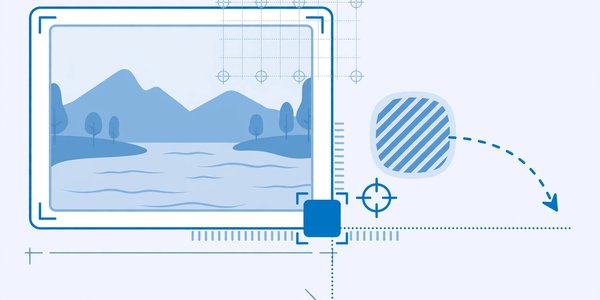
Flexible watermarking controls that cover everything from subtle branding to serious theft protection.
- Text watermarks. Add your name, brand, or website in any wording you choose. Adjust the font, size, and color to match your style in seconds.
- Logo watermarks. Upload your own logo as a transparent PNG and stamp it on any photo. Your branding stays consistent across your entire portfolio.
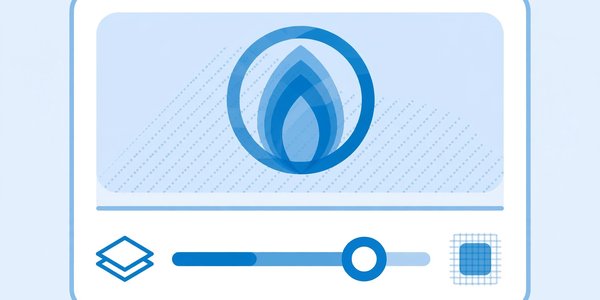
- Opacity control. Dial transparency from bold to barely there. Find the balance where your mark is visible but never ruins the photo.
- Position presets and free placement. Snap the watermark to any corner or edge, or drag it anywhere with precision. Full control over the final composition.
- Tiled watermark patterns. Repeat your mark in a grid across the image for maximum protection. Much harder to remove than a single stamp.
- Rotation control. Angle your watermark diagonally for the classic professional look. Diagonal marks are stylish and tougher to crop around.
- High resolution output. Download watermarked images at full quality. Your photos stay sharp and print ready with the mark cleanly embedded.
- Private local processing. Everything runs in your browser and your images never upload anywhere. Your originals and your branding stay yours alone.
Why Use Our Watermark Adder?
Image theft is not a rare horror story. It is routine. Bloggers lift photos for articles, competitors reuse product shots, and social accounts repost viral images without a thought. Without a watermark, proving an image is yours becomes a frustrating argument. With one, the proof is baked into every pixel.
Watermarks also work as quiet marketing. Every time someone shares your photo, your name or website rides along. Photographers have built entire client pipelines this way. A stunning watermarked image gets reposted, viewers follow the credit back to the source, and new bookings follow.
For client work, watermarks solve the proofing problem elegantly. Send watermarked previews that clients can review but cannot print or publish. Once payment clears, deliver the clean finals. This simple workflow has protected photographers from unpaid usage for decades.
E-commerce sellers gain trust too. Watermarked product photos look established and are harder for copycat stores to steal. Shoppers subconsciously read branded images as more legitimate, which can lift conversion rates on competitive marketplaces.
Social media creators get discovery benefits as well. A watermarked image that gets reposted carries your handle to audiences you never reached directly. Many creators report new followers arriving through exactly this path, with the watermark doing quiet outreach work around the clock.
Even hobbyists benefit. If you share photography in online communities, a small watermark builds your name recognition over time. Regulars start to recognize your style and your mark together, which turns casual posting into a personal brand.
Best of all, this protection costs you nothing and takes a minute per image. There is no reason to post unprotected work when the fix is this fast and this free.
Complete List of All Free Online Tools
Browse the full directory of 450+ free tools. Click any tool name to use it instantly - no signup required.
| # | Tool Name | Category |
|---|---|---|
| 1 | A B Test Significance Calculator | Calculators & Converters |
| 2 | Acronym Generator | Utility Tools |
| 3 | Ad Copy Generator | Utility Tools |
| 4 | Add Page Numbers To PDF | PDF Tools |
| 5 | Add Subtitles To Video | Media Tools |
| 6 | Add Subtract Days Calculator | Calculators & Converters |
| 7 | Age Calculator | Calculators & Converters |
| 8 | Angle Converter | Calculators & Converters |
| 9 | API Request Tester | Utility Tools |
| 10 | Area Converter | Calculators & Converters |
| 11 | Article Rewriter | Utility Tools |
| 12 | Audio Converter | Calculators & Converters |
| 13 | Audio Merger | Media Tools |
| 14 | Audio Metadata Editor | Media Tools |
| 15 | Audio Pitch Changer | Media Tools |
| 16 | Audio Speed Changer | Media Tools |
| 17 | Audio To Text Converter | Calculators & Converters |
| 18 | Audio Trimmer | Media Tools |
| 19 | Avatar Maker | Utility Tools |
| 20 | Background Remover | Utility Tools |
| 21 | Backlink Checker | SEO Tools |
| 22 | Banner Maker | Utility Tools |
| 23 | Barcode Generator | Developer Tools |
| 24 | Base64 Encoder Decoder | Developer Tools |
| 25 | Bass Booster | Utility Tools |
| 26 | Bibliography Generator | Utility Tools |
| 27 | Bill Splitter | Utility Tools |
| 28 | Binary Converter | Calculators & Converters |
| 29 | Binary To Text Converter | Calculators & Converters |
| 30 | Birthday Countdown | Date & Time Tools |
| 31 | Bmi Calculator | Calculators & Converters |
| 32 | Bmr Calculator | Calculators & Converters |
| 33 | Body Fat Calculator | Calculators & Converters |
| 34 | Body Surface Area Calculator | Calculators & Converters |
| 35 | Book Title Generator | Utility Tools |
| 36 | Brand Color Finder | Color Tools |
| 37 | Brand Kit Generator | Utility Tools |
| 38 | Break Even Calculator | Calculators & Converters |
| 39 | Broken Link Checker | Utility Tools |
| 40 | Browser Info Checker | Utility Tools |
| 41 | Budget Planner | Utility Tools |
| 42 | Business Card Designer | Utility Tools |
| 43 | Business Card Maker | Utility Tools |
| 44 | Business Days Calculator | Calculators & Converters |
| 45 | Business Name Generator | Utility Tools |
| 46 | Business Proposal Generator | Utility Tools |
| 47 | Button Generator | Utility Tools |
| 48 | Buyer Persona Generator | Utility Tools |
| 49 | Calorie Calculator | Calculators & Converters |
| 50 | Captcha Generator | Utility Tools |
Tips for Best Results
A good watermark protects without annoying. These practices keep yours effective and tasteful.
- Keep opacity subtle but visible. Aim for 40 to 60 percent transparency. Too faint and thieves ignore it, too bold and viewers focus on the mark instead of your photo. Preview on both bright and dark screens, since opacity reads differently across displays.
- Place marks over busy areas. A watermark on a plain sky is easy to clone out. Over textured or detailed parts of the image, removal becomes painfully obvious.
- Use tiling for high value images. Single corner marks can be cropped away in seconds. A tiled pattern across the whole photo makes clean theft nearly impossible. Reduce the tile opacity slightly so the pattern protects without overwhelming the image.
- Stay consistent with branding. Use the same text, logo, and style on every image. Consistency builds recognition, and recognition is half the marketing value of a watermark.
- Do not cover the main subject. Protect the image without hiding what makes it good. Tuck marks into secondary areas so the photo still impresses at first glance. The bottom edge or a textured background area usually works best.
- Watermark before resizing for web. Add your mark to the full size original, then export web versions. Marks added early stay crisp at every size you publish.
Frequently Asked Questions
Is the Watermark Adder really free?
Yes, completely free with no limits on the number of images you watermark. There is no account to create, no trial period, and no premium tier locking away features like tiled patterns or logo uploads. A Tool Today believes creators should be able to protect their work without paying for the privilege. Watermark one photo or your entire portfolio, and the tool works identically every time. Unlike desktop software that charges for this basic feature, this page does it free in your browser.
Will watermarking reduce my image quality?
No, the tool preserves your image’s full resolution and quality. The watermark is blended into the pixels cleanly without recompressing your photo into a blurry mess. You download at the same dimensions and sharpness you uploaded, with only your chosen mark added. For best results, start with the highest quality original you have and choose PNG output when you want absolutely zero additional compression. Your photos stay print ready and screen sharp. The mark itself renders cleanly at your chosen size, so text watermarks keep crisp edges on high resolution originals.
Should I use a text or logo watermark?
Both work well, and the right choice depends on your situation. Text watermarks are fastest to create and perfect when you want your name or website readable at a glance. They suit photographers, bloggers, and anyone building personal recognition. Logo watermarks look more polished and reinforce established branding, making them ideal for businesses with a designed mark. If you have a clean transparent PNG logo, use it. If not, a simple text mark in a nice font protects just as effectively.
Can watermarks be removed by thieves?
A determined expert with editing software can remove almost any watermark, but that misses the point. Watermarks defeat the 99 percent of casual theft, which is screenshots, quick crops, and thoughtless reposting. A tiled pattern across the image makes removal so labor intensive that thieves simply move on to easier targets. Think of it like a bike lock. It will not stop a professional with power tools, but it absolutely stops the opportunist walking by. For most creators, deterring casual theft is the entire battle, and watermarks win it decisively.
Which image formats are supported?
The tool accepts JPG, PNG, and WebP images for watermarking, which covers virtually every photo from phones and cameras. For logo uploads, PNG with a transparent background gives the cleanest professional result. You can download your watermarked image as PNG for maximum quality or JPG for smaller files that upload faster. The original file on your device is never altered, so you can always return to the clean version or try a different watermark style later. Keeping the original also lets you create multiple watermarked versions for different platforms.
Are my images uploaded to a server?
Never. All watermarking happens locally in your browser on your own device. Your photos are not sent to any server, stored in the cloud, or seen by anyone but you. This matters especially for unreleased client work, portfolio pieces, and personal photos you are not ready to share widely. Because there is no upload step, the tool is also fast even with large high resolution files. Close the tab and every trace of your session disappears. Nothing is cached or logged, so your unreleased work stays completely under wraps.
Can I watermark multiple photos at once?
The editor handles one image at a time to keep the interface fast and precise, but repeat watermarking is quick. Your text, logo, opacity, and position settings stay in place between images, so protecting a batch is just upload, download, repeat. Most users watermark a photo in under thirty seconds once settings are dialed in. For large portfolios, work through them in a focused session and you will finish a whole gallery in minutes. A consistent watermark across the batch also makes the whole collection look professionally branded.
Do I need to install anything or sign up?
Nothing to install and no signup required. The Watermark Adder runs as a web page in any modern browser on phones, tablets, and computers. Open it, add your mark, download the result, and you are done. There is no app consuming storage and no account to manage. This is deliberate, since watermarking is often needed spontaneously before posting. A tool with zero setup is ready exactly when inspiration or urgency strikes. Keep it bookmarked next to your other creative tools for instant access.
Table of Contents
What is Watermark Adder?
The watermark adder is a free online tool that helps you with watermark adder tasks quickly and accurately. Our watermark adder is designed to be simple, fast, and reliable. Whether you need a watermark adder for personal use or professional work, this free watermark adder delivers instant results without any signup or download required.
How to Use the Watermark Adder
Using our watermark adder is easy. Simply open the watermark adder tool above, enter your input, and get instant results. The watermark adder processes everything in your browser for maximum privacy and speed. No technical knowledge is needed to use this watermark adder effectively.
Benefits of Using Our Watermark Adder
Our free watermark adder offers many advantages. It is completely free to use, requires no registration, works on all devices, and provides accurate results instantly. The watermark adder is updated regularly to ensure the best performance. For more information about watermark adder, you can Learn more about watermark adder on Wikipedia.
Frequently Asked Questions About Watermark Adder
Is the watermark adder really free? Yes, our watermark adder is 100% free with no hidden costs or premium tiers.
Do I need to create an account to use the watermark adder? No, the watermark adder works instantly without any signup or login required.
