Image Rotator
Almost everyone has a sideways photo buried in their camera roll. You snap a quick picture, and later it shows up rotated ninety degrees for no clear reason. Phone sensors misread orientation more often than you would think, and scanned documents love to come out upside down.
Fixing it used to mean opening heavy photo software or downloading yet another app. The Image Rotator from A Tool Today skips all of that. It rotates, flips, and straightens your pictures right in the browser, completely free.
Upload your image, tap to rotate it into place, fine-tune the angle if needed, and download the corrected version in seconds. Nothing installs, no account is required, and your original quality stays intact.
Whether you are rescuing vacation photos, straightening a scanned contract, or flipping an image for a creative project, this tool gets your pictures facing the right way fast. It is the simplest fix for one of the most common photo annoyances.
Phones cause most of these headaches because they store orientation as metadata instead of rotating the actual pixels. When an app ignores that metadata, your photo appears sideways through no fault of yours. This tool bakes the correct rotation into the image itself, so it displays properly everywhere, every single time.

How to Use Image Rotator
Rotating a photo should take seconds, not a tutorial. The controls are big, obvious, and live on a single screen. Here is the whole process.
- Upload your image. Click the upload area or drag your photo straight onto the page. JPG, PNG, WebP, and GIF files are all supported. Your image appears instantly in the editor, usually before you have even let go of the mouse. Tip: the tool works on files straight from your phone, so no need to transfer them to a computer first.
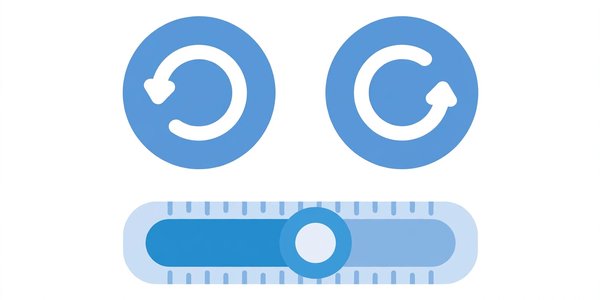
- Rotate in 90 degree steps. Hit the rotate left or rotate right button to turn the image in quarter turns. One tap fixes most sideways photos. Two taps flips it upside down and back again. The change applies instantly, so keep tapping until the picture looks right.
- Fine-tune with the angle slider. For horizons that are just slightly crooked, drag the fine rotation slider for small adjustments. Even a two degree tilt makes a landscape photo look amateur, and this slider lets you dial it in perfectly. Watch the preview as you drag to find the sweet spot.
- Flip horizontally or vertically. Use the flip buttons when you need a mirror image rather than a rotation. Horizontal flip fixes selfies that came out mirrored. Vertical flip corrects scans that landed upside down. Flips combine freely with rotations for any orientation you need.
- Check the preview carefully. Zoom in on the preview and look at straight lines in the photo, like horizons, doorframes, or table edges. These reveal tiny tilts your eye might otherwise miss. Adjust until every line that should be level actually is. Tip: turn on the grid overlay if you want a precise reference.
- Download your fixed image. Press download to save the corrected photo to your device. The file keeps its original format and quality, with no watermark added. Share it, print it, or upload it wherever the sideways version was embarrassing you.
Key Features
Every control you need for orientation fixes, and nothing you do not. Here is what the Image Rotator offers.
- 90 degree rotation buttons. Turn images left or right in clean quarter turns with a single tap. This handles the vast majority of sideways photo problems instantly.
- Precise angle slider. Adjust rotation by tiny increments for horizons and lines that are only slightly off. Perfect for perfectionists and photographers.
- Horizontal and vertical flip. Mirror any image along either axis. Great for fixing mirrored selfies, reversed scans, and text that photographed backwards.
- EXIF orientation correction. The tool reads your photo’s built-in orientation data and can auto correct the rotation phones often get wrong. Many sideways photos fix themselves on upload.
- Wide format support. Works with JPG, PNG, WebP, and GIF files. Whatever format your camera or scanner produced, you can rotate it here.
- Live preview. Every adjustment shows immediately on your actual image. No apply button, no waiting, no guessing what the result will look like.
- No quality loss. Rotation is handled carefully to preserve your image’s sharpness and detail. Your downloaded photo looks just as crisp as the original.
- Private in-browser processing. Your photos never leave your device. All rotation happens locally, so sensitive images stay completely private.

Why Use Our Image Rotator?
Sideways photos are more than a minor annoyance. They make your social posts look sloppy, your listings look unprofessional, and your printed memories look wrong. A product photo tilted at an odd angle can genuinely cost a seller a sale, because buyers read crooked images as careless.
Scanned documents have the same problem. A contract or receipt that arrives upside down wastes everyone’s time. Instead of rescanning or explaining the situation, you can flip it correctly in seconds and send a clean file that reads properly on any device.
Photographers and content creators use rotation creatively too. A slight tilt adds energy to an action shot. A full 180 degree flip turns a reflection photo into something surreal. Having instant rotation in the browser means you can experiment freely without opening a heavyweight editor.
The real win is convenience. This tool lives at a bookmark, loads in a second, and asks for nothing. No installs, no accounts, no subscriptions for a job that should take ten seconds. When a photo needs turning, you turn it and move on with your day.
Online sellers feel the difference directly. Marketplaces are visual, and a tilted product photo quietly tells buyers to keep scrolling. Straightening your images takes seconds and makes listings look like they came from a professional studio. The same applies to real estate photos, restaurant menus shot on phones, and profile pictures everywhere.
Students get a quieter win with photographed homework and whiteboard notes. A sideways assignment is harder to grade and easy to misread. Thirty seconds of rotation turns a sloppy submission into a clean one. Teachers notice the effort, and neat work never hurts.
Even casual sharing benefits. A correctly oriented photo in the family group chat gets more reactions than a sideways one people have to tilt their heads to see. Small polish, real difference.
Complete List of All Free Online Tools
Browse the full directory of 450+ free tools. Click any tool name to use it instantly - no signup required.
| # | Tool Name | Category |
|---|---|---|
| 1 | A B Test Significance Calculator | Calculators & Converters |
| 2 | Acronym Generator | Utility Tools |
| 3 | Ad Copy Generator | Utility Tools |
| 4 | Add Page Numbers To PDF | PDF Tools |
| 5 | Add Subtitles To Video | Media Tools |
| 6 | Add Subtract Days Calculator | Calculators & Converters |
| 7 | Age Calculator | Calculators & Converters |
| 8 | Angle Converter | Calculators & Converters |
| 9 | API Request Tester | Utility Tools |
| 10 | Area Converter | Calculators & Converters |
| 11 | Article Rewriter | Utility Tools |
| 12 | Audio Converter | Calculators & Converters |
| 13 | Audio Merger | Media Tools |
| 14 | Audio Metadata Editor | Media Tools |
| 15 | Audio Pitch Changer | Media Tools |
| 16 | Audio Speed Changer | Media Tools |
| 17 | Audio To Text Converter | Calculators & Converters |
| 18 | Audio Trimmer | Media Tools |
| 19 | Avatar Maker | Utility Tools |
| 20 | Background Remover | Utility Tools |
| 21 | Backlink Checker | SEO Tools |
| 22 | Banner Maker | Utility Tools |
| 23 | Barcode Generator | Developer Tools |
| 24 | Base64 Encoder Decoder | Developer Tools |
| 25 | Bass Booster | Utility Tools |
| 26 | Bibliography Generator | Utility Tools |
| 27 | Bill Splitter | Utility Tools |
| 28 | Binary Converter | Calculators & Converters |
| 29 | Binary To Text Converter | Calculators & Converters |
| 30 | Birthday Countdown | Date & Time Tools |
| 31 | Bmi Calculator | Calculators & Converters |
| 32 | Bmr Calculator | Calculators & Converters |
| 33 | Body Fat Calculator | Calculators & Converters |
| 34 | Body Surface Area Calculator | Calculators & Converters |
| 35 | Book Title Generator | Utility Tools |
| 36 | Brand Color Finder | Color Tools |
| 37 | Brand Kit Generator | Utility Tools |
| 38 | Break Even Calculator | Calculators & Converters |
| 39 | Broken Link Checker | Utility Tools |
| 40 | Browser Info Checker | Utility Tools |
| 41 | Budget Planner | Utility Tools |
| 42 | Business Card Designer | Utility Tools |
| 43 | Business Card Maker | Utility Tools |
| 44 | Business Days Calculator | Calculators & Converters |
| 45 | Business Name Generator | Utility Tools |
| 46 | Business Proposal Generator | Utility Tools |
| 47 | Button Generator | Utility Tools |
| 48 | Buyer Persona Generator | Utility Tools |
| 49 | Calorie Calculator | Calculators & Converters |
| 50 | Captcha Generator | Utility Tools |
Tips for Best Results
Rotation is simple, but these habits will keep your images looking their best.
- Rotate before you crop or edit. Fix orientation first, then do any cropping or filtering. Editing a sideways image and rotating later can force you to redo careful work.
- Use straight lines as guides. Horizons, walls, and table edges tell the truth about tilt. Line them up and your photo will look professionally straight.
- Prefer 90 degree steps when possible. Quarter turns preserve the most quality. Small custom angles are great for horizons but involve slight resampling, so use them only when needed.
- Keep a backup of the original. Save the unrotated file somewhere safe before editing. If you ever need the original orientation back, you will be glad you did.
- Check EXIF before manual fixes. Many phones store orientation data separately from the pixels. If a photo looks wrong everywhere, the EXIF tag is often the culprit, and auto correction handles it.
- Watch the corners after small rotations. Fine angle adjustments can expose tiny empty triangles at the edges. Crop slightly if they appear, and your photo stays clean.
Frequently Asked Questions
Is the Image Rotator really free?
Yes, completely free with no limits on how many images you rotate. There is no account to create, no trial period, and no premium tier hiding the good controls. A Tool Today keeps everyday utilities like this open to everyone. You can fix one photo or one hundred, and the tool behaves exactly the same every time. Unlike some photo apps that charge for basic rotation or plaster ads over the editor, this page stays clean and fast. Bookmark it and use it whenever a sideways photo annoys you. Because there is no account system, there is also nothing to manage, renew, or cancel, ever. It simply works whenever you need it.
Will rotating reduce my image quality?
Rotations in 90 degree steps preserve your image quality essentially perfectly, since the pixels are simply rearranged without resampling. Small custom angle adjustments involve minor resampling, but the difference is invisible in normal viewing and printing. The tool downloads your image in its original format at full resolution, so a 12 megapixel photo stays a 12 megapixel photo. For the absolute best results, prefer quarter turns when they solve the problem, and save fine slider tweaks for straightening horizons. Your original file is never altered, so you can always start over from the pristine source if needed.
Why do my phone photos come out sideways?
Phones record orientation in a small piece of metadata called EXIF data rather than rotating the actual pixels. When an app or website ignores that metadata, the photo displays sideways or upside down. It happens most with quick shots where the sensor had no time to settle, or with older apps that never learned to read EXIF tags. The Image Rotator can apply the correct orientation permanently by baking the rotation into the pixels themselves. Once fixed here, the photo displays correctly everywhere, even in apps that ignore metadata. This permanent fix beats merely rotating the view on your phone, which changes nothing about the file itself.
Which image formats are supported?
The tool handles JPG, PNG, WebP, and GIF files, which covers virtually every photo from phones, cameras, and scanners. JPG is the most common and works perfectly. PNG files keep their transparency and sharpness through rotation. WebP, the modern web format, is fully supported too. Animated GIFs can be rotated as well, though the animation is preserved as a still in most cases. If you have a TIFF or RAW camera file, convert it to JPG first using a converter, then rotate it here.
Can I flip images, not just rotate them?
Yes, both horizontal and vertical flips are built in alongside rotation. A horizontal flip creates a mirror image, which fixes selfies that look backwards or product shots facing the wrong way. A vertical flip turns an image upside down, handy for scans that landed inverted. You can combine flips with rotations in any order to reach every possible orientation. The preview updates live with each change, so experimenting costs nothing and you can always undo a step. Try a horizontal flip on any selfie that feels slightly off, since front cameras mirror images more often than people realize.
Is there a file size limit?
Because all processing happens in your browser, the practical limit is your device’s memory rather than an arbitrary cap set by us. Typical phone photos up to around 20 megapixels rotate smoothly on any modern phone or computer. Very large professional files, like 50 megapixel RAW exports converted to JPG, may take a few extra seconds but still work. If an enormous image feels sluggish, try closing other browser tabs to free up memory, then reload the page. Downsizing a copy before rotating is another easy workaround for very large files.
Are my photos uploaded anywhere?
No, your images never leave your device. The entire rotation process runs locally in your browser using your own computer or phone. Nothing is sent to a server, stored in the cloud, or analyzed by anyone. This makes the tool both private and fast, since there is no upload wait. You can safely rotate sensitive documents, personal photos, or client work without any privacy worry. Closing the tab wipes everything, leaving no trace of your images behind. This local only approach is also why the tool stays free without needing your data to pay the bills.
Do I need to install anything or sign up?
Nothing to install and no signup required. The Image Rotator is a web page that works in any modern browser on phones, tablets, and computers. Open it, rotate your photo, download the result, and you are done. There is no app eating storage on your phone and no account password to remember. This zero friction design is deliberate. Orientation fixes are small jobs, and small jobs deserve tools that stay out of your way. Bookmark the page once, and it is ready in one tap whenever the next sideways photo appears.
Table of Contents
What is Image Rotator?
The image rotator is a free online tool that helps you with image rotator tasks quickly and accurately. Our image rotator is designed to be simple, fast, and reliable. Whether you need a image rotator for personal use or professional work, this free image rotator delivers instant results without any signup or download required.
How to Use the Image Rotator
Using our image rotator is easy. Simply open the image rotator tool above, enter your input, and get instant results. The image rotator processes everything in your browser for maximum privacy and speed. No technical knowledge is needed to use this image rotator effectively.
Benefits of Using Our Image Rotator
Our free image rotator offers many advantages. It is completely free to use, requires no registration, works on all devices, and provides accurate results instantly. The image rotator is updated regularly to ensure the best performance. For more information about image rotator, you can Learn more about image rotator on Wikipedia.
Frequently Asked Questions About Image Rotator
Is the image rotator really free? Yes, our image rotator is 100% free with no hidden costs or premium tiers.
Do I need to create an account to use the image rotator? No, the image rotator works instantly without any signup or login required.
