Article Rewriter
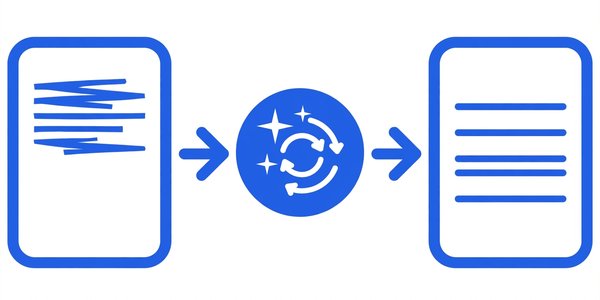
If you create content on a regular basis, you know how tiring it can be to say the same thing in new ways. An article rewriter solves that exact problem. It takes your existing text and rewords it into fresh, original content while keeping the meaning intact. Bloggers use it to refresh old posts. Students use it to restate research in their own words. Marketers use it to spin out variations of ads and product descriptions. Freelancers use it when a client asks for ten versions of the same landing page. Our tool does all of this in seconds, right in your browser, and it costs you nothing. No signup. No downloads. Just paste, click, and rewrite.
Picture a typical Tuesday morning. You have a blog post from last year that performed well, and you want to publish an updated version for a slightly different audience. Rewriting every sentence by hand would eat up half your day. Instead, you paste the old draft into the rewriter, make a few choices about tone, and within seconds you have a clean new version that reads naturally. You spend the saved time polishing the headline and adding fresh examples. That is the everyday value of a smart rewriting tool, and once you build it into your workflow you will wonder how you worked without it.

How to Use Article Rewriter
Getting started takes less than a minute. The interface is deliberately simple so you can focus on your content instead of learning a new tool. Follow the steps below and you will have rewritten text ready to publish in no time.
- Paste your original text. Copy the article, paragraph, or essay you want to rewrite and paste it into the input box. You can work with anything from a single sentence to a full-length article. For the best results, make sure the source text is clean and free of obvious typos, because the tool builds on what you give it. Most users paste between 200 and 2000 words at a time.
- Choose your rewriting mode if available. Some rewriters let you pick between a light touch that keeps the structure close to the original and a deeper rewrite that changes sentence order and phrasing more aggressively. A light rewrite works well for polishing. A deep rewrite works better when you need the text to pass originality checks. Pick the level that matches your goal for this particular piece.
- Click the rewrite button. Press the button and let the tool do its work. It analyzes your text sentence by sentence, swapping in synonyms, restructuring phrases, and smoothing out awkward constructions. The process usually takes only a few seconds even for long articles. You will see the rewritten version appear in the output panel.
- Review the output carefully. No automated tool is perfect, so read through the rewritten text before you use it. Check that the meaning of every sentence stayed the same and that technical terms or proper names were not swapped for something odd. This review step is where your judgment turns good output into great output. Most users find they only need to tweak a handful of sentences.
- Edit and polish the text. Make your changes directly in the output box or copy the text into your editor of choice. This is the right moment to add your own voice, insert fresh examples, and adjust the tone to fit your audience. Think of the tool as a first-draft assistant, not a replacement for your own editing eye. A quick human pass is what separates robotic-sounding output from content that feels genuinely written.
- Run a final originality check. If uniqueness matters for your project, run the rewritten text through a plagiarism checker before publishing. Our tool is designed to produce original phrasing, but a quick verification gives you peace of mind, especially for academic or client work. Once it passes, your content is ready to go live.
Key Features
- Instant rewriting: Get a fully reworded version of your text in seconds, no matter how long the article is.
- Meaning preservation: The tool keeps your core message intact while changing the words and sentence structure around it.
- Multiple rewrite modes: Switch between light, standard, and deep rewriting depending on how different you need the output to be.
- Unlimited word count support: Process short paragraphs or entire articles without hitting frustrating length limits.
- 100 percent free: Every feature is available at no cost, with no credits, subscriptions, or hidden paywalls.
- No signup required: Start rewriting immediately. You never have to create an account or share your email.
- Grammar-aware output: The rewriter maintains proper grammar and sentence flow so the result reads naturally.
- Works on any device: Use it on your phone, tablet, or computer. The tool runs entirely in your browser.

Why Use Our Article Rewriter?
Content demand keeps growing, but your hours do not. A quality rewriter multiplies what you can produce in a day without multiplying your effort. Instead of staring at a blank page or grinding through the same paragraph for an hour, you start from your own proven material and reshape it fast. Bloggers refresh evergreen posts for new seasons. Affiliate marketers create unique product descriptions for dozens of similar items. Social media managers turn one long article into a week of posts. In every case, the tool handles the mechanical part of rewriting so your brain stays free for strategy and creativity.
The benefits go beyond speed. Rewriting existing content is one of the smartest SEO moves you can make, because search engines reward fresh, unique pages. Rather than letting good ideas gather dust, you can republish them for new keywords and new audiences. Students and researchers benefit too. Restating a source in your own words is a core academic skill, and seeing how the tool rephrases a sentence can actually teach you new ways to express ideas. Over time, many users report that their own writing improves because they absorb the alternative phrasings the tool suggests.
What sets our rewriter apart is the balance of power and simplicity. You get advanced rewording technology without a learning curve, and you get it completely free. There is no trial that expires, no watermark on your output, and no account standing between you and your work. Whether you rewrite one paragraph a week or fifty articles a day, the tool is ready whenever you are. It respects your time, your budget, and your content.
Tips for Best Results
- Start with well-written source text. Clear input produces clear output, so fix obvious errors before you rewrite.
- Rewrite in smaller chunks for important pieces. Processing two or three paragraphs at a time gives you more control over quality.
- Always do a human review pass. Read the output aloud to catch any phrasing that sounds unnatural.
- Protect proper nouns and technical terms. If the tool swaps a brand name or keyword, change it back before publishing.
- Combine the rewrite with your own additions. New examples, updated data, and personal anecdotes make the content truly yours.
- Keep your target keyword in place. If you are rewriting for SEO, make sure your focus keyword still appears naturally in the final text.
Common Mistakes to Avoid
- Skipping the proofread. The tool rewrites fast, but it cannot spot a fact that got flipped or a synonym that sounds odd in your niche. Read the output once before it goes live, and your quality will stay high.
- Rewriting the rewrite. Running the output through the tool three or four times in a row can drift the meaning away from your original point. One pass plus a careful human edit gives you the cleanest, most natural result.
- Ignoring tone. A casual rewrite of a formal whitepaper sounds wrong to your readers, and a stiff rewrite of a fun blog post kills the vibe. Match the tone to your audience before you click rewrite, or fix it in your edit pass.
- Keeping the exact same structure. If paragraph order and sentence length never change, plagiarism checkers may still flag the piece. Rearrange a few sections, split long sentences, and add one of your own examples.
- Losing your focus keyword. Rewording can accidentally drop or dilute the keyword you are targeting for SEO. Scan the final text and make sure your keyword still appears naturally where it matters.
- Rewriting content you do not own. The tool gives you fresh words, but it does not give you the rights to someone else’s article. Use it on your own content or material you are licensed to adapt.
Advanced Tips and Real-World Use Cases
Bloggers with a big archive get the most value from this tool. Take a post from last year that still gets traffic, rewrite it with a fresh angle, and add two or three new examples. You get an updated article in minutes instead of an afternoon of staring at a blank screen. Many content teams run their whole refresh queue this way and publish twice as often.
Freelancers love it for client work that needs volume. When a client asks for ten versions of the same landing page, rewrite the core copy once, then personalize each version with the client’s details and local references. You deliver faster without sounding robotic, and the client gets genuinely different pages instead of find and replace jobs.
If English is not your first language, the rewriter doubles as a style coach. Paste your draft, rewrite it, and compare the two versions side by side. You will start noticing better word choices and smoother sentence flow that you can reuse in your own writing. It is like having an editor who never sleeps.
Marketers use it for ad testing. Write one strong ad, rewrite it five ways, and run all five as an A/B test. Small wording changes can shift click rates in surprising ways, and rewriting by hand is too slow for real testing. With the rewriter here at A Tool Today, a full test set takes less time than your coffee break.
Frequently Asked Questions
What is an article rewriter?
An article rewriter is an online tool that takes existing text and expresses it in new words. It replaces synonyms, rearranges sentence structure, and adjusts phrasing while preserving the original meaning. Writers use it to create unique versions of content quickly, whether for blogs, essays, marketing copy, or social media. Think of it as a smart paraphrasing assistant that handles the heavy lifting of rewording so you can focus on editing and publishing.
Is this article rewriter really free?
Yes, completely free. You can rewrite as much text as you want without paying anything, creating an account, or entering payment details. There are no daily limits, no premium tiers locking away the best features, and no watermarks added to your output. We built this tool to be genuinely useful for students, bloggers, and marketers who need a reliable rewriter without the cost.
Complete List of All Free Online Tools
Browse the full directory of 450+ free tools. Click any tool name to use it instantly - no signup required.
| # | Tool Name | Category |
|---|---|---|
| 1 | A B Test Significance Calculator | Calculators & Converters |
| 2 | Acronym Generator | Utility Tools |
| 3 | Ad Copy Generator | Utility Tools |
| 4 | Add Page Numbers To PDF | PDF Tools |
| 5 | Add Subtitles To Video | Media Tools |
| 6 | Add Subtract Days Calculator | Calculators & Converters |
| 7 | Age Calculator | Calculators & Converters |
| 8 | Angle Converter | Calculators & Converters |
| 9 | API Request Tester | Utility Tools |
| 10 | Area Converter | Calculators & Converters |
| 11 | Article Rewriter | Utility Tools |
| 12 | Audio Converter | Calculators & Converters |
| 13 | Audio Merger | Media Tools |
| 14 | Audio Metadata Editor | Media Tools |
| 15 | Audio Pitch Changer | Media Tools |
| 16 | Audio Speed Changer | Media Tools |
| 17 | Audio To Text Converter | Calculators & Converters |
| 18 | Audio Trimmer | Media Tools |
| 19 | Avatar Maker | Utility Tools |
| 20 | Background Remover | Utility Tools |
| 21 | Backlink Checker | SEO Tools |
| 22 | Banner Maker | Utility Tools |
| 23 | Barcode Generator | Developer Tools |
| 24 | Base64 Encoder Decoder | Developer Tools |
| 25 | Bass Booster | Utility Tools |
| 26 | Bibliography Generator | Utility Tools |
| 27 | Bill Splitter | Utility Tools |
| 28 | Binary Converter | Calculators & Converters |
| 29 | Binary To Text Converter | Calculators & Converters |
| 30 | Birthday Countdown | Date & Time Tools |
| 31 | Bmi Calculator | Calculators & Converters |
| 32 | Bmr Calculator | Calculators & Converters |
| 33 | Body Fat Calculator | Calculators & Converters |
| 34 | Body Surface Area Calculator | Calculators & Converters |
| 35 | Book Title Generator | Utility Tools |
| 36 | Brand Color Finder | Color Tools |
| 37 | Brand Kit Generator | Utility Tools |
| 38 | Break Even Calculator | Calculators & Converters |
| 39 | Broken Link Checker | Utility Tools |
| 40 | Browser Info Checker | Utility Tools |
| 41 | Budget Planner | Utility Tools |
| 42 | Business Card Designer | Utility Tools |
| 43 | Business Card Maker | Utility Tools |
| 44 | Business Days Calculator | Calculators & Converters |
| 45 | Business Name Generator | Utility Tools |
| 46 | Business Proposal Generator | Utility Tools |
| 47 | Button Generator | Utility Tools |
| 48 | Buyer Persona Generator | Utility Tools |
| 49 | Calorie Calculator | Calculators & Converters |
| 50 | Captcha Generator | Utility Tools |
Will the rewritten content pass plagiarism checkers?
In most cases, yes. The tool changes vocabulary and sentence structure significantly, which produces text that reads as original. However, results depend on your source material and the settings you choose. A deeper rewrite mode produces more unique output than a light touch. We always recommend running important work through a plagiarism checker before submitting or publishing, just to be safe.
Can I use rewritten articles for my blog or website?
You can, but use good judgment. Rewriting your own content to refresh old posts or target new keywords is a smart and common practice. Rewriting someone else’s article and publishing it as your own without permission can cross ethical and legal lines. Always make sure you have the right to use the source text, and add your own insights so the final piece offers real value to your readers.
Does the tool work for academic writing?
It can help you restate research and understand how to paraphrase effectively, which is a valuable study skill. That said, universities have strict rules about academic integrity. Use the tool as a learning aid to see alternative phrasings, then write your final work in your own words and cite your sources properly. Never submit rewritten text as original work if your institution prohibits it.
How is this different from a spinner that produces gibberish?
Old-school article spinners simply swapped words with synonyms and often produced unreadable nonsense. Our rewriter works at the sentence level, understanding context and grammar so the output flows naturally. You will still want to review the result, but you will not find the random word salad that cheap spinners are famous for. The difference in quality is immediately obvious.
Do I need to install anything or create an account?
No installation and no account. The tool runs entirely in your web browser on any device. Just open the page, paste your text, and click rewrite. Your text is processed on the spot and nothing is stored, so your content stays private. When you are done, copy the result and close the tab. It really is that simple.
Can I use rewritten content for client work?
Yes, as long as the original text is yours or you have the rights to adapt it. Many freelancers use the rewriter to draft client deliverables faster, then add their own edits and personal touches. Just be honest with clients about your process, and always do a final review so the piece matches their voice and standards.
Table of Contents
What is Article Rewriter?
The article rewriter is a free online tool that helps you with article rewriter tasks quickly and accurately. Our article rewriter is designed to be simple, fast, and reliable. Whether you need a article rewriter for personal use or professional work, this free article rewriter delivers instant results without any signup or download required.
How to Use the Article Rewriter
Using our article rewriter is easy. Simply open the article rewriter tool above, enter your input, and get instant results. The article rewriter processes everything in your browser for maximum privacy and speed. No technical knowledge is needed to use this article rewriter effectively.
Benefits of Using Our Article Rewriter
Our free article rewriter offers many advantages. It is completely free to use, requires no registration, works on all devices, and provides accurate results instantly. The article rewriter is updated regularly to ensure the best performance. For more information about article rewriter, you can Learn more about article rewriter on Wikipedia.
Frequently Asked Questions About Article Rewriter
Is the article rewriter really free? Yes, our article rewriter is 100% free with no hidden costs or premium tiers.
Do I need to create an account to use the article rewriter? No, the article rewriter works instantly without any signup or login required.
