Plagiarism Checker
You have just finished a 2,000 word article for a client. You wrote every sentence yourself, or at least you thought you did. Then the client runs it through a checker and sends back a report full of highlighted matches. Awkward phrases you half remembered from research ended up a little too close to the source. Now your professionalism is in question over something you could have caught in two minutes.
Plagiarism is not always intentional. Students paraphrase too closely. Bloggers reuse their own old introductions. Writers absorb phrasing from the ten articles they read during research. Search engines do not care about intent though. Duplicate content can suppress your rankings, and in academic or professional settings, it can damage your reputation or worse.
Our Plagiarism Checker compares your text against billions of web pages and publications to find matching content before anyone else does. Paste your text or upload a document, get a similarity report with highlighted matches and source links, and fix the flagged sections before you publish or submit. It is free, online, and takes minutes. Whether you are a student, a blogger, a freelancer, or an editor, checking first is simply professional hygiene.
Originality is not just an academic rule, it is a business asset. Search engines reward unique content, readers trust it, and clients pay more for it. A quick check before you publish protects all three.
How to Use Plagiarism Checker
Running a check is quick and requires no technical skill. Here is the process from start to clean report.
- Paste your text into the input box, or upload your document if the tool supports file upload. You can check an essay, a blog post, a product description, or any written content. For best results, check the final version of your text, after all edits, so the report reflects exactly what you plan to publish.
- Choose your check options. Some checkers let you exclude quoted material, bibliographies, or specific URLs, which is useful for academic work with many citations. If you are checking a published page, you may be able to enter its URL directly so your own live version is not flagged as a match against itself.
- Click the Check or Scan button to start the analysis. The tool breaks your text into segments and compares each one against its index of web pages, articles, and publications. Depending on length, this takes from a few seconds to a couple of minutes. Longer documents naturally take a bit more time.
- Review your similarity score. This percentage shows how much of your text matches existing sources. A low score means your content is largely original. A high score means significant portions match other texts and need attention. Do not panic at a small percentage, since common phrases and properly cited quotes always produce some matches.
- Examine the highlighted matches in detail. The report shows exactly which sentences or paragraphs match and links to the sources they match. Click through to the sources to understand the overlap. Sometimes it is a coincidence of common phrasing. Sometimes it is a paragraph you clearly need to rewrite.
- Rewrite the flagged sections in your own words and structure. Real paraphrasing means changing the sentence structure and expressing the idea fresh, not just swapping a few synonyms. Where the source material is worth keeping close, add a proper quotation and citation instead of pretending it is your phrasing.
- Run the check again after rewriting. Your similarity score should drop meaningfully. Repeat the cycle until the only remaining matches are unavoidable things like titles, common idioms, and cited quotes. Save or export the final report if you need to prove originality to a client, teacher, or editor.
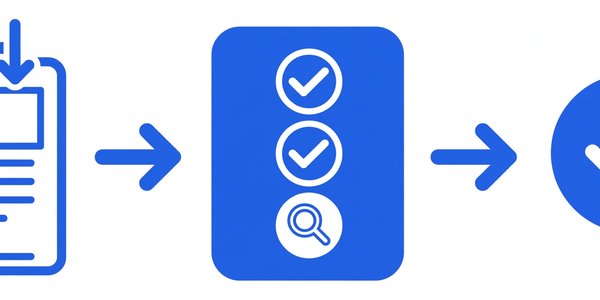
Key Features
- Deep web comparison: Your text is checked against billions of web pages, articles, and indexed publications for thorough coverage.
- Similarity percentage: A clear overall score tells you at a glance how much of your content matches existing sources.
- Highlighted matches: Every matching passage is highlighted in your text so you can find and fix problems without hunting.
- Source links: Each match links to the original source, letting you verify the overlap and cite correctly where needed.
- Multiple input methods: Paste text directly, upload a document, or check a live URL, whichever fits your workflow.
- Smart exclusions: Exclude quotes, bibliographies, or your own published URL to keep the report focused on real issues.
- Privacy conscious: Your text is processed for the check and not published or added to a public database.
- Free and online: Run checks from any browser with no account, no download, and no cost.
Why Use Our Plagiarism Checker?
Originality is currency. For students, it is the difference between a passing grade and an academic misconduct hearing. Universities run every submission through detection software, so checking your own work first is just common sense. Catching a too close paraphrase before submission turns a potential disaster into a five minute rewrite.
Bloggers and content creators face a different risk. Google does not penalize every duplicate paragraph with a manual action, but it does filter and suppress pages that add nothing new. A site full of thin, duplicated content slowly sinks in the rankings while original competitors rise. Worse, if someone copies your work, a checker helps you document the theft with side by side evidence when filing a takedown.
Freelancers and agencies use plagiarism checks as quality control. If you pay writers, checking their deliveries protects your clients and your reputation. One plagiarized article delivered to a client can end a business relationship permanently. Editors and publishers use the same workflow at scale, screening submissions before they ever reach an audience. Teachers use it to uphold academic standards fairly, with evidence instead of suspicion. Whoever you are, the logic is identical. It is far cheaper to find copied text yourself than to have someone else find it for you.
Tips for Best Results
- Check your content before publishing or submitting, not after. A pre check gives you time to fix issues calmly instead of damage controlling later.
- Rewrite flagged passages properly by restructuring sentences and expressing ideas in your own voice. Swapping synonyms alone still counts as too close.
- Use quotation marks and citations for text you want to keep verbatim. Properly attributed quotes are honest writing, not plagiarism.
- Check freelancer and writer deliveries the day they arrive. Make originality verification a standard step in your content workflow, not an occasional audit.
- Do not chase a zero percent score obsessively. Common phrases, titles, and cited material will always match something, and that is perfectly fine.
- Re scan after every round of edits. Rewriting can introduce new accidental matches, so the final check should run on the final draft.
Common Mistakes to Avoid
- Checking only the final draft. By the time a document is finished, fixing a flagged section means rewriting around completed work. Run early drafts through the checker too. Catching a problem in chapter one saves you from reworking chapter ten.
- Panicking over a low match percentage. A 5 to 12 percent similarity score usually comes from common phrases, quotes, and references, not real plagiarism. Read the flagged passages before worrying. Context matters more than the number.
- Paraphrasing by swapping a few words. Changing every third word of a copied paragraph is still plagiarism, and most checkers flag it easily. Real paraphrasing means understanding the idea and explaining it in your own structure and voice. If it still reads like the original, rewrite it properly.
- Forgetting to cite quoted material. Even with quotation marks, a quote without a source looks like borrowed text to a checker. Add the attribution right away, every time. It takes seconds and removes the flag completely.
- Assuming common knowledge needs no check. Industry terms, standard definitions, and widely used phrases can trigger matches across many sources. This is normal and usually fine, but knowing which passages match helps you decide what to rephrase for originality.
- Skipping the check on outsourced work. If you hire writers, always check their submissions before publishing. You are responsible for what goes on your site, even if someone else wrote it. Make the plagiarism check a required step in your content workflow.
Advanced Tips and Real-World Use Cases
Teachers can use the checker to teach better writing, not just catch cheating. Have students run their drafts through the tool before submitting. When they see which passages match, they learn the difference between research and copying. The lesson sticks far better than a warning in the syllabus.
Blog editors can protect their site’s reputation with a simple workflow. Every article gets checked on submission, flagged sections get rewritten by the author, and the final version gets one more check before publishing. This two pass system catches accidental matches that a single check might miss after edits.
Freelance writers should check their own work before delivery. Clients increasingly run their own checks, and a flagged delivery damages your reputation fast. Running the tool first lets you fix issues privately and deliver with confidence. Many top rated freelancers include a clean originality report with every delivery as a trust signal.
Website owners can use the checker to find content theft in reverse. Take a unique sentence from your own published article and check whether it appears elsewhere on the web. If another site copied your work, you have evidence for a takedown request. It is a quick way to defend your original content.
Frequently Asked Questions
What is plagiarism?
Plagiarism is presenting someone else words or ideas as your own without proper attribution. It includes direct copying, close paraphrasing without citation, and even reusing your own previously published work without disclosure in some contexts. Intent does not erase it. Accidental plagiarism from sloppy note taking counts the same as deliberate copying in academic and professional settings, which is why checking your work matters regardless of how honest you are.
Complete List of All Free Online Tools
Browse the full directory of 450+ free tools. Click any tool name to use it instantly - no signup required.
| # | Tool Name | Category |
|---|---|---|
| 1 | A B Test Significance Calculator | Calculators & Converters |
| 2 | Acronym Generator | Utility Tools |
| 3 | Ad Copy Generator | Utility Tools |
| 4 | Add Page Numbers To PDF | PDF Tools |
| 5 | Add Subtitles To Video | Media Tools |
| 6 | Add Subtract Days Calculator | Calculators & Converters |
| 7 | Age Calculator | Calculators & Converters |
| 8 | Angle Converter | Calculators & Converters |
| 9 | API Request Tester | Utility Tools |
| 10 | Area Converter | Calculators & Converters |
| 11 | Article Rewriter | Utility Tools |
| 12 | Audio Converter | Calculators & Converters |
| 13 | Audio Merger | Media Tools |
| 14 | Audio Metadata Editor | Media Tools |
| 15 | Audio Pitch Changer | Media Tools |
| 16 | Audio Speed Changer | Media Tools |
| 17 | Audio To Text Converter | Calculators & Converters |
| 18 | Audio Trimmer | Media Tools |
| 19 | Avatar Maker | Utility Tools |
| 20 | Background Remover | Utility Tools |
| 21 | Backlink Checker | SEO Tools |
| 22 | Banner Maker | Utility Tools |
| 23 | Barcode Generator | Developer Tools |
| 24 | Base64 Encoder Decoder | Developer Tools |
| 25 | Bass Booster | Utility Tools |
| 26 | Bibliography Generator | Utility Tools |
| 27 | Bill Splitter | Utility Tools |
| 28 | Binary Converter | Calculators & Converters |
| 29 | Binary To Text Converter | Calculators & Converters |
| 30 | Birthday Countdown | Date & Time Tools |
| 31 | Bmi Calculator | Calculators & Converters |
| 32 | Bmr Calculator | Calculators & Converters |
| 33 | Body Fat Calculator | Calculators & Converters |
| 34 | Body Surface Area Calculator | Calculators & Converters |
| 35 | Book Title Generator | Utility Tools |
| 36 | Brand Color Finder | Color Tools |
| 37 | Brand Kit Generator | Utility Tools |
| 38 | Break Even Calculator | Calculators & Converters |
| 39 | Broken Link Checker | Utility Tools |
| 40 | Browser Info Checker | Utility Tools |
| 41 | Budget Planner | Utility Tools |
| 42 | Business Card Designer | Utility Tools |
| 43 | Business Card Maker | Utility Tools |
| 44 | Business Days Calculator | Calculators & Converters |
| 45 | Business Name Generator | Utility Tools |
| 46 | Business Proposal Generator | Utility Tools |
| 47 | Button Generator | Utility Tools |
| 48 | Buyer Persona Generator | Utility Tools |
| 49 | Calorie Calculator | Calculators & Converters |
| 50 | Captcha Generator | Utility Tools |
What similarity percentage is acceptable?
There is no universal number, because context matters enormously. Many universities flag anything above 15 to 20 percent for review, while publishers and clients often want under 10 percent for web content. But the percentage alone is misleading. A 12 percent score made of properly cited quotes is fine, while a 5 percent score containing one stolen paragraph is not. Always read the actual matches instead of trusting the number alone.
Can the checker detect AI generated text?
A plagiarism checker and an AI detector are different tools. Our checker finds text that matches existing published sources, which catches copying but not necessarily original AI output, since AI can generate novel sentences. That said, AI writing often reproduces common phrasings that do trigger matches. If you need to verify whether text was AI generated, use a dedicated AI detector alongside the plagiarism check for a complete picture.
Is my text stored or shared?
No. Your text is processed temporarily to run the comparison and is not published, sold, or added to any public database. We built the tool for writers who need confidentiality, including students with unpublished theses and businesses with unreleased content. You can check sensitive drafts with confidence that they stay yours. You can safely check client work, unpublished drafts, and academic papers. Once you close the page, nothing remains on our side.
Does this work for documents in other languages?
The checker works best with English, which has the largest indexed source base, but it can process text in many languages and will find matches in indexed sources in those languages. Coverage varies by language, with major world languages far better represented than smaller ones. For critical academic work in another language, combine our check with a specialized tool for that language if one exists.
Why does my original writing show matches?
Several innocent reasons. Common idioms and standard phrases appear in millions of documents. Technical terms and definitions have limited ways to be expressed. Properly cited quotes match their sources by design. Your bibliography matches other bibliographies citing the same works. And if your content is already published somewhere, it will match itself. Review each match individually. If the overlap is generic phrasing or cited material, you have nothing to fix. This happens most with technical writing and academic citations, where the vocabulary is naturally shared. Reviewing the matched sources usually confirms there is nothing to fix.
Can I check a live web page URL?
Yes. Enter the page URL and the tool fetches the article text and checks it like any pasted document. This is useful for auditing your own published content, verifying a freelancer article after it goes live, or documenting when someone has copied your work. URL checks read the public page exactly as a visitor would see it. This is handy for verifying guest post submissions or checking whether a competitor lifted your content. Paste the URL and review the matches it finds.
Is the plagiarism checker free?
Yes, completely free with no account and no word count traps. Check essays, articles, and documents as often as you need. We believe originality verification should be available to every student and writer, not gated behind a subscription. Yes, completely free with no account required. A Tool Today believes originality checks should be available to every student and writer, not locked behind a paywall.
Table of Contents
What is Plagiarism Checker?
The plagiarism checker is a free online tool that helps you with plagiarism checker tasks quickly and accurately. Our plagiarism checker is designed to be simple, fast, and reliable. Whether you need a plagiarism checker for personal use or professional work, this free plagiarism checker delivers instant results without any signup or download required.
How to Use the Plagiarism Checker
Using our plagiarism checker is easy. Simply open the plagiarism checker tool above, enter your input, and get instant results. The plagiarism checker processes everything in your browser for maximum privacy and speed. No technical knowledge is needed to use this plagiarism checker effectively.
Benefits of Using Our Plagiarism Checker
Our free plagiarism checker offers many advantages. It is completely free to use, requires no registration, works on all devices, and provides accurate results instantly. The plagiarism checker is updated regularly to ensure the best performance. For more information about plagiarism checker, you can Learn more about plagiarism checker on Wikipedia.
Frequently Asked Questions About Plagiarism Checker
Is the plagiarism checker really free? Yes, our plagiarism checker is 100% free with no hidden costs or premium tiers.
Do I need to create an account to use the plagiarism checker? No, the plagiarism checker works instantly without any signup or login required.
