SERP Preview Tool
Loading tool...
How to Use SERP Preview Tool
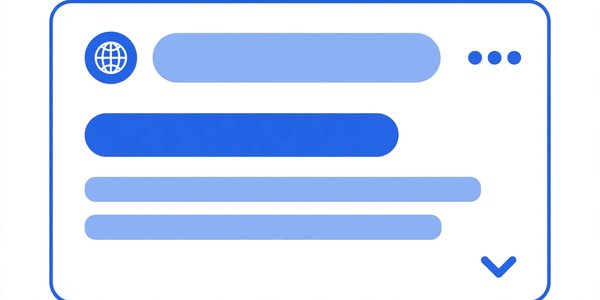
Crafting a great snippet is part writing, part measurement. The tool handles the measurement so you can focus on the words. Here is the workflow.- Enter your page URL or start with a blank snippet. If you paste a URL, the tool pulls your current title and meta description automatically. If you are planning a new page, just start typing your draft title. Either way, you get a live preview from the first keystroke.
- Type your SEO title into the title field. Aim for something specific and honest that includes your main keyword naturally. Watch the pixel width meter as you type. Google truncates titles by pixel width, not character count, so wide letters like W eat more space than narrow ones like i.
- Write your meta description in the description field. You have about 150 to 160 characters to sell the click. State the benefit, hint at what the page delivers, and end with a gentle nudge like learn how or see examples. Avoid keyword stuffing, because a robotic description repels the humans you are trying to attract.
- Check the desktop and mobile previews side by side. Mobile truncates earlier than desktop, and most searches now happen on phones. A title that looks perfect on desktop might lose its last three words on mobile. Optimize for the smaller screen first, and desktop will take care of itself.
- Watch the truncation warnings. The tool flags exactly where Google would cut your text with an ellipsis. If your key benefit or your brand name falls beyond the cutoff, rewrite so the important words come first. Front loading matters more than most people realize.
- Review your URL slug in the preview. Short, readable URLs with real words build trust and get clicked more than long strings of parameters. If your slug is messy, clean it up before publishing, because changing URLs later creates redirect headaches.
- Copy your finished title and description and implement them on your site. In WordPress, paste them into the SEO title and meta description fields of your SEO plugin. Then recheck the live page with the tool to confirm everything renders as expected. Great snippets are never one and done, so revisit them when rankings or click data suggest room to improve.
Key Features
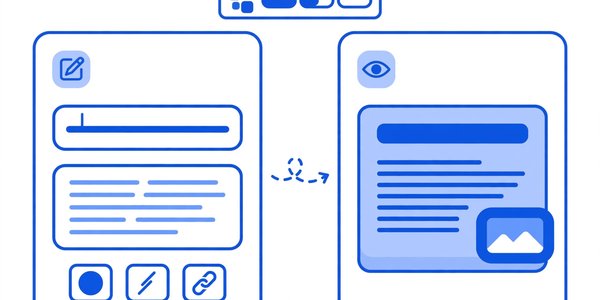
- Pixel accurate preview: See your snippet rendered with real Google styling and true pixel width limits, not rough character estimates.
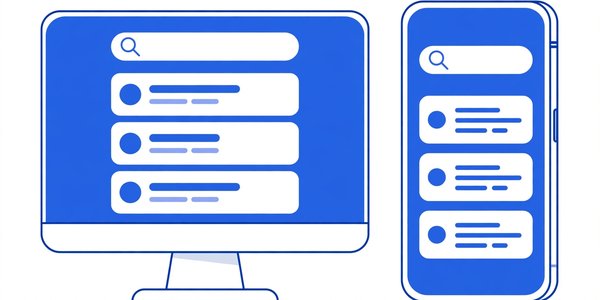
- Desktop and mobile views: Toggle between devices to make sure your title and description survive truncation on the smaller mobile screen.
- Live width meters: Color coded counters show how close you are to Google truncation limits as you type every word.
- Truncation warnings: Instant alerts tell you exactly which words would be cut off, so no important message ever hides behind an ellipsis.
- URL slug preview: Check that your permalink looks clean and trustworthy in the result, since searchers judge URLs before clicking.
- Rich result simulation: Preview how dates, ratings, and other enhancements would layer onto your snippet for a fuller picture.
- Instant editing: Every keystroke updates the preview immediately, making it fast to test five title variations in a minute.
- Free with no signup: Test unlimited snippets without creating an account or installing anything.
Why Use Our SERP Preview Tool?
Rankings get you seen. Snippets get you clicked. Two pages can sit at positions four and five with wildly different traffic simply because one snippet is compelling and the other is an afterthought. Most site owners spend hours earning the ranking and thirty seconds on the snippet, which is backwards. The preview tool flips that habit by making snippet crafting visual, measurable, and even a little fun. Bloggers use it to rescue older posts. A two year old article ranking on page one with a weak description is leaving clicks on the table every single day. Ten minutes with the preview tool can lift its click through rate without touching the article itself. Ecommerce managers use it across category and product pages, where a price hint, a stock note, or a clear benefit in the description directly moves revenue. Agencies and freelancers use the tool in client reports and QA checklists. Showing a client the before and after preview makes the value of meta optimization tangible instead of abstract. Content teams use it as a final gate before publishing, the same way designers proof a layout. And because Google sometimes rewrites titles and descriptions, the tool helps you write snippets so aligned with the page that Google has little reason to replace them. If you care about traffic, not just rankings, this is a core part of your workflow.Tips for Best Results
- Keep titles around 50 to 60 characters and under about 580 pixels. This is the safe zone where truncation is rare on both desktop and mobile.
- Keep meta descriptions between 150 and 160 characters and under about 920 pixels, with the core message in the first 120 characters.
- Put your primary keyword and main benefit near the start of both the title and description, since the end is what gets cut first.
- Write descriptions like ad copy, not summaries. Name the outcome the reader gets, add a differentiator, and close with a soft call to action.
- Make every title and description unique across your site. Duplicates confuse Google and bore searchers, and both cost you clicks.
- Monitor Google Search Console click through rates after changes. If Google rewrites your snippet, study what it chose and adapt your copy to match the page better.
Common Mistakes to Avoid
- Writing titles that get cut off. Google shows roughly 600 pixels of title space, which is about 50 to 60 characters. If your key words sit at the end of a long title, mobile users will never see them. Put your main keyword and your hook in the first half.
- Treating the meta description as a keyword dump. The description does not directly affect rankings, but it is your ad copy in the search results. A readable sentence that promises a clear benefit beats a comma separated list of keywords every single time.
- Using the same title formula on every page. When all your titles start with the same brand phrase or the same generic opener, they blur together in the results. Vary your structure, lead with the unique value of each page, and save the brand name for the end.
- Forgetting about the URL. A long ugly URL with numbers and parameters looks untrustworthy next to a clean readable one. Short descriptive slugs reinforce what the page is about and can nudge hesitant searchers to click.
- Ignoring how it looks on mobile. More than half of searches happen on phones, where titles truncate earlier and descriptions shrink. Always check the mobile preview. A snippet that looks perfect on desktop can lose its call to action on a small screen.
- Never updating old snippets. A title written two years ago may mention a year, a price, or a feature that changed. Audit your top 20 pages once a quarter, find the ones with low click through rates, and rewrite their snippets with the preview tool.
Advanced Tips and Real-World Use Cases
SEOs use the preview tool during content refreshes. When a page ranks on page one but gets few clicks, the snippet is usually the problem. Open the tool, rewrite the title with a stronger benefit and a number, and watch the click through rate over the next month. Small copy changes can move a page from position 5 traffic to position 3 traffic without touching rankings. Bloggers can test titles before publishing. Write three title options, preview each one, and pick the version that keeps the keyword visible and fits the pixel limit. Then use the winner as your H1 too. This ten minute habit compounds across every post you publish. Agencies include preview screenshots in client reports. When you recommend new titles, showing the before and after preview makes the change concrete for non technical clients. They stop debating word choices and start approving faster. It turns a vague SEO task into something they can see. Ecommerce teams should preview category pages, not just products. Category pages often rank for the broadest buying keywords, yet their titles are auto generated and dull. Rewriting ten category snippets with the tool can lift organic revenue noticeably, because these pages already have the traffic.Frequently Asked Questions
What is a SERP preview?
A SERP preview is a simulation of how your page appears in a search engine results page. It shows your title, URL, and meta description rendered the way Google would display them, including truncation points. Our tool generates this preview live as you type, for both desktop and mobile layouts. It lets you perfect your snippet before publishing instead of discovering problems in the live results.Why does Google rewrite my title and description?
Google rewrites snippets when it believes its version matches the search query better than yours. Common triggers include keyword stuffed titles, titles that do not reflect page content, and descriptions that are missing or irrelevant to the query. The best defense is writing titles and descriptions that closely match the page actual content and the searcher intent. Even then, Google may still adjust for specific queries, which is normal and not a penalty.What is the ideal title length?
Aim for 50 to 60 characters, which usually stays under Google roughly 580 pixel limit. But characters are only an approximation. A title full of wide capital letters hits the pixel limit much sooner than one with narrow lowercase letters. That is why our tool measures pixel width live instead of just counting characters. When in doubt, keep it shorter and put the important words first.What is the ideal meta description length?
Stay between 150 and 160 characters, or roughly 920 pixels. Google has tested longer descriptions in the past, but the stable display length has hovered in this range for years. More important than exact length is structure. Lead with the benefit, include your keyword naturally, and never let the sentence get cut off mid thought. A complete 150 character description beats a truncated 170 character one every time.Does a better snippet improve rankings?
Not directly. Title tags and meta descriptions are not ranking factors in the way backlinks or content quality are. But a better snippet earns a higher click through rate, which brings more visitors to a page Google already ranks. Higher engagement and more traffic are positive signals over time. Treat snippet optimization as a traffic multiplier on top of your ranking work, not a replacement for it.Can I preview rich results?
Yes. The tool simulates how enhancements like review stars, dates, and FAQ dropdowns layer onto your basic snippet when your page has valid schema markup. This matters because rich results change the visual weight of your listing and the space your title has to work with. Pair this tool with our Schema Markup Generator to plan the full appearance of your result, not just the text.Why does the mobile preview matter so much?
Because most Google searches now happen on mobile devices, and mobile results truncate titles and descriptions earlier than desktop. A snippet optimized only for desktop can lose its call to action or its key benefit on the screen where most of your visitors see it. Always finalize your copy against the mobile preview. If it works on mobile, it will work everywhere. It also affects how your rich results render, since Google increasingly tests features on mobile first. If your snippet breaks on a phone, you are losing the majority of your audience.Is this tool free?
Yes, completely free with no account and no usage limits. Test as many titles and descriptions as you want, for as many pages as you want. We built it for bloggers, SEOs, and site owners who want data driven snippets without paying for a full SEO suite. Completely free, with no account and no usage limits. A Tool Today keeps everyday SEO tools accessible to anyone building a website.Table of Contents
What is Serp Preview Tool?
The serp preview tool is a free online tool that helps you with serp preview tool tasks quickly and accurately. Our serp preview tool is designed to be simple, fast, and reliable. Whether you need a serp preview tool for personal use or professional work, this free serp preview tool delivers instant results without any signup or download required.How to Use the Serp Preview Tool
Using our serp preview tool is easy. Simply open the serp preview tool tool above, enter your input, and get instant results. The serp preview tool processes everything in your browser for maximum privacy and speed. No technical knowledge is needed to use this serp preview tool effectively.Benefits of Using Our Serp Preview Tool
Our free serp preview tool offers many advantages. It is completely free to use, requires no registration, works on all devices, and provides accurate results instantly. The serp preview tool is updated regularly to ensure the best performance. For more information about serp preview tool, you can Learn more about serp preview tool on Wikipedia.Frequently Asked Questions About Serp Preview Tool
Is the serp preview tool really free? Yes, our serp preview tool is 100% free with no hidden costs or premium tiers. Do I need to create an account to use the serp preview tool? No, the serp preview tool works instantly without any signup or login required.What is the difference between a SERP preview tool and a serp notifications tool?
A serp notifications tool only sends alerts when your rankings change, while our SERP preview tool shows you exactly how your page will look in the results before you publish.
Complete List of All Free Online Tools
Browse the full directory of 450+ free tools. Click any tool name to use it instantly - no signup required.
| # | Tool Name | Category |
|---|---|---|
| 1 | A B Test Significance Calculator | Calculators & Converters |
| 2 | Acronym Generator | Utility Tools |
| 3 | Ad Copy Generator | Utility Tools |
| 4 | Add Page Numbers To PDF | PDF Tools |
| 5 | Add Subtitles To Video | Media Tools |
| 6 | Add Subtract Days Calculator | Calculators & Converters |
| 7 | Age Calculator | Calculators & Converters |
| 8 | Angle Converter | Calculators & Converters |
| 9 | API Request Tester | Utility Tools |
| 10 | Area Converter | Calculators & Converters |
| 11 | Article Rewriter | Utility Tools |
| 12 | Audio Converter | Calculators & Converters |
| 13 | Audio Merger | Media Tools |
| 14 | Audio Metadata Editor | Media Tools |
| 15 | Audio Pitch Changer | Media Tools |
| 16 | Audio Speed Changer | Media Tools |
| 17 | Audio To Text Converter | Calculators & Converters |
| 18 | Audio Trimmer | Media Tools |
| 19 | Avatar Maker | Utility Tools |
| 20 | Background Remover | Utility Tools |
| 21 | Backlink Checker | SEO Tools |
| 22 | Banner Maker | Utility Tools |
| 23 | Barcode Generator | Developer Tools |
| 24 | Base64 Encoder Decoder | Developer Tools |
| 25 | Bass Booster | Utility Tools |
| 26 | Bibliography Generator | Utility Tools |
| 27 | Bill Splitter | Utility Tools |
| 28 | Binary Converter | Calculators & Converters |
| 29 | Binary To Text Converter | Calculators & Converters |
| 30 | Birthday Countdown | Date & Time Tools |
| 31 | Bmi Calculator | Calculators & Converters |
| 32 | Bmr Calculator | Calculators & Converters |
| 33 | Body Fat Calculator | Calculators & Converters |
| 34 | Body Surface Area Calculator | Calculators & Converters |
| 35 | Book Title Generator | Utility Tools |
| 36 | Brand Color Finder | Color Tools |
| 37 | Brand Kit Generator | Utility Tools |
| 38 | Break Even Calculator | Calculators & Converters |
| 39 | Broken Link Checker | Utility Tools |
| 40 | Browser Info Checker | Utility Tools |
| 41 | Budget Planner | Utility Tools |
| 42 | Business Card Designer | Utility Tools |
| 43 | Business Card Maker | Utility Tools |
| 44 | Business Days Calculator | Calculators & Converters |
| 45 | Business Name Generator | Utility Tools |
| 46 | Business Proposal Generator | Utility Tools |
| 47 | Button Generator | Utility Tools |
| 48 | Buyer Persona Generator | Utility Tools |
| 49 | Calorie Calculator | Calculators & Converters |
| 50 | Captcha Generator | Utility Tools |
