Schema Markup Generator
You have probably seen them in Google results. Star ratings under a product listing. A little FAQ dropdown sitting right inside a search result. Event dates, recipe times, job postings with salary ranges. Those eye catching extras are called rich results, and they are powered by something called schema markup. Pages that earn them stand out, get clicked more, and look far more trustworthy than plain blue links.
Schema markup is a shared vocabulary, maintained at schema.org, that you add to your page to tell search engines exactly what your content is. Is this page a product with a price? An article with an author? A local business with opening hours? Without markup, Google has to guess. With markup, you hand it the facts on a silver platter.
The catch is that schema markup is written in code, usually a format called JSON-LD, and most site owners do not write code. That is exactly what our Schema Markup Generator is for. You fill in a simple form, choosing your schema type and entering your real details, and the tool builds valid, ready to paste JSON-LD for you. No coding, no syntax errors, no cost. Whether you run a blog, a store, or a local business site, you can add professional structured data in minutes.
Structured data used to be a developer-only job, and many small sites skipped it for years. A generator changes that math completely. In the time it takes to fill a form, you can give your pages the same rich result eligibility that big publishers pay agencies for.
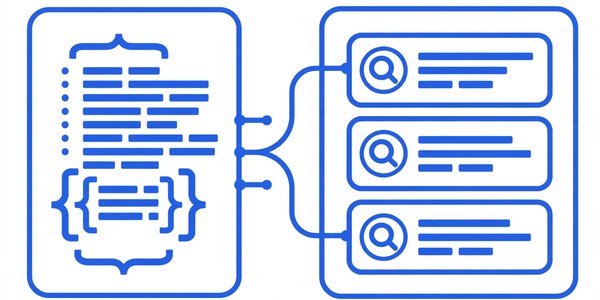
How to Use Schema Markup Generator
Generating schema is a fill in the blanks exercise. The tool handles all the code. Here is the full process from start to finish.
- Choose your schema type from the list. Common options include Article, Product, FAQPage, LocalBusiness, Event, Recipe, HowTo, and BreadcrumbList. Pick the type that matches what the page is actually about. A product page gets Product markup, a blog post gets Article markup, and a page with real questions and answers gets FAQPage markup.
- Fill in the fields with accurate information about your page. You will see inputs for things like name, description, image URL, author, date published, price, or rating, depending on the type you chose. Only fill in details that are true and visible on the page. Google penalizes markup that describes content visitors cannot see.
- Click the Generate button. The tool instantly converts your inputs into clean JSON-LD code that follows the schema.org specification. You will see the code appear in a preview box, properly formatted and ready to use. Review it briefly to make sure everything you entered shows up correctly.
- Copy the generated code with the copy button. The entire JSON-LD block, including the script tags, is copied to your clipboard in one click. There is nothing to select manually and no risk of missing a bracket. Keep a backup of the code in a text file if you plan to reuse the pattern on similar pages.
- Paste the code into your page. On WordPress, you can add it with an SEO plugin that supports custom schema, a header and footer insertion plugin, or a dedicated code snippets plugin. On custom sites, paste the script block into the head section of the page HTML. One block per page is the norm, though related types can be combined.
- Test your page with Google Rich Results Test. Paste your URL or your code into the official testing tool and run it. It will confirm the markup is valid and tell you which rich result types your page is eligible for. Fix any errors it reports, regenerate if needed, and test again until it passes clean.
- Monitor the results in Google Search Console. After a few days, check the Enhancements section to see your marked up pages and any issues Google found while crawling them. Rich results are not guaranteed, and they can take time to appear, but valid markup is the required first step. Keep your data updated, especially prices, dates, and availability.

Key Features
- Multiple schema types: Generate markup for articles, products, FAQs, local businesses, events, recipes, how to guides, breadcrumbs, and more, all from one tool.
- Valid JSON-LD output: Every block follows the schema.org specification and Google guidelines, so it passes validation tools on the first try.
- No coding required: If you can fill in a form, you can create schema markup. The tool writes every bracket and comma for you.
- Required and recommended fields: The form highlights which properties Google expects for each rich result type, so you never ship incomplete markup.
- One click copy: The complete script block copies to your clipboard instantly, ready to paste into your site with zero editing.
- Rich Results Test ready: Output is designed to validate cleanly in Google official testing tool, the same one Google uses to judge your pages.
- Nested properties: Add reviews, aggregate ratings, offers, and author details inside your main schema for richer, more complete markup.
- Free with no signup: Generate unlimited schema blocks without creating an account or paying for a plan.

Why Use Our Schema Markup Generator?
Rich results change the math of search. A plain listing and a listing with star ratings, price, and stock status are not competing on equal terms. The rich one draws the eye, earns the click, and pre answers the visitor questions that would otherwise send them back to Google. You cannot buy that advantage directly, but you can earn eligibility for it with correct schema markup. This tool is the shortest path between your content and that eligibility.
Bloggers and publishers use Article and FAQPage markup to make their content machine readable. FAQ markup in particular can win you expandable questions right in the results, which massively increases the space your listing occupies. Ecommerce stores live and die by Product markup. Price, availability, and review stars in the search result act like a shop window. Shoppers compare listings before they ever click, and the listing with complete product data wins that comparison.
Local businesses get some of the most practical value. LocalBusiness markup with your address, phone, hours, and service area helps Google understand exactly what you are and where you operate. Event organizers, course creators, and recipe sites each have dedicated schema types that unlock specialized rich results, from event dates to cooking times. Agencies use the generator to roll out markup across client sites quickly and consistently, without hand writing JSON-LD for every page. If your competitors have rich results and you do not, this is the gap to close.
Tips for Best Results
- Only mark up content that is visible on the page. Hidden or misleading markup violates Google guidelines and can get your rich results removed.
- Keep your data accurate and current. Update prices, event dates, and stock status in both your page content and your markup whenever they change.
- Use the most specific type available. NewsArticle beats Article for news, and Product with an Offer beats a bare Product listing for rich result eligibility.
- Combine complementary types on one page. A blog post can carry Article, BreadcrumbList, and FAQPage markup together for maximum coverage.
- Add an image to every schema type that supports one. Google often requires or strongly prefers images for rich results, and pages without them get skipped.
- Re validate with the Rich Results Test every time you edit the page. A small content change can break the match between your markup and your visible content.
Common Mistakes to Avoid
- Marking up content that is not visible on the page. Search engine guidelines are clear: structured data must describe what users can actually see. Adding review stars for a product page with no reviews, or event dates for an event that is not listed, can get your site flagged for spammy markup. Only mark up what is really there.
- Using the wrong schema type. A blog post is an Article, not a WebPage, and a local plumber is a LocalBusiness, not an Organization. Picking the closest match sounds harmless, but search engines read the type literally. If you are unsure, check the search gallery documentation for the type that matches your content.
- Leaving required fields empty. Every schema type has properties Google needs to show a rich result, like price and availability for products, or start date for events. A generator gives you the fields, but it is your job to fill them completely. Half finished markup is the most common reason rich results never appear.
- Duplicating markup across plugins. If your SEO plugin already outputs Article schema and you paste a second block from a generator, the two can conflict and confuse Google. Check what your site already emits before adding more, and keep one clean source of truth.
- Forgetting to validate after publishing. Generated code can be perfect and still fail because of how your theme or page builder wraps it. Run every new page through the Rich Results Test after it goes live. It takes a minute and shows you exactly what Google can read.
- Setting and forgetting. Schema needs maintenance. Prices change, events pass, job posts close. Outdated markup is worse than none because it teaches Google to ignore your signals. Review your key pages quarterly and update the details.
Advanced Tips and Real-World Use Cases
Product review sites get the biggest win from combined schema. You can layer Review markup inside Product markup so Google understands both the item and the rating. Set up one product page carefully, validate it, then use it as your template for the whole catalog. The rich stars in search results can lift click through rates noticeably on competitive queries.
Local businesses should pair LocalBusiness schema with precise hours, including holiday hours. When someone searches for a place open now on a Sunday, Google leans heavily on your opening hours data. Fill in special days like public holidays too. It is a small detail that directly drives foot traffic.
Publishers can use Article schema to improve how their content appears in news surfaces and Discover. Include the author, the publish date, and a sharp headline in the markup. Keep the date accurate when you update a post, because Google checks freshness. Many editors add this step to their publishing checklist and see their stories surface faster.
For developers managing many sites, generated JSON-LD is a perfect starting point for templates. Generate the markup once, turn the fields into variables in your CMS template, and every new page gets valid schema automatically. You review the template once instead of hand writing markup forever. That is how agencies scale structured data across dozens of clients without errors.
Frequently Asked Questions
What is schema markup?
Schema markup is structured data you add to a web page to describe its content in a way search engines understand precisely. It uses a shared vocabulary defined at schema.org, with hundreds of types like Product, Article, Event, and Recipe. You are essentially labeling the parts of your page: this is the price, this is the author, this is the event date. Search engines use these labels to build rich results and to understand your content for AI driven search features.
Complete List of All Free Online Tools
Browse the full directory of 450+ free tools. Click any tool name to use it instantly - no signup required.
| # | Tool Name | Category |
|---|---|---|
| 1 | A B Test Significance Calculator | Calculators & Converters |
| 2 | Acronym Generator | Utility Tools |
| 3 | Ad Copy Generator | Utility Tools |
| 4 | Add Page Numbers To PDF | PDF Tools |
| 5 | Add Subtitles To Video | Media Tools |
| 6 | Add Subtract Days Calculator | Calculators & Converters |
| 7 | Age Calculator | Calculators & Converters |
| 8 | Angle Converter | Calculators & Converters |
| 9 | API Request Tester | Utility Tools |
| 10 | Area Converter | Calculators & Converters |
| 11 | Article Rewriter | Utility Tools |
| 12 | Audio Converter | Calculators & Converters |
| 13 | Audio Merger | Media Tools |
| 14 | Audio Metadata Editor | Media Tools |
| 15 | Audio Pitch Changer | Media Tools |
| 16 | Audio Speed Changer | Media Tools |
| 17 | Audio To Text Converter | Calculators & Converters |
| 18 | Audio Trimmer | Media Tools |
| 19 | Avatar Maker | Utility Tools |
| 20 | Background Remover | Utility Tools |
| 21 | Backlink Checker | SEO Tools |
| 22 | Banner Maker | Utility Tools |
| 23 | Barcode Generator | Developer Tools |
| 24 | Base64 Encoder Decoder | Developer Tools |
| 25 | Bass Booster | Utility Tools |
| 26 | Bibliography Generator | Utility Tools |
| 27 | Bill Splitter | Utility Tools |
| 28 | Binary Converter | Calculators & Converters |
| 29 | Binary To Text Converter | Calculators & Converters |
| 30 | Birthday Countdown | Date & Time Tools |
| 31 | Bmi Calculator | Calculators & Converters |
| 32 | Bmr Calculator | Calculators & Converters |
| 33 | Body Fat Calculator | Calculators & Converters |
| 34 | Body Surface Area Calculator | Calculators & Converters |
| 35 | Book Title Generator | Utility Tools |
| 36 | Brand Color Finder | Color Tools |
| 37 | Brand Kit Generator | Utility Tools |
| 38 | Break Even Calculator | Calculators & Converters |
| 39 | Broken Link Checker | Utility Tools |
| 40 | Browser Info Checker | Utility Tools |
| 41 | Budget Planner | Utility Tools |
| 42 | Business Card Designer | Utility Tools |
| 43 | Business Card Maker | Utility Tools |
| 44 | Business Days Calculator | Calculators & Converters |
| 45 | Business Name Generator | Utility Tools |
| 46 | Business Proposal Generator | Utility Tools |
| 47 | Button Generator | Utility Tools |
| 48 | Buyer Persona Generator | Utility Tools |
| 49 | Calorie Calculator | Calculators & Converters |
| 50 | Captcha Generator | Utility Tools |
Will schema markup improve my rankings?
Google has said schema markup is not a direct ranking factor, so adding it will not automatically move you from position eight to position three. What it does improve is your appearance in the results, which raises your click through rate. More clicks at the same position means more traffic, and over time that stronger engagement can support better performance. Think of schema as a visibility and CTR tool rather than a ranking shortcut, and you will use it correctly.
What is JSON-LD and why do you use it?
JSON-LD is a format for writing structured data as a JavaScript block inside your page. It stands for JavaScript Object Notation for Linked Data. Google recommends it because it keeps the markup separate from your visible HTML, which makes it easier to add and maintain. Older formats like Microdata mix the markup into your HTML tags, which gets messy fast. Our generator outputs JSON-LD because it is the cleanest option and the one Google prefers. It also keeps your markup separate from your design code, so a theme update cannot accidentally break it.
Which schema types can I generate?
The tool covers the types most site owners actually need: Article, NewsArticle, BlogPosting, Product, FAQPage, HowTo, Recipe, Event, LocalBusiness, Organization, Person, BreadcrumbList, and WebSite, among others. Each type comes with its own tailored form showing the properties that matter for that type. If you need something exotic, the generated code is standard JSON-LD that a developer can extend, but for the vast majority of pages the built in types are exactly right. If you need something exotic, start from the closest supported type and add extra properties manually. The generator output is plain JSON-LD, so extending it is easy.
Do I need to know how to code?
No. That is the entire point of the generator. You answer plain questions like the product name, the price, and the image URL, and the tool assembles the code. You never touch a bracket or a comma. Pasting the result into your site is the only technical step, and on WordPress that is usually a matter of pasting into a plugin field. If you can publish a blog post, you can add schema markup with this tool.
Where do I paste the generated code?
The JSON-LD script block goes in the head section of the specific page it describes. On WordPress, the easiest routes are an SEO plugin with custom schema support, a header footer code plugin, or a code snippets plugin set to run on that page. Page builders often have a custom code or HTML element you can drop the script into. Avoid pasting it into the visible content area. It belongs in the page header or footer, where visitors never see it but search engines always do.
Why is my rich result not showing in Google?
Valid markup makes you eligible, but Google decides when to show rich results, and it can take days or weeks after crawling. Common reasons for no rich result include markup that does not match visible page content, missing required properties, thin or low quality pages, and manual actions on the site. Check Google Search Console Enhancements reports for specific errors. Also note that some rich result types, like FAQ rich results, have been scaled back by Google over time, so eligibility does not guarantee display.
Is it safe to add schema to any website?
Yes, as long as the markup is honest. Schema markup itself is just descriptive code and cannot harm your site. The risk only appears when people mark up content that does not exist on the page, like fake reviews or invisible prices, which violates Google spam policies. Follow the simple rule of describing only what visitors can actually see, keep the data accurate, and schema markup is one of the safest SEO improvements you can make.
Table of Contents
What is Schema Markup Generator?
The schema markup generator is a free online tool that helps you with schema markup generator tasks quickly and accurately. Our schema markup generator is designed to be simple, fast, and reliable. Whether you need a schema markup generator for personal use or professional work, this free schema markup generator delivers instant results without any signup or download required.
How to Use the Schema Markup Generator
Using our schema markup generator is easy. Simply open the schema markup generator tool above, enter your input, and get instant results. The schema markup generator processes everything in your browser for maximum privacy and speed. No technical knowledge is needed to use this schema markup generator effectively.
Benefits of Using Our Schema Markup Generator
Our free schema markup generator offers many advantages. It is completely free to use, requires no registration, works on all devices, and provides accurate results instantly. The schema markup generator is updated regularly to ensure the best performance. For more information about schema markup generator, you can Learn more about schema markup generator on Wikipedia.
Frequently Asked Questions About Schema Markup Generator
Is the schema markup generator really free? Yes, our schema markup generator is 100% free with no hidden costs or premium tiers.
Do I need to create an account to use the schema markup generator? No, the schema markup generator works instantly without any signup or login required.
