Sticky Notes
Sticky notes are one of the simplest productivity tools ever created, and the digital version keeps everything you love about paper notes while removing the clutter. Our free Sticky Notes tool from A Tool Today lets you capture ideas, reminders, and tasks in seconds, right inside your browser.
Think about a normal workday. A meeting reminder pops into your head during lunch. A great idea strikes while you are answering email. A small detail needs to stay visible while you finish a project. Paper notes get lost, slide behind your keyboard, or end up in the trash by accident. Phone note apps bury reminders behind menus and taps. Our online sticky notes stay exactly where you put them, bright and visible, until the job is done.
Whether you are a student juggling assignments, a freelancer tracking client requests, or a busy parent running a household schedule, digital sticky notes give you a fast visual way to stay organized and boost productivity. Everything runs in your browser, notes save automatically, and your board opens on any device with an internet connection.
They also work beautifully for creative thinking. Writers collect story fragments, designers gather visual ideas, and entrepreneurs map out business concepts on digital boards. Because notes can be rearranged endlessly, your board becomes a living canvas where scattered thoughts slowly organize themselves into real plans.
How to Use Sticky Notes
Getting started takes less than a minute. There is nothing to install and no account to create. Each step is simple on purpose, because this tool was designed for speed. Follow the steps below and your first sticky note will be on your digital board in seconds.
- Open the Sticky Notes tool. Visit the Sticky Notes page on A Tool Today from any modern browser. The board loads instantly on desktop, tablet, and phone, so you can start capturing thoughts wherever you are. Bookmark the page for one-click access later, because the faster you can open it, the more likely you are to actually use it.
- Create a new note. Click the new note button or double-click anywhere on the board. A fresh colorful note pops up and your cursor is ready to type. There is no save button to hunt for, because every keystroke saves automatically in the background. Make as many notes as you need, from quick reminders to long brainstorms.
- Write a clear and actionable note. Short beats vague every time. Write “Call the dentist at 3 PM to confirm” instead of just “dentist” so your future self knows exactly what to do. One idea per note works best, because it keeps your board scannable and your tasks easy to finish. If a thought is bigger than one note, split it into smaller ones.
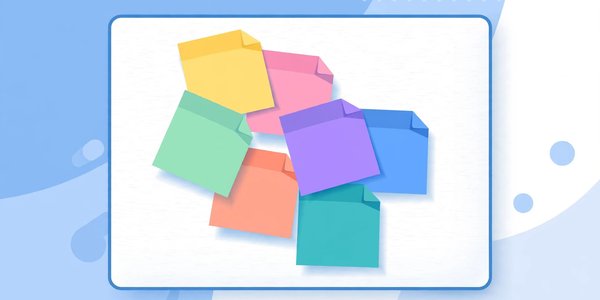
- Color code your notes. Pick a simple system and stick with it. Use yellow for quick reminders, pink for urgent tasks, green for new ideas, and blue for personal items. A consistent color code turns your board into a visual priority map that you can read at a glance without reading a single word. Change colors anytime as priorities shift.
- Drag notes to organize your board. Click any note and drag it wherever it belongs. Group related notes together, push finished tasks to one corner, or arrange notes into columns for each day of the week. Your layout saves automatically, so the board looks exactly the same when you come back tomorrow. A tidy board feels calm, and ten seconds of arranging pays off all day.
- Delete notes when tasks are done. Click the delete option on any note to remove it from your board. Clearing finished notes keeps things clean and gives you a small but real sense of progress. Many users keep one corner of the board as a done zone for the week, which makes Friday feel surprisingly satisfying. Do not be afraid to delete finished work and move on.
Key Features
Our Sticky Notes tool packs everything you need into a clean and simple board. Here is what makes it a daily driver for staying organized and boosting productivity.
- Instant note creation. One click or one double-click and you are typing. There are no dialogs, no templates to choose, and no settings to configure first. When an idea strikes, speed matters, and this tool is built to capture thoughts before they fade. Most users create a note in under three seconds.
- Colorful notes. Choose from a bright palette of note colors to match your mood or your system. Colors are not just decoration. They create visual groups that your brain processes faster than text, so urgent items practically jump off the board. Switch a note’s color anytime as its priority changes.
- Drag and drop organization. Arrange your board exactly the way your brain works. Move notes with your mouse or finger, stack related ideas, and build columns for projects, days, or priorities. Your layout is remembered, so your perfect setup greets you every visit. There is no wrong layout. If it makes sense to you, it works.
- Automatic saving. Every character you type is saved the moment you type it. Close the tab, lose your connection, or restart your device, and your notes will still be there. You never have to remember to press save, because the tool remembers for you. It is one less thing to think about in a busy day.
- Works on every device. The board runs in any modern browser on phones, tablets, laptops, and desktops. Start a note on your phone during your commute and finish it on your laptop at your desk. Your organized life follows you everywhere. No app store, no updates, no storage space used.
- No signup required. You do not need an account, an email address, or a password to use the tool. Open the page and start writing. Your privacy stays intact and there is zero friction between having an idea and capturing it. Free means free, with no trial period and no locked features.
- Quick search. When your board fills up, find any note in seconds with the built-in search. Type a keyword and matching notes stand out instantly. It is like having a photographic memory for everything you have ever jotted down. Great for finding that one idea from three weeks ago.
- Clean and distraction-free design. The board stays out of your way with a simple layout and zero clutter. No ads popping over your notes, no confusing menus. Just you, your thoughts, and a calm space to organize them. That simplicity is a feature, not a limitation. Focus on your ideas, not on learning software.

Why Use Our Sticky Notes?
Your brain is for having ideas, not for storing them. Every reminder you try to hold in your head takes up mental energy that could go toward actual work. Psychologists call this the Zeigarnik effect. Unfinished tasks loop in your mind until you capture them somewhere trustworthy. A sticky note board gives those loops a place to land, which frees your mind to focus on the task in front of you.
Paper notes were the original solution, but they come with real problems. They fall off monitors, get buried under paperwork, and cannot be searched. You cannot access the note stuck to your office wall when you are at the grocery store. Digital sticky notes solve all of this. They never fall down, they are searchable in seconds, and your board travels with you on any device.
Compared with heavy note-taking apps, our tool wins on speed. Big apps make you pick notebooks, add tags, and navigate folders before you can type a single word. That friction kills quick capture. Our Sticky Notes tool opens straight to a blank board. Capturing a thought should take seconds, not minutes, because the best ideas are often the fastest to disappear.
Students use it to track assignment deadlines. Freelancers use it to collect client feedback during calls. Parents use it for shopping lists and school reminders. Teams use it for quick brainstorms without scheduling another meeting. Whatever your day looks like, a simple board of sticky notes helps you stay organized and boost productivity without adding another complicated system to learn.
Tips for Best Results
Small habits turn a good tool into a great system. These tips come from real users who run their days on sticky notes.
- Keep one idea per note. A note that says “plan birthday party” is easy to ignore. Five notes that say “order cake,” “send invitations,” “buy decorations,” “confirm guest list,” and “book venue” are easy to finish. Small notes create momentum because each deletion feels like progress.
- Review your board every morning. Spend two minutes scanning your notes with your coffee. Delete what no longer matters, recolor what became urgent, and pick your top three tasks for the day. This tiny ritual turns a random pile of notes into a daily plan. Your future self will start every day with clarity instead of chaos.
- Use the parking lot trick. Keep one corner of your board as a parking lot for random ideas that pop up while you work. Jot them there instead of chasing them. You stay focused on your current task, and no good idea gets lost. Review the parking lot once a week and promote the winners.
- Write the next physical action. “Website redesign” is a project, not a task, and projects feel overwhelming. “Email the designer three homepage examples” is a next action you can do in ten minutes. Notes written as actions get done. Notes written as topics get stared at.
- Limit your active notes. A board with fifty notes is a wall of noise. Try to keep ten or fewer active notes at a time. Move the rest to a parking lot corner or delete them. Constraints force priorities, and priorities are what productivity is really about. If everything is important, nothing is important.
- End the day with a two-minute reset. Before you close your laptop, clear finished notes and glance at tomorrow’s top items. You will sleep better knowing nothing is slipping through the cracks. Tomorrow morning you will start with a clean board instead of yesterday’s leftovers.
Frequently Asked Questions
Everything you might want to know about our free online Sticky Notes tool.
Are online sticky notes really free?
Yes. Our Sticky Notes tool is completely free to use with no signup, no trial period, and no locked features. A Tool Today believes simple productivity tools should be available to everyone, so you can create as many notes as you need without paying anything.
Complete List of All Free Online Tools
Browse the full directory of 450+ free tools. Click any tool name to use it instantly - no signup required.
| # | Tool Name | Category |
|---|---|---|
| 1 | A B Test Significance Calculator | Calculators & Converters |
| 2 | Acronym Generator | Utility Tools |
| 3 | Ad Copy Generator | Utility Tools |
| 4 | Add Page Numbers To PDF | PDF Tools |
| 5 | Add Subtitles To Video | Media Tools |
| 6 | Add Subtract Days Calculator | Calculators & Converters |
| 7 | Age Calculator | Calculators & Converters |
| 8 | Angle Converter | Calculators & Converters |
| 9 | API Request Tester | Utility Tools |
| 10 | Area Converter | Calculators & Converters |
| 11 | Article Rewriter | Utility Tools |
| 12 | Audio Converter | Calculators & Converters |
| 13 | Audio Merger | Media Tools |
| 14 | Audio Metadata Editor | Media Tools |
| 15 | Audio Pitch Changer | Media Tools |
| 16 | Audio Speed Changer | Media Tools |
| 17 | Audio To Text Converter | Calculators & Converters |
| 18 | Audio Trimmer | Media Tools |
| 19 | Avatar Maker | Utility Tools |
| 20 | Background Remover | Utility Tools |
| 21 | Backlink Checker | SEO Tools |
| 22 | Banner Maker | Utility Tools |
| 23 | Barcode Generator | Developer Tools |
| 24 | Base64 Encoder Decoder | Developer Tools |
| 25 | Bass Booster | Utility Tools |
| 26 | Bibliography Generator | Utility Tools |
| 27 | Bill Splitter | Utility Tools |
| 28 | Binary Converter | Calculators & Converters |
| 29 | Binary To Text Converter | Calculators & Converters |
| 30 | Birthday Countdown | Date & Time Tools |
| 31 | Bmi Calculator | Calculators & Converters |
| 32 | Bmr Calculator | Calculators & Converters |
| 33 | Body Fat Calculator | Calculators & Converters |
| 34 | Body Surface Area Calculator | Calculators & Converters |
| 35 | Book Title Generator | Utility Tools |
| 36 | Brand Color Finder | Color Tools |
| 37 | Brand Kit Generator | Utility Tools |
| 38 | Break Even Calculator | Calculators & Converters |
| 39 | Broken Link Checker | Utility Tools |
| 40 | Browser Info Checker | Utility Tools |
| 41 | Budget Planner | Utility Tools |
| 42 | Business Card Designer | Utility Tools |
| 43 | Business Card Maker | Utility Tools |
| 44 | Business Days Calculator | Calculators & Converters |
| 45 | Business Name Generator | Utility Tools |
| 46 | Business Proposal Generator | Utility Tools |
| 47 | Button Generator | Utility Tools |
| 48 | Buyer Persona Generator | Utility Tools |
| 49 | Calorie Calculator | Calculators & Converters |
| 50 | Captcha Generator | Utility Tools |
Do I need to create an account?
No account needed. Just open the tool page and start writing. Your notes save automatically in your browser, so there is no username or password to remember. This keeps things fast and protects your privacy at the same time.
Will my notes still be there tomorrow?
Yes. Every note saves automatically to your browser, so your board looks exactly the same when you return. You can close the tab, restart your device, or come back next week and everything will be waiting for you.
Can I use sticky notes on my phone?
Absolutely. The tool works in any modern mobile browser on phones and tablets. The board is touch-friendly, so you can create, drag, and delete notes with your finger. Capture ideas on the go and see them on your desktop later.
How many notes can I create?
There is no strict limit. Create as many notes as you need for your projects and ideas. That said, we recommend keeping your active board to around ten notes so it stays scannable. Use a parking lot corner for everything else.
Are digital sticky notes better than paper ones?
For most people, yes. Digital notes never fall off, never get lost, and can be searched in seconds. Your board is available on every device instead of being stuck to one monitor. You also save paper, which is a nice bonus for the environment.
Can I share my board with others?
The tool is designed for personal productivity, so boards live in your own browser. For sharing, you can take a screenshot of your board or copy note text into an email or chat message. Many teams use it for personal capture during meetings and share summaries afterward.
Can I change the color of a note later?
Yes. Every note’s color can be changed anytime with a single click. Start with a default color when you are capturing fast, then recolor notes during your morning review as priorities become clear. Many users treat color as a status signal. Yellow means new, pink means urgent, and green means done.
Table of Contents
What is Sticky Notes?
The sticky notes is a free online tool that helps you with sticky notes tasks quickly and accurately. Our sticky notes is designed to be simple, fast, and reliable. Whether you need a sticky notes for personal use or professional work, this free sticky notes delivers instant results without any signup or download required.
How to Use the Sticky Notes
Using our sticky notes is easy. Simply open the sticky notes tool above, enter your input, and get instant results. The sticky notes processes everything in your browser for maximum privacy and speed. No technical knowledge is needed to use this sticky notes effectively.
Benefits of Using Our Sticky Notes
Our free sticky notes offers many advantages. It is completely free to use, requires no registration, works on all devices, and provides accurate results instantly. The sticky notes is updated regularly to ensure the best performance. For more information about sticky notes, you can Learn more about sticky notes on Wikipedia.
Frequently Asked Questions About Sticky Notes
Is the sticky notes really free? Yes, our sticky notes is 100% free with no hidden costs or premium tiers.
Do I need to create an account to use the sticky notes? No, the sticky notes works instantly without any signup or login required.
