Spelling Checker
Typos are small, but the damage they do is not. A misspelled word in a job application can cost you an interview. A typo in a client proposal can make your whole business look careless. An error filled essay can drag down a grade that you worked hard to earn. Most of us type fast and proofread badly, especially late at night or on a phone keyboard. Our free spelling checker online catches those mistakes before anyone else sees them. Just paste your text, run the check, and get clear corrections with simple explanations in seconds. Students use it to polish essays the night before a deadline. Job seekers use it to make cover letters flawless. Bloggers, freelancers, and small business owners use it to keep every published word professional. It works for emails, reports, social media posts, and anything else you write. You do not need to install software or create an account. If you can copy and paste, you can check your spelling like a pro.
How to Use Spelling Checker
Checking your writing takes less than a minute. Here is how to get from rough draft to polished text.
- Paste or type your text into the checker. Copy your draft from Word, Google Docs, your email, or anywhere else and paste it into the input box. You can also type directly if you are writing something short like a social media caption.
- Choose your English variant. Pick US or UK English so the checker judges your spelling by the right standard. This matters for words like color versus colour and organize versus organise, and it keeps your writing consistent.
- Click the check button. The tool scans your entire text instantly and highlights every word it does not recognize or believes is misspelled. Longer documents are handled just as quickly as short ones.
- Review each highlighted word. Click or tap a flagged word to see suggested corrections. Read the suggestions carefully, because sometimes a flagged word is a name, a brand, or a technical term that is actually correct.
- Apply the right correction. Choose the suggestion that matches what you meant to write. If none of the suggestions fit, you can edit the word manually right in the text before moving on.
- Run a second pass. After fixing everything, run the check once more. Fresh errors sometimes appear while you are editing, and a second pass takes only a few seconds.
- Copy your clean text. Once the checker reports no issues, copy the corrected text back into your document, email, or publishing platform. Your writing is now ready to send with confidence.
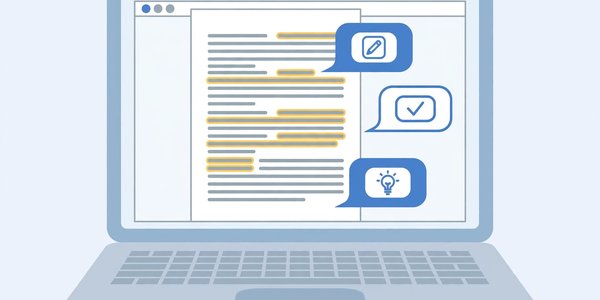
Key Features
- Instant error detection. Misspelled words are flagged the moment the check runs, no matter how long your document is. You get results in seconds instead of reading through pages hunting for mistakes yourself.
- Smart correction suggestions. Every flagged word comes with a list of likely corrections ranked by relevance. The tool understands context, so it can tell whether you meant “their,” “there,” or “they’re” based on the sentence.
- US and UK English support. Choose the spelling standard that matches your audience. The checker respects the differences between American and British spelling instead of flagging one as wrong.
- Common grammar slip detection. Beyond pure spelling, the tool catches frequent mix ups like “your” versus “you’re” and doubled words such as “the the.” These are the errors spellcheckers built into word processors often miss.
- Clear explanations. Suggestions come with brief notes explaining why a word was flagged. Over time, these little explanations actually improve your spelling instead of just fixing it for you.
- Handles long documents. Paste essays, reports, and articles of thousands of words without splitting them up. The checker processes the whole text in one go and reports every issue it finds.
- Private by design. Your text is checked in your browser session and is not stored or shared. You can safely check sensitive documents like job applications and business proposals.
- Free with no limits. Run as many checks as you need, on texts as long as you need, without an account or a subscription. Students during exam season and professionals on deadline can rely on it freely.
Why Use Our Spelling Checker?
Good spelling is one of the fastest trust signals in written communication. Readers judge credibility in seconds, and studies have repeatedly shown that spelling errors make writers seem less competent, even when the ideas are strong. That is unfair, but it is how human brains work. A free online spelling checker removes that risk for everyone, not just professional editors.
The real strength of this tool is how it fits into a normal writing workflow. You do not have to change where you write. Draft in your favorite app, paste the text here for a dedicated check, then copy it back. The dedicated pass catches things you miss because you know what you meant to say, which is exactly why self proofreading fails. Your brain reads intention, not letters. The checker reads letters.
It is also a quiet learning aid. Non native English speakers use it to catch the tricky words that never quite stick, like “necessary” or “accommodation.” Students start recognizing their personal repeat offenders, the five or six words they always misspell, and gradually stop making those errors at all. Each correction with its short explanation is a tiny spelling lesson.
And because it is free, online, and requires no sign up, there is no reason to skip the check. The two minutes it takes can save a grade, a client, or a first impression. Professional writing is not about never making mistakes. It is about catching them before anyone else does.
Tips for Best Results
- Check after a short break. Step away from your draft for even ten minutes before checking. Fresh eyes plus the checker catch far more than either one alone.
- Do not accept every suggestion blindly. Names, brands, slang, and technical terms get flagged even when correct. Always read the suggestion before applying it.
- Set the right English variant first. Checking a UK style essay with US English selected will flag every “ou” word as wrong. Pick your variant before you run the check.
- Check sections separately for very long work. For a thesis or a long report, checking chapter by chapter keeps the suggestions focused and easier to review carefully.
- Watch your personal repeat offenders. Notice which words you misspell again and again, and make a small personal list. Awareness is the fastest route to fewer errors.
- Read the final text aloud once. The checker finds spelling errors, but reading aloud catches awkward phrasing and missing words that no spelling tool can see.
Common Spelling Mistakes This Tool Catches
Certain words trip up almost everyone, and seeing them listed often brings a flash of recognition. The classic confused pairs lead the pack. Their, there, and they are sound identical but mean completely different things, and your brain happily substitutes one for another while typing fast. Your and you are cause the same trouble, as do its and it is. These are not spelling problems in the traditional sense. You know how to spell each word. The problem is picking the wrong one, which is exactly what a careful checker is built to catch.
Then there are the words that are simply hard to spell. Necessary with its single c and double s, separate with an a in the middle instead of an e, and accommodate with its double c and double m catch even strong spellers. Words like definitely, occasionally, and embarrassment have letter patterns that defy pronunciation, so your ear cannot guide your fingers. The checker flags these instantly and shows the correct form, and after seeing the correction a few times, most people stop making the error.
Doubled words are another silent killer. When you rewrite a sentence, it is easy to leave both the old and new version of a word behind, producing phrases like “the the report.” Your eyes glide right over the duplicate because your brain expects one word there. The checker has no such expectations, so it spots every doubled word without fail.
Finally, there are the typos that turn one real word into another real word. Form instead of from, casual instead of causal, and trail instead of trial all pass a basic spellcheck because each is a valid word. Context aware checking looks at the surrounding sentence to flag these sneaky substitutions, which are among the most embarrassing errors to send to a client or professor.
Who Benefits Most From a Spelling Checker
Students are the most obvious users, and for good reason. Essays, dissertations, and applications are judged partly on presentation, and a single spelling error can distract a marker from an otherwise strong argument. Running a final check the night before submission is one of the highest return habits a student can build.
Job seekers come next. Recruiters routinely say that spelling errors in CVs and cover letters lead to instant rejection, because they signal carelessness. When one typo can cost you an interview, a free sixty second check is the easiest insurance you will ever buy.
Non native English speakers gain a quiet confidence boost. English spelling is famously irregular, and even fluent speakers hesitate over words they rarely write. The checker acts as a patient proofreader that never judges, helping your writing match the quality of your ideas.
Business owners, freelancers, and bloggers round out the list. Every proposal, product description, and published post represents your brand. Clean spelling tells clients you are detail oriented before you ever meet them, and that impression directly affects trust and sales.
Can I trust it with British versus American spelling?
Yes, as long as you select the right variant before checking. The tool will then judge words like organise and recognize against your chosen standard instead of flagging correct regional spellings as errors.
Complete List of All Free Online Tools
Browse the full directory of 450+ free tools. Click any tool name to use it instantly - no signup required.
| # | Tool Name | Category |
|---|---|---|
| 1 | A B Test Significance Calculator | Calculators & Converters |
| 2 | Acronym Generator | Utility Tools |
| 3 | Ad Copy Generator | Utility Tools |
| 4 | Add Page Numbers To PDF | PDF Tools |
| 5 | Add Subtitles To Video | Media Tools |
| 6 | Add Subtract Days Calculator | Calculators & Converters |
| 7 | Age Calculator | Calculators & Converters |
| 8 | Angle Converter | Calculators & Converters |
| 9 | API Request Tester | Utility Tools |
| 10 | Area Converter | Calculators & Converters |
| 11 | Article Rewriter | Utility Tools |
| 12 | Audio Converter | Calculators & Converters |
| 13 | Audio Merger | Media Tools |
| 14 | Audio Metadata Editor | Media Tools |
| 15 | Audio Pitch Changer | Media Tools |
| 16 | Audio Speed Changer | Media Tools |
| 17 | Audio To Text Converter | Calculators & Converters |
| 18 | Audio Trimmer | Media Tools |
| 19 | Avatar Maker | Utility Tools |
| 20 | Background Remover | Utility Tools |
| 21 | Backlink Checker | SEO Tools |
| 22 | Banner Maker | Utility Tools |
| 23 | Barcode Generator | Developer Tools |
| 24 | Base64 Encoder Decoder | Developer Tools |
| 25 | Bass Booster | Utility Tools |
| 26 | Bibliography Generator | Utility Tools |
| 27 | Bill Splitter | Utility Tools |
| 28 | Binary Converter | Calculators & Converters |
| 29 | Binary To Text Converter | Calculators & Converters |
| 30 | Birthday Countdown | Date & Time Tools |
| 31 | Bmi Calculator | Calculators & Converters |
| 32 | Bmr Calculator | Calculators & Converters |
| 33 | Body Fat Calculator | Calculators & Converters |
| 34 | Body Surface Area Calculator | Calculators & Converters |
| 35 | Book Title Generator | Utility Tools |
| 36 | Brand Color Finder | Color Tools |
| 37 | Brand Kit Generator | Utility Tools |
| 38 | Break Even Calculator | Calculators & Converters |
| 39 | Broken Link Checker | Utility Tools |
| 40 | Browser Info Checker | Utility Tools |
| 41 | Budget Planner | Utility Tools |
| 42 | Business Card Designer | Utility Tools |
| 43 | Business Card Maker | Utility Tools |
| 44 | Business Days Calculator | Calculators & Converters |
| 45 | Business Name Generator | Utility Tools |
| 46 | Business Proposal Generator | Utility Tools |
| 47 | Button Generator | Utility Tools |
| 48 | Buyer Persona Generator | Utility Tools |
| 49 | Calorie Calculator | Calculators & Converters |
| 50 | Captcha Generator | Utility Tools |
Does it help writers with dyslexia?
It helps significantly. Many dyslexic writers produce text with letter order errors and phonetic spellings that are hard to catch by rereading. The checker patiently flags each one with suggestions, making the revision process far less stressful.
Can it check a whole book manuscript?
Yes, though for very long manuscripts it is best to check chapter by chapter. This keeps the suggestions focused and lets you review each section carefully rather than facing thousands of flags at once.
Frequently Asked Questions
Is this spelling checker really free?
Yes. It is completely free with no account, no trial, and no usage limits. You can check as many documents as you want, as often as you want.
Does it check grammar too?
Its main job is spelling, but it also catches common grammar related slips like confused word pairs and accidental word repeats. For deep grammar editing, pair it with a careful read through.
Which English variants are supported?
Both US and UK English. Select your variant before checking so words like “color” and “colour” are judged against the correct standard for your audience.
Is my text stored or shared anywhere?
No. Your text is processed during your check and is not saved, stored, or shared. You can safely check private documents such as job applications, legal drafts, and business plans.
Can it check very long documents?
Yes. You can paste essays, reports, and articles of several thousand words. For extremely long work like a thesis, checking one chapter at a time gives you more focused results.
Why does it flag words that are spelled correctly?
Proper nouns, brand names, slang, abbreviations, and technical terms are often not in the dictionary, so they get flagged even when correct. Simply skip those suggestions when you know the word is right.
Will it work on my phone?
Yes. The checker runs in your mobile browser, so you can paste text from your notes or email app and check spelling anywhere.
How is this different from the spellchecker in Word or Google Docs?
Built in checkers are convenient, but they check as you type and are easy to ignore or dismiss with one tired click at midnight. A dedicated checker encourages a separate, focused proofreading pass where you review every flagged word deliberately. Many writers use both, drafting with the built in checker on and finishing with a dedicated pass here before anything important goes out.
Table of Contents
What is Spelling Checker?
The spelling checker is a free online tool that helps you with spelling checker tasks quickly and accurately. Our spelling checker is designed to be simple, fast, and reliable. Whether you need a spelling checker for personal use or professional work, this free spelling checker delivers instant results without any signup or download required.
How to Use the Spelling Checker
Using our spelling checker is easy. Simply open the spelling checker tool above, enter your input, and get instant results. The spelling checker processes everything in your browser for maximum privacy and speed. No technical knowledge is needed to use this spelling checker effectively.
Benefits of Using Our Spelling Checker
Our free spelling checker offers many advantages. It is completely free to use, requires no registration, works on all devices, and provides accurate results instantly. The spelling checker is updated regularly to ensure the best performance. For more information about spelling checker, you can Learn more about spelling checker on Wikipedia.
Frequently Asked Questions About Spelling Checker
Is the spelling checker really free? Yes, our spelling checker is 100% free with no hidden costs or premium tiers.
Do I need to create an account to use the spelling checker? No, the spelling checker works instantly without any signup or login required.
