Category: Photo Prompts

  • Luxury Red Background AI Portrait Prompt

    Luxury Red Background AI Portrait Prompt

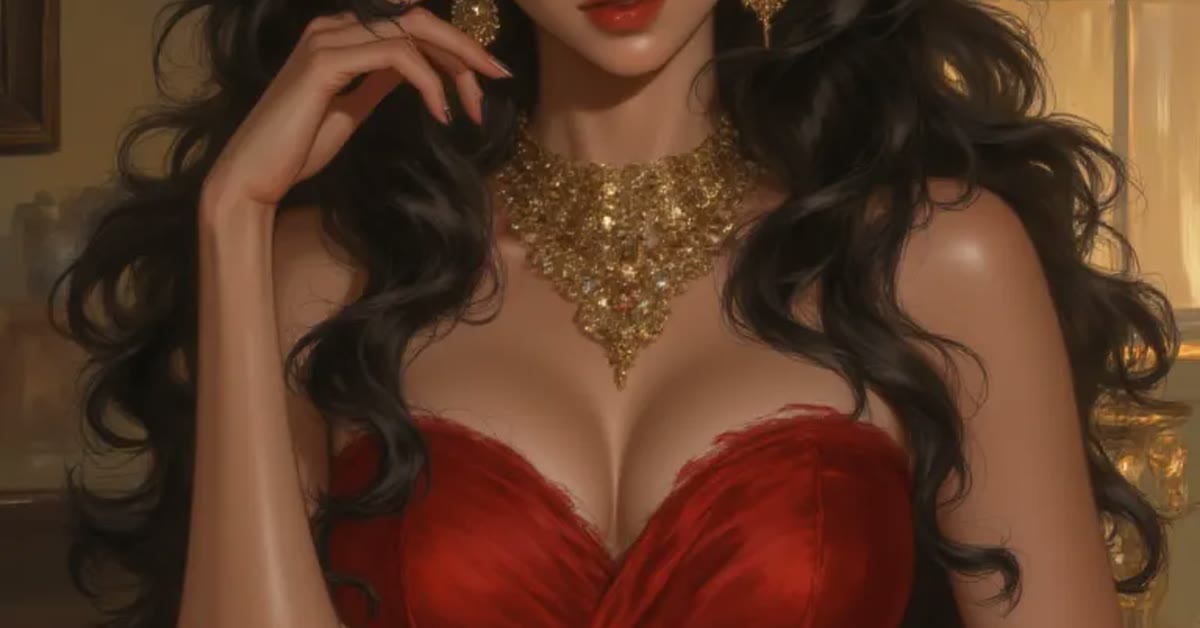
    Luxury portrait against a deep red background made with the luxury red background ai portrait prompt

    Introduction

    The luxury red background ai portrait prompt creates a bold, glamorous portrait that looks like a fashion magazine cover. A rich deep-red background, elegant studio lighting, and refined gold accents give the image instant drama and confidence. The face stays sharp and natural while the colors do the luxury work around it.

    This prompt is perfect for profile pictures, portfolio shots, and festive posts. Red is a powerful color that draws the eye, so the portrait stands out in any feed. It suits confident poses and formal outfits best, where the premium mood matches the subject.

    Rich deep red studio background in the luxury red background ai portrait prompt portrait

    How to Use This Luxury Red Background AI Portrait Prompt

    1. Upload a clear portrait to ChatGPT or Gemini and paste the prompt exactly as written.
    2. If the red looks too bright, ask for a deeper wine-red tone with softer shadows.
    3. Crop the best result to a square for profile use or a vertical frame for stories and reels.
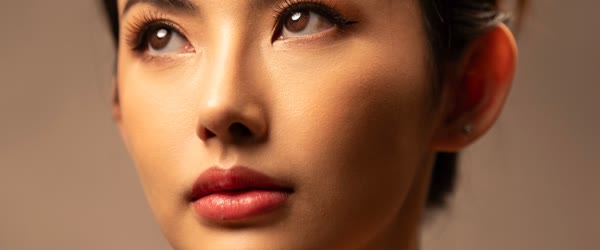
    Elegant studio lighting and confident pose from the luxury red background ai portrait prompt

    Copy-Paste Prompt

    Create a luxury AI portrait against a rich deep-red background with elegant studio lighting, a confident pose, and a premium fashion-magazine feel. Add soft shadows, refined gold accents, and a bold glamorous mood. Keep the face sharp and natural. Ultra-realistic detail, 4K, cinematic lighting.

    Pro Tips

    • Wear black, white, or gold outfits. These colors contrast beautifully with the deep red background.
    • Keep jewelry simple and elegant. One gold piece is enough to match the refined accents.
    • Ask for a slight head turn if a straight front pose feels too stiff for the glamorous mood.
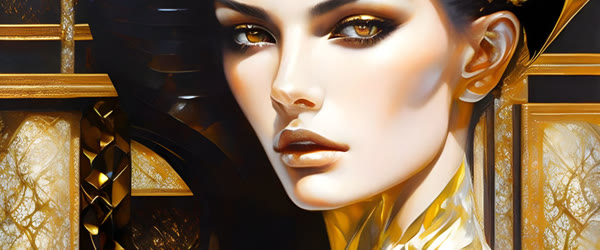
    Refined gold accents and soft shadows in the luxury red background ai portrait prompt result

    More Prompts to Try

    Deep red is a world of its own, and the luxury red background ai portrait prompt opens many rooms inside it. The variations below keep the bold glamorous core — rich red backdrop, elegant studio light, gold accents, confident pose — but change the shade of red, the styling, or the occasion. Each prompt is original and ready to copy and paste. Try them on the same portrait to build a set of covers, profiles, and festive posts with one consistent luxury identity.

    Wine Red Evening

    A deeper, darker wine-red version with candle-like warmth, for evening events and formal portraits.

    Create a luxury AI portrait against a deep wine-red background with soft evening studio lighting, a confident elegant pose, and a premium fashion-magazine feel. Add soft shadows, refined gold accents, and a bold sophisticated mood. Keep the face sharp and natural. Ultra-realistic detail, 4K, cinematic lighting.

    Scarlet Power Suit

    A brighter scarlet version with strong light and a power pose, for business and leadership branding.

    Create a luxury AI portrait against a bright scarlet-red background with strong elegant studio lighting, a confident power pose, and a premium editorial feel. Add crisp shadows, refined gold accents, and a bold commanding mood. Keep the face sharp and natural. Ultra-realistic detail, 4K, cinematic lighting.

    Crimson Bridal Glow

    A bridal version with crimson tones, soft gold jewelry light, and a graceful festive mood.

    Create a luxury AI portrait against a rich crimson-red background with soft bridal studio lighting, a graceful confident pose, and a premium wedding-editorial feel. Add gentle shadows, refined gold jewelry accents, and a bold festive mood. Keep the face sharp and natural. Ultra-realistic detail, 4K, cinematic lighting.

    Ruby Velvet Drama

    A velvet-textured version with deep ruby tones and dramatic side light, for artistic portraits.

    Create a luxury AI portrait against a deep ruby velvet background with dramatic side studio lighting, a confident artistic pose, and a premium gallery feel. Add rich shadows, refined gold accents, and a bold dramatic mood. Keep the face sharp and natural. Ultra-realistic detail, 4K, cinematic lighting.

    Red and Black Noir

    A noir version mixing deep red with black shadows, for a mysterious cinematic profile.

    Create a luxury AI portrait against a deep red and black background with moody noir studio lighting, a confident mysterious pose, and a premium cinematic feel. Add deep shadows, subtle gold accents, and a bold enigmatic mood. Keep the face sharp and natural. Ultra-realistic detail, 4K, cinematic lighting.

    Festive Red Celebration

    A celebration version with warm red tones, soft confetti light, and a joyful glamorous mood.

    Create a luxury AI portrait against a festive deep-red background with warm celebration lighting, a joyful confident pose, and a premium editorial feel. Add soft golden bokeh, refined gold accents, and a bold happy mood. Keep the face sharp and natural. Ultra-realistic detail, 4K, cinematic lighting.

    Classic Hollywood Red

    A vintage Hollywood version with old-glamour light and a timeless star quality.

    Create a luxury AI portrait against a classic deep-red background with vintage Hollywood studio lighting, a graceful confident pose, and a timeless star quality. Add soft shadows, refined gold accents, and a bold glamorous mood. Keep the face sharp and natural. Ultra-realistic detail, 4K, cinematic lighting.

    How to Customize This Prompt

    Start with the shade of red, because red is not one color. Wine red is deep, dark, and formal. Scarlet is bright, energetic, and commanding. Crimson is rich and festive. Ruby is jewel-like and dramatic. Burgundy is muted and expensive. Name the shade directly in a follow-up, and the whole backdrop will shift while the face stays intact. Check the shade on your phone screen, because phone screens render reds more vividly than monitors, and a red that looks rich on a monitor can look loud on a phone.

    Next, customize the outfit, because red backgrounds are demanding partners. Black outfits create classic contrast and let the red do the talking. White outfits glow against red and feel fresh and bridal. Gold outfits harmonize with the accents and feel maximally luxurious. Dark green or navy can work for a rich jewel-toned palette, but bright patterns and neon colors fight the red and must be avoided. If your photo has a busy outfit, ask for a simple black or white outfit change in the follow-up. One outfit change usually works cleanly in a head-and-shoulders portrait.

    The lighting is the third lever. Soft, diffused studio light flatters the face and keeps the red velvety. Strong directional light adds drama and sculpted shadows, which suits fashion and noir versions. A single side light creates a half-lit cinematic look that is striking but risky for profile pictures, where both eyes should read clearly. For a profile picture, keep the light soft and frontal with a gentle gold rim. For a poster or cover, push the light harder and let the shadows deepen.

    Jewelry and accents need restraint. One gold piece — earrings, a necklace, or a watch — matches the refined gold accents without competing. Two or three gold pieces start to look like a jewelry advertisement. If the AI adds heavy jewelry you did not ask for, ask for simple elegant jewelry only. The face is the hero; gold is the supporting actor. Keep the supporting actor in the background.

    Finally, customize the pose and the crop. A slight head turn adds elegance and avoids the flatness of a straight front pose. Shoulders angled slightly, chin level, eyes direct to camera is the classic luxury pose. A square crop suits profiles. A vertical crop suits stories and posters. Ask for the pose and crop in the prompt so the composition serves the use. A confident pose with a level chin and direct eyes reads as power; a tilted chin reads as casual, which fights the luxury mood.

    Step-by-Step Guide

    Follow these steps to get a bold, glamorous red portrait that looks photographed, not filtered. The luxury red background ai portrait prompt keeps working even on older photos, as long as the subject stays clear and bright.

    1. Choose a confident base photo. Pick a clear, well-lit portrait with a direct gaze and a composed expression. Avoid photos with sunglasses, hats, or busy backgrounds. The red backdrop will supply all the drama, so the face should supply the calm confidence. In practice, the luxury red background ai portrait prompt needs only a clear photo and a few minutes from start to finish.
    2. Decide the shade and the use. Before generating, choose the red shade and the platform: wine red for formal profiles, scarlet for leadership branding, crimson for festive posts. Write the choice down so the follow-ups stay consistent. A portrait built for one use rarely serves another well. That is why the luxury red background ai portrait prompt keeps trending among creators who post aesthetic edits every day.
    3. Upload and paste the prompt. Upload the photo at full resolution to ChatGPT or Gemini and paste the luxury red background ai portrait prompt exactly as written. Full resolution matters because red backgrounds show compression artifacts early, and a soft upload produces a blotchy backdrop. Compared with random prompts, the luxury red background ai portrait prompt gives far more predictable and polished results.
    4. Check the red first. Look at the backdrop before the face. Is the red rich and even, with a velvety gradient rather than a flat wall? Is it the shade you asked for? If the red is too bright, too pink, or uneven, fix it in the follow-up before judging anything else. The red is half the portrait. The luxury red background ai portrait prompt rewards patience, so generate a few versions and pick the most natural one.
    5. Check the face and the outfit. Confirm the face is sharp, natural, and true to the original, and that the outfit harmonizes with the red. If the outfit clashes, ask for a simple black or white change. If the face drifted, ask for the original face restored with only the background and light changed. If you post regularly, the luxury red background ai portrait prompt helps you keep one consistent look across your whole feed.
    6. Refine light and accents. Ask for softer shadows if the light is harsh, or deeper shadows if the portrait feels flat. Check the gold accents: they should be refined and few. Remove any extra jewelry or props the AI added. One follow-up for light and one for accents is usually enough. What makes the luxury red background ai portrait prompt reliable is the balance it keeps between mood, detail and realism.
    7. Try a shade variation. Once the base portrait works, run one variation from this article on the same photo. A matched set in two red shades gives you options for different platforms and occasions with a consistent luxury identity. A second pass with the luxury red background ai portrait prompt often fixes dull colors and flat lighting in one go.
    8. Crop and test at real sizes. Crop square for profiles and vertical for stories, keeping the face centered with room above the head. View the portrait at comment-avatar size and at full profile size. The red must read as luxury at both, and the face must stay clear at the smallest size. If the face vanishes small, crop tighter. The luxury red background ai portrait prompt also travels well across apps, so the same steps work in most AI image tools.

    Common Mistakes to Avoid

    Choosing a red that is too bright. Neon or cherry red reads as cheap and loud, not luxurious. Luxury reds are deep, dark, and rich: wine, burgundy, crimson, ruby. If the result looks like a sale poster, ask for a deeper wine-red tone with softer shadows. Deep reds photograph as expensive; bright reds photograph as urgent. Many users save the luxury red background ai portrait prompt as their go-to starting point for this whole edit style.

    Wearing a clashing outfit. Busy patterns, neon colors, and clashing hues fight the red backdrop and make the portrait look accidental. Black, white, and gold are the safe partners. If your photo has a loud outfit, change it in the follow-up rather than hoping the red will overpower it. The red should frame the outfit, not fight it. When the luxury red background ai portrait prompt is used on a sharp photo, skin tones and small details stay realistic.

    Overdoing gold accents. Gold is refined in small doses and gaudy in large ones. A gold background pattern, gold jewelry, gold text, and gold props together look like a treasure chest exploded. Keep one gold element: either the accent light, or one jewelry piece, or a subtle backdrop texture. Restraint is what separates luxury from costume. Try the luxury red background ai portrait prompt on two or three photos first and keep the version with the most natural light.

    Flattening the face with red light. Red light spilling onto the face makes skin look sunburnt and unhealthy. The red belongs on the background, not on the cheeks. If the face glows red, ask for the face kept natural with neutral skin tones and the red confined to the background. Check the cheeks and forehead specifically, because red spill shows there first. The luxury red background ai portrait prompt is popular because it gives a premium look without any manual retouching skill.

    Using the portrait everywhere identically. One red portrait used as a profile, a banner, a poster, and a story cover without re-cropping looks lazy and crops badly. Crop for each use, and consider a second shade variation for variety. Consistency of identity does not mean one identical file everywhere; it means one coherent style adapted well. Every version of the luxury red background ai portrait prompt keeps the main subject sharp while the mood stays soft and cinematic.

    Best Tools for This Edit

    ChatGPT is the most reliable tool for red background portraits because it renders rich, even reds and preserves the face well. Its follow-up editing adjusts the red shade precisely without disturbing the face. For a single luxury profile picture, ChatGPT is the safest first choice, especially for the wine and crimson variations. For a cleaner finish, pair the luxury red background ai portrait prompt with a high resolution upload and a steady crop.

    Gemini produces velvety, cinematic reds with beautiful soft light, which suits the ruby velvet and Hollywood variations especially well. Its reds can occasionally run warm toward pink, so name the shade explicitly — deep wine-red, not just red — in the prompt and follow-ups. Gemini is an excellent choice when the mood matters more than exact shade matching. Small changes after using the luxury red background ai portrait prompt let you match the edit to your own feed style.

    Manual editors help with the final polish: evening out the backdrop gradient, a gentle vignette to deepen the edges, and a careful crop. Do not add red filters on top of the AI result, which push the shade brighter and cheaper. One gentle vignette pass is enough. Keep the original file so you can re-crop for different platforms without regenerating. The luxury red background ai portrait prompt works best when the subject is well lit and the background stays simple.

    Frequently Asked Questions

    Does red suit every skin tone? Yes, when the shade and the light are chosen well. Deep wine and burgundy flatter most skin tones because they are dark and rich. Brighter scarlet suits deeper skin tones beautifully and can overwhelm very fair skin if the light is harsh. Keep the face lit neutrally and the red on the background, and every skin tone looks regal against it. A clear base photo makes the luxury red background ai portrait prompt work faster and keeps faces natural in the output.

    Can I use this portrait for a professional profile? Yes, with the right shade and expression. Wine red and burgundy read as confident and premium on LinkedIn and business pages. Scarlet reads as bold and leadership-oriented. Keep the expression composed and the crop professional. A red portrait stands out in a feed of grey and blue corporate headshots, which is exactly the point. Most creators share the luxury red background ai portrait prompt result as the final post because it needs very little extra editing.

    What if the red background looks flat? Ask for a gradient or velvet texture in the backdrop, with softer light in the center and deeper tones at the edges. A flat wall of color looks digital; a gentle gradient looks photographed. A subtle vignette in post-processing also adds depth. The backdrop should feel like a studio wall with light falling across it, not like a color fill. If a result looks off, run the luxury red background ai portrait prompt again with a sharper base photo before adjusting anything else.

    How do I keep gold accents refined? Name one gold element and forbid the rest: one pair of earrings, or one necklace, or a subtle gold rim light. If the AI adds more, ask for simple elegant jewelry only. Refined gold is a detail the viewer discovers; gaudy gold is a detail that shouts. The difference is quantity, and one is always enough. The real strength of the luxury red background ai portrait prompt is how it turns a plain photo into a scene with a clear story.

    Can this style work for festive posts? Beautifully. Crimson and festive red versions suit Diwali, Christmas, weddings, and celebrations. Add the occasion in the prompt, keep the styling elegant, and let the red carry the festive feeling. A glamorous red portrait needs no extra decoration; the color itself is the celebration. Beginners get the best results when they follow the luxury red background ai portrait prompt exactly before changing any detail.

    Final Words

    Red means confidence, and this prompt builds a portrait that enters the room before you do. Use it when you want to be noticed, remembered, and taken seriously, with a deep rich backdrop, elegant light, and refined gold doing the luxury work around a calm confident face. Choose the shade carefully, dress simply, keep the gold restrained, and crop for the platform. When the red is deep, the light is soft, and the face is true, the portrait does not ask for attention. It commands it quietly, which is the very definition of luxury. Used well, the luxury red background ai portrait prompt keeps colors, light and mood consistent across every version you generate.

  • Viral Three-Layer Photo Editing ChatGPT Prompts

    Viral Three-Layer Photo Editing ChatGPT Prompts

    Three-layer photo edit with glowing light made with viral three layer photo editing chatgpt prompts

    Introduction

    Viral three layer photo editing chatgpt prompts build depth by stacking three planes: the subject in front, a glowing layer of soft light in the middle, and a dreamy scenic background behind. The result looks premium and cinematic, like a poster rather than a simple photo. The layers give the eye somewhere to travel, which is why these edits stop the scroll.

    This style suits profile pictures, posters, and viral reels covers. It works best when the subject is sharp and well lit, because the glow layer needs a strong anchor. Once the balance is right, the edit looks expensive and modern without any manual editing skill.

    Subject in front with a glowing middle layer in the viral three layer photo editing chatgpt prompts edit

    How to Use These Viral Three Layer Photo Editing ChatGPT Prompts

    1. Upload a sharp portrait to ChatGPT and paste the prompt exactly as written.
    2. If one layer overpowers the others, ask the tool to soften the glow layer and keep the subject brightest.
    3. Save the balanced version and use it as a profile picture or reel cover photo.
    Dreamy scenic background behind the layers in the viral three layer photo editing chatgpt prompts result

    Copy-Paste Prompt

    Transform this photo into a viral three-layer edit with the subject in front, a glowing middle layer of soft light, and a dreamy scenic background behind. Keep the layers balanced, add depth and a premium cinematic feel, and a clean modern mood. Ultra-realistic detail, 4K, cinematic lighting.

    Pro Tips

    • Start with a portrait that has a plain background. The tool can build the scenic layer more cleanly.
    • Ask for a sunset or city-light background first. Both pair naturally with the glowing middle layer.
    • Keep the subject at least one third of the frame height so the layers do not swallow the person.
    Balanced depth and premium cinematic feel from viral three layer photo editing chatgpt prompts

    More Prompts to Try

    The three-layer formula — subject, glow, scenery — adapts to almost any portrait style. The variations below keep the viral three layer photo editing chatgpt prompts core — balanced layers, glowing middle light, dreamy scenic background, premium cinematic feel — but change the scenery, the glow color, or the mood. Each prompt is original and ready to copy and paste. Try them on the same portrait to build a set of covers and profile pictures with a consistent premium identity.

    City Lights Night Layer

    A night city version with neon glow and skyline scenery, ideal for urban profile pictures.

    Transform this photo into a viral three-layer edit with the subject in front, a glowing middle layer of neon city light, and a dreamy night skyline background behind. Keep the layers balanced, add depth and a premium cinematic feel, and a clean modern mood. Ultra-realistic detail, 4K, cinematic lighting.

    Golden Field Layer

    A countryside version with wheat-field gold and sunset scenery, for warm editorial portraits.

    Transform this photo into a viral three-layer edit with the subject in front, a glowing middle layer of golden field light, and a dreamy sunset countryside background behind. Keep the layers balanced, add depth and a premium cinematic feel, and a warm modern mood. Ultra-realistic detail, 4K, cinematic lighting.

    Ocean Glow Layer

    A seaside version with aqua glow and ocean scenery, for fresh travel and holiday portraits.

    Transform this photo into a viral three-layer edit with the subject in front, a glowing middle layer of aqua ocean light, and a dreamy seaside background behind. Keep the layers balanced, add depth and a premium cinematic feel, and a fresh modern mood. Ultra-realistic detail, 4K, cinematic lighting.

    Neon Portrait Layer

    A bold neon version with pink and cyan glow, for gaming, music, and creative profiles.

    Transform this photo into a viral three-layer edit with the subject in front, a glowing middle layer of pink and cyan neon light, and a dreamy dark studio background behind. Keep the layers balanced, add depth and a premium cinematic feel, and a bold modern mood. Ultra-realistic detail, 4K, cinematic lighting.

    Forest Mist Layer

    A nature version with green mist glow and forest scenery, for calm artistic portraits.

    Transform this photo into a viral three-layer edit with the subject in front, a glowing middle layer of soft green forest light, and a dreamy misty woodland background behind. Keep the layers balanced, add depth and a premium cinematic feel, and a calm modern mood. Ultra-realistic detail, 4K, cinematic lighting.

    Royal Purple Layer

    A luxury version with purple and gold glow, for premium branding and special occasions.

    Transform this photo into a viral three-layer edit with the subject in front, a glowing middle layer of royal purple and gold light, and a dreamy elegant background behind. Keep the layers balanced, add depth and a premium cinematic feel, and a luxurious modern mood. Ultra-realistic detail, 4K, cinematic lighting.

    Winter Frost Layer

    A winter version with icy blue glow and snowy scenery, for seasonal profile pictures.

    Transform this photo into a viral three-layer edit with the subject in front, a glowing middle layer of icy blue frost light, and a dreamy snowy background behind. Keep the layers balanced, add depth and a premium cinematic feel, and a crisp modern mood. Ultra-realistic detail, 4K, cinematic lighting.

    How to Customize This Prompt

    Start with the balance, because balance is the entire style. Three layers must each be visible without any one dominating. The subject must be brightest and sharpest. The glow layer must be soft and luminous, never a solid wall of light. The background must be dreamy and readable, never sharp enough to compete. If one layer overpowers the others, the poster effect collapses into either a portrait with a halo or a landscape with a person pasted on it. Name the balance explicitly in follow-ups: subject brightest, glow soft, background dreamy.

    Next, customize the glow color. The glow is the emotional signature of the edit. Warm gold feels premium and hopeful. Neon pink and cyan feel bold and creative. Aqua feels fresh and calm. Purple and gold feel luxurious. Icy blue feels crisp and seasonal. Choose the glow color to match the platform and the personality: gold for professional branding, neon for gaming and music, aqua for travel, purple for luxury. Keep the glow to one or two colors; three glow colors turn the middle layer into a rainbow that fights the subject.

    The background scenery is the third lever. A sunset pairs naturally with gold glow. A night skyline pairs with neon. A seaside pairs with aqua. A forest pairs with green mist. The background and the glow should belong to the same world, because a mismatch — neon glow over a wheat field — reads as a collage error. Name the background and the glow together in the prompt, as the variations do, so they arrive as a matched pair.

    Subject size and placement come next. The subject should occupy at least one third of the frame height, centered or slightly to one side, with the glow wrapping behind the shoulders and head. A subject too small drowns in the layers. A subject too large leaves no room for the scenery, and the depth disappears. Check the headroom: a little space above the head keeps the portrait breathing, while a head touching the top edge feels cramped. Viral three layer photo editing chatgpt prompts results look best when the original photo has soft, even light.

    Finally, customize the finish. A premium cinematic finish means clean edges, consistent color, and no artifacts around the hair. Check the hairline closely, because layering effects often halo the hair. If the hair glows unnaturally, ask for the glow kept behind the subject with clean hair edges. Check the shoulders too, where the glow layer meets the body. A clean seam between subject and glow is what separates a premium edit from a cheap one. Once you master the viral three layer photo editing chatgpt prompts, you can adapt the same mood to portraits, posters and covers.

    Step-by-Step Guide

    Follow these steps to build a balanced three-layer portrait without the layers fighting each other. The viral three layer photo editing chatgpt prompts keeps working even on older photos, as long as the subject stays clear and bright.

    1. Choose a sharp portrait with a plain background. Pick a portrait where the subject is sharp, well lit, and centered, with a simple background. A plain wall, an open sky, or a neutral room gives the tool a clean base to build the layers on. Busy backgrounds fight the scenic layer and create messy seams. In practice, the viral three layer photo editing chatgpt prompts needs only a clear photo and a few minutes from start to finish.
    2. Decide the glow color and scenery together. Choose a matched pair from the variations above: gold with sunset, neon with night skyline, aqua with seaside. Write the pair into the prompt exactly. A matched pair arrives coherent; a mismatched pair needs twice the follow-ups to fix. That is why the viral three layer photo editing chatgpt prompts keeps trending among creators who post aesthetic edits every day.
    3. Upload and paste the prompt. Upload the portrait at full resolution to ChatGPT and paste the viral three layer photo editing prompt exactly as written. Full resolution matters for hair edges and glow quality, which are the details that define the premium finish. Compared with random prompts, the viral three layer photo editing chatgpt prompts gives far more predictable and polished results.
    4. Check the layer balance first. Look at the result and name the three layers: is the subject brightest, is the glow soft, is the background dreamy? If the glow overpowers the face, it has failed the balance test no matter how pretty it looks. Fix balance before anything else. The viral three layer photo editing chatgpt prompts rewards patience, so generate a few versions and pick the most natural one.
    5. Refine one layer at a time. Ask for a softer glow, a simpler background, or a brighter subject, one change per follow-up. Changing all three at once makes it impossible to tell which instruction helped. Keep the best balanced version saved before each new follow-up. If you post regularly, the viral three layer photo editing chatgpt prompts helps you keep one consistent look across your whole feed.
    6. Try a color variation. Once the balance works, run one color variation on the same portrait. A matched set in two or three glow colors gives you profile pictures, covers, and story highlights with a consistent premium identity across platforms. What makes the viral three layer photo editing chatgpt prompts reliable is the balance it keeps between mood, detail and realism.
    7. Inspect the hairline and shoulders. Zoom to full size and check the edges where the subject meets the glow. The hair should be clean with no halo, and the shoulders should meet the glow with a soft natural seam. If the edges glow unnaturally, ask for clean edges with the glow kept behind the subject. A second pass with the viral three layer photo editing chatgpt prompts often fixes dull colors and flat lighting in one go.
    8. Export and use consistently. Download at full resolution and use the edit as a profile picture, poster, or reel cover. Keep the same glow color and scenery family across your profiles for a recognizable identity. Consistency across platforms is what turns a single edit into a brand. The viral three layer photo editing chatgpt prompts also travels well across apps, so the same steps work in most AI image tools.

    Common Mistakes to Avoid

    Letting the glow swallow the subject. The most common failure is a glow layer so strong the face disappears into light. The subject must always be brightest and sharpest. If the face is dimmer than the glow, the edit has inverted its own hierarchy. Ask for the glow softened and the subject brightened, and check the face first in every version. Many users save the viral three layer photo editing chatgpt prompts as their go-to starting point for this whole edit style.

    Mismatched glow and background. Neon glow over a wheat field, or gold glow over a snowy night, reads as a mistake. The glow and the scenery must belong to the same world. Choose matched pairs from the variations, and name both in the prompt. A coherent world feels premium; a mismatched world feels assembled from spare parts. When the viral three layer photo editing chatgpt prompts is used on a sharp photo, skin tones and small details stay realistic.

    A subject too small or too large. A tiny subject lost in scenery is a landscape, not a portrait. A huge subject with no scenery is a headshot, not a layered edit. The subject should fill about a third to a half of the frame height, with the glow and scenery visible around them. Check the proportions before judging the colors. Try the viral three layer photo editing chatgpt prompts on two or three photos first and keep the version with the most natural light.

    Haloed hair and messy edges. Glow bleeding into the hair creates a halo that screams artificial. Check the hairline at full size in every version. Ask for clean edges with the glow behind the subject. If the halo persists, simplify the background and soften the glow, because complex backgrounds make edge errors worse. The viral three layer photo editing chatgpt prompts is popular because it gives a premium look without any manual retouching skill.

    Posting a low-resolution layered edit. Layered edits depend on fine detail: hair edges, glow gradients, and background softness. Compression destroys all three at once. Always download the full file and upload at the platform’s highest quality. A soft layered edit looks cheap, while a sharp one looks expensive, and the difference is almost entirely resolution. Every version of the viral three layer photo editing chatgpt prompts keeps the main subject sharp while the mood stays soft and cinematic.

    Best Tools for This Edit

    ChatGPT is the best tool for three-layer edits because it follows the layer structure closely and balances the glow reliably when instructed. Its follow-up editing fixes one layer at a time without disturbing the others. For a single premium portrait or cover, ChatGPT is the most dependable choice, especially for the sunset and city variations. For a cleaner finish, pair the viral three layer photo editing chatgpt prompts with a high resolution upload and a steady crop.

    Gemini produces softer, dreamier layers with beautiful glow gradients, which suits the ocean, forest, and winter variations especially well. Its glow can occasionally overpower the subject, so request the subject brightest explicitly. Gemini is an excellent choice when the dreamy mood matters more than razor-sharp edges. Small changes after using the viral three layer photo editing chatgpt prompts let you match the edit to your own feed style.

    Manual layering in Photoshop or Canva is the precision fallback for important branding work. Build the layers yourself: subject cutout, glow shape with blur, and scenic background, each on its own layer with independent opacity. Manual building takes longer but gives exact control over balance and edges. Use AI for the first draft and manual tools for the final brand asset when consistency matters most. The viral three layer photo editing chatgpt prompts works best when the subject is well lit and the background stays simple.

    Frequently Asked Questions

    What makes the three-layer style look premium? Balance, clean edges, and a matched world. The subject is brightest, the glow is soft, the background is dreamy, and all three belong to the same color world. Premium is not about more effects; it is about restraint. One glow color, one scenery, clean hair edges, and consistent light read as expensive. Anything more reads as busy. A clear base photo makes the viral three layer photo editing chatgpt prompts work faster and keeps faces natural in the output.

    Can I use this style for a business profile? Yes, and the gold and city variations are ideal for professional branding. Use the same glow color and scenery family across LinkedIn, a website, and speaking bios for a consistent identity. Keep the expression confident and the crop professional. A premium layered portrait signals care and modernity to clients and collaborators. Most creators share the viral three layer photo editing chatgpt prompts result as the final post because it needs very little extra editing.

    Why does my glow look like a halo behind my head? A halo appears when the glow is too strong, too close to the subject, or applied evenly around the whole silhouette. Ask for the glow kept behind the shoulders with soft falloff, and reduce its strength. A glow that fades gradually into the background looks like light; a glow with a hard edge looks like a sticker. If a result looks off, run the viral three layer photo editing chatgpt prompts again with a sharper base photo before adjusting anything else.

    Can I change the background without changing the glow? Yes. Ask for a new background with the glow color and strength kept the same. The tool usually preserves the middle layer when only the background is named in the follow-up. Check the balance again after the change, because a brighter background can make the same glow look weaker, and a darker background can make it look stronger. The real strength of the viral three layer photo editing chatgpt prompts is how it turns a plain photo into a scene with a clear story.

    How do I use this as a reel cover? Crop the layered portrait to the reel cover shape, keeping the subject centered and the glow visible. The cover should read clearly at thumbnail size, so check it small before posting. The subject’s face and the glow must survive the shrink; if they do not, crop tighter on the subject. A strong cover increases taps, and this style is built for exactly that job. Beginners get the best results when they follow the viral three layer photo editing chatgpt prompts exactly before changing any detail.

    Final Words

    Depth makes a photo feel alive, and the three-layer style proves it with every portrait it touches. Stack the layers, balance the glow, match the world, and keep the edges clean, and the edit will give your portrait a poster finish. Choose a sharp base photo, name the glow and scenery as a pair, and check the balance before anything else. When the subject shines, the glow breathes, and the background dreams, the result looks premium because it is composed, and composition is what viewers feel even when they cannot name it. Used well, the viral three layer photo editing chatgpt prompts keeps colors, light and mood consistent across every version you generate.

  • Trending Mom and Son Motivational Photo Prompt

    Trending Mom and Son Motivational Photo Prompt

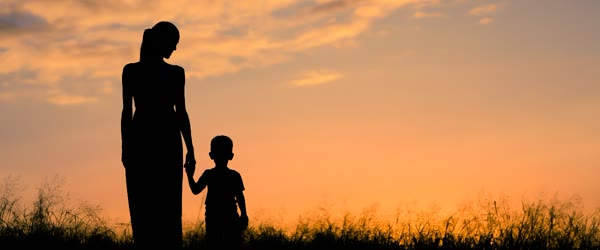
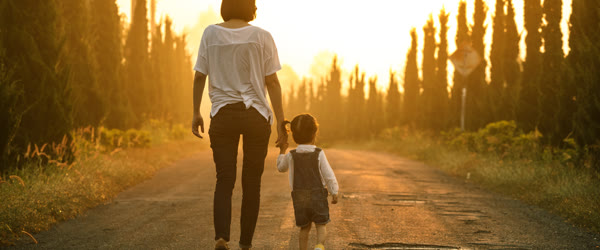
    Mom and son walking toward the sunrise made with the trending mom and son motivational photo editing prompt

    Introduction

    The trending mom and son motivational photo editing prompt tells a story of hope in a single image. A mother and son walking hand in hand toward the sunrise, with golden light ahead, feels like a promise that better days are coming. The warm tones and strong emotion make it perfect for motivational posts and Mother’s Day tributes.

    This prompt works for family pages, inspirational accounts, and personal memories. The sunrise is the key symbol here. It turns an ordinary walk into a journey, and viewers feel the message without reading a single word of text.

    Mom and son holding hands on a sunrise walk for the trending mom and son motivational photo editing prompt
    1. Upload a photo of the mother and son to ChatGPT or Gemini and paste the prompt exactly as written.
    2. If the sunrise looks too strong, ask for softer golden light that keeps both faces clearly visible.
    3. Download the best result and post it with a short motivational line about a mother’s strength.
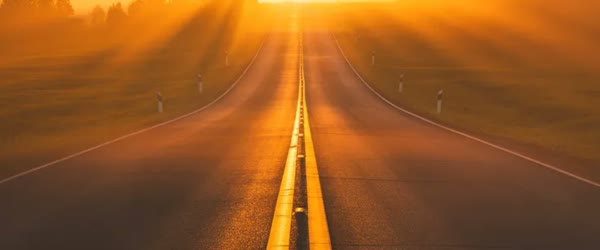
    Hopeful golden light ahead in the trending mom and son motivational photo editing prompt scene

    Copy-Paste Prompt

    Transform this photo into a heartwarming motivational portrait of a mom and son walking together toward the sunrise, holding hands, with hopeful golden light ahead. Add an inspiring uplifting mood, warm tones, and strong emotional storytelling. Ultra-realistic detail, 4K, cinematic lighting.

    Pro Tips

    • Choose a photo taken from behind or the side. Walking-away shots feel more like a journey than front-facing poses.
    • Keep the hands joined clearly in the frame. The hand-hold is the emotional center of this image.
    • Use warm tones only. Cool colors would weaken the hopeful sunrise feeling.
    Warm emotional storytelling in the trending mom and son motivational photo editing prompt portrait

    More Prompts to Try

    A mother and son walking toward the sunrise can tell many stories: courage after hardship, gratitude on an ordinary day, pride at a milestone, comfort after loss. The variations below keep the trending mom and son motivational photo editing prompt core — holding hands, walking toward golden light, warm tones, uplifting storytelling — but change the journey, the setting, or the moment. Each prompt is original and ready to copy and paste. Use them across Mother’s Day, birthdays, and motivational posts so the message stays fresh.

    Rainbow After the Storm

    A hopeful version where the walk follows a storm, with a rainbow ahead and wet ground reflecting the light.

    Transform this photo into a hopeful motivational portrait of a mom and son walking together toward a rainbow after the rain, holding hands, with warm golden light breaking through clouds ahead. Add an inspiring uplifting mood, fresh wet ground reflections, and warm tones. Ultra-realistic detail, 4K, cinematic lighting.

    Mountain Path Together

    A strength version with a mountain path, pine trees, and a summit glow, for posts about perseverance.

    Transform this photo into a motivational portrait of a mom and son walking together up a mountain path toward the sunrise, holding hands, with hopeful golden light over the peaks ahead. Add an inspiring uplifting mood, crisp mountain air, and warm tones. Ultra-realistic detail, 4K, cinematic lighting.

    First Day of School

    A milestone version with a school bag, a morning street, and a proud encouraging mood.

    Transform this photo into a heartwarming motivational portrait of a mom and son walking together toward school on the first day, holding hands, with hopeful morning sunlight ahead. Add an inspiring encouraging mood, warm golden tones, and gentle street light. Ultra-realistic detail, 4K, cinematic lighting.

    Seaside Sunrise Walk

    A peaceful version with a beach, gentle waves, and a calm hopeful sunrise over the water.

    Transform this photo into a peaceful motivational portrait of a mom and son walking together along a beach toward the sunrise, holding hands, with hopeful golden light over gentle waves ahead. Add an inspiring calm mood, warm tones, and soft sea light. Ultra-realistic detail, 4K, cinematic lighting.

    City Dawn Journey

    An urban version with city streets, early light between buildings, and a determined forward mood.

    Transform this photo into a motivational portrait of a mom and son walking together through quiet city streets toward the dawn, holding hands, with hopeful golden light between the buildings ahead. Add an inspiring determined mood, warm tones, and soft urban light. Ultra-realistic detail, 4K, cinematic lighting.

    Garden of Hope

    A gentle version with a flower garden path, butterflies, and soft morning gold, for tender encouragement posts.

    Transform this photo into a tender motivational portrait of a mom and son walking together along a garden path toward the morning sun, holding hands, with hopeful golden light through flowers ahead. Add an inspiring gentle mood, warm tones, and soft natural light. Ultra-realistic detail, 4K, cinematic lighting.

    Night Stars to Dawn

    A journey version that starts under stars and ends at sunrise, for posts about getting through hard nights.

    Transform this photo into a motivational portrait of a mom and son walking together from a starry night toward the first sunrise light, holding hands, with hopeful golden dawn breaking ahead. Add an inspiring uplifting mood, warm tones, and a sky shifting from night to gold. Ultra-realistic detail, 4K, cinematic lighting.

    How to Customize This Prompt

    Start with the relationship and the truth of the photo. The prompt works because the hand-hold is real and the walk is real. Choose a photo where the mother and son are genuinely together: walking, holding hands, or sharing a quiet moment. A posed studio photo with forced smiles will not carry the motivational weight, no matter how golden the light. The best base photos are ordinary ones: a walk to school, a park visit, a holiday morning. Ordinary truth edits better than staged perfection.

    Next, customize the journey metaphor. The sunrise is the classic, but the rainbow, the mountain, the school gate, and the seashore each tell a different kind of hope. A rainbow suits recovery after hardship. A mountain suits perseverance and goals. A school gate suits milestones and pride. A seashore suits peace and healing. Choose the journey that matches the message you want to share, and name it in the prompt. The metaphor and the caption should agree, because viewers feel the mismatch when they do not.

    The light is the third lever. Hopeful golden light should be warm, soft, and ahead of the subjects, so they walk into it. Light from behind creates a glowing rim and a sense of moving toward brightness. Light from the front flattens the journey feeling. If the faces go too dark in backlight, ask for the faces kept bright while the sunrise stays golden. That instruction preserves both the symbolism and the people.

    Composition customization matters for storytelling. A walking-away shot, seen from behind, feels like a journey the viewer is invited to follow. A side view feels like a documentary moment being witnessed. A front view feels like a greeting and suits direct motivational messages. The walking-away view is the most powerful for this prompt, because the viewer imagines walking behind the mother and son into the light. If your photo is front-facing, the prompt can still work, but ask for the subjects walking toward the light rather than toward the camera for the strongest effect.

    Finally, customize the caption and the use. A short motivational line about a mother’s strength pairs naturally, but the line should be specific and honest, not generic. Name one real quality: patience, courage, early mornings, or quiet sacrifice. The image shows the journey; the caption should name what made it possible. For Mother’s Day, add a personal thank you. For motivational pages, add a universal line that anyone can apply to their own mother.

    Step-by-Step Guide

    Follow these steps to turn a family photo into a motivational image that feels true.

    1. Choose a genuine together photo. Pick a photo of the mother and son together in a natural moment, preferably walking or holding hands. Avoid heavily posed studio shots. The photo should show connection: joined hands, matching steps, or shared laughter. Connection is the content; everything else is light.
    2. Decide the journey and the message. Choose the journey metaphor that fits your message, using the variations above. Write the caption line before generating, in one honest sentence. The caption decision keeps the visual choices consistent, from the light to the setting.
    3. Upload and paste the prompt. Upload the photo at full resolution to ChatGPT or Gemini and paste the trending mom and son motivational photo editing prompt exactly as written. Full resolution matters for two faces and joined hands, which are the details viewers check first. Compared with random prompts, the trending mom and son motivational photo editing prompt gives far more predictable and polished results.
    4. Check the hands and the faces first. Look at the joined hands: are they natural, complete, and clearly held? Look at both faces: are they true to the originals, visible, and warm? Hands and faces are where AI edits fail most visibly. If either is wrong, ask for a fix focused on that detail before judging anything else. The trending mom and son motivational photo editing prompt rewards patience, so generate a few versions and pick the most natural one.
    5. Refine the light. Ask for softer golden light if the sunrise overwhelms the faces, or stronger golden light if the hope feeling is weak. Keep the light ahead of the subjects so the journey direction reads clearly. Check that the light direction matches the shadows on the ground. If you post regularly, the trending mom and son motivational photo editing prompt helps you keep one consistent look across your whole feed.
    6. Try a variation. Once the base image works, run one variation on the same photo for a second post or a different occasion. The rainbow and mountain versions suit motivational pages, while the school and garden versions suit family posts. One good photo can carry a season of honest content. What makes the trending mom and son motivational photo editing prompt reliable is the balance it keeps between mood, detail and realism.
    7. Download at full resolution. Save the best version at the highest available quality. Two-person portraits suffer badly from compression, because faces and hands are fine detail. Avoid screenshots and avoid re-saving through chat apps before posting. A second pass with the trending mom and son motivational photo editing prompt often fixes dull colors and flat lighting in one go.
    8. Post with an honest line. Post with the short motivational line you wrote in step two, naming a real quality of the mother. Post in the morning, when the sunrise in the image matches the light outside the viewer’s window. The right moment doubles the feeling of a hopeful image. The trending mom and son motivational photo editing prompt also travels well across apps, so the same steps work in most AI image tools.

    Common Mistakes to Avoid

    Using a stiff posed photo. A formal pose with forced smiles cannot carry a journey story, no matter how golden the edit. The viewer feels the stiffness before they feel the hope. Choose a candid walking photo, even an imperfect one. Motion and truth beat perfection in motivational content. Many users save the trending mom and son motivational photo editing prompt as their go-to starting point for this whole edit style.

    Breaking the hand-hold. AI tools sometimes render joined hands poorly: extra fingers, merged hands, or hands that do not actually touch. The hand-hold is the emotional center of this image, so check it at full size before posting. If the hands are wrong, regenerate with the hands emphasized, or choose a photo where the hands are clearer. Never post broken hands hoping nobody looks closely; everybody looks at the hands. When the trending mom and son motivational photo editing prompt is used on a sharp photo, skin tones and small details stay realistic.

    Letting the sunrise swallow the faces. A huge blazing sun behind the subjects can silhouette them into anonymity. Hope needs faces. Keep the sunrise bright but soft, and the faces visible and warm. Ask for the faces kept bright while the sunrise stays golden. The journey needs both the light ahead and the people walking toward it. Try the trending mom and son motivational photo editing prompt on two or three photos first and keep the version with the most natural light.

    Cool or grey tones. Cool colors read as distant and lonely, which fights the hopeful message. Keep the tones warm throughout: gold, amber, and soft peach. If the result drifts cool, ask for warm golden tones explicitly. Warmth is not decoration here; it is the message. The trending mom and son motivational photo editing prompt is popular because it gives a premium look without any manual retouching skill.

    Generic captions. A borrowed motivational quote under a personal family photo wastes the photo’s power. Write one honest sentence about this mother and this son. Specificity is what makes strangers pause and family members tear up. The image is personal; the words must be too. Every version of the trending mom and son motivational photo editing prompt keeps the main subject sharp while the mood stays soft and cinematic.

    Best Tools for This Edit

    ChatGPT is the most reliable choice for two-person motivational portraits because it preserves both faces and the hand-hold well, and follows the sunrise journey instructions closely. Its follow-up editing fixes hands and light separately, which is exactly the workflow this image needs. Save each version where both faces and the hands pass before any further changes. For a cleaner finish, pair the trending mom and son motivational photo editing prompt with a high resolution upload and a steady crop.

    Gemini produces warm, glowing sunrise light with beautiful golden tones that suit the hopeful mood especially well. Its two-person preservation is good, though it occasionally softens the smaller face. Request natural detail on both faces explicitly. Gemini is an excellent choice for the seaside and garden variations, where its soft light shines. Small changes after using the trending mom and son motivational photo editing prompt let you match the edit to your own feed style.

    Basic photo editors are the right fallback if AI hand or face rendering fails. A gentle warm filter, a small brightness lift, and a careful crop can produce a lovely motivational image from the original photo without any AI risk. Use this fallback proudly when the photo matters more than the effect. An honest original with warm light beats a polished image with broken hands. The trending mom and son motivational photo editing prompt works best when the subject is well lit and the background stays simple.

    Frequently Asked Questions

    Can I use this prompt for a father and daughter, or other family pairs? Yes. The prompt’s structure — two people walking together toward golden light, holding hands — works for any loving pair. Adjust the description to name the pair in the prompt, and keep the journey and the light the same. The hope metaphor is universal, and the image will carry it for any family bond. A clear base photo makes the trending mom and son motivational photo editing prompt work faster and keeps faces natural in the output.

    What if the original photo was taken indoors? The prompt can still work, but expect more follow-ups to build the outdoor journey convincingly. Start with the garden or city version, which transition more naturally from indoor light. Check the light direction and the shadows carefully, because indoor light rarely matches sunrise light. If the result feels pasted, use the basic-editor fallback with a warm filter instead. Most creators share the trending mom and son motivational photo editing prompt result as the final post because it needs very little extra editing.

    Should the caption be long or short? Short and honest. One or two sentences naming a real quality or a real memory outperform a long essay. Motivational posts are read on the move, and a short line that lands is shared more than a long line that explains. Let the image carry the story and the caption name the feeling. If a result looks off, run the trending mom and son motivational photo editing prompt again with a sharper base photo before adjusting anything else.

    Can this image work for Mother’s Day? Beautifully. It is one of the strongest Mother’s Day formats because it shows gratitude as a journey rather than a slogan. Post it on Mother’s Day morning with a personal thank you. The sunrise timing matches the day, and the hand-hold says what words struggle to say. The real strength of the trending mom and son motivational photo editing prompt is how it turns a plain photo into a scene with a clear story.

    Why do the hands look wrong in my edit? Hands are the hardest detail for AI image tools, especially joined hands with overlapping fingers. Regenerate with the hands emphasized and the motion low, or choose a photo where the hands are larger and clearer in the frame. Check the hands at full size before posting, and do not accept extra fingers or merged hands. The hands are the heart of this image. Beginners get the best results when they follow the trending mom and son motivational photo editing prompt exactly before changing any detail.

    Final Words

    A mother’s hand and a sunrise ahead can say everything, and this prompt turns that truth into an image worth keeping. Use it to turn a family photo into a message of hope, with warm light ahead, joined hands in the center, and two faces the viewer can believe in. Choose a genuine photo, protect the hands and the faces, and write one honest line to go with it. When the light, the walk, and the words agree, the image will encourage everyone who sees it, and remind them of the hands that led them forward. Used well, the trending mom and son motivational photo editing prompt keeps colors, light and mood consistent across every version you generate.
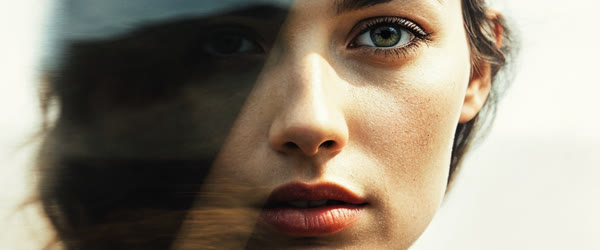
  • Viral Aesthetic Photo on Boat Editing Prompts

    Viral Aesthetic Photo on Boat Editing Prompts

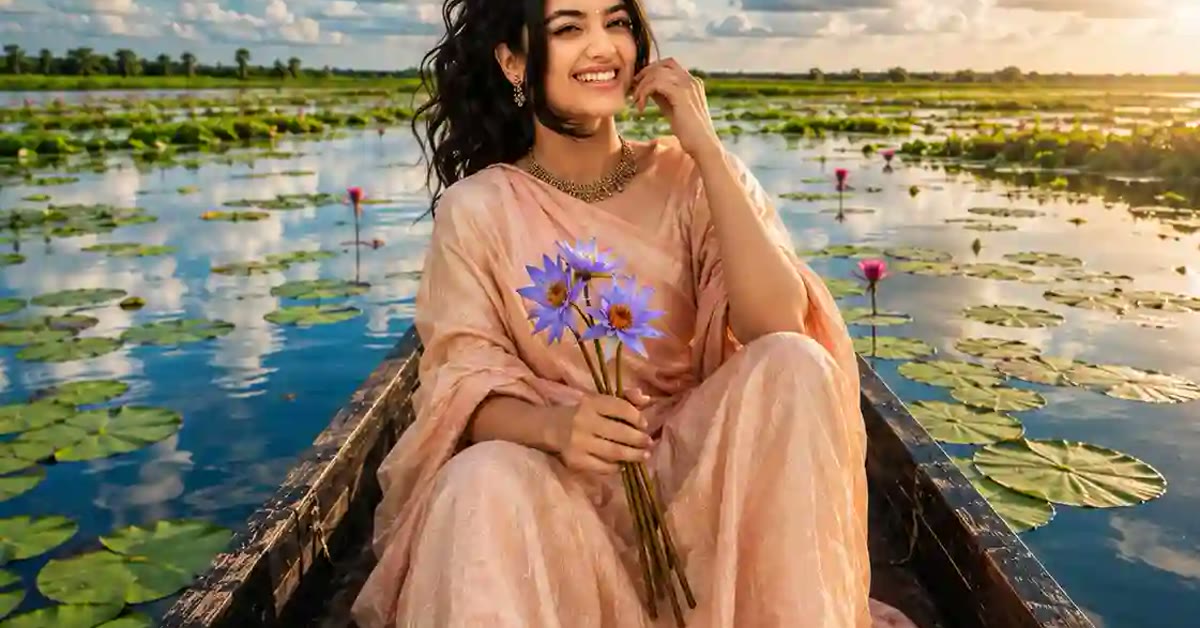
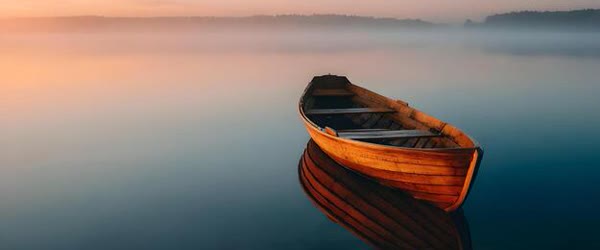
    Aesthetic boat portrait on calm blue water made with viral aesthetic photo on boat editing prompts

    Introduction

    Viral aesthetic photo on boat editing prompts create calm, dreamy portraits that feel like a slow morning on the water. A wooden boat, soft blue water, and distant green hills give the image a peaceful escape mood. The pastel tones and gentle ripples make it look like a scene from a travel film.

    These prompts are popular for vacation posts, profile pictures, and aesthetic feeds. They work well with relaxed poses and natural expressions. The boat setting adds a story to the photo: the subject is not just posing, they are somewhere beautiful and unhurried.

    Subject relaxing on a wooden boat for the viral aesthetic photo on boat editing prompts edit

    How to Use These Viral Aesthetic Photo on Boat Editing Prompts

    1. Upload a clear photo to ChatGPT or Gemini and paste the prompt exactly as written.
    2. If the boat looks unreal, ask the tool to keep the boat wooden and simple, with natural water reflections.
    3. Save the best result and share it as a travel or aesthetic post with a short calm caption.
    Soft morning light and distant green hills in the viral aesthetic photo on boat editing prompts scene

    Copy-Paste Prompt

    Transform this photo into an aesthetic boat portrait with the subject relaxing on a wooden boat, calm blue water all around, soft morning light, and distant green hills. Add gentle ripples, a breezy peaceful mood, and pastel tones. Ultra-realistic detail, 4K, cinematic lighting.

    Pro Tips

    • Use a photo with a relaxed pose. Stiff poses break the peaceful mood of the boat scene.
    • Ask for morning light specifically. It is softer than midday sun and suits pastel tones better.
    • Keep the horizon level. A tilted waterline makes the whole edit feel unstable and unreal.
    Gentle ripples and pastel tones in the viral aesthetic photo on boat editing prompts portrait

    More Prompts to Try

    A boat on calm water can carry many stories: a morning escape, a romantic drift, a solo reflection, a family holiday. The variations below keep the viral aesthetic photo on boat editing prompts core — wooden boat, calm blue water, soft light, pastel tones, gentle ripples — but change the time, the company, or the mood. Each prompt is original and ready to copy and paste. Try them on different photos to build an aesthetic feed that feels like a slow journey.

    Sunset Boat Drift

    An evening version with golden light, a glowing horizon, and a peaceful drifting feeling.

    Transform this photo into an aesthetic boat portrait at sunset, with the subject relaxing on a wooden boat, calm water glowing gold, a soft orange-pink horizon, and gentle ripples. Add a breezy peaceful mood and pastel sunset tones. Ultra-realistic detail, 4K, cinematic lighting.

    Romantic Two on a Boat

    A couple version with two people sharing the boat, soft light, and a tender quiet mood.

    Transform this photo into a romantic aesthetic boat portrait with two people relaxing together on a wooden boat, calm blue water, soft morning light, and distant green hills. Add gentle ripples, a tender peaceful mood, and pastel tones. Ultra-realistic detail, 4K, cinematic lighting.

    Misty Lake Morning

    A foggy version with mist over the water, soft diffused light, and a mysterious calm.

    Transform this photo into an aesthetic boat portrait on a misty lake morning, with the subject on a wooden boat, fog drifting over calm water, soft diffused light, and faint green hills in the distance. Add gentle ripples, a quiet mysterious mood, and pastel tones. Ultra-realistic detail, 4K, cinematic lighting.

    Tropical Lagoon

    A bright tropical version with turquoise water, palm shadows, and a holiday feeling.

    Transform this photo into an aesthetic tropical boat portrait with the subject relaxing on a wooden boat, turquoise lagoon water, soft sunlight, palm shadows on the water, and distant green islands. Add gentle ripples, a breezy holiday mood, and fresh pastel tones. Ultra-realistic detail, 4K, cinematic lighting.

    Night Boat Stars

    A night version with stars, moonlight on the water, and a calm magical mood.

    Transform this photo into an aesthetic night boat portrait with the subject on a wooden boat under a starry sky, moonlight glowing on calm water, and soft blue tones. Add gentle ripples, a peaceful magical mood, and pastel night colors. Ultra-realistic detail, 4K, cinematic lighting.

    Autumn Lake Calm

    An autumn version with golden leaves, crisp light, and a nostalgic peaceful feeling.

    Transform this photo into an aesthetic autumn boat portrait with the subject on a wooden boat, calm water reflecting golden trees, soft crisp light, and distant hills in autumn colors. Add gentle ripples, a nostalgic peaceful mood, and warm pastel tones. Ultra-realistic detail, 4K, cinematic lighting.

    Fishing Boat Dawn

    A working-boat version with fishing nets, early light, and an authentic timeless feeling.

    Transform this photo into an aesthetic fishing boat portrait at dawn, with the subject on a weathered wooden boat, fishing nets coiled nearby, calm water glowing in early light, and distant misty hills. Add gentle ripples, a timeless peaceful mood, and soft pastel tones. Ultra-realistic detail, 4K, cinematic lighting.

    How to Customize This Prompt

    Start with the pose, because a boat portrait lives or dies on relaxation. The subject should look unhurried: leaning back, trailing a hand near the water, looking at the horizon, or laughing softly. Stiff, formal poses break the drifting mood instantly. Choose a photo with a relaxed body and a natural expression, even if the composition is imperfect. The AI can fix the scene around a relaxed person, but it cannot relax a stiff one.

    Next, customize the water and the sky together. Morning light gives soft blue water and pale skies. Sunset gives gold water and orange-pink skies. Mist gives grey-blue water and a white sky. Night gives dark blue water and stars. Name both the water and the sky in your follow-up if they disagree, because a blue-sky reflection on gold water is the most common realism failure in boat scenes. The water must always mirror the sky’s color and brightness, softened by ripples.

    The boat itself deserves attention. A simple wooden boat with visible grain reads as authentic and timeless. An ornate or modern boat can look like a rental advertisement. Ask for a wooden and simple boat explicitly, and check the boat’s shape: the hull must sit in the water at a believable level, not float above it or sink into it. The waterline is the honesty line of the whole image. If the boat floats wrong, the entire scene feels fake, no matter how beautiful the light is.

    The horizon and the hills are the fourth lever. A level horizon is non-negotiable; a tilted waterline makes viewers seasick. Distant hills should be soft and low, never sharp and competing. If the hills are too detailed, ask for softer distant hills with atmospheric haze. The background should whisper, not shout. The subject and the boat are the story; the hills are only the setting.

    Finally, customize the crop and the use. A vertical crop suits stories and profile pictures, with the boat low in the frame and the sky above. A wide crop suits covers and wallpapers, with the boat to one side and open water ahead. A square crop suits feed posts. Decide before generating and name the shape, because reframing a boat scene afterward often cuts the bow or the horizon.

    Step-by-Step Guide

    Follow these steps to get a calm, believable boat portrait without repeated failures. The viral aesthetic photo on boat editing prompts keeps working even on older photos, as long as the subject stays clear and bright.

    1. Choose a relaxed photo. Pick a photo where the subject looks calm and natural, preferably outdoors in daylight. Avoid formal poses, sunglasses that hide the eyes, and busy backgrounds. A relaxed half-smile beats a perfect pose for this style. In practice, the viral aesthetic photo on boat editing prompts needs only a clear photo and a few minutes from start to finish.
    2. Decide the time of day. Choose morning, sunset, mist, or night before generating, using the variations above. The time of day decides the water color, the sky color, and the mood, so it must be decided first, not fixed later. Write it into the prompt explicitly. That is why the viral aesthetic photo on boat editing prompts keeps trending among creators who post aesthetic edits every day.
    3. Upload and paste the prompt. Upload the photo at full resolution to ChatGPT or Gemini and paste the viral aesthetic photo on boat editing prompt exactly as written. Full resolution matters for water and wood detail, which turn to mush in small uploads. Compared with random prompts, the viral aesthetic photo on boat editing prompts gives far more predictable and polished results.
    4. Check the boat and the waterline first. Look at where the boat meets the water. The hull must sit naturally with a soft reflection and gentle ripples around it. Check the horizon level. If either is wrong, fix it in the follow-up before judging anything else, because a floating boat cannot be saved by pretty light. The viral aesthetic photo on boat editing prompts rewards patience, so generate a few versions and pick the most natural one.
    5. Refine light and color singly. Ask for one change at a time: softer morning light, warmer sunset tones, or simpler hills. Compare each version with the previous best. Boat scenes drift easily when several changes stack, so patience here saves generations later. If you post regularly, the viral aesthetic photo on boat editing prompts helps you keep one consistent look across your whole feed.
    6. Try a variation. Once the base scene works, run one variation on the same photo. The sunset and misty versions often suit different platforms and different captions, giving you two posts from one good photo. What makes the viral aesthetic photo on boat editing prompts reliable is the balance it keeps between mood, detail and realism.
    7. Download at full resolution. Save the best version at the highest available quality. Water and wood grain are fine detail, and compression destroys them first. Avoid screenshots and avoid re-saving through chat apps before posting. A second pass with the viral aesthetic photo on boat editing prompts often fixes dull colors and flat lighting in one go.
    8. Crop with the horizon level. Crop for the platform while keeping the horizon perfectly level in every crop. Post with a short calm caption, ideally in the morning for morning scenes and in the evening for sunset scenes. The caption should be as unhurried as the image. The viral aesthetic photo on boat editing prompts also travels well across apps, so the same steps work in most AI image tools.

    Common Mistakes to Avoid

    A floating or sinking boat. The most common failure is a boat that does not sit in the water correctly. It floats above the surface with a gap, or sinks so deep the hull disappears. Check the waterline at full size before posting. Ask for the boat sitting naturally in the water with realistic reflections if the first result floats. This single check separates believable edits from obvious fakes. Many users save the viral aesthetic photo on boat editing prompts as their go-to starting point for this whole edit style.

    A tilted horizon. A waterline tilted by even a small amount feels wrong to every viewer, even those who cannot name why. Straighten the horizon in a basic editor if needed. It takes ten seconds and transforms the image from amateur to professional. Never post a tilted boat scene hoping nobody will notice; everybody notices. When the viral aesthetic photo on boat editing prompts is used on a sharp photo, skin tones and small details stay realistic.

    Stiff poses. A formal standing pose in a drifting boat reads as a studio shot pasted onto water. The pose must match the setting: relaxed, leaning, looking outward. If the original pose is stiff, choose a different photo rather than asking the AI to invent relaxation. The AI can change a scene, but it cannot change body language convincingly. Try the viral aesthetic photo on boat editing prompts on two or three photos first and keep the version with the most natural light.

    Oversaturated pastel tones. Pastel should be soft and muted, not neon. Over-saturation turns calm water electric blue and gentle skies garish pink. Ask for soft pastel tones explicitly, and check the result at normal brightness. Calm colors are the whole point of this aesthetic, and pushing them hard defeats it. The viral aesthetic photo on boat editing prompts is popular because it gives a premium look without any manual retouching skill.

    Cluttered backgrounds. Too many hills, buildings, boats, and birds turn a peaceful scene into a busy harbor. The background should be minimal: water, sky, one distant hill line. If the scene fills with objects, ask for a simpler background with the boat and subject unchanged. Emptiness is a feature in boat portraits, not a flaw. Every version of the viral aesthetic photo on boat editing prompts keeps the main subject sharp while the mood stays soft and cinematic.

    Best Tools for This Edit

    ChatGPT handles boat scenes reliably, with good water reflections and believable wooden boats when the prompt is followed closely. Its follow-up editing fixes the waterline and the light without disturbing the subject. For a single aesthetic boat portrait, ChatGPT is the most dependable choice. For a cleaner finish, pair the viral aesthetic photo on boat editing prompts with a high resolution upload and a steady crop.

    Gemini produces softer, dreamier water light with beautiful pastel skies, which suits the misty and sunset variations especially well. Its boats can occasionally look too smooth, so request visible wood grain and natural texture explicitly. Gemini is an excellent choice when the mood matters more than the boat’s fine detail. Small changes after using the viral aesthetic photo on boat editing prompts let you match the edit to your own feed style.

    Manual editors help with the final polish: straightening the horizon, a gentle clarity pass on the water, and a careful crop. Do not stack heavy filters on the AI result. One gentle pass is enough. Keep the original file so you can re-crop for different platforms without regenerating the scene. The viral aesthetic photo on boat editing prompts works best when the subject is well lit and the background stays simple.

    Frequently Asked Questions

    Can this prompt work on a photo taken indoors? Yes, but expect more follow-ups. The AI must build the entire boat scene around the subject, which is harder than enhancing an outdoor photo. Start with the misty or night variation, which hides background transitions better. Check the waterline and the light direction carefully, because indoor light rarely matches outdoor water light. A clear base photo makes the viral aesthetic photo on boat editing prompts work faster and keeps faces natural in the output.

    How do I keep the boat looking real? Ask for a simple wooden boat sitting naturally in the water with realistic reflections and gentle ripples. Check the hull, the waterline, and the reflection at full size. If the boat looks like a toy, ask for a larger weathered wooden boat with visible grain. Scale matters: a boat that is too small for the person looks like a model, and a boat that is too large swallows the subject. Most creators share the viral aesthetic photo on boat editing prompts result as the final post because it needs very little extra editing.

    What caption suits a boat portrait? One calm line suits it best: a short reflection, a lyric fragment, or a simple statement about slowing down. Avoid long stories and hashtag storms, which fight the peaceful mood. Let the image breathe. A quiet caption with a quiet image performs better than a loud caption on a calm photo. If a result looks off, run the viral aesthetic photo on boat editing prompts again with a sharper base photo before adjusting anything else.

    Can I use this for a couple or family photo? Yes. Use the romantic two version for couples and a wider boat version for families. Keep the boat large enough for everyone to sit naturally, and check that every person sits at a believable level in the boat. Group boat photos need extra care with scale and seating, so check the result frame by frame before posting. The real strength of the viral aesthetic photo on boat editing prompts is how it turns a plain photo into a scene with a clear story.

    Why does my water look fake? Fake water usually means a wrong reflection, missing ripples, or a color that disagrees with the sky. Ask for gentle natural ripples and a reflection that matches the sky, and check the waterline. If the water still looks flat, regenerate with the words realistic moving water emphasized, and avoid any smoothing filter afterward. Beginners get the best results when they follow the viral aesthetic photo on boat editing prompts exactly before changing any detail.

    Final Words

    Some photos should feel like a deep breath, and this prompt builds exactly that feeling: a wooden boat, calm water, soft light, and nowhere to hurry. Let the boat drift, keep the horizon level, and let the morning light do the rest. Choose a relaxed photo, protect the waterline, and post the version that makes you slow down when you see it. The water will keep the calm long after the scroll moves on. Used well, the viral aesthetic photo on boat editing prompts keeps colors, light and mood consistent across every version you generate.
  • Ultra-Realistic Sunset River Moments Photo Prompt

    Ultra-Realistic Sunset River Moments Photo Prompt

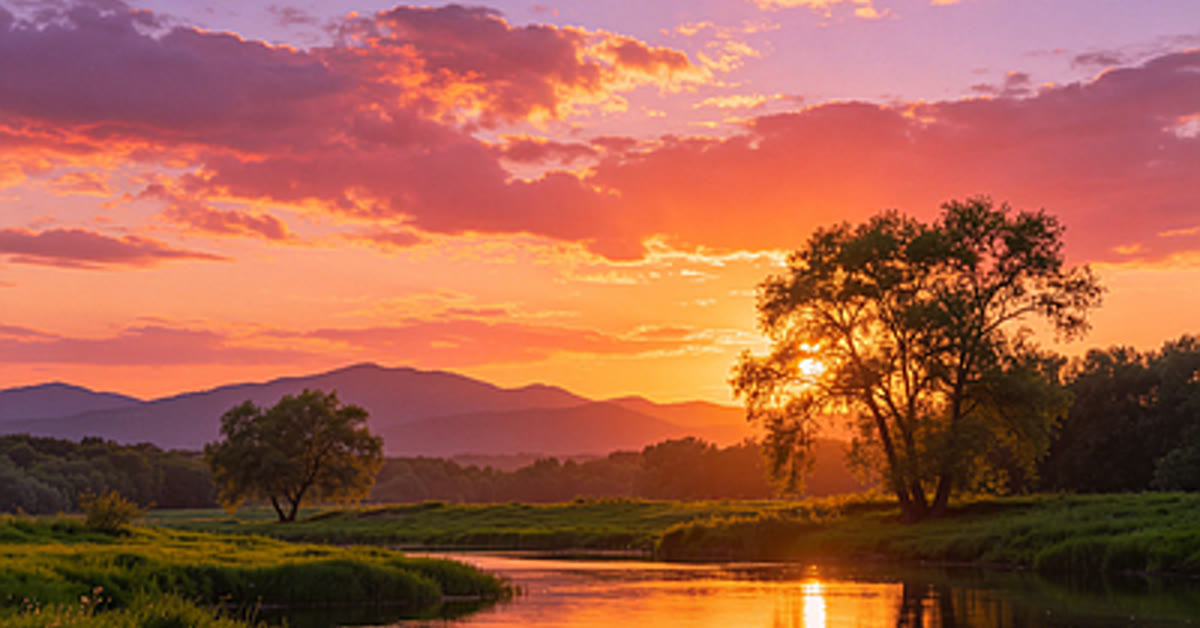
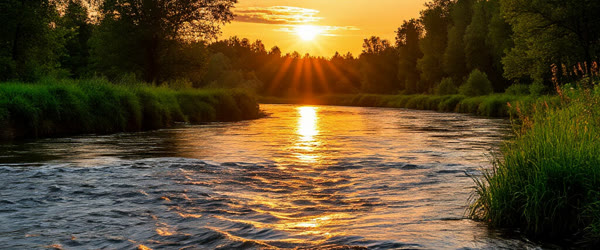
    Sunset river scene with golden light made with the ultra realistic sunset river moments photo prompt

    Introduction

    The ultra realistic sunset river moments photo prompt turns a photo into a peaceful riverside scene at golden hour. Golden light dances on gentle water, the sky glows orange and pink, and the whole frame feels calm and dreamy. It is the kind of image people use as a wallpaper or a quiet evening post. In practice, the ultra realistic sunset river moments photo prompt can give you a strong starting point instead of a blank screen.

    This prompt works for portraits, travel photos, and nature shots alike. The river adds movement and reflection, while the sunset light adds warmth. Together they create a serene mood that stands out in a feed full of bright, busy images. With the right tweaks, the ultra realistic sunset river moments photo prompt can work for beginners and experienced editors alike.

    Golden light dancing on gentle river water in the ultra realistic sunset river moments photo prompt

    How to Use This Ultra Realistic Sunset River Moments Photo Prompt

    1. Upload your photo to ChatGPT or Gemini and paste the prompt exactly as written.
    2. If the water looks too smooth or too rough, ask for gentle natural ripples and realistic reflections.
    3. Download the best result and use it as a wallpaper, cover photo, or evening post.
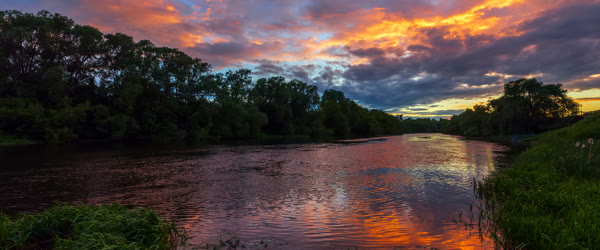
    Glowing orange pink sky over a calm river in the ultra realistic sunset river moments photo prompt scene

    Copy-Paste Prompt

    Transform this photo into a breathtaking sunset river scene with golden light dancing on gentle water, a peaceful subject on the bank, and a glowing orange-pink sky. Add soft reflections, calm ripples, and a serene dreamy mood. Ultra-realistic water and light detail, 4K, cinematic lighting.

    Pro Tips

    • Start with a photo that has open sky or water already. The prompt blends best when the base scene is similar.
    • Keep the subject small in the frame. A peaceful figure on the bank makes the river feel vast and calm.
    • Avoid oversaturation. The sunset should glow softly, not burn the whole image orange.
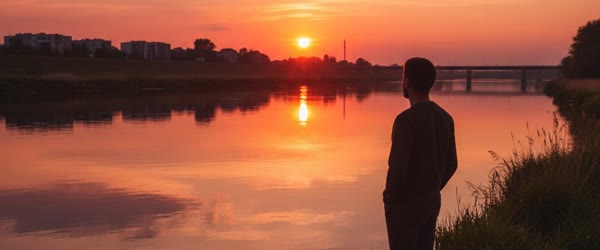
    Peaceful subject on the river bank from the ultra realistic sunset river moments photo prompt

    More Prompts to Try

    One sunset river scene can hold many different moods, from quiet solitude to joyful celebration. The variations below keep the ultra realistic sunset river moments photo prompt core — golden light on water, soft reflections, calm ripples, serene dreamy mood — but change the subject, the activity, or the time within the golden hour. Each prompt is original and ready to copy and paste. Try them on different photos to build a collection of riverside moments for wallpapers, covers, and evening posts.

    Fisherman at Dusk

    A working-river version with a lone fisherman, a small boat, and nets, for a timeless peaceful scene.

    Transform this photo into a serene sunset river scene with a lone fisherman in a small wooden boat, casting a net as golden light dances on gentle water, and a glowing orange-pink sky. Add soft reflections, calm ripples, and a timeless peaceful mood. Ultra-realistic water and light detail, 4K, cinematic lighting.

    Couple on the Bank

    A romantic version with two people sitting close on the river bank, watching the sunset together.

    Transform this photo into a romantic sunset river scene with a couple sitting close together on the bank, golden light glowing on the water, soft reflections, and a pastel orange-pink sky. Add calm ripples, warm tones, and a tender dreamy mood. Ultra-realistic water and light detail, 4K, cinematic lighting.

    River Mist Morning

    A misty version where the sunset tones meet early morning fog, for a mysterious calm wallpaper.

    Transform this photo into a dreamy sunset river scene with soft mist drifting over calm water, golden light breaking through the haze, gentle ripples, and a glowing pastel sky. Add a peaceful subject on the bank, soft reflections, and a serene mysterious mood. Ultra-realistic water and light detail, 4K, cinematic lighting.

    City River Lights

    An urban version where the river runs through a city, with bridges and lights beginning to glow.

    Transform this photo into a cinematic sunset river scene in a city, with a bridge silhouetted against a glowing orange-pink sky, golden light on the water, and the first city lights reflecting softly. Add calm ripples, a peaceful subject on the bank, and a serene urban mood. Ultra-realistic water and light detail, 4K, cinematic lighting.

    Child Skipping Stones

    A joyful family version with a child skipping stones, ripples spreading, and warm evening light. Plenty of viral posts started with nothing more than the ultra realistic sunset river moments photo prompt and a good idea.

    Transform this photo into a joyful sunset river scene with a child skipping stones on calm water, ripples spreading in golden light, a glowing orange-pink sky, and a peaceful bank. Add soft reflections, warm tones, and a happy serene mood. Ultra-realistic water and light detail, 4K, cinematic lighting.

    Monsoon River Drama

    A dramatic version with dark monsoon clouds breaking into gold, for a powerful cinematic wallpaper. Over time, the ultra realistic sunset river moments photo prompt can become faster to use as you learn which settings suit your style.

    Transform this photo into a dramatic sunset river scene with dark monsoon clouds breaking into golden light, strong reflections on moving water, and a glowing orange sky. Add a peaceful subject on the bank, soft rain light, and a powerful serene mood. Ultra-realistic water and light detail, 4K, cinematic lighting.

    Nightfall River Calm

    A blue-hour version where the sunset fades into stars, for a calm end-of-day post. If a first attempt feels off, adjust one setting in the ultra realistic sunset river moments photo prompt and try again.

    Transform this photo into a calm blue-hour river scene with the last orange glow on the horizon, first stars appearing, soft reflections on gentle water, and a peaceful subject on the bank. Add calm ripples, cool-warm tones, and a serene dreamy mood. Ultra-realistic water and light detail, 4K, cinematic lighting.

    How to Customize This Prompt

    Start with the water, because water is the hardest element to get right. Calm water with gentle ripples suits portraits and peaceful posts. Moving water with visible flow suits dramatic and travel scenes. Mirror-still water suits wallpapers and minimal posts. Name the water state in your follow-up — calm ripples, gentle flow, or mirror still — and the AI will shape the reflections to match. Check the reflection of the subject and the sky: a good reflection is soft and slightly wavy, never a perfect copy pasted under the scene.

    Next, customize the sky. The original prompt uses a glowing orange-pink sky, but sunset skies have many personalities. A soft peach sky feels gentle and romantic. A fiery orange sky feels dramatic and powerful. A purple-pink sky feels dreamy and artistic. A mostly cloudy sky with one golden break feels hopeful and cinematic. Name the sky in the follow-up and keep the water’s reflection consistent with it. A sky and a reflection that disagree — pink sky, blue water — is the most common realism failure in river scenes.

    The subject’s size and placement are the third lever. A small subject on the bank makes the river feel vast and the mood contemplative. A larger subject makes the scene personal and emotional. A subject in the center feels posed and iconic. A subject to one side, following the rule of thirds, feels natural and photographic. For wallpapers, a small subject with a vast sky works best. For profile pictures and posts, a larger subject with the river behind works better. Decide the use before generating and name the placement. Sharing your version of the ultra realistic sunset river moments photo prompt can also inspire other creators to try it themselves.

    Light customization comes next. Golden hour light should be warm and low, coming from the side or from behind the subject. Backlight creates a glowing rim around the subject and sparkling water, which is beautiful but can darken the face. Side light keeps the face visible while still glowing the water. If the face goes too dark, ask for the face kept bright while the sunset stays golden. That single instruction fixes most sunset portrait problems. A clean, sharp source image will always get more out of the ultra realistic sunset river moments photo prompt than a blurry one.

    Finally, customize the season and the place. A river in summer with green banks feels fresh. A river in autumn with golden leaves feels nostalgic. A river in winter with bare trees and mist feels quiet and lonely. A mountain river feels adventurous. A village river feels homely. Name the season and the setting in the prompt, and the vegetation, the bank, and the light will all shift together. Consistency across these elements is what makes the scene feel like a real place rather than a composite. That flexibility is why the ultra realistic sunset river moments photo prompt keeps showing up in trending feeds this season.

    Step-by-Step Guide

    Follow these steps to get a realistic, serene river sunset without repeated regenerations. The real strength of the ultra realistic sunset river moments photo prompt is how easily it adapts to different personal styles.

    1. Choose a photo with sky or water. Pick a photo that already has open sky, a horizon, or water in it. The prompt blends best when the base scene is similar to a riverside. A photo taken against a plain wall can work, but it needs more follow-ups to build the scene convincingly.
    2. Decide the use and the subject size. Before generating, decide whether the image is a wallpaper, a cover photo, or a feed post, and whether the subject should be small or large. Write that decision into the prompt as a follow-up instruction if the first result misses it. A wallpaper wants vastness; a post wants a person.
    3. Upload and paste the prompt. Upload the photo at full resolution to ChatGPT or Gemini and paste the ultra realistic sunset river moments photo prompt exactly as written. Full resolution matters for water detail, because ripples and reflections turn to mush in small uploads.
    4. Check the water and the sky first. Look at the water: are the ripples natural, is the reflection soft and consistent with the sky, does the light dance rather than glare? Then look at the sky: does the orange-pink glow feel soft, is the horizon level, does the light direction match the subject? Fix water and sky before anything else, because they define the scene.
    5. Refine with single follow-ups. Ask for one change at a time: gentler ripples, softer sky, brighter face, or a smaller subject. Compare each version with the previous best. Water scenes drift easily, so keep the best version saved before each new follow-up.
    6. Try a variation. Once the base scene works, run one variation from this article on the same photo. The fisherman, couple, and city versions often reveal a favorite that suits a different post or a different platform.
    7. Download at full resolution. Save the best version at the highest available quality. River scenes suffer badly from compression, because ripples and reflections are fine detail. Avoid screenshots and avoid re-saving through chat apps before posting. Keep the original file for future crops.
    8. Crop and post at golden hour. Crop for the platform, keeping the horizon level in every crop. Post the image in the evening, when viewers are most receptive to calm content. Pair it with a short quiet caption. A sunset river post at sunset time performs better than the same post at noon, because the mood matches the moment.

    Common Mistakes to Avoid

    Oversaturating the sunset. A sunset pushed to neon orange looks like a filter advertisement, not a real evening. The glow should be soft and the colors should fade gently into each other. If the image burns the eyes, ask for softer golden light and natural tones. Check the result at normal screen brightness, because high brightness exaggerates saturation.

    Unrealistic water. Water that is too smooth looks like glass. Water that is too rough looks like a storm. Water with a reflection that does not match the sky looks pasted. Ask for gentle natural ripples and realistic reflections explicitly, and check the reflection direction against the light. Real water is the difference between a wallpaper and a wallpaper fail.

    A tilted horizon. A horizon tilted by even two degrees makes the whole image feel unstable, and viewers notice it subconsciously. Check the horizon line before posting, and straighten it in a basic editor if needed. A level horizon is the cheapest professionalism in landscape editing, and it costs ten seconds. A second pass over the ultra realistic sunset river moments photo prompt usually sharpens the details that matter most.

    Losing the subject. A subject too small, too dark, or swallowed by the glow stops being a portrait and becomes a landscape with a smudge. If the subject matters, keep it large enough and bright enough to read. Ask for the face kept bright and the subject clearly visible in the follow-up. The river should frame the person, not erase them. Most creators refine the ultra realistic sunset river moments photo prompt two or three times before posting the final version.

    Posting at the wrong time with the wrong caption. A serene river image with a loud sales caption creates a mood clash that viewers scroll past. Match the caption to the calm: one quiet line, no hashtags storm, no urgency. Post in the evening. The right moment doubles the effect of a calm image. In practice, the ultra realistic sunset river moments photo prompt can give you a strong starting point instead of a blank screen.

    Best Tools for This Edit

    ChatGPT handles river and sunset scenes reliably, with good water detail and consistent light when the prompt is followed closely. Its follow-up editing fixes ripples and sky color without disturbing the subject. For a single serene wallpaper, ChatGPT is the most dependable choice, especially when the base photo already has sky or water. If a first attempt feels off, adjust one setting in the ultra realistic sunset river moments photo prompt and try again.

    Gemini produces softer, dreamier river light with beautiful pastel skies, which suits the mist and blue-hour variations especially well. Its water can occasionally be too smooth, so request gentle natural ripples explicitly. Gemini is an excellent choice for the romantic and calm versions, where softness is a feature rather than a flaw. For best results, export at the highest quality your app allows after using the ultra realistic sunset river moments photo prompt.

    Dedicated wallpaper and landscape tools can help with the final polish: a gentle clarity pass on the water, a horizon straighten, and a careful crop for the target screen size. Do not stack heavy HDR effects on the AI result, because HDR turns soft sunset light harsh. One gentle pass is enough. Keep the original file so you can re-crop for different devices without regenerating. Saving the ultra realistic sunset river moments photo prompt in your drafts means you can reuse the idea whenever inspiration strikes.

    Frequently Asked Questions

    Can this prompt turn a city photo into a river scene? Yes, but expect more follow-ups. The AI must replace the background entirely, which is harder than enhancing an existing riverside. Start with the city river lights variation, which keeps an urban feel while adding the river. Check the perspective carefully: the river must sit at the same level as the street, or the scene will look tilted and false.

    How do I keep the sunset from looking fake? Keep the colors soft, the transitions gradual, and the light direction consistent. A real sunset fades from bright at the horizon to darker above, with the brightest point near the sun. Ask for a soft gradient sky and natural light falloff. If the sky looks like a flat orange wall, ask for clouds and a gradient. Real skies have structure. A clean, sharp source image will always get more out of the ultra realistic sunset river moments photo prompt than a blurry one.

    What size should a river wallpaper be? Match the device: vertical 1080 by 1920 for phone wallpapers, horizontal 1920 by 1080 for desktop. Generate in the target shape when possible, because cropping a horizontal river scene into a vertical one usually cuts the subject or the horizon. Name the shape in the prompt for the best composition. That flexibility is why the ultra realistic sunset river moments photo prompt keeps showing up in trending feeds this season.

    Can I add a person to an empty river landscape? Yes. Upload the landscape and a portrait, or describe the subject in the prompt, and ask for a peaceful subject on the bank at a natural size. Keep the subject small and the light consistent with the scene. A person added at the wrong scale or with different light looks pasted, so check the scale and the face brightness carefully. Plenty of viral posts started with nothing more than the ultra realistic sunset river moments photo prompt and a good idea.

    Why does my water look like plastic? Plastic water comes from over-smoothing, missing reflections, or uniform color with no ripple structure. Ask for gentle natural ripples, realistic reflections, and subtle color variation in the water. Check the result at full size. If the water still looks flat, regenerate with the words natural moving water emphasized, and avoid any smoothing filter afterward. Over time, the ultra realistic sunset river moments photo prompt can become faster to use as you learn which settings suit your style.

    Final Words

    Rivers and sunsets never fail to calm the mind, and this prompt captures that calm in a single golden frame. Use it to turn any photo into a quiet moment by the water, with light dancing on ripples and a soft glowing sky. Keep the water real, the horizon level, and the subject visible, and post it when the evening light matches the mood. The river will do the rest, as it always has. Sharing your version of the ultra realistic sunset river moments photo prompt can also inspire other creators to try it themselves.

    The ultra realistic sunset river moments photo prompt can also be combined with your own text, music and stickers for a personal touch.

  • Father’s Day Special Prompt for Heartfelt Photos

    Father’s Day Special Prompt for Heartfelt Photos

    Warm Father's Day portrait made with the fathers days special prompt

    Introduction

    The fathers days special prompt helps you turn a simple family photo into a warm tribute for Father’s Day. A father and child sharing a happy moment, wrapped in soft evening light and golden tones, says thank you better than a long message. The loving mood feels real because the prompt keeps faces natural and detailed. In practice, the fathers days special prompt can give you a strong starting point instead of a blank screen.

    This prompt is ideal for greeting posts, WhatsApp status images, and printed gifts. It works with old photos too, so a childhood picture with your father can get new life as a tribute. The cozy home background keeps the focus on the bond, not on fancy scenery. With the right tweaks, the fathers days special prompt can work for beginners and experienced editors alike.

    Father and child sharing a happy moment for the fathers days special prompt photo

    How to Use This Fathers Days Special Prompt

    1. Upload a photo of the father and child to ChatGPT or Gemini and paste the prompt exactly as written.
    2. If the faces change too much, ask the tool to restore the original faces and only improve the light and background.
    3. Save the best version and share it on Father’s Day with a short personal message.
    Soft evening light and cozy home background in the fathers days special prompt portrait

    Copy-Paste Prompt

    Transform this photo into a warm Father's Day portrait with a father and child sharing a happy moment, soft evening light, and a cozy home background. Add gentle golden tones, genuine smiles, and a loving grateful mood. Keep faces natural and detailed. Ultra-realistic, 4K, cinematic lighting.

    Pro Tips

    • Pick a photo where both people are smiling naturally. Posed smiles look stiff after editing.
    • Keep the background simple and homely. A living room or garden suits the mood better than a studio.
    • Print the final image if you want a gift. The warm tones look beautiful on photo paper.
    Genuine smiles and golden tones in the fathers days special prompt result

    A little patience with the fathers days special prompt pays off, because the small details improve with every retry.

    More Prompts to Try

    Father’s Day comes once a year, but the feelings behind it deserve more than one photo. The variations below keep the fathers days special prompt core — a father and child sharing a happy moment, soft evening light, golden tones, genuine smiles — while changing the activity, the setting, or the stage of life. Each prompt is original and ready to copy and paste. Use them for the main post, the story, and the printed gift, so the whole day feels considered.

    Fishing Trip Together

    A riverside version with rods, water, and quiet companionship, for fathers who bond through outdoors time.

    Transform this photo into a warm Father's Day portrait of a father and child fishing together by a calm river at golden hour, soft evening light, gentle water reflections, and a cozy peaceful mood. Add gentle golden tones, genuine relaxed smiles, and a loving grateful feeling. Keep faces natural and detailed. Ultra-realistic, 4K, cinematic lighting.

    Cooking Together in the Kitchen

    A homely version with aprons, flour, and laughter, for the everyday moments that children remember most.

    Transform this photo into a warm Father's Day portrait of a father and child cooking together in a cozy kitchen, soft evening light through the window, flour dust in the air, and happy candid laughter. Add gentle golden tones, genuine smiles, and a loving homely mood. Keep faces natural and detailed. Ultra-realistic, 4K, cinematic lighting.

    First Bike Ride Lesson

    A milestone version with a bicycle, a park path, and a proud moment, for posts about teaching and trust.

    Transform this photo into a warm Father's Day portrait of a father teaching a child to ride a bicycle on a park path at golden hour, soft evening light, trees glowing warm, and a proud joyful mood. Add gentle golden tones, genuine smiles, and a loving encouraging feeling. Keep faces natural and detailed. Ultra-realistic, 4K, cinematic lighting.

    Old Photo Restored

    A restoration version that takes an old childhood photo and gives it warm new life, for the most emotional tribute posts.

    Transform this old photo into a warm restored Father's Day portrait, keeping the father and child exactly as they were, with soft evening light, gentle golden tones, and a cozy timeless background. Remove scratches and fading while keeping faces natural, detailed, and true to the original. Add a loving grateful mood. Ultra-realistic, 4K, cinematic lighting.

    Stargazing Night

    A night version with stars, blankets, and wonder, for fathers and children who share quiet adventures. Plenty of viral posts started with nothing more than the fathers days special prompt and a good idea.

    Transform this photo into a warm Father's Day portrait of a father and child stargazing together under a clear night sky, wrapped in a blanket, soft starlight, and a peaceful wondering mood. Add gentle golden lamp light nearby, genuine calm smiles, and a loving grateful feeling. Keep faces natural and detailed. Ultra-realistic, 4K, cinematic lighting.

    Workshop Helpers

    A garage version with tools, wood, and teamwork, for fathers who teach through making things together. Over time, the fathers days special prompt can become faster to use as you learn which settings suit your style.

    Transform this photo into a warm Father's Day portrait of a father and child working together in a cozy workshop, soft evening light, wooden tools, gentle sawdust glow, and a proud teamwork mood. Add gentle golden tones, genuine smiles, and a loving grateful feeling. Keep faces natural and detailed. Ultra-realistic, 4K, cinematic lighting.

    Generations Portrait

    A three-generation version with grandfather, father, and child together, for the most meaningful family tribute. If a first attempt feels off, adjust one setting in the fathers days special prompt and try again.

    Transform this photo into a warm Father's Day portrait of three generations together, grandfather, father, and child sharing a happy moment in soft evening light with a cozy home background. Add gentle golden tones, genuine smiles across all three faces, and a loving grateful mood. Keep faces natural and detailed. Ultra-realistic, 4K, cinematic lighting.

    How to Customize This Prompt

    Start with the photo itself, because the best Father’s Day edit starts from the truest moment. Choose a photo where both people are relaxed and the smiles are genuine. A laughing photo from an ordinary evening beats a stiff studio portrait every time. If the photo is old, choose the one that makes you feel something when you see it, even if the quality is imperfect. The prompt can improve light and color, but it cannot invent a bond that is not in the picture.

    Next, customize the setting to match your family’s real life. A kitchen suits families who cook together. A park suits families who walk together. A workshop suits families who build together. The setting should be somewhere the father actually spends time with the child, because family members will recognize the truth of it. A invented exotic background — a beach the family never visited, a studio they never entered — feels hollow on a day about honesty and gratitude.

    The light is the third lever. Soft evening light is the signature because it feels warm, calm, and end-of-day grateful. Keep it golden but gentle. Harsh bright light feels like midday energy, not evening thanks. Cool blue light feels distant. If the original photo was taken at noon, ask for the light to be softened into evening gold in the follow-up, and check that the faces do not go orange in the process. The faces must stay natural above all else. Sharing your version of the fathers days special prompt can also inspire other creators to try it themselves.

    Faces deserve the most careful customization. If the father’s face changed in the first result, ask the tool to restore the original faces and only improve the light and background. Repeat that instruction in every follow-up until the faces are stable. Check both faces at full size, because AI tools sometimes preserve one face well and drift the other. A tribute where the father does not look like himself is worse than no tribute at all. A clean, sharp source image will always get more out of the fathers days special prompt than a blurry one.

    Finally, customize the message and the use. The image carries the feeling, but your own words carry the thanks. Write two or three honest sentences in the post caption: one specific memory, one thank you, and one wish. For a printed gift, keep the image clean with no text on it, and write the message on the card separately. A printed portrait with no text on the image looks timeless on a wall, while text on the image dates it to one year. That flexibility is why the fathers days special prompt keeps showing up in trending feeds this season.

    Many readers bookmark the fathers days special prompt and return to it whenever a new trend appears.

    Step-by-Step Guide

    Follow these steps to create a tribute that feels personal, warm, and true. The real strength of the fathers days special prompt is how easily it adapts to different personal styles.

    1. Choose the truest photo. Look through family photos and pick the one where the father and child look most like themselves: relaxed, happy, and together. Prefer a photo with both faces visible and well lit. If the best photo is old or faded, choose it anyway; the restoration variation handles age gracefully.
    2. Decide the setting and variation. Match the setting to the family’s real life, using the variations above as a guide. If the photo already has a good setting, keep it and only improve the light. If the setting is cluttered or distracting, choose a simpler cozy background in the follow-up.
    3. Upload and paste the prompt. Upload the photo at full resolution to ChatGPT or Gemini and paste the fathers days special prompt exactly as written. Full resolution matters for two faces, because the AI must preserve both, and small uploads force it to invent details on at least one of them.
    4. Check both faces first. Compare the result with the original side by side, face by face. The father must look like himself, and the child must look like themselves. If either face drifted, ask for the original faces restored with only light and background improved, and regenerate. Do not proceed until both faces pass.
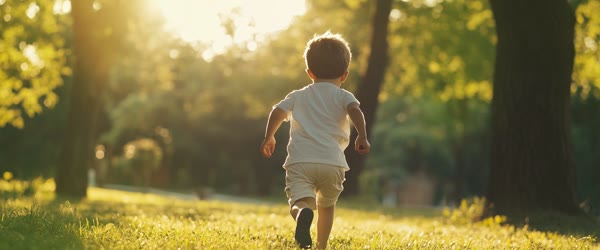
    5. Refine light and background. Once the faces are stable, adjust the light to soft evening gold and simplify the background if needed. One follow-up for light and one for background is usually enough. Keep the background homely and simple: a living room, a garden, or a park path. Avoid grand scenery that distracts from the bond.
    6. Try a variation for the second post. Once the main portrait works, run one variation on the same photo for a story or a second post. The old-photo restoration and the generations versions are especially powerful as companion posts, because they add depth to the day without repeating the same image.
    7. Prepare the print version. If you plan to print the portrait as a gift, download the highest resolution file, crop for the frame size, and keep the image free of text. Use a quality photo printer or a reputable print shop. The warm golden tones look beautiful on matte paper, and a simple frame completes the gift.
    8. Write your own words. Write the caption or card message yourself, in your own voice. Name one specific memory, say thank you plainly, and keep it short. The image shows the love; the words should name it. Post in the morning on Father’s Day, when fathers are most likely to see it first.

    The fathers days special prompt can save a lot of trial and error when you want a polished result quickly.

    Common Mistakes to Avoid

    Choosing a stiff posed photo. A formal posed photo with forced smiles stays stiff after editing, and the warmth never arrives. Candid photos edit better because the emotion is already there. If all your photos are posed, choose the one with the most relaxed expressions and the simplest background, and let the prompt add the warmth around it.

    Accepting changed faces. The most serious mistake is posting a tribute where the father’s face has drifted into someone else’s. Family members notice immediately, and the gift loses its meaning. Always compare faces with the original before sharing. If the tool cannot preserve a face, use the photo unedited with a warm filter instead of an AI portrait. An honest original beats a polished stranger.

    Over-goldening the image. Too much gold turns skin orange and the background into a yellow haze. Evening light should be warm, not burnt. If the result looks orange, ask for softer golden tones and natural skin. Check the result on a second screen, because warm phone screens exaggerate the problem and hide it at the same time. A second pass over the fathers days special prompt usually sharpens the details that matter most.

    Cluttered backgrounds. A background full of furniture, signs, and strangers pulls attention from the two faces. The prompt asks for a cozy simple background for a reason. If the background stays busy, ask for it simplified firmly, naming a living room or garden. The bond is the subject; everything else is support. Most creators refine the fathers days special prompt two or three times before posting the final version.

    Generic captions. A caption copied from the internet wastes the personal power of the photo. The image is yours; the words should be too. Write one specific memory only you share with your father. Specificity is what makes strangers feel the love and family members tear up. Two honest sentences beat ten borrowed ones. In practice, the fathers days special prompt can give you a strong starting point instead of a blank screen.

    Best Tools for This Edit

    ChatGPT is the most reliable choice for two-face portraits because it preserves both identities well and follows the warm light instructions closely. Its follow-up editing lets you restore faces and adjust light separately, which is exactly the workflow this tribute needs. Save each version where both faces pass, before any further changes, so you never lose a good result. If a first attempt feels off, adjust one setting in the fathers days special prompt and try again.

    Gemini produces warm, glowing evening light with beautiful golden tones that suit the cozy home background especially well. Its two-face preservation is good, though it occasionally softens the older face. Request natural detail on both faces explicitly. Gemini is an excellent choice for the old-photo restoration variation, where its warm light flatters aged photographs. For best results, export at the highest quality your app allows after using the fathers days special prompt.

    Basic photo editors are the right fallback if AI face preservation fails. A gentle warm filter, a small brightness lift, and a simple crop in any phone editor can produce a lovely tribute without any AI risk. Use this fallback proudly when the photo matters more than the effect. The best tribute is the one where the father recognizes himself instantly and smiles. Saving the fathers days special prompt in your drafts means you can reuse the idea whenever inspiration strikes.

    Frequently Asked Questions

    Can I use a very old childhood photo? Yes, and old photos often make the most moving tributes. Use the restoration variation, which is designed to clean fading and scratches while keeping the faces true. Scan the printed photo at good quality rather than photographing it at an angle. Expect one or two follow-ups to settle the color, and accept a slightly soft result as part of the photo’s history.

    What if my father has passed away? A restored portrait can be a beautiful memorial, and many families treasure them. Keep the presentation gentle and respectful, use the old-photo variation, and share it with family first. Avoid flashy effects or celebratory captions that clash with grief. A quiet tribute with one honest sentence is the most dignified choice, and it honors both the person and the memory. A clean, sharp source image will always get more out of the fathers days special prompt than a blurry one.

    Should I include text on the image? For social posts, a small Happy Father’s Day line is fine, placed at the bottom away from the faces. For printed gifts, keep the image clean and put the words on the card. Text on the image dates the portrait to one year, while a clean image stays timeless on the wall. When in doubt, keep the image clean and let the caption or card carry the words. That flexibility is why the fathers days special prompt keeps showing up in trending feeds this season.

    Can I make a version for my grandfather too? Yes. The generations variation is made for three generations, and the base prompt works for any father figure with the same warmth. Use a photo of the grandfather and child, or the grandfather alone with a warm background, and adjust the caption to honor him. Every generation of care deserves its own tribute. Plenty of viral posts started with nothing more than the fathers days special prompt and a good idea.

    Why do the faces keep changing in my edits? Face drift happens when the upload is small, the photo is dark, or the prompt asks for too many changes at once. Use the largest original file, brighten it gently first if needed, and keep follow-ups focused on one thing: restore the faces first, then adjust the light. If drift persists, use the basic-editor fallback with a warm filter. An honest photo always beats a drifted portrait. Over time, the fathers days special prompt can become faster to use as you learn which settings suit your style.

    Beginners often get their best result from the fathers days special prompt on the second or third try.

    Final Words

    Fathers rarely ask for thanks, which is why a heartfelt photo means so much. Use this prompt, protect the faces above all else, add your own words, and make his day. Choose the truest photo, wrap it in soft evening gold, and share it with the people who know the bond best. The years pass quickly, but a warm portrait of a father and child, honestly made, keeps the gratitude visible long after the day is over. Sharing your version of the fathers days special prompt can also inspire other creators to try it themselves.

    The fathers days special prompt can also be combined with your own text, music and stickers for a personal touch.

  • Cinematic Eyes Collage Ishq Mubarak Photo Prompt

    Cinematic Eyes Collage Ishq Mubarak Photo Prompt

    Romantic eyes collage for Ishq Mubarak made with the cinematic eyes collage photo ishq mubarak prompt

    Introduction

    The cinematic eyes collage photo ishq mubarak prompt is made for wedding season romance. Three close-up eye frames show love, longing, and joy side by side, wrapped in soft bokeh and warm rose tones. The collage feels like a love story told in glances, which makes it perfect for engagement posts, wedding invitations, and anniversary reels. In practice, the cinematic eyes collage photo ishq mubarak prompt can give you a strong starting point instead of a blank screen.

    This style works best with photos that already carry real emotion. The dreamy wedding mood comes from the glow and the colors, but the eyes themselves do the storytelling. When the three frames show three different feelings, the collage becomes something couples want to keep and share. The mood draws on Bollywood romance scenes, where expressive eyes tell the whole story. With the right tweaks, the cinematic eyes collage photo ishq mubarak prompt can work for beginners and experienced editors alike.

    Three close-up eye frames showing love and joy in the cinematic eyes collage photo ishq mubarak prompt

    How to Use This Cinematic Eyes Collage Photo Ishq Mubarak Prompt

    1. Upload one or three clear eye close-up photos to ChatGPT or Gemini and paste the prompt exactly as written.
    2. Ask the tool to keep the three emotions distinct: love in the first frame, longing in the second, and joy in the third.
    3. Download the collage in full resolution and share it as a wedding post or story with a short romantic caption.
    Gentle bokeh and warm rose tones in the cinematic eyes collage photo ishq mubarak prompt design

    Copy-Paste Prompt

    Create a cinematic eyes collage for the Ishq Mubarak theme, with three close-up eye frames showing love, longing, and joy, set against a soft romantic glow. Add gentle bokeh, warm rose tones, and a dreamy wedding mood. Ultra-realistic eye detail, 4K, cinematic lighting.

    Pro Tips

    • Use photos with visible catchlights in the eyes. The sparkle makes each frame feel alive and romantic.
    • Keep the rose tones soft. Deep red can overpower the eyes, while gentle rose keeps the mood dreamy.
    • Match the frame sizes exactly. Even borders make the collage look professional and balanced.
    Dreamy wedding mood in the cinematic eyes collage photo ishq mubarak prompt collage

    More Prompts to Try

    Three frames, three feelings, one love story. The variations below keep the cinematic eyes collage photo ishq mubarak prompt structure — three close-up eye frames, soft bokeh, warm rose tones, dreamy wedding mood — but change the occasion, the feelings, or the color story. Each prompt is original and ready to copy and paste. Use them across engagement, wedding, anniversary, and Valentine posts so the collage style stays fresh all season.

    Engagement Promise Eyes

    An engagement version with three frames showing joy, promise, and happy tears, in soft gold and rose.

    Create a cinematic eyes collage for an engagement celebration, with three close-up eye frames showing joy, promise, and happy tears, set against a soft golden glow. Add gentle bokeh, warm rose and gold tones, and a dreamy romantic mood. Ultra-realistic eye detail, 4K, cinematic lighting.

    Nikah Blessing Eyes

    A nikah version with serene, grateful, and joyful frames, in soft ivory and rose light.

    Create a cinematic eyes collage for a nikah blessing, with three close-up eye frames showing serenity, gratitude, and quiet joy, set against a soft ivory glow. Add gentle bokeh, warm rose tones, and a peaceful sacred mood. Ultra-realistic eye detail, 4K, cinematic lighting.

    Anniversary Years Eyes

    An anniversary version showing the same love across three moods: young love, deep comfort, and joyful laughter.

    Create a cinematic eyes collage for a wedding anniversary, with three close-up eye frames showing young love, deep comfort, and joyful laughter, set against a soft romantic glow. Add gentle bokeh, warm rose and amber tones, and a dreamy nostalgic mood. Ultra-realistic eye detail, 4K, cinematic lighting.

    Valentine Rose Eyes

    A Valentine version with three frames of longing, love, and delight, wrapped in rose petals and soft red light.

    Create a cinematic eyes collage for Valentine's Day, with three close-up eye frames showing longing, love, and delight, set against soft rose petals and a warm red glow. Add gentle bokeh, warm rose tones, and a dreamy romantic mood. Ultra-realistic eye detail, 4K, cinematic lighting.

    Mehndi Celebration Eyes

    A mehndi version with joyful, playful frames and festive colors, for pre-wedding celebrations. Plenty of viral posts started with nothing more than the cinematic eyes collage photo ishq mubarak prompt and a good idea.

    Create a cinematic eyes collage for a mehndi celebration, with three close-up eye frames showing joy, playfulness, and excitement, set against festive marigold and rose tones with soft bokeh. Add a dreamy celebratory mood and warm golden light. Ultra-realistic eye detail, 4K, cinematic lighting.

    Rainy Romance Eyes

    A monsoon romance version with rain reflections in the eyes and three moods of love in the rain. Over time, the cinematic eyes collage photo ishq mubarak prompt can become faster to use as you learn which settings suit your style.

    Create a cinematic eyes collage for a rainy romance, with three close-up eye frames showing longing, love, and peaceful joy, rain reflections in the eyes, and a soft wet glow. Add gentle bokeh, warm rose tones, and a dreamy monsoon mood. Ultra-realistic eye detail, 4K, cinematic lighting.

    Golden Hour Vows Eyes

    A vow-exchange version with three frames captured in golden hour light, for ceremony posts. If a first attempt feels off, adjust one setting in the cinematic eyes collage photo ishq mubarak prompt and try again.

    Create a cinematic eyes collage for wedding vows, with three close-up eye frames showing nervous hope, deep love, and joyful tears, set in warm golden hour light. Add gentle bokeh, warm rose and gold tones, and a dreamy sacred mood. Ultra-realistic eye detail, 4K, cinematic lighting.

    How to Customize This Prompt

    Start with the three feelings, because the collage only works when the frames differ. Love, longing, and joy is the classic trio, but any three distinct emotions work: hope, gratitude, and delight for an engagement; nervousness, love, and relief for vows; playfulness, joy, and tenderness for mehndi. Name the three feelings explicitly in the prompt or follow-up, one per frame, in order. If two frames show the same expression, the collage reads as one photo repeated, and the story collapses.

    Next, customize the color story. Warm rose is the signature, but the supporting tones change the occasion. Gold reads celebratory and premium. Ivory reads pure and sacred. Amber reads nostalgic and warm. Red reads passionate and festive. Name the palette in the prompt and keep it consistent across all three frames. A frame that drifts into cool blue while the others stay rose will look like it belongs to a different collage.

    The bokeh is the third lever. Bokeh is the soft blurred light in the background, and its size, color, and density set the dreaminess. Large soft bokeh circles feel magical and cinematic. Small fine bokeh feels elegant and restrained. Dense bokeh feels festive. Sparse bokeh feels calm. Ask for gentle bokeh in the prompt, and check that it never covers the eyes. Bokeh belongs behind the frames, never across them. Sharing your version of the cinematic eyes collage photo ishq mubarak prompt can also inspire other creators to try it themselves.

    Frame balance needs attention too. The three frames should be the same size, with the same border, the same spacing, and the same level for the eyes. The eyes should sit at the same height across all three frames so the viewer reads them as one gaze in three moments. If one frame is larger or the eyes sit higher, the collage tilts and feels amateur. Check the alignment before judging anything else in the result. A clean, sharp source image will always get more out of the cinematic eyes collage photo ishq mubarak prompt than a blurry one.

    Finally, customize the occasion details. A small element — a hint of henna, a petal, a ring glint, a veil edge — can anchor the collage to its occasion without cluttering it. Add at most one such detail per collage, and keep it at the edges, never over the eyes. The eyes are the story; the details are only the setting. A collage crowded with props stops being about love and starts being about decoration. That flexibility is why the cinematic eyes collage photo ishq mubarak prompt keeps showing up in trending feeds this season.

    Step-by-Step Guide

    Follow these steps to build a collage that feels like one love story in three glances. The real strength of the cinematic eyes collage photo ishq mubarak prompt is how easily it adapts to different personal styles.

    1. Choose three photos with real emotion. Select one or three eye close-up photos showing distinct feelings. The photos must be sharp, well lit, and clearly emotional. If you have only one photo, the AI can vary its expression, but three real photos with three real moods always produce a stronger collage.
    2. Assign the feelings in order. Decide which feeling goes in each frame and write it down: for example, longing first, love second, joy third. The order should follow a small emotional arc, from tension to resolution, so the collage reads left to right like a story.
    3. Upload and paste the prompt. Upload the photos at full resolution to ChatGPT or Gemini and paste the cinematic eyes collage photo ishq mubarak prompt exactly as written, adding your three feelings in order. Full resolution matters because each frame is small, and small frames from small uploads turn soft.
    4. Check the three emotions first. Look at each frame and name the feeling you see. If two frames show the same feeling, ask the tool to make the emotions distinct, naming each frame’s feeling again. Do not proceed until the three feelings read clearly, because everything else is decoration around them.
    5. Check alignment and borders. Confirm the three frames are the same size, the borders match, the spacing is even, and the eyes sit at the same height. Fix alignment before color or bokeh, because a tilted collage cannot be saved by beautiful tones.
    6. Refine color and bokeh. Ask for softer rose tones if the red overpowers the eyes, and gentler bokeh if the lights distract. Check the result at the size it will be posted, because bokeh that looks dreamy large can look messy small. The eyes must remain the sharpest, clearest element in every frame.
    7. Try an occasion variation. Once the base collage works, run one occasion variation from this article on the same photos. Engagement, anniversary, and Valentine versions from one photo set give you a season of content with a consistent visual identity.
    8. Export and share with a short caption. Download at full resolution and share with a short romantic caption: the occasion, one line of feeling, and the couple’s names if appropriate. Keep the caption shorter than the feeling. The collage should say most of it, and the words should only sign it.

    Common Mistakes to Avoid

    Three identical expressions. The most common failure is a collage where all three frames show the same neutral look. The design promises a story and delivers a repetition. Always name three distinct feelings and verify them frame by frame. If the tool struggles, use three different source photos with three genuinely different expressions instead of asking one photo to become three.

    Overpowering rose tones. Deep red light across the eyes makes the collage look alarming rather than romantic. Rose should be a whisper of warmth, not a flood of red. Ask for soft rose tones and check the iris color in every frame. The eyes must keep their natural color; rose light that changes eye color breaks the realism.

    Uneven frames. Different frame sizes, mismatched borders, or eyes at different heights make the collage look assembled in a hurry. Alignment is the cheapest form of professionalism. Check it first, fix it firmly, and never accept a tilted collage because the colors are pretty. A second pass over the cinematic eyes collage photo ishq mubarak prompt usually sharpens the details that matter most.

    Bokeh over the eyes. Bokeh circles drifting across an iris look like dirt on the lens. Bokeh belongs in the background, behind the subject. If lights cross the eyes, ask for the bokeh kept in the background only, with the eyes clear and sharp. The eyes are sacred in this style; nothing should cover them. Most creators refine the cinematic eyes collage photo ishq mubarak prompt two or three times before posting the final version.

    Cluttered occasion props. Flowers, rings, veils, and lights all at once bury the eyes under decoration. One small occasion detail is enough. The collage is about glances, not about props. Remove anything that a viewer notices before the eyes, because the eyes must always win the first second. In practice, the cinematic eyes collage photo ishq mubarak prompt can give you a strong starting point instead of a blank screen.

    Best Tools for This Edit

    ChatGPT handles the three-frame structure reliably and keeps the three emotions distinct when they are named explicitly. Its follow-up editing fixes alignment and color without disturbing the eyes. For collages built from your own photos, ChatGPT is the most dependable choice, especially when the three source photos are strong. If a first attempt feels off, adjust one setting in the cinematic eyes collage photo ishq mubarak prompt and try again.

    Gemini renders the dreamy rose glow and soft bokeh beautifully, with a romantic softness that suits wedding content. Its frame alignment can occasionally drift, so state the three-equal-frames requirement explicitly and check it first. Gemini is an excellent choice for the engagement and Valentine variations, where the glow matters most. For best results, export at the highest quality your app allows after using the cinematic eyes collage photo ishq mubarak prompt.

    Canva is the best manual fallback for perfect alignment. Build the three frames yourself with equal sizes, even spacing, and matched borders, then apply one consistent warm filter. Manual building takes longer but guarantees the geometry. Use AI for the eye generation and Canva for the final assembly when the occasion is important, such as a wedding invitation. Saving the cinematic eyes collage photo ishq mubarak prompt in your drafts means you can reuse the idea whenever inspiration strikes.

    Frequently Asked Questions

    Can I use photos of two different people in one collage? Yes. Many couples collages mix the two partners’ eyes: one frame each, plus one frame together or a repeated favorite. Keep the lighting and color consistent across both people’s photos so the collage reads as one piece. Name whose eyes go in which frame when you prompt, so the feelings land in the intended order.

    What if I only have one good eye photo? The AI can vary one photo into three expressions, and the results are often good. Ask explicitly for three distinct emotions from the single photo, and check each frame carefully. The risk is that the three frames look too similar. If they do, vary the light slightly per frame — cooler for longing, warmer for joy — to help the feelings read.

    Should the collage include text like Ishq Mubarak? A small elegant caption below the frames works well for invitations and announcements. Keep it outside the frames, in a simple font, and never across the eyes. For feed posts, put the words in the post caption instead and keep the image clean. The image should work without text; the text should only sign it. That flexibility is why the cinematic eyes collage photo ishq mubarak prompt keeps showing up in trending feeds this season.

    How do I keep the eye color natural under rose light? Ask for natural eye color kept unchanged in the prompt and in every follow-up. Rose light should tint the surroundings, not the irises. Check each frame against the original photo. If an iris shifted color, regenerate that frame with the color instruction emphasized. Natural eyes under rose light look romantic; recolored eyes look artificial. Plenty of viral posts started with nothing more than the cinematic eyes collage photo ishq mubarak prompt and a good idea.

    Can this collage work for anniversaries years later? Beautifully. The anniversary variation is designed for exactly that, and the three feelings can represent three eras: young love, deep comfort, and joyful laughter. Use photos from different years if you have them, unified by the same rose treatment. The collage becomes a timeline of glances, which is a powerful anniversary gift. Over time, the cinematic eyes collage photo ishq mubarak prompt can become faster to use as you learn which settings suit your style.

    Final Words

    Love is often clearest in a glance, and three glances tell a whole story. Gather three honest moments, wrap them in rose light, keep the frames even and the eyes true, and let the collage say Ishq Mubarak for you. Name the three feelings, protect the alignment, and share the version that makes the couple smile when they see it. A good eyes collage does not need many words, because the eyes have already said everything.

  • Cinematic Eyes View Photo Prompt

    Cinematic Eyes View Photo Prompt

    Cinematic close-up of expressive eyes made with the cinematic eyes view photo prompt

    Introduction

    The cinematic eyes view photo prompt creates one of the most emotional portrait styles on social media: an extreme close-up where the eyes tell the whole story. Soft light reflected in the eyes, fine eyelash detail, and a gently blurred face give the image a film-like depth. It feels intimate and honest, like a still frame from a drama. In practice, the cinematic eyes view photo prompt can give you a strong starting point instead of a blank screen.

    This prompt suits profile pictures, shayari posts, and artistic portraits. It works best when the original photo already shows real emotion in the eyes. The edit simply moves closer, warms the tones, and lets the viewer connect with the feeling directly. The framing borrows from classic cinematography, where an extreme close-up carries the whole mood of a scene. With the right tweaks, the cinematic eyes view photo prompt can work for beginners and experienced editors alike.

    Extreme close-up on eyes with soft light reflection from the cinematic eyes view photo prompt

    How to Use This Cinematic Eyes View Photo Prompt

    1. Upload a sharp, well-lit portrait to ChatGPT or Gemini and paste the prompt exactly as written.
    2. If the eyes look soft or changed, ask the tool to keep the original eye color and shape unchanged.
    3. Crop the result to a vertical frame and use it as a profile picture or story post.
    Fine eyelash detail and warm tones in the cinematic eyes view photo prompt portrait

    Copy-Paste Prompt

    Transform this photo into a cinematic eyes-view portrait with an extreme close-up on expressive eyes, soft light reflecting in them, and the rest of the face gently blurred. Add warm tones, fine eyelash detail, and a deep emotional mood. Ultra-realistic, 4K, cinematic lighting.

    Pro Tips

    • Start with a high-resolution photo. Close-ups expose every blur, so the original must be sharp.
    • Choose a photo with natural eye light. A window reflection in the eyes makes the result look real.
    • Keep the edit warm but not orange. Subtle warmth feels cinematic, while heavy orange looks artificial.
    Deep emotional mood in a face softly blurred behind the cinematic eyes view photo prompt

    A little patience with the cinematic eyes view photo prompt pays off, because the small details improve with every retry.

    More Prompts to Try

    The eyes can say love, grief, hope, anger, and peace without a single word, and each feeling deserves its own close-up. The variations below keep the cinematic eyes view photo prompt core — extreme close-up, soft reflected light, warm tones, blurred face — but change the emotion, the light, or the story reflected in the eyes. Each prompt is original and ready to copy and paste. Try them on different portraits to build a series that feels like frames from a film.

    Tearful Goodbye Eyes

    A farewell version with a single tear track and soft rain light, for shayari and heartbreak posts.

    Transform this photo into a cinematic eyes-view portrait with an extreme close-up on emotional eyes holding back tears, a single tear track catching soft light, and the rest of the face gently blurred. Add warm muted tones, fine eyelash detail, and a deep sorrowful mood. Ultra-realistic, 4K, cinematic lighting.

    Joyful Laughing Eyes

    A happiness version with crinkled laughing eyes and bright catchlights, for celebration and friendship posts.

    Transform this photo into a cinematic eyes-view portrait with an extreme close-up on laughing eyes, bright joyful catchlights, fine eyelash detail, and the rest of the face softly blurred in a smile. Add warm golden tones and a happy radiant mood. Ultra-realistic, 4K, cinematic lighting.

    Determined Warrior Eyes

    A strength version with sharp focus, strong light, and an unblinking gaze, for motivation and attitude posts.

    Transform this photo into a cinematic eyes-view portrait with an extreme close-up on determined eyes, sharp intense focus, strong directional light, and the rest of the face gently blurred in shadow. Add warm contrast tones, fine detail, and a powerful fearless mood. Ultra-realistic, 4K, cinematic lighting.

    Dreamy Rain Window Eyes

    A longing version with rain reflections and city lights mirrored in the eyes, for romantic and nostalgic posts.

    Transform this photo into a cinematic eyes-view portrait with an extreme close-up on dreamy eyes reflecting rain and distant city lights, soft bokeh in the blur, and the rest of the face gently out of focus. Add cool-warm mixed tones, fine eyelash detail, and a longing romantic mood. Ultra-realistic, 4K, cinematic lighting.

    Childlike Wonder Eyes

    A wonder version with wide bright eyes and star-like reflections, for hopeful and inspirational posts. Plenty of viral posts started with nothing more than the cinematic eyes view photo prompt and a good idea.

    Transform this photo into a cinematic eyes-view portrait with an extreme close-up on wide wondering eyes, bright star-like reflections, fine eyelash detail, and the rest of the face softly blurred. Add soft warm light and a hopeful innocent mood. Ultra-realistic, 4K, cinematic lighting.

    Golden Hour Contemplation

    A peaceful version with sunset light reflected in calm, thoughtful eyes, for reflective and poetic posts. Over time, the cinematic eyes view photo prompt can become faster to use as you learn which settings suit your style.

    Transform this photo into a cinematic eyes-view portrait with an extreme close-up on calm thoughtful eyes, golden hour light reflecting softly, fine eyelash detail, and the rest of the face gently blurred in warm shadow. Add peaceful tones and a deep reflective mood. Ultra-realistic, 4K, cinematic lighting.

    Smoky Mystery Eyes

    A dramatic version with smoke, shadow, and a half-lit gaze, for artistic and cinematic profile pictures. If a first attempt feels off, adjust one setting in the cinematic eyes view photo prompt and try again.

    Transform this photo into a cinematic eyes-view portrait with an extreme close-up on mysterious eyes half-lit through soft smoke, dramatic shadows, fine eyelash detail, and the rest of the face deeply blurred. Add moody warm tones and an enigmatic artistic mood. Ultra-realistic, 4K, cinematic lighting.

    How to Customize This Prompt

    Start with the emotion, because the eyes must match the feeling you want to share. A tearful version suits goodbye posts. A laughing version suits celebrations. A determined version suits motivation. A dreamy version suits romance. Choose the emotion before generating, and name it in the prompt, because the AI shapes the brow, the lids, and the light around the named feeling. Mixing emotions — a laughing mouth with grieving eyes — confuses the viewer, so keep the whole face consistent with the eyes.

    Next, customize the reflection. The catchlight — the small bright reflection in the eyes — is what makes eyes look alive. A window reflection feels natural and honest. A city-lights reflection feels romantic and urban. A candle reflection feels intimate. A sunset reflection feels warm and nostalgic. Name the reflection in your follow-up if the first result has flat, lifeless eyes. The reflection should be soft and small; a huge white blob reads as a flash error, not as light.

    The blur is the third lever. A gentle blur on the rest of the face keeps the portrait feeling like a person, not a floating pair of eyes. A heavy blur turns the image abstract and can feel unsettling. A very light blur keeps too much face in focus and weakens the close-up effect. Ask for the rest of the face gently blurred in the prompt, and check that the nose and lips are soft but still present. The eyes should be the sharpest thing in the frame by a clear margin. Sharing your version of the cinematic eyes view photo prompt can also inspire other creators to try it themselves.

    Color and warmth need careful control. Warm tones suit love, nostalgia, and hope. Cool tones suit grief, mystery, and solitude. Mixed warm and cool suits romance and longing. Keep the warmth subtle: the eyes should glow, not burn. If the result looks orange, ask for softer warmth and natural eye color. The iris color must stay true to the original photo; changing eye color without asking is the fastest way to make a portrait feel fake. A clean, sharp source image will always get more out of the cinematic eyes view photo prompt than a blurry one.

    Finally, customize the crop. An extreme close-up means the eyes fill most of the frame, with the brows at the top edge and the nose bridge soft below. A vertical crop suits stories and profile pictures. A square crop suits feed posts. A wide crop with both eyes and more face suits a cinematic banner. Decide the crop before generating and name it, because reframing a close-up afterward usually cuts an eye or a brow. That flexibility is why the cinematic eyes view photo prompt keeps showing up in trending feeds this season.

    Many readers bookmark the cinematic eyes view photo prompt and return to it whenever a new trend appears.

    Step-by-Step Guide

    Follow these steps to get a sharp, emotional eyes close-up that still looks like the person. The real strength of the cinematic eyes view photo prompt is how easily it adapts to different personal styles.

    1. Choose a sharp portrait. Pick a high-resolution photo where the eyes are in focus, well lit, and clearly visible. Avoid sunglasses, heavy eye makeup that hides the iris, and photos where the eyes are half closed. The original eyes must be good, because the prompt magnifies them and every flaw with them.
    2. Check the light in the eyes. Look for a natural catchlight in the original photo, such as a window reflection. Photos with existing catchlights convert best, because the AI has a real reflection to enhance. If the eyes are flat and dark, choose a different photo or accept that the result will need more follow-ups.
    3. Upload and paste the prompt. Upload the photo at full resolution to ChatGPT or Gemini and paste the cinematic eyes view photo prompt exactly as written. Full resolution is essential for close-ups; a small upload produces soft, mushy eyes that no prompt can sharpen.
    4. Inspect the eyes at full size. Zoom to one hundred percent and check both eyes: are the irises sharp, is the color true, are the lashes fine and separate, is the reflection soft and natural? Check that both eyes match; AI tools sometimes render one eye sharper than the other, which looks unsettling.
    5. Fix one issue at a time. If the eye color changed, ask to restore the original eye color. If the eyes are soft, ask for sharper eye detail with the face unchanged. If the blur is too heavy, ask for a gentler blur. One fix per follow-up keeps the good parts stable while the problem gets solved.
    6. Try an emotion variation. Once the base prompt works, run one variation from this article on the same photo. Comparing emotions side by side teaches you how the light and blur shift with feeling, and it gives you ready posts for different moods.
    7. Crop deliberately. Crop to vertical for stories and profiles, keeping both eyes level and centered. Leave a little forehead above the brows and a little soft face below. Never crop through an eye or a brow. Save the uncropped version too, so you can re-crop for other platforms.
    8. Post with a short caption. Eyes close-ups pair best with very short captions: one line of shayari, one honest sentence, or no words at all. Let the image carry the feeling. Post at a quiet hour when viewers scroll slowly, because this style rewards attention and loses to haste.

    Common Mistakes to Avoid

    Starting with a blurry photo. Close-ups magnify everything, including blur. A photo that looks fine at full-face size falls apart when the eyes fill the frame. The iris turns to mush, the lashes clump, and the reflection vanishes. Choose your sharpest photo, even if the composition is less interesting. Sharpness is the foundation of this style.

    Changing the eye color. AI tools sometimes shift brown eyes to blue or green, especially in warm light. The result may be beautiful and completely wrong. The person in the photo no longer looks like themselves. Always ask for the original eye color to be kept, and check it against the original photo before posting.

    Over-blurring the face. A face blurred into nothing leaves two floating eyes that feel eerie rather than emotional. The blur should soften the face, not erase it. The viewer should still sense the person behind the eyes. If the result feels unsettling, ask for a gentler blur with more face visible. A second pass over the cinematic eyes view photo prompt usually sharpens the details that matter most.

    Over-warming the tones. Warmth that crosses into orange makes the eyes look feverish and the skin look burnt. Cinematic warmth is a whisper, not a shout. If the result looks orange, ask for softer warmth and natural tones. Check the result on a second screen, because warm screens exaggerate the problem. Most creators refine the cinematic eyes view photo prompt two or three times before posting the final version.

    Cropping through the eyes. A crop that cuts an eye in half or slices a brow destroys the composition instantly. Always keep both eyes whole with margin around them. If the platform crop threatens an eye, regenerate in the platform’s shape rather than cropping afterward. Composition errors are the easiest mistakes to avoid and the hardest to forgive. In practice, the cinematic eyes view photo prompt can give you a strong starting point instead of a blank screen.

    Best Tools for This Edit

    ChatGPT preserves eye detail and iris color reliably and follows the close-up framing instructions closely. Its follow-up editing handles single fixes well, such as restoring eye color or sharpening lashes, without disturbing the rest of the image. Save each good version before the next follow-up, because eye detail can drift across long sessions. If a first attempt feels off, adjust one setting in the cinematic eyes view photo prompt and try again.

    Gemini renders soft, dreamy eye light with beautiful warm tones and gentle bokeh, which suits the romantic and nostalgic variations especially well. Its eyes can occasionally be too smooth, so request fine eyelash detail and natural texture explicitly. Gemini is an excellent choice when the mood matters more than microscopic sharpness. For best results, export at the highest quality your app allows after using the cinematic eyes view photo prompt.

    Specialized portrait apps can add the final polish: a gentle sharpening pass on the eyes only, using a masked adjustment, brings out the iris without sharpening the skin. Use the mask carefully so the sharpening never touches the skin. One masked pass is enough. Heavy global sharpening creates halos around the lashes and ruins the soft cinematic feel. Saving the cinematic eyes view photo prompt in your drafts means you can reuse the idea whenever inspiration strikes.

    Frequently Asked Questions

    Can this prompt work on a photo where I wear glasses? Yes, with care. Ask the tool to keep the glasses and add the eye detail through the lenses, or ask for the glasses removed if you prefer a clean close-up. Glasses reflections can complicate the catchlight, so check the result closely. If the lenses create strange reflections, regenerate with the glasses removed and the eyes kept unchanged.

    What if the two eyes look different from each other? Regenerate with an explicit instruction to keep both eyes identical in sharpness, color, and size. Asymmetry is a common AI artifact in close-ups, and it reads as unsettling even when viewers cannot name why. Compare the two eyes at full size before posting, and do not accept a version where one eye is clearly sharper or differently colored. A clean, sharp source image will always get more out of the cinematic eyes view photo prompt than a blurry one.

    Is this style good for a profile picture? Yes, it is one of the most striking profile styles, because the eyes read clearly even at tiny sizes. Use the vertical crop with both eyes centered and level. Keep the expression genuine; a forced intense stare looks odd as a permanent avatar. A calm, warm gaze works best for a profile that people see every day. That flexibility is why the cinematic eyes view photo prompt keeps showing up in trending feeds this season.

    Can I use this for shayari and poetry posts? Absolutely. Eyes close-ups are the natural visual partner for shayari, because both work through feeling rather than explanation. Pair the image with two short lines in a clean font, placed below the eyes, never across them. The combination of a glance and two lines is one of the most shared formats in Hindi and Urdu poetry communities. Plenty of viral posts started with nothing more than the cinematic eyes view photo prompt and a good idea.

    How do I avoid the uncanny, doll-like look? Keep the eye size natural, the skin texture real, and the blur gentle. Doll-like results come from enlarged eyes, plastic skin, and erased faces. Ask for natural proportions, realistic detail, and the original eye color. If the result looks like a doll, regenerate from the original photo with those three instructions emphasized, rather than editing the doll version further. Over time, the cinematic eyes view photo prompt can become faster to use as you learn which settings suit your style.

    Beginners often get their best result from the cinematic eyes view photo prompt on the second or third try.

    Final Words

    Eyes carry what words cannot, and this prompt proves it with every close-up it creates. Move closer, keep the light soft, protect the true color and shape of the eyes, and let a glance turn into a story. Choose a sharp photo, check the result at full size, and post the version that makes you pause when you see it. When the eyes are honest, the viewer feels seen, and that feeling is what makes them stop scrolling. Sharing your version of the cinematic eyes view photo prompt can also inspire other creators to try it themselves.

    The cinematic eyes view photo prompt can also be combined with your own text, music and stickers for a personal touch.

  • Stylish Kids Photo Editing Prompts for Cute Shots

    Stylish Kids Photo Editing Prompts for Cute Shots

    Stylish kids portrait in a sunny park made with stylish kids photo editing prompts

    Introduction

    Stylish kids photo editing prompts turn everyday pictures of children into bright, cheerful portraits that look straight out of a family photoshoot. The playful park background, golden sunlight, and candid giggles keep the mood natural and joyful. Parents love this style because it makes ordinary moments look special without losing the child’s real expression. In practice, the stylish kids photo editing prompts can give you a strong starting point instead of a blank screen.

    These prompts work for birthdays, school events, and family outings. The key is keeping the child comfortable and happy during the original photo. A genuine smile beats a posed one every time, and the AI edit simply adds light, color, and polish around it. It shows how far digital photography and AI editing have come for everyday family portraits. With the right tweaks, the stylish kids photo editing prompts can work for beginners and experienced editors alike.

    Cheerful child laughing in a park for the stylish kids photo editing prompts edit

    How to Use These Stylish Kids Photo Editing Prompts

    1. Upload a clear photo of the child to ChatGPT or Gemini and paste the prompt exactly as written.
    2. If the background changes too much, ask the tool to keep the child and outfit unchanged and only improve the light and colors.
    3. Save the best version and print it or share it with family in full resolution.
    Bright colors and golden sunlight in a stylish kids photo editing prompts portrait

    Copy-Paste Prompt

    Transform this photo into a stylish kids portrait with bright cheerful colors, a playful park background, natural giggles, and soft golden sunlight. Keep the child's expression joyful and candid, add gentle sparkle, and a fun energetic mood. Ultra-realistic detail, safe and wholesome, 4K, cinematic lighting.

    Pro Tips

    • Use photos taken outdoors in daylight. Natural light gives the edit a warm, honest base to build on.
    • Avoid heavy filters before editing. A clean original photo produces the most realistic result.
    • Keep the child’s face as the focus. Ask for a closer crop if the background starts stealing attention.
    Playful candid moment captured with stylish kids photo editing prompts

    A little patience with the stylish kids photo editing prompts pays off, because the small details improve with every retry.

    More Prompts to Try

    One park portrait is only the start. Children have endless moods — curious, brave, sleepy, silly — and each one deserves its own version of the stylish kids photo editing prompts. The variations below keep the bright cheerful core while changing the setting, the activity, or the season. Every prompt is original, written for this article, and safe and wholesome throughout. Try them on different photos to build a family album that feels both polished and real.

    Rainbow Puddle Jumper

    A monsoon version with puddles, rain boots, and joyful splashing for rainy-day memories.

    Transform this photo into a cheerful kids portrait on a rainy day, with colorful rain boots, joyful puddle splashing, soft rain light, and a bright rainbow in the background. Keep the child's expression happy and candid, add gentle sparkle and fresh colors. Ultra-realistic detail, safe and wholesome, 4K, cinematic lighting.

    Little Gardener

    A garden version with flowers, a watering can, and sunshine, ideal for spring and nature posts.

    Transform this photo into a bright kids portrait in a flower garden, with the child holding a small watering can, butterflies nearby, and soft golden sunlight through the leaves. Keep the expression curious and joyful, add fresh green and flower colors, and a playful mood. Ultra-realistic detail, safe and wholesome, 4K, cinematic lighting.

    Birthday Star

    A birthday version with balloons, confetti, and a bright celebration background for birthday posts and invitations.

    Transform this photo into a joyful birthday portrait with colorful balloons, gentle falling confetti, and a bright cheerful background. Keep the child's smile natural and candid, add golden light and festive colors, and a happy celebration mood. Ultra-realistic detail, safe and wholesome, 4K, cinematic lighting.

    Winter Snow Explorer

    A winter version with snow, a cozy coat, and rosy cheeks for December and holiday cards.

    Transform this photo into a cozy winter kids portrait with soft falling snow, a warm colorful coat and scarf, rosy cheeks, and gentle winter light. Keep the child's expression bright and happy, add soft snow sparkle, and a warm cheerful mood. Ultra-realistic detail, safe and wholesome, 4K, cinematic lighting.

    Beach Little Adventurer

    A seaside version with sand, shells, and waves for holiday photos and summer memories. Plenty of viral posts started with nothing more than the stylish kids photo editing prompts and a good idea.

    Transform this photo into a bright beach kids portrait with soft sand, seashells, gentle waves, and golden sunlight. Keep the child joyful and curious, add fresh ocean colors and a playful adventurous mood. Ultra-realistic detail, safe and wholesome, 4K, cinematic lighting.

    Storybook Reader

    A quiet indoor version with a storybook, a window seat, and warm lamplight for calm, thoughtful moments. Over time, the stylish kids photo editing prompts can become faster to use as you learn which settings suit your style.

    Transform this photo into a cozy storybook kids portrait with the child reading in a window seat, warm lamplight, soft rain outside the window, and a peaceful curious mood. Keep the expression calm and natural, add warm tones and gentle detail. Ultra-realistic detail, safe and wholesome, 4K, cinematic lighting.

    Superhero Dreamer

    A playful imagination version with a cape and a heroic pose, keeping everything wholesome and fun. If a first attempt feels off, adjust one setting in the stylish kids photo editing prompts and try again.

    Transform this photo into a playful superhero kids portrait with a bright cape flowing gently, a confident happy pose, and a cheerful sky background with soft clouds. Keep the child's expression joyful and brave, add bright colors and a fun energetic mood. Ultra-realistic detail, safe and wholesome, 4K, cinematic lighting.

    How to Customize This Prompt

    Start with the child’s comfort, because no prompt can fix a photo where the child is upset or stiff. Choose photos taken during play, when the child forgot the camera existed. Candid laughter, mid-run joy, and curious looks all edit beautifully. If the original photo is posed and stiff, the AI version will usually stay stiff. Pick the candid frame from the burst, even if it is slightly imperfect, because genuine expression matters more than perfect composition for kids’ portraits.

    Next, customize the setting to match the child’s real world. A park suits everyday joy. A garden suits curious explorers. A beach suits holidays. A cozy room suits quiet moments. The setting should feel like somewhere the child actually goes, because viewers — especially family — notice when a background feels invented. Keep the background slightly simpler than real life so the child stays the hero. A park with two trees reads better than a park with twenty.

    Color customization should stay bright but natural. Kids’ portraits suit cheerful colors: fresh greens, sky blues, warm golds, and soft pinks. Avoid heavy saturation, which makes skin look orange and clothes look neon. Ask for bright cheerful colors with natural skin tones in the follow-up if the first result looks overcooked. Check the skin at full size. Children’s skin should look soft and real, never plastic or airbrushed. Sharing your version of the stylish kids photo editing prompts can also inspire other creators to try it themselves.

    The outfit can be tuned gently. The prompt works best when it keeps the original outfit, because family members recognize the clothes from the day. If you do change the outfit, change it to something the child would actually wear: a bright t-shirt, a favorite dress, or a cozy sweater. Avoid formal or adult styling on children. Wholesome and age-appropriate is the rule for every variation, and it is also what makes the photos timeless. A clean, sharp source image will always get more out of the stylish kids photo editing prompts than a blurry one.

    Finally, customize the use. A square crop suits profile pictures and feed posts. A vertical crop suits stories and phone wallpapers. A wide crop suits a printed frame above a desk. Decide the use before generating and name it in the prompt, so the composition leaves the right space. Keep the child’s eyes in the upper third of the frame for the most engaging composition, and leave room above the head so the crop never feels tight. That flexibility is why the stylish kids photo editing prompts keeps showing up in trending feeds this season.

    Many readers bookmark the stylish kids photo editing prompts and return to it whenever a new trend appears.

    Step-by-Step Guide

    Follow these steps to turn a good kids’ photo into a polished portrait without losing the real moment. The real strength of the stylish kids photo editing prompts is how easily it adapts to different personal styles.

    1. Choose a candid daylight photo. Pick a photo taken outdoors in natural light where the child is laughing, playing, or curious. Avoid flash photos, dark rooms, and photos where the child is looking away from the camera. A sharp, bright, happy photo is worth more than any prompt trick.
    2. Check safety and consent. Only edit photos of your own children or photos you have clear permission to edit and share. Keep the edits wholesome and age-appropriate, and never share children’s photos in contexts you would not want your own family in. This check takes ten seconds and matters more than any other step.
    3. Upload at full resolution. Open ChatGPT or Gemini and upload the photo at its original size. Children’s faces are small in the frame, so resolution matters more than for adult portraits. A low-resolution upload forces the AI to invent facial details, which changes the child’s look.
    4. Paste the full prompt. Copy the stylish kids photo editing prompt exactly as written and paste it with the photo. Do not trim the words about candid expression and safe wholesome mood, because those words guide the AI toward a natural, appropriate result.
    5. Review the face first. Check the child’s expression before anything else. The smile, the eyes, and the overall likeness must match the original. If the face changed, ask the tool to restore the original face and only improve the light and background. Never accept a version where the child looks like a different person.
    6. Refine the background separately. If the background is too busy or too changed, ask for a simpler park background with the child and outfit unchanged. One follow-up usually settles it. Keep the background soft and slightly blurred so the child stays the clear subject.
    7. Try a variation. Once the base prompt works, run one variation from this article on the same photo. Seasonal and activity variations give you a set of portraits from one good photo, which is perfect for birthdays, holidays, and family albums.
    8. Save and share thoughtfully. Download at full resolution and share with family first. For printing, use the highest quality file and a reputable photo printer. For social posts, crop for the platform and add a short caption about the moment, not about the editing. The memory is the story; the edit is only the polish.

    The stylish kids photo editing prompts can save a lot of trial and error when you want a polished result quickly.

    Common Mistakes to Avoid

    Over-editing the face. Heavy smoothing, enlarged eyes, and reshaped features make children look like dolls, not like themselves. Family members notice instantly, and the photo loses its value as a memory. Ask for natural detail and realistic texture explicitly, and reject any version that changes the child’s face. The goal is polish, not replacement.

    Using flash or dark photos. Flash creates harsh shadows and red eyes that AI editing exaggerates. Dark photos force the AI to invent the face. Both produce unreliable results. Choose daylight photos. If the only photo is dark, brighten it gently in a basic editor first and accept that the result may still be imperfect.

    Busy backgrounds that steal attention. A playground full of equipment, crowds, and signs competes with the child. The AI cannot always simplify a chaotic background cleanly. Choose photos with simple backgrounds, or ask firmly for a simpler park background with the child unchanged. The child should occupy the main third of the frame. A second pass over the stylish kids photo editing prompts usually sharpens the details that matter most.

    Posting without considering privacy. Children’s photos deserve extra care. Share them in family groups and trusted spaces, and think twice before posting publicly with identifying details like school names or locations. The prompt makes beautiful images, and beautiful images travel far, so share them deliberately. Most creators refine the stylish kids photo editing prompts two or three times before posting the final version.

    Forcing a pose the child never made. Asking the AI to change a sitting child into a running child, or a calm child into a laughing one, usually produces unnatural results. Work with the pose and expression the photo already has. Enhance the light, the color, and the background, and let the child’s real moment lead. In practice, the stylish kids photo editing prompts can give you a strong starting point instead of a blank screen.

    Best Tools for This Edit

    ChatGPT is the most reliable choice for kids’ portraits because it preserves the child’s likeness well and follows the wholesome, candid instructions closely. Its follow-up editing lets you fix the background without touching the face. Save each good version before the next follow-up, because long sessions can drift the likeness. For family photos, ChatGPT’s consistency is its greatest strength. If a first attempt feels off, adjust one setting in the stylish kids photo editing prompts and try again.

    Gemini produces warm, cheerful light with beautiful golden tones that suit park and garden portraits especially well. Its colors feel fresh and natural. Its faces can sometimes be too smooth, so request natural detail explicitly. Gemini is an excellent choice for the seasonal variations, where its warm light makes snow and beach scenes glow. For best results, export at the highest quality your app allows after using the stylish kids photo editing prompts.

    Canva and phone photo editors are useful for the final polish after AI generation: gentle cropping, a small brightness lift, and a clean border for printing. Do not stack heavy filters on top of the AI result. One gentle pass is enough. For printed family albums, export at the highest resolution and use a quality printer, because print reveals softness that screens hide. Saving the stylish kids photo editing prompts in your drafts means you can reuse the idea whenever inspiration strikes.

    Frequently Asked Questions

    Will the edited photo still look like my child? Yes, if you start with a clear daylight photo and ask the tool to keep the face unchanged. Check the result against the original side by side, focusing on the eyes, smile, and overall likeness. If anything drifted, regenerate with the face instruction emphasized. Never accept a version where family members would hesitate to recognize the child.

    Can I use these prompts for school or birthday invitations? Yes. The bright, cheerful style suits invitations, thank-you cards, and school event posts beautifully. Use the birthday or seasonal variations for themed invitations. Keep the text on the invitation separate from the photo, in a clean font, so the child’s face stays clear and the details stay readable. A clean, sharp source image will always get more out of the stylish kids photo editing prompts than a blurry one.

    What if my photo is old or low quality? Old photos can still work if the face is visible and reasonably sharp. The AI will clean up light and color, but it cannot invent a face it cannot see. Scan printed photos at good quality rather than photographing them at an angle. If the face is very small or blurry, accept a softer result or choose a different photo. A soft honest result beats a sharp invented face. That flexibility is why the stylish kids photo editing prompts keeps showing up in trending feeds this season.

    How do I keep the edit safe and appropriate? Keep the prompt’s safe and wholesome wording intact, keep outfits age-appropriate, and keep settings familiar and innocent, such as parks, gardens, and homes. Never request adult styling, poses, or contexts for children. Review every result before sharing, and share children’s photos thoughtfully in trusted spaces. Plenty of viral posts started with nothing more than the stylish kids photo editing prompts and a good idea.

    Can I print these portraits? Yes, and they print beautifully. Download the highest resolution file, crop for the frame size, and use a reputable photo printer. The warm golden tones and bright colors look especially good on matte photo paper. Keep an unedited copy of the original photo as well, because the original is the memory and the edit is the celebration of it. Over time, the stylish kids photo editing prompts can become faster to use as you learn which settings suit your style.

    Beginners often get their best result from the stylish kids photo editing prompts on the second or third try.

    Final Words

    Kids grow fast, and photos are how we keep the small moments, so make them count. Use these prompts to make every giggle look as bright as it felt, while keeping the child’s real face, real smile, and real joy at the center. Choose candid daylight photos, protect the likeness above all else, and share the results with the people who love the child most. The years will pass quickly, but a bright, honest portrait keeps the laughter close forever. Sharing your version of the stylish kids photo editing prompts can also inspire other creators to try it themselves.

    The stylish kids photo editing prompts can also be combined with your own text, music and stickers for a personal touch.

  • Trending Modern Collage Photo Prompt

    Trending Modern Collage Photo Prompt

    Modern collage portrait with bold frames made with the trending modern collage photo prompt

    Introduction

    The trending modern collage photo prompt builds a clean, stylish grid from several photos at once. Bold geometric frames, white spacing, and consistent lighting turn scattered pictures into one polished design. It looks like a magazine layout, which is why it works so well for Instagram posts and story highlights. In practice, the trending modern collage photo prompt can give you a strong starting point instead of a blank screen.

    This prompt is ideal for birthdays, trips, and best-of-the-month posts. Instead of choosing one photo, you can show many moments together without clutter. The modern minimal mood keeps the collage fresh and easy to look at, even with six or more frames. With the right tweaks, the trending modern collage photo prompt can work for beginners and experienced editors alike.

    Bold geometric frames in the trending modern collage photo prompt layout
    1. Upload your best photos to ChatGPT or Gemini and paste the prompt, mentioning how many frames you want in the collage.
    2. Check that the lighting matches across frames. If one frame looks darker, ask the tool to balance the light.
    3. Download the collage and post it as a single image, or crop it into a carousel for more engagement.
    Candid and posed shots mixed in the trending modern collage photo prompt design

    Copy-Paste Prompt

    Create a modern collage portrait with bold geometric frames, a mix of candid and posed shots, clean white spacing, and a fresh urban aesthetic. Keep lighting consistent across frames, add subtle shadows, and a stylish minimal mood. Ultra-realistic detail, 4K, cinematic lighting.

    Pro Tips

    • Mix one posed portrait with several candid shots. The contrast keeps the collage feeling real and alive.
    • Use photos from the same day or same outfit for the most consistent colors and light.
    • Leave white space around the edges. Tight crops make collages feel crowded and hard to read.
    Clean white spacing and urban style in the trending modern collage photo prompt result

    A little patience with the trending modern collage photo prompt pays off, because the small details improve with every retry.

    More Prompts to Try

    A collage prompt is a layout engine, and the same engine can build many different designs. The variations below keep the trending modern collage photo prompt core — bold frames, clean spacing, consistent light, minimal urban mood — but change the layout, the theme, or the number of frames. Each prompt is original and ready to copy and paste. Try them on the same set of photos to see how layout alone changes the feeling of a post.

    Bold Grid Nine

    A strict three-by-three grid with equal frames and strong black lines, ideal for a best-of-the-month post.

    Create a modern nine-frame collage portrait with a strict three-by-three grid, bold black frames of equal size, clean white spacing, and consistent lighting across all shots. Mix one posed portrait with candid moments, add subtle shadows, and keep a fresh minimal urban mood. Ultra-realistic detail, 4K, cinematic lighting.

    Asymmetric Editorial

    An editorial layout with one large hero frame and four small supporting frames, perfect for a birthday or a trip highlight.

    Create a modern asymmetric collage with one large hero frame on the left and four smaller frames stacked on the right, bold geometric borders, clean white spacing, and consistent warm light. Use a strong posed portrait as the hero and candid shots as support, with subtle shadows and a stylish minimal mood. Ultra-realistic detail, 4K, cinematic lighting.

    Film Strip Story

    A horizontal film-strip layout that reads like a story, ideal for a day trip told in order.

    Create a modern film-strip collage with five horizontal frames in a row, thin black borders like film, clean white spacing, and consistent daylight across all shots. Order the moments from morning to evening, mix candid and posed shots, and keep a fresh urban minimal mood with subtle shadows. Ultra-realistic detail, 4K, cinematic lighting.

    Soft Polaroid Mix

    A polaroid-style collage with white borders and slight rotations for a warm, personal, scrapbook feeling.

    Create a modern polaroid-style collage with six photos in white polaroid frames, slight natural rotations, clean spacing on a soft light background, and consistent warm lighting. Mix candid laughter with posed portraits, add subtle shadows under each frame, and keep a fresh minimal mood. Ultra-realistic detail, 4K, cinematic lighting.

    Monochrome Modern

    A black-and-white collage with bold frames for a timeless, artistic, gallery-like post. Plenty of viral posts started with nothing more than the trending modern collage photo prompt and a good idea.

    Create a modern monochrome collage with bold geometric frames, black-and-white photos, clean white spacing, and consistent contrast across every frame. Mix strong portraits with candid street moments, add subtle shadows, and keep a timeless minimal editorial mood. Ultra-realistic detail, 4K, cinematic lighting.

    Travel Map Collage

    A travel layout with a map-like arrangement, varied frame sizes, and location energy, ideal for vacation recaps. Over time, the trending modern collage photo prompt can become faster to use as you learn which settings suit your style.

    Create a modern travel collage with varied frame sizes arranged like a journey map, bold frames, clean white spacing, and consistent golden light across all shots. Include viewpoints, food, streets, and portraits, with subtle shadows and a fresh adventurous minimal mood. Ultra-realistic detail, 4K, cinematic lighting.

    Duo Portrait Split

    A simple two-frame split for couples and best friends, with one candid and one posed shot. If a first attempt feels off, adjust one setting in the trending modern collage photo prompt and try again.

    Create a modern two-frame collage split vertically, with a candid laughing shot on one side and a posed portrait on the other, bold clean frames, white spacing, and consistent lighting across both shots. Add subtle shadows and a fresh minimal urban mood. Ultra-realistic detail, 4K, cinematic lighting.

    How to Customize This Prompt

    Start with the layout, because layout is the design. A strict grid feels organized and confident. An asymmetric layout feels editorial and dynamic. A film strip feels narrative and chronological. A polaroid mix feels personal and warm. Choose the layout that matches the story: grid for best-of posts, asymmetric for highlights, film strip for journeys, polaroid for friendships. If you are unsure, the strict grid is the safest choice, because it never looks wrong.

    Next, customize the frame count. Fewer frames give each photo room to breathe and suit hero moments. More frames show variety and suit recaps and best-of posts. The sweet spot is four to nine frames. Below four, the design stops feeling like a collage. Above nine, individual photos become too small to enjoy on a phone. If you have many photos, make two collages instead of one crowded one, and post them as a carousel.

    The spacing and borders are the third lever. Clean white spacing is the signature of the modern minimal look, and it should be consistent everywhere: the same gap between frames, the same border thickness, the same margin at the edges. Bold black frames feel graphic and strong. Thin white frames feel airy and soft. Pick one border style and use it for every frame. Mixed borders look like a mistake, not a choice. Sharing your version of the trending modern collage photo prompt can also inspire other creators to try it themselves.

    Lighting consistency is the hardest part and the most important. Photos taken at different times of day will clash: one warm, one cool, one dark. Ask the AI to balance the light across frames, and check the result frame by frame. If one frame still stands out, regenerate with the words consistent warm light across all frames emphasized. You can also pre-edit your photos to a similar brightness before generating, which gives the AI a much easier job. A clean, sharp source image will always get more out of the trending modern collage photo prompt than a blurry one.

    Finally, customize the photo mix. One posed hero shot plus several candids is the classic winning mix, because the hero anchors the design and the candids add life. All posed shots feel like a studio shoot. All candids feel chaotic. The mix feels real. Choose the hero first — the strongest, clearest photo — and build the collage around it. Place the hero largest or top-left, where the eye lands first. That flexibility is why the trending modern collage photo prompt keeps showing up in trending feeds this season.

    Many readers bookmark the trending modern collage photo prompt and return to it whenever a new trend appears.

    Step-by-Step Guide

    Follow these steps to build a collage that looks designed rather than assembled. The real strength of the trending modern collage photo prompt is how easily it adapts to different personal styles.

    1. Select the photos. Choose four to nine photos from the same day, trip, or theme. Prefer photos with similar light and color. Delete blurry or duplicate shots. Pick one hero photo that is sharp, well lit, and expressive, and mark it as the anchor.
    2. Decide the layout and frame count. Choose a layout from the variations above and decide the exact number of frames. Tell the AI the frame count explicitly in the prompt or a follow-up, because guessing leads to extra or missing frames. A three-by-three grid needs nine photos; an asymmetric layout needs five.
    3. Upload and paste the prompt. Upload all chosen photos to ChatGPT or Gemini and paste the trending modern collage photo prompt, adding the frame count and layout name. Upload at full resolution so the small frames stay sharp. Low-resolution uploads make small frames blurry first.
    4. Check the layout first. Before judging the photos, check the design: are the frames straight, is the spacing even, are the borders consistent? If the layout is wrong, ask for a correction with the layout name repeated. Fix the structure before the details, because a good photo in a broken grid still looks broken.
    5. Check lighting frame by frame. Look at each frame’s brightness and color temperature. If one frame is darker or warmer than the rest, ask the tool to balance the light across all frames. Compare the brightest and darkest frames side by side. The goal is a set that looks photographed in one session, even if it was not.
    6. Refine the mix. If a frame shows a weak photo, swap it for a stronger one and regenerate. If two frames show nearly the same moment, replace one with a different moment. The collage should feel like a summary of the day, not a repetition of one second of it.

    7. Try a variation. Once the base collage works, run one variation prompt on the same photos. The asymmetric or polaroid version often suits a different platform, and having two designs from one photo set doubles your content without new photography.
    8. Export and post thoughtfully. Download at full resolution and post as a single image for impact, or slice it into a carousel for engagement. If you slice it, keep the slices aligned so the grid reads correctly when swiped. Write a caption that names the day or the occasion, because a collage without context feels like a puzzle.

    The trending modern collage photo prompt can save a lot of trial and error when you want a polished result quickly.

    Common Mistakes to Avoid

    Mixing photos with clashing light. A noon photo, a sunset photo, and a night photo in one collage fight each other. The eye jumps between temperatures instead of enjoying the set. Choose photos from similar light, or ask the AI firmly to unify the light. When in doubt, choose fewer photos with matching light over more photos with clashing light.

    Crowding the design. Tiny frames, thin margins, and no white space make a collage feel like a cluttered notice board. White space is not wasted space; it is what lets each photo breathe. Leave generous margins and gaps. If the design feels tight, remove one frame. The remaining photos will thank you with room to shine.

    Using only posed photos. All posed photos feel stiff and corporate, like a company brochure. All candids feel chaotic. The mix is what works: one hero portrait plus candids that show real moments. If your set is all posed, add one laughing or mid-movement shot, even if it is imperfect. Imperfect life beats perfect stiffness. A second pass over the trending modern collage photo prompt usually sharpens the details that matter most.

    Inconsistent borders. Thick black borders on one frame and thin white on another look like an accident. Pick one border style and apply it to every frame without exception. The same applies to shadows: either every frame has a subtle shadow or none does. Consistency is the difference between a design and a pile of photos. Most creators refine the trending modern collage photo prompt two or three times before posting the final version.

    Posting at low resolution. Collages suffer more from compression than single photos, because each frame is already small. A low-resolution collage turns small faces into smudges. Always download the full file, upload at the platform’s highest quality, and check the post on your phone after publishing. If faces smudge, re-export sharper and repost. In practice, the trending modern collage photo prompt can give you a strong starting point instead of a blank screen.

    Best Tools for This Edit

    ChatGPT handles collage prompts well because it follows layout instructions closely and balances light across frames reliably. Its follow-up editing makes it easy to fix one dark frame or swap one photo. For collages built from your own photos, ChatGPT is the most dependable choice, especially for the grid and asymmetric layouts. If a first attempt feels off, adjust one setting in the trending modern collage photo prompt and try again.

    Gemini produces softer, more editorial collages with beautiful white spacing and gentle shadows. It excels at the polaroid and minimal variations, where the mood matters as much as the geometry. Its layouts can occasionally drift from the requested frame count, so state the count explicitly and check it first in the result. For best results, export at the highest quality your app allows after using the trending modern collage photo prompt.

    Canva and dedicated collage apps are the best fallback when AI generation struggles with a specific layout. Build the grid manually in Canva with your photos, using its frame and spacing tools, and apply one consistent filter to unify the light. Manual building takes longer but gives exact control over every frame. Use AI for the first draft and Canva for the final polish when precision matters. Saving the trending modern collage photo prompt in your drafts means you can reuse the idea whenever inspiration strikes.

    Frequently Asked Questions

    How many photos should a collage have? Four to nine is the sweet spot. Four gives each photo room, nine gives a rich overview. Below four it stops feeling like a collage, and above nine the photos get too small for phone screens. For a best-of-the-month post, nine works. For a birthday highlight, five with one hero works beautifully.

    Can I use photos from different days? Yes, if the light and colors are similar. A collage of different days with matching daylight and similar outfits reads as one story. Photos from very different settings — a beach, a snowy mountain, and a nightclub — will clash no matter how good the layout is. Group by light and mood first, by date second. A clean, sharp source image will always get more out of the trending modern collage photo prompt than a blurry one.

    Should the collage be square or vertical? Square suits feed posts and reads well in the grid. Vertical suits stories and reels covers. Wide suits banners and website headers. Decide the use before generating, and name the shape in the prompt. A square collage cropped to vertical later loses frames, so generate in the shape you will post. That flexibility is why the trending modern collage photo prompt keeps showing up in trending feeds this season.

    Why do my frames have different brightness? Different source photos with different exposure are the usual cause. Pre-edit the photos to similar brightness before uploading, and ask the AI to balance the light across frames. If one frame still stands out, regenerate that frame alone with a brightness instruction, or replace the photo. Consistency is worth one extra generation. Plenty of viral posts started with nothing more than the trending modern collage photo prompt and a good idea.

    Can I turn a collage into a carousel? Yes. Slice the finished collage into equal parts, or generate the collage and then crop each frame as a separate slide. Keep the order logical so the story builds as viewers swipe. The first slide should be the hero frame, because it decides whether anyone swipes at all. Add a small swipe hint in the caption, not on the image. Over time, the trending modern collage photo prompt can become faster to use as you learn which settings suit your style.

    Beginners often get their best result from the trending modern collage photo prompt on the second or third try.

    Final Words

    One photo tells a moment, but a collage tells the day, and this prompt gathers your best shots into a single clean design. Choose the layout that fits the story, keep the light consistent, leave room for white space, and let one hero photo anchor the rest. When the frames align, the light agrees, and the candids balance the poses, the result looks like a magazine page made from your own life. Post it with pride, and keep the photo set safe for the next variation. Sharing your version of the trending modern collage photo prompt can also inspire other creators to try it themselves.

    The trending modern collage photo prompt can also be combined with your own text, music and stickers for a personal touch.