Introduction
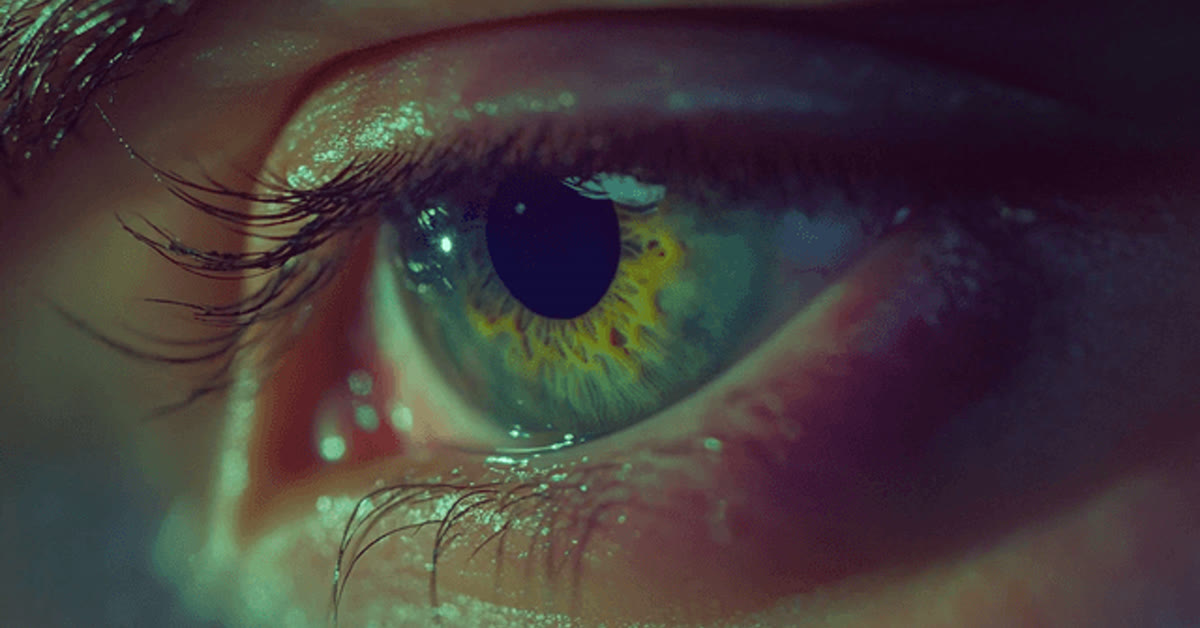
The cinematic eyes view photo prompt creates one of the most emotional portrait styles on social media: an extreme close-up where the eyes tell the whole story. Soft light reflected in the eyes, fine eyelash detail, and a gently blurred face give the image a film-like depth. It feels intimate and honest, like a still frame from a drama. In practice, the cinematic eyes view photo prompt can give you a strong starting point instead of a blank screen.
This prompt suits profile pictures, shayari posts, and artistic portraits. It works best when the original photo already shows real emotion in the eyes. The edit simply moves closer, warms the tones, and lets the viewer connect with the feeling directly. The framing borrows from classic cinematography, where an extreme close-up carries the whole mood of a scene. With the right tweaks, the cinematic eyes view photo prompt can work for beginners and experienced editors alike.
Table of Contents
How to Use This Cinematic Eyes View Photo Prompt
- Upload a sharp, well-lit portrait to ChatGPT or Gemini and paste the prompt exactly as written.
- If the eyes look soft or changed, ask the tool to keep the original eye color and shape unchanged.
- Crop the result to a vertical frame and use it as a profile picture or story post.
Copy-Paste Prompt
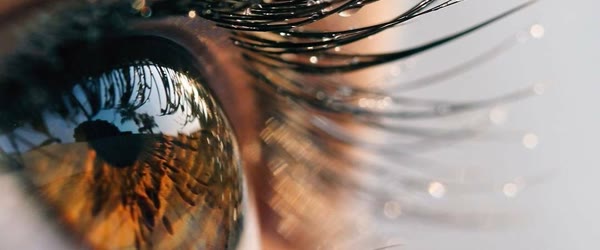
Transform this photo into a cinematic eyes-view portrait with an extreme close-up on expressive eyes, soft light reflecting in them, and the rest of the face gently blurred. Add warm tones, fine eyelash detail, and a deep emotional mood. Ultra-realistic, 4K, cinematic lighting.
Pro Tips
- Start with a high-resolution photo. Close-ups expose every blur, so the original must be sharp.
- Choose a photo with natural eye light. A window reflection in the eyes makes the result look real.
- Keep the edit warm but not orange. Subtle warmth feels cinematic, while heavy orange looks artificial.
A little patience with the cinematic eyes view photo prompt pays off, because the small details improve with every retry.
More Prompts to Try
The eyes can say love, grief, hope, anger, and peace without a single word, and each feeling deserves its own close-up. The variations below keep the cinematic eyes view photo prompt core — extreme close-up, soft reflected light, warm tones, blurred face — but change the emotion, the light, or the story reflected in the eyes. Each prompt is original and ready to copy and paste. Try them on different portraits to build a series that feels like frames from a film.
Tearful Goodbye Eyes
A farewell version with a single tear track and soft rain light, for shayari and heartbreak posts.
Transform this photo into a cinematic eyes-view portrait with an extreme close-up on emotional eyes holding back tears, a single tear track catching soft light, and the rest of the face gently blurred. Add warm muted tones, fine eyelash detail, and a deep sorrowful mood. Ultra-realistic, 4K, cinematic lighting.
Joyful Laughing Eyes
A happiness version with crinkled laughing eyes and bright catchlights, for celebration and friendship posts.
Transform this photo into a cinematic eyes-view portrait with an extreme close-up on laughing eyes, bright joyful catchlights, fine eyelash detail, and the rest of the face softly blurred in a smile. Add warm golden tones and a happy radiant mood. Ultra-realistic, 4K, cinematic lighting.
Determined Warrior Eyes
A strength version with sharp focus, strong light, and an unblinking gaze, for motivation and attitude posts.
Transform this photo into a cinematic eyes-view portrait with an extreme close-up on determined eyes, sharp intense focus, strong directional light, and the rest of the face gently blurred in shadow. Add warm contrast tones, fine detail, and a powerful fearless mood. Ultra-realistic, 4K, cinematic lighting.
Dreamy Rain Window Eyes
A longing version with rain reflections and city lights mirrored in the eyes, for romantic and nostalgic posts.
Transform this photo into a cinematic eyes-view portrait with an extreme close-up on dreamy eyes reflecting rain and distant city lights, soft bokeh in the blur, and the rest of the face gently out of focus. Add cool-warm mixed tones, fine eyelash detail, and a longing romantic mood. Ultra-realistic, 4K, cinematic lighting.
Childlike Wonder Eyes
A wonder version with wide bright eyes and star-like reflections, for hopeful and inspirational posts. Plenty of viral posts started with nothing more than the cinematic eyes view photo prompt and a good idea.
Transform this photo into a cinematic eyes-view portrait with an extreme close-up on wide wondering eyes, bright star-like reflections, fine eyelash detail, and the rest of the face softly blurred. Add soft warm light and a hopeful innocent mood. Ultra-realistic, 4K, cinematic lighting.
Golden Hour Contemplation
A peaceful version with sunset light reflected in calm, thoughtful eyes, for reflective and poetic posts. Over time, the cinematic eyes view photo prompt can become faster to use as you learn which settings suit your style.
Transform this photo into a cinematic eyes-view portrait with an extreme close-up on calm thoughtful eyes, golden hour light reflecting softly, fine eyelash detail, and the rest of the face gently blurred in warm shadow. Add peaceful tones and a deep reflective mood. Ultra-realistic, 4K, cinematic lighting.
Smoky Mystery Eyes
A dramatic version with smoke, shadow, and a half-lit gaze, for artistic and cinematic profile pictures. If a first attempt feels off, adjust one setting in the cinematic eyes view photo prompt and try again.
Transform this photo into a cinematic eyes-view portrait with an extreme close-up on mysterious eyes half-lit through soft smoke, dramatic shadows, fine eyelash detail, and the rest of the face deeply blurred. Add moody warm tones and an enigmatic artistic mood. Ultra-realistic, 4K, cinematic lighting.
How to Customize This Prompt
Start with the emotion, because the eyes must match the feeling you want to share. A tearful version suits goodbye posts. A laughing version suits celebrations. A determined version suits motivation. A dreamy version suits romance. Choose the emotion before generating, and name it in the prompt, because the AI shapes the brow, the lids, and the light around the named feeling. Mixing emotions — a laughing mouth with grieving eyes — confuses the viewer, so keep the whole face consistent with the eyes.
Next, customize the reflection. The catchlight — the small bright reflection in the eyes — is what makes eyes look alive. A window reflection feels natural and honest. A city-lights reflection feels romantic and urban. A candle reflection feels intimate. A sunset reflection feels warm and nostalgic. Name the reflection in your follow-up if the first result has flat, lifeless eyes. The reflection should be soft and small; a huge white blob reads as a flash error, not as light.
The blur is the third lever. A gentle blur on the rest of the face keeps the portrait feeling like a person, not a floating pair of eyes. A heavy blur turns the image abstract and can feel unsettling. A very light blur keeps too much face in focus and weakens the close-up effect. Ask for the rest of the face gently blurred in the prompt, and check that the nose and lips are soft but still present. The eyes should be the sharpest thing in the frame by a clear margin. Sharing your version of the cinematic eyes view photo prompt can also inspire other creators to try it themselves.
Color and warmth need careful control. Warm tones suit love, nostalgia, and hope. Cool tones suit grief, mystery, and solitude. Mixed warm and cool suits romance and longing. Keep the warmth subtle: the eyes should glow, not burn. If the result looks orange, ask for softer warmth and natural eye color. The iris color must stay true to the original photo; changing eye color without asking is the fastest way to make a portrait feel fake. A clean, sharp source image will always get more out of the cinematic eyes view photo prompt than a blurry one.
Finally, customize the crop. An extreme close-up means the eyes fill most of the frame, with the brows at the top edge and the nose bridge soft below. A vertical crop suits stories and profile pictures. A square crop suits feed posts. A wide crop with both eyes and more face suits a cinematic banner. Decide the crop before generating and name it, because reframing a close-up afterward usually cuts an eye or a brow. That flexibility is why the cinematic eyes view photo prompt keeps showing up in trending feeds this season.
Many readers bookmark the cinematic eyes view photo prompt and return to it whenever a new trend appears.
Step-by-Step Guide
Follow these steps to get a sharp, emotional eyes close-up that still looks like the person. The real strength of the cinematic eyes view photo prompt is how easily it adapts to different personal styles.
- Choose a sharp portrait. Pick a high-resolution photo where the eyes are in focus, well lit, and clearly visible. Avoid sunglasses, heavy eye makeup that hides the iris, and photos where the eyes are half closed. The original eyes must be good, because the prompt magnifies them and every flaw with them.
- Check the light in the eyes. Look for a natural catchlight in the original photo, such as a window reflection. Photos with existing catchlights convert best, because the AI has a real reflection to enhance. If the eyes are flat and dark, choose a different photo or accept that the result will need more follow-ups.
- Upload and paste the prompt. Upload the photo at full resolution to ChatGPT or Gemini and paste the cinematic eyes view photo prompt exactly as written. Full resolution is essential for close-ups; a small upload produces soft, mushy eyes that no prompt can sharpen.
- Inspect the eyes at full size. Zoom to one hundred percent and check both eyes: are the irises sharp, is the color true, are the lashes fine and separate, is the reflection soft and natural? Check that both eyes match; AI tools sometimes render one eye sharper than the other, which looks unsettling.
- Fix one issue at a time. If the eye color changed, ask to restore the original eye color. If the eyes are soft, ask for sharper eye detail with the face unchanged. If the blur is too heavy, ask for a gentler blur. One fix per follow-up keeps the good parts stable while the problem gets solved.
- Try an emotion variation. Once the base prompt works, run one variation from this article on the same photo. Comparing emotions side by side teaches you how the light and blur shift with feeling, and it gives you ready posts for different moods.
- Crop deliberately. Crop to vertical for stories and profiles, keeping both eyes level and centered. Leave a little forehead above the brows and a little soft face below. Never crop through an eye or a brow. Save the uncropped version too, so you can re-crop for other platforms.
- Post with a short caption. Eyes close-ups pair best with very short captions: one line of shayari, one honest sentence, or no words at all. Let the image carry the feeling. Post at a quiet hour when viewers scroll slowly, because this style rewards attention and loses to haste.
Common Mistakes to Avoid
Starting with a blurry photo. Close-ups magnify everything, including blur. A photo that looks fine at full-face size falls apart when the eyes fill the frame. The iris turns to mush, the lashes clump, and the reflection vanishes. Choose your sharpest photo, even if the composition is less interesting. Sharpness is the foundation of this style.
Changing the eye color. AI tools sometimes shift brown eyes to blue or green, especially in warm light. The result may be beautiful and completely wrong. The person in the photo no longer looks like themselves. Always ask for the original eye color to be kept, and check it against the original photo before posting.
Over-blurring the face. A face blurred into nothing leaves two floating eyes that feel eerie rather than emotional. The blur should soften the face, not erase it. The viewer should still sense the person behind the eyes. If the result feels unsettling, ask for a gentler blur with more face visible. A second pass over the cinematic eyes view photo prompt usually sharpens the details that matter most.
Over-warming the tones. Warmth that crosses into orange makes the eyes look feverish and the skin look burnt. Cinematic warmth is a whisper, not a shout. If the result looks orange, ask for softer warmth and natural tones. Check the result on a second screen, because warm screens exaggerate the problem. Most creators refine the cinematic eyes view photo prompt two or three times before posting the final version.
Cropping through the eyes. A crop that cuts an eye in half or slices a brow destroys the composition instantly. Always keep both eyes whole with margin around them. If the platform crop threatens an eye, regenerate in the platform’s shape rather than cropping afterward. Composition errors are the easiest mistakes to avoid and the hardest to forgive. In practice, the cinematic eyes view photo prompt can give you a strong starting point instead of a blank screen.
Best Tools for This Edit
ChatGPT preserves eye detail and iris color reliably and follows the close-up framing instructions closely. Its follow-up editing handles single fixes well, such as restoring eye color or sharpening lashes, without disturbing the rest of the image. Save each good version before the next follow-up, because eye detail can drift across long sessions. If a first attempt feels off, adjust one setting in the cinematic eyes view photo prompt and try again.
Gemini renders soft, dreamy eye light with beautiful warm tones and gentle bokeh, which suits the romantic and nostalgic variations especially well. Its eyes can occasionally be too smooth, so request fine eyelash detail and natural texture explicitly. Gemini is an excellent choice when the mood matters more than microscopic sharpness. For best results, export at the highest quality your app allows after using the cinematic eyes view photo prompt.
Specialized portrait apps can add the final polish: a gentle sharpening pass on the eyes only, using a masked adjustment, brings out the iris without sharpening the skin. Use the mask carefully so the sharpening never touches the skin. One masked pass is enough. Heavy global sharpening creates halos around the lashes and ruins the soft cinematic feel. Saving the cinematic eyes view photo prompt in your drafts means you can reuse the idea whenever inspiration strikes.
Frequently Asked Questions
Can this prompt work on a photo where I wear glasses? Yes, with care. Ask the tool to keep the glasses and add the eye detail through the lenses, or ask for the glasses removed if you prefer a clean close-up. Glasses reflections can complicate the catchlight, so check the result closely. If the lenses create strange reflections, regenerate with the glasses removed and the eyes kept unchanged.
What if the two eyes look different from each other? Regenerate with an explicit instruction to keep both eyes identical in sharpness, color, and size. Asymmetry is a common AI artifact in close-ups, and it reads as unsettling even when viewers cannot name why. Compare the two eyes at full size before posting, and do not accept a version where one eye is clearly sharper or differently colored. A clean, sharp source image will always get more out of the cinematic eyes view photo prompt than a blurry one.
Is this style good for a profile picture? Yes, it is one of the most striking profile styles, because the eyes read clearly even at tiny sizes. Use the vertical crop with both eyes centered and level. Keep the expression genuine; a forced intense stare looks odd as a permanent avatar. A calm, warm gaze works best for a profile that people see every day. That flexibility is why the cinematic eyes view photo prompt keeps showing up in trending feeds this season.
Can I use this for shayari and poetry posts? Absolutely. Eyes close-ups are the natural visual partner for shayari, because both work through feeling rather than explanation. Pair the image with two short lines in a clean font, placed below the eyes, never across them. The combination of a glance and two lines is one of the most shared formats in Hindi and Urdu poetry communities. Plenty of viral posts started with nothing more than the cinematic eyes view photo prompt and a good idea.
How do I avoid the uncanny, doll-like look? Keep the eye size natural, the skin texture real, and the blur gentle. Doll-like results come from enlarged eyes, plastic skin, and erased faces. Ask for natural proportions, realistic detail, and the original eye color. If the result looks like a doll, regenerate from the original photo with those three instructions emphasized, rather than editing the doll version further. Over time, the cinematic eyes view photo prompt can become faster to use as you learn which settings suit your style.
Beginners often get their best result from the cinematic eyes view photo prompt on the second or third try.
Final Words
Eyes carry what words cannot, and this prompt proves it with every close-up it creates. Move closer, keep the light soft, protect the true color and shape of the eyes, and let a glance turn into a story. Choose a sharp photo, check the result at full size, and post the version that makes you pause when you see it. When the eyes are honest, the viewer feels seen, and that feeling is what makes them stop scrolling. Sharing your version of the cinematic eyes view photo prompt can also inspire other creators to try it themselves.
The cinematic eyes view photo prompt can also be combined with your own text, music and stickers for a personal touch.
Leave a Reply