Introduction
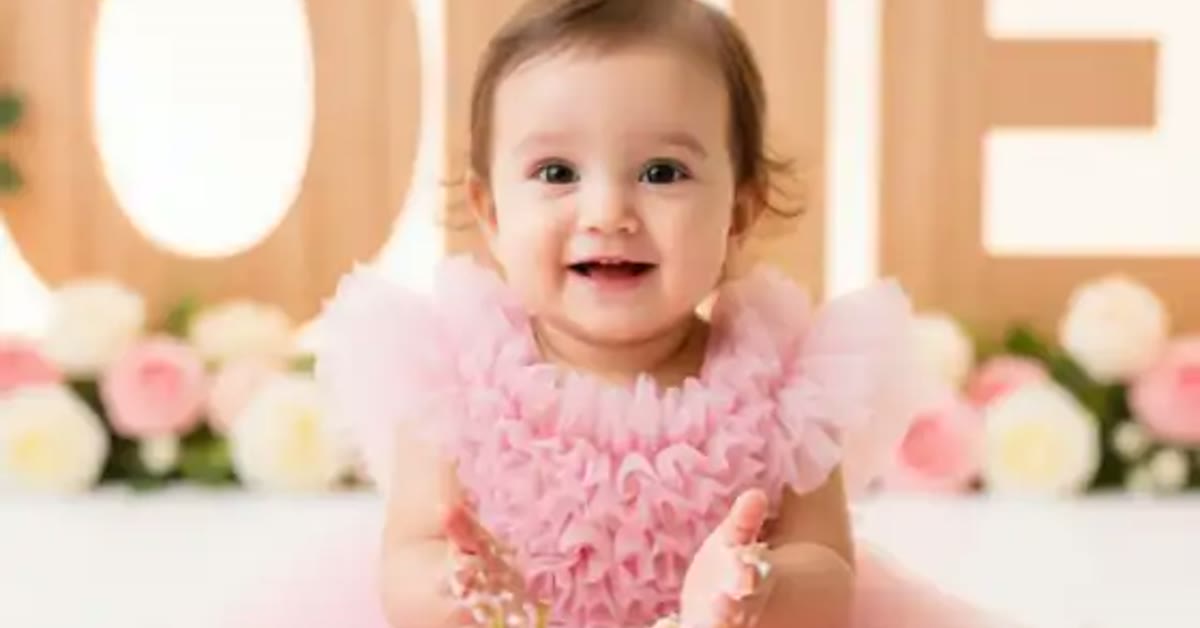
The baby happy birthday wishes photo editing prompt turns a sweet baby photo into a festive birthday portrait. Pastel balloons, a tiny cake, soft confetti, and warm nursery lighting create a joyful scene that feels made for celebration. The baby’s smile stays sweet and natural, which is what makes the edit so lovable.
This prompt is ideal for first birthdays, birthday invitations, and family announcements. It works with any clear baby photo, and the soft festive touches make it ready to share without extra decoration. Parents can create a beautiful birthday post in minutes.
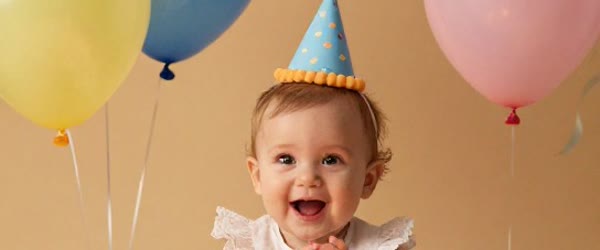
Table of Contents
How to Use This Baby Happy Birthday Wishes Photo Editing Prompt
- Upload a clear, smiling baby photo to ChatGPT or Gemini and paste the prompt exactly as written.
- If the decorations cover the face, ask the tool to move the balloons and confetti to the sides.
- Save the best version and share it as a birthday post or print it for the party.
Copy-Paste Prompt
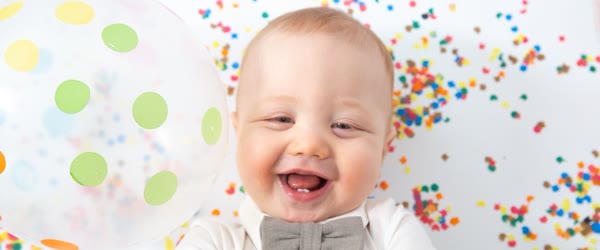
Transform this photo into an adorable baby birthday portrait with pastel balloons, a tiny cake, soft confetti, and warm nursery lighting. Keep the baby's smile sweet and natural, add a joyful innocent mood, and gentle festive sparkle. Ultra-realistic detail, 4K, cinematic lighting.
Pro Tips
- Use a photo with good natural light. Soft daylight keeps the baby’s skin looking real and healthy.
- Keep the colors pastel. Bright neon balloons can overpower a gentle baby portrait.
- Ask for the baby’s outfit to stay unchanged so the photo still feels personal and true.
More Prompts to Try
A baby’s first birthday deserves more than one picture, and the baby happy birthday wishes photo editing prompt can grow into a whole celebration set. The variations below keep the adorable core — pastel balloons, tiny cake, soft confetti, warm nursery light, sweet natural smile — but change the theme, the colors, or the moment. Each prompt is original, written for this article, and safe and wholesome throughout. Use them for the invitation, the main post, the thank-you card, and the printed album.
Pastel Rainbow First Birthday
A rainbow version with soft rainbow arcs, pastel clouds, and a joyful first-birthday feeling.
Transform this photo into an adorable baby birthday portrait with soft pastel rainbow arcs, fluffy clouds, tiny cake, and warm nursery lighting. Keep the baby's smile sweet and natural, add gentle festive sparkle and a joyful innocent mood. Ultra-realistic detail, 4K, cinematic lighting.
Little Prince or Princess
A royal version with a tiny crown, soft velvet tones, and a gentle regal celebration mood.
Transform this photo into an adorable baby birthday portrait with a tiny soft crown, pastel balloons, a tiny cake, and warm nursery lighting. Keep the baby's smile sweet and natural, add gentle sparkle and a joyful royal celebration mood. Ultra-realistic detail, 4K, cinematic lighting.
Garden Party Birthday
An outdoor version with a garden, flowers, and sunshine, for spring and summer birthdays.
Transform this photo into an adorable baby birthday portrait in a sunny garden with pastel balloons, flowers, a tiny cake on a blanket, and warm golden light. Keep the baby's smile sweet and natural, add gentle festive sparkle and a joyful outdoor mood. Ultra-realistic detail, 4K, cinematic lighting.
Teddy Bear Picnic
A teddy version with soft toys, a picnic blanket, and a cozy playful celebration.
Transform this photo into an adorable baby birthday portrait at a teddy bear picnic, with soft toys, pastel balloons, a tiny cake, and warm nursery lighting. Keep the baby's smile sweet and natural, add gentle sparkle and a joyful playful mood. Ultra-realistic detail, 4K, cinematic lighting.
Starry Night First Birthday
A night version with stars, moon, and soft lamp light, for a dreamy evening celebration post.
Transform this photo into an adorable baby birthday portrait under a soft starry sky with a glowing moon, pastel balloons, a tiny cake, and warm lamp light. Keep the baby's smile sweet and natural, add gentle twinkle and a dreamy joyful mood. Ultra-realistic detail, 4K, cinematic lighting.
Winter Wonderland Birthday
A winter version with soft snow, cozy knits, and warm festive light, for December birthdays.
Transform this photo into an adorable baby birthday portrait in a cozy winter wonderland with soft falling snow, pastel balloons, a tiny cake, and warm festive lighting. Keep the baby's smile sweet and natural, add gentle snow sparkle and a joyful warm mood. Ultra-realistic detail, 4K, cinematic lighting.
Cake Smash Joy
A cake smash version with a tiny cake, frosting touches, and pure delight, for the messiest happiest moment.
Transform this photo into an adorable cake smash birthday portrait with a tiny cake, soft frosting touches, pastel balloons, confetti, and warm nursery lighting. Keep the baby's smile joyful and natural, add gentle festive sparkle and a happy messy celebration mood. Ultra-realistic detail, 4K, cinematic lighting.
How to Customize This Prompt
Start with the baby’s comfort and the photo’s honesty, because no decoration can fix a photo where the baby is upset or uncomfortable. Choose a photo where the baby is smiling, curious, or peacefully happy, taken in soft natural light. A calm happy baby edits beautifully. A crying or startled baby edited into a party scene feels wrong to everyone who sees it. Pick the photo that already makes the family smile, and let the prompt add the celebration around it.
Next, customize the theme to the party. The rainbow version suits a colorful first birthday. The royal version suits a formal celebration. The garden version suits an outdoor party. The teddy version suits a cozy home party. Match the image theme to the real party theme when there is one, because the invitation, the decorations, and the photo will then tell one coherent story. If there is no party theme, choose the pastel rainbow or the garden version, which suit almost every first birthday.
The decorations need careful placement. Balloons, cake, and confetti should frame the baby, never cover the face. The baby’s eyes, smile, and hands are the heart of the image, and any decoration crossing them ruins the portrait. If the first result crowds the face, ask firmly for decorations moved to the sides and the face kept fully clear. Check the result at full size, because small decorations that look fine in a preview can sit directly on an eye or a cheek at full size.
Color customization should stay pastel and soft. Pastel pink, blue, mint, peach, and lavender all suit baby portraits. Bright neon colors, harsh reds, and strong blacks overpower a gentle baby portrait and make the baby look pasted into an advertisement. Ask for pastel colors explicitly in every follow-up. Check the skin: baby skin should look soft, healthy, and real, never orange or airbrushed into plastic.
Finally, customize the use. A square crop suits feed posts and invitations. A vertical crop suits stories and phone wallpapers. A wide crop suits a printed banner above the cake table. Decide before generating and name the shape, because reframing a decorated portrait afterward usually cuts a balloon or the cake. Keep the baby centered with room above the head, and keep the decorations balanced on both sides so the composition feels stable and joyful.
Step-by-Step Guide
Follow these steps to create a birthday portrait that is adorable, honest, and safe. The baby happy birthday wishes photo editing prompt keeps working even on older photos, as long as the subject stays clear and bright.
- Choose a happy daylight photo. Pick a clear photo of the baby smiling or curiously happy, taken in soft natural light. Avoid flash photos, dark rooms, and photos where the baby is crying or looking away. A bright, happy, sharp photo is the foundation of everything that follows. In practice, the baby happy birthday wishes photo editing prompt needs only a clear photo and a few minutes from start to finish.
- Check safety and consent. Only edit photos of your own baby or photos you have clear permission to edit and share. Keep every edit wholesome and age-appropriate. Share baby photos thoughtfully, in family groups and trusted spaces, and avoid posting identifying details like full names, birth dates, or locations publicly. That is why the baby happy birthday wishes photo editing prompt keeps trending among creators who post aesthetic edits every day.
- Decide the theme and the use. Match the theme to the party if there is one, and decide the crop shape for the main use: invitation, feed post, or banner. Write both decisions down so the prompt and the follow-ups stay consistent. A coherent theme across the invitation and the post looks intentional and special. Compared with random prompts, the baby happy birthday wishes photo editing prompt gives far more predictable and polished results.
- Upload and paste the prompt. Upload the photo at full resolution to ChatGPT or Gemini and paste the baby happy birthday wishes photo editing prompt exactly as written. Full resolution matters for baby faces, which are small in the frame and lose detail quickly in small uploads. The baby happy birthday wishes photo editing prompt rewards patience, so generate a few versions and pick the most natural one.
- Check the face first. Look at the baby’s smile, eyes, and overall likeness before anything else. The face must match the original and look natural. If the face changed, ask the tool to restore the original face and only add the decorations and light. Never accept a version where the baby looks like a different child. If you post regularly, the baby happy birthday wishes photo editing prompt helps you keep one consistent look across your whole feed.
- Check the decorations. Confirm the balloons, cake, and confetti frame the baby without covering the face, hands, or eyes. Ask for decorations moved to the sides if anything crowds the face. Check the cake size: tiny is right, and a cake larger than the baby looks absurd. What makes the baby happy birthday wishes photo editing prompt reliable is the balance it keeps between mood, detail and realism.
- Try a variation. Once the base portrait works, run one variation for a second post or the thank-you card. The rainbow and garden versions pair beautifully with the main pastel version, giving the celebration a matched set without repeating the same image. A second pass with the baby happy birthday wishes photo editing prompt often fixes dull colors and flat lighting in one go.
- Save, print, and share thoughtfully. Download at full resolution. Print the best version for the party or the album using a quality printer, because pastel tones print beautifully on matte paper. Share online with a short sweet caption and no identifying details. Keep the original photo safe as the true memory behind the celebration. The baby happy birthday wishes photo editing prompt also travels well across apps, so the same steps work in most AI image tools.
Common Mistakes to Avoid
Covering the baby’s face. The most common failure is decorations placed over the eyes, mouth, or hands. Balloons, confetti, and cake must frame the baby, never hide the baby. Check the face at full size in every version. If anything touches the face, ask for it moved to the sides immediately. The face is the portrait; the decorations are only the frame. Many users save the baby happy birthday wishes photo editing prompt as their go-to starting point for this whole edit style.
Over-editing the baby’s skin. Heavy smoothing turns baby skin into plastic and erases the natural texture that makes the photo real. Ask for natural detail and realistic texture explicitly. A few natural baby features — soft cheeks, tiny fingers, real expressions — are what make the image lovable. Perfection is not the goal; the baby is. When the baby happy birthday wishes photo editing prompt is used on a sharp photo, skin tones and small details stay realistic.
Using harsh or neon colors. Neon balloons and saturated reds overwhelm a gentle baby portrait and make the baby look pasted into a toy advertisement. Pastel colors are the rule for this style. If the result runs bright, ask for softer pastel tones in the follow-up. The celebration should feel soft and sweet, not loud. Try the baby happy birthday wishes photo editing prompt on two or three photos first and keep the version with the most natural light.
Forcing a smile the baby never made. Asking the AI to change a calm baby into a laughing baby usually produces an unnatural expression. Work with the expression the photo already has. A calm curious baby in a festive scene is adorable on its own. Enhance the light and the decorations, and let the baby’s real mood lead. The baby happy birthday wishes photo editing prompt is popular because it gives a premium look without any manual retouching skill.
Sharing without thinking about privacy. Baby photos travel far and last forever online. Share them in trusted family spaces, avoid full names and birth details in public captions, and think about the child’s future self. The prompt makes beautiful images, and beautiful images deserve thoughtful sharing. Family first, public second, and never with identifying details. Every version of the baby happy birthday wishes photo editing prompt keeps the main subject sharp while the mood stays soft and cinematic.
Best Tools for This Edit
ChatGPT is the most reliable choice for baby portraits because it preserves the baby’s likeness well and follows the pastel, wholesome instructions closely. Its follow-up editing fixes decoration placement without touching the face. Save each version where the face passes before any further changes, so you never lose a good result. For a cleaner finish, pair the baby happy birthday wishes photo editing prompt with a high resolution upload and a steady crop.
Gemini produces warm, glowing nursery light with beautiful pastel tones that suit the rainbow and garden variations especially well. Its baby faces can occasionally be too smooth, so request natural detail explicitly. Gemini is an excellent choice for the dreamy and winter variations, where its soft light shines. Small changes after using the baby happy birthday wishes photo editing prompt let you match the edit to your own feed style.
Basic photo editors handle the final polish: a gentle crop, a small brightness lift, and a clean border for printing or invitations. Do not stack heavy filters on the AI result. One gentle pass is enough. For invitations, add the party details as text in the editor, keeping the text away from the baby’s face and the decorations balanced. The baby happy birthday wishes photo editing prompt works best when the subject is well lit and the background stays simple.
Frequently Asked Questions
Will the edited photo still look like my baby? Yes, if you start with a clear daylight photo and ask the tool to keep the face unchanged. Compare the result with the original side by side, focusing on the eyes, smile, and overall likeness. If anything drifted, regenerate with the face instruction emphasized. Never accept a version where family members would hesitate to recognize the baby. A clear base photo makes the baby happy birthday wishes photo editing prompt work faster and keeps faces natural in the output.
Can I use these portraits for birthday invitations? Yes, beautifully. Use the square or vertical crop depending on the invitation shape, and add the party details as text in a clean font away from the baby’s face. The pastel rainbow and garden versions suit invitations especially well. Print a test copy before ordering a batch, because pastel tones can print lighter than they appear on screen. Most creators share the baby happy birthday wishes photo editing prompt result as the final post because it needs very little extra editing.
What if my photo is old or low quality? Old photos can still work if the baby’s face is visible and reasonably sharp. The AI will clean up light and color, but it cannot invent a face it cannot see. Scan printed photos at good quality rather than photographing them at an angle. If the face is very small or blurry, accept a softer result or choose a different photo. A soft honest result beats a sharp invented face. If a result looks off, run the baby happy birthday wishes photo editing prompt again with a sharper base photo before adjusting anything else.
How do I keep the edit safe and appropriate? Keep the prompt’s safe and wholesome wording intact, keep outfits age-appropriate, and keep settings familiar and innocent, such as nurseries, gardens, and homes. Never request adult styling, poses, or contexts for babies. Review every result before sharing, and share baby photos thoughtfully in trusted spaces. The real strength of the baby happy birthday wishes photo editing prompt is how it turns a plain photo into a scene with a clear story.
Can I print these portraits for the party? Yes, and they print beautifully. Download the highest resolution file, crop for the frame or banner size, and use a reputable photo printer. Pastel tones look especially good on matte paper. Keep an unedited copy of the original photo as well, because the original is the memory and the edit is the celebration of it. Beginners get the best results when they follow the baby happy birthday wishes photo editing prompt exactly before changing any detail.
Final Words
Birthdays come once a year, but the photos last forever, and this prompt makes the celebration as sweet as the smile it frames. Use it to wrap a happy baby photo in pastel balloons, a tiny cake, and warm nursery light, while keeping the baby’s real face and real joy at the center. Choose a happy daylight photo, protect the face above all else, and share the results with the people who love the baby most. The years will pass quickly, but a sweet, honest birthday portrait keeps the first year close forever. Used well, the baby happy birthday wishes photo editing prompt keeps colors, light and mood consistent across every version you generate.
Leave a Reply